Introduction
Brand Asset Portals are digital platforms where companies store, organize, share, and control approved brand assets such as logos, fonts, images, videos, templates, product visuals, campaign files, brand guidelines, sales collateral, and media kits. In simple words, a brand asset portal helps teams and partners access the correct brand materials from one central place.
These portals matter because modern brands work across many channels, teams, agencies, regions, and campaigns. Without a proper brand asset portal, people may use outdated logos, wrong colors, low-quality images, old presentations, or unapproved marketing files. This creates brand inconsistency and slows down work.
Best for: brand teams, marketing teams, creative teams, agencies, franchise businesses, enterprises, sales teams, partner managers, media teams, and companies with many digital brand assets.
Not ideal for: very small teams with only a few files, businesses that only need basic cloud storage, or teams that do not need brand control, access permissions, or approved asset workflows.
Key Trends in Brand Asset Portals
- AI-powered asset tagging is helping teams organize logos, images, videos, and campaign files faster.
- Brand governance is becoming more important as companies publish content across more channels and regions.
- Self-service asset access is reducing dependency on design and marketing teams for basic file requests.
- Template-based content creation is growing so local teams can create approved materials without breaking brand rules.
- Partner and agency portals are becoming common for controlled external sharing.
- Usage analytics are helping teams understand which assets are downloaded, reused, ignored, or outdated.
- Rights and permission controls are becoming important for licensed images, influencer content, and regional campaigns.
- Integration with DAM, CMS, design, and marketing tools is now a key buying factor.
- Localization support is growing for global brands that need region-specific assets.
- Security and access control are becoming essential for confidential launches and unreleased campaign materials.
How We Selected These Tools
- Market recognition among brand, creative, marketing, and enterprise content teams.
- Strength of brand asset storage, sharing, and access control.
- Support for brand guidelines, templates, portals, and asset governance.
- Search, metadata, tagging, collections, and asset discovery capabilities.
- Ease of use for marketers, sales teams, agencies, and partners.
- Support for external sharing and permission-based access.
- Integration with DAM, design, CMS, marketing, and collaboration workflows.
- Scalability for SMBs, mid-market companies, and enterprises.
- Security features and user permission controls where known.
- Overall usefulness for practical brand operations.
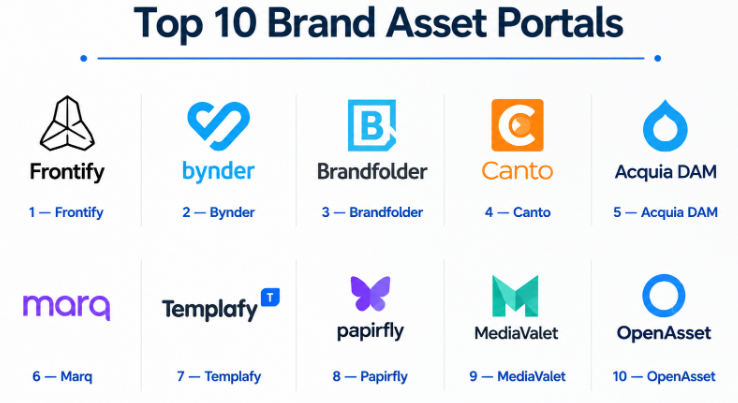
Top 10 Brand Asset Portals
#1 — Frontify
Short description :
Frontify is a brand management platform that helps companies manage brand guidelines, digital assets, templates, and creative collaboration in one place. It is especially useful for brand teams that want more than simple file storage. Frontify allows teams to create digital brand portals where employees, partners, agencies, and regional teams can access approved brand materials. It works well for companies that need brand consistency across many departments and markets. The platform is a strong choice for businesses that treat brand governance as a daily operating need.
Key Features
- Digital brand guidelines.
- Brand asset library.
- Template management.
- Brand portals for internal and external teams.
- Permission-based asset access.
- Collaboration workflows.
- Design system and brand governance support.
Pros
- Strong for brand consistency.
- Good for combining guidelines and asset access.
- Useful for global and distributed brand teams.
Cons
- May be more than small teams need.
- Advanced setup may require planning.
- Not always a full replacement for deep enterprise DAM needs.
Platforms / Deployment
Web / Cloud
Security & Compliance
Security features may vary by plan and agreement. Specific certifications are Not publicly stated.
Integrations & Ecosystem
Frontify fits well into brand operations and creative collaboration workflows.
- Design tool integrations may vary.
- Brand guideline workflows.
- Template creation workflows.
- Asset sharing portals.
- Marketing team collaboration.
- Agency and partner access.
Support & Community
Frontify provides onboarding, documentation, and support resources. Support levels may vary by plan and customer size.
#2 — Bynder
Short description :
Bynder is a Digital Asset Management and brand asset portal platform used by marketing, creative, and brand teams. It helps companies store approved assets, organize files with metadata, share content with teams, and maintain brand consistency. Bynder is especially useful for mid-market and enterprise teams with large asset libraries. It supports brand portals, creative workflows, asset governance, and external sharing. It is a strong choice for companies that need both DAM functionality and easy brand asset distribution.
Key Features
- Centralized brand asset library.
- Brand portals and collections.
- Metadata and advanced search.
- Asset sharing and permissions.
- Creative workflow support.
- Version control.
- Rights and usage management capabilities.
Pros
- Strong DAM and brand portal capabilities.
- Good for marketing and creative teams.
- Useful for global asset distribution.
Cons
- Can be expensive for smaller teams.
- Requires metadata planning.
- Advanced workflows may need onboarding.
Platforms / Deployment
Web / Cloud
Security & Compliance
Enterprise security capabilities may vary by contract. Specific certifications are Not publicly stated.
Integrations & Ecosystem
Bynder connects brand assets with marketing and creative workflows.
- Creative tool integrations may vary.
- CMS and marketing platform connections.
- Partner asset sharing.
- Brand portal workflows.
- Campaign asset management.
- API and automation options may vary.
Support & Community
Bynder provides onboarding, documentation, and support for business users. Support levels may vary by package.
#3 — Brandfolder
Short description :
Brandfolder is a brand asset management platform designed to help teams organize, share, and measure brand assets. It is widely used by marketing teams, sales teams, creative teams, and agencies that need a clean asset portal. Brandfolder focuses on usability, attractive asset presentation, permission-based sharing, and asset analytics. It is useful for teams that want a simple way to distribute approved logos, images, campaign files, videos, and sales collateral. It is a strong option for businesses that want a professional brand portal without heavy complexity.
Key Features
- Brand asset portal.
- Smart search and tagging.
- Collections and share links.
- Asset performance analytics.
- Permission-based access.
- Version control.
- Brand and marketing content organization.
Pros
- Clean and user-friendly experience.
- Good for asset sharing and brand presentation.
- Useful analytics for asset usage.
Cons
- Advanced enterprise workflows may vary by plan.
- Pricing should be reviewed by smaller teams.
- Deep customization may require setup work.
Platforms / Deployment
Web / Cloud
Security & Compliance
Security features may vary by plan. Specific certifications are Not publicly stated.
Integrations & Ecosystem
Brandfolder works well for brand, sales, and marketing content access.
- Creative tool connections may vary.
- Sales content sharing.
- Marketing asset distribution.
- Brand portal workflows.
- Reporting and analytics.
- API options may vary.
Support & Community
Brandfolder provides documentation, onboarding, and support resources. Support levels may vary by plan.
#4 — Canto
Short description :
Canto is a Digital Asset Management platform that can also work well as a brand asset portal for marketing and creative teams. It helps businesses organize images, videos, documents, brand assets, campaign files, and media content. Canto is useful for companies moving away from scattered cloud folders and manual file sharing. It offers visual asset libraries, portals, metadata, search, and permissions. It is especially practical for SMB and mid-market teams that need easy asset access without enterprise-level complexity.
Key Features
- Visual asset library.
- Brand portals and collections.
- Metadata and tagging.
- Asset sharing and permissions.
- Video and image support.
- Version control.
- Collaboration features.
Pros
- Easy for creative and marketing teams.
- Good for replacing messy file storage.
- Useful for brand asset sharing.
Cons
- Advanced enterprise governance may vary.
- Large taxonomy projects still need planning.
- Custom workflow depth should be tested.
Platforms / Deployment
Web / Cloud
Security & Compliance
Security and compliance details are Not publicly stated.
Integrations & Ecosystem
Canto supports practical brand and creative asset workflows.
- Creative tool integrations may vary.
- CMS and web workflows.
- Marketing campaign asset sharing.
- Brand portal access.
- Media library workflows.
- Reporting and usage tracking.
Support & Community
Canto provides support, onboarding, and documentation. Support level may vary by customer size and package.
#5 — Acquia DAM
Short description :
Acquia DAM is a digital asset management platform used by content, marketing, and brand teams that need structured asset organization and distribution. It helps companies manage metadata, taxonomies, asset rights, portals, and workflows. Acquia DAM is especially useful for businesses that connect brand assets with web content and digital experience workflows. It is a good choice for teams that need both brand asset control and structured content governance. It works well for mid-market and enterprise organizations with growing content operations.
Key Features
- Centralized brand asset library.
- Metadata and taxonomy support.
- Asset portals and collections.
- Search and asset discovery.
- Rights and usage management.
- Workflow and approval support.
- Content and marketing integrations.
Pros
- Strong structured asset management.
- Good for brand and content teams.
- Useful for digital experience workflows.
Cons
- Requires metadata planning.
- May be more advanced than basic file sharing.
- Configuration may need onboarding support.
Platforms / Deployment
Web / Cloud
Security & Compliance
Security features may vary by agreement. Specific certifications are Not publicly stated.
Integrations & Ecosystem
Acquia DAM supports brand, content, and marketing workflows.
- CMS integrations may vary.
- Drupal and web experience workflows.
- Marketing asset distribution.
- Asset portals.
- Reporting and governance workflows.
- API options may vary.
Support & Community
Acquia provides documentation, onboarding, and business support. Enterprise support may vary by package.
#6 — Marq
Short description :
Marq is a brand templating and content creation platform that helps teams create on-brand marketing materials. It is useful for businesses that want employees, sales teams, franchisees, or local teams to customize approved templates without changing brand rules. Marq can support brand asset portals, templates, locked brand elements, and content production workflows. It is especially valuable for teams that need controlled self-service design. It is a strong option where brand consistency and scalable content creation are both important.
Key Features
- Brand template management.
- Locked brand elements.
- Self-service content creation.
- Asset storage and sharing.
- Team collaboration.
- Approval workflows may vary.
- Brand governance support.
Pros
- Strong for template-based brand control.
- Useful for sales, local, and franchise teams.
- Helps reduce design team workload.
Cons
- Not a full DAM for every use case.
- Asset library depth may be lighter than DAM-first tools.
- Best value depends on template usage.
Platforms / Deployment
Web / Cloud
Security & Compliance
Security and compliance details are Not publicly stated.
Integrations & Ecosystem
Marq fits into brand templating and self-service marketing workflows.
- Template creation workflows.
- Brand asset access.
- Marketing content production.
- Sales collateral workflows.
- Approval processes may vary.
- Collaboration and sharing.
Support & Community
Marq provides support resources and documentation. Support levels may vary by plan.
#7 — Templafy
Short description :
Templafy is a document and brand governance platform focused on helping enterprises create compliant, on-brand documents, presentations, emails, and business content. It is useful for large companies that need employees to use approved templates, legal disclaimers, brand assets, and document standards. Templafy is not only a brand asset portal; it is also a business content governance platform. It is especially relevant for enterprises where brand compliance and document control matter. It works well for legal, sales, marketing, HR, and corporate teams.
Key Features
- Document template management.
- Brand asset access.
- Business content governance.
- Presentation and document automation.
- Approved content libraries.
- Compliance-friendly content controls.
- Enterprise user management capabilities may vary.
Pros
- Strong for enterprise document governance.
- Useful for brand consistency in business content.
- Good fit for regulated and large organizations.
Cons
- May be too advanced for small teams.
- Less focused on creative media libraries.
- Implementation may require planning.
Platforms / Deployment
Web / Cloud / Desktop workflow support may vary
Security & Compliance
Enterprise security capabilities may vary by agreement. Specific certifications are Not publicly stated.
Integrations & Ecosystem
Templafy fits into enterprise document, presentation, and brand governance workflows.
- Office document workflows.
- Presentation templates.
- Email signature and business content workflows may vary.
- Brand asset libraries.
- Enterprise identity systems may vary.
- Compliance and approval processes.
Support & Community
Templafy generally supports enterprise customers with onboarding and customer success resources. Support levels may vary by contract.
#8 — Papirfly
Short description :
Papirfly is a brand management platform that helps companies manage brand assets, templates, campaigns, and local marketing materials. It is often used by enterprises and distributed teams that need consistent brand execution across regions, partners, and departments. Papirfly supports brand portals, asset sharing, campaign toolkits, and self-service content creation. It is especially useful for businesses that need to scale brand execution without losing control. It is a good choice for companies with complex brand operations and multiple stakeholder groups.
Key Features
- Brand asset portal.
- Template and campaign toolkit management.
- Self-service brand content creation.
- Local marketing asset support.
- Permission-based access.
- Brand governance workflows.
- Asset sharing and distribution.
Pros
- Strong for distributed brand teams.
- Useful for local marketing and campaign toolkits.
- Helps maintain brand control at scale.
Cons
- May be too much for simple asset sharing.
- Implementation may require planning.
- Pricing and packaging should be validated.
Platforms / Deployment
Web / Cloud
Security & Compliance
Security and compliance details are Not publicly stated.
Integrations & Ecosystem
Papirfly fits into enterprise brand management and local marketing workflows.
- Brand portal workflows.
- Template-based content creation.
- Campaign asset distribution.
- Local marketing workflows.
- Partner access.
- Approval and governance processes.
Support & Community
Papirfly provides onboarding and support for business users. Support levels may vary by plan and customer size.
#9 — MediaValet
Short description :
MediaValet is a cloud-based Digital Asset Management platform that can also serve as a secure brand asset portal. It helps teams organize, search, share, and manage brand assets across distributed teams and external stakeholders. MediaValet is useful for marketing teams, creative teams, nonprofits, education, enterprises, and media-rich organizations. It supports asset permissions, collections, portals, and controlled sharing. It is a strong option for teams that need reliable cloud access to approved brand assets.
Key Features
- Cloud-based brand asset library.
- Search and metadata management.
- Asset sharing and portals.
- Permissions and access control.
- Video and image support.
- Version control.
- Global asset distribution.
Pros
- Good for distributed teams.
- Useful for secure asset sharing.
- Strong fit for media-rich organizations.
Cons
- Metadata planning is still needed.
- Advanced brand guideline features may vary.
- Pricing may depend on storage and usage needs.
Platforms / Deployment
Web / Cloud
Security & Compliance
Security capabilities may vary by plan and agreement. Specific certifications are Not publicly stated.
Integrations & Ecosystem
MediaValet supports brand asset distribution and cloud-based DAM workflows.
- Creative workflow connections may vary.
- Asset portals.
- Marketing content sharing.
- Brand asset libraries.
- Reporting and usage tracking.
- API and integration options may vary.
Support & Community
MediaValet provides onboarding and support resources. Support levels may vary by plan and customer size.
#10 — OpenAsset
Short description :
OpenAsset is a digital asset and brand asset platform often used by architecture, engineering, construction, and professional services firms. It helps teams manage project images, marketing assets, employee photos, proposal content, and brand-approved visuals. OpenAsset is especially useful for firms that create proposals, case studies, portfolios, and project-based marketing materials. It helps marketing and business development teams quickly find approved visuals and content. It is a strong option for professional services teams with project-heavy asset libraries.
Key Features
- Project-based asset organization.
- Image and marketing asset management.
- Search and metadata tools.
- Proposal and business development asset support.
- Brand-approved asset sharing.
- User permissions.
- Content reuse workflows.
Pros
- Strong for project-based industries.
- Useful for proposals and marketing teams.
- Helps organize images around projects and clients.
Cons
- Less universal than general DAM tools.
- Best suited for specific industries.
- Advanced brand portal features should be validated.
Platforms / Deployment
Web / Cloud
Security & Compliance
Security and compliance details are Not publicly stated.
Integrations & Ecosystem
OpenAsset fits into professional services, marketing, and proposal workflows.
- Project asset libraries.
- Proposal content workflows.
- CRM integrations may vary.
- Marketing asset sharing.
- Portfolio and case study support.
- Business development workflows.
Support & Community
OpenAsset provides industry-focused support and onboarding resources. Support levels may vary by plan and customer size.
Comparison Table Top 10
| Tool Name | Best For | Platform(s) Supported | Deployment | Standout Feature | Public Rating |
|---|---|---|---|---|---|
| Frontify | Brand guidelines and brand governance | Web | Cloud | Brand guidelines plus asset portal | N/A |
| Bynder | Enterprise brand asset management | Web | Cloud | DAM with brand portals | N/A |
| Brandfolder | Easy brand asset sharing | Web | Cloud | User-friendly brand asset portal | N/A |
| Canto | Creative and marketing teams | Web | Cloud | Visual asset library and portals | N/A |
| Acquia DAM | Structured brand and content operations | Web | Cloud | Metadata-driven asset governance | N/A |
| Marq | Brand templates and self-service content | Web | Cloud | Controlled branded templates | N/A |
| Templafy | Enterprise document brand governance | Web | Cloud / Varies | Approved templates and business content | N/A |
| Papirfly | Distributed brand execution | Web | Cloud | Campaign toolkits and local brand control | N/A |
| MediaValet | Secure cloud brand asset sharing | Web | Cloud | Global cloud asset library | N/A |
| OpenAsset | Professional services asset portals | Web | Cloud | Project-based asset management | N/A |
Evaluation & Brand Asset Portals
| Tool Name | Core (25%) | Ease (15%) | Integrations (15%) | Security (10%) | Performance (10%) | Support (10%) | Value (15%) | Weighted Total (0–10) |
|---|---|---|---|---|---|---|---|---|
| Frontify | 9 | 9 | 8 | 7 | 8 | 8 | 8 | 8.30 |
| Bynder | 9 | 8 | 8 | 7 | 8 | 8 | 7 | 8.00 |
| Brandfolder | 8 | 9 | 8 | 7 | 8 | 8 | 8 | 8.10 |
| Canto | 8 | 9 | 7 | 6 | 8 | 8 | 8 | 7.90 |
| Acquia DAM | 8 | 7 | 8 | 7 | 8 | 8 | 7 | 7.65 |
| Marq | 8 | 9 | 7 | 6 | 7 | 7 | 8 | 7.60 |
| Templafy | 8 | 7 | 8 | 7 | 8 | 8 | 7 | 7.60 |
| Papirfly | 8 | 8 | 7 | 6 | 8 | 8 | 7 | 7.55 |
| MediaValet | 8 | 8 | 7 | 7 | 8 | 8 | 7 | 7.65 |
| OpenAsset | 7 | 8 | 7 | 6 | 7 | 8 | 8 | 7.35 |
These scores are comparative and should be used as a shortlist guide. A higher score does not mean the tool is best for every team. For example, Frontify may be stronger for brand guidelines, Bynder may be stronger for DAM-heavy teams, Marq may be better for template-based content, and OpenAsset may be better for project-based professional services firms.
Which Brand Asset Portals
Solo / Freelancer
Solo professionals usually do not need a heavy brand asset portal unless they manage assets for multiple clients. Brandfolder, Canto, Marq, or a simple DAM-style setup may be enough.
If the main need is creating branded templates, Marq may be useful. If the need is sharing approved assets with clients, Brandfolder or Canto may be more practical.
SMB
SMBs need easy asset access, simple sharing, approved templates, and basic brand control. Brandfolder, Canto, Frontify, Marq, and MediaValet are strong options to compare.
SMBs should focus on ease of use, pricing, storage needs, asset permissions, search quality, and whether non-design teams can find and use assets correctly.
Mid-Market
Mid-market businesses often need stronger brand portals, metadata, user roles, external partner access, and campaign asset distribution. Frontify, Bynder, Brandfolder, Acquia DAM, and Papirfly are useful options.
These teams should review brand guideline features, asset approval workflows, template control, external sharing, analytics, and integrations.
Enterprise
Enterprises need brand governance, scalable permissions, regional access control, template systems, rights management, security, and integration with creative and marketing systems. Frontify, Bynder, Templafy, Papirfly, Acquia DAM, and MediaValet are strong enterprise options.
Enterprise buyers should include brand, marketing, creative operations, IT, legal, sales, and regional teams during evaluation.
Budget vs Premium
Budget-conscious teams should focus on simple asset sharing and template control. Canto, Brandfolder, Marq, or MediaValet may be practical depending on package.
Premium buyers should evaluate Frontify, Bynder, Templafy, Papirfly, and Acquia DAM when governance, scale, permissions, and integrations matter more.
Feature Depth vs Ease of Use
For feature depth, Frontify, Bynder, Acquia DAM, Templafy, and Papirfly are strong options.
For ease of use, Brandfolder, Canto, Marq, MediaValet, and OpenAsset may be easier for business users to adopt.
Integrations & Scalability-
Teams should evaluate integrations with design tools, DAM systems, CMS platforms, marketing automation, project management tools, sales enablement systems, document tools, and collaboration platforms.
Scalability depends on user roles, asset volume, partner access, regional permissions, approval workflows, template rules, metadata quality, and reporting needs.
Security & Compliance Needs
Security-focused buyers should ask about SSO, MFA, RBAC, audit logs, encryption, user permissions, external sharing controls, watermarking, asset expiration, and compliance documentation.
Enterprises handling confidential launches, legal files, licensed content, partner assets, or regulated brand materials should include IT and legal teams in the buying process.
Frequently Asked Questions FAQs
1. What is a brand asset portal?
A brand asset portal is a central place where teams can access approved brand materials such as logos, images, videos, templates, fonts, brand guidelines, and campaign files.
2. How is a brand asset portal different from DAM?
A DAM manages digital assets broadly, while a brand asset portal focuses more on approved brand materials, guidelines, templates, and easy access for internal and external users.
3. Do small businesses need a brand asset portal?
Small businesses need a brand asset portal when they have many assets, multiple team members, outside agencies, or frequent brand misuse. Very small teams may start with simpler storage first.
4. What assets should be included in a brand portal?
A brand portal should include logos, color rules, typography, imagery, videos, templates, presentations, product visuals, social media assets, press kits, and usage guidelines.
5. Can brand asset portals help sales teams?
Yes. Sales teams can quickly access approved presentations, brochures, pitch decks, case studies, product images, and proposal templates without asking marketing every time.
6. Are brand asset portals useful for agencies?
Yes. Agencies can use portals to access approved client assets, campaign files, brand guidelines, templates, and usage rules. This reduces confusion and improves delivery speed.
7. What is the biggest mistake when creating a brand portal?
The biggest mistake is uploading files without structure. A useful portal needs clear categories, metadata, permissions, updated guidelines, ownership rules, and old asset cleanup.
8. Can brand asset portals control who downloads files?
Yes, many tools support permission-based access, user roles, private collections, share links, asset expiration, and external partner access controls. Exact features vary by vendor.
9. Do brand asset portals support templates?
Many brand portals support templates or connect with template tools. This helps teams create on-brand documents, social posts, presentations, and local marketing materials.
10. What integrations are important?
Important integrations include design tools, CMS, DAM, marketing automation, project management, sales enablement, document creation, collaboration tools, and cloud storage systems.
Conclusion
Brand Asset Portals are important for companies that want to protect brand consistency, improve asset access, reduce file confusion, and support faster content creation. The best platform depends on your company size, asset volume, brand governance needs, template requirements, and team structure. Frontify is strong for brand guidelines and governance, Bynder and Acquia DAM are strong for structured DAM-style workflows, Brandfolder and Canto are practical for easy asset sharing, while Marq, Templafy, and Papirfly are useful for template and brand control workflows.
