Introduction
Backup & Recovery Tools are software solutions designed to protect data by creating copies (backups) and restoring it when needed. These tools ensure business continuity by safeguarding critical data from accidental deletion, hardware failure, cyberattacks (like ransomware), or system outages.
In today’s digital-first environment, data is one of the most valuable assets. Organizations operate across cloud platforms, on-premise systems, and hybrid environments—making reliable backup and fast recovery more important than ever. Modern tools go beyond simple backups by offering automation, real-time replication, disaster recovery, and security features.
Common use cases:
- Disaster recovery: Restore systems after outages or cyberattacks
- Ransomware protection: Recover encrypted or compromised data
- Cloud backup: Protect SaaS apps and cloud infrastructure
- Compliance: Maintain data retention policies for audits
- Business continuity: Ensure minimal downtime and data loss
What buyers should evaluate:
- Backup types (full, incremental, differential)
- Recovery speed and RTO/RPO capabilities
- Cloud, on-premise, and hybrid support
- Automation and scheduling features
- Security (encryption, immutability, access controls)
- Scalability for growing data volumes
- Integration with existing infrastructure
- Ease of use and deployment
- Cost and storage pricing model
- Monitoring and reporting
Best for: IT teams, enterprises, SMBs, managed service providers, and organizations handling critical or sensitive data.
Not ideal for: Individuals or very small teams with minimal data, where simple cloud storage backups may be sufficient.
Key Trends in Backup & Recovery Tools
- Immutable backups: Protection against ransomware by preventing data alteration
- Cloud-first backup strategies: Increasing reliance on cloud storage and SaaS backups
- Automation and policy-driven backups: Reduced manual intervention
- AI-powered anomaly detection: Identifying unusual backup patterns or threats
- Instant recovery capabilities: Faster recovery with minimal downtime
- Backup for SaaS applications: Protection for platforms like email, CRM, and collaboration tools
- Hybrid and multi-cloud support: Seamless backup across environments
- Zero Trust security integration: Enhanced authentication and access control
- Cost optimization features: Tiered storage and deduplication
- Disaster Recovery as a Service (DRaaS): Managed recovery solutions
How We Selected These Tools (Methodology)
We evaluated backup and recovery tools based on:
- Market adoption and vendor reputation
- Breadth of backup and recovery capabilities
- Performance and recovery speed
- Security features (encryption, immutability)
- Integration with cloud and on-premise systems
- Ease of deployment and usability
- Scalability across different environments
- Support and documentation quality
- Suitability for SMB, mid-market, and enterprise
- Overall value for cost
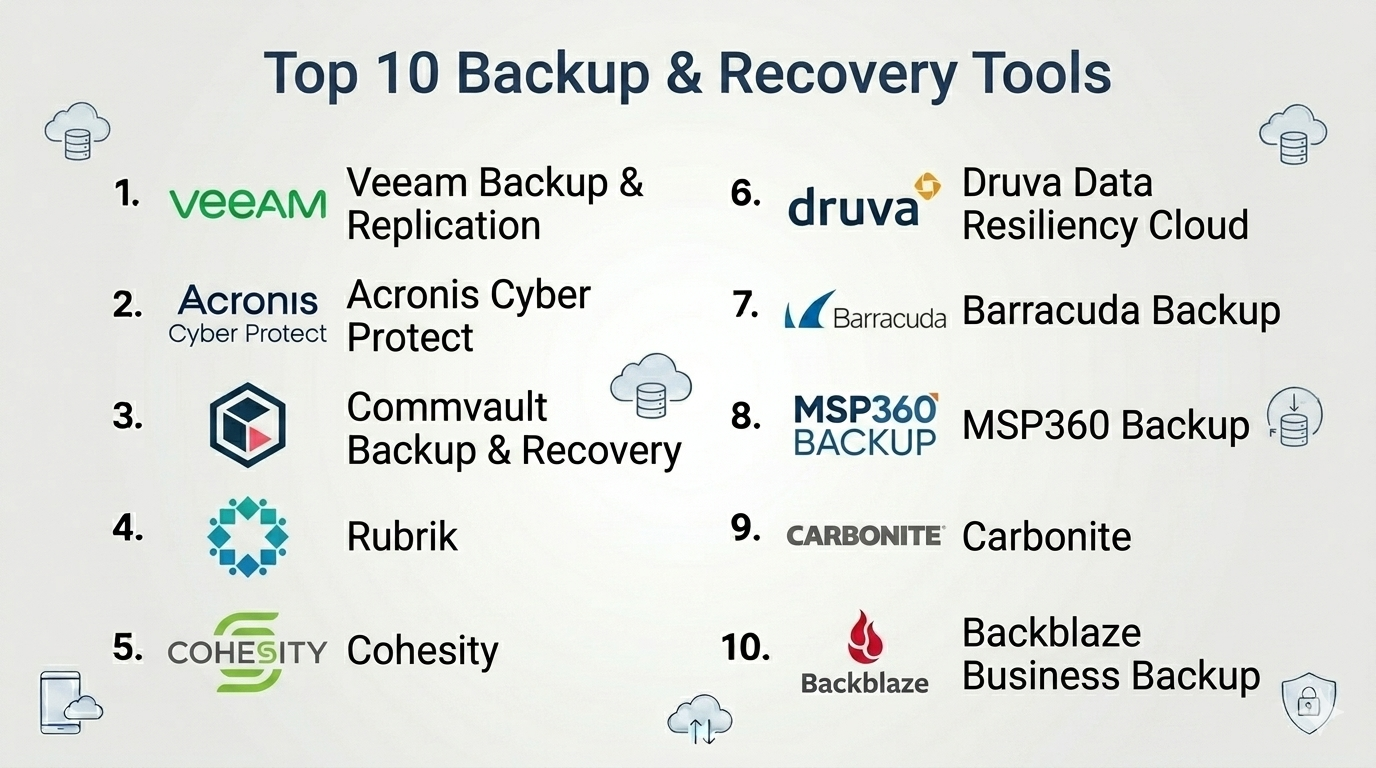
Top 10 Backup & Recovery Tools
#1 — Veeam Backup & Replication
Short description: A leading backup and recovery platform for virtual, physical, and cloud environments.
Key Features
- Image-based backups
- Instant VM recovery
- Ransomware protection
- Cloud and hybrid support
- Backup automation
- Replication capabilities
Pros
- Fast recovery times
- Strong enterprise features
Cons
- Licensing complexity
- Resource-intensive
Platforms / Deployment
Cloud / On-premise / Hybrid
Security & Compliance
Encryption, RBAC, audit logs
Integrations & Ecosystem
Strong integration with virtualization and cloud platforms
- VMware
- Hyper-V
- Cloud providers
- APIs
Support & Community
Large community; strong enterprise support
#2 — Acronis Cyber Protect
Short description: A unified backup and cybersecurity solution combining data protection with threat prevention.
Key Features
- Full image backups
- Anti-malware protection
- Cloud backup
- Disaster recovery
- Automation workflows
- Endpoint protection
Pros
- Combines backup and security
- Easy to deploy
Cons
- Pricing complexity
- Feature overlap may confuse users
Platforms / Deployment
Cloud / On-premise
Security & Compliance
Encryption, anti-malware, RBAC
Integrations & Ecosystem
- Cloud services
- APIs
- Endpoint tools
Support & Community
Good support; active user base
#3 — Commvault Backup & Recovery
Short description: An enterprise-grade data protection platform with advanced automation and scalability.
Key Features
- Data deduplication
- Multi-cloud backup
- Automation workflows
- Disaster recovery
- Advanced analytics
Pros
- Highly scalable
- Strong automation
Cons
- Complex setup
- Expensive
Platforms / Deployment
Cloud / Hybrid
Security & Compliance
Encryption, RBAC, audit logs
Integrations & Ecosystem
- Enterprise apps
- Cloud providers
- APIs
Support & Community
Enterprise support; strong documentation
#4 — Rubrik
Short description: A modern cloud data management platform focused on simplicity and automation.
Key Features
- Policy-driven backups
- Instant recovery
- Cloud integration
- Ransomware protection
- Automation
Pros
- Easy to use
- Strong cloud capabilities
Cons
- Premium pricing
- Limited customization
Platforms / Deployment
Cloud / Hybrid
Security & Compliance
Encryption, immutability, RBAC
Integrations & Ecosystem
- Cloud platforms
- APIs
- Enterprise apps
Support & Community
Strong support; growing community
#5 — Cohesity
Short description: A data management platform combining backup, recovery, and analytics.
Key Features
- Backup and recovery
- Data deduplication
- Cloud integration
- Analytics
- Disaster recovery
Pros
- Scalable architecture
- Multi-use platform
Cons
- Complex deployment
- Cost considerations
Platforms / Deployment
Cloud / Hybrid
Security & Compliance
Encryption, RBAC
Integrations & Ecosystem
- Cloud providers
- APIs
- Enterprise tools
Support & Community
Enterprise support
#6 — Druva Data Resiliency Cloud
Short description: A cloud-native backup and recovery platform for endpoints and SaaS applications.
Key Features
- SaaS backup
- Endpoint protection
- Cloud-native architecture
- Automation
- Disaster recovery
Pros
- Fully cloud-based
- Easy deployment
Cons
- Limited on-premise support
- Pricing depends on usage
Platforms / Deployment
Cloud
Security & Compliance
Encryption, RBAC
Integrations & Ecosystem
- SaaS platforms
- APIs
Support & Community
Good support
#7 — Barracuda Backup
Short description: A backup solution focused on simplicity and integrated security features.
Key Features
- Automated backups
- Cloud storage
- Disaster recovery
- Email protection
- Ransomware protection
Pros
- Easy to manage
- Good security features
Cons
- Limited advanced customization
- Hardware dependency in some setups
Platforms / Deployment
Cloud / Hybrid
Security & Compliance
Encryption, RBAC
Integrations & Ecosystem
- Email systems
- Cloud platforms
Support & Community
Reliable support
#8 — MSP360 Backup (formerly CloudBerry)
Short description: A flexible backup solution supporting multiple cloud storage providers.
Key Features
- Multi-cloud backup
- File and image backups
- Automation
- Encryption
- Centralized management
Pros
- Flexible storage options
- Affordable
Cons
- UI complexity
- Requires setup effort
Platforms / Deployment
Cloud / On-premise
Security & Compliance
Encryption
Integrations & Ecosystem
- AWS, Azure, Google Cloud
- APIs
Support & Community
Moderate support
#9 — Carbonite (OpenText)
Short description: A backup solution focused on SMBs and endpoint protection.
Key Features
- Automatic backups
- Cloud storage
- Endpoint protection
- File recovery
- Disaster recovery
Pros
- Easy setup
- SMB-friendly
Cons
- Limited enterprise features
- Slower recovery speeds
Platforms / Deployment
Cloud
Security & Compliance
Encryption
Integrations & Ecosystem
- Basic integrations
- APIs
Support & Community
Good support
#10 — Backblaze Business Backup
Short description: A simple and affordable cloud backup solution for businesses.
Key Features
- Unlimited backup
- Automatic backups
- File recovery
- Cloud storage
- Simple management
Pros
- Affordable pricing
- Easy to use
Cons
- Limited advanced features
- Basic enterprise capabilities
Platforms / Deployment
Cloud
Security & Compliance
Encryption
Integrations & Ecosystem
- APIs
- Cloud storage
Support & Community
Good support
Comparison Table (Top 10)
| Tool Name | Best For | Platform(s) Supported | Deployment | Standout Feature | Public Rating |
|---|---|---|---|---|---|
| Veeam | Enterprises | Web | Hybrid | Instant recovery | N/A |
| Acronis | SMBs & enterprises | Web | Cloud/On-premise | Backup + security | N/A |
| Commvault | Enterprises | Web | Hybrid | Automation | N/A |
| Rubrik | Enterprises | Web | Hybrid | Simplicity | N/A |
| Cohesity | Enterprises | Web | Hybrid | Data platform | N/A |
| Druva | Cloud-first orgs | Web | Cloud | SaaS backup | N/A |
| Barracuda | SMBs | Web | Hybrid | Security integration | N/A |
| MSP360 | SMBs | Web | Cloud/On-premise | Multi-cloud support | N/A |
| Carbonite | SMBs | Web | Cloud | Ease of use | N/A |
| Backblaze | SMBs | Web | Cloud | Affordability | N/A |
Backup & Recovery Tools Scoring
| Tool Name | Core (25%) | Ease (15%) | Integrations (15%) | Security (10%) | Performance (10%) | Support (10%) | Value (15%) | Weighted Total |
|---|---|---|---|---|---|---|---|---|
| Veeam | 9 | 7 | 9 | 9 | 9 | 9 | 7 | 8.6 |
| Acronis | 8 | 8 | 8 | 9 | 8 | 8 | 7 | 8.0 |
| Commvault | 9 | 6 | 9 | 9 | 9 | 8 | 6 | 8.2 |
| Rubrik | 8 | 9 | 8 | 9 | 9 | 8 | 6 | 8.1 |
| Cohesity | 8 | 7 | 8 | 8 | 8 | 8 | 6 | 7.7 |
| Druva | 7 | 9 | 7 | 8 | 8 | 7 | 8 | 7.8 |
| Barracuda | 7 | 8 | 6 | 8 | 7 | 7 | 8 | 7.5 |
| MSP360 | 7 | 6 | 8 | 7 | 7 | 6 | 8 | 7.2 |
| Carbonite | 6 | 9 | 5 | 7 | 6 | 7 | 8 | 7.0 |
| Backblaze | 6 | 9 | 5 | 7 | 6 | 7 | 9 | 7.2 |
How to interpret scores:
- Scores are relative comparisons across tools
- Enterprises should prioritize Core, Security, and Performance
- SMBs should focus on Ease and Value
- Higher score ≠ best for all use cases
- Use scores as a shortlisting tool
Which Backup & Recovery Tools Is Right for You?
Solo / Freelancer
- Best picks: Backblaze, Carbonite
- Focus on simplicity and affordability
SMB
- Best picks: Acronis, Barracuda, MSP360
- Balance features and cost
Mid-Market
- Best picks: Druva, Cohesity
- Focus on scalability and automation
Enterprise
- Best picks: Veeam, Commvault, Rubrik
- Prioritize performance and reliability
Budget vs Premium
- Budget: Backblaze, MSP360
- Premium: Rubrik, Commvault
Feature Depth vs Ease of Use
- Advanced: Veeam, Commvault
- Easy: Backblaze, Carbonite
Integrations & Scalability
- Strong integrations: Veeam, Cohesity
- Scalable: Rubrik, Commvault
Security & Compliance Needs
- High security: Acronis, Rubrik
- Moderate: SMB tools
Frequently Asked Questions (FAQs)
What is backup and recovery software?
It helps create copies of data and restore it when needed.
Why is backup important?
It protects against data loss and ensures business continuity.
What is ransomware protection in backup tools?
It prevents or recovers data from malicious encryption attacks.
How often should backups be performed?
Depends on business needs—daily or real-time for critical systems.
What is cloud backup?
Backing up data to cloud storage instead of local devices.
Can backups be automated?
Yes, most tools support scheduling and automation.
What is disaster recovery?
Restoring systems and operations after major disruptions.
Are backups secure?
Yes, with encryption and access controls.
Can I recover individual files?
Yes, most tools allow file-level recovery.
What are alternatives?
Basic cloud storage or manual backups for small setups.
Conclusion
Backup & recovery tools are essential for protecting data, ensuring uptime, and minimizing risk in modern IT environments. From simple cloud backups to enterprise-grade disaster recovery platforms, the right solution depends on your organization’s scale and complexity.
