Introduction
Digital forensics tools are software solutions used to collect, analyze, preserve, and present digital evidence from computers, mobile devices, networks, and cloud environments. These tools play a critical role in investigating cybercrimes, insider threats, data breaches, and compliance violations.
In today’s environment, where ransomware attacks, data leaks, and insider risks are increasing, digital forensics has become a core capability for security teams, legal teams, and IT departments. Modern tools now include automation, AI-assisted analysis, and support for cloud and container environments.
Real-world use cases include:
- Investigating ransomware attacks or security breaches
- Performing insider threat analysis
- Recovering deleted or hidden data for legal cases
- Conducting compliance audits and incident response
- Supporting law enforcement and corporate investigations
What buyers should evaluate:
- Evidence acquisition capabilities (disk, memory, mobile, cloud)
- Analysis depth and reporting features
- Automation and AI capabilities
- Scalability for large datasets
- Platform compatibility
- Security and compliance features
- Ease of use and training requirements
- Integration with SIEM/SOAR tools
- Cost and licensing model
Best for: Cybersecurity teams, law enforcement agencies, forensic investigators, compliance teams, and enterprises handling sensitive data.
Not ideal for: Small teams with no security needs or organizations only requiring basic IT troubleshooting—simpler monitoring tools may be sufficient.
Key Trends in Digital Forensics Tools
- AI-driven analysis: Automated evidence correlation and anomaly detection
- Cloud forensics: Tools supporting AWS, Azure, and SaaS environments
- Memory forensics growth: Increased focus on volatile data analysis
- Automation in workflows: Faster evidence processing and reporting
- Integration with SOC tools: Seamless connection with SIEM and SOAR platforms
- Mobile device forensics expansion: Advanced capabilities for iOS and Android
- Remote forensic investigation: Ability to collect evidence without physical access
- Data volume scalability: Handling terabytes of data efficiently
- Compliance-driven features: Audit trails and legal reporting support
- Open-source adoption: Growing use of customizable forensic frameworks
How We Selected These Tools (Methodology)
- Evaluated market adoption and industry recognition
- Reviewed feature completeness across forensic domains
- Considered performance and reliability in large-scale investigations
- Assessed security capabilities and compliance readiness
- Examined integration capabilities with existing security stacks
- Included tools for enterprise, SMB, and open-source users
- Prioritized active development and community support
- Balanced ease of use vs advanced capabilities
- Ensured representation across disk, memory, and mobile forensics
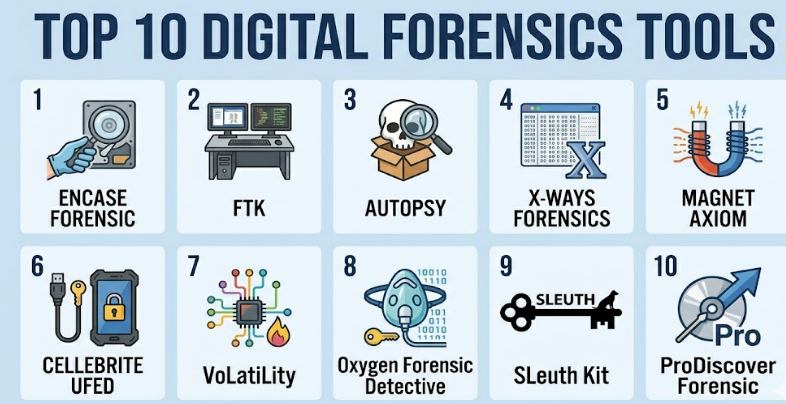
Top 10 Digital Forensics Tools
#1 — EnCase Forensic
Short description (2–3 lines): A widely used enterprise-grade forensic tool for disk imaging, analysis, and reporting. Commonly used by law enforcement and large organizations.
Key Features
- Disk imaging and evidence acquisition
- Advanced file system analysis
- Timeline reconstruction
- Court-admissible reporting
- Automation scripts
- Evidence integrity validation
Pros
- Highly trusted in legal environments
- Comprehensive forensic capabilities
Cons
- Expensive licensing
- Steep learning curve
Platforms / Deployment
Windows / Self-hosted
Security & Compliance
Encryption, audit logs, RBAC; others not publicly stated
Integrations & Ecosystem
Supports integration with enterprise investigation workflows and scripting environments.
- API-based extensions
- Evidence sharing tools
- Integration with legal systems
Support & Community
Strong enterprise support; training available; limited open community
#2 — FTK (Forensic Toolkit)
Short description (2–3 lines): A powerful forensic analysis tool known for fast indexing and efficient data processing.
Key Features
- High-speed data indexing
- Email and file analysis
- Password cracking
- Data carving
- Distributed processing
Pros
- Fast performance
- Strong search capabilities
Cons
- Resource-intensive
- Complex UI
Platforms / Deployment
Windows / Self-hosted
Security & Compliance
Not publicly stated
Integrations & Ecosystem
Works with enterprise investigation tools and data sources.
- Database integrations
- External analysis plugins
Support & Community
Commercial support; documentation available
#3 — Autopsy
Short description (2–3 lines): Open-source digital forensics platform built on The Sleuth Kit, suitable for beginners and professionals.
Key Features
- Disk analysis
- Timeline visualization
- Keyword search
- Plugin architecture
- File recovery
Pros
- Free and open-source
- Easy to use
Cons
- Limited enterprise features
- Slower for large datasets
Platforms / Deployment
Windows / Linux / Self-hosted
Security & Compliance
Not publicly stated
Integrations & Ecosystem
Extensible via plugins and community tools.
- The Sleuth Kit integration
- Third-party modules
Support & Community
Strong open-source community
#4 — X-Ways Forensics
Short description (2–3 lines): Lightweight yet powerful forensic tool focused on efficiency and low system resource usage.
Key Features
- Disk cloning and imaging
- Data recovery
- File system analysis
- Hex editing
- Rapid processing
Pros
- Fast and efficient
- Low hardware requirements
Cons
- Less intuitive interface
- Limited automation
Platforms / Deployment
Windows / Self-hosted
Security & Compliance
Not publicly stated
Integrations & Ecosystem
Supports scripting and external integrations.
Support & Community
Moderate community support
#5 — Magnet AXIOM
Short description (2–3 lines): Comprehensive digital investigation platform covering computer, mobile, and cloud forensics.
Key Features
- Multi-device analysis
- Artifact recovery
- Cloud data support
- Timeline analysis
- AI-assisted categorization
Pros
- Broad coverage
- Modern interface
Cons
- Expensive
- Requires training
Platforms / Deployment
Windows / Cloud / Hybrid
Security & Compliance
Not publicly stated
Integrations & Ecosystem
Integrates with mobile and cloud data sources.
- Cloud service connectors
- External data imports
Support & Community
Strong vendor support and training
#6 — Cellebrite UFED
Short description (2–3 lines): Leading mobile forensics tool used for extracting and analyzing data from smartphones.
Key Features
- Mobile data extraction
- App data recovery
- SIM and memory analysis
- Decryption capabilities
- Reporting tools
Pros
- Industry leader in mobile forensics
- High extraction success rate
Cons
- High cost
- Limited to mobile focus
Platforms / Deployment
Windows / Self-hosted
Security & Compliance
Not publicly stated
Integrations & Ecosystem
Works with mobile ecosystems and forensic workflows.
Support & Community
Enterprise support available
#7 — Volatility
Short description (2–3 lines): Open-source memory forensics framework used to analyze RAM dumps.
Key Features
- Memory analysis
- Malware detection
- Process analysis
- Plugin-based architecture
- Cross-platform support
Pros
- Free and powerful
- Strong for malware analysis
Cons
- Command-line based
- Requires expertise
Platforms / Deployment
Windows / Linux / macOS / Self-hosted
Security & Compliance
Not publicly stated
Integrations & Ecosystem
Works with other forensic tools and scripts.
Support & Community
Active open-source community
#8 — Oxygen Forensic Detective
Short description (2–3 lines): Advanced mobile and cloud forensics tool for extracting data from smartphones and apps.
Key Features
- Mobile device extraction
- Cloud data acquisition
- Social media analysis
- Geolocation tracking
- Reporting tools
Pros
- Strong mobile capabilities
- Cloud data support
Cons
- Costly
- Requires training
Platforms / Deployment
Windows / Self-hosted
Security & Compliance
Not publicly stated
Integrations & Ecosystem
Supports mobile and cloud integrations.
Support & Community
Commercial support available
#9 — Sleuth Kit
Short description (2–3 lines): Open-source library for disk analysis, often used as a backend for forensic tools.
Key Features
- File system analysis
- Disk imaging
- Metadata extraction
- Command-line tools
- Extensibility
Pros
- Free and flexible
- Widely used
Cons
- Not beginner-friendly
- Limited GUI
Platforms / Deployment
Windows / Linux / macOS / Self-hosted
Security & Compliance
Not publicly stated
Integrations & Ecosystem
Used by multiple forensic tools and platforms.
Support & Community
Strong developer community
#10 — ProDiscover Forensic
Short description (2–3 lines): Digital forensics tool for disk imaging and analysis, suitable for law enforcement and corporate investigations.
Key Features
- Disk imaging
- File analysis
- Incident response
- Data recovery
- Reporting
Pros
- Easy to use
- Affordable
Cons
- Limited advanced features
- Smaller ecosystem
Platforms / Deployment
Windows / Self-hosted
Security & Compliance
Not publicly stated
Integrations & Ecosystem
Limited integrations compared to enterprise tools.
Support & Community
Basic support; smaller community
Comparison Table (Top 10)
| Tool Name | Best For | Platform(s) Supported | Deployment | Standout Feature | Public Rating |
|---|---|---|---|---|---|
| EnCase Forensic | Enterprise investigations | Windows | Self-hosted | Legal-grade evidence handling | N/A |
| FTK | Fast data analysis | Windows | Self-hosted | High-speed indexing | N/A |
| Autopsy | Open-source users | Windows, Linux | Self-hosted | Easy GUI for beginners | N/A |
| X-Ways Forensics | Lightweight analysis | Windows | Self-hosted | High performance | N/A |
| Magnet AXIOM | Multi-source forensics | Windows | Hybrid | Cloud + device analysis | N/A |
| Cellebrite UFED | Mobile forensics | Windows | Self-hosted | Mobile extraction | N/A |
| Volatility | Memory forensics | Cross-platform | Self-hosted | RAM analysis | N/A |
| Oxygen Forensic Detective | Mobile/cloud analysis | Windows | Self-hosted | Social media data extraction | N/A |
| Sleuth Kit | Backend analysis | Cross-platform | Self-hosted | File system toolkit | N/A |
| ProDiscover Forensic | SMB investigations | Windows | Self-hosted | Simple interface | N/A |
Evaluation & Scoring of Digital Forensics Tools
| Tool Name | Core (25%) | Ease (15%) | Integrations (15%) | Security (10%) | Performance (10%) | Support (10%) | Value (15%) | Weighted Total |
|---|---|---|---|---|---|---|---|---|
| EnCase Forensic | 9 | 6 | 7 | 8 | 9 | 8 | 6 | 7.8 |
| FTK | 8 | 6 | 7 | 7 | 9 | 7 | 7 | 7.6 |
| Autopsy | 7 | 8 | 6 | 6 | 7 | 7 | 9 | 7.3 |
| X-Ways Forensics | 8 | 6 | 6 | 6 | 9 | 6 | 8 | 7.2 |
| Magnet AXIOM | 9 | 7 | 8 | 7 | 8 | 8 | 6 | 7.9 |
| Cellebrite UFED | 9 | 7 | 7 | 7 | 8 | 8 | 6 | 7.8 |
| Volatility | 8 | 5 | 7 | 6 | 8 | 7 | 9 | 7.3 |
| Oxygen Forensic Detective | 8 | 7 | 7 | 7 | 8 | 7 | 6 | 7.4 |
| Sleuth Kit | 7 | 5 | 7 | 6 | 7 | 7 | 9 | 7.0 |
| ProDiscover Forensic | 6 | 8 | 5 | 6 | 6 | 6 | 8 | 6.7 |
How to interpret scores:
- Scores are comparative across tools in this list
- A higher score indicates stronger overall balance
- Enterprise tools score higher in core features but lower in value
- Open-source tools score high in value but lower in ease of use
- Choose based on your specific needs, not just the highest score
Which Digital Forensics Tool Is Right for You?
Solo / Freelancer
- Best options: Autopsy, Volatility
- Focus on cost-effective and easy-to-use tools
SMB
- Best options: ProDiscover, X-Ways
- Balance affordability and usability
Mid-Market
- Best options: FTK, Oxygen
- Need stronger performance and integrations
Enterprise
- Best options: EnCase, Magnet AXIOM, Cellebrite
- Require scalability, compliance, and advanced features
Budget vs Premium
- Budget: Autopsy, Sleuth Kit
- Premium: EnCase, Magnet AXIOM
Feature Depth vs Ease of Use
- Deep features: EnCase, FTK
- Easy to use: Autopsy, ProDiscover
Integrations & Scalability
- High integration: Magnet AXIOM
- Limited: ProDiscover
Security & Compliance Needs
- High compliance: EnCase
- Basic needs: Open-source tools
Frequently Asked Questions (FAQs)
What are digital forensics tools used for?
They are used to collect, analyze, and preserve digital evidence during investigations.
Are these tools only for law enforcement?
No, enterprises and security teams also use them for incident response and audits.
Are open-source tools reliable?
Yes, but they may require more expertise and lack enterprise support.
How expensive are these tools?
Pricing varies widely; enterprise tools are typically costly.
Do these tools support cloud environments?
Some modern tools like Magnet AXIOM support cloud data analysis.
What skills are required to use them?
Basic knowledge of operating systems and cybersecurity is helpful.
Can they recover deleted data?
Yes, most tools include data recovery features.
Are they legal to use?
Yes, but usage must comply with local laws and regulations.
How long does analysis take?
Depends on data size and tool performance.
Can I integrate them with SIEM tools?
Some tools support integration; others require manual workflows.
Conclusion
Digital forensics tools are essential for modern cybersecurity, compliance, and investigative workflows. While enterprise tools like EnCase and Magnet AXIOM offer powerful capabilities and scalability, open-source options like Autopsy and Volatility provide flexibility and cost efficiency.
