Introduction
Computational Fluid Dynamics (CFD) software is used to simulate how fluids (liquids and gases) behave under different conditions using numerical methods and algorithms. In simple terms, it allows engineers to visualize airflow, heat transfer, pressure distribution, and fluid interactions without physical testing.
CFD has become essential across industries where performance, safety, and efficiency depend on fluid behavior. From optimizing aircraft aerodynamics to improving HVAC systems and designing automotive components, CFD enables faster innovation with reduced prototyping costs.
Common Use Cases
- Aerodynamic analysis (automotive, aerospace)
- HVAC and building airflow simulation
- Heat transfer and thermal management
- Industrial fluid systems (pipes, pumps, turbines)
- Environmental modeling (pollution, wind flow)
What Buyers Should Evaluate
- Solver accuracy and stability
- Types of simulations supported (laminar, turbulent, multiphase)
- Ease of setup and meshing
- Integration with CAD tools
- Scalability (HPC/cloud support)
- Visualization and post-processing tools
- Automation and parametric studies
- Hardware requirements (CPU/GPU)
- Cost and licensing model
Best for: Mechanical engineers, aerospace engineers, automotive designers, energy sector professionals, and researchers working on fluid-related systems.
Not ideal for: Users needing only basic design tools or those without simulation expertise—CFD tools can be complex and computationally intensive.
Key Trends in Computational Fluid Dynamics (CFD) Software
- AI-assisted meshing and solver optimization
- Cloud-native CFD platforms for scalable simulations
- GPU acceleration for faster computation
- Real-time simulation integrated with CAD tools
- Automation via parametric and design exploration tools
- Multiphysics coupling (CFD + thermal + structural)
- Digital twin integration for operational insights
- Open-source adoption for research and customization
- Improved visualization and immersive simulation environments
- Subscription and usage-based pricing models
How We Selected These Tools (Methodology)
- Evaluated industry adoption across engineering domains
- Assessed solver robustness and accuracy
- Considered performance in large-scale simulations
- Reviewed ease of use and learning curve
- Analyzed integration with CAD/CAE ecosystems
- Evaluated community and documentation strength
- Considered scalability (HPC and cloud support)
- Assessed innovation in automation and AI
- Reviewed value for cost across segments
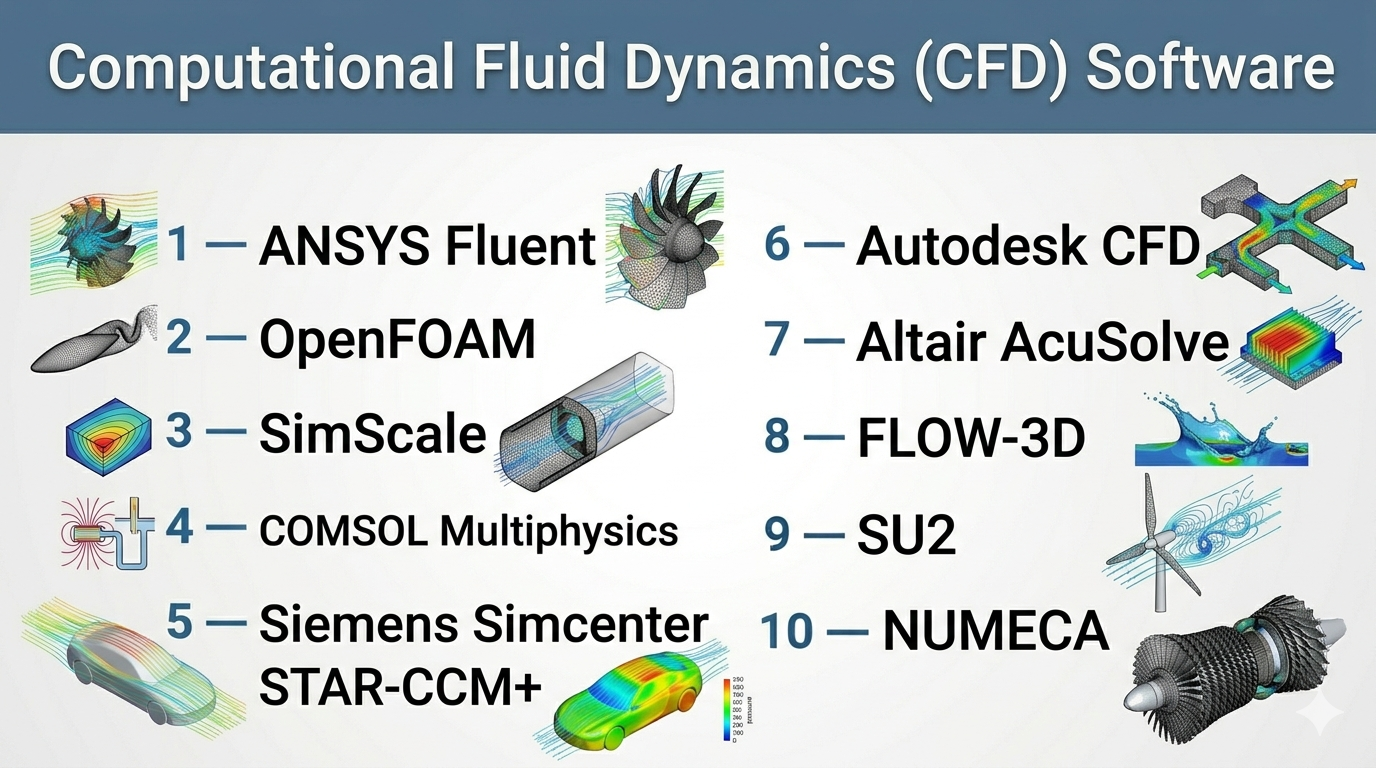
Top 10 Computational Fluid Dynamics (CFD) Software Tools
#1 — ANSYS Fluent
Short description: A widely used CFD solver offering advanced fluid flow, heat transfer, and turbulence modeling for enterprise-grade simulations.
Key Features
- Advanced turbulence and multiphase models
- High-performance computing (HPC) support
- Multiphysics integration
- Dynamic mesh capabilities
- Extensive material and physics libraries
- Automation and scripting
Pros
- Industry-leading accuracy
- Highly scalable for complex simulations
Cons
- Expensive licensing
- Steep learning curve
Platforms / Deployment
Windows / Linux / Cloud
Security & Compliance
Not publicly stated
Integrations & Ecosystem
Fluent integrates with broader engineering workflows and CAE tools.
- CAD tools (various formats)
- ANSYS ecosystem
- APIs and scripting
- HPC/cloud platforms
Support & Community
Large global user base with strong enterprise support.
#2 — OpenFOAM
Short description: An open-source CFD platform widely used in research and custom engineering applications.
Key Features
- Customizable solvers
- Parallel computing support
- Multiphase and compressible flows
- Extensive libraries
- Command-line and scripting flexibility
Pros
- Free and highly flexible
- Strong for research and custom workflows
Cons
- Requires technical expertise
- Limited graphical interface
Platforms / Deployment
Linux / Windows (via support tools)
Security & Compliance
Not publicly stated
Integrations & Ecosystem
- Custom workflows
- APIs and scripting
- Integration with research tools
Support & Community
Strong academic and open-source community.
#3 — SimScale
Short description: A cloud-based CFD platform that allows users to run simulations directly in the browser.
Key Features
- Cloud-native CFD
- No hardware requirements
- Built-in meshing tools
- Collaboration features
- Parametric studies
Pros
- Easy to start
- Scalable cloud computing
Cons
- Internet dependency
- Limited offline capability
Platforms / Deployment
Web / Cloud
Security & Compliance
Not publicly stated
Integrations & Ecosystem
- CAD imports
- Cloud workflows
- APIs
Support & Community
Growing user base and documentation.
#4 — COMSOL Multiphysics (CFD Module)
Short description: A flexible simulation platform offering CFD along with multiphysics capabilities.
Key Features
- Multiphysics coupling
- Custom physics modeling
- Application builder
- Visualization tools
- Parametric studies
Pros
- Highly customizable
- Strong multiphysics integration
Cons
- Expensive modules
- Requires expertise
Platforms / Deployment
Windows / macOS / Linux
Security & Compliance
Not publicly stated
Integrations & Ecosystem
- MATLAB integration
- APIs
- CAD imports
Support & Community
Strong academic and professional community.
#5 — Siemens Simcenter STAR-CCM+
Short description: A comprehensive CFD solution for industrial applications, particularly in automotive and aerospace.
Key Features
- Automated meshing
- Multiphysics simulation
- Design exploration tools
- HPC scalability
- Advanced visualization
Pros
- Strong automation
- High accuracy
Cons
- Expensive
- Complex setup
Platforms / Deployment
Windows / Linux
Security & Compliance
Not publicly stated
Integrations & Ecosystem
- Siemens ecosystem
- CAD tools
- APIs
Support & Community
Enterprise-level support.
#6 — Autodesk CFD
Short description: A user-friendly CFD tool integrated with design workflows for engineers and designers.
Key Features
- Thermal and flow simulation
- Easy setup
- Integration with CAD tools
- Parametric studies
- Visualization tools
Pros
- Beginner-friendly
- Integrated with Autodesk tools
Cons
- Limited advanced features
- Less suitable for complex simulations
Platforms / Deployment
Windows
Security & Compliance
Not publicly stated
Integrations & Ecosystem
- Autodesk ecosystem
- CAD integrations
- APIs
Support & Community
Large user base and resources.
#7 — Altair AcuSolve
Short description: A CFD solver focused on accuracy and performance for complex fluid simulations.
Key Features
- Multiphysics capabilities
- Advanced turbulence models
- HPC support
- Robust solvers
- Automation tools
Pros
- High accuracy
- Strong performance
Cons
- Learning curve
- Enterprise-focused
Platforms / Deployment
Windows / Linux
Security & Compliance
Not publicly stated
Integrations & Ecosystem
- Altair ecosystem
- CAD tools
- APIs
Support & Community
Professional support.
#8 — FLOW-3D
Short description: A CFD tool specialized in free-surface flow simulations such as water and fluid dynamics.
Key Features
- Free-surface flow modeling
- Multiphysics support
- Visualization tools
- Robust solvers
- Industry-specific modules
Pros
- Excellent for fluid flow simulations
- Industry specialization
Cons
- Limited general-purpose use
- Expensive
Platforms / Deployment
Windows / Linux
Security & Compliance
Not publicly stated
Integrations & Ecosystem
- Engineering workflows
- APIs
- Visualization tools
Support & Community
Specialized user base.
#9 — SU2
Short description: An open-source CFD suite used for aerodynamic analysis and research.
Key Features
- Aerodynamic simulations
- Adjoint-based optimization
- Parallel computing
- Open-source flexibility
- Custom solvers
Pros
- Free and powerful
- Strong for research
Cons
- Requires technical expertise
- Limited GUI
Platforms / Deployment
Linux / Windows / macOS
Security & Compliance
Not publicly stated
Integrations & Ecosystem
- Research tools
- APIs
- Custom workflows
Support & Community
Academic and research community.
#10 — NUMECA (FINE/Open)
Short description: A CFD tool focused on turbomachinery and high-performance simulations.
Key Features
- Turbomachinery simulation
- Advanced meshing
- High-speed solvers
- Visualization tools
- HPC support
Pros
- Excellent for specific industries
- High performance
Cons
- Niche use case
- Expensive
Platforms / Deployment
Windows / Linux
Security & Compliance
Not publicly stated
Integrations & Ecosystem
- Engineering workflows
- APIs
- CAD tools
Support & Community
Industry-focused support.
Comparison Table (Top 10)
| Tool Name | Best For | Platform(s) Supported | Deployment | Standout Feature | Public Rating |
|---|---|---|---|---|---|
| ANSYS Fluent | Enterprise CFD | Win/Linux/Cloud | Hybrid | Advanced turbulence models | N/A |
| OpenFOAM | Research | Linux | Self-hosted | Open-source flexibility | N/A |
| SimScale | Cloud CFD | Web | Cloud | Browser-based simulation | N/A |
| COMSOL | Multiphysics | Cross-platform | Self-hosted | Custom physics modeling | N/A |
| STAR-CCM+ | Industrial CFD | Win/Linux | Self-hosted | Automated meshing | N/A |
| Autodesk CFD | Beginners | Windows | Self-hosted | Ease of use | N/A |
| AcuSolve | High accuracy | Win/Linux | Self-hosted | Robust solvers | N/A |
| FLOW-3D | Fluid flow | Win/Linux | Self-hosted | Free-surface modeling | N/A |
| SU2 | Research | Cross-platform | Self-hosted | Optimization tools | N/A |
| NUMECA | Turbomachinery | Win/Linux | Self-hosted | High-speed solvers | N/A |
Evaluation & Scoring of CFD Software
| Tool Name | Core | Ease | Integrations | Security | Performance | Support | Value | Weighted Total |
|---|---|---|---|---|---|---|---|---|
| Fluent | 10 | 6 | 9 | 5 | 10 | 9 | 6 | 8.6 |
| OpenFOAM | 9 | 4 | 7 | 5 | 9 | 7 | 10 | 7.9 |
| SimScale | 7 | 9 | 7 | 5 | 7 | 7 | 8 | 7.6 |
| COMSOL | 9 | 6 | 8 | 5 | 8 | 8 | 6 | 7.9 |
| STAR-CCM+ | 9 | 6 | 9 | 5 | 9 | 8 | 6 | 8.1 |
| Autodesk CFD | 7 | 8 | 8 | 5 | 7 | 8 | 8 | 7.7 |
| AcuSolve | 8 | 6 | 8 | 5 | 9 | 7 | 7 | 7.8 |
| FLOW-3D | 8 | 6 | 7 | 5 | 8 | 7 | 6 | 7.4 |
| SU2 | 8 | 5 | 7 | 5 | 8 | 6 | 10 | 7.6 |
| NUMECA | 9 | 5 | 7 | 5 | 9 | 7 | 6 | 7.8 |
How to interpret the scores:
- Scores are relative comparisons, not absolute rankings.
- Enterprise tools rank high in performance and features.
- Open-source tools score higher in value but require expertise.
- Cloud tools rank higher in ease of use.
- Choose based on complexity and workflow needs.
Which CFD Software Is Right for You?
Solo / Freelancer
- Best: SimScale, Autodesk CFD
- Reason: ease of use and lower cost
SMB
- Best: COMSOL, AcuSolve
- Reason: flexibility and performance
Mid-Market
- Best: STAR-CCM+, COMSOL
- Reason: strong capabilities
Enterprise
- Best: ANSYS Fluent
- Reason: scalability and accuracy
Budget vs Premium
- Budget: OpenFOAM, SU2
- Premium: Fluent, STAR-CCM+
Feature Depth vs Ease of Use
- Advanced: Fluent, COMSOL
- Easy: SimScale, Autodesk CFD
Integrations & Scalability
- Strong: Fluent, STAR-CCM+
- Moderate: OpenFOAM
Security & Compliance Needs
- Most tools: Not publicly stated
- Enterprises should validate internally
Frequently Asked Questions (FAQs)
What is CFD software?
CFD software simulates fluid flow, heat transfer, and pressure using numerical methods.
Is CFD difficult to learn?
Yes, especially for advanced simulations.
Which CFD tool is best?
Depends on use case—Fluent and STAR-CCM+ are popular enterprise options.
Do I need powerful hardware?
Yes, especially for large simulations.
Are there free CFD tools?
Yes, OpenFOAM and SU2 are open-source options.
Can CFD integrate with CAD?
Yes, most tools support CAD integration.
What industries use CFD?
Automotive, aerospace, energy, construction, and manufacturing.
Is cloud CFD reliable?
Yes, but depends on internet connectivity.
Can CFD replace physical testing?
It reduces the need but does not fully replace it.
How long does simulation take?
Depends on model complexity and hardware.
Conclusion
CFD software is a cornerstone of modern engineering, enabling accurate simulation of fluid behavior across industries. From enterprise-grade tools like ANSYS Fluent to flexible solutions like OpenFOAM and cloud-based platforms like SimScale, each tool offers unique advantages.
There is no single best choice—your decision should depend on simulation complexity, budget, and integration needs.
