Introduction
Workforce Marketplace Platforms, often connected with Vendor Management Systems (VMS), help companies find, manage, pay, and control external workers such as freelancers, contractors, consultants, gig workers, temporary staff, and service providers. In simple English, these platforms act as a central system where businesses can manage non-employee talent from sourcing to onboarding, compliance, work tracking, invoicing, and reporting.
In a 2026+ business environment, companies need more flexible workforce models. Hiring only full-time employees is not always practical when teams need specialized skills, faster delivery, seasonal support, or global talent. Workforce marketplace platforms help reduce hiring delays, improve compliance, control costs, and give leaders better visibility into their extended workforce.
Common use cases include:
- Hiring contractors for IT, engineering, design, support, and operations
- Managing staffing suppliers and third-party agencies
- Running direct sourcing programs for known freelancers and alumni talent
- Controlling compliance, contracts, onboarding, and worker classification
- Tracking spend, invoices, performance, and workforce analytics
Buyers should evaluate:
- Talent sourcing depth
- VMS and vendor management capabilities
- Compliance and worker classification controls
- Integration with HR, finance, ERP, and identity systems
- Security, audit logs, and access control
- Reporting and spend visibility
- Global workforce support
- Ease of onboarding and adoption
- Pricing transparency
- Support quality and implementation effort
Best for: medium to large companies, enterprises, procurement teams, HR teams, talent acquisition leaders, IT departments, staffing operations, and businesses managing contractors, freelancers, agencies, or service providers at scale.
Not ideal for: very small teams hiring one or two freelancers occasionally, businesses that only need a simple job board, or companies that do not need compliance, vendor governance, invoicing, and workforce analytics. In such cases, a basic freelance marketplace, applicant tracking system, or project management tool may be enough.
Key Trends in Workforce Marketplace Platforms
- AI-assisted talent matching: Platforms are increasingly using AI to match roles with freelancers, contractors, and suppliers based on skills, experience, availability, location, and cost.
- Direct sourcing growth: More companies want to build their own private talent pools instead of depending only on staffing agencies.
- Stronger compliance controls: Worker classification, background checks, tax documentation, contract rules, and country-specific labor requirements are becoming more important.
- Total talent visibility: Businesses want one view of full-time employees, contractors, freelancers, consultants, and service providers.
- Integration with HR and finance systems: Workforce platforms are expected to connect with HRIS, ERP, payroll, procurement, identity, and accounting tools.
- Marketplace plus VMS model: Modern platforms are combining talent discovery, supplier management, compliance, payments, and analytics in one workflow.
- More focus on skills data: Companies are moving from job-title-based hiring to skill-based workforce planning.
- Flexible pricing models: Pricing may depend on usage, worker volume, spend under management, enterprise contracts, or service packages.
- Better analytics and cost control: Leaders want dashboards for spend, supplier performance, time-to-fill, rate benchmarking, and workforce risk.
- Global workforce enablement: Remote and distributed workforces require platforms that support multiple countries, currencies, contracts, and compliance rules.
How We Selected These Tools Methodology
The top 10 platforms were selected based on practical buyer relevance, category fit, and market recognition across workforce marketplace, VMS, contractor management, and enterprise talent sourcing needs.
- Market adoption and mindshare: Preference was given to platforms widely recognized in enterprise workforce, staffing, procurement, or freelance talent ecosystems.
- Feature completeness: Tools were evaluated for sourcing, onboarding, vendor management, compliance, invoicing, analytics, and workforce visibility.
- Enterprise readiness: Platforms with strong support for large-scale contractor or supplier programs were prioritized.
- Customer fit across segments: The list includes enterprise VMS tools, freelance marketplaces, direct sourcing platforms, and independent contractor platforms.
- Integration ecosystem: Tools with stronger API, HR, ERP, procurement, payroll, and identity integration potential received higher consideration.
- Security posture signals: Platforms with visible enterprise controls such as SSO, RBAC, audit trails, and compliance workflows were favored.
- Operational usefulness: The selection focuses on tools that solve real workforce problems rather than simple job posting only.
- Global workforce support: Platforms with multi-region or global talent management capabilities were considered more suitable for modern businesses.
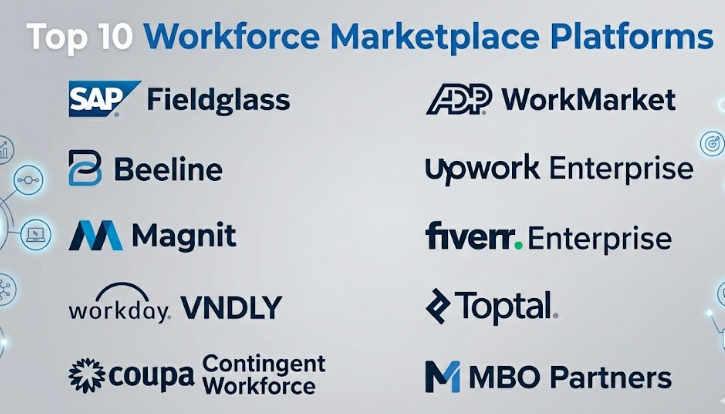
Top 10 Workforce Marketplace Platforms
#1 — SAP Fieldglass
Short description :
SAP Fieldglass is a leading enterprise workforce management and VMS platform used for managing external workers, service providers, staffing vendors, and contingent labor programs. It is designed mainly for large organizations that need strong governance, compliance, and spend visibility. The platform helps companies manage the full lifecycle of non-employee workers, from requisition and supplier selection to onboarding, time tracking, invoicing, and reporting. It is especially useful for global enterprises with complex procurement and workforce structures. SAP Fieldglass is often considered when companies already use SAP or need deep enterprise-grade control.
Key Features
- Contingent workforce and services procurement management
- Supplier and vendor performance tracking
- Worker onboarding and offboarding workflows
- Time, expense, and invoice management
- Workforce analytics and spend visibility
- Enterprise-grade governance and approval workflows
- Integration potential with SAP ecosystem and third-party systems
Pros
- Strong fit for complex enterprise workforce programs
- Deep visibility into contingent labor spend and vendor performance
- Suitable for global organizations with strict compliance needs
Cons
- May be too complex for small businesses
- Implementation can require planning, process design, and change management
- Pricing and configuration may not be simple for smaller teams
Platforms / Deployment
Web-based platform.
Cloud deployment.
Security & Compliance
Enterprise security controls are commonly expected, including role-based access, approval workflows, auditability, and integration with enterprise identity systems. Specific certifications should be validated directly during procurement.
SOC 2 / ISO 27001 / HIPAA: Not publicly stated here.
Integrations & Ecosystem
SAP Fieldglass fits best in enterprise environments where procurement, HR, finance, and ERP workflows must connect. It is commonly considered by organizations already operating in the SAP ecosystem.
- SAP ERP and procurement systems
- HR and identity systems
- Finance and invoicing workflows
- Staffing supplier networks
- APIs and enterprise connectors
- Reporting and analytics tools
Support & Community
SAP Fieldglass generally targets enterprise customers, so onboarding, implementation support, partner services, and account support are important parts of the buying process. Documentation and training resources are typically available, but successful adoption depends heavily on configuration and internal process readiness.
#2 — Beeline
Short description :
Beeline is an extended workforce platform focused on helping organizations manage contractors, consultants, service providers, staffing suppliers, and contingent labor programs. It is commonly used by enterprise buyers who need better visibility and control across non-employee workforce categories. The platform supports workforce planning, supplier management, compliance, onboarding, and analytics. Beeline is suitable for companies that want a mature VMS with strong external workforce governance. It is especially relevant for procurement, HR, and talent teams managing large supplier ecosystems.
Key Features
- Vendor management for contingent workforce programs
- Statement of work and services procurement support
- Worker lifecycle management
- Supplier performance tracking
- Compliance and approval workflows
- Workforce analytics and reporting
- Extended workforce visibility
Pros
- Strong enterprise VMS capabilities
- Good fit for managing multiple staffing vendors and worker types
- Useful analytics for workforce spend and program performance
Cons
- May require dedicated program ownership
- Not ideal for companies needing only a simple freelance hiring tool
- Implementation may take time in complex enterprise environments
Platforms / Deployment
Web-based platform.
Cloud deployment.
Security & Compliance
Common enterprise security expectations may include SSO, role-based access, workflow controls, and audit trails. Specific certifications and controls should be verified during vendor review.
SOC 2 / ISO 27001 / GDPR / HIPAA: Not publicly stated here.
Integrations & Ecosystem
Beeline is designed to work across HR, procurement, finance, and supplier systems. Its value increases when integrated with existing enterprise tools.
- HRIS systems
- ERP and procurement platforms
- Identity and access management
- Payroll and invoicing systems
- Staffing supplier ecosystems
- Reporting and analytics tools
Support & Community
Beeline typically serves enterprise programs, so support may include onboarding, configuration help, customer success, and managed program guidance. Community visibility is more enterprise-focused than open community-based.
#3 — Magnit
Short description :
Magnit is a workforce management platform focused on contingent workforce, direct sourcing, services procurement, and total talent intelligence. It is suitable for large organizations that want to manage external labor with stronger data, compliance, and cost control. Magnit helps companies optimize contractor sourcing, supplier management, workforce analytics, and spend management. It is especially useful for organizations that want both operational control and strategic workforce insights. The platform is a strong fit for mature workforce programs with global or multi-business-unit needs.
Key Features
- Contingent workforce management
- Direct sourcing and private talent pool support
- Services procurement capabilities
- Workforce intelligence and analytics
- Compliance and risk management workflows
- Supplier and vendor management
- Rate, spend, and performance visibility
Pros
- Strong focus on workforce intelligence and optimization
- Suitable for large-scale external workforce programs
- Combines VMS, direct sourcing, and analytics capabilities
Cons
- May be more than small teams need
- Setup and process alignment can require expert support
- Buyers should carefully validate pricing and implementation scope
Platforms / Deployment
Web-based platform.
Cloud deployment.
Security & Compliance
Enterprise-level access controls, compliance workflows, and reporting are expected in this category. Buyers should validate exact security certifications, data residency, and privacy commitments directly.
SOC 2 / ISO 27001 / HIPAA: Not publicly stated here.
Integrations & Ecosystem
Magnit is designed to support large workforce programs that need connection across HR, procurement, finance, and talent systems.
- HRIS and HCM platforms
- Procurement and ERP tools
- Identity systems
- Payroll and invoice management tools
- Supplier networks
- Analytics and reporting tools
Support & Community
Magnit is generally enterprise-focused, so support may include customer success, implementation consulting, program advisory, and managed service support. Public community presence is limited compared with developer-first tools.
#4 — Workday VNDLY
Short description :
Workday VNDLY is a vendor management and external workforce platform that supports contingent labor, statement of work, independent contractors, and supplier management. It is especially relevant for organizations already using Workday or planning to connect workforce data with HCM and finance workflows. The platform helps companies manage external worker requests, approvals, onboarding, vendor interactions, invoicing, and reporting. It is designed for enterprises and mid-market organizations that want structured visibility into non-employee labor. Workday VNDLY is a strong option for companies looking to align external workforce management with broader workforce planning.
Key Features
- Contingent worker lifecycle management
- Vendor and supplier management
- Statement of work support
- Worker onboarding and compliance workflows
- Time, invoice, and spend tracking
- Integration alignment with Workday ecosystem
- Reporting and workforce visibility
Pros
- Strong fit for Workday-centered organizations
- Helps connect external workforce with HR and finance strategy
- Good for structured vendor and contractor programs
Cons
- Best value may come when used with Workday ecosystem
- Not ideal for very small companies
- Implementation requirements vary by organization complexity
Platforms / Deployment
Web-based platform.
Cloud deployment.
Security & Compliance
Enterprise access control, identity integration, and audit requirements are expected. Exact certifications and compliance coverage should be verified directly with the vendor.
SOC 2 / ISO 27001 / GDPR: Not publicly stated here.
Integrations & Ecosystem
Workday VNDLY is strongest when integrated into broader Workday HCM, finance, and workforce planning environments.
- Workday HCM and finance ecosystem
- HRIS systems
- Procurement and vendor systems
- Identity and access management
- Payroll and invoicing workflows
- Reporting and analytics tools
Support & Community
Support is generally enterprise-oriented, with implementation assistance, customer success, and documentation available through vendor channels. Community strength depends largely on the Workday customer and partner ecosystem.
#5 — Coupa Contingent Workforce
Short description :
Coupa Contingent Workforce is part of the broader Coupa business spend management ecosystem and focuses on managing external labor spend, suppliers, and workforce procurement processes. It is useful for organizations that treat contingent workforce management as a procurement and spend control function. The platform can help companies manage requests, approvals, suppliers, contracts, and spend visibility. It is a good fit for enterprises that already use Coupa or want to connect workforce buying with procurement governance. The strongest value comes when finance, procurement, and workforce operations need one controlled process.
Key Features
- Contingent labor procurement workflows
- Supplier and vendor management
- Spend visibility and cost control
- Approval and governance workflows
- Contract and service procurement alignment
- Reporting and analytics
- Integration with broader Coupa ecosystem
Pros
- Strong procurement and spend management alignment
- Useful for organizations focused on cost control
- Good fit for Coupa customers and procurement-led teams
Cons
- May not be the best standalone talent marketplace
- Requires process maturity to gain full value
- Talent sourcing depth may depend on configuration and ecosystem
Platforms / Deployment
Web-based platform.
Cloud deployment.
Security & Compliance
Enterprise security controls are expected for procurement and spend management workflows. Buyers should validate SSO, RBAC, audit logs, encryption, and compliance certifications during evaluation.
SOC 2 / ISO 27001 / GDPR: Not publicly stated here.
Integrations & Ecosystem
Coupa Contingent Workforce is designed to work with procurement, finance, supplier, and spend management processes.
- Coupa business spend management ecosystem
- ERP and finance platforms
- Supplier management tools
- Contract management systems
- Identity and approval systems
- Analytics and reporting tools
Support & Community
Coupa generally serves business and enterprise users, so support may include onboarding, documentation, customer success, and partner-led implementation. Community strength is tied to the Coupa ecosystem.
#6 — ADP WorkMarket
Short description :
ADP WorkMarket is a workforce management platform focused on independent contractors, freelancers, and extended workforce operations. It helps organizations onboard, verify, manage, pay, and track independent workers. The platform is useful for businesses that need to manage distributed contractor networks, field service workers, gig workers, or project-based freelancers. ADP WorkMarket is especially relevant where payment workflows and contractor administration are major concerns. It can serve both mid-market and enterprise teams that want structured control over independent talent.
Key Features
- Independent contractor management
- Worker onboarding and verification workflows
- Freelancer and contractor payment support
- Talent pool management
- Assignment and work tracking
- Compliance-focused administration
- Reporting and workforce visibility
Pros
- Good fit for independent contractor-heavy businesses
- Strong connection to payment and workforce administration needs
- Useful for distributed workforce operations
Cons
- May not replace a full enterprise VMS for complex staffing supplier programs
- Best fit depends on contractor volume and use case
- Advanced enterprise integration needs should be validated
Platforms / Deployment
Web-based platform.
Cloud deployment.
Security & Compliance
ADP generally operates in workforce and payroll-related environments where security and privacy are important. Exact security certifications and controls for WorkMarket should be validated during procurement.
SOC 2 / ISO 27001 / HIPAA: Not publicly stated here.
Integrations & Ecosystem
ADP WorkMarket is commonly relevant where workforce management, payments, and contractor administration need to connect.
- ADP ecosystem
- Payroll and payment workflows
- HR and workforce systems
- Identity and onboarding tools
- Accounting and finance systems
- APIs and reporting tools
Support & Community
Support is expected through ADP and product-specific channels. Documentation, onboarding support, and customer service availability may vary by plan and contract.
#7 — Upwork Enterprise
Short description :
Upwork Enterprise is a workforce marketplace platform for companies that want access to freelance and contract talent across many skill areas. It is useful for organizations hiring remote professionals for technology, design, marketing, writing, customer support, operations, and consulting work. The enterprise version adds more business controls compared with standard freelance hiring. Companies can use it for talent discovery, project-based hiring, compliance support, payment workflows, and workforce visibility. It is a strong fit for teams that need fast access to a broad freelance marketplace.
Key Features
- Large freelance talent marketplace
- Enterprise hiring and compliance workflows
- Talent sourcing and matching support
- Contract and payment management
- Project-based and hourly engagement models
- Reporting for freelance workforce activity
- Support for remote and global hiring
Pros
- Strong access to a broad freelance talent pool
- Faster sourcing for many common business and technical skills
- Useful for flexible project-based work
Cons
- Not a traditional full VMS for complex supplier programs
- Talent quality requires proper screening and management
- Enterprise controls may vary based on contract and setup
Platforms / Deployment
Web-based platform.
iOS and Android availability for marketplace users may vary.
Cloud deployment.
Security & Compliance
Enterprise workflows may include identity, access, contract, and payment controls. Exact SSO, audit, compliance, and certification details should be validated directly.
SOC 2 / ISO 27001 / HIPAA: Not publicly stated here.
Integrations & Ecosystem
Upwork Enterprise works best when companies need flexible talent sourcing supported by internal procurement, legal, and finance processes.
- HR and procurement workflows
- Payment and invoicing systems
- Project management tools
- Talent sourcing workflows
- APIs or enterprise connectors where available
- Reporting and workforce dashboards
Support & Community
Upwork has a large marketplace community. Enterprise customers may receive additional account support, onboarding assistance, and talent program guidance depending on contract terms.
#8 — Fiverr Enterprise
Short description :
Fiverr Enterprise is designed for companies that want to manage freelance hiring, project delivery, and external talent workflows with more structure than a basic freelance marketplace. It helps teams source freelancers, manage projects, coordinate approvals, and track external work. The platform is useful for marketing, creative, business services, design, content, and digital project needs. It is best for companies that want faster access to freelance specialists while maintaining more control over collaboration and spend. Fiverr Enterprise fits teams that need a marketplace-driven model rather than a traditional staffing VMS.
Key Features
- Freelance talent sourcing
- Project and work management
- Approval and collaboration workflows
- Budget and spend tracking
- Freelancer relationship management
- Marketplace access for creative and business services
- Enterprise-oriented hiring controls
Pros
- Useful for creative, marketing, and digital service needs
- Faster than traditional vendor onboarding for many projects
- Helps organize freelance workflows across teams
Cons
- Not designed as a deep enterprise VMS for complex staffing programs
- Talent fit depends on proper selection and scope definition
- Compliance depth should be validated for regulated industries
Platforms / Deployment
Web-based platform.
Cloud deployment.
Security & Compliance
Enterprise controls may be available depending on product configuration and contract. Buyers should validate SSO, audit logs, RBAC, data protection, and compliance requirements directly.
SOC 2 / ISO 27001 / HIPAA: Not publicly stated here.
Integrations & Ecosystem
Fiverr Enterprise is most useful when freelance work needs to connect with marketing, creative operations, procurement, and finance workflows.
- Project management workflows
- Finance and invoicing processes
- Creative operations tools
- Procurement approval processes
- Freelancer marketplace ecosystem
- Reporting dashboards
Support & Community
Fiverr has a broad freelancer marketplace community. Enterprise-level support, onboarding, and account guidance may depend on plan and contract.
#9 — Toptal
Short description :
Toptal is a talent marketplace focused on connecting companies with vetted freelance professionals, especially in software development, design, finance, product management, and project management. It is often used when businesses need experienced independent experts for high-value projects. Toptal is more talent-curation focused than traditional VMS platforms. It is useful for companies that want quality screening, faster specialist access, and flexible engagement models. It fits startups, mid-market firms, and enterprises that need skilled professionals without building a large internal hiring process.
Key Features
- Curated freelance talent network
- Talent matching support
- Skilled professionals across technical and business roles
- Flexible project and engagement models
- Support for remote specialist hiring
- Client onboarding and matching workflows
- Project-based and long-term freelance options
Pros
- Strong fit for specialized professional talent
- Reduces sourcing effort through pre-screened talent models
- Useful for urgent or high-skill project needs
Cons
- Not a full VMS for supplier and contingent workforce governance
- May be more expensive than open freelance marketplaces
- Best results require clear project scope and skill requirements
Platforms / Deployment
Web-based platform.
Cloud deployment.
Security & Compliance
Security and contract controls should be reviewed based on enterprise requirements. Specific certifications are not included here unless directly verified.
SOC 2 / ISO 27001 / HIPAA: Not publicly stated.
Integrations & Ecosystem
Toptal is more of a curated talent marketplace than a broad integration-heavy VMS. It typically connects through business process workflows rather than deep system-of-record integrations.
- Talent matching workflows
- Project management processes
- Finance and billing workflows
- Client account support
- Contract and engagement workflows
- Internal collaboration tools
Support & Community
Toptal provides talent matching and client support. Community strength is centered around its expert talent network rather than open community forums.
#10 — MBO Partners
Short description :
MBO Partners focuses on helping organizations engage, manage, and support independent contractors and professional talent. It is useful for companies that want to build direct sourcing programs, manage independent professionals, and reduce risks around contractor engagement. The platform and service model can support onboarding, compliance, payments, talent community management, and workforce program operations. MBO Partners is especially relevant for enterprises working with independent consultants and professional contractors. It can help companies create more structured external workforce programs while giving independent talent a smoother engagement experience.
Key Features
- Independent contractor engagement management
- Direct sourcing and talent community support
- Contractor onboarding workflows
- Compliance and classification support
- Payment and administration workflows
- Workforce program support
- Reporting and visibility into independent talent usage
Pros
- Strong focus on independent professionals and direct sourcing
- Useful for reducing contractor administration complexity
- Good fit for professional services and enterprise contractor programs
Cons
- May not be ideal as a standalone freelance marketplace for quick one-off tasks
- VMS depth should be compared carefully against enterprise VMS tools
- Best value depends on contractor volume and program maturity
Platforms / Deployment
Web-based platform.
Cloud deployment.
Security & Compliance
Compliance and contractor engagement controls are central to the platform’s value. Exact certifications, identity controls, and data protection commitments should be validated during procurement.
SOC 2 / ISO 27001 / HIPAA: Not publicly stated here.
Integrations & Ecosystem
MBO Partners is useful where independent contractor management needs to connect with talent, compliance, payment, and workforce operations.
- HR and procurement workflows
- Contractor onboarding systems
- Payment and billing workflows
- Direct sourcing talent communities
- Compliance and classification workflows
- Reporting and analytics tools
Support & Community
Support may include onboarding, program advisory, contractor engagement guidance, and enterprise account support. Public community strength is more business-network oriented than open-source or developer-community based.
Comparison Table Top 10
| Tool Name | Best For | Platform(s) Supported | Deployment Cloud/Self-hosted/Hybrid | Standout Feature | Public Rating |
|---|---|---|---|---|---|
| SAP Fieldglass | Large enterprises managing complex contingent workforce programs | Web | Cloud | Deep enterprise VMS and services procurement capability | N/A |
| Beeline | Enterprise extended workforce and supplier management | Web | Cloud | Mature external workforce governance | N/A |
| Magnit | Enterprises needing workforce intelligence and direct sourcing | Web | Cloud | Contingent workforce plus analytics and optimization | N/A |
| Workday VNDLY | Workday-centered organizations managing external labor | Web | Cloud | External workforce alignment with HR and finance ecosystems | N/A |
| Coupa Contingent Workforce | Procurement-led workforce spend management | Web | Cloud | Strong spend control and procurement workflow alignment | N/A |
| ADP WorkMarket | Independent contractor and distributed workforce management | Web | Cloud | Contractor onboarding, management, and payment workflows | N/A |
| Upwork Enterprise | Companies sourcing freelance and remote talent at scale | Web, mobile availability varies | Cloud | Large freelance marketplace with enterprise controls | N/A |
| Fiverr Enterprise | Teams managing freelance creative and business services | Web | Cloud | Structured freelance marketplace workflow | N/A |
| Toptal | Businesses needing vetted specialist talent | Web | Cloud | Curated professional freelance network | N/A |
| MBO Partners | Enterprises managing independent professionals and direct sourcing | Web | Cloud | Independent contractor engagement and compliance support | N/A |
Evaluation & Workforce Marketplace Platforms
The scores below are comparative and practical, not absolute. They are based on category fit, typical buyer needs, apparent platform maturity, and suitability for workforce marketplace or VMS use cases. Buyers should validate each score through demos, security reviews, integration testing, and pilot programs.
| Tool Name | Core 25% | Ease 15% | Integrations 15% | Security 10% | Performance 10% | Support 10% | Value 15% | Weighted Total 0–10 |
|---|---|---|---|---|---|---|---|---|
| SAP Fieldglass | 9.5 | 7.0 | 9.0 | 9.0 | 9.0 | 8.5 | 7.5 | 8.60 |
| Beeline | 9.0 | 7.5 | 8.5 | 8.5 | 8.5 | 8.5 | 8.0 | 8.40 |
| Magnit | 9.0 | 7.5 | 8.5 | 8.5 | 8.5 | 8.5 | 8.0 | 8.40 |
| Workday VNDLY | 8.5 | 8.0 | 8.5 | 8.5 | 8.5 | 8.0 | 7.8 | 8.28 |
| Coupa Contingent Workforce | 8.2 | 7.8 | 8.5 | 8.5 | 8.2 | 8.0 | 8.0 | 8.17 |
| ADP WorkMarket | 8.0 | 8.0 | 7.5 | 8.0 | 8.0 | 8.0 | 8.0 | 7.92 |
| Upwork Enterprise | 8.0 | 8.5 | 7.5 | 7.5 | 8.0 | 8.0 | 8.2 | 7.99 |
| Fiverr Enterprise | 7.5 | 8.5 | 7.0 | 7.3 | 7.8 | 7.8 | 8.2 | 7.73 |
| Toptal | 7.8 | 8.2 | 6.8 | 7.5 | 8.0 | 8.0 | 7.6 | 7.69 |
| MBO Partners | 8.0 | 7.8 | 7.5 | 8.0 | 8.0 | 8.0 | 7.8 | 7.84 |
These scores should be read as a starting point, not a final buying decision. Enterprise VMS platforms score higher in governance, integrations, and compliance depth, while freelance marketplace platforms may score higher in speed, talent access, and ease of use. The right choice depends on workforce size, compliance risk, supplier complexity, budget, and internal process maturity.
Which Workforce Marketplace Platforms
Solo / Freelancer
Solo buyers and freelancers usually do not need a full VMS. Platforms like Upwork Enterprise, Fiverr Enterprise, or Toptal may be more relevant when the goal is to find or provide freelance work. However, an individual freelancer may only need marketplace access, portfolio visibility, invoicing, and client communication.
For a solo consultant, the best platform is usually the one where target clients already search for talent. A full enterprise system like SAP Fieldglass or Beeline is generally unnecessary unless the freelancer is working with a large company that requires onboarding through that system.
SMB
Small and medium businesses should focus on simplicity, cost, and quick adoption. If the main need is hiring freelancers for projects, Upwork Enterprise, Fiverr Enterprise, or Toptal can be practical choices. If the company has a growing contractor base and needs better onboarding, payments, and compliance, ADP WorkMarket or MBO Partners may be stronger options.
SMBs should avoid overbuying. A complex VMS can become difficult to manage if the company does not have procurement, HR operations, or vendor management maturity.
Mid-Market
Mid-market companies often need a balance of structure and flexibility. They may have multiple departments hiring contractors, using staffing vendors, and managing service providers. Workday VNDLY, ADP WorkMarket, MBO Partners, and Coupa Contingent Workforce can be good starting points depending on the company’s HR, finance, and procurement stack.
Mid-market buyers should look closely at integrations, onboarding effort, reporting, and contract management. The platform should reduce manual work without forcing enterprise-level complexity too early.
Enterprise
Enterprises usually need stronger governance, compliance, supplier management, global support, analytics, and integration depth. SAP Fieldglass, Beeline, Magnit, Workday VNDLY, and Coupa Contingent Workforce are more aligned with enterprise workforce programs.
For large companies, the decision is less about simple hiring and more about controlling risk, spend, approvals, worker classification, vendor performance, and global visibility. Enterprise buyers should run structured evaluations with procurement, HR, finance, security, legal, and IT.
Budget vs Premium
Budget-focused teams should start by defining the exact problem. If the goal is simple freelance hiring, a marketplace-led tool may offer better value. If the goal is compliance, spend control, and vendor governance, a cheaper tool may become costly later due to manual work and risk.
Premium platforms are worth considering when the organization manages large contractor spend, multiple vendors, multiple countries, and strict approval workflows. The premium value comes from control, visibility, automation, and risk reduction.
Feature Depth vs Ease of Use
Feature-rich platforms like SAP Fieldglass, Beeline, and Magnit are powerful but may require more setup and user training. Easier platforms like Upwork Enterprise, Fiverr Enterprise, and Toptal may help teams move faster but may not provide the same governance depth.
The best approach is to match platform depth with operating maturity. A company with mature procurement and HR operations can benefit from deeper controls. A fast-growing team may prefer a simpler platform first.
Integrations & Scalability-
Workforce marketplace platforms should not operate in isolation. They often need to connect with HRIS, ERP, procurement, finance, identity, payroll, project management, and reporting tools. For scaling companies, integration quality can be more important than the user interface.
Enterprises should prioritize platforms with APIs, identity integration, approval workflows, reporting exports, and compatibility with existing HR and finance systems. Poor integration can create duplicate data, manual reconciliation, and compliance gaps.
Security & Compliance Needs
Security and compliance requirements should be reviewed before signing a contract. Buyers should ask about SSO, MFA, RBAC, audit logs, encryption, data retention, data residency, privacy controls, background checks, worker classification, and compliance reporting.
Highly regulated industries should avoid relying only on marketplace convenience. They should choose platforms that support governance, approval trails, legal review, and strong reporting. When details are not publicly stated, buyers should request formal security documentation during evaluation.
Frequently Asked Questions FAQs
1. What is a Workforce Marketplace Platform?
A Workforce Marketplace Platform helps companies find, manage, and pay external workers such as freelancers, contractors, consultants, and staffing agency workers. Some platforms focus on talent sourcing, while others work as full VMS tools for governance, compliance, and spend control.
2. How is a VMS different from a freelance marketplace?
A VMS is mainly used to manage vendors, contractors, approvals, compliance, time, invoices, and workforce spend. A freelance marketplace focuses more on discovering and hiring independent talent. Some modern platforms combine both models, but they are not always equal in depth.
3. What pricing models are common in workforce marketplace platforms?
Pricing varies widely. Some platforms use enterprise contracts, transaction-based fees, worker-volume pricing, spend-based pricing, subscription pricing, or managed service models. Buyers should request a complete pricing breakdown because public pricing is often not available.
4. How long does implementation usually take?
Implementation depends on company size, integrations, countries, worker types, approval workflows, and supplier complexity. A simple marketplace setup may be fast, while an enterprise VMS rollout may require process mapping, data migration, security review, training, and phased deployment.
5. What are the most common mistakes buyers make?
Common mistakes include choosing a platform without defining workforce goals, ignoring integration needs, underestimating change management, skipping compliance review, and buying a tool that is either too simple or too complex for the organization’s maturity.
6. Are workforce marketplace platforms secure?
Many enterprise platforms include security controls such as role-based access, approval workflows, audit trails, encryption, and identity integration. However, buyers should not assume certifications or controls. Security details should be verified through vendor documentation and procurement review.
7. Can these platforms scale globally?
Many leading platforms support global workforce programs, but capabilities vary by country, worker type, compliance rules, currencies, languages, and tax requirements. Global companies should validate local compliance, data residency, and supplier support before rollout.
8. What systems should a workforce marketplace platform integrate with?
Common integrations include HRIS, HCM, ERP, procurement, finance, payroll, identity management, project management, background check tools, contract systems, and analytics platforms. Integration quality is critical for reducing manual work and improving reporting accuracy.
9. When should a company switch from a simple freelance marketplace to a VMS?
A company should consider a VMS when contractor volume grows, multiple departments hire external workers, staffing suppliers become difficult to manage, compliance risk increases, or leadership needs better visibility into workforce spend and performance.
10. What are the alternatives to workforce marketplace platforms?
Alternatives include applicant tracking systems, staffing agencies, HRIS modules, procurement tools, project management platforms, payroll contractor tools, and standalone freelance marketplaces. The right alternative depends on whether the main problem is hiring, compliance, payment, vendor control, or workforce analytics.
Conclusion
Workforce Marketplace Platforms are becoming important because modern companies need flexible talent, stronger compliance, faster sourcing, and better visibility into external workforce spend. However, there is no single best platform for every business. A large enterprise with complex supplier programs may need SAP Fieldglass, Beeline, Magnit, Workday VNDLY, or Coupa Contingent Workforce. A company focused on freelance talent access may prefer Upwork Enterprise, Fiverr Enterprise, or Toptal. A business managing independent contractors may find ADP WorkMarket or MBO Partners more practical.
