Introduction
Workflow Form Automation Tools help organizations collect information through forms and automatically move that information through business processes. In simple words, these tools do more than create forms. They can route approvals, assign tasks, send notifications, update records, generate documents, trigger emails, collect signatures, and connect form submissions with other business systems.
These tools matter because many business processes still depend on manual emails, spreadsheets, chat messages, and repeated follow-ups. HR teams need employee onboarding forms, finance teams need purchase approvals, IT teams need service request forms, operations teams need inspection forms, legal teams need intake forms, and sales teams need lead qualification forms. Without automation, these requests can get delayed, lost, duplicated, or approved without proper tracking.
Common use cases include employee onboarding, leave requests, purchase approvals, IT service requests, customer intake forms, vendor registration, expense approvals, compliance checklists, document generation, support requests, incident reporting, and internal business workflows.
Buyers should evaluate form builder quality, workflow routing, approval logic, conditional fields, integrations, notifications, reporting, user permissions, mobile support, audit trails, document generation, eSignature support, security controls, and scalability.
Best for: HR teams, finance teams, IT teams, operations teams, legal teams, compliance teams, customer support teams, sales operations teams, schools, nonprofits, government teams, and businesses that want to automate repetitive form-based processes.
Not ideal for: teams that only need simple surveys, very small businesses with low request volume, or organizations that require fully custom enterprise applications beyond what no-code or low-code automation tools can handle.
Key Trends in Workflow Form Automation Tools
- No-code workflow automation is becoming standard, allowing business teams to create request forms, approval flows, and notifications without waiting for developers.
- Approval routing is becoming more flexible, with tools supporting multi-step approvals, conditional approvals, role-based routing, and department-level workflows.
- AI-assisted form creation is growing, helping teams draft form questions, suggest workflow steps, summarize responses, and improve process design.
- Form automation is moving beyond data collection, with tools generating documents, sending emails, updating CRM records, creating tickets, and triggering business actions.
- Internal workflow apps are replacing manual spreadsheets, especially for HR requests, IT tickets, finance approvals, procurement forms, and operations checklists.
- Mobile-first forms are becoming important, especially for field teams, inspectors, facilities teams, healthcare-adjacent teams, and distributed operations.
- Security and audit trails are becoming major buying factors, because approval workflows often involve financial data, employee records, contracts, customer information, and compliance documents.
- Integration with collaboration tools is now expected, so form submissions can trigger messages, tasks, approvals, and updates in daily work systems.
- Document generation and eSignature workflows are becoming common, especially for HR letters, contracts, applications, customer agreements, and compliance forms.
- Workflow analytics are becoming valuable, helping teams measure request volume, approval delays, bottlenecks, SLA performance, and process completion time.
How We Selected These Tools
The tools below were selected using practical business-focused evaluation logic.
- Market recognition: Tools known in form automation, workflow automation, no-code apps, approvals, business process automation, and digital forms were prioritized.
- Feature completeness: Form creation, conditional logic, approvals, routing, notifications, reporting, integrations, and automation were reviewed.
- Ease of use: Business users should be able to create and manage workflows without heavy technical support.
- Workflow depth: Multi-step approvals, branching logic, task assignment, status tracking, and escalation features were considered important.
- Integration ecosystem: CRM, spreadsheets, email, Slack-style tools, Microsoft tools, Google Workspace, eSignature, storage, and project tools were reviewed.
- Security and governance: Role-based access, audit logs, permissions, data retention, and admin controls were evaluated.
- Scalability: Tools suitable for small teams, growing companies, mid-market departments, and enterprise workflows were included.
- Customer fit: The list includes tools for HR, finance, IT, operations, legal, field work, customer intake, and internal service requests.
- Automation value: Tools that reduce manual follow-ups and connect forms with real business actions were given stronger consideration.
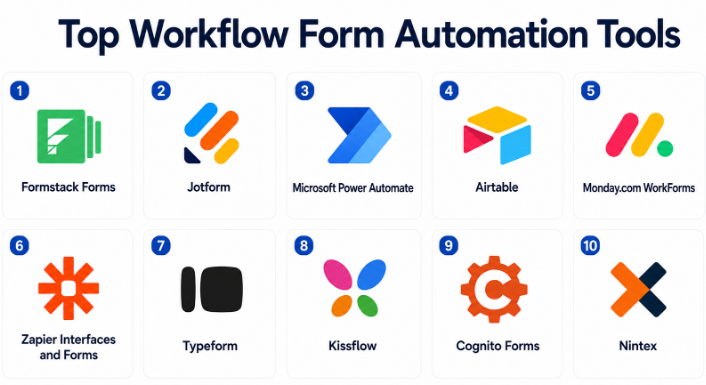
Top 10 Workflow Form Automation Tools
#1 — Formstack Forms
Short description :
Formstack Forms is a no-code form and workflow automation platform designed for business teams that need secure data collection, approvals, and process automation. It helps teams create forms, route submissions, collect files, accept payments, generate documents, and connect data with business systems. Formstack is useful for HR, healthcare-adjacent teams, finance, education, government, operations, and customer intake workflows. It is especially strong when forms need approvals, compliance controls, and automated follow-up actions. It is best for organizations that want form building connected with practical business workflow automation.
Key Features
- No-code form builder.
- Conditional logic and dynamic fields.
- Approval workflows.
- File uploads and payment collection.
- Automated notifications.
- Integrations with business systems.
- Document generation workflows through connected tools.
Pros
- Strong for business process automation.
- Useful for approvals, intake forms, and internal requests.
- Good fit for teams that need secure form workflows.
Cons
- May be more advanced than simple survey tools.
- Pricing may be higher than basic form builders.
- Workflow setup requires clear process planning.
Platforms / Deployment
Web
Cloud
Security & Compliance
Supports business security features, form permissions, data protection controls, and workflow governance depending on plan. Specific compliance details should be validated directly with the vendor.
Integrations & Ecosystem
Formstack Forms connects form submissions with business workflows.
- CRM systems.
- Payment processors.
- Document generation tools.
- Cloud storage platforms.
- Email and notification tools.
- Workflow automation platforms.
Support & Community
Formstack provides documentation, onboarding resources, templates, and customer support. It is practical for organizations that need reliable workflow-driven forms.
#2 — Jotform
Short description :
Jotform is a flexible online form builder with strong workflow automation features for approvals, payments, file uploads, conditional logic, and reporting. It is useful for small businesses, schools, nonprofits, healthcare-adjacent teams, HR teams, operations teams, and agencies. Jotform helps users create forms quickly using templates and then automate submission handling through notifications, approval flows, tables, and integrations. It is best for teams that need a user-friendly form builder with broad workflow options and many ready-made templates.
Key Features
- Drag-and-drop form builder.
- Conditional logic.
- Approval workflows.
- File uploads.
- Payment forms.
- Form tables and reports.
- Large integration and template library.
Pros
- Very flexible for many form use cases.
- Easy for non-technical users.
- Strong template library and fast setup.
Cons
- Feature depth can feel overwhelming for simple needs.
- Complex workflows may require careful organization.
- Sensitive data use should be reviewed carefully.
Platforms / Deployment
Web / iOS / Android
Cloud
Security & Compliance
Supports business security features, form privacy controls, and data management options depending on plan. Specific compliance details should be validated directly with the vendor.
Integrations & Ecosystem
Jotform connects forms with common business and productivity systems.
- Payment processors.
- CRM platforms.
- Cloud storage.
- Email marketing tools.
- Spreadsheet tools.
- Automation platforms.
Support & Community
Jotform provides documentation, templates, support resources, and a large user community. It is practical for teams that need quick form automation without heavy development.
#3 — Microsoft Power Automate
Short description :
Microsoft Power Automate is a workflow automation platform that helps organizations automate tasks across Microsoft 365, business apps, databases, approvals, and forms. While it is not only a form builder, it becomes very powerful when combined with Microsoft Forms, SharePoint lists, Teams, Excel, Outlook, and business systems. It is useful for IT teams, operations teams, finance teams, HR teams, and Microsoft-first organizations. It helps automate approval flows, notifications, data updates, document routing, and task creation. It is best for companies already using Microsoft 365 and wanting deeper workflow automation.
Key Features
- Workflow automation across Microsoft 365.
- Approval workflows.
- Connectors for many business apps.
- Microsoft Forms and SharePoint integration.
- Conditional logic.
- Notifications and task automation.
- Robotic process automation options may vary by plan.
Pros
- Strong fit for Microsoft 365 environments.
- Powerful automation beyond forms.
- Useful for enterprise internal workflows.
Cons
- Can require technical knowledge for complex flows.
- Licensing and connector rules can be confusing.
- Form design depends on the connected form tool.
Platforms / Deployment
Web / Microsoft 365 / Windows workflows
Cloud / Desktop automation options vary
Security & Compliance
Security depends on Microsoft 365 configuration, tenant policies, connector permissions, and admin controls. Supports Microsoft identity and governance features depending on licensing.
Integrations & Ecosystem
Power Automate connects strongly with Microsoft and enterprise systems.
- Microsoft Forms.
- SharePoint.
- Outlook.
- Microsoft Teams.
- Excel.
- Business application connectors.
Support & Community
Microsoft provides documentation, enterprise support, admin resources, and a large automation community. It is best for organizations with Microsoft platform maturity.
#4 — Airtable
Short description :
Airtable is a flexible no-code database and workflow platform that helps teams collect form responses, organize data, build views, automate actions, and manage lightweight business processes. It supports forms, tables, interfaces, automations, approvals, notifications, and integrations. Airtable is useful for marketing operations, project management, content workflows, product operations, HR tracking, event planning, vendor management, and internal request workflows. It is best for teams that need forms connected to a structured database and collaborative workflow views.
Key Features
- Form views for data collection.
- Flexible relational tables.
- Workflow automations.
- Custom views and interfaces.
- Collaboration and comments.
- Status tracking and assignments.
- Integrations with business tools.
Pros
- Very flexible for custom workflows.
- Strong for teams that outgrow spreadsheets.
- Good balance of forms, data, and automation.
Cons
- Not a traditional form-first approval platform.
- Complex bases can become difficult to govern.
- Enterprise controls may require higher plans.
Platforms / Deployment
Web / Windows / macOS / iOS / Android
Cloud
Security & Compliance
Supports workspace permissions, role-based access options, and admin controls depending on plan. Sensitive data workflows should be reviewed carefully.
Integrations & Ecosystem
Airtable connects form data with lightweight application workflows.
- Spreadsheets.
- Project management workflows.
- Automation platforms.
- Cloud storage.
- CRM workflows.
- Collaboration tools.
Support & Community
Airtable provides templates, documentation, customer support, and a large community. It is practical for teams that want flexible workflow databases with form intake.
#5 — Monday.com WorkForms
Short description :
Monday.com WorkForms helps teams collect requests, feedback, applications, and intake information through forms connected to Monday.com boards and workflows. It is useful for project teams, marketing teams, HR teams, IT teams, operations teams, and customer-facing teams that already use Monday.com for work management. Form submissions can create items, trigger automations, assign owners, update statuses, and start workflows. It is best for teams that want form intake directly connected to project tracking and operational boards.
Key Features
- Form creation connected to boards.
- Conditional questions.
- Automated item creation.
- Workflow automations.
- Status tracking.
- Team assignment and notifications.
- Reporting through Monday.com dashboards.
Pros
- Strong fit for Monday.com users.
- Converts form submissions into trackable work items.
- Useful for project, request, and operations workflows.
Cons
- Best value depends on Monday.com adoption.
- Not ideal as a standalone advanced form platform.
- Complex approval workflows may need careful board design.
Platforms / Deployment
Web / iOS / Android
Cloud
Security & Compliance
Supports Monday.com workspace permissions, admin controls, and account security features depending on plan. Specific compliance details should be validated directly with the vendor.
Integrations & Ecosystem
Monday.com WorkForms connects intake forms with work management.
- Monday.com boards.
- Dashboards.
- Notifications.
- Project workflows.
- CRM workflows.
- Automation recipes.
Support & Community
Monday.com provides documentation, templates, support resources, and onboarding guidance. It is useful for teams that manage work through Monday.com boards.
#6 — Zapier Interfaces and Forms
Short description :
Zapier Interfaces and form-based workflows help teams collect data and trigger automations across many apps. Zapier is best known as an automation platform, but its form and interface features can support lightweight workflow form automation. It is useful for small businesses, agencies, operations teams, marketers, and founders that want form submissions to create records, send messages, update spreadsheets, trigger emails, or connect apps without coding. It is best for teams that need forms connected with broad app automation.
Key Features
- Form and interface creation.
- App automation triggers.
- Multi-step workflows.
- Conditional paths.
- Email and notification automation.
- Data transfer between apps.
- Broad integration ecosystem.
Pros
- Very strong app integration coverage.
- Good for quick no-code automation.
- Useful for connecting forms with many business tools.
Cons
- Not as deep as dedicated form workflow platforms.
- Complex automations can become hard to maintain.
- Pricing may increase with task volume.
Platforms / Deployment
Web
Cloud
Security & Compliance
Supports account controls and app connection permissions depending on plan. Sensitive workflows should be reviewed carefully, especially when moving data across apps.
Integrations & Ecosystem
Zapier connects form data with a large range of business applications.
- CRM platforms.
- Spreadsheets.
- Email tools.
- Project management tools.
- Databases.
- Communication platforms.
Support & Community
Zapier provides documentation, templates, support resources, and a large automation community. It is useful for teams that need fast app-to-app workflow automation.
#7 — Typeform
Short description :
Typeform is a form builder known for beautiful, conversational forms that can also support basic workflow automation through integrations, routing, and follow-up actions. It is useful for lead capture, customer intake, employee feedback, event registration, product research, and application workflows. Typeform is especially strong when form completion experience matters. While it is not the deepest approval workflow platform, it works well when forms need to feel polished and connect to CRM, marketing, spreadsheet, or automation systems. It is best for customer-facing forms that require a strong user experience.
Key Features
- Conversational forms.
- Conditional logic and branching.
- Templates and custom branding.
- Lead and customer intake workflows.
- Integrations with business tools.
- Response analytics.
- Payment and file upload options may vary by plan.
Pros
- Excellent form experience and design.
- Strong for lead capture and customer-facing intake.
- Easy for non-technical teams to build polished forms.
Cons
- Not ideal for complex internal approval chains.
- Pricing may be higher than basic form builders.
- Workflow automation often depends on integrations.
Platforms / Deployment
Web
Cloud
Security & Compliance
Supports business security features and data protection controls depending on plan. Sensitive data workflows should be validated before use.
Integrations & Ecosystem
Typeform connects forms with sales, marketing, and workflow tools.
- CRM systems.
- Email marketing platforms.
- Spreadsheets.
- Payment processors.
- Automation tools.
- Analytics platforms.
Support & Community
Typeform provides documentation, templates, customer support, and learning resources. It is practical for teams focused on high-quality form experiences.
#8 — Kissflow
Short description :
Kissflow is a workflow automation and low-code platform designed to help businesses build forms, approvals, case workflows, and process applications. It is useful for HR, procurement, finance, operations, IT, and administrative teams that want to digitize manual processes. Kissflow supports form design, workflow routing, approvals, role-based access, dashboards, and process tracking. It is best for organizations that need structured workflow automation across departments without building fully custom software.
Key Features
- Form-based workflow builder.
- Approval routing.
- Process automation.
- Role-based access.
- Dashboards and reporting.
- Case management workflows.
- Low-code app building.
Pros
- Strong for business process automation.
- Useful across departments and internal workflows.
- Better suited for structured approvals than simple form tools.
Cons
- May require process design and rollout planning.
- More advanced than casual form builders.
- Best value depends on department-wide adoption.
Platforms / Deployment
Web / Mobile options may vary
Cloud
Security & Compliance
Supports business access controls, user roles, workflow permissions, and admin governance depending on plan. Specific compliance details should be validated directly with the vendor.
Integrations & Ecosystem
Kissflow connects workflows with business systems and internal processes.
- HR workflows.
- Procurement systems.
- Finance approvals.
- IT requests.
- Business applications.
- Reporting dashboards.
Support & Community
Kissflow provides documentation, onboarding support, templates, and customer success resources. It is suitable for organizations moving from manual approvals to digital workflows.
#9 — Cognito Forms
Short description :
Cognito Forms is a form builder that supports advanced forms, calculations, conditional logic, payments, file uploads, and workflow features. It is useful for teams that need forms with structured data, calculations, approvals, and repeatable business processes. Cognito Forms can support applications, order forms, inspections, registration forms, expense forms, and internal requests. It is best for small and mid-sized teams that need more power than basic forms but still want a no-code experience.
Key Features
- Advanced form builder.
- Conditional logic.
- Calculations and repeating sections.
- Payment collection.
- File uploads.
- Workflow and approval features.
- Entry management and exports.
Pros
- Strong for calculation-heavy workflows.
- Good value for advanced forms.
- Useful for applications, orders, and approvals.
Cons
- Complex forms require careful testing.
- Visual design may be less polished than design-first tools.
- Enterprise governance may require validation.
Platforms / Deployment
Web
Cloud
Security & Compliance
Supports business form security, access controls, and data collection features depending on plan. Specific compliance requirements should be validated directly with the vendor.
Integrations & Ecosystem
Cognito Forms connects form workflows with business tools.
- Payment processors.
- Automation platforms.
- Spreadsheets.
- Website embeds.
- File uploads.
- Business reporting workflows.
Support & Community
Cognito Forms provides documentation, templates, and support resources. It is practical for teams that need advanced no-code forms with workflow logic.
#10 — Nintex
Short description :
Nintex is a process automation platform that supports forms, workflows, document generation, approvals, robotic process automation, and process management. It is used by enterprises and mid-market organizations that need structured automation across business departments. Nintex helps teams digitize forms, route approvals, automate repetitive tasks, generate documents, and connect workflows with enterprise systems. It is best for organizations that need enterprise-grade workflow form automation and process governance.
Key Features
- Digital forms.
- Workflow automation.
- Approval routing.
- Document generation.
- Process mapping and management.
- Robotic process automation options may vary.
- Enterprise integrations.
Pros
- Strong enterprise workflow automation capabilities.
- Useful for process-heavy organizations.
- Supports forms, approvals, and document automation together.
Cons
- More complex than simple form builders.
- Implementation may require workflow expertise.
- Smaller teams may not need enterprise-level depth.
Platforms / Deployment
Web / Mobile options vary
Cloud / Enterprise deployment options vary
Security & Compliance
Supports enterprise security controls, permissions, workflow governance, and admin management depending on deployment and plan. Specific compliance details should be validated directly with the vendor.
Integrations & Ecosystem
Nintex connects forms and workflows with enterprise systems.
- Microsoft environments.
- Document generation tools.
- Business applications.
- Approval workflows.
- Process management systems.
- Automation connectors.
Support & Community
Nintex provides documentation, customer support, partner resources, and enterprise implementation guidance. It is best for organizations with mature process automation needs.
Comparison Table
| Tool Name | Best For | Platform(s) Supported | Deployment | Standout Feature | Public Rating |
|---|---|---|---|---|---|
| Formstack Forms | Secure business forms and approvals | Web | Cloud | Forms connected with workflow automation | N/A |
| Jotform | Flexible forms, payments, and approvals | Web / iOS / Android | Cloud | Large template library with workflow options | N/A |
| Microsoft Power Automate | Microsoft 365 workflow automation | Web / Microsoft 365 / Windows workflows | Cloud / Desktop varies | Deep automation across Microsoft apps | N/A |
| Airtable | Forms connected to workflow databases | Web / Windows / macOS / iOS / Android | Cloud | Form intake tied to structured data views | N/A |
| Monday.com WorkForms | Work management intake forms | Web / iOS / Android | Cloud | Form submissions become trackable board items | N/A |
| Zapier Interfaces and Forms | App-connected form automation | Web | Cloud | Forms connected with broad no-code automation | N/A |
| Typeform | Customer-facing conversational forms | Web | Cloud | Polished form experience with integrations | N/A |
| Kissflow | Department workflow automation | Web / Mobile varies | Cloud | Structured forms, approvals, and process apps | N/A |
| Cognito Forms | Advanced forms with calculations | Web | Cloud | Calculations, payments, and approval workflows | N/A |
| Nintex | Enterprise process automation | Web / Mobile varies | Cloud / Enterprise varies | Enterprise forms, workflows, and document automation | N/A |
Evaluation & Workflow Form Automation Tools
| Tool Name | Core (25%) | Ease (15%) | Integrations (15%) | Security (10%) | Performance (10%) | Support (10%) | Value (15%) | Weighted Total (0–10) |
|---|---|---|---|---|---|---|---|---|
| Formstack Forms | 9 | 8 | 9 | 9 | 8 | 8 | 7 | 8.30 |
| Jotform | 9 | 9 | 9 | 8 | 8 | 8 | 8 | 8.50 |
| Microsoft Power Automate | 9 | 7 | 10 | 9 | 8 | 9 | 8 | 8.60 |
| Airtable | 8 | 8 | 9 | 8 | 8 | 8 | 8 | 8.15 |
| Monday.com WorkForms | 8 | 9 | 8 | 8 | 8 | 8 | 8 | 8.15 |
| Zapier Interfaces and Forms | 8 | 8 | 10 | 8 | 8 | 8 | 8 | 8.30 |
| Typeform | 8 | 9 | 8 | 8 | 8 | 8 | 7 | 8.00 |
| Kissflow | 9 | 8 | 8 | 9 | 8 | 8 | 7 | 8.20 |
| Cognito Forms | 8 | 8 | 7 | 8 | 8 | 8 | 9 | 8.00 |
| Nintex | 10 | 6 | 9 | 9 | 9 | 9 | 7 | 8.45 |
These scores are comparative and should be used as a practical guide, not a fixed ranking. Jotform and Formstack Forms are strong form-first workflow tools. Microsoft Power Automate and Nintex are stronger for enterprise automation. Airtable and Monday.com WorkForms are useful when submissions need to become trackable work items. Zapier is strong for app-to-app automation, while Typeform is best when form experience matters.
Which Workflow Form Automation Tools
Solo / Freelancer
Solo professionals usually need a simple tool that can collect requests, send notifications, and organize responses. Jotform, Tally-style lightweight forms, Typeform, Cognito Forms, and Zapier Interfaces and Forms can be practical depending on the workflow.
A freelancer should focus on ease of use, low cost, form sharing, file collection, payment support, and simple automation. Enterprise platforms may be unnecessary unless the freelancer is building workflows for clients.
SMB
Small and medium businesses should focus on forms that reduce manual work quickly. Jotform, Formstack Forms, Airtable, Monday.com WorkForms, and Cognito Forms are strong options.
SMBs should start with high-friction processes such as purchase requests, HR onboarding, customer intake, event registrations, quote requests, support requests, and approval forms. Automating a few important workflows is better than trying to automate everything at once.
Mid-Market
Mid-market organizations usually need approvals, role-based routing, dashboards, integrations, document generation, and better reporting. Formstack Forms, Microsoft Power Automate, Kissflow, Airtable, Monday.com WorkForms, and Zapier are strong candidates.
At this stage, teams should define process owners, approval rules, status stages, reporting needs, and integration points before choosing a platform.
Enterprise
Enterprises should prioritize security, governance, admin controls, audit trails, process standardization, data retention, integration depth, and scalable workflow design. Nintex, Microsoft Power Automate, Kissflow, Formstack Forms, and Jotform Enterprise-style deployments may be relevant depending on the organization’s stack.
Large organizations should involve IT, security, legal, compliance, operations, HR, finance, and department owners before rolling out workflow form automation broadly.
Budget vs Premium
Budget-conscious teams may prefer Jotform, Cognito Forms, Airtable, or simple Microsoft and Google-based forms combined with lightweight automation.
Premium platforms such as Nintex, Kissflow, Formstack Forms, and enterprise Microsoft Power Automate setups are better when organizations need multi-step approvals, audit trails, document generation, admin governance, and complex integrations.
Feature Depth vs Ease of Use
If ease of use matters most, Jotform, Typeform, Monday.com WorkForms, Airtable, and Cognito Forms are practical choices. They help business users launch useful workflows quickly.
If feature depth matters more, Nintex, Microsoft Power Automate, Kissflow, and Formstack Forms provide stronger process automation, approvals, governance, reporting, and enterprise workflow control.
Integrations & Scalability
Workflow form automation tools should connect with CRM systems, HR systems, finance tools, project management platforms, cloud storage, email systems, collaboration tools, document generation tools, and eSignature platforms.
For Microsoft-heavy organizations, Power Automate is highly relevant. For app-to-app automation, Zapier is strong. For structured internal workflows, Kissflow and Nintex are better. For form-first workflows, Jotform and Formstack are practical.
Security & Compliance Needs
Workflow forms may collect employee data, customer data, financial records, contracts, identity information, health-related details, payment data, and confidential business requests. Security must be reviewed carefully.
Buyers should validate SSO, MFA, role-based access, audit logs, data retention, file upload controls, encryption, approval history, admin permissions, export restrictions, and compliance suitability before collecting sensitive information.
Frequently Asked Questions
1. What is a Workflow Form Automation Tool?
A Workflow Form Automation Tool lets teams create forms and automatically route submissions through business processes. It can send notifications, request approvals, assign tasks, update systems, generate documents, and track progress.
2. How is workflow form automation different from a normal form builder?
A normal form builder mainly collects responses. A workflow form automation tool goes further by moving submissions through steps such as approvals, assignments, reminders, status updates, document generation, and integrations with other systems.
3. What pricing models are common for Workflow Form Automation Tools?
Pricing may be based on users, forms, responses, automation runs, tasks, workflows, storage, integrations, or enterprise plans. Some tools are affordable for small teams, while enterprise platforms may use custom pricing based on scale and governance needs.
4. What are common mistakes when automating form workflows?
Common mistakes include automating a broken process, asking too many form questions, unclear approval rules, missing escalation paths, and not testing workflows before launch. Another mistake is collecting sensitive data without reviewing security and retention settings.
5. Which tool is best for Microsoft 365 users?
Microsoft Power Automate is a strong option for Microsoft 365 users because it connects with Microsoft Forms, SharePoint, Teams, Outlook, Excel, and many business systems. It is especially useful for approval workflows and internal process automation.
6. Which tool is best for simple workflow forms?
Jotform, Cognito Forms, Typeform, Airtable, and Monday.com WorkForms are practical for simple workflow forms. The best choice depends on whether the team needs approvals, payments, design quality, task tracking, or database-style response management.
7. Which tool is best for enterprise workflow automation?
Nintex, Microsoft Power Automate, Kissflow, and Formstack Forms are strong enterprise options. They support structured workflows, approvals, security controls, integrations, and process governance depending on configuration.
8. Can workflow form automation tools generate documents?
Yes, many tools can generate documents directly or through integrations. Formstack, Nintex, Power Automate, Jotform, and connected automation platforms can support document generation depending on the workflow and template setup.
9. Can these tools support approval workflows?
Yes, approval workflows are one of the most common use cases. Tools can route submissions to managers, finance teams, HR teams, legal reviewers, or department heads based on form answers, user roles, amount thresholds, or request type.
10. Are Workflow Form Automation Tools secure?
They can be secure when configured correctly. Buyers should review encryption, access controls, role permissions, audit logs, file upload security, data retention, SSO, MFA, and compliance needs before collecting sensitive data.
Conclusion
Workflow Form Automation Tools help organizations move from manual request handling to structured, trackable, and automated business processes. They are useful for HR onboarding, finance approvals, IT requests, customer intake, vendor forms, compliance checklists, purchase requests, incident reports, and many other repeatable workflows. The best platform depends on your existing systems, workflow complexity, security needs, and team skills. Jotform and Formstack Forms are strong for form-first automation, Microsoft Power Automate is excellent for Microsoft 365 environments, Airtable and Monday.com WorkForms are useful when form submissions should become trackable work items, Zapier is strong for connecting apps, Typeform is best for polished customer-facing forms, Cognito Forms is practical for advanced calculations, Kissflow is strong for structured departmental workflows, and Nintex is suitable for enterprise process automation.
