Introduction
Child safety monitoring apps are digital tools that help parents and guardians guide how children use phones, tablets, computers, websites, apps, social media, games, and online content. In simple words, these apps help families manage screen time, block unsafe content, track location, review activity, and receive alerts when a child may be exposed to risky online behavior.
In digital world, child safety is not only about blocking websites. Children use messaging apps, gaming chats, short-video platforms, AI tools, school devices, browsers, and multiple screens. That means parents need smarter, more flexible, and more privacy-aware tools.
Common use cases include:
- Managing screen time and bedtime device rules
- Blocking adult, violent, or unsafe web content
- Monitoring social media or messaging risk signals
- Tracking location for school, travel, and daily safety
- Creating safer digital habits for younger children and teens
Buyers should evaluate:
- Ease of setup
- Supported platforms
- Content filtering quality
- Screen time controls
- Location tracking
- Social media monitoring
- Privacy approach
- Alert accuracy
- Pricing flexibility
- Family size support
Best for: Parents, guardians, schools, family counselors, and caregivers who want safer digital boundaries for children across phones, tablets, and computers.
Not ideal for: Families that only need basic device settings, parents who prefer fully manual supervision, or cases where open conversation and built-in controls are enough.
Key Trends in Child Safety Monitoring Apps
- AI-powered alerts are becoming more common, especially for detecting signs of bullying, adult content, self-harm language, unsafe contacts, or risky search behavior.
- Privacy-aware monitoring is gaining importance, as many families want alerts without reading every private message.
- Screen time control is shifting from simple blocking to balanced digital wellbeing, with schedules, routines, focus time, and app-specific limits.
- Location safety is expanding, including geofencing, place alerts, family maps, and emergency check-in features.
- Cross-platform support matters more, because children often use Android, iOS, Windows, macOS, Chromebooks, browsers, and gaming apps.
- Built-in operating system controls are improving, especially Apple Screen Time and Google Family Link.
- Parents want simpler dashboards, because complex apps often fail after setup due to poor usability.
- Subscription pricing remains common, but families compare value based on device count, monitoring depth, and support.
- Teen privacy is a growing concern, so modern tools need a healthy balance between safety, trust, and independence.
- Schools and families are becoming more aware of digital risk education, not just technical blocking.
How We Selected These Tools
- Selected tools with strong mindshare in parental control and child safety monitoring.
- Included apps used across common family device environments.
- Balanced full-featured parental control platforms with built-in ecosystem tools.
- Considered content filtering, app blocking, screen time, alerts, and location features.
- Favored tools with practical value for everyday families.
- Considered ease of onboarding and dashboard clarity.
- Reviewed platform fit across Android, iOS, Windows, macOS, and web.
- Avoided guessing private compliance claims or ratings.
- Included both premium and free/built-in options.
- Scored tools comparatively based on practical buyer needs.
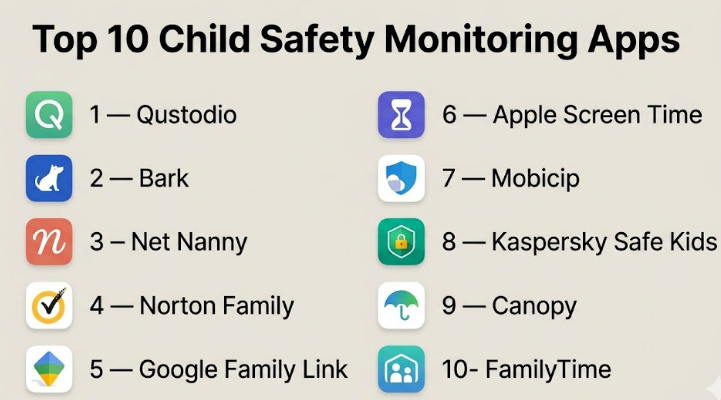
Top 10 Child Safety Monitoring Apps
#1 — Qustodio
Short description :
Qustodio is a well-known parental control app for families that want strong visibility across devices. It helps parents manage screen time, block websites, monitor app usage, track location, and receive activity reports. It is useful for families with children using multiple devices. Qustodio is often preferred by parents who want a balanced mix of control, reporting, and ease of use. It works well for younger children and early teens who need structured digital boundaries.
Key Features
- Screen time limits and schedules
- Web filtering and website blocking
- App monitoring and blocking
- Location tracking
- Activity reports
- Search and activity alerts
- Multi-device family dashboard
Pros
- Strong all-round parental control feature set
- Good fit for families with multiple devices
- Easy dashboard for everyday monitoring
Cons
- Some advanced monitoring may vary by platform
- iOS restrictions can limit deeper control
- Premium features may increase cost
Platforms / Deployment
Web / Windows / macOS / iOS / Android / Chromebook
Cloud
Security & Compliance
MFA, encryption, GDPR: Not publicly stated in full detail
SOC 2, ISO 27001, HIPAA: Not publicly stated
Integrations & Ecosystem
Qustodio mainly works as a family safety platform rather than an enterprise integration tool. Its ecosystem is built around device apps, browser filtering, parent dashboards, and child device profiles.
- Parent dashboard
- Child device app
- Browser filtering
- Mobile app controls
- Email/activity alerts
Support & Community
Qustodio offers help resources, setup guides, and customer support options. Support level may vary by plan and region.
#2 — Bark
Short description :
Bark is a child safety monitoring app focused on alert-based protection rather than full surveillance. It monitors texts, email, online activity, and many social platforms for safety risks. Parents receive alerts when possible concerns are detected. Bark is useful for families with pre-teens and teens where trust and privacy matter. It is especially strong for social media and communication risk monitoring.
Key Features
- Social media monitoring
- Text and email monitoring
- Alerts for bullying, self-harm, violence, and adult content
- Screen time management
- Web filtering
- Location check-ins
- Parent alert dashboard
Pros
- Strong risk alerting for social and communication channels
- Less invasive than full message reading
- Good fit for teen safety conversations
Cons
- Some monitoring depends on platform permissions
- Not always ideal for strict device lockdown
- Advanced setup may require parent attention
Platforms / Deployment
Web / iOS / Android / Chrome browser support / selected desktop workflows
Cloud
Security & Compliance
Encryption: Not publicly stated in full detail
SOC 2, ISO 27001, HIPAA: Not publicly stated
Integrations & Ecosystem
Bark connects with child accounts, mobile devices, email, and social platforms where supported. It is designed more for safety alerts than open API extensibility.
- Social media monitoring
- Email monitoring
- Mobile device monitoring
- Web filtering
- Parent alerts
Support & Community
Bark provides parent education content, setup guidance, and customer support. Community awareness is strong among digital parenting users.
#3 — Net Nanny
Short description :
Net Nanny is a long-standing parental control tool known for web filtering and content blocking. It helps families block adult content, manage screen time, monitor app activity, and view child location. It is suitable for parents who want clear web protection and practical household device rules. Net Nanny is a strong option for families focused on safer browsing and internet access control.
Key Features
- Web filtering
- Adult content blocking
- Screen time controls
- App blocking
- Family activity feed
- Location tracking
- Alerts and reports
Pros
- Strong focus on web filtering
- Useful family feed for activity visibility
- Good for parents who want safer browsing controls
Cons
- Interface experience may feel less modern to some users
- Advanced social monitoring may not be as deep as Bark
- Feature behavior may vary by device type
Platforms / Deployment
Windows / macOS / iOS / Android
Cloud
Security & Compliance
Encryption: Not publicly stated in full detail
SOC 2, ISO 27001, HIPAA: Not publicly stated
Integrations & Ecosystem
Net Nanny focuses on family devices and browsing control. Its ecosystem is mainly device apps, dashboards, filtering engines, and parent alerts.
- Parent dashboard
- Child device apps
- Web filtering
- Location map
- App management
Support & Community
Net Nanny provides documentation, setup help, and customer support. Support quality may vary by plan and region.
#4 — Norton Family
Short description :
Norton Family is a parental control solution from Norton, designed for families that want screen time management, web supervision, search visibility, and school-time rules. It works well for parents already using Norton security products. The app is practical for families that want child safety tools connected to a broader digital security brand. It is especially useful for web supervision and device rule setting.
Key Features
- Web supervision
- Time supervision
- Search supervision
- School time controls
- Location supervision
- Activity reporting
- Parent dashboard
Pros
- Good fit for families already using Norton products
- Strong brand familiarity in digital security
- Useful web and time supervision features
Cons
- Some features may be stronger on Android and Windows than iOS
- Not focused mainly on deep social media monitoring
- May feel more security-suite oriented than child-first
Platforms / Deployment
Web / Windows / iOS / Android
Cloud
Security & Compliance
MFA/encryption details: Not publicly stated in full detail
SOC 2, ISO 27001, HIPAA: Not publicly stated
Integrations & Ecosystem
Norton Family fits into the Norton consumer security ecosystem. It is useful for families that want parental controls alongside antivirus, identity, and device protection tools.
- Norton account ecosystem
- Parent web dashboard
- Mobile apps
- Activity reports
- Device supervision tools
Support & Community
Norton has broad support resources, help centers, and customer service channels. Community strength is stronger around Norton’s wider security products.
#5 — Google Family Link
Short description :
Google Family Link is a free parental control tool for families using Android devices, Google accounts, and Chromebooks. It helps parents set screen time limits, approve app downloads, manage device settings, and view device location. It is a practical choice for families already using Google services. It is best for basic to moderate control rather than deep social media monitoring.
Key Features
- Screen time limits
- App approval controls
- Device bedtime settings
- Location tracking
- Google account supervision
- Chromebook support
- App activity visibility
Pros
- Free and easy for Google-based families
- Good Android and Chromebook integration
- Simple setup for basic parental controls
Cons
- Limited outside the Google ecosystem
- Not designed for deep social media monitoring
- Some teen controls may reduce as children age
Platforms / Deployment
Android / Chromebook / Web / iOS parent app support
Cloud
Security & Compliance
Google account security features may include MFA and encryption.
SOC 2, ISO 27001, HIPAA for Family Link specifically: Not publicly stated
Integrations & Ecosystem
Family Link works closely with Google accounts, Android devices, Chromebooks, Google Play, and device settings.
- Google accounts
- Google Play app approvals
- Android device controls
- Chromebook controls
- Location services
Support & Community
Google provides help documentation and account support resources. Community support is broad because many families use Android and Google accounts.
#6 — Apple Screen Time
Short description :
Apple Screen Time is Apple’s built-in parental control and device usage management feature. It allows parents to set app limits, downtime, communication limits, content restrictions, and purchase approvals. It is best for families using iPhones, iPads, and Macs. It is not a separate monitoring app, but it is a strong built-in option for Apple households.
Key Features
- App limits
- Downtime schedules
- Content and privacy restrictions
- Communication limits
- Purchase approvals
- Family Sharing support
- Device usage reports
Pros
- Built into Apple devices
- No separate subscription required for basic use
- Good for Apple-only families
Cons
- Limited outside Apple ecosystem
- Not a full social media monitoring solution
- Some children may find workarounds if settings are weak
Platforms / Deployment
iOS / iPadOS / macOS
Cloud / Device-based Apple ecosystem
Security & Compliance
Apple ID security features may include MFA and encryption.
SOC 2, ISO 27001, HIPAA for Screen Time specifically: Not publicly stated
Integrations & Ecosystem
Apple Screen Time works within Apple Family Sharing and device settings. It integrates naturally with iPhone, iPad, Mac, App Store, and Apple ID controls.
- Apple Family Sharing
- App Store approvals
- iCloud account settings
- iOS content restrictions
- Device usage reporting
Support & Community
Apple provides strong documentation and device support. Community support is also strong due to broad Apple device adoption.
#7 — Mobicip
Short description :
Mobicip is a parental control app focused on screen time, app blocking, web filtering, location tracking, and family device management. It is suitable for families that want practical controls across multiple devices. Mobicip is often considered by parents looking for a balance between affordability and feature coverage. It can work well for households with school-age children and mixed device usage.
Key Features
- Screen time schedules
- Website filtering
- App blocking
- Location tracking
- Activity reports
- Family dashboard
- Device usage controls
Pros
- Good balance of features and usability
- Supports common family device needs
- Useful for screen time and web control
Cons
- Social monitoring depth may be limited compared to Bark
- Some features vary by platform
- Advanced policy setup may take time
Platforms / Deployment
Windows / macOS / iOS / Android / Chromebook
Cloud
Security & Compliance
Encryption: Not publicly stated in full detail
SOC 2, ISO 27001, HIPAA: Not publicly stated
Integrations & Ecosystem
Mobicip’s ecosystem is built around device supervision, filtering, scheduling, and family dashboards.
- Parent dashboard
- Child device apps
- Web filtering
- App controls
- Location tools
Support & Community
Mobicip provides documentation and customer support. Community awareness is moderate to strong among parental control users.
#8 — Kaspersky Safe Kids
Short description :
Kaspersky Safe Kids is a parental control app from Kaspersky that offers screen time management, website filtering, app usage controls, and location monitoring. It is useful for families that want a security-brand-backed parental control option. It can be a practical choice for parents looking for core safety features without too much complexity. It is suitable for younger children and basic family monitoring needs.
Key Features
- Web filtering
- Screen time management
- App usage control
- Location tracking
- Battery level alerts
- Activity reports
- Safe search support
Pros
- Practical core parental control features
- Security-brand familiarity
- Good value for basic monitoring needs
Cons
- Availability and trust perception may vary by region
- Not the strongest option for deep social media alerts
- Some advanced details are not clearly public
Platforms / Deployment
Windows / macOS / iOS / Android
Cloud
Security & Compliance
Encryption: Not publicly stated in full detail
SOC 2, ISO 27001, HIPAA: Not publicly stated
Integrations & Ecosystem
Kaspersky Safe Kids fits into the broader Kaspersky consumer security ecosystem, with device apps and parent dashboards.
- Parent dashboard
- Mobile device controls
- Web filtering
- Location tools
- Activity reports
Support & Community
Kaspersky provides documentation and support channels. Community strength varies by region.
#9 — Canopy
Short description :
Canopy is a child safety app focused strongly on blocking explicit content and helping families create safer online browsing experiences. It is useful for parents who prioritize adult content filtering and device-level protection. Canopy is often considered by families that want prevention-focused controls rather than only reporting after exposure. It works well for homes where web and image safety are major concerns.
Key Features
- Explicit content blocking
- Web filtering
- App management
- Screen time controls
- Location awareness features
- Sexting prevention features where supported
- Parent dashboard
Pros
- Strong focus on explicit content prevention
- Useful for families wanting prevention-first safety
- Simple parent-focused positioning
Cons
- May not be as broad as full parental control suites
- Social media monitoring depth may vary
- Feature availability can depend on device type
Platforms / Deployment
iOS / Android / Windows / macOS
Cloud
Security & Compliance
Encryption: Not publicly stated in full detail
SOC 2, ISO 27001, HIPAA: Not publicly stated
Integrations & Ecosystem
Canopy’s ecosystem is centered on content filtering, device protection, and family dashboards.
- Parent app
- Child device app
- Web filtering
- App controls
- Safety alerts
Support & Community
Canopy provides onboarding help and support resources. Community awareness is growing among parents focused on explicit content prevention.
#10 — FamilyTime
Short description :
FamilyTime is a parental control app designed for screen time management, app blocking, location tracking, geofencing, and family device supervision. It is useful for parents who want practical controls around device usage and child location. FamilyTime can be a good fit for families that need routine-based rules, bedtime controls, and movement alerts. It is more control-focused than social monitoring-focused.
Key Features
- Screen time limits
- App blocking
- Location tracking
- Geofencing
- SOS/panic alerts
- Web filtering
- Family dashboard
Pros
- Strong location and geofencing use cases
- Practical for routine-based screen time rules
- Useful for everyday family supervision
Cons
- Social media monitoring may not be as strong as Bark
- Some features may vary by mobile platform
- Interface and setup experience may not suit every parent
Platforms / Deployment
iOS / Android / Web
Cloud
Security & Compliance
Encryption: Not publicly stated in full detail
SOC 2, ISO 27001, HIPAA: Not publicly stated
Integrations & Ecosystem
FamilyTime mainly works through mobile apps, parent dashboards, location services, and device controls.
- Parent app
- Child app
- Location alerts
- Geofencing
- App and screen time controls
Support & Community
FamilyTime provides support resources and onboarding guidance. Support depth may vary by plan and region.
Comparison Table
| Tool Name | Best For | Platform(s) Supported | Deployment | Standout Feature | Public Rating |
|---|---|---|---|---|---|
| Qustodio | Full family device monitoring | Web, Windows, macOS, iOS, Android, Chromebook | Cloud | Balanced screen time, filtering, reports, and location | N/A |
| Bark | Teen social and message safety alerts | Web, iOS, Android | Cloud | AI-style risk alerts across messages and social activity | N/A |
| Net Nanny | Web filtering and content blocking | Windows, macOS, iOS, Android | Cloud | Strong real-time web filtering focus | N/A |
| Norton Family | Families already using Norton ecosystem | Web, Windows, iOS, Android | Cloud | Web, time, search, and school-time supervision | N/A |
| Google Family Link | Android and Chromebook families | Android, Chromebook, Web, iOS parent app | Cloud | Free Google account supervision | N/A |
| Apple Screen Time | Apple-only households | iOS, iPadOS, macOS | Cloud / Device-based | Built-in Apple device controls | N/A |
| Mobicip | Affordable multi-device family control | Windows, macOS, iOS, Android, Chromebook | Cloud | Balanced screen time and web filtering | N/A |
| Kaspersky Safe Kids | Basic parental control with security brand support | Windows, macOS, iOS, Android | Cloud | Core controls with security ecosystem fit | N/A |
| Canopy | Explicit content prevention | iOS, Android, Windows, macOS | Cloud | Prevention-first explicit content blocking | N/A |
| FamilyTime | Location and screen time routines | iOS, Android, Web | Cloud | Geofencing and family location controls | N/A |
Evaluation & Child Safety Monitoring Apps
| Tool Name | Core (25%) | Ease (15%) | Integrations (15%) | Security (10%) | Performance (10%) | Support (10%) | Value (15%) | Weighted Total (0–10) |
|---|---|---|---|---|---|---|---|---|
| Qustodio | 9 | 8 | 8 | 7 | 8 | 8 | 8 | 8.20 |
| Bark | 9 | 8 | 8 | 7 | 8 | 8 | 7 | 8.00 |
| Net Nanny | 8 | 8 | 7 | 7 | 8 | 7 | 7 | 7.55 |
| Norton Family | 8 | 8 | 7 | 8 | 8 | 8 | 7 | 7.70 |
| Google Family Link | 7 | 9 | 8 | 8 | 8 | 7 | 10 | 8.05 |
| Apple Screen Time | 7 | 8 | 8 | 8 | 8 | 8 | 10 | 8.00 |
| Mobicip | 8 | 8 | 7 | 7 | 8 | 7 | 8 | 7.70 |
| Kaspersky Safe Kids | 7 | 8 | 7 | 7 | 7 | 7 | 8 | 7.30 |
| Canopy | 8 | 8 | 6 | 7 | 8 | 7 | 7 | 7.40 |
| FamilyTime | 7 | 8 | 6 | 7 | 7 | 7 | 7 | 7.00 |
These scores are comparative, not absolute. A higher score does not mean the app is best for every family. For example, Bark may be stronger for teen communication alerts, while Google Family Link may be better for Android families needing free basic controls. Always test the app with your actual devices before choosing.
Which Child Safety Monitoring Apps
Solo / Freelancer
For individual parents managing one or two child devices, start with Google Family Link for Android or Apple Screen Time for Apple devices. These built-in tools are cost-effective and easy to start with.
If you need stronger filtering and reporting, shortlist Qustodio, Mobicip, or Net Nanny.
SMB
For small schools, coaching centers, or family-focused service providers, choose tools that are easy to explain and simple to configure. Qustodio, Net Nanny, and Mobicip are practical choices for structured controls.
For child counseling or digital wellness programs, Bark can be useful because it supports safety conversations around online behavior.
Mid-Market
Mid-market family service organizations, tutoring platforms, or child support teams should focus on reporting, onboarding, support, and multi-device consistency. Qustodio, Norton Family, and Bark are strong shortlist options.
The best choice depends on whether the goal is device control, social risk detection, or general digital wellbeing.
Enterprise
For enterprise-like needs, such as schools or managed child devices, dedicated mobile device management, school filtering, or student safety platforms may be better than consumer parental control apps.
Consumer tools can help families, but they may not provide enterprise-grade audit logs, admin roles, SSO, or policy management.
Budget vs Premium
For budget-conscious families, Google Family Link and Apple Screen Time are strong starting points. For paid options, Mobicip and Kaspersky Safe Kids may provide good value depending on family needs.
Premium tools like Qustodio, Bark, and Net Nanny are better when parents need deeper visibility, alerts, or filtering.
Feature Depth vs Ease of Use
Choose Qustodio for broad feature depth. Choose Bark for communication and social risk alerts. Choose Apple Screen Time or Google Family Link for easy built-in controls.
More features are not always better. Parents should choose tools they can actually maintain every week.
Integrations & Scalability
Most child safety monitoring apps are not enterprise integration platforms. Their “integration” strength usually means device support, browser support, social platform coverage, account linking, and family dashboards.
For mixed-device families, prioritize Qustodio, Mobicip, or Net Nanny. For ecosystem-specific homes, use Apple Screen Time or Google Family Link.
Security & Compliance Needs
For families, focus on privacy, account protection, clear permissions, and data handling. For schools or organizations, check whether the vendor publicly states details about encryption, data retention, admin roles, and compliance.
If compliance requirements are strict, consumer apps may not be enough. Consider education-focused safety platforms or managed device tools.
Frequently Asked Questions
1. What are child safety monitoring apps?
Child safety monitoring apps help parents manage how children use devices, apps, websites, and online services. They may include screen time controls, web filtering, location tracking, app blocking, and safety alerts.
2. Are child safety monitoring apps the same as parental control apps?
They are closely related. Parental control apps usually focus on rules and restrictions, while child safety monitoring apps may also include alerts, reporting, location safety, and online risk detection.
3. How much do child safety monitoring apps cost?
Pricing varies by vendor, plan, device count, and feature depth. Some tools are free, such as Apple Screen Time and Google Family Link, while premium tools usually use monthly or annual subscriptions.
4. Which app is best for Android families?
Google Family Link is a strong free starting point for Android and Chromebook families. For more advanced monitoring, Qustodio, Bark, Mobicip, and Net Nanny are worth comparing.
5. Which app is best for Apple families?
Apple Screen Time is the easiest starting point for iPhone, iPad, and Mac households. If deeper filtering or reporting is needed, parents can compare Qustodio, Bark, Net Nanny, or Canopy.
6. Can these apps monitor social media?
Some apps can monitor selected social platforms, messages, or online activity, but coverage varies. Bark is especially known for social and communication risk alerts, while others focus more on filtering and screen time.
7. Are these apps safe for children’s privacy?
They can be safe when configured responsibly, but parents should understand what data is collected. The best approach is to combine monitoring with honest conversations and age-appropriate digital rules.
8. What is the biggest mistake parents make?
The biggest mistake is installing an app without setting clear family rules. Technology works better when children understand why limits exist and what behavior is expected.
9. Can children bypass parental control apps?
Yes, some children may find workarounds, especially if devices are not configured properly. Parents should use strong passwords, account controls, app approval rules, and regular check-ins.
10. Do these apps work for schools?
Most listed tools are designed for families, not full school administration. Schools may need education-focused filtering, classroom management, MDM, or student safety platforms.
11. How long does setup usually take?
Basic setup can be quick, especially for built-in tools. More advanced tools may take longer because parents need to install child apps, configure rules, approve permissions, and test filtering.
12. What should I check before switching tools?
Check supported devices, monitoring limits, pricing, cancellation terms, export options, and whether your most important features work on your child’s device. Run a pilot before fully switching.
Conclusion
Child safety monitoring apps are now an important part of modern digital parenting, but there is no single best app for every family. A parent with a young child using an Android tablet may get enough value from Google Family Link. An Apple-only family may prefer Apple Screen Time. A family with teens may need Bark for social and communication risk alerts. Parents who want broad device control may prefer Qustodio, Net Nanny, or Mobicip. The right choice depends on the child’s age, device type, family rules, privacy expectations, and risk level.
