Introduction
Quality Inspection Computer Vision tools help businesses inspect products, parts, packaging, surfaces, labels, assemblies, and production outputs using cameras, image processing, AI, and automation. In simple words, these tools help machines “see” products and decide whether they are correct, defective, missing something, wrongly assembled, damaged, mislabeled, or outside quality limits.
Traditional manual inspection can be slow, inconsistent, and difficult to scale. Human inspectors may get tired, miss small defects, or judge defects differently from person to person. Computer vision inspection tools solve this by using cameras, lighting, sensors, rules, and AI models to inspect products quickly and repeatedly.
These tools are used in manufacturing, automotive, electronics, semiconductors, food and beverage, pharma, packaging, logistics, textiles, plastics, metals, medical devices, and consumer goods. Common use cases include defect detection, surface inspection, label verification, barcode reading, dimension checks, assembly verification, missing-part detection, counting, sorting, and final quality approval.
Buyers should evaluate:
- Defect detection accuracy
- AI and deep learning capabilities
- 2D and 3D inspection support
- Camera and lighting compatibility
- Ease of model training
- Real-time inspection speed
- False reject and false accept performance
- Integration with PLC, MES, QMS, ERP, and SCADA systems
- Edge deployment and production-line reliability
- Reporting, traceability, and audit records
- Security, access control, and data retention
- Support quality and local implementation partner availability
Best for: Quality managers, manufacturing engineers, production heads, automation engineers, machine builders, industrial inspection teams, process engineers, packaging teams, and companies that need faster and more consistent product inspection.
Not ideal for: Very low-volume operations, highly subjective inspection work, or processes where visual defects cannot be clearly captured through images. In such cases, manual inspection, physical testing, lab testing, or measurement tools may still be required.
Key Quality Inspection Computer Vision Trends
- AI-based defect detection is becoming more practical. Deep learning helps detect complex defects such as scratches, stains, dents, cracks, color variation, surface marks, and inconsistent textures.
- Edge AI inspection is growing quickly. Many factories prefer inspection decisions to happen locally near the production line to reduce latency and improve reliability.
- No-code and low-code inspection tools are improving adoption. Quality teams can train and adjust models without needing deep programming skills.
- 3D vision is becoming more common. 3D inspection helps detect shape, height, volume, surface deformation, part position, and dimensional defects.
- Integration with MES and QMS is now important. Inspection data is more useful when connected with batches, serial numbers, operators, shifts, machines, and customer quality records.
- Explainable AI is becoming a buyer requirement. Manufacturers want to understand why a part was accepted or rejected, especially in regulated or high-value production.
- Synthetic data and image augmentation are helping model training. Teams can improve AI models when real defect images are limited.
- Cloud dashboards are supporting long-term quality trends. While inspection often happens on edge systems, cloud analytics can help compare lines, factories, and defect patterns.
- Flexible production requires flexible inspection. As factories produce more variants, inspection systems must handle different shapes, colors, SKUs, labels, and product versions.
- Security and data privacy are becoming important. Inspection images may contain product designs, serial numbers, customer data, or sensitive manufacturing information.
How We Selected These Tools
The tools in this list were selected using practical quality inspection and manufacturing automation criteria.
- Recognition in machine vision, AI inspection, industrial automation, or computer vision quality control
- Ability to detect defects, verify assemblies, inspect labels, measure parts, or support quality workflows
- Fit for manufacturing, packaging, electronics, automotive, pharma, food, logistics, and industrial environments
- Support for 2D vision, 3D vision, AI/deep learning, or rule-based inspection
- Integration potential with cameras, robots, PLCs, MES, QMS, SCADA, and production systems
- Ease of deployment for quality engineers, automation teams, and production users
- Scalability across multiple production lines, plants, and inspection stations
- Reporting, traceability, and data management capabilities
- Hardware and software ecosystem maturity
- Practical value for SMB, mid-market, and enterprise manufacturing teams
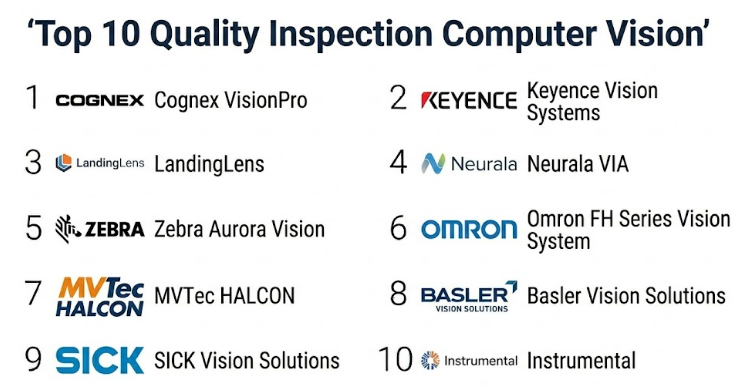
Top 10 Quality Inspection Computer Vision Tools
#1 — Cognex VisionPro
Short description :
Cognex VisionPro is a professional machine vision software platform used for industrial inspection, measurement, guidance, and identification applications. It is suitable for manufacturers that need flexible computer vision development with strong industrial reliability. The platform supports advanced image processing, pattern matching, measurement, barcode reading, and inspection workflows. It is useful for production environments where quality inspection must be accurate, repeatable, and connected with automation systems. Cognex VisionPro is a strong choice for machine builders, system integrators, and factories that need custom quality inspection applications.
Key Features
- Advanced machine vision software tools
- Pattern matching and object location
- Measurement and gauging capabilities
- Defect detection workflows
- Barcode and OCR support
- Industrial camera and automation integration
- Custom inspection application development
Pros
- Strong industrial machine vision reputation
- Good fit for custom inspection systems
- Reliable for production-line environments
Cons
- Requires machine vision expertise for advanced applications
- May need system integrator support
- Cost may be higher than lightweight inspection tools
Platforms / Deployment
Windows-based industrial software environment.
Edge / On-premise deployment.
Cloud: Varies / N/A.
Security & Compliance
SSO/SAML, MFA, encryption, audit logs, RBAC: Not publicly stated in detail.
SOC 2, ISO 27001, GDPR, HIPAA: Not publicly stated.
Integrations & Ecosystem
Cognex VisionPro works well in industrial automation environments where inspection tools must connect with cameras, PLCs, robots, and production systems.
- Industrial camera integration
- PLC and automation communication
- Robot guidance workflows
- Barcode and traceability systems
- MES and quality data export options
Support & Community
Cognex has strong documentation, training resources, technical support, and a large industrial vision partner ecosystem. Support availability may vary by region and product package.
#2 — Keyence Vision Systems
Short description :
Keyence Vision Systems provide integrated hardware and software for industrial quality inspection, measurement, recognition, alignment, and defect detection. These systems are widely used in factories that need quick deployment and strong application support. Keyence tools can inspect product presence, dimensions, labels, surfaces, assemblies, and packaging conditions. They are useful for quality teams that want a practical inspection system with camera, controller, lighting, and configuration tools working together. Keyence is a strong fit for manufacturers that value fast setup and hands-on vendor support.
Key Features
- 2D and 3D inspection support
- Defect detection and measurement tools
- Surface inspection capabilities
- Label and code verification
- Robot and automation integration
- High-speed image processing
- User-friendly configuration tools
Pros
- Fast setup for many inspection use cases
- Strong hardware and support ecosystem
- Good fit for production teams and quality engineers
Cons
- Pricing can be premium depending on setup
- Ecosystem may be more vendor-specific
- Advanced customization may require technical support
Platforms / Deployment
Windows / Controller-based industrial vision environment.
Edge / On-premise factory deployment.
Cloud: Varies / N/A.
Security & Compliance
SSO/SAML, MFA, encryption, audit logs, RBAC: Not publicly stated in detail.
SOC 2, ISO 27001, GDPR, HIPAA: Not publicly stated.
Integrations & Ecosystem
Keyence vision systems are built for factory automation environments where cameras, controllers, sensors, and PLCs must work together.
- PLC communication
- Robot guidance support
- Industrial camera and lighting ecosystem
- Production data output
- Quality control workflows
Support & Community
Keyence is known for strong direct support and application engineering help. Documentation, field support, and onboarding may vary by product, region, and project complexity.
#3 — LandingLens
Short description :
LandingLens is an AI-powered computer vision platform designed for visual inspection and defect detection. It helps teams label images, train AI models, evaluate results, and deploy inspection systems. The platform is especially useful when traditional rule-based vision struggles because defects are complex, subtle, or visually inconsistent. LandingLens is suitable for manufacturing, packaging, electronics, textiles, automotive, and other industries where visual quality matters. It is a strong choice for teams that want AI inspection without building a full computer vision platform from scratch.
Key Features
- AI visual inspection model training
- Image labeling and dataset management
- Defect detection workflows
- Model evaluation tools
- Human-in-the-loop improvement
- Edge deployment support
- Manufacturing quality inspection use cases
Pros
- Strong fit for AI-based defect detection
- Helpful when defects are hard to define with fixed rules
- Easier for teams starting with AI inspection
Cons
- Requires good image data and defect examples
- Model accuracy depends on labeling quality
- Factory integration may need additional setup
Platforms / Deployment
Web-based platform for model development.
Cloud / Edge deployment: Varies / N/A.
Factory integration depends on setup.
Security & Compliance
SSO/SAML, MFA, encryption, audit logs, RBAC: Not publicly stated in detail.
SOC 2, ISO 27001, GDPR, HIPAA: Not publicly stated.
Integrations & Ecosystem
LandingLens fits into AI inspection workflows where image data, labeling, model training, and production deployment need to connect.
- Camera image pipelines
- Edge AI deployment
- Defect review workflows
- Quality data processes
- Custom factory integration options
Support & Community
Support is vendor-led with onboarding, documentation, and technical guidance. Community strength is strongest among AI vision and manufacturing inspection users.
#4 — Neurala VIA
Short description :
Neurala VIA is an AI visual inspection platform built to help manufacturers detect defects using deep learning. It is useful for quality inspection tasks where defects are visually complex, rare, inconsistent, or difficult to define using traditional image-processing rules. The platform supports model training and deployment for production inspection workflows. It can help reduce manual inspection effort and improve consistency in visual quality checks. Neurala VIA is a good fit for manufacturers that want to introduce AI inspection into existing quality processes without building everything internally.
Key Features
- AI-based visual defect detection
- Deep learning inspection workflows
- Image model training
- Defect classification support
- Production quality inspection use cases
- Edge deployment support
- Model improvement workflows
Pros
- Good fit for complex visual inspection problems
- Helps reduce manual inspection dependency
- Useful for AI inspection adoption
Cons
- Needs quality training images
- May require camera and production-line integration
- Not a full factory automation platform by itself
Platforms / Deployment
Web / Edge / Industrial deployment: Varies / N/A.
Cloud / On-premise / Hybrid: Varies / N/A.
Security & Compliance
SSO/SAML, MFA, encryption, audit logs, RBAC: Not publicly stated in detail.
SOC 2, ISO 27001, GDPR, HIPAA: Not publicly stated.
Integrations & Ecosystem
Neurala VIA fits into manufacturing environments where AI inspection must connect with cameras, production lines, and quality workflows.
- Camera-based inspection workflows
- Edge AI deployment
- Quality review processes
- Factory automation integration through project setup
- Data labeling and model retraining workflows
Support & Community
Support is vendor-led and focused on AI inspection adoption. Documentation, onboarding, and technical support may vary by deployment and use case.
#5 — Zebra Aurora Vision
Short description :
Zebra Aurora Vision is a machine vision software platform used for creating inspection, measurement, image analysis, and automation applications. It is suitable for system integrators, machine builders, and engineering teams that need flexible computer vision tools. The platform supports image processing, object detection, defect inspection, measurement, and custom application development. It is useful for factories that need tailored inspection workflows rather than a fixed inspection product. Zebra Aurora Vision is a strong option for teams that want control over inspection logic and application design.
Key Features
- Machine vision development environment
- Image processing tools
- Measurement and inspection workflows
- Object detection and location support
- Custom inspection application development
- Industrial camera support
- Automation integration options
Pros
- Flexible for custom inspection projects
- Good fit for integrators and machine builders
- Useful for visual inspection and measurement workflows
Cons
- Requires machine vision knowledge
- Hardware selection may be separate
- Advanced AI use cases may need additional modules or setup
Platforms / Deployment
Windows-based industrial vision software environment.
Edge / On-premise deployment.
Cloud: Varies / N/A.
Security & Compliance
SSO/SAML, MFA, encryption, audit logs, RBAC: Not publicly stated.
SOC 2, ISO 27001, GDPR, HIPAA: Not publicly stated.
Integrations & Ecosystem
Zebra Aurora Vision can be used with industrial cameras, factory computers, PLCs, and automation systems.
- Industrial camera integration
- PLC and automation workflows
- Custom inspection applications
- Quality reporting workflows
- Machine vision development environments
Support & Community
Support is vendor-led with documentation, training, technical examples, and assistance. Community strength is mainly among machine vision engineers and system integrators.
#6 — Omron FH Series Vision System
Short description :
Omron FH Series Vision System is an industrial vision platform used for quality inspection, measurement, positioning, robot guidance, and defect detection. It is suitable for manufacturers that need high-speed inspection connected with automation control. The system works well in electronics, automotive, packaging, pharma, and general manufacturing environments. It can support multi-camera setups and fast image processing for production-line inspection. Omron FH is a strong fit for factories already using Omron automation or needing vision tightly connected with control systems.
Key Features
- High-speed visual inspection
- Defect detection and measurement
- Pattern recognition and alignment
- Multi-camera support
- Robot guidance support
- Factory automation integration
- Production inspection workflows
Pros
- Good fit for automation-connected inspection
- Reliable for high-speed production environments
- Strong alignment with Omron automation ecosystem
Cons
- Best value may come in Omron-centered environments
- Advanced setup may require automation expertise
- AI capability may depend on selected modules and configuration
Platforms / Deployment
Industrial controller / Windows-based environment: Varies / N/A.
Edge / On-premise factory deployment.
Cloud: Varies / N/A.
Security & Compliance
SSO/SAML, MFA, encryption, audit logs, RBAC: Not publicly stated in detail.
SOC 2, ISO 27001, GDPR, HIPAA: Not publicly stated.
Integrations & Ecosystem
Omron FH fits into factory automation environments where vision, PLCs, motion control, robots, and production systems need to work together.
- Omron automation ecosystem
- PLC and robot communication
- Multi-camera inspection
- Quality data output
- Production traceability workflows
Support & Community
Support is vendor-led through documentation, training, application support, and automation partner assistance. Community strength is connected to Omron’s industrial automation ecosystem.
#7 — MVTec HALCON
Short description :
MVTec HALCON is a professional machine vision software library used for industrial image processing, inspection, measurement, recognition, and 3D vision applications. It is mainly used by developers, machine builders, OEMs, and advanced engineering teams. HALCON provides strong flexibility for building custom computer vision inspection applications across many industries. It is suitable when off-the-shelf tools are not enough and the company needs advanced control over image processing logic. HALCON is a strong choice for expert teams building highly customized quality inspection systems.
Key Features
- Advanced machine vision library
- 2D and 3D image processing
- Defect inspection tools
- Measurement and object recognition
- Deep learning support
- OCR and barcode capabilities
- Custom application development support
Pros
- Very flexible for advanced inspection development
- Strong fit for OEMs and machine builders
- Supports complex machine vision applications
Cons
- Requires programming and vision expertise
- Not ideal for teams wanting a simple no-code tool
- Implementation depends heavily on developer capability
Platforms / Deployment
Windows / Linux / macOS: Varies by version and setup.
Edge / On-premise deployment.
Cloud: Varies / N/A.
Security & Compliance
SSO/SAML, MFA, encryption, audit logs, RBAC: Not publicly stated.
SOC 2, ISO 27001, GDPR, HIPAA: Not publicly stated.
Integrations & Ecosystem
HALCON is commonly used inside custom industrial inspection systems, machine builder platforms, robotics applications, and OEM equipment.
- Industrial cameras
- Custom software applications
- Robotics and automation systems
- Embedded and PC-based inspection systems
- Deep learning and image processing workflows
Support & Community
MVTec provides documentation, examples, technical resources, and vendor support. Community strength is strongest among machine vision developers, OEMs, and system integrators.
#8 — Basler Vision Solutions
Short description :
Basler provides industrial cameras, embedded vision components, software tools, and vision development resources for machine vision and quality inspection. It is not only a quality inspection software platform, but it provides important camera and vision components used to build inspection systems. Basler is useful for OEMs, machine builders, integrators, and engineering teams that need flexible hardware and software building blocks. It supports custom inspection systems where image quality, camera choice, and integration flexibility matter. Basler is a good option when teams want to design their own computer vision inspection architecture.
Key Features
- Industrial cameras and vision components
- Embedded vision support
- Camera software and SDK tools
- Image acquisition workflows
- Custom inspection development support
- Hardware flexibility
- Robotics and automation use cases
Pros
- Strong industrial camera ecosystem
- Good for custom inspection projects
- Useful for OEMs and advanced engineering teams
Cons
- Not a complete inspection platform by itself
- Requires software development or third-party vision tools
- AI inspection may need additional platforms
Platforms / Deployment
Windows / Linux / Embedded systems: Varies by product.
Edge / On-premise deployment.
Cloud: Varies / N/A.
Security & Compliance
SSO/SAML, MFA, encryption, audit logs, RBAC: Not publicly stated.
SOC 2, ISO 27001, GDPR, HIPAA: Not publicly stated.
Integrations & Ecosystem
Basler fits into custom quality inspection setups where cameras, SDKs, lighting, processing software, and automation systems are combined.
- Machine vision SDKs
- Industrial image processing tools
- Robotics and automation systems
- Embedded vision platforms
- Third-party AI and inspection software
Support & Community
Basler offers documentation, technical support, developer resources, and industrial vision knowledge. Support depth may vary by product and customer type.
#9 — SICK Vision Solutions
Short description :
SICK Vision Solutions include 2D and 3D vision sensors, cameras, and inspection systems used in manufacturing, logistics, packaging, and industrial automation. These tools are useful for object detection, dimension checks, presence verification, sorting, positioning, and inspection workflows. SICK is strong where vision inspection connects with sensors, safety systems, industrial identification, and automation networks. It is suitable for companies that need robust sensing and vision in demanding industrial environments. SICK is a practical option when quality inspection is part of a wider automation and sensing strategy.
Key Features
- 2D and 3D vision sensors
- Object detection and localization
- Dimension and presence inspection
- Industrial sensor ecosystem
- Sorting and positioning workflows
- Factory communication support
- Logistics and manufacturing use cases
Pros
- Strong sensing and automation ecosystem
- Good for industrial environments
- Useful for logistics, packaging, and production inspection
Cons
- Advanced AI inspection may need additional tools
- Solution scope depends on selected product family
- Complex applications may require integrator support
Platforms / Deployment
Industrial sensor / controller environment.
Edge / On-premise factory deployment.
Cloud: Varies / N/A.
Security & Compliance
SSO/SAML, MFA, encryption, audit logs, RBAC: Not publicly stated in detail.
SOC 2, ISO 27001, GDPR, HIPAA: Not publicly stated.
Integrations & Ecosystem
SICK vision solutions fit into automation environments where sensors, cameras, PLCs, robots, and industrial networks must work together.
- PLC and industrial network integration
- Sensor and identification systems
- Packaging inspection lines
- Logistics automation systems
- Quality data workflows
Support & Community
SICK provides vendor-led documentation, technical support, and partner assistance. Community strength is strongest in industrial automation and sensor-focused environments.
#10 — Instrumental
Short description :
Instrumental is a manufacturing quality and inspection analytics platform that helps teams analyze production images, detect defects, investigate quality problems, and improve manufacturing processes. It is especially useful for electronics, consumer hardware, and complex assembled products where visual inspection data can reveal process issues. Instrumental helps teams use images and production data to find trends, identify defects, and support root cause analysis. It is more than simple camera inspection because it connects visual evidence with quality and manufacturing analytics. Instrumental is a good fit for companies that want deeper quality visibility across production and product launches.
Key Features
- Visual quality inspection analytics
- Production image review
- Defect detection and classification support
- Manufacturing issue investigation
- Quality trend analysis
- Collaboration for engineering teams
- Product launch and production monitoring support
Pros
- Strong fit for electronics and hardware manufacturing
- Useful for quality investigation and root cause analysis
- Helps teams review visual evidence at scale
Cons
- May not replace traditional real-time machine vision systems
- Best value depends on image capture and production data quality
- Public security and compliance details are limited
Platforms / Deployment
Web-based platform.
Cloud deployment is commonly expected.
Edge / factory integration: Varies / N/A.
Security & Compliance
SSO/SAML, MFA, encryption, audit logs, RBAC: Not publicly stated in detail.
SOC 2, ISO 27001, GDPR, HIPAA: Not publicly stated.
Integrations & Ecosystem
Instrumental fits into manufacturing quality environments where image data, production context, and defect analytics must support engineering decisions.
- Production image capture workflows
- Quality investigation processes
- Manufacturing analytics
- Product launch monitoring
- Factory data integration: Varies / Not publicly stated
Support & Community
Support is vendor-led and focused on manufacturing quality teams. Onboarding, documentation, and technical assistance may vary by customer size and use case.
Comparison Table
| Tool Name | Best For | Platform(s) Supported | Deployment | Standout Feature | Public Rating |
|---|---|---|---|---|---|
| Cognex VisionPro | Custom industrial inspection systems | Windows | Edge / On-premise | Advanced industrial machine vision tools | N/A |
| Keyence Vision Systems | Fast factory inspection deployment | Windows / Controller environment | Edge / On-premise | Integrated camera, controller, and inspection workflow | N/A |
| LandingLens | AI-based visual defect detection | Web / Edge: Varies | Cloud / Edge / Varies | Deep learning inspection model training | N/A |
| Neurala VIA | AI visual inspection for complex defects | Web / Edge: Varies | Cloud / On-premise / Hybrid: Varies | AI-based defect classification | N/A |
| Zebra Aurora Vision | Custom machine vision applications | Windows | Edge / On-premise | Flexible inspection application development | N/A |
| Omron FH Series Vision System | Automation-connected quality inspection | Industrial controller / Windows: Varies | Edge / On-premise | High-speed inspection with automation integration | N/A |
| MVTec HALCON | Advanced custom vision development | Windows / Linux / macOS: Varies | Edge / On-premise | Professional machine vision library | N/A |
| Basler Vision Solutions | Custom camera-based inspection systems | Windows / Linux / Embedded: Varies | Edge / On-premise | Flexible industrial camera ecosystem | N/A |
| SICK Vision Solutions | Sensor-driven industrial inspection | Industrial sensor / controller | Edge / On-premise | 2D/3D vision with sensor ecosystem | N/A |
| Instrumental | Manufacturing quality image analytics | Web | Cloud / Varies | Visual evidence and quality analytics | N/A |
Evaluation & Quality Inspection Computer Vision Tools
The scoring below is comparative and based on practical buyer needs such as core inspection capability, ease of use, integration ecosystem, security signals, performance, support, and price/value. Scores should not be treated as final purchasing advice. The right tool depends on inspection type, production speed, defect complexity, factory systems, and internal technical skills.
| Tool Name | Core (25%) | Ease (15%) | Integrations (15%) | Security (10%) | Performance (10%) | Support (10%) | Value (15%) | Weighted Total (0–10) |
|---|---|---|---|---|---|---|---|---|
| Cognex VisionPro | 9 | 7 | 9 | 7 | 9 | 9 | 8 | 8.25 |
| Keyence Vision Systems | 9 | 9 | 8 | 7 | 9 | 9 | 7 | 8.40 |
| LandingLens | 8 | 8 | 7 | 7 | 8 | 8 | 8 | 7.75 |
| Neurala VIA | 8 | 8 | 7 | 7 | 8 | 8 | 8 | 7.75 |
| Zebra Aurora Vision | 8 | 7 | 8 | 6 | 8 | 7 | 8 | 7.45 |
| Omron FH Series Vision System | 8 | 8 | 8 | 7 | 9 | 8 | 8 | 8.05 |
| MVTec HALCON | 9 | 6 | 8 | 6 | 9 | 8 | 8 | 7.75 |
| Basler Vision Solutions | 8 | 7 | 8 | 6 | 9 | 8 | 8 | 7.75 |
| SICK Vision Solutions | 8 | 8 | 8 | 6 | 8 | 8 | 8 | 7.75 |
| Instrumental | 8 | 8 | 7 | 7 | 8 | 8 | 8 | 7.75 |
A higher score usually means stronger overall fit across broad quality inspection needs. However, the best choice depends on use case. Keyence may be best for fast deployment, Cognex VisionPro for custom industrial inspection, LandingLens or Neurala VIA for AI-based defect detection, and Instrumental for visual quality analytics across manufacturing teams.
Which Quality Inspection Computer Vision Tool Should You Choose?
Solo / Freelancer
Solo consultants, machine vision freelancers, and independent automation experts should focus on flexible tools that can support proof-of-concept work and custom inspection projects.
Good options:
- MVTec HALCON for advanced custom development
- Zebra Aurora Vision for custom inspection workflows
- Basler Vision Solutions for camera-based projects
- LandingLens for AI inspection prototypes
- Cognex VisionPro for industrial-grade inspection applications
The main goal should be creating reliable demos using real production images and practical inspection conditions.
SMB
Small and mid-sized manufacturers usually need a tool that is easy to deploy, easy to maintain, and supported by vendors or integrators. They should avoid building overly complex systems unless the inspection problem truly requires it.
Good options:
- Keyence Vision Systems for fast setup and strong support
- Cognex VisionPro or Cognex-based systems for reliable inspection
- Omron FH Series for automation-connected inspection
- LandingLens or Neurala VIA for AI-based defect detection
SMBs should start with one high-value inspection station, prove accuracy, and then scale gradually.
Mid-Market
Mid-market companies often need multiple inspection points, better reporting, traceability, and integration with production systems. They may also need both traditional machine vision and AI inspection.
Good options:
- Cognex VisionPro for robust custom inspection
- Keyence Vision Systems for production-ready inspection cells
- Omron FH Series for automation integration
- SICK Vision Solutions for sensor-driven inspection
- Instrumental for quality analytics and production image review
- LandingLens for AI defect detection
Mid-market buyers should focus on integration with MES, QMS, PLCs, and production dashboards.
Enterprise
Large manufacturers need standardized inspection platforms, multi-line rollout, security review, traceability, factory integration, and long-term support.
Good options:
- Cognex VisionPro for enterprise machine vision systems
- Keyence Vision Systems for broad inspection deployment
- Omron FH Series for automation-connected production lines
- MVTec HALCON for custom OEM and advanced vision systems
- Instrumental for visual analytics and quality investigation
- LandingLens or Neurala VIA for enterprise AI inspection programs
Enterprise buyers should involve quality, production, automation, IT, security, and maintenance teams before selecting a platform.
Budget vs Premium
Budget-focused teams should begin with a clear inspection problem and avoid buying unnecessary complexity. A simple smart camera or focused AI inspection pilot may be enough.
Premium platforms make sense when the company needs:
- High-speed production inspection
- Multiple camera stations
- Advanced defect detection
- 3D inspection
- MES and QMS integration
- AI model management
- Production traceability
- Multi-line or multi-plant deployment
- Strong vendor or integrator support
The right budget depends on defect cost, production volume, customer quality expectations, and downtime impact.
Feature Depth vs Ease of Use
Feature-rich tools provide strong flexibility, but they may require programming, vision expertise, and integration support. Easier tools can be deployed faster but may offer less customization.
Choose feature depth when:
- Defects are complex
- Many product variants exist
- Custom inspection logic is required
- Integration needs are advanced
- 3D vision or AI is required
- Internal engineering skills are available
Choose ease of use when:
- The inspection task is simple
- Operators need quick setup
- The first goal is replacing manual inspection
- Internal technical resources are limited
- Production cannot support long commissioning cycles
The best system should be accurate, maintainable, and easy enough for daily production use.
Integrations & Scalability
Computer vision inspection becomes more valuable when inspection results connect with production and quality systems.
Important integration areas include:
- Cameras and lighting systems
- PLCs and industrial controllers
- Robots and motion systems
- MES platforms
- QMS platforms
- ERP systems
- SCADA systems
- Barcode and traceability systems
- Data historians
- Cloud analytics platforms
- Edge AI devices
- Production dashboards
Scalability matters when the same inspection process must be repeated across multiple lines, factories, products, or shifts.
Security & Compliance Needs
Quality inspection systems may store product images, defect evidence, serial numbers, production records, customer identifiers, and sensitive manufacturing information. Security should be reviewed before rollout.
Buyers should ask about:
- Role-based access control
- User permissions
- Audit logs
- Secure image storage
- Data retention
- Encryption
- Network security
- Backup and recovery
- Remote access controls
- IT security review support
Do not assume a tool has a specific security certification unless the vendor clearly confirms it.
Frequently Asked Questions
1. What is Quality Inspection Computer Vision?
Quality Inspection Computer Vision uses cameras, image processing, AI, and automation to inspect products or parts for defects, errors, missing items, wrong labels, incorrect dimensions, or assembly problems. It helps improve inspection speed and consistency.
2. How is computer vision inspection different from manual inspection?
Manual inspection depends on human judgment, attention, and experience. Computer vision inspection uses cameras and software to inspect products consistently using defined rules or trained AI models.
3. What industries use quality inspection computer vision?
It is used in automotive, electronics, semiconductors, food and beverage, pharma, packaging, textiles, plastics, medical devices, logistics, metals, and general manufacturing.
4. What types of defects can computer vision detect?
It can detect scratches, dents, cracks, missing parts, wrong labels, stains, color variation, contamination, broken components, incorrect assembly, barcode issues, surface defects, and dimensional problems.
5. Is AI always required for quality inspection?
No. Traditional rule-based machine vision works well for simple and clearly defined tasks such as measurement, presence detection, alignment, and barcode reading. AI is better for complex, variable, or subtle visual defects.
6. What is the biggest mistake when implementing computer vision inspection?
The biggest mistake is testing only with perfect sample images. Real production images include lighting changes, dust, vibration, product variation, motion blur, and rare defects. A pilot must use real production conditions.
7. How much data is needed for AI-based inspection?
The amount of data depends on defect complexity. The team needs clear images of good and defective products, correct labels, and examples of real production variation. More high-quality data usually improves model reliability.
8. Can computer vision inspection reduce quality cost?
Yes, it can reduce quality cost by detecting defects earlier, reducing manual inspection effort, lowering customer complaints, improving traceability, and helping teams identify recurring production problems.
9. Can these tools integrate with MES or QMS?
Yes, many tools can send inspection results to MES, QMS, ERP, SCADA, or production databases. Buyers should confirm supported protocols, APIs, data export methods, and traceability requirements.
10. What is false reject and false accept?
A false reject happens when a good product is wrongly rejected. A false accept happens when a defective product is wrongly accepted. Both are important metrics when evaluating inspection accuracy.
Conclusion
Quality Inspection Computer Vision tools help manufacturers improve inspection speed, consistency, traceability, and defect detection. They can reduce manual workload, improve production visibility, and help quality teams catch problems earlier. However, the best tool depends on the inspection type, defect complexity, production speed, budget, integration needs, and internal technical capability. Keyence and Cognex are strong options for industrial inspection, while LandingLens and Neurala VIA are useful for AI-driven defect detection. MVTec HALCON, Zebra Aurora Vision, and Basler are strong for custom machine vision development, while Instrumental adds value for quality analytics and visual evidence review.
