Introduction
Digital Signage Software helps businesses create, schedule, manage, and display digital content on screens placed in offices, stores, malls, hospitals, schools, restaurants, hotels, airports, factories, banks, gyms, and public spaces. In simple words, these tools allow teams to show announcements, menus, promotions, dashboards, videos, safety messages, maps, event schedules, emergency alerts, employee updates, and branded content on digital screens.
Digital signage matters because organizations need faster, clearer, and more flexible communication. Printed posters, manual notice boards, and static displays can become outdated quickly. With digital signage software, teams can update content remotely, schedule campaigns, manage multiple screens, target messages by location, and measure screen performance.
Common use cases include retail promotions, restaurant menu boards, corporate announcements, employee communication, hospital information screens, school notices, airport displays, hotel lobby screens, event schedules, wayfinding displays, safety alerts, production dashboards, customer queue screens, and public information boards.
Buyers should evaluate content management, screen scheduling, device support, remote management, templates, media library, user permissions, emergency alerts, integrations, offline playback, analytics, security, scalability, and ease of use.
Best for: retail stores, restaurants, corporate offices, schools, hospitals, hotels, gyms, banks, manufacturing plants, transportation hubs, public venues, real estate buildings, event spaces, and organizations that need centralized visual communication across one or many screens.
Not ideal for: very small businesses that only need one static TV display, teams that rarely update content, or organizations that only need simple slideshow playback without scheduling, remote management, analytics, or multi-location control.
Key Trends in Digital Signage Software
- Cloud-based screen management is becoming standard, allowing teams to update displays remotely across multiple locations without visiting each screen physically.
- AI-assisted content creation is emerging, helping teams generate announcements, promotional text, layouts, captions, and visual ideas faster.
- Interactive signage is becoming more popular, especially in malls, campuses, hotels, hospitals, museums, and corporate lobbies where users need directories, maps, menus, or service information.
- Data-driven signage is growing, with screens showing live dashboards, sales metrics, queue numbers, weather, transport updates, production KPIs, and real-time alerts.
- Emergency messaging is becoming more important, helping organizations push urgent safety alerts, evacuation instructions, closures, or incident updates instantly.
- Digital signage is merging with workplace communication, allowing HR, internal communications, and facilities teams to share employee news, meeting room updates, recognition, and policy reminders.
- Retail and restaurant signage is becoming more dynamic, with menu boards, promotions, pricing, inventory-based displays, and time-based campaigns changing automatically.
- Device flexibility is a key buying factor, because teams want software that works with media players, smart TVs, tablets, kiosks, browser-based screens, and commercial displays.
- Template-driven design is helping non-designers, allowing marketing and operations teams to create clean screen content without advanced design skills.
- Security and admin controls are becoming more important, especially for large screen networks that need user permissions, content approvals, device monitoring, and secure remote access.
How We Selected These Tools
The tools below were selected using practical digital signage and business communication evaluation logic.
- Market recognition: Tools known in digital signage, screen management, content scheduling, retail display, corporate communication, and public information systems were prioritized.
- Feature completeness: Content creation, scheduling, media library, device management, screen grouping, templates, playlists, analytics, and remote control were reviewed.
- Ease of use: Non-technical users should be able to upload content, design layouts, schedule playlists, and manage screens without heavy training.
- Device compatibility: Support for smart TVs, media players, Android, Windows, ChromeOS, web players, and commercial signage hardware was considered.
- Multi-location scalability: Tools suitable for single-screen users, SMBs, franchises, enterprise networks, and global screen deployments were included.
- Content flexibility: Video, images, webpages, live data, dashboards, social feeds, menu boards, emergency alerts, and interactive content were considered.
- Integrations: Business dashboards, calendars, workplace tools, social media, data feeds, design tools, and third-party apps were reviewed.
- Security and governance: User roles, approvals, device monitoring, audit records, SSO, and admin controls were considered.
- Support quality: Documentation, onboarding, customer support, templates, training, and partner support were reviewed.
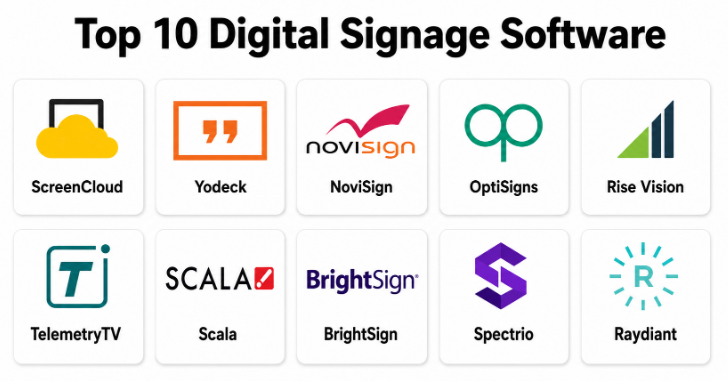
Top 10 Digital Signage Software
#1 — ScreenCloud
Short description :
ScreenCloud is a cloud-based digital signage platform designed for businesses that want to manage content across many screens from one central dashboard. It helps teams publish announcements, dashboards, videos, images, web content, workplace updates, and promotional content to office, retail, education, healthcare, and public displays. ScreenCloud is useful for companies that need remote screen control with simple content scheduling and app integrations. It is best for teams that want a modern and flexible digital signage system for internal communication and customer-facing displays.
Key Features
- Cloud-based content management.
- Screen grouping and remote publishing.
- Playlist and schedule management.
- App and dashboard display support.
- Media library for images and videos.
- Device monitoring.
- User roles and team management.
Pros
- Easy to manage screens across locations.
- Strong for workplace communication and business dashboards.
- Good balance of usability and flexibility.
Cons
- Advanced enterprise needs may require higher plans.
- Device setup should be tested before rollout.
- Best value depends on regular content updates.
Platforms / Deployment
Web / Android / Windows / ChromeOS / macOS options may vary
Cloud
Security & Compliance
Supports user permissions, device management, account controls, and administrative settings depending on plan. Specific compliance details should be validated directly with the vendor.
Integrations & Ecosystem
ScreenCloud connects screen content with business and workplace systems.
- Business dashboards.
- Calendar tools.
- Workplace communication tools.
- Social media feeds.
- Web pages and apps.
- Media libraries.
Support & Community
ScreenCloud provides documentation, onboarding resources, customer support, and templates for different digital signage use cases.
#2 — Yodeck
Short description :
Yodeck is a cloud-based digital signage platform used by businesses, schools, retail stores, restaurants, healthcare teams, and multi-location organizations. It helps users manage screens, upload media, create playlists, schedule content, monitor devices, and display videos, images, dashboards, webpages, and widgets. Yodeck is known for being practical for both small teams and growing screen networks. It is best for organizations that need reliable cloud signage with good device management and affordable scalability.
Key Features
- Cloud screen management.
- Playlist scheduling.
- Media library.
- Templates and layouts.
- Dashboard and webpage display.
- Device monitoring.
- Multi-screen management.
Pros
- Good value for many signage use cases.
- Practical for small and mid-sized teams.
- Strong remote screen and playlist management.
Cons
- Advanced creative design may require external tools.
- Hardware planning is important.
- Enterprise integrations should be validated.
Platforms / Deployment
Web / Raspberry Pi-based player / Android options may vary
Cloud
Security & Compliance
Supports user permissions, device controls, account management, and secure remote access features depending on plan. Specific compliance details should be validated directly with the vendor.
Integrations & Ecosystem
Yodeck connects content and screen management with common business needs.
- Webpage display.
- Dashboard content.
- Social media feeds.
- Video and image libraries.
- Menu board content.
- Remote device monitoring.
Support & Community
Yodeck provides documentation, customer support, onboarding guidance, and digital signage templates.
#3 — NoviSign
Short description :
NoviSign is digital signage software that helps businesses design, schedule, and manage screen content for retail, restaurants, education, healthcare, corporate communication, and public spaces. It supports templates, playlists, widgets, videos, images, slideshows, live data, and interactive screen experiences. NoviSign is useful for teams that want easy content creation and remote screen control. It is best for businesses that need template-based signage for promotions, menus, announcements, and information displays.
Key Features
- Drag-and-drop content editor.
- Templates and widgets.
- Playlist scheduling.
- Video and image support.
- Web-based screen management.
- Interactive signage support may vary.
- Multi-location display management.
Pros
- Easy content creation for non-designers.
- Useful for retail, menu boards, and announcements.
- Supports many common signage formats.
Cons
- Advanced enterprise workflows may need validation.
- Design quality depends on user-created layouts.
- Hardware compatibility should be checked before deployment.
Platforms / Deployment
Web / Android / Windows / ChromeOS options may vary
Cloud
Security & Compliance
Supports account controls, user permissions, and screen management settings depending on plan. Specific security details should be validated directly with the vendor.
Integrations & Ecosystem
NoviSign connects signage content with business display workflows.
- Templates and design widgets.
- Social feeds.
- Web content.
- Menu boards.
- Data widgets.
- Media playlists.
Support & Community
NoviSign provides documentation, onboarding help, customer support, and signage templates for multiple industries.
#4 — OptiSigns
Short description :
OptiSigns is a digital signage platform that helps businesses manage screens, playlists, apps, dashboards, menus, social media, and promotional displays. It is useful for restaurants, retail stores, offices, gyms, schools, hotels, and small businesses that want simple digital signage management. OptiSigns supports many device types and offers a user-friendly interface for publishing content quickly. It is best for teams that want affordable and easy digital signage without heavy technical complexity.
Key Features
- Cloud screen management.
- Playlist scheduling.
- Digital menu boards.
- Social media and app content.
- Templates and design tools.
- Webpage and dashboard display.
- Remote device monitoring.
Pros
- Easy for small businesses to start.
- Good range of content apps and templates.
- Works well for menus, promotions, and announcements.
Cons
- Advanced enterprise governance may be limited.
- Large deployments should test device reliability carefully.
- Custom design workflows may require extra preparation.
Platforms / Deployment
Web / Android / Fire TV / Windows / ChromeOS / Raspberry Pi options may vary
Cloud
Security & Compliance
Supports user access controls, screen management, and administrative settings depending on plan. Specific compliance details should be validated directly with the vendor.
Integrations & Ecosystem
OptiSigns connects digital signage with common business content sources.
- Menu boards.
- Social media feeds.
- Business dashboards.
- Web pages.
- Calendar content.
- Media playlists.
Support & Community
OptiSigns provides documentation, support resources, templates, and onboarding guidance for digital signage users.
#5 — Rise Vision
Short description :
Rise Vision is digital signage software widely used in education, schools, universities, businesses, and community spaces. It helps teams create and schedule announcements, event updates, emergency messages, cafeteria menus, student information, weather, videos, and presentation-style content. Rise Vision is especially useful for education environments that need simple communication screens across campuses. It is best for schools and organizations that need easy templates, announcements, and scheduled screen communication.
Key Features
- Digital signage templates.
- Announcement scheduling.
- Education-focused content support.
- Emergency message display.
- Media library.
- Multi-screen management.
- Web-based content control.
Pros
- Strong fit for schools and education.
- Easy templates for announcements and events.
- Useful for campus-wide communication.
Cons
- May not be as retail-focused as some platforms.
- Advanced enterprise integrations should be validated.
- Design flexibility may depend on template structure.
Platforms / Deployment
Web / ChromeOS / Windows / Media player options may vary
Cloud
Security & Compliance
Supports user permissions, administrative controls, and screen management features depending on plan. Specific compliance details should be validated directly with the vendor.
Integrations & Ecosystem
Rise Vision connects signage with education and organizational communication.
- Event calendars.
- Announcements.
- Emergency alerts.
- Menus.
- Weather.
- Media playlists.
Support & Community
Rise Vision provides documentation, templates, onboarding help, and support resources for education and business users.
#6 — TelemetryTV
Short description :
TelemetryTV is a cloud digital signage platform designed for organizations that need scalable screen management, dashboards, apps, playlists, device monitoring, and content control. It is useful for corporate communication, retail, education, healthcare, hospitality, and operational dashboards. TelemetryTV supports app-based content, webpage display, media playlists, and remote device administration. It is best for organizations that need reliable digital signage with stronger device and content management capabilities.
Key Features
- Cloud-based signage management.
- Playlist and content scheduling.
- App and dashboard integrations.
- Device monitoring.
- Media library.
- Screen grouping.
- User permissions and team controls.
Pros
- Strong for business dashboards and operational displays.
- Good device monitoring and management features.
- Useful for multi-screen organizations.
Cons
- May require setup time for advanced dashboards.
- Some teams may need design support for polished content.
- Pricing should be reviewed for large screen networks.
Platforms / Deployment
Web / Android / ChromeOS / Windows options may vary
Cloud
Security & Compliance
Supports user permissions, device management, account controls, and administrative settings depending on plan. Specific compliance details should be validated directly with the vendor.
Integrations & Ecosystem
TelemetryTV connects signage screens with real-time content.
- Business dashboards.
- Web apps.
- Social feeds.
- Media playlists.
- Internal communication tools.
- Data-driven displays.
Support & Community
TelemetryTV provides documentation, onboarding guidance, support resources, and content management assistance.
#7 — Scala
Short description :
Scala is an enterprise digital signage platform used by retailers, restaurants, transportation hubs, banks, corporate environments, and large organizations that need powerful signage networks. It supports content management, scheduling, media playback, interactive signage, analytics, and large-scale deployment controls. Scala is useful for organizations that need professional-grade signage with enterprise governance and advanced content delivery. It is best for large businesses that manage complex, high-impact digital signage networks.
Key Features
- Enterprise content management.
- Advanced scheduling.
- Multi-location screen control.
- Interactive signage support.
- Media playback management.
- Campaign management.
- Analytics and reporting.
Pros
- Strong for enterprise signage networks.
- Useful for retail, transport, banking, and large venues.
- Supports advanced signage workflows.
Cons
- May be too complex for small businesses.
- Implementation may require professional support.
- Cost and setup can be higher than simpler tools.
Platforms / Deployment
Web / Windows / Android / Media player options may vary
Cloud / On-premise or hybrid options may vary
Security & Compliance
Supports enterprise permissions, user roles, administrative controls, device governance, and deployment security depending on configuration.
Integrations & Ecosystem
Scala connects signage content with enterprise display networks.
- Retail signage systems.
- Interactive kiosks.
- Campaign workflows.
- Media players.
- Analytics platforms.
- Enterprise content systems.
Support & Community
Scala provides enterprise support, implementation services, documentation, and partner resources for large signage deployments.
#8 — BrightSign
Short description :
BrightSign is widely known for digital signage media players and signage management solutions. It helps organizations power reliable screen playback for retail, restaurants, corporate spaces, museums, public venues, and interactive displays. BrightSign is especially useful where hardware reliability and professional playback are important. Its ecosystem supports content publishing, remote management, media scheduling, and interactive signage experiences depending on the configuration. It is best for organizations that need dependable commercial signage hardware with management capabilities.
Key Features
- Commercial signage media players.
- Reliable content playback.
- Remote device management.
- Playlist scheduling.
- Interactive signage support.
- Video wall and display support may vary.
- Networked signage workflows.
Pros
- Strong hardware reliability reputation.
- Good for professional signage deployments.
- Useful for interactive and commercial displays.
Cons
- Software experience depends on chosen management setup.
- Hardware planning is required.
- May be more technical than simple cloud signage tools.
Platforms / Deployment
Web management options / BrightSign media players
Cloud / Local / Hybrid options may vary
Security & Compliance
Supports device management, playback controls, user permissions, and administrative settings depending on the management platform used.
Integrations & Ecosystem
BrightSign connects commercial display hardware with signage workflows.
- Media players.
- Video displays.
- Interactive kiosks.
- Content management systems.
- Remote device control.
- Professional AV setups.
Support & Community
BrightSign provides documentation, partner support, hardware resources, and commercial signage deployment guidance.
#9 — Spectrio
Short description :
Spectrio provides digital signage and customer engagement solutions for businesses that need screen communication, menu boards, retail displays, corporate messaging, healthcare screens, and customer-facing content. It supports content management, managed services, scheduling, media playback, and industry-specific signage solutions. Spectrio is useful for organizations that want both technology and support for creating signage content. It is best for businesses that need digital signage plus service support for content and deployment.
Key Features
- Digital signage content management.
- Menu board support.
- Retail and customer messaging.
- Corporate communication screens.
- Managed content services may vary.
- Multi-location screen management.
- Media scheduling.
Pros
- Useful for businesses needing service support.
- Good fit for customer-facing signage.
- Supports multiple industries and display types.
Cons
- Self-service flexibility may vary by plan.
- Managed services may cost more.
- Advanced integrations should be validated.
Platforms / Deployment
Web / Media player options vary
Cloud / Managed deployment options vary
Security & Compliance
Supports account controls, content permissions, screen management, and administrative settings depending on configuration.
Integrations & Ecosystem
Spectrio connects digital signage with customer engagement workflows.
- Menu boards.
- Retail signage.
- Corporate displays.
- Healthcare communication.
- Media playlists.
- Managed content workflows.
Support & Community
Spectrio provides customer support, onboarding, content service options, and signage deployment assistance.
#10 — Raydiant
Short description :
Raydiant is a digital signage and in-location experience platform designed for retail, restaurants, hospitality, fitness, healthcare, and customer-facing businesses. It helps teams display promotions, menus, social content, announcements, employee communication, videos, and branded screen experiences. Raydiant focuses on making screen content easy to manage and visually engaging for physical locations. It is best for customer-facing businesses that want simple digital signage for brand experience, promotions, and in-store communication.
Key Features
- Cloud digital signage management.
- Templates and content apps.
- Menu board and promotion support.
- Social media display.
- Screen scheduling.
- Multi-location management.
- Customer-facing content experiences.
Pros
- Good for retail, restaurant, and hospitality use cases.
- Easy to manage branded screen content.
- Useful for customer engagement and promotions.
Cons
- Enterprise technical controls should be validated.
- Complex custom signage workflows may need extra setup.
- Best value depends on frequent content updates.
Platforms / Deployment
Web / Media player options vary
Cloud
Security & Compliance
Supports user access controls, screen management, and administrative settings depending on plan. Specific compliance details should be validated directly with the vendor.
Integrations & Ecosystem
Raydiant connects screen content with in-location experiences.
- Menu boards.
- Promotions.
- Social media feeds.
- Branded content.
- Media playlists.
- Multi-location displays.
Support & Community
Raydiant provides onboarding, documentation, customer support, templates, and signage experience guidance.
Comparison Table
| Tool Name | Best For | Platform(s) Supported | Deployment | Standout Feature | Public Rating |
|---|---|---|---|---|---|
| ScreenCloud | Business and workplace signage | Web / Android / Windows / ChromeOS varies | Cloud | Flexible app-based screen content management | N/A |
| Yodeck | Affordable cloud signage networks | Web / Player options vary | Cloud | Practical playlist and screen management | N/A |
| NoviSign | Template-based signage creation | Web / Android / Windows / ChromeOS varies | Cloud | Easy drag-and-drop signage design | N/A |
| OptiSigns | Small business and menu boards | Web / Android / Fire TV / Windows varies | Cloud | Simple signage apps and templates | N/A |
| Rise Vision | Schools and education communication | Web / Player options vary | Cloud | Education-friendly templates and announcements | N/A |
| TelemetryTV | Dashboards and multi-screen management | Web / Android / ChromeOS / Windows varies | Cloud | App-driven signage and device monitoring | N/A |
| Scala | Enterprise signage networks | Web / Windows / Android / Player options vary | Cloud / Hybrid varies | Enterprise-grade signage campaigns | N/A |
| BrightSign | Commercial signage hardware reliability | BrightSign players / Web management varies | Cloud / Local / Hybrid varies | Reliable media players and professional playback | N/A |
| Spectrio | Managed signage and customer engagement | Web / Player options vary | Cloud / Managed varies | Signage with content and service support | N/A |
| Raydiant | Retail, restaurant, and hospitality screens | Web / Player options vary | Cloud | Branded in-location screen experiences | N/A |
Evaluation & Digital Signage Software
| Tool Name | Core (25%) | Ease (15%) | Integrations (15%) | Security (10%) | Performance (10%) | Support (10%) | Value (15%) | Weighted Total (0–10) |
|---|---|---|---|---|---|---|---|---|
| ScreenCloud | 9 | 9 | 9 | 8 | 8 | 8 | 8 | 8.50 |
| Yodeck | 9 | 8 | 8 | 8 | 8 | 8 | 9 | 8.40 |
| NoviSign | 8 | 9 | 8 | 8 | 8 | 8 | 8 | 8.15 |
| OptiSigns | 8 | 9 | 8 | 8 | 8 | 8 | 9 | 8.30 |
| Rise Vision | 8 | 9 | 7 | 8 | 8 | 8 | 8 | 8.00 |
| TelemetryTV | 9 | 8 | 9 | 8 | 9 | 8 | 8 | 8.45 |
| Scala | 10 | 6 | 9 | 9 | 9 | 9 | 7 | 8.45 |
| BrightSign | 9 | 7 | 8 | 9 | 10 | 9 | 8 | 8.55 |
| Spectrio | 8 | 8 | 8 | 8 | 8 | 9 | 7 | 8.00 |
| Raydiant | 8 | 9 | 8 | 8 | 8 | 8 | 8 | 8.15 |
These scores are comparative and should be used as a practical guide, not a fixed ranking. ScreenCloud, TelemetryTV, and Scala are strong for business and enterprise signage networks. Yodeck and OptiSigns are practical for small and mid-sized teams. Rise Vision is strong for education communication. BrightSign is best when reliable commercial signage hardware is a priority. Raydiant and Spectrio are useful for customer-facing retail, restaurant, hospitality, and managed signage experiences.
Which Digital Signage Software
Solo / Freelancer
Solo users, consultants, designers, and small business owners usually need simple screen publishing, templates, media playlists, and easy scheduling. OptiSigns, Yodeck, NoviSign, and Raydiant can be practical depending on the type of screen content.
A solo user should avoid overbuying an enterprise platform unless the project involves many screens, interactive displays, or complex integrations. The focus should be easy setup, affordable screen management, and fast content updates.
SMB
Small and mid-sized businesses should focus on ease of use, remote screen updates, templates, device support, and content scheduling. Yodeck, OptiSigns, ScreenCloud, NoviSign, and Rise Vision are strong options.
Retail stores, restaurants, gyms, clinics, and schools should test menu boards, announcements, promotions, and screen scheduling before making a final choice.
Mid-Market
Mid-market organizations usually need screen grouping, user permissions, brand control, device monitoring, templates, dashboards, and multi-location management. ScreenCloud, TelemetryTV, Yodeck, Raydiant, and Spectrio are strong candidates.
At this stage, teams should define content owners, approval workflows, location groups, device standards, emergency message rules, and reporting needs.
Enterprise
Enterprises should prioritize scalability, security, device governance, advanced scheduling, content approvals, integrations, analytics, SSO, role-based access, and support. Scala, BrightSign, ScreenCloud, TelemetryTV, and Spectrio are strong options depending on deployment type.
Large organizations should involve IT, marketing, facilities, internal communications, security, operations, and regional teams before standardizing digital signage software.
Budget vs Premium
Budget-conscious teams may prefer OptiSigns, Yodeck, NoviSign, or Rise Vision if their needs are simple and content volume is manageable.
Premium platforms such as Scala, BrightSign, TelemetryTV, ScreenCloud, and Spectrio are better when organizations need enterprise governance, hardware reliability, large-scale deployments, content services, analytics, and deeper integrations.
Feature Depth vs Ease of Use
If ease of use matters most, OptiSigns, NoviSign, Yodeck, Raydiant, and Rise Vision are practical choices because teams can create and publish screen content quickly.
If feature depth matters more, Scala, BrightSign, TelemetryTV, and ScreenCloud provide stronger support for enterprise screen networks, app integrations, device management, and advanced signage workflows.
Integrations & Scalability
Digital signage software should integrate with business dashboards, calendars, workplace tools, social media, data feeds, emergency alert systems, room booking tools, point-of-sale systems, menu systems, digital signage players, and content management systems.
For workplace dashboards, ScreenCloud and TelemetryTV are strong. For schools, Rise Vision is practical. For enterprise signage, Scala and BrightSign are relevant. For small businesses and restaurants, OptiSigns, Yodeck, Raydiant, and NoviSign are useful.
Security & Compliance Needs
Digital signage software may display internal announcements, sales dashboards, operational metrics, emergency alerts, employee information, pricing, healthcare notices, student messages, and customer-facing promotions.
Buyers should validate user permissions, approval workflows, SSO, device access controls, emergency override settings, audit logs, content publishing permissions, screen monitoring, and data protection before rollout.
Frequently Asked Questions
1. What is Digital Signage Software?
Digital Signage Software helps organizations create, schedule, manage, and display content on digital screens. It can show videos, images, menus, announcements, dashboards, alerts, maps, social feeds, and promotional content.
2. How is digital signage software different from using a USB drive on a TV?
A USB drive only plays local content manually. Digital signage software allows remote updates, scheduling, playlists, multiple screens, user permissions, device monitoring, templates, emergency alerts, and centralized content control.
3. What pricing models are common for Digital Signage Software?
Pricing is often based on number of screens, users, devices, features, storage, integrations, support level, or enterprise contracts. Some platforms may also include media players, managed services, or hardware costs.
4. What are common mistakes when choosing digital signage software?
Common mistakes include ignoring hardware compatibility, not planning content ownership, choosing software without testing remote updates, skipping device monitoring, and buying an enterprise tool for a simple single-screen need. Another mistake is creating screens without a clear content schedule.
5. Which tool is best for small businesses?
OptiSigns, Yodeck, NoviSign, and Raydiant can be practical for small businesses. The best choice depends on whether the business needs menu boards, promotions, announcements, dashboards, or simple media playback.
6. Which tool is best for enterprise digital signage?
Scala, BrightSign, ScreenCloud, TelemetryTV, and Spectrio are strong options for enterprise signage. Buyers should evaluate security, device management, content approvals, integrations, multi-location control, and support quality.
7. Which tool is best for schools?
Rise Vision is a strong option for schools and education communication. ScreenCloud, Yodeck, and NoviSign can also be useful depending on whether the school needs announcements, event schedules, emergency messages, or cafeteria menus.
8. Can digital signage software show live dashboards?
Yes, many digital signage platforms can display business dashboards, webpages, analytics, production metrics, sales numbers, queue information, or live data feeds. Buyers should test dashboard login handling and screen refresh behavior.
9. Can digital signage software support menu boards?
Yes, many tools support restaurant menu boards, pricing updates, promotional items, daypart scheduling, images, videos, and layout templates. OptiSigns, NoviSign, Yodeck, Raydiant, and Spectrio are commonly suited for menu-style use cases.
10. Does digital signage software work offline?
Many platforms support offline playback, meaning content can continue playing if internet connectivity drops. However, updates and monitoring usually require connectivity. Offline behavior should be tested before deployment.
Conclusion
Digital Signage Software helps organizations communicate faster, manage screen content remotely, and create better experiences for customers, employees, students, visitors, and the public. The best platform depends on screen count, content type, industry, device strategy, and operational needs. OptiSigns, Yodeck, NoviSign, and Raydiant are practical for small businesses, restaurants, retail stores, and simple screen networks. Rise Vision is strong for schools and education communication. ScreenCloud and TelemetryTV are useful for workplace dashboards, internal communication, and multi-location content management. Scala and BrightSign are better for enterprise-grade digital signage networks where reliability, governance, and large-scale deployment matter.
