Introduction
Capital Project Management Software helps organizations plan, control, track, and deliver large capital projects such as infrastructure, utilities, energy plants, manufacturing facilities, hospitals, airports, commercial developments, public works, and industrial construction programs. In simple words, these tools help owners, project managers, contractors, engineers, finance teams, and executives manage big projects where cost, schedule, risk, contracts, resources, and governance must be tightly controlled.
Capital projects are different from normal small projects because they usually involve high budgets, long timelines, many stakeholders, strict approvals, complex procurement, regulatory requirements, and multiple contractors. Without proper software, teams may lose control over budgets, schedules, risks, change orders, forecasts, documents, and reporting.
Common use cases include portfolio planning, project cost control, capital budgeting, schedule management, contract tracking, change management, risk management, procurement oversight, stage-gate approvals, executive reporting, resource planning, earned value tracking, and project governance.
Buyers should evaluate portfolio visibility, cost management, scheduling, forecasting, risk controls, contract workflows, document control, approval governance, reporting dashboards, integrations, security, scalability, audit trails, and ease of adoption.
Best for: capital project owners, EPC firms, construction companies, infrastructure agencies, utilities, energy companies, mining companies, manufacturing enterprises, public sector project teams, real estate developers, engineering teams, and organizations managing large project portfolios.
Not ideal for: small teams managing simple projects, companies that only need task tracking, or businesses that do not require cost control, governance, procurement tracking, contract management, or portfolio-level reporting.
Key Trends in Capital Project Management Software
- Portfolio-level visibility is becoming essential, because executives need to see total capital spend, project health, risk exposure, schedule status, and forecast changes across many projects.
- Cost forecasting is becoming more data-driven, helping teams compare budget, commitments, actuals, change orders, contingency, and estimate-at-completion.
- Integrated schedule and cost control is gaining importance, especially for capital-intensive industries where delays directly affect financial performance.
- Risk management is becoming more formal, with teams tracking commercial risks, construction risks, safety risks, design risks, supply chain risks, and regulatory risks in one system.
- Stage-gate governance is becoming more digital, allowing organizations to manage approvals, funding releases, investment decisions, and project lifecycle controls.
- Contract and change management are becoming more connected, helping teams control scope changes, claims, procurement packages, and contractor performance.
- Digital document control remains critical, because capital projects generate thousands of drawings, contracts, permits, reports, invoices, schedules, and technical documents.
- Executive dashboards are becoming more important, helping leadership understand project health without digging through spreadsheets and email updates.
- Integration with ERP and finance systems is now expected, because capital project data must connect with budgets, purchase orders, invoices, asset capitalization, and financial reporting.
- AI-assisted project controls are emerging, helping teams summarize project status, identify risk patterns, review cost trends, and flag schedule or budget anomalies.
How We Selected These Tools
The tools below were selected using practical enterprise and capital project evaluation logic.
- Market recognition: Tools known in capital project management, project controls, construction management, engineering project delivery, portfolio management, and enterprise project governance were prioritized.
- Feature completeness: Cost control, scheduling, risk management, change management, document control, procurement, portfolio reporting, and governance workflows were reviewed.
- Enterprise readiness: Platforms suitable for large capital programs, multi-project portfolios, complex approvals, and high-value project controls were considered.
- Financial control: Budgeting, commitments, actuals, forecasting, cost codes, funding approvals, and ERP integration were evaluated.
- Project controls depth: Schedule, cost, risk, scope, earned value, change control, and reporting capabilities were considered important.
- Stakeholder collaboration: Owner, contractor, consultant, vendor, engineer, and executive collaboration workflows were reviewed.
- Integration ecosystem: ERP, accounting, scheduling, BIM, document control, procurement, reporting, and asset management integrations were considered.
- Security and governance: Role-based access, audit trails, approval controls, document permissions, and enterprise administration were reviewed.
- Scalability: Tools suitable for enterprise portfolios, capital-intensive industries, public infrastructure programs, and complex construction environments were included.
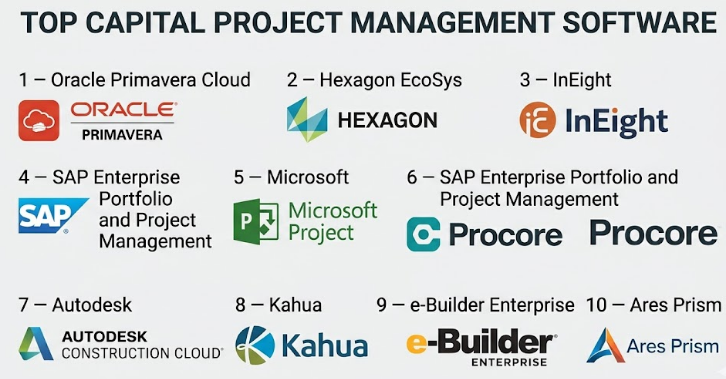
Top 10 Capital Project Management Software
#1 — Oracle Primavera Cloud
Short description :
Oracle Primavera Cloud is a project and portfolio management platform designed for complex construction, engineering, infrastructure, and capital project environments. It helps organizations manage schedules, portfolios, resources, risks, costs, programs, and project controls from a centralized system. Primavera is widely recognized for advanced scheduling and project controls, making it useful for owners, EPC firms, infrastructure agencies, utilities, and large contractors. It supports portfolio visibility and governance for large capital programs. It is best for organizations that need serious schedule and project controls across complex capital projects.
Key Features
- Advanced project scheduling.
- Portfolio and program management.
- Resource planning.
- Risk management.
- Cost and project controls support.
- Project performance reporting.
- Enterprise governance workflows.
Pros
- Strong for complex scheduling and project controls.
- Useful for large infrastructure and capital programs.
- Good portfolio-level visibility for executives and project leaders.
Cons
- Requires skilled project controls users.
- May be too advanced for simple project teams.
- Implementation and governance design require planning.
Platforms / Deployment
Web
Cloud
Security & Compliance
Supports enterprise access controls, user permissions, project roles, audit-style records, and administrative governance depending on configuration. Specific compliance details should be validated directly with the vendor.
Integrations & Ecosystem
Oracle Primavera Cloud connects capital project planning with enterprise project controls.
- ERP workflows.
- Scheduling processes.
- Risk management.
- Resource planning.
- Portfolio reporting.
- Project controls dashboards.
Support & Community
Oracle provides enterprise support, implementation resources, documentation, training, and a strong project controls ecosystem.
#2 — Hexagon EcoSys
Short description :
Hexagon EcoSys is a project controls and capital project management platform built for organizations that need strong cost control, portfolio management, forecasting, contracts, change management, and performance reporting. It is useful for energy, utilities, infrastructure, transportation, engineering, construction, mining, and public sector capital programs. EcoSys helps teams manage budgets, commitments, actuals, forecasts, change events, and portfolio performance. It is especially strong where cost control and project financial governance are central. It is best for enterprises that need capital project controls with strong cost and portfolio management.
Key Features
- Capital project cost control.
- Portfolio and program management.
- Budget and forecast management.
- Contract and change management.
- Commitment and actual cost tracking.
- Performance dashboards.
- Enterprise reporting and governance.
Pros
- Strong capital project controls focus.
- Good for cost forecasting and portfolio governance.
- Useful for large owners and capital-intensive industries.
Cons
- Implementation may require detailed process design.
- May be more complex than small teams need.
- Best value depends on mature project controls practices.
Platforms / Deployment
Web
Cloud / Enterprise deployment options may vary
Security & Compliance
Supports enterprise permissions, project controls governance, audit records, approval workflows, and administrative access depending on configuration. Specific compliance details should be validated directly with the vendor.
Integrations & Ecosystem
EcoSys connects capital project cost control with enterprise systems.
- ERP systems.
- Scheduling tools.
- Contract management.
- Procurement workflows.
- Portfolio reporting.
- Project controls systems.
Support & Community
Hexagon provides enterprise support, implementation services, documentation, and project controls guidance for capital-intensive organizations.
#3 — InEight
Short description :
InEight is a construction and capital project management platform designed for owners, contractors, and engineering teams managing large construction and infrastructure projects. It supports estimating, scheduling, cost control, risk, document control, contracts, change management, field execution, and project reporting. InEight is useful for construction, energy, infrastructure, mining, transportation, and engineering organizations. It helps teams connect project planning, execution, and controls across the project lifecycle. It is best for capital project teams that need an integrated platform for project delivery and controls.
Key Features
- Project cost management.
- Estimating and forecasting.
- Scheduling support.
- Risk and change management.
- Contract and document workflows.
- Field execution tools.
- Executive reporting dashboards.
Pros
- Strong construction and capital project lifecycle coverage.
- Useful for owners and contractors.
- Good fit for complex project delivery environments.
Cons
- May require careful implementation.
- Best value depends on using multiple platform modules.
- Smaller teams may find it too broad.
Platforms / Deployment
Web / Mobile options may vary
Cloud
Security & Compliance
Supports enterprise permissions, project-level controls, document access, audit records, and governance workflows depending on plan and configuration.
Integrations & Ecosystem
InEight connects project planning and delivery workflows.
- Estimating workflows.
- Scheduling systems.
- Cost control.
- Risk management.
- Field reporting.
- Document control.
Support & Community
InEight provides onboarding, documentation, enterprise support, and implementation resources for project owners and contractors.
#4 — SAP Enterprise Portfolio and Project Management
Short description :
SAP Enterprise Portfolio and Project Management supports project portfolio planning, capital investment management, project execution, financial control, resource planning, and governance in SAP-based enterprise environments. It is useful for large organizations that already rely on SAP for finance, procurement, asset management, supply chain, and enterprise reporting. SAP-based capital project management helps teams align budgets, approvals, procurement, actual costs, and capitalization workflows. It is best for SAP-first enterprises that need capital project management tightly connected with enterprise finance and operations.
Key Features
- Portfolio and project management.
- Capital investment planning.
- Budget and cost integration.
- Resource planning.
- Financial governance.
- Procurement and ERP alignment.
- Enterprise reporting.
Pros
- Strong fit for SAP enterprise environments.
- Connects projects with finance and procurement.
- Useful for large capital planning and governance workflows.
Cons
- Requires SAP expertise and configuration.
- May be complex for non-SAP organizations.
- Implementation can be significant.
Platforms / Deployment
Web / SAP environment
Cloud / Enterprise deployment options vary
Security & Compliance
Security depends on SAP configuration, enterprise roles, permissions, audit controls, and governance policies. Specific compliance details should be validated based on deployment.
Integrations & Ecosystem
SAP project management connects capital projects with enterprise business systems.
- SAP finance.
- Procurement.
- Asset management.
- Resource planning.
- Portfolio governance.
- Enterprise reporting.
Support & Community
SAP provides enterprise support, documentation, partner services, and a large enterprise technology ecosystem.
#5 — Microsoft Project
Short description :
Microsoft Project is a project scheduling and planning tool used by project managers, PMOs, construction teams, engineering teams, and enterprise project offices. While it is not only for capital projects, it can support scheduling, dependencies, resources, timelines, milestones, and portfolio-style planning when used with Microsoft enterprise tools. Microsoft Project is useful for organizations that need structured scheduling but may not require a full capital project controls platform. It is best for teams that want familiar project planning inside the Microsoft ecosystem.
Key Features
- Project scheduling.
- Task dependencies.
- Resource planning.
- Timeline and milestone tracking.
- Portfolio visibility options.
- Reporting through Microsoft ecosystem.
- Integration with Microsoft 365 workflows.
Pros
- Familiar to many project managers.
- Strong scheduling and planning features.
- Good fit for Microsoft-first organizations.
Cons
- Not a complete capital project controls platform by itself.
- Cost control and contract workflows may require other tools.
- Complex capital programs may need deeper governance platforms.
Platforms / Deployment
Web / Windows
Cloud / Desktop options vary
Security & Compliance
Security depends on Microsoft tenant configuration, user permissions, identity controls, and admin policies. Specific governance features depend on plan and setup.
Integrations & Ecosystem
Microsoft Project connects with Microsoft productivity and reporting workflows.
- Microsoft Teams.
- Microsoft 365.
- Power BI.
- SharePoint.
- Power Automate.
- Enterprise project reporting.
Support & Community
Microsoft provides documentation, support, training, and a large community of project management professionals and partners.
#6 — Procore
Short description :
Procore is a construction management platform used by contractors, owners, and project teams to manage construction projects, documents, budgets, drawings, RFIs, submittals, change orders, field reports, and project financials. While Procore is often used for construction project management, it can also support capital project delivery where construction execution, document control, financial tracking, and stakeholder collaboration are key. It is especially useful for owners and contractors managing active construction work. It is best for capital project teams that need strong construction execution management and collaboration.
Key Features
- Construction project management.
- Document and drawing control.
- Budget and cost workflows.
- RFIs and submittals.
- Change order management.
- Field reporting and inspections.
- Project dashboards.
Pros
- Strong construction execution platform.
- Useful for owner-contractor collaboration.
- Good field and document management capabilities.
Cons
- Not always a full enterprise capital portfolio management system.
- Portfolio-level cost governance may require additional tools.
- Implementation requires project workflow discipline.
Platforms / Deployment
Web / iOS / Android
Cloud
Security & Compliance
Supports role-based permissions, project access controls, document permissions, activity records, and administrative governance depending on plan.
Integrations & Ecosystem
Procore connects project delivery with construction workflows.
- Construction financials.
- Document control.
- Drawing workflows.
- Field management.
- Accounting systems.
- Reporting dashboards.
Support & Community
Procore provides onboarding, training resources, documentation, customer support, and a large construction technology ecosystem.
#7 — Autodesk Construction Cloud
Short description :
Autodesk Construction Cloud helps teams manage design collaboration, document control, BIM coordination, field management, cost workflows, issues, RFIs, submittals, and construction project collaboration. It is useful for capital project teams where design, engineering, construction, and field execution must be connected. Autodesk Construction Cloud is especially relevant for organizations working heavily with BIM, models, drawings, and design-to-construction workflows. It is best for capital projects where design coordination, document control, and construction collaboration are major priorities.
Key Features
- Design and BIM collaboration.
- Document and drawing management.
- Issue tracking.
- Field management.
- RFIs and submittals.
- Cost management options.
- Project analytics.
Pros
- Strong design-to-construction workflow support.
- Useful for BIM-connected capital projects.
- Good for owners, designers, engineers, and contractors.
Cons
- Some capabilities depend on selected modules.
- May require structured document and model management.
- Cost and portfolio controls may require additional planning.
Platforms / Deployment
Web / iOS / Android
Cloud
Security & Compliance
Supports project permissions, document access controls, activity records, and enterprise administration depending on plan and configuration.
Integrations & Ecosystem
Autodesk Construction Cloud connects design and field workflows.
- BIM tools.
- Drawing management.
- Field issues.
- RFIs and submittals.
- Cost workflows.
- Project analytics.
Support & Community
Autodesk provides documentation, training resources, support, and a strong architecture, engineering, and construction ecosystem.
#8 — Kahua
Short description :
Kahua is a capital program and construction project management platform used by owners, contractors, and program managers to manage projects, costs, documents, workflows, contracts, and collaboration. It is designed to support owner-driven capital project management and can be configured for different project delivery processes. Kahua is useful for public sector agencies, healthcare systems, education institutions, government programs, and enterprise owners managing capital portfolios. It is best for owners that need configurable capital project workflows and program-level visibility.
Key Features
- Capital program management.
- Project cost tracking.
- Contract and change workflows.
- Document management.
- Workflow automation.
- Owner and contractor collaboration.
- Configurable project applications.
Pros
- Strong owner-focused capital project workflows.
- Configurable for different project processes.
- Useful for public sector and enterprise capital programs.
Cons
- Configuration requires planning.
- May need process governance for best results.
- Smaller teams may prefer simpler tools.
Platforms / Deployment
Web / Mobile options may vary
Cloud
Security & Compliance
Supports role-based permissions, workflow controls, document access, audit records, and enterprise administration depending on configuration. Specific compliance details should be validated directly with the vendor.
Integrations & Ecosystem
Kahua connects owner-led project management with capital program workflows.
- Cost management.
- Contract workflows.
- Document control.
- Approval processes.
- Program dashboards.
- Construction collaboration.
Support & Community
Kahua provides implementation support, documentation, customer success resources, and capital program management guidance.
#9 — e-Builder Enterprise
Short description :
e-Builder Enterprise is a capital program management platform designed mainly for owners managing construction and infrastructure programs. It helps teams manage project costs, processes, documents, workflows, funding, approvals, commitments, and reporting. e-Builder is useful for government agencies, healthcare systems, education institutions, public infrastructure teams, and large facility owners. It is especially strong for owner-side project controls and capital program visibility. It is best for owners that need structured project processes, cost control, and program governance.
Key Features
- Capital program management.
- Cost and budget tracking.
- Process workflow automation.
- Document management.
- Funding and approval workflows.
- Commitment and change tracking.
- Executive reporting.
Pros
- Strong owner-side capital program controls.
- Useful for public sector and institutional owners.
- Good workflow and process governance capabilities.
Cons
- May require implementation and process design.
- Less contractor-focused than some construction platforms.
- Smaller teams may find it too structured.
Platforms / Deployment
Web / Mobile options may vary
Cloud
Security & Compliance
Supports user permissions, workflow controls, project records, audit trails, document access management, and administrative governance depending on configuration.
Integrations & Ecosystem
e-Builder connects owner capital programs with project controls.
- Cost management.
- Process workflows.
- Document control.
- Funding approvals.
- Program reporting.
- Construction management workflows.
Support & Community
e-Builder provides customer support, implementation services, training resources, and owner-focused capital program guidance.
#10 — Ares Prism
Short description :
Ares Prism is a project controls and cost management platform designed for large capital projects, infrastructure programs, engineering projects, and construction environments. It helps organizations manage cost, change, contracts, estimating, forecasting, earned value, and project performance. Ares Prism is useful for project controls teams that need structured cost and schedule data across complex projects. It is especially relevant for organizations that require strong cost control and earned value management. It is best for capital project teams focused on detailed project controls and performance measurement.
Key Features
- Cost management.
- Change management.
- Contract management.
- Forecasting and project controls.
- Earned value support.
- Estimating and budget workflows.
- Project performance reporting.
Pros
- Strong project controls and cost management focus.
- Useful for large capital and infrastructure projects.
- Good fit for teams needing earned value and forecasting.
Cons
- Requires project controls expertise.
- May be too specialized for general project teams.
- Implementation requires structured data and process setup.
Platforms / Deployment
Web / Deployment options vary
Cloud / Enterprise options vary
Security & Compliance
Supports enterprise permissions, project controls governance, audit records, and administrative access depending on deployment and configuration. Specific compliance details should be validated directly with the vendor.
Integrations & Ecosystem
Ares Prism connects project controls with capital project workflows.
- Cost control.
- Earned value management.
- Contract workflows.
- Change management.
- Scheduling tools.
- Enterprise reporting.
Support & Community
Ares provides implementation support, documentation, training resources, and project controls guidance for capital project teams.
Comparison Table
| Tool Name | Best For | Platform(s) Supported | Deployment | Standout Feature | Public Rating |
|---|---|---|---|---|---|
| Oracle Primavera Cloud | Complex scheduling and project controls | Web | Cloud | Advanced scheduling and portfolio controls | N/A |
| Hexagon EcoSys | Capital cost control and forecasting | Web | Cloud / Enterprise varies | Strong cost, forecast, and portfolio governance | N/A |
| InEight | Integrated capital project delivery | Web / Mobile varies | Cloud | Project lifecycle controls for owners and contractors | N/A |
| SAP Enterprise Portfolio and Project Management | SAP-first enterprise capital planning | Web / SAP environment | Cloud / Enterprise varies | Capital projects connected with enterprise finance | N/A |
| Microsoft Project | Familiar project scheduling and planning | Web / Windows | Cloud / Desktop varies | Structured scheduling inside Microsoft ecosystem | N/A |
| Procore | Construction execution and collaboration | Web / iOS / Android | Cloud | Field, financial, and document workflows for construction | N/A |
| Autodesk Construction Cloud | BIM and design-connected project delivery | Web / iOS / Android | Cloud | Design, document, field, and BIM collaboration | N/A |
| Kahua | Owner-led capital program management | Web / Mobile varies | Cloud | Configurable capital project workflows | N/A |
| e-Builder Enterprise | Owner-side capital program controls | Web / Mobile varies | Cloud | Process governance and cost tracking for owners | N/A |
| Ares Prism | Detailed project controls and earned value | Web / Varies | Cloud / Enterprise varies | Cost, change, contract, and earned value controls | N/A |
Evaluation & Capital Project Management Software
| Tool Name | Core (25%) | Ease (15%) | Integrations (15%) | Security (10%) | Performance (10%) | Support (10%) | Value (15%) | Weighted Total (0–10) |
|---|---|---|---|---|---|---|---|---|
| Oracle Primavera Cloud | 10 | 6 | 9 | 9 | 9 | 9 | 7 | 8.45 |
| Hexagon EcoSys | 10 | 7 | 9 | 9 | 9 | 9 | 7 | 8.60 |
| InEight | 9 | 7 | 9 | 9 | 8 | 9 | 7 | 8.30 |
| SAP Enterprise Portfolio and Project Management | 9 | 6 | 10 | 9 | 9 | 9 | 7 | 8.45 |
| Microsoft Project | 8 | 8 | 9 | 8 | 8 | 8 | 8 | 8.20 |
| Procore | 9 | 8 | 9 | 9 | 9 | 9 | 7 | 8.55 |
| Autodesk Construction Cloud | 9 | 7 | 10 | 9 | 9 | 9 | 7 | 8.65 |
| Kahua | 9 | 7 | 8 | 9 | 8 | 8 | 7 | 8.10 |
| e-Builder Enterprise | 9 | 7 | 8 | 9 | 8 | 8 | 7 | 8.10 |
| Ares Prism | 9 | 6 | 8 | 9 | 9 | 8 | 7 | 8.10 |
These scores are comparative and should be used as a practical guide, not a fixed ranking. Primavera Cloud and Ares Prism are strong for project controls. Hexagon EcoSys is strong for capital cost control and forecasting. InEight is strong for integrated project delivery. SAP is best for SAP-first enterprises. Procore and Autodesk Construction Cloud are stronger for construction execution and collaboration. Kahua and e-Builder are useful for owner-led capital program governance.
Which Capital Project Management Software
Solo / Freelancer
Solo consultants, project schedulers, or project controls specialists usually do not need a full enterprise capital project platform. Microsoft Project, Oracle Primavera Cloud, or lightweight scheduling and reporting tools may be enough depending on the client requirement.
A freelance project controls consultant may use Primavera-style tools when working with large contractors or owners. A small consultant preparing plans, schedules, and reports may find Microsoft Project easier and more practical.
SMB
Small and medium companies managing capital-style projects should focus on scheduling, budget visibility, document control, and reporting without overcomplicating workflows. Microsoft Project, Procore, Autodesk Construction Cloud, and Kahua-style configurable tools may be practical depending on project size.
SMBs should avoid buying enterprise-heavy platforms unless they truly need portfolio governance, ERP integration, earned value, or advanced cost control.
Mid-Market
Mid-market organizations usually need stronger cost tracking, change management, document control, schedule visibility, reporting dashboards, and approval workflows. Procore, Autodesk Construction Cloud, InEight, Kahua, and e-Builder Enterprise are strong candidates.
At this stage, teams should define how projects are approved, how budgets are controlled, how change orders are reviewed, how schedules are updated, and how leadership receives project status.
Enterprise
Enterprises should prioritize portfolio governance, ERP integration, cost forecasting, risk management, contract management, stage-gate approvals, audit trails, security, and executive dashboards. Oracle Primavera Cloud, Hexagon EcoSys, InEight, SAP Enterprise Portfolio and Project Management, Ares Prism, and e-Builder Enterprise are strong options.
Large organizations should involve finance, project controls, procurement, engineering, construction, IT, risk, legal, and executive stakeholders before selecting a platform.
Budget vs Premium
Budget-conscious teams may begin with Microsoft Project, existing ERP project modules, or construction management tools already in use.
Premium platforms such as Hexagon EcoSys, Oracle Primavera Cloud, InEight, SAP Enterprise Portfolio and Project Management, Ares Prism, and e-Builder Enterprise are better when organizations need advanced project controls, capital governance, forecasting, risk management, and enterprise reporting.
Feature Depth vs Ease of Use
If ease of use matters most, Microsoft Project, Procore, and Autodesk Construction Cloud may be easier for teams already familiar with Microsoft or construction collaboration workflows.
If feature depth matters more, Oracle Primavera Cloud, Hexagon EcoSys, Ares Prism, SAP Enterprise Portfolio and Project Management, and InEight provide deeper support for cost control, scheduling, earned value, governance, and capital project controls.
Integrations & Scalability
Capital project management software should integrate with ERP, finance, procurement, scheduling, document control, contract management, BIM, construction management, asset management, reporting, and business intelligence systems.
For SAP-heavy organizations, SAP project and portfolio tools are relevant. For cost control, EcoSys and Ares Prism are strong. For construction execution, Procore and Autodesk Construction Cloud are practical. For owner-led capital programs, e-Builder and Kahua are useful.
Security & Compliance Needs
Capital project platforms may store budgets, forecasts, contracts, change orders, invoices, procurement records, drawings, schedules, risk registers, executive reports, and confidential investment information.
Buyers should validate SSO, MFA, role-based access, audit logs, approval workflows, document permissions, data retention, encryption, financial controls, contractor access, and enterprise governance before rollout.
Frequently Asked Questions
1. What is Capital Project Management Software?
Capital Project Management Software helps organizations plan, control, and deliver large investment projects involving major budgets, contracts, schedules, risks, resources, and governance requirements. It is commonly used for infrastructure, construction, energy, utilities, manufacturing, and public sector projects.
2. How is capital project management different from normal project management?
Normal project management often focuses on tasks, timelines, and team collaboration. Capital project management adds deeper cost control, contract management, procurement, risk, forecasting, governance, regulatory documentation, and portfolio-level investment tracking.
3. What pricing models are common for Capital Project Management Software?
Pricing may depend on users, modules, projects, portfolio size, contract value, data volume, integrations, deployment type, or enterprise agreements. Many capital project platforms use custom pricing because requirements vary widely by industry and scale.
4. What are common mistakes when choosing capital project software?
Common mistakes include choosing a tool without defining governance processes, ignoring ERP integration, underestimating change management, failing to train project controls teams, and expecting software to fix poor cost or schedule discipline. Another mistake is selecting a task tool when the organization actually needs capital controls.
5. Which tool is best for project scheduling?
Oracle Primavera Cloud is strong for complex project scheduling and project controls. Microsoft Project can be practical for simpler scheduling needs. Large capital programs often require more advanced schedule governance than basic task planning tools provide.
6. Which tool is best for cost control and forecasting?
Hexagon EcoSys, Ares Prism, InEight, and SAP-based project tools are strong options for cost control and forecasting. The best choice depends on whether the organization needs ERP integration, earned value, portfolio reporting, or construction project controls.
7. Which tool is best for owner-led capital programs?
e-Builder Enterprise, Kahua, Hexagon EcoSys, Oracle Primavera Cloud, and Autodesk Construction Cloud can be useful for owner-led capital programs. Owners should focus on funding approvals, cost visibility, governance, document control, and contractor collaboration.
8. Which tool is best for construction execution?
Procore and Autodesk Construction Cloud are strong for construction execution because they support documents, drawings, RFIs, submittals, field reports, change orders, and collaboration between owners, contractors, and field teams.
9. Can Capital Project Management Software integrate with ERP systems?
Yes, many platforms integrate with ERP systems to connect budgets, commitments, purchase orders, invoices, actual costs, forecasts, and financial reporting. Integration depth should be validated carefully before purchase.
10. Can these tools support stage-gate approvals?
Yes, many capital project platforms support approval workflows, funding gates, lifecycle stages, governance reviews, and executive decision points. This is especially useful for organizations managing capital investment portfolios.
Conclusion
Capital Project Management Software helps organizations control large investments with better visibility, governance, cost discipline, and project accountability. The best platform depends on project scale, industry, governance maturity, and existing enterprise systems. Oracle Primavera Cloud is strong for complex scheduling and project controls. Hexagon EcoSys is powerful for capital cost control, forecasting, and portfolio governance. InEight supports integrated project delivery across planning and execution. SAP Enterprise Portfolio and Project Management is best for SAP-first enterprises. Microsoft Project is practical for structured scheduling in Microsoft environments. Procore and Autodesk Construction Cloud are strong for construction execution, field collaboration, documents, and design coordination.
