Introduction
Subcontractor Management Tools help construction companies, project owners, general contractors, and operations teams manage subcontractors more clearly and efficiently. In simple words, these tools help teams handle subcontractor prequalification, onboarding, contracts, compliance documents, insurance certificates, bids, assignments, schedules, daily work updates, change orders, safety records, payments, and performance tracking.
Subcontractor management is important because most construction projects depend on multiple trades working together. Electrical, plumbing, HVAC, concrete, drywall, roofing, flooring, painting, civil, safety, and specialty subcontractors may all be involved in one project. If subcontractor communication, documentation, compliance, and performance are not managed properly, projects can face delays, disputes, safety risks, payment issues, and quality problems.
Common use cases include subcontractor prequalification, bid invitations, contract management, insurance tracking, compliance document collection, work assignment, schedule coordination, field communication, change order tracking, punch list responsibility, payment applications, performance reviews, and closeout documentation.
Buyers should evaluate prequalification workflows, document management, compliance tracking, bid management, contract workflows, project communication, field visibility, payment support, safety tracking, reporting, permissions, integrations, security, mobile access, and scalability.
Best for: general contractors, commercial contractors, construction project managers, owners, developers, procurement teams, compliance teams, subcontractor coordinators, construction finance teams, and companies working with multiple trade partners.
Not ideal for: very small contractors working with only one or two trusted subcontractors, teams that only need basic contact records, or businesses that already manage subcontractor communication and compliance effectively through simple internal processes.
Key Trends in Subcontractor Management Tools
- Subcontractor prequalification is becoming more structured, helping contractors review financial strength, insurance, safety records, trade capability, and past performance before awarding work.
- Compliance document tracking is now a major requirement, especially for insurance certificates, licenses, safety documents, certifications, tax forms, and contract requirements.
- Bid management and subcontractor management are becoming more connected, allowing teams to invite subcontractors, compare bids, track responses, and award packages from one workflow.
- Digital contract workflows are replacing manual paperwork, helping teams manage subcontract agreements, scopes of work, change orders, approvals, and signatures more clearly.
- Field collaboration is becoming more important, because subcontractors need access to drawings, schedules, RFIs, submittals, punch lists, and issue assignments from the jobsite.
- Safety and quality performance tracking is gaining attention, helping general contractors identify reliable subcontractors and reduce project risk.
- Payment and lien waiver workflows are becoming more automated, helping finance teams manage pay applications, approvals, compliance holds, and subcontractor payment documentation.
- Mobile access is now expected, because subcontractors and site teams often need updates, tasks, drawings, photos, and reports from mobile devices.
- Analytics are becoming useful for vendor performance, helping teams compare subcontractor responsiveness, safety performance, quality issues, delay history, and cost impact.
- Integration with construction ERP and project management tools is increasingly important, because subcontractor data must connect with contracts, budgets, schedules, documents, and accounting workflows.
How We Selected These Tools
The tools below were selected using practical construction-focused evaluation logic.
- Market recognition: Tools known in construction management, subcontractor prequalification, bid management, compliance tracking, project collaboration, and construction financial workflows were prioritized.
- Feature completeness: Prequalification, bid invites, contract workflows, compliance records, document control, payment workflows, and field collaboration were reviewed.
- Subcontractor collaboration: Tools that allow subcontractors to participate in bidding, documentation, field updates, change orders, and closeout workflows were given stronger consideration.
- Compliance support: Insurance tracking, licenses, safety records, vendor documents, and approval workflows were considered important.
- Financial workflow fit: Commitment tracking, change orders, pay applications, lien waivers, and accounting integration were reviewed.
- Field usability: Mobile access, drawing access, task assignment, punch lists, and project communication were considered.
- Integration ecosystem: Accounting, ERP, estimating, scheduling, document control, RFIs, submittals, and project management integrations were evaluated.
- Security and governance: Role-based access, project permissions, subcontractor access, audit records, and document controls were reviewed.
- Scalability: Tools suitable for small contractors, mid-sized construction firms, enterprise contractors, and owners were included.
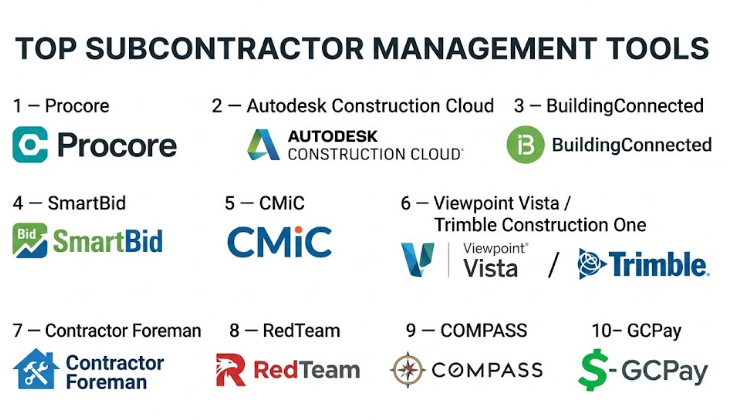
Top 10 Subcontractor Management Tools
#1 — Procore
Short description :
Procore is a construction management platform that helps general contractors, owners, and project teams manage subcontractor workflows across bidding, contracts, documents, RFIs, submittals, punch lists, change orders, commitments, payments, and field coordination. It is useful for teams that need subcontractor management connected with broader project controls. Procore allows subcontractors to collaborate on project documents, respond to tasks, submit information, and stay aligned with project requirements. It is best for mid-sized and enterprise construction companies that need subcontractor management inside a full construction project management system.
Key Features
- Subcontractor directory and project access.
- Bid management workflows.
- Commitment and contract tracking.
- Change order management.
- RFIs, submittals, and document collaboration.
- Punch list and field task assignment.
- Payment and project financial workflows.
Pros
- Strong all-in-one construction project management platform.
- Good for subcontractor collaboration across many workflows.
- Useful for large projects and multi-project teams.
Cons
- May be more than small contractors need.
- Setup requires clear permissions and workflow planning.
- Pricing may be higher than lightweight tools.
Platforms / Deployment
Web / iOS / Android
Cloud
Security & Compliance
Supports role-based permissions, subcontractor access controls, project-level security, audit-style records, document controls, and administrative governance depending on plan. Specific compliance details should be validated directly with the vendor.
Integrations & Ecosystem
Procore connects subcontractor workflows with broader construction operations.
- Bid management.
- RFIs and submittals.
- Commitments and change orders.
- Project financials.
- Drawings and documents.
- Punch lists and closeout workflows.
Support & Community
Procore provides onboarding, training resources, documentation, customer support, and a large construction technology ecosystem. It is suitable for teams that want subcontractor management deeply connected with project delivery.
#2 — Autodesk Construction Cloud
Short description :
Autodesk Construction Cloud helps teams manage construction collaboration, documents, drawings, issues, RFIs, submittals, cost workflows, and field coordination. It supports subcontractor management by giving trade partners controlled access to project information, assigned issues, design updates, documents, and field workflows. It is useful for contractors, owners, architects, engineers, and subcontractors that need stronger coordination around drawings, BIM, and jobsite execution. It is best for teams that want subcontractor collaboration connected with design, field, and document control workflows.
Key Features
- Controlled subcontractor project access.
- Drawing and document management.
- RFIs and submittals.
- Issue and punch tracking.
- Field coordination workflows.
- Cost and change workflow support.
- BIM and design collaboration.
Pros
- Strong for design and field coordination.
- Useful for subcontractors working from shared drawings and documents.
- Good fit for teams already using Autodesk construction tools.
Cons
- Some features depend on selected modules.
- May require training for subcontractor adoption.
- Teams outside Autodesk workflows may need onboarding time.
Platforms / Deployment
Web / iOS / Android
Cloud
Security & Compliance
Supports project permissions, document access controls, activity tracking, issue history, and enterprise administration depending on plan. Specific compliance details should be validated directly with the vendor.
Integrations & Ecosystem
Autodesk Construction Cloud connects subcontractor work with project and design workflows.
- BIM coordination.
- Drawing management.
- Field issues.
- RFIs and submittals.
- Document control.
- Project reporting.
Support & Community
Autodesk provides documentation, training resources, customer support, and a strong architecture, engineering, and construction ecosystem.
#3 — BuildingConnected
Short description :
BuildingConnected is a preconstruction and bid management platform used by general contractors, owners, and subcontractors to manage bid invitations, subcontractor networks, bid packages, qualification information, and tender communication. It helps teams find subcontractors, invite them to bid, track responses, compare coverage, and organize preconstruction communication. BuildingConnected is especially useful before the project starts, when contractors are selecting trade partners and managing bid coverage. It is best for teams that need subcontractor management focused on bidding, qualification, and preconstruction workflows.
Key Features
- Subcontractor network management.
- Bid invitation workflows.
- Bid package tracking.
- Subcontractor response tracking.
- Prequalification workflows may vary.
- Bid coverage visibility.
- Preconstruction communication tools.
Pros
- Strong for subcontractor bidding and preconstruction.
- Helps improve bid coverage and trade communication.
- Useful for general contractors managing many bid invites.
Cons
- Less focused on day-to-day field execution after award.
- Best value depends on bid volume and trade network usage.
- May need other tools for contracts, payments, and closeout.
Platforms / Deployment
Web
Cloud
Security & Compliance
Supports user access controls, bid information management, and project-level collaboration features depending on plan. Specific compliance details should be validated directly with the vendor.
Integrations & Ecosystem
BuildingConnected connects subcontractor management with preconstruction workflows.
- Bid packages.
- Subcontractor directories.
- Prequalification records.
- Tender communication.
- Bid comparison.
- Estimating and preconstruction workflows.
Support & Community
BuildingConnected provides documentation, onboarding support, and preconstruction workflow guidance. It is practical for contractors focused on improving bidding and trade partner selection.
#4 — SmartBid
Short description :
SmartBid is a construction bid management platform that helps general contractors manage subcontractor invitations, bid packages, vendor databases, prequalification information, communications, and bid responses. It is useful for contractors who need a structured system for subcontractor outreach and bid tracking. SmartBid helps teams organize subcontractor contacts by trade, location, qualification, and project fit. It is best for general contractors that need subcontractor management during preconstruction and bid solicitation.
Key Features
- Subcontractor database.
- Bid invitation management.
- Bid package distribution.
- Prequalification support.
- Communication tracking.
- Trade and region filtering.
- Bid response management.
Pros
- Strong for subcontractor bidding workflows.
- Helps organize subcontractor contact databases.
- Useful for improving bid communication and coverage.
Cons
- More focused on bidding than field execution.
- May need integration with project management tools after award.
- Best value depends on subcontractor database quality.
Platforms / Deployment
Web
Cloud
Security & Compliance
Supports account permissions, bid package access controls, and subcontractor communication records depending on plan. Specific security details should be validated directly with the vendor.
Integrations & Ecosystem
SmartBid supports preconstruction and subcontractor outreach workflows.
- Bid packages.
- Subcontractor databases.
- Prequalification records.
- Communication workflows.
- Estimating coordination.
- Trade partner management.
Support & Community
SmartBid provides support resources, onboarding assistance, and bid management guidance. It is useful for contractors that want better control over bid invitations and subcontractor coverage.
#5 — CMiC
Short description :
CMiC is an enterprise construction ERP and project management platform that supports subcontractor management through contracts, commitments, procurement, accounting, compliance, change orders, document management, and project workflows. It is useful for large contractors that need subcontractor activity connected with job cost, project financials, procurement, and enterprise reporting. CMiC helps teams manage subcontract agreements, cost commitments, change events, invoices, and documentation. It is best for construction companies that need subcontractor management inside an integrated ERP and financial control environment.
Key Features
- Subcontract and commitment management.
- Job cost and accounting integration.
- Change order workflows.
- Procurement and contract controls.
- Document management.
- Compliance tracking support.
- Enterprise reporting.
Pros
- Strong construction ERP and financial control.
- Useful for subcontractor cost and contract management.
- Good for enterprise construction operations.
Cons
- Implementation can be complex.
- May be too heavy for small contractors.
- Requires process discipline and training.
Platforms / Deployment
Web / Mobile options may vary
Cloud / Enterprise deployment options may vary
Security & Compliance
Supports enterprise permissions, financial controls, user roles, audit records, subcontractor document management, and administrative governance depending on deployment and configuration.
Integrations & Ecosystem
CMiC connects subcontractor management with construction business operations.
- Construction accounting.
- Job costing.
- Procurement workflows.
- Contract management.
- Document control.
- Enterprise reporting.
Support & Community
CMiC provides enterprise implementation services, documentation, customer support, and construction workflow guidance.
#6 — Viewpoint Vista / Trimble Construction One
Short description :
Viewpoint Vista and Trimble Construction One help contractors manage subcontractors through construction accounting, project management, contracts, job cost, compliance documentation, document workflows, payroll, and field collaboration. These tools are useful for construction companies that need subcontractor management connected with financial control and project execution. They help teams manage subcontract commitments, change orders, compliance documents, payments, and project collaboration. It is best for contractors that need subcontractor workflows connected with construction ERP and job cost visibility.
Key Features
- Subcontract commitment tracking.
- Job cost and budget integration.
- Contract and change order workflows.
- Compliance document support.
- Project document management.
- Field-to-office collaboration.
- Construction accounting connection.
Pros
- Strong construction ERP and accounting alignment.
- Useful for subcontractor cost and compliance management.
- Good for contractors needing financial visibility.
Cons
- Implementation may require planning and training.
- Module fit should be reviewed carefully.
- Smaller teams may prefer simpler subcontractor tools.
Platforms / Deployment
Web / Mobile options may vary
Cloud / Enterprise deployment options vary
Security & Compliance
Supports user roles, financial controls, project permissions, compliance records, audit history, and administrative governance depending on configuration. Specific compliance details should be validated directly with the vendor.
Integrations & Ecosystem
Trimble construction tools connect subcontractor workflows with project and financial operations.
- Job cost management.
- Construction accounting.
- Project management.
- Field workflows.
- Document control.
- Reporting systems.
Support & Community
Trimble provides documentation, implementation services, support resources, and construction industry guidance.
#7 — Contractor Foreman
Short description :
Contractor Foreman is construction management software for small and mid-sized contractors that need project management, estimates, contracts, change orders, documents, daily logs, scheduling, and client or subcontractor communication. It helps smaller contractors organize subcontractor-related tasks, project documents, cost items, and work assignments without requiring a large enterprise platform. Contractor Foreman is useful for teams that want affordable construction management with subcontractor coordination features. It is best for small contractors that need practical subcontractor tracking and project management in one system.
Key Features
- Project and task management.
- Subcontractor contact records.
- Scheduling and daily logs.
- Change order tracking.
- Document storage.
- Estimates and invoicing.
- Mobile access.
Pros
- Good value for small and mid-sized contractors.
- Covers many practical construction workflows.
- Easier to adopt than enterprise systems.
Cons
- May not match deep enterprise subcontractor compliance workflows.
- Advanced bid management may be limited.
- Best suited for smaller contractor operations.
Platforms / Deployment
Web / iOS / Android
Cloud
Security & Compliance
Supports user access controls, project permissions, document storage, and administrative settings depending on plan. Specific security details should be validated directly with the vendor.
Integrations & Ecosystem
Contractor Foreman connects subcontractor coordination with contractor workflows.
- Project schedules.
- Change orders.
- Daily logs.
- Estimates.
- Invoices.
- Project documents.
Support & Community
Contractor Foreman provides documentation, support resources, onboarding help, and contractor-focused guidance.
#8 — RedTeam
Short description :
RedTeam is construction project management software for commercial contractors that helps manage project workflows, contracts, RFIs, submittals, change orders, documents, schedules, and subcontractor coordination. It supports subcontractor management by helping teams organize trade partner communication, contract details, project documentation, and workflow responsibilities. RedTeam is useful for contractors that want structured project controls without moving into a very large ERP environment. It is best for commercial contractors that need subcontractor management connected with project execution and contract workflows.
Key Features
- Subcontractor coordination.
- Contract management.
- RFIs and submittals.
- Change order workflows.
- Project document control.
- Scheduling support.
- Collaboration workflows.
Pros
- Good fit for commercial contractors.
- Practical contract and project workflow support.
- Helps organize subcontractor-related documentation.
Cons
- May not match enterprise ERP depth.
- Advanced compliance tracking should be validated.
- Best value depends on process consistency.
Platforms / Deployment
Web / Mobile options may vary
Cloud
Security & Compliance
Supports user permissions, project access controls, document records, and administrative controls depending on plan. Specific security details should be validated directly with the vendor.
Integrations & Ecosystem
RedTeam connects subcontractor workflows with project management.
- Contract workflows.
- RFIs and submittals.
- Change orders.
- Project documents.
- Scheduling.
- Reporting workflows.
Support & Community
RedTeam provides onboarding, documentation, support resources, and construction workflow guidance.
#9 — COMPASS
Short description :
COMPASS is a contractor prequalification and risk management platform focused on helping general contractors evaluate subcontractors before awarding work. It supports subcontractor qualification data, safety metrics, financial information, insurance details, trade capabilities, and risk review workflows. COMPASS is useful for contractors that want stronger prequalification and risk visibility before engaging subcontractors. It is best for companies that need subcontractor management focused on qualification, safety, risk, and vendor readiness.
Key Features
- Subcontractor prequalification.
- Risk assessment workflows.
- Safety and financial review support.
- Insurance and compliance document tracking.
- Trade capability information.
- Vendor profile management.
- Reporting and qualification visibility.
Pros
- Strong focus on subcontractor risk and prequalification.
- Useful for contractor qualification before award.
- Helps improve vendor selection discipline.
Cons
- Less focused on daily project execution.
- May need other tools for field collaboration and payments.
- Best value depends on prequalification process maturity.
Platforms / Deployment
Web
Cloud
Security & Compliance
Supports subcontractor profile management, qualification data controls, and access permissions depending on plan. Specific compliance details should be validated directly with the vendor.
Integrations & Ecosystem
COMPASS supports subcontractor qualification and risk workflows.
- Prequalification records.
- Safety data workflows.
- Insurance documentation.
- Vendor evaluation.
- Contractor risk review.
- Reporting dashboards.
Support & Community
COMPASS provides onboarding, support, and guidance for subcontractor prequalification and risk management workflows.
#10 — GCPay
Short description :
GCPay is construction payment management software focused on subcontractor pay applications, lien waivers, compliance documents, billing workflows, and payment approvals. It helps general contractors and construction finance teams manage subcontractor payment processes more efficiently and reduce paperwork. GCPay is useful when subcontractor management needs to connect strongly with payment applications, compliance holds, waivers, and financial documentation. It is best for contractors that need stronger subcontractor payment management and compliance workflows.
Key Features
- Subcontractor pay application management.
- Lien waiver workflows.
- Compliance document tracking.
- Payment approval workflows.
- Billing document organization.
- Financial workflow visibility.
- Subcontractor portal features.
Pros
- Strong for subcontractor payment workflows.
- Helps reduce pay application paperwork.
- Useful for compliance and waiver tracking.
Cons
- More payment-focused than full subcontractor lifecycle management.
- May need integration with project management or ERP systems.
- Best value depends on subcontractor billing volume.
Platforms / Deployment
Web
Cloud
Security & Compliance
Supports payment workflow controls, subcontractor access, compliance document records, and administrative permissions depending on plan. Specific compliance details should be validated directly with the vendor.
Integrations & Ecosystem
GCPay connects subcontractor payment workflows with construction financial processes.
- Pay applications.
- Lien waivers.
- Compliance documents.
- Accounting workflows.
- ERP integrations.
- Payment approval processes.
Support & Community
GCPay provides onboarding, documentation, customer support, and payment workflow guidance for contractors and construction finance teams.
Comparison Table
| Tool Name | Best For | Platform(s) Supported | Deployment | Standout Feature | Public Rating |
|---|---|---|---|---|---|
| Procore | Full project subcontractor collaboration | Web / iOS / Android | Cloud | Subcontractors connected with project and financial workflows | N/A |
| Autodesk Construction Cloud | Design and field subcontractor coordination | Web / iOS / Android | Cloud | Subcontractor access to drawings, issues, and documents | N/A |
| BuildingConnected | Bid management and preconstruction | Web | Cloud | Subcontractor bidding and bid coverage management | N/A |
| SmartBid | Subcontractor bid invitations | Web | Cloud | Subcontractor database and bid solicitation workflows | N/A |
| CMiC | Enterprise subcontractor financial control | Web / Mobile varies | Cloud / Enterprise varies | Subcontracts connected with ERP and job cost | N/A |
| Viewpoint Vista / Trimble Construction One | Construction ERP and compliance workflows | Web / Mobile varies | Cloud / Enterprise varies | Subcontractor commitments, compliance, and accounting | N/A |
| Contractor Foreman | Small contractor subcontractor coordination | Web / iOS / Android | Cloud | Affordable project and subcontractor tracking | N/A |
| RedTeam | Commercial contractor project workflows | Web / Mobile varies | Cloud | Subcontractor coordination with contracts and documents | N/A |
| COMPASS | Subcontractor prequalification and risk | Web | Cloud | Qualification, safety, insurance, and risk review | N/A |
| GCPay | Subcontractor payment workflows | Web | Cloud | Pay applications, lien waivers, and compliance tracking | N/A |
Evaluation & Subcontractor Management Tools
| Tool Name | Core (25%) | Ease (15%) | Integrations (15%) | Security (10%) | Performance (10%) | Support (10%) | Value (15%) | Weighted Total (0–10) |
|---|---|---|---|---|---|---|---|---|
| Procore | 10 | 8 | 9 | 9 | 9 | 9 | 7 | 8.80 |
| Autodesk Construction Cloud | 9 | 7 | 10 | 9 | 9 | 9 | 7 | 8.65 |
| BuildingConnected | 9 | 8 | 8 | 8 | 8 | 8 | 8 | 8.30 |
| SmartBid | 8 | 8 | 8 | 8 | 8 | 8 | 8 | 8.00 |
| CMiC | 10 | 6 | 9 | 9 | 9 | 9 | 7 | 8.45 |
| Viewpoint Vista / Trimble Construction One | 9 | 7 | 9 | 9 | 8 | 9 | 7 | 8.25 |
| Contractor Foreman | 7 | 8 | 7 | 8 | 8 | 8 | 9 | 7.85 |
| RedTeam | 8 | 8 | 8 | 8 | 8 | 8 | 8 | 8.00 |
| COMPASS | 8 | 8 | 7 | 8 | 8 | 8 | 8 | 7.85 |
| GCPay | 8 | 8 | 8 | 8 | 8 | 8 | 8 | 8.00 |
These scores are comparative and should be used as a practical guide, not a fixed ranking. Procore and Autodesk Construction Cloud are strong for broad subcontractor collaboration during project execution. BuildingConnected and SmartBid are stronger for bidding and preconstruction. CMiC and Viewpoint / Trimble are better when subcontractor management must connect deeply with ERP, job cost, and compliance. GCPay is strongest for subcontractor payment workflows, while COMPASS is focused on prequalification and risk.
Which Subcontractor Management Tools
Solo / Freelancer
Solo contractors and small construction consultants usually do not need a large subcontractor management platform. A simple tool for contacts, tasks, documents, communication, and approvals may be enough. Contractor Foreman, RedTeam, or basic project management tools can be practical depending on project size.
A solo user should focus on subcontractor contact records, written scopes, insurance documents, task assignments, and payment documentation. Heavy ERP systems are usually unnecessary unless the project owner or general contractor requires them.
SMB
Small and medium contractors should focus on easy subcontractor coordination, bid tracking, document storage, compliance reminders, change orders, and payment records. Contractor Foreman, RedTeam, SmartBid, GCPay, and BuildingConnected are practical options.
If the main issue is bidding, SmartBid or BuildingConnected may help. If the issue is project coordination, Contractor Foreman or RedTeam may fit better. If payment paperwork is the biggest pain, GCPay may be useful.
Mid-Market
Mid-market contractors usually need stronger bid management, subcontractor document tracking, project access controls, change order workflows, compliance tracking, and financial visibility. Procore, Autodesk Construction Cloud, BuildingConnected, RedTeam, and GCPay are strong candidates.
At this stage, contractors should define how subcontractors are prequalified, invited to bid, awarded work, onboarded, assigned tasks, paid, and reviewed after project completion.
Enterprise
Enterprises should prioritize subcontractor risk, compliance, financial controls, audit trails, role-based access, ERP integration, pay applications, lien waivers, project collaboration, and portfolio reporting. Procore, Autodesk Construction Cloud, CMiC, Viewpoint / Trimble, COMPASS, and GCPay are strong options depending on the workflow.
Large organizations should involve procurement, legal, finance, project controls, compliance, safety, operations, IT, and field leadership before standardizing subcontractor management tools.
Budget vs Premium
Budget-conscious teams may prefer Contractor Foreman, SmartBid, RedTeam, or focused tools for bidding or payments.
Premium platforms such as Procore, Autodesk Construction Cloud, CMiC, and Viewpoint / Trimble are better when companies need full project collaboration, ERP connectivity, compliance tracking, financial governance, and enterprise reporting.
Feature Depth vs Ease of Use
If ease of use matters most, Contractor Foreman, SmartBid, BuildingConnected, and GCPay are practical choices for specific subcontractor workflows.
If feature depth matters more, Procore, Autodesk Construction Cloud, CMiC, Viewpoint / Trimble, and COMPASS provide stronger support for complex projects, risk review, compliance, financial controls, and multi-project governance.
Integrations & Scalability
Subcontractor management tools should integrate with estimating, bid management, ERP, accounting, project management, document control, RFIs, submittals, scheduling, safety, compliance, and payment workflows.
For preconstruction, BuildingConnected and SmartBid are strong. For project execution, Procore and Autodesk Construction Cloud are relevant. For ERP and accounting, CMiC and Viewpoint / Trimble are practical. For payment workflows, GCPay is specialized.
Security & Compliance Needs
Subcontractor management tools may store contracts, insurance certificates, tax documents, safety records, financial data, pay applications, lien waivers, bid documents, drawings, project photos, and performance records.
Buyers should validate role-based access, subcontractor permissions, document expiration tracking, audit logs, encryption, compliance holds, financial approval controls, data retention, and admin governance before rollout.
Frequently Asked Questions
1. What is a Subcontractor Management Tool?
A Subcontractor Management Tool helps construction teams manage subcontractors across bidding, prequalification, contracts, compliance documents, assignments, communication, change orders, payments, and performance tracking.
2. How is subcontractor management different from vendor management?
Vendor management is broad and can apply to suppliers, service providers, and external partners across industries. Subcontractor management is construction-specific and includes trade scopes, bid packages, compliance documents, jobsite coordination, safety, pay applications, lien waivers, and project closeout.
3. What pricing models are common for Subcontractor Management Tools?
Pricing may depend on users, projects, modules, bid volume, subcontractor records, payment volume, enterprise contracts, or construction revenue. Some tools are part of broader construction management platforms, while others focus on bidding, prequalification, or payment workflows.
4. What are common mistakes in subcontractor management?
Common mistakes include weak prequalification, missing insurance documents, unclear scopes of work, poor bid tracking, delayed payment approvals, unmanaged change orders, and no performance review after project completion. Another mistake is giving subcontractors too much or too little system access.
5. Which tool is best for subcontractor bidding?
BuildingConnected and SmartBid are strong options for subcontractor bidding because they help manage bid invitations, subcontractor databases, bid packages, responses, and bid coverage.
6. Which tool is best for subcontractor project collaboration?
Procore and Autodesk Construction Cloud are strong options for subcontractor project collaboration because they connect subcontractors with drawings, RFIs, submittals, issues, documents, punch lists, and project communication.
7. Which tool is best for subcontractor payments?
GCPay is strong for subcontractor payment workflows because it focuses on pay applications, lien waivers, compliance documents, approvals, and payment documentation. ERP tools like CMiC and Viewpoint / Trimble may also support payment workflows.
8. Which tool is best for subcontractor prequalification?
COMPASS, BuildingConnected, and SmartBid can support subcontractor prequalification and risk review workflows. The best choice depends on whether the company needs safety, insurance, financial, trade, or bid-readiness evaluation.
9. Can subcontractor management tools track insurance certificates?
Yes, many subcontractor management platforms can track insurance documents, expiration dates, compliance status, and missing records. Buyers should validate certificate tracking, reminders, and compliance hold workflows before choosing a tool.
10. Can subcontractors access these tools directly?
Yes, many tools allow subcontractors to access project information, submit bids, upload documents, respond to RFIs, manage submittals, update tasks, or submit payment applications. Access should be controlled carefully through permissions.
Conclusion
Subcontractor Management Tools help construction companies work with trade partners more clearly, safely, and profitably. The right tool depends on which subcontractor workflow creates the most friction. BuildingConnected and SmartBid are strong for bidding and preconstruction. COMPASS is useful for prequalification and risk review. Procore and Autodesk Construction Cloud are better for project collaboration, field coordination, documents, RFIs, submittals, issues, and closeout. CMiC and Viewpoint / Trimble are stronger when subcontractor management must connect deeply with job cost, contracts, ERP, and accounting. GCPay is highly relevant for pay applications, lien waivers, and payment compliance.
