Introduction
Data Collection Mobile Apps help teams collect information from the field using smartphones or tablets instead of paper forms, spreadsheets, or manual notes. In simple words, these apps allow users to capture survey responses, inspection results, photos, signatures, GPS locations, barcodes, checklists, customer details, asset data, field reports, and compliance records directly from a mobile device.
These apps are important because many teams work outside the office. Field sales teams visit customers, construction teams inspect sites, healthcare-adjacent teams collect intake data, NGOs run surveys, researchers collect observations, delivery teams confirm proof of service, and operations teams complete safety checks. Without mobile data collection, information can be delayed, lost, duplicated, or entered incorrectly later.
Common use cases include field surveys, site inspections, safety audits, market research, asset tracking, agriculture data collection, customer visits, proof of delivery, field service reports, inventory checks, event check-ins, employee checklists, and offline data capture.
Buyers should evaluate offline access, mobile form builder quality, GPS capture, photo and video support, barcode scanning, conditional logic, data validation, integrations, dashboards, user permissions, security, export options, automation, device compatibility, and pricing.
Best for: field teams, researchers, NGOs, construction companies, healthcare-adjacent teams, sales teams, logistics teams, inspection teams, agriculture teams, government field workers, education teams, and organizations that collect data outside the office.
Not ideal for: teams that only collect simple office-based responses, businesses that need only basic website forms, or organizations that require fully custom mobile applications with advanced industry-specific logic beyond no-code tools.
Key Trends in Data Collection Mobile Apps
- Offline-first data collection is becoming essential, especially for teams working in rural areas, construction sites, warehouses, farms, factories, and locations with poor internet access.
- GPS and location-based validation are now common, helping teams verify where data was collected and improve field accountability.
- Photo, video, and signature capture are becoming standard, especially for inspections, audits, delivery proof, maintenance records, and compliance workflows.
- No-code mobile form builders are growing, allowing operations teams to build mobile forms without waiting for developers.
- Real-time dashboards are becoming more important, helping managers monitor field activity, response quality, completion rates, and operational issues.
- Data validation is improving field accuracy, with required fields, dropdown lists, conditional logic, barcode scanning, and format checks reducing manual errors.
- Integration with business systems is now expected, especially with CRMs, spreadsheets, databases, cloud storage, project tools, and analytics platforms.
- Mobile apps are replacing paper inspection checklists, particularly in safety, facilities, construction, field service, manufacturing, and quality control.
- AI-assisted field reporting is emerging, helping teams summarize notes, classify images, detect anomalies, and improve response quality.
- Security and privacy controls matter more, because mobile forms may collect personal data, location data, photos, signatures, health-related information, or customer records.
How We Selected These Tools
The tools below were selected using practical business-focused evaluation logic.
- Market recognition: Tools known in mobile forms, field data collection, surveys, inspections, mobile workflows, and offline data capture were prioritized.
- Feature completeness: Mobile forms, offline mode, GPS, media capture, signatures, barcode scanning, conditional logic, and reporting were reviewed.
- Ease of use: Field teams should be able to submit data quickly without technical confusion.
- Offline capability: Apps that support offline collection and later sync were considered important.
- Workflow fit: Tools that support inspections, surveys, audits, operations, field service, and research workflows were included.
- Integration ecosystem: Spreadsheets, cloud storage, databases, CRMs, BI tools, automation platforms, and APIs were reviewed.
- Security and governance: User roles, access controls, encryption, data retention, audit trails, and admin features were considered.
- Scalability: Tools suitable for small field teams, NGOs, enterprises, researchers, and large distributed operations were included.
- Reporting value: Dashboards, exports, maps, analytics, and submission tracking were considered important for operational visibility.
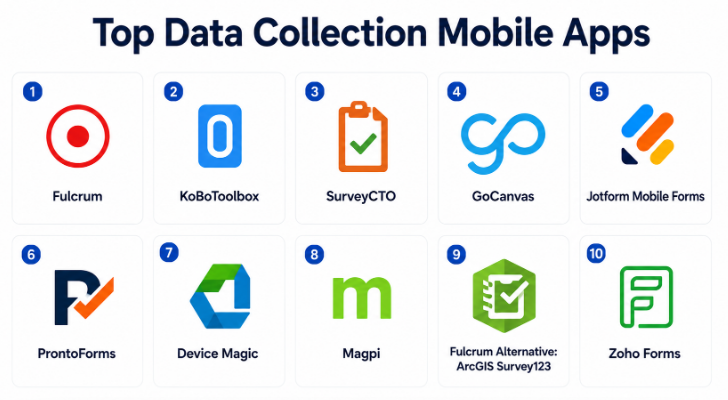
Top 10 Data Collection Mobile Apps
#1 — Fulcrum
Short description :
Fulcrum is a mobile data collection platform designed for field teams that need to collect structured information, photos, GPS coordinates, inspection results, and operational data from mobile devices. It is useful for utilities, environmental teams, construction companies, field service teams, government agencies, and inspection-heavy organizations. Fulcrum supports offline data collection, custom forms, maps, media capture, and workflow visibility. It is especially strong when field teams need reliable mobile forms in real-world conditions. It is best for organizations that need professional field data collection with strong location and inspection support.
Key Features
- Offline mobile data collection.
- Custom mobile forms.
- GPS and map-based data capture.
- Photo and media attachments.
- Conditional logic and validation.
- Field team assignment workflows.
- Data export and integration options.
Pros
- Strong for field inspections and location-based workflows.
- Useful offline capability for remote work.
- Good fit for operational and technical field teams.
Cons
- May be more advanced than simple survey needs.
- Setup requires careful form and workflow planning.
- Pricing may be higher than basic mobile form tools.
Platforms / Deployment
Web / iOS / Android
Cloud
Security & Compliance
Supports business security controls, user permissions, and field data management features depending on plan. Specific compliance details should be validated directly with the vendor.
Integrations & Ecosystem
Fulcrum connects field data with operational and analytics workflows.
- GIS and mapping workflows.
- Cloud storage.
- Business databases.
- Reporting tools.
- APIs and data exports.
- Field operations systems.
Support & Community
Fulcrum provides documentation, onboarding resources, and customer support. It is practical for organizations that depend on accurate field data collection.
#2 — KoBoToolbox
Short description :
KoBoToolbox is a data collection platform widely used by humanitarian organizations, researchers, NGOs, public sector teams, and field survey teams. It helps users build forms, collect responses on mobile devices, work offline, and manage survey data in challenging environments. KoBoToolbox is especially useful for social research, public health surveys, education projects, emergency response, and community data collection. It is known for being practical in low-connectivity environments. It is best for NGOs, researchers, and field teams that need accessible mobile data collection.
Key Features
- Mobile form creation.
- Offline data collection.
- Survey deployment.
- GPS capture.
- Photo and media collection.
- Data export and analysis support.
- Multi-language survey workflows.
Pros
- Strong fit for NGOs and research teams.
- Works well in low-connectivity environments.
- Practical for survey-based field data collection.
Cons
- Business workflow automation may be limited compared with enterprise platforms.
- Interface may require learning for first-time users.
- Advanced enterprise integrations may need technical support.
Platforms / Deployment
Web / Android / Mobile collection options vary
Cloud / Self-hosted options vary
Security & Compliance
Security depends on deployment, access settings, and hosting configuration. Sensitive research or personal data should be handled with strong data governance.
Integrations & Ecosystem
KoBoToolbox supports research and field survey workflows.
- Mobile survey collection.
- Data exports.
- Statistical analysis workflows.
- Humanitarian data collection.
- Public sector reporting.
- Research data management.
Support & Community
KoBoToolbox has strong documentation, community support, and broad usage across humanitarian and research organizations.
#3 — SurveyCTO
Short description :
SurveyCTO is a secure mobile data collection platform designed for research, monitoring, evaluation, impact measurement, and field surveys. It is used by research organizations, NGOs, universities, public sector teams, and international development programs. SurveyCTO supports offline data collection, complex survey logic, data quality controls, encryption, case management, and monitoring tools. It is especially useful where data quality and field reliability are critical. It is best for teams running professional research or evaluation projects with structured survey requirements.
Key Features
- Offline mobile data collection.
- Advanced survey logic.
- Data quality controls.
- GPS, media, and signature capture.
- Encryption and secure data handling.
- Case management workflows.
- Monitoring and review tools.
Pros
- Strong for research and evaluation projects.
- Good data quality and validation features.
- Useful for complex field survey logic.
Cons
- May feel technical for basic users.
- More research-focused than general business form apps.
- Setup requires careful survey design.
Platforms / Deployment
Web / Android / Mobile options vary
Cloud / Offline mobile collection
Security & Compliance
Supports secure data collection features, encryption options, permissions, and controlled access depending on configuration. Specific compliance requirements should be validated directly.
Integrations & Ecosystem
SurveyCTO supports professional research and monitoring workflows.
- Survey design.
- Mobile data collection.
- Data export.
- Research analysis tools.
- Monitoring and evaluation workflows.
- Case management processes.
Support & Community
SurveyCTO provides documentation, training resources, and support. It is well suited for research teams that need dependable mobile survey collection.
#4 — GoCanvas
Short description :
GoCanvas is a mobile forms and workflow platform designed to replace paper forms used in field operations, inspections, service reports, work orders, safety checks, and compliance tasks. It is useful for construction, field service, manufacturing, logistics, facilities, utilities, and operations teams. GoCanvas allows users to build mobile forms, capture signatures, photos, GPS data, and generate reports from submissions. It is best for businesses that want to digitize field paperwork and turn mobile submissions into operational workflows.
Key Features
- Mobile form builder.
- Offline data capture.
- Photo and signature capture.
- GPS location collection.
- PDF report generation.
- Workflow and dispatch support.
- Form templates for field teams.
Pros
- Strong for replacing paper field forms.
- Useful for inspections, work orders, and service reports.
- Helps create professional reports from submissions.
Cons
- May be more field-operations-focused than research-focused.
- Advanced workflows may need setup time.
- Pricing can depend on users and business needs.
Platforms / Deployment
Web / iOS / Android
Cloud
Security & Compliance
Supports user access controls, data management, and business workflow security depending on plan. Specific compliance details should be validated directly with the vendor.
Integrations & Ecosystem
GoCanvas connects field forms with business operations.
- Cloud storage.
- CRM and operations systems.
- Work order workflows.
- Reporting tools.
- Email notifications.
- APIs and integrations.
Support & Community
GoCanvas provides documentation, templates, onboarding, and customer support. It is practical for teams digitizing operational paperwork.
#5 — Jotform Mobile Forms
Short description :
Jotform Mobile Forms allows teams to collect form responses through mobile devices, including offline submissions, photos, signatures, and file uploads. It is useful for small businesses, event teams, nonprofits, field teams, HR teams, education teams, and customer-facing operations. Jotform is known for its large template library and easy form builder, making it accessible for non-technical users. It can support inspections, registrations, applications, surveys, and customer intake. It is best for teams that want a flexible mobile form tool with fast setup.
Key Features
- Mobile form collection.
- Offline form submissions.
- Drag-and-drop form builder.
- Photo and file uploads.
- Signature capture.
- Conditional logic.
- Form reports and tables.
Pros
- Easy to build and launch forms quickly.
- Large template library.
- Good for many general business use cases.
Cons
- Not as specialized as dedicated field inspection platforms.
- Complex operational workflows may require integrations.
- Sensitive data use should be reviewed carefully.
Platforms / Deployment
Web / iOS / Android
Cloud
Security & Compliance
Supports form privacy settings, account controls, and business security features depending on plan. Specific compliance suitability should be validated directly with the vendor.
Integrations & Ecosystem
Jotform Mobile Forms connects mobile submissions with business workflows.
- Cloud storage.
- Payment processors.
- Spreadsheets.
- CRM systems.
- Email notifications.
- Automation platforms.
Support & Community
Jotform provides documentation, templates, support resources, and a large user community. It is practical for teams that want quick mobile data collection.
#6 — ProntoForms
Short description :
ProntoForms is a mobile forms and field workflow platform designed for enterprise field service, inspections, safety checks, maintenance, and operational reporting. It helps field teams collect data from mobile devices, follow guided workflows, capture photos, validate responses, and sync information with business systems. ProntoForms is useful for utilities, manufacturing, construction, facilities, telecom, healthcare-adjacent operations, and field service teams. It is best for organizations that need structured mobile workflows for professional field operations.
Key Features
- Mobile field forms.
- Offline data collection.
- Conditional logic.
- Photo and barcode capture.
- Dispatch and workflow support.
- Integration with enterprise systems.
- Reporting and analytics.
Pros
- Strong for enterprise field service workflows.
- Good for inspections and operational compliance.
- Useful integration and workflow capabilities.
Cons
- May be more complex than simple form tools.
- Implementation requires process design.
- Best value depends on field workforce size and workflow maturity.
Platforms / Deployment
Web / iOS / Android
Cloud
Security & Compliance
Supports business security features, user permissions, and enterprise workflow controls depending on plan. Specific compliance details should be validated directly with the vendor.
Integrations & Ecosystem
ProntoForms connects mobile field data with enterprise operations.
- Field service systems.
- CRM platforms.
- Cloud storage.
- Reporting tools.
- ERP workflows.
- APIs and enterprise integrations.
Support & Community
ProntoForms provides onboarding, documentation, customer support, and implementation guidance. It is suitable for structured field service and inspection workflows.
#7 — Device Magic
Short description :
Device Magic is a mobile forms platform that helps teams collect field data, replace paper forms, and send submissions to business systems. It is useful for logistics, construction, inspections, maintenance, delivery, operations, and service teams. Device Magic supports mobile forms, offline collection, GPS, photo capture, signatures, and automated submission destinations. It helps teams collect accurate field data and route it to the right systems. It is best for businesses that need simple but reliable mobile forms for operational workflows.
Key Features
- Mobile form builder.
- Offline data collection.
- GPS capture.
- Photo and signature support.
- Barcode scanning options.
- Automated submission destinations.
- Data export and integration workflows.
Pros
- Practical for field teams replacing paper forms.
- Good offline and mobile collection support.
- Submission routing helps reduce manual data entry.
Cons
- May not have the broadest modern app ecosystem.
- Advanced workflow management may require additional tools.
- Best fit depends on operational form needs.
Platforms / Deployment
Web / iOS / Android
Cloud
Security & Compliance
Supports user access controls and business data collection features depending on plan. Sensitive data workflows should be reviewed before rollout.
Integrations & Ecosystem
Device Magic connects mobile forms with operational systems.
- Cloud storage.
- Databases.
- Email workflows.
- APIs.
- Business reporting tools.
- Field operations systems.
Support & Community
Device Magic provides documentation and customer support resources. It is practical for teams that need dependable mobile forms without unnecessary complexity.
#8 — Magpi
Short description :
Magpi is a mobile data collection and messaging platform used for surveys, field research, health programs, agriculture, monitoring, and community projects. It helps teams create mobile forms, collect offline data, capture GPS, and manage field responses. Magpi is useful for NGOs, public health teams, researchers, development programs, and field monitoring teams. It can support data collection in challenging environments where connectivity may be limited. It is best for organizations that need mobile survey and field data collection for social, health, or development programs.
Key Features
- Mobile survey creation.
- Offline data collection.
- GPS capture.
- Photo and media support.
- Messaging features may vary.
- Data dashboards and exports.
- Field monitoring workflows.
Pros
- Strong for public health, NGO, and research fieldwork.
- Useful in low-connectivity environments.
- Practical for monitoring and evaluation programs.
Cons
- May not be ideal for corporate inspection workflows.
- Interface and features should be tested for team fit.
- Advanced business integrations may be limited.
Platforms / Deployment
Web / Android / Mobile options vary
Cloud
Security & Compliance
Supports field data collection controls depending on configuration. Sensitive data collection should be reviewed carefully based on privacy and research requirements.
Integrations & Ecosystem
Magpi supports field survey and program monitoring workflows.
- Mobile surveys.
- Data exports.
- Public health workflows.
- Agriculture and field monitoring.
- Research data collection.
- Program reporting.
Support & Community
Magpi provides support resources and guidance for field data collection use cases. It is useful for organizations working in survey-heavy environments.
#9 — Fulcrum Alternative: ArcGIS Survey123
Short description :
ArcGIS Survey123 is a form-centric data collection app built for geographic and location-based workflows. It allows teams to create forms and collect field data connected with maps and GIS systems. It is useful for government agencies, utilities, environmental teams, public works, emergency response, infrastructure inspections, and organizations that rely on spatial data. Survey123 supports offline collection, GPS, photos, signatures, and map-based data workflows. It is best for teams that need mobile data collection tightly connected with GIS.
Key Features
- Mobile forms connected to GIS.
- GPS and location capture.
- Offline data collection.
- Photo and signature support.
- Map-based field workflows.
- Survey design tools.
- Integration with GIS datasets.
Pros
- Strong for location-based field data.
- Useful for government, utilities, and environmental teams.
- Works well when GIS is central to operations.
Cons
- Best value depends on GIS ecosystem adoption.
- May be more complex than simple mobile forms.
- Non-GIS teams may prefer simpler tools.
Platforms / Deployment
Web / iOS / Android
Cloud / Enterprise GIS deployment options vary
Security & Compliance
Security depends on GIS platform configuration, user permissions, and deployment model. Specific compliance details should be validated according to organizational setup.
Integrations & Ecosystem
ArcGIS Survey123 connects field forms with GIS and spatial workflows.
- GIS maps.
- Spatial databases.
- Field operations dashboards.
- Offline map workflows.
- Public works systems.
- Environmental data workflows.
Support & Community
ArcGIS Survey123 has documentation, training resources, enterprise support options, and a strong GIS user community.
#10 — Zoho Forms
Short description :
Zoho Forms is an online and mobile form builder that helps teams collect data through web and mobile forms, including offline submissions, file uploads, signatures, and workflow automation. It is useful for small businesses, sales teams, HR teams, field teams, education, event teams, and organizations already using Zoho’s business suite. Zoho Forms supports mobile data collection, approvals, notifications, and integrations with Zoho CRM and other apps. It is best for teams that want affordable mobile forms connected with broader business workflows.
Key Features
- Mobile form collection.
- Offline submissions.
- Conditional logic.
- File uploads.
- Signature capture.
- Approval workflows.
- Zoho ecosystem integrations.
Pros
- Good value for small and mid-sized teams.
- Strong fit for Zoho users.
- Supports mobile and offline data collection.
Cons
- Best value depends on Zoho ecosystem usage.
- Advanced field service workflows may need extra tools.
- Form design may be less polished than design-first platforms.
Platforms / Deployment
Web / iOS / Android
Cloud
Security & Compliance
Supports account controls, form permissions, and business data handling features depending on plan. Specific compliance details should be validated directly with the vendor.
Integrations & Ecosystem
Zoho Forms connects with Zoho and business workflow tools.
- Zoho CRM.
- Zoho Sheet.
- Email notifications.
- Payment processors.
- Automation workflows.
- Cloud storage.
Support & Community
Zoho provides documentation, support resources, and product ecosystem guidance. It is practical for teams already using Zoho applications.
Comparison Table
| Tool Name | Best For | Platform(s) Supported | Deployment | Standout Feature | Public Rating |
|---|---|---|---|---|---|
| Fulcrum | Field inspections and location-based data | Web / iOS / Android | Cloud | Strong offline field data and GPS workflows | N/A |
| KoBoToolbox | NGO, research, and humanitarian surveys | Web / Android / Mobile varies | Cloud / Self-hosted varies | Accessible field surveys in low-connectivity areas | N/A |
| SurveyCTO | Research and monitoring projects | Web / Android / Mobile varies | Cloud / Offline mobile | Secure complex survey data collection | N/A |
| GoCanvas | Paperless field operations | Web / iOS / Android | Cloud | Mobile forms with reports and signatures | N/A |
| Jotform Mobile Forms | General mobile form collection | Web / iOS / Android | Cloud | Easy templates with offline mobile forms | N/A |
| ProntoForms | Enterprise field service workflows | Web / iOS / Android | Cloud | Structured mobile workflows for field operations | N/A |
| Device Magic | Operational mobile forms | Web / iOS / Android | Cloud | Offline field forms with submission routing | N/A |
| Magpi | Public health and field monitoring | Web / Android / Mobile varies | Cloud | Mobile surveys for field programs | N/A |
| ArcGIS Survey123 | GIS-based field data collection | Web / iOS / Android | Cloud / Enterprise varies | Forms connected with maps and spatial data | N/A |
| Zoho Forms | Affordable mobile forms for business teams | Web / iOS / Android | Cloud | Mobile forms connected with Zoho workflows | N/A |
Evaluation & Data Collection Mobile Apps
| Tool Name | Core (25%) | Ease (15%) | Integrations (15%) | Security (10%) | Performance (10%) | Support (10%) | Value (15%) | Weighted Total (0–10) |
|---|---|---|---|---|---|---|---|---|
| Fulcrum | 9 | 8 | 8 | 8 | 9 | 8 | 8 | 8.35 |
| KoBoToolbox | 8 | 7 | 7 | 7 | 8 | 8 | 10 | 7.95 |
| SurveyCTO | 9 | 7 | 7 | 9 | 8 | 8 | 8 | 8.10 |
| GoCanvas | 9 | 8 | 8 | 8 | 8 | 8 | 8 | 8.25 |
| Jotform Mobile Forms | 8 | 9 | 9 | 8 | 8 | 8 | 8 | 8.30 |
| ProntoForms | 9 | 7 | 9 | 9 | 8 | 8 | 7 | 8.20 |
| Device Magic | 8 | 8 | 8 | 8 | 8 | 8 | 8 | 8.00 |
| Magpi | 8 | 7 | 7 | 7 | 8 | 7 | 8 | 7.50 |
| ArcGIS Survey123 | 9 | 7 | 10 | 9 | 9 | 9 | 7 | 8.55 |
| Zoho Forms | 8 | 8 | 8 | 8 | 8 | 8 | 9 | 8.15 |
These scores are comparative and should be used as a practical guide, not a fixed ranking. ArcGIS Survey123 is strong for GIS-based data collection. Fulcrum, GoCanvas, ProntoForms, and Device Magic are strong for field operations and inspections. KoBoToolbox, SurveyCTO, and Magpi are better for research, NGO, and survey-heavy fieldwork. Jotform Mobile Forms and Zoho Forms are practical for general business mobile data collection.
Which Data Collection Mobile Apps
Solo / Freelancer
Solo professionals usually need a mobile data collection app that is easy to set up, affordable, and reliable offline. Jotform Mobile Forms, Zoho Forms, KoBoToolbox, and Device Magic can be practical depending on the use case.
A freelancer doing surveys may prefer KoBoToolbox. A consultant doing inspections may prefer Jotform, GoCanvas, or Device Magic. A user already working in Zoho may find Zoho Forms more convenient.
SMB
Small and medium businesses should focus on mobile forms, offline access, photo capture, signature capture, notifications, and simple reporting. Jotform Mobile Forms, Zoho Forms, GoCanvas, Device Magic, and Fulcrum are strong options.
SMBs should start with one or two high-value workflows such as inspection forms, site visit reports, delivery confirmation, customer intake, or safety checklists before digitizing every form.
Mid-Market
Mid-market organizations usually need better workflow control, team management, dashboards, integrations, data validation, and field accountability. Fulcrum, GoCanvas, ProntoForms, Device Magic, and ArcGIS Survey123 are strong candidates.
At this stage, teams should define field roles, offline needs, data review steps, reporting requirements, and integration points before choosing a platform.
Enterprise
Enterprises should prioritize security, admin controls, offline reliability, integration depth, audit trails, role-based access, scalability, and data governance. ProntoForms, ArcGIS Survey123, Fulcrum, SurveyCTO, and GoCanvas may be relevant depending on field operations.
Large organizations should involve IT, operations, security, compliance, analytics teams, and field managers before rolling out mobile data collection at scale.
Budget vs Premium
Budget-conscious teams may prefer KoBoToolbox, Zoho Forms, Jotform Mobile Forms, or lightweight mobile form tools depending on feature needs.
Premium platforms such as ProntoForms, Fulcrum, GoCanvas, SurveyCTO, and ArcGIS Survey123 are better when organizations need offline reliability, GIS integration, enterprise controls, data validation, field workflows, and structured reporting.
Feature Depth vs Ease of Use
If ease of use matters most, Jotform Mobile Forms, Zoho Forms, GoCanvas, and Device Magic are practical choices because business users can build and deploy mobile forms quickly.
If feature depth matters more, ProntoForms, Fulcrum, SurveyCTO, and ArcGIS Survey123 provide stronger support for field workflows, research logic, GIS data, enterprise operations, and complex validation.
Integrations & Scalability
Data collection mobile apps should integrate with spreadsheets, cloud storage, CRMs, databases, BI tools, GIS systems, workflow platforms, and reporting dashboards.
For GIS-heavy teams, ArcGIS Survey123 is strong. For NGO and research teams, KoBoToolbox and SurveyCTO are practical. For field operations, Fulcrum, GoCanvas, ProntoForms, and Device Magic are strong. For general business forms, Jotform and Zoho Forms are useful.
Security & Compliance Needs
Mobile data collection apps may collect personal data, GPS locations, photos, signatures, customer details, inspection records, employee information, health-related data, and confidential business records.
Buyers should validate encryption, offline storage security, user permissions, role-based access, audit logs, data retention, device management, export controls, and compliance suitability before collecting sensitive data in the field.
Frequently Asked Questions
1. What is a Data Collection Mobile App?
A Data Collection Mobile App helps users collect information from smartphones or tablets using digital forms. It can capture text, numbers, photos, GPS, signatures, barcodes, files, and survey responses in the field.
2. How is a data collection mobile app different from a normal form builder?
A normal form builder usually focuses on web-based forms. A mobile data collection app is designed for field use and often supports offline collection, GPS capture, photos, signatures, barcode scanning, and mobile-first workflows.
3. What pricing models are common for Data Collection Mobile Apps?
Pricing may be based on users, forms, submissions, storage, devices, features, offline access, integrations, or enterprise plans. Some research-focused tools may have free or low-cost options, while enterprise field platforms usually use subscription or custom pricing.
4. What are common mistakes when using mobile data collection apps?
Common mistakes include creating forms that are too long, not testing offline mode, using unclear field labels, failing to train field users, collecting unnecessary data, and not checking where data is stored. Another mistake is not validating GPS, photo, and signature requirements before rollout.
5. Which tool is best for field inspections?
Fulcrum, GoCanvas, ProntoForms, Device Magic, and ArcGIS Survey123 are strong options for field inspections. The best choice depends on whether the inspection requires GIS, photos, signatures, offline mode, reporting, or enterprise workflow integration.
6. Which tool is best for NGOs and research teams?
KoBoToolbox, SurveyCTO, and Magpi are strong options for NGOs, researchers, and field survey teams. They are commonly used for offline surveys, monitoring programs, public health projects, and structured data collection in low-connectivity areas.
7. Which tool is best for GIS-based data collection?
ArcGIS Survey123 is strong for GIS-based data collection because it connects mobile forms with maps, spatial data, and geographic workflows. Fulcrum can also be useful for location-based field data collection depending on the project.
8. Can these apps work offline?
Yes, many data collection mobile apps support offline mode. Offline mode allows users to collect data without internet and sync it later when connectivity is available. Buyers should test offline behavior before field deployment.
9. Can mobile data collection apps capture photos and signatures?
Yes, most modern mobile data collection apps can capture photos, signatures, and file attachments. This is useful for inspections, proof of service, delivery confirmation, safety audits, and compliance reporting.
10. Are Data Collection Mobile Apps secure?
They can be secure when configured properly. Buyers should review encryption, offline storage, access controls, data retention, user permissions, audit logs, and device management before collecting sensitive field data.
Conclusion
Data Collection Mobile Apps help organizations replace paper forms, reduce manual data entry, improve field accuracy, and collect information faster from real-world locations. The best tool depends on the type of data being collected and the working environment. Fulcrum, GoCanvas, ProntoForms, and Device Magic are strong for field operations and inspections. KoBoToolbox, SurveyCTO, and Magpi are practical for NGOs, researchers, and monitoring programs.
