Introduction
Postal Mail Automation Tools help businesses create, print, send, track, and manage physical mail through digital workflows. In simple words, these tools allow teams to send letters, postcards, checks, notices, invoices, statements, marketing mail, compliance documents, and customer communications without manually printing, stuffing envelopes, buying postage, or visiting a post office.
Postal mail is still important because many industries continue to depend on physical communication for legal notices, healthcare letters, financial statements, government forms, insurance documents, customer reminders, direct mail campaigns, and official correspondence. Even when companies use email and SMS, physical mail can still be required for compliance, trust, delivery confirmation, or customer preference.
Common use cases include automated customer letters, direct mail campaigns, invoice mailing, legal notices, healthcare communication, insurance claims mail, account statements, collections letters, address verification, postcard marketing, and transactional document delivery.
Buyers should evaluate print quality, address verification, template design, API access, automation workflows, delivery tracking, compliance needs, batch mailing, data security, personalization, postage options, reporting, integrations, and pricing.
Best for: marketing teams, operations teams, finance departments, healthcare organizations, insurance companies, legal teams, government offices, real estate teams, SaaS companies, eCommerce brands, banks, nonprofits, and businesses that send recurring physical mail.
Not ideal for: very small teams that send only occasional letters, companies that rely fully on digital communication, or businesses that do not need address verification, tracking, personalization, or automated print-and-mail workflows.
Key Trends in Postal Mail Automation Tools
- API-driven mail automation is growing, allowing businesses to send letters, postcards, checks, and notices directly from software systems.
- Direct mail is becoming more data-driven, with teams using personalization, segmentation, triggers, and campaign analytics instead of generic mass mailing.
- Transactional mail automation is increasing, especially for invoices, statements, compliance notices, healthcare letters, and account updates.
- Hybrid communication workflows are becoming common, where companies use email, SMS, and postal mail together based on customer preference or legal requirements.
- Address verification is now a key requirement, because incorrect addresses waste postage, delay delivery, and reduce campaign performance.
- Compliance-friendly mailing is becoming more important, especially for healthcare, finance, insurance, legal, government, and regulated customer communications.
- Variable data printing is improving personalization, allowing each mailpiece to include custom names, offers, account details, QR codes, and location-specific information.
- Delivery tracking and visibility are gaining importance, helping businesses understand when mail is printed, sent, and expected to arrive.
- Cloud-based print-and-mail services are replacing manual mailrooms, especially for remote teams and distributed operations.
- Sustainability and waste reduction are becoming part of buying decisions, with businesses looking for better targeting, reduced returns, and fewer unnecessary mailings.
How We Selected These Tools
The tools below were selected using practical business-focused evaluation logic.
- Market recognition: Tools known in postal mail automation, direct mail automation, print-and-mail, transactional mail, and customer communication workflows were prioritized.
- Feature completeness: Letter sending, postcard mailing, address verification, templates, APIs, batch uploads, tracking, and reporting were reviewed.
- Automation depth: Platforms with API support, workflow triggers, CRM integration, and campaign automation were given stronger consideration.
- Customer fit: The list includes tools for developers, marketers, finance teams, operations teams, regulated industries, and enterprise communications.
- Ease of use: Business users should be able to create and send mail without complex print production knowledge.
- Integration ecosystem: CRM, marketing automation, eCommerce, finance, document systems, and developer APIs were considered.
- Security and compliance: Data handling, access controls, audit trails, regulated communication support, and privacy controls were reviewed.
- Scalability: Tools suitable for one-off mail, bulk campaigns, recurring transactional mail, and enterprise-volume mailing were included.
- Reporting and visibility: Delivery status, campaign performance, address quality, return handling, and mail activity reporting were considered important.
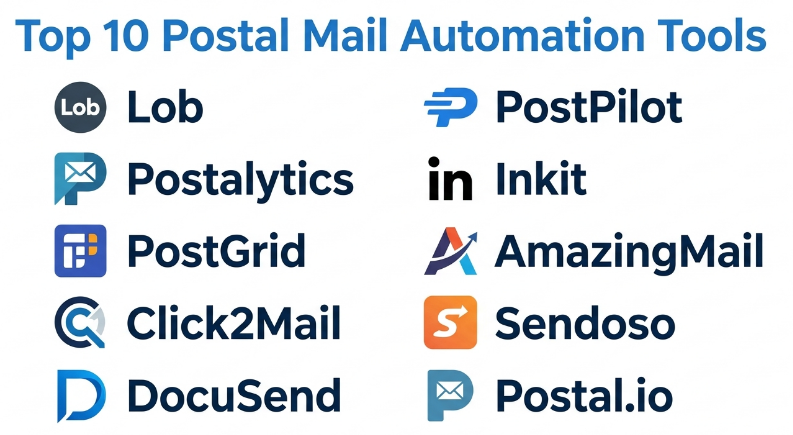
Top 10 Postal Mail Automation Tools
#1 — Lob
Short description :
Lob is a postal mail automation platform designed to help businesses send letters, postcards, checks, and other physical mail through APIs and automated workflows. It is especially useful for companies that want to connect physical mail with digital systems such as CRM, billing, customer support, marketing automation, or internal applications. Lob supports address verification, templating, personalization, print production, delivery tracking, and scalable mail operations. It is best for teams that want developer-friendly postal mail automation with strong API capabilities.
Key Features
- API-based letter and postcard sending.
- Address verification and standardization.
- Personalized templates.
- Batch mailing workflows.
- Delivery tracking and reporting.
- Check mailing support may vary by plan.
- Developer-friendly automation.
Pros
- Strong API-first postal mail automation.
- Useful for transactional and triggered mail workflows.
- Good fit for SaaS, finance, healthcare, and operations teams.
Cons
- Developer setup may be needed for advanced automation.
- Pricing depends on mail volume and use case.
- Some teams may need design support for mail templates.
Platforms / Deployment
Web / API
Cloud
Security & Compliance
Supports business-grade data handling, access controls, and secure mail workflows. Specific compliance suitability should be validated directly with the vendor for regulated use cases.
Integrations & Ecosystem
Lob fits well into software-driven mail automation workflows.
- CRM systems.
- Billing platforms.
- Marketing automation tools.
- Customer communication systems.
- Internal applications.
- Developer APIs and webhooks.
Support & Community
Lob provides documentation, API resources, customer support, and implementation guidance. It is suitable for teams that want physical mail connected to digital business workflows.
#2 — Postalytics
Short description :
Postalytics is a direct mail automation platform focused on marketing campaigns, CRM-triggered mail, lead nurturing, and campaign tracking. It helps marketers send postcards, letters, and direct mail campaigns using digital workflows. Postalytics is useful for B2B marketers, agencies, real estate teams, nonprofits, financial services, healthcare marketers, and sales teams that want measurable direct mail. It supports personalization, tracking, CRM integration, and campaign automation. It is best for marketing teams that want direct mail to work like a digital campaign channel.
Key Features
- Automated direct mail campaigns.
- Postcard and letter workflows.
- CRM-triggered mail.
- Personalization and variable data.
- Campaign tracking and analytics.
- Landing page and QR code workflows may vary.
- Marketing automation integrations.
Pros
- Strong for direct mail marketing automation.
- Useful for CRM-based campaigns.
- Helps make physical mail more measurable.
Cons
- Less focused on highly complex transactional mail.
- Best value depends on campaign strategy and data quality.
- Design and messaging still require marketing planning.
Platforms / Deployment
Web
Cloud
Security & Compliance
Supports business data handling and campaign management controls. Specific compliance suitability should be validated directly with the vendor.
Integrations & Ecosystem
Postalytics connects direct mail with marketing and sales systems.
- CRM platforms.
- Marketing automation tools.
- Sales workflows.
- Campaign reporting.
- Personalized URLs or QR workflows may vary.
- Lead nurturing processes.
Support & Community
Postalytics provides documentation, onboarding support, and campaign guidance. It is useful for marketers who want direct mail campaigns with digital-style tracking.
#3 — PostGrid
Short description :
PostGrid is a print-and-mail automation platform that helps businesses send letters, postcards, checks, invoices, statements, and other physical mail through APIs and web workflows. It is useful for finance teams, healthcare organizations, insurance companies, legal teams, real estate businesses, and operations teams that need reliable mail automation. PostGrid supports address verification, bulk mailing, templates, tracking, and automated workflows. It is best for organizations that need both transactional mail automation and direct mail flexibility.
Key Features
- Print-and-mail automation.
- Letter, postcard, and check mailing.
- Address verification.
- API and dashboard workflows.
- Batch mailing.
- Delivery tracking.
- Template and personalization support.
Pros
- Good mix of transactional and marketing mail capabilities.
- Useful for finance, healthcare, legal, and operations teams.
- Supports both technical and non-technical workflows.
Cons
- Advanced workflows may require API setup.
- Pricing depends on volume and mail type.
- Compliance requirements should be validated for each industry.
Platforms / Deployment
Web / API
Cloud
Security & Compliance
Supports secure document handling and business mailing workflows. Specific compliance and security details should be validated directly with the vendor.
Integrations & Ecosystem
PostGrid connects postal mail with business operations and customer communication systems.
- CRM systems.
- Billing systems.
- Healthcare workflows.
- Finance and check mailing workflows.
- Document automation tools.
- Developer APIs.
Support & Community
PostGrid provides documentation, support, and implementation resources. It is practical for teams that need automated physical mail at scale.
#4 — Click2Mail
Short description :
Click2Mail is a print-and-mail platform that helps users create, upload, print, and send letters, postcards, flyers, booklets, and other mailpieces without handling printing or postage manually. It is useful for small businesses, nonprofits, government offices, educational institutions, real estate teams, and local service businesses. Click2Mail supports web-based mail creation, bulk mailing, templates, and mailing list workflows. It is best for teams that want a straightforward way to send postal mail online without building API-heavy systems.
Key Features
- Online print-and-mail workflows.
- Letter and postcard mailing.
- Bulk mail uploads.
- Template-based mail creation.
- Mailing list management.
- Address processing options.
- Document upload and mailing.
Pros
- Simple online mail sending experience.
- Good for SMBs, nonprofits, and local businesses.
- Useful for users who do not need complex technical setup.
Cons
- May not be as API-first as developer-focused platforms.
- Advanced campaign automation may be limited.
- Design quality depends on user-created templates and files.
Platforms / Deployment
Web
Cloud
Security & Compliance
Supports online document handling and mailing workflows. Specific security and compliance details should be validated directly with the vendor.
Integrations & Ecosystem
Click2Mail supports practical print-and-mail workflows for business users.
- Document uploads.
- Mailing lists.
- Direct mail campaigns.
- Letters and postcards.
- Print production workflows.
- Bulk mail processing.
Support & Community
Click2Mail provides support resources, documentation, and customer help. It is practical for organizations that want to send physical mail without managing print production.
#5 — DocuSend
Short description :
DocuSend is a document mailing platform that helps businesses print and mail invoices, statements, notices, letters, and other documents from uploaded files or digital workflows. It is useful for finance teams, accounting firms, property managers, healthcare offices, legal teams, and businesses that send recurring documents. DocuSend focuses on making document mailing easier by handling printing, folding, inserting, postage, and mailing. It is best for organizations that need simple document-to-mail automation without running an internal mailroom.
Key Features
- Document upload and mailing.
- Invoice and statement mailing.
- Letter printing and mailing.
- Address processing.
- Batch document workflows.
- Mailing status visibility.
- Business document mailing support.
Pros
- Good for invoices, statements, and recurring documents.
- Helps reduce manual printing and mailing work.
- Practical for finance and operations teams.
Cons
- Less focused on advanced marketing campaign automation.
- Custom workflow automation may be more limited than API-first platforms.
- Best fit depends on document format and mailing frequency.
Platforms / Deployment
Web
Cloud
Security & Compliance
Supports business document handling and mailing workflows. Specific compliance requirements should be validated directly with the vendor.
Integrations & Ecosystem
DocuSend supports document-heavy mailing workflows.
- Accounting document workflows.
- Invoice mailing.
- Statement mailing.
- Batch document uploads.
- Operations communication.
- Recurring mail processes.
Support & Community
DocuSend provides customer support and practical mailing guidance. It is useful for teams that want a simple way to mail business documents.
#6 — PostPilot
Short description :
PostPilot is a direct mail automation platform often used by eCommerce and customer retention teams. It helps brands send postcards and direct mail campaigns based on customer behavior, purchase history, segments, and marketing triggers. PostPilot is useful for eCommerce companies, retail brands, subscription businesses, and marketers who want to use physical mail for retention, win-back, loyalty, and customer acquisition campaigns. It is best for eCommerce teams that want direct mail connected with customer lifecycle marketing.
Key Features
- Automated direct mail campaigns.
- Postcard personalization.
- Customer segmentation.
- eCommerce-triggered mail.
- Campaign performance tracking.
- Design and creative support may vary.
- Retention and win-back workflows.
Pros
- Strong fit for eCommerce direct mail.
- Useful for customer retention and lifecycle campaigns.
- Helps connect offline mail with digital marketing strategy.
Cons
- Less focused on transactional legal or financial mail.
- Best value depends on customer data quality.
- Campaign results depend on offer, timing, and creative.
Platforms / Deployment
Web
Cloud
Security & Compliance
Supports business marketing data workflows. Specific data security and compliance details should be validated directly with the vendor.
Integrations & Ecosystem
PostPilot connects direct mail with eCommerce and marketing workflows.
- eCommerce platforms.
- Customer segments.
- Marketing automation workflows.
- Retention campaigns.
- Win-back campaigns.
- Direct mail analytics.
Support & Community
PostPilot provides onboarding, campaign guidance, and customer support. It is especially useful for brands that want direct mail as part of customer lifecycle marketing.
#7 — Inkit
Short description :
Inkit is a document generation and mail automation platform that supports secure document workflows, direct mail, customer communications, and regulated mail processes. It helps organizations generate, store, send, and manage physical mail and digital documents through automated workflows. Inkit is useful for finance, healthcare, insurance, government, legal, and enterprise operations teams that need secure communication and document automation. It is best for organizations that want postal mail automation connected with document generation and compliance-friendly workflows.
Key Features
- Document generation.
- Direct mail automation.
- Print-and-mail workflows.
- Template management.
- Secure document delivery.
- API support.
- Customer communication automation.
Pros
- Strong for regulated and document-heavy workflows.
- Combines document generation with mail automation.
- Useful for secure customer communications.
Cons
- May require implementation planning.
- More advanced than simple postcard mailing tools.
- Best value depends on automation and compliance needs.
Platforms / Deployment
Web / API
Cloud
Security & Compliance
Supports secure document workflows and business communication controls. Specific compliance suitability should be validated directly with the vendor.
Integrations & Ecosystem
Inkit connects document generation with mail and customer communication workflows.
- CRM systems.
- Customer communication platforms.
- Document automation.
- API workflows.
- Regulated communication processes.
- Business applications.
Support & Community
Inkit provides documentation, implementation support, and business guidance. It is suitable for teams that need secure document generation and postal automation together.
#8 — AmazingMail
Short description :
AmazingMail is a direct mail platform that helps businesses design, print, and send postcards, letters, and marketing mail. It is useful for small businesses, real estate professionals, local service providers, nonprofits, agencies, and marketers that want to send direct mail campaigns without managing print production. AmazingMail supports online design, mailing lists, campaign creation, and direct mail delivery workflows. It is best for teams that need simple direct mail campaign execution.
Key Features
- Direct mail campaign creation.
- Postcard and letter mailing.
- Online design tools.
- Mailing list upload.
- Print-and-mail fulfillment.
- Personalization options may vary.
- Campaign management workflows.
Pros
- Simple for direct mail marketing campaigns.
- Good for SMBs and local businesses.
- Reduces manual printing and mailing work.
Cons
- Less focused on enterprise transactional mail.
- Advanced automation and API workflows may be limited.
- Campaign success depends on list quality and creative.
Platforms / Deployment
Web
Cloud
Security & Compliance
Supports business mailing workflows and online document handling. Specific security details should be validated directly with the vendor.
Integrations & Ecosystem
AmazingMail supports direct mail campaign workflows.
- Mailing list uploads.
- Postcard marketing.
- Letter campaigns.
- Print fulfillment.
- Local marketing workflows.
- Simple campaign management.
Support & Community
AmazingMail provides customer support and campaign resources. It is practical for businesses that want straightforward direct mail execution.
#9 — Sendoso
Short description :
Sendoso is a sending platform used by sales and marketing teams for direct mail, gifts, branded items, and customer engagement campaigns. While it is broader than postal mail automation alone, it is relevant because it helps teams automate physical sends as part of account-based marketing, customer success, employee engagement, and sales outreach. Sendoso is useful for B2B marketing teams, sales teams, customer success teams, and enterprise revenue organizations. It is best for teams that want postal and physical sends as part of a broader engagement strategy.
Key Features
- Direct mail and gifting workflows.
- Account-based marketing sends.
- Campaign automation.
- CRM and sales tool integrations.
- Personalization and recipient targeting.
- Send tracking and reporting.
- Branded merchandise workflows may vary.
Pros
- Strong for sales and marketing engagement.
- Useful for account-based marketing and customer campaigns.
- Supports physical sending beyond standard letters and postcards.
Cons
- Not mainly a transactional mail platform.
- May be more expensive than basic mail automation tools.
- Best value depends on campaign strategy and revenue workflows.
Platforms / Deployment
Web
Cloud
Security & Compliance
Supports business sending workflows and user administration. Specific security and compliance details should be validated directly with the vendor.
Integrations & Ecosystem
Sendoso connects physical sends with sales and marketing systems.
- CRM platforms.
- Sales engagement tools.
- Marketing automation.
- Account-based marketing workflows.
- Customer success processes.
- Campaign reporting.
Support & Community
Sendoso provides onboarding, customer support, campaign guidance, and revenue workflow resources. It is best for teams using physical sends for customer engagement.
#10 — Postal.io
Short description :
Postal.io is a sales and marketing engagement platform that supports direct mail, gifting, event experiences, and automated sends. It helps teams create personalized physical touchpoints as part of outbound sales, customer engagement, account-based marketing, and event follow-up. Postal.io is broader than traditional mail automation because it includes gifting and experience-driven campaigns. It is useful for revenue teams that want to combine digital outreach with physical mail and gifts. It is best for sales and marketing teams using postal sends to support pipeline and customer relationships.
Key Features
- Direct mail sends.
- Gift and physical item campaigns.
- Sales engagement workflows.
- Event and campaign sends.
- CRM integration.
- Personalization.
- Reporting and send tracking.
Pros
- Strong for sales and marketing physical engagement.
- Useful for account-based and event campaigns.
- Helps connect postal sends with revenue workflows.
Cons
- Not focused on transactional document mailing.
- Campaign costs can grow depending on send volume and gift type.
- Best value depends on strong targeting and follow-up.
Platforms / Deployment
Web
Cloud
Security & Compliance
Supports business campaign workflows and user management controls. Specific security and compliance details should be validated directly with the vendor.
Integrations & Ecosystem
Postal.io connects physical sends with marketing and sales operations.
- CRM systems.
- Sales engagement tools.
- Marketing campaigns.
- Event workflows.
- Customer success campaigns.
- Send tracking and reporting.
Support & Community
Postal.io provides onboarding, customer support, and campaign guidance. It is best for revenue teams that use physical mail and gifts as part of outreach strategy.
Comparison Table
| Tool Name | Best For | Platform(s) Supported | Deployment | Standout Feature | Public Rating |
|---|---|---|---|---|---|
| Lob | API-based postal mail automation | Web / API | Cloud | Developer-friendly letters, postcards, and address verification | N/A |
| Postalytics | Direct mail marketing automation | Web | Cloud | CRM-triggered direct mail campaigns | N/A |
| PostGrid | Transactional and direct mail automation | Web / API | Cloud | Print-and-mail automation with address verification | N/A |
| Click2Mail | Simple online print-and-mail | Web | Cloud | Easy document upload and mailing | N/A |
| DocuSend | Invoices, statements, and document mailing | Web | Cloud | Business document mailing automation | N/A |
| PostPilot | eCommerce direct mail campaigns | Web | Cloud | Customer lifecycle direct mail for eCommerce | N/A |
| Inkit | Secure document and mail automation | Web / API | Cloud | Document generation with mail workflows | N/A |
| AmazingMail | SMB direct mail campaigns | Web | Cloud | Simple postcard and letter campaigns | N/A |
| Sendoso | Sales and marketing physical sends | Web | Cloud | Direct mail, gifting, and engagement campaigns | N/A |
| Postal.io | Revenue-focused postal and gift campaigns | Web | Cloud | Personalized physical sends for sales and events | N/A |
Evaluation & Postal Mail Automation Tools
| Tool Name | Core (25%) | Ease (15%) | Integrations (15%) | Security (10%) | Performance (10%) | Support (10%) | Value (15%) | Weighted Total (0–10) |
|---|---|---|---|---|---|---|---|---|
| Lob | 9 | 8 | 10 | 8 | 9 | 8 | 8 | 8.60 |
| Postalytics | 8 | 8 | 9 | 8 | 8 | 8 | 8 | 8.15 |
| PostGrid | 9 | 8 | 9 | 8 | 8 | 8 | 8 | 8.35 |
| Click2Mail | 8 | 9 | 7 | 7 | 8 | 8 | 8 | 7.85 |
| DocuSend | 8 | 9 | 7 | 8 | 8 | 8 | 8 | 7.95 |
| PostPilot | 8 | 8 | 8 | 7 | 8 | 8 | 8 | 7.85 |
| Inkit | 9 | 7 | 9 | 9 | 8 | 8 | 7 | 8.20 |
| AmazingMail | 7 | 9 | 6 | 7 | 8 | 8 | 8 | 7.50 |
| Sendoso | 8 | 8 | 9 | 8 | 8 | 9 | 7 | 8.15 |
| Postal.io | 8 | 8 | 9 | 8 | 8 | 8 | 7 | 8.05 |
These scores are comparative and should be used as a practical guide, not a final ranking. Lob and PostGrid are strong for API-based and transactional mail automation. Postalytics, PostPilot, AmazingMail, Sendoso, and Postal.io are stronger for marketing and revenue-focused direct mail. DocuSend is practical for invoices, statements, and recurring business documents. Inkit is useful when secure document generation and mail automation need to work together.
Which Postal Mail Automation Tools
Solo / Freelancer
Solo professionals usually need simple online print-and-mail tools rather than advanced API platforms. Click2Mail, AmazingMail, or DocuSend can be practical if the goal is to mail letters, postcards, invoices, or documents without visiting a post office.
A freelancer should focus on ease of use, low minimum volume, simple uploads, address accuracy, and predictable pricing. Complex API-based automation is usually unnecessary unless the freelancer is building mail workflows for clients.
SMB
Small and medium businesses should focus on simple setup, list uploads, address validation, design templates, and basic tracking. Click2Mail, DocuSend, AmazingMail, Postalytics, and PostGrid are practical options.
If the SMB sends invoices or notices, DocuSend or PostGrid may be more useful. If the goal is marketing postcards, Postalytics or AmazingMail may fit better.
Mid-Market
Mid-market organizations usually need better automation, CRM integration, campaign tracking, address verification, recurring mail, and approval workflows. Lob, PostGrid, Postalytics, Inkit, and PostPilot are strong candidates.
At this stage, companies should evaluate whether the mail is transactional, marketing-focused, compliance-driven, or customer-lifecycle-driven. The best tool depends heavily on the mail type.
Enterprise
Enterprises should prioritize security, scalability, API performance, data controls, compliance support, reporting, approval workflows, and integration with internal systems. Lob, PostGrid, Inkit, Sendoso, and Postal.io may be relevant depending on business goals.
Large organizations should involve IT, security, legal, compliance, marketing operations, customer operations, and finance teams before standardizing postal mail automation.
Budget vs Premium
Budget-conscious users may prefer Click2Mail, AmazingMail, or DocuSend for straightforward mailing needs.
Premium platforms such as Lob, PostGrid, Inkit, Sendoso, and Postal.io are better when organizations need automation, APIs, CRM triggers, enterprise controls, campaign management, personalization, and high-volume mailing.
Feature Depth vs Ease of Use
If ease of use matters most, Click2Mail, DocuSend, and AmazingMail are practical choices because they allow users to upload files or create mail campaigns without heavy setup.
If feature depth matters more, Lob, PostGrid, Inkit, Postalytics, Sendoso, and Postal.io provide stronger APIs, integrations, automation, tracking, personalization, and business workflow support.
Integrations & Scalability
Postal mail automation should connect with CRM systems, marketing automation platforms, billing systems, customer databases, document generation tools, eCommerce platforms, and internal applications.
For developer-led workflows, Lob and PostGrid are strong. For marketing automation, Postalytics and PostPilot are useful. For secure document workflows, Inkit is relevant. For sales and revenue engagement, Sendoso and Postal.io are stronger.
Security & Compliance Needs
Postal mail automation may involve customer addresses, account details, financial records, healthcare documents, insurance notices, legal letters, invoices, and regulated communications.
Buyers should validate access controls, encryption, data retention, audit logs, address data handling, vendor security documentation, mailpiece approval workflows, and compliance suitability before sending sensitive documents.
Frequently Asked Questions
1. What is a Postal Mail Automation Tool?
A Postal Mail Automation Tool helps businesses create, print, send, and track physical mail through digital workflows. Instead of manually printing and mailing documents, teams can upload files, use templates, connect APIs, and automate mailing from business systems.
2. How is postal mail automation different from direct mail marketing?
Postal mail automation is broader. It can include invoices, statements, legal notices, compliance letters, checks, and operational mail. Direct mail marketing focuses mainly on postcards, letters, and promotional campaigns sent to prospects or customers.
3. What pricing models are common for Postal Mail Automation Tools?
Pricing may be based on mail volume, mail type, page count, postage, print quality, color vs black-and-white, envelope type, API usage, address verification, support level, or enterprise agreements. Some platforms charge per mailpiece, while others use subscription or usage-based models.
4. What are common mistakes when using postal mail automation?
Common mistakes include using poor address data, not testing templates, sending mail without proofing, ignoring compliance rules, and failing to track returns. Another mistake is using a marketing mail tool for sensitive transactional documents without checking security needs.
5. Which tool is best for API-based postal mail automation?
Lob, PostGrid, Inkit, and West-style API mail platforms are often strong for API-based workflows. The best choice depends on whether the company needs letters, postcards, checks, address verification, document generation, or regulated mail workflows.
6. Which tool is best for direct mail marketing?
Postalytics, PostPilot, AmazingMail, Sendoso, and Postal.io are useful for direct mail marketing. Postalytics is strong for CRM-triggered campaigns, PostPilot is useful for eCommerce lifecycle mail, and Sendoso or Postal.io are stronger for sales and gifting workflows.
7. Can Postal Mail Automation Tools verify addresses?
Many postal mail automation tools offer address verification or standardization. This helps reduce returned mail, improve delivery accuracy, and lower wasted postage. Buyers should check whether address verification is included or billed separately.
8. Can these tools send invoices and statements?
Yes, tools such as DocuSend, PostGrid, Lob, and Inkit can support invoice, statement, notice, and document mailing workflows depending on the configuration. Buyers should test file formats, templates, batching, and security controls before rollout.
9. Are Postal Mail Automation Tools secure?
They can be secure when configured properly. Buyers should review encryption, access controls, audit logs, data retention, document handling, print vendor controls, and compliance suitability. Sensitive mail should always be tested with proper approval workflows.
10. What integrations should buyers check?
Buyers should check CRM, marketing automation, billing systems, accounting tools, document generation tools, eCommerce platforms, customer databases, APIs, webhooks, and data warehouses. The right integrations depend on the mail use case.
Conclusion
Postal Mail Automation Tools help businesses turn physical mail into a more reliable, trackable, and scalable digital workflow. They reduce manual printing, improve address accuracy, support personalized communication, and help teams send transactional or marketing mail without managing every production step internally. The best tool depends on the type of mail being sent. Lob and PostGrid are strong for API-based and transactional mail automation, Postalytics and PostPilot are useful for marketing and eCommerce campaigns, DocuSend is practical for invoices and statements, Click2Mail and AmazingMail are simple options for online print-and-mail, Inkit is stronger for secure document workflows, and Sendoso or Postal.io are better for sales and revenue engagement campaigns.
