Introduction
eFax & Fax Server Software helps organizations send, receive, route, store, and manage faxes digitally without depending fully on traditional fax machines. In simple words, these tools allow users to fax documents through email, web portals, desktop apps, cloud platforms, multi-function printers, or internal fax servers.
Fax is still used in industries where signed documents, regulated communication, healthcare records, legal notices, insurance paperwork, financial forms, government documents, and supplier paperwork are part of daily operations. Even as many companies move toward digital workflows, fax remains important for organizations that need secure document delivery, audit trails, compliance controls, and compatibility with partners that still use fax.
Common use cases include healthcare faxing, legal document exchange, insurance claims, government paperwork, finance forms, supplier communication, HR documents, signed approvals, inbound fax routing, and replacing physical fax machines with digital fax workflows.
Buyers should evaluate security, compliance needs, fax volume, inbound routing, outbound reliability, cloud vs on-premise deployment, email-to-fax support, OCR, audit logs, integrations, user management, multi-function printer support, API access, and pricing.
Best for: healthcare teams, law firms, insurance companies, finance departments, government offices, HR teams, enterprise IT teams, compliance teams, document-heavy businesses, and organizations that still exchange important records by fax.
Not ideal for: teams that rarely send faxes, companies that have fully moved to secure digital document exchange, or businesses that only need one-off faxing a few times a year. In those cases, a simple online fax service may be enough instead of a full fax server platform.
Key Trends in eFax & Fax Server Software
- Cloud faxing is replacing physical fax machines, especially for organizations that want fewer phone lines, less hardware, and easier remote access.
- Hybrid fax environments are still common, where companies use cloud fax for some workflows but keep fax servers for internal control or legacy systems.
- Healthcare and regulated industries continue to drive demand, because fax is still used for patient records, claims, referrals, approvals, and compliance-sensitive communication.
- Security and auditability are becoming major buying factors, especially for organizations that need encryption, access controls, delivery logs, retention policies, and user permissions.
- Email-to-fax and fax-to-email remain core features, allowing users to send and receive faxes without using a physical device.
- API-based faxing is growing, helping businesses embed fax into claims systems, CRM workflows, healthcare systems, ERP tools, and document automation platforms.
- Inbound fax automation is becoming more important, with tools routing faxes to departments, shared inboxes, document management systems, or specific users.
- Fax server modernization is increasing, as companies move from legacy on-premise fax servers to cloud or hybrid fax platforms.
- Multi-function printer integration still matters, because many offices want users to scan and fax from existing devices.
- Cost control is becoming important, especially for organizations managing high fax volume, multiple departments, toll-free numbers, and long-term fax archives.
How We Selected These Tools
The tools below were selected using practical business-focused evaluation logic.
- Market recognition: Tools known in cloud fax, enterprise fax, fax server software, secure document delivery, and regulated communication were prioritized.
- Feature completeness: Inbound fax, outbound fax, fax-to-email, email-to-fax, routing, audit logs, archiving, user management, and reporting were reviewed.
- Deployment flexibility: Cloud, on-premise, hybrid, and API-based options were considered.
- Security posture: Encryption, access controls, audit logs, compliance support, and secure document handling were evaluated.
- Integration strength: Email systems, document management, healthcare systems, multi-function printers, APIs, and enterprise applications were considered.
- Scalability: Tools suitable for SMBs, departments, enterprises, healthcare networks, and high-volume fax environments were included.
- Ease of use: The platform should be easy for employees to send and receive faxes without technical confusion.
- Reliability: Fax delivery confirmation, retry handling, status tracking, and inbound routing quality were considered important.
- Customer fit: The list includes simple eFax tools, enterprise fax servers, cloud fax platforms, API fax services, and regulated-industry fax solutions.
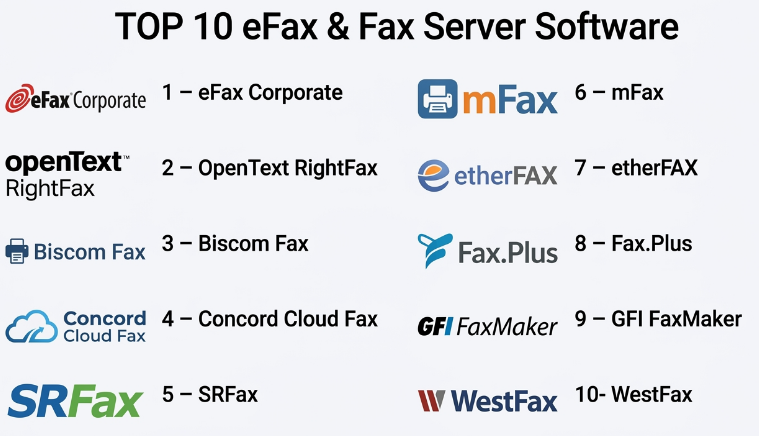
Top 10 eFax & Fax Server Software
#1 — eFax Corporate
Short description :
eFax Corporate is a cloud fax solution designed for businesses that need secure digital faxing without maintaining physical fax machines or traditional fax servers. It supports sending and receiving faxes through email, web workflows, and business systems. eFax Corporate is useful for healthcare, legal, finance, insurance, and enterprise teams that still depend on fax-based document exchange. It helps organizations reduce paper faxing, centralize fax communication, and improve remote access. It is best for companies that want a recognized cloud fax service for business use.
Key Features
- Cloud-based fax sending and receiving.
- Email-to-fax and fax-to-email workflows.
- Inbound fax routing.
- Admin and user management.
- Fax delivery confirmations.
- Secure document handling.
- Business and enterprise fax number support.
Pros
- Removes the need for traditional fax machines.
- Useful for remote and distributed teams.
- Strong fit for businesses moving from paper fax to cloud fax.
Cons
- Pricing depends on volume and business needs.
- Some complex workflows may require enterprise setup.
- Organizations with strict on-premise requirements may prefer fax server software.
Platforms / Deployment
Web / Email / Mobile options may vary
Cloud
Security & Compliance
Supports secure cloud fax workflows and business administration controls. Specific compliance details should be validated directly with the vendor, especially for healthcare, legal, or regulated use cases.
Integrations & Ecosystem
eFax Corporate supports common business fax workflows and can fit into document-heavy operations.
- Email systems.
- Web fax workflows.
- Department inboxes.
- Digital document workflows.
- Enterprise fax number management.
- Business communication processes.
Support & Community
eFax Corporate provides business support, documentation, and account resources. It is suitable for companies that want a cloud fax provider with enterprise-oriented options.
#2 — OpenText RightFax
Short description :
OpenText RightFax is one of the most recognized enterprise fax server platforms for organizations that need secure, scalable, and integrated fax workflows. It supports high-volume faxing, inbound and outbound routing, integrations with business systems, multi-function printers, and enterprise document workflows. RightFax is commonly used in healthcare, finance, insurance, government, legal, and large enterprise environments. It is best for organizations that need a powerful fax server solution with deep enterprise control and system integration.
Key Features
- Enterprise fax server capabilities.
- High-volume inbound and outbound faxing.
- Fax routing and workflow automation.
- Email-to-fax and fax-to-email support.
- Multi-function printer integration.
- Enterprise application integrations.
- Reporting, audit logs, and administration controls.
Pros
- Strong enterprise fax server feature set.
- Good for regulated and high-volume environments.
- Supports complex integrations and routing workflows.
Cons
- May require technical expertise to deploy and manage.
- More complex than simple cloud fax services.
- Smaller businesses may not need this level of infrastructure.
Platforms / Deployment
Windows / Web administration options may vary
Self-hosted / Hybrid / Cloud options may vary
Security & Compliance
Supports enterprise fax security controls, audit logs, routing controls, and administrative governance. Specific compliance capabilities should be validated based on deployment and configuration.
Integrations & Ecosystem
OpenText RightFax is designed for enterprise document and application workflows.
- Email systems.
- Multi-function printers.
- Document management platforms.
- Healthcare and enterprise applications.
- ERP and workflow systems.
- Archive and records systems.
Support & Community
OpenText provides enterprise support, documentation, implementation partners, and professional services. RightFax is best for organizations with mature IT and document workflow needs.
#3 — Biscom Fax
Short description :
Biscom Fax is a secure fax platform designed for organizations that need reliable faxing, compliance-friendly workflows, and enterprise document delivery. It supports cloud fax, fax server, and hybrid fax options depending on organizational needs. Biscom is especially relevant for healthcare, legal, finance, government, and regulated industries where secure transmission and auditability matter. It helps teams send, receive, route, and track fax communication more efficiently. It is best for organizations that need secure fax workflows with flexible deployment choices.
Key Features
- Secure inbound and outbound faxing.
- Cloud, server, and hybrid fax options.
- Email-to-fax and fax-to-email workflows.
- Fax routing and delivery tracking.
- Administrative controls.
- Document workflow support.
- Enterprise integration options.
Pros
- Strong focus on secure document delivery.
- Flexible deployment options.
- Useful for regulated industries and high-value documents.
Cons
- Setup can vary depending on deployment model.
- May be more advanced than small teams need.
- Integration planning may be required for complex workflows.
Platforms / Deployment
Web / Email / Server options may vary
Cloud / Self-hosted / Hybrid
Security & Compliance
Supports secure faxing, administrative controls, and audit-friendly workflows. Specific compliance claims should be validated directly with the vendor for the intended industry.
Integrations & Ecosystem
Biscom Fax connects fax workflows with business and regulated document processes.
- Email platforms.
- Document workflows.
- Enterprise applications.
- Healthcare workflows.
- Secure file and document delivery.
- Fax routing systems.
Support & Community
Biscom provides documentation, business support, and implementation guidance. It is suitable for teams that need secure and flexible fax infrastructure.
#4 — Concord Cloud Fax
Short description :
Concord Cloud Fax is a cloud fax platform designed for secure, scalable, and enterprise-ready digital faxing. It helps organizations replace fax machines and legacy fax infrastructure with cloud-based fax workflows. Concord is useful for healthcare, finance, insurance, legal, government, and enterprise teams that need reliable fax transmission and management. It supports inbound and outbound faxing, fax APIs, email workflows, and enterprise administration. It is best for organizations that want cloud fax scalability with business-grade controls.
Key Features
- Cloud fax sending and receiving.
- Email-to-fax and fax-to-email.
- Fax API options.
- Inbound fax routing.
- Delivery tracking and confirmations.
- Admin controls and user management.
- Enterprise fax number management.
Pros
- Strong cloud fax scalability.
- Useful for enterprise and regulated workflows.
- API support helps automate fax processes.
Cons
- Pricing and setup depend on usage and requirements.
- Advanced routing may require configuration.
- Organizations needing full on-premise control may need another option.
Platforms / Deployment
Web / Email / API
Cloud
Security & Compliance
Supports secure cloud fax workflows, administrative controls, and business fax governance. Specific compliance details should be validated directly with the vendor.
Integrations & Ecosystem
Concord Cloud Fax supports enterprise and automated fax workflows.
- Email systems.
- Business applications.
- Fax APIs.
- Document management workflows.
- Healthcare and claims systems.
- Enterprise communication systems.
Support & Community
Concord provides business support, documentation, and enterprise onboarding resources. It is suitable for teams moving fax operations into the cloud.
#5 — SRFax
Short description :
SRFax is an online fax service used by individuals, small businesses, healthcare offices, and professional teams that need secure digital faxing. It supports sending and receiving faxes through a web portal, email workflows, and business fax numbers. SRFax is practical for organizations that want a straightforward cloud fax solution without running fax servers. It is especially relevant for small clinics, professional offices, finance teams, and businesses that still exchange signed or regulated documents by fax. It is best for users who need simple, reliable online faxing with security-focused options.
Key Features
- Online fax sending and receiving.
- Fax-to-email and email-to-fax.
- Web-based fax portal.
- Fax number management.
- Delivery confirmations.
- Secure fax workflows.
- Team and account management options may vary.
Pros
- Simple and practical online faxing.
- Useful for small businesses and professional offices.
- Good alternative to physical fax machines.
Cons
- May not match deep enterprise fax server needs.
- Advanced integrations may be limited compared with API-first platforms.
- High-volume businesses should validate pricing and capacity.
Platforms / Deployment
Web / Email
Cloud
Security & Compliance
Supports secure fax workflows and account controls. Specific compliance suitability should be validated directly with the vendor, especially for healthcare or regulated use.
Integrations & Ecosystem
SRFax supports straightforward digital fax workflows.
- Email faxing.
- Web fax portal.
- Fax number management.
- Digital document workflows.
- Small office communication.
- Secure document transmission.
Support & Community
SRFax provides documentation and customer support resources. It is practical for teams that need reliable online faxing without complex deployment.
#6 — mFax
Short description :
mFax is a cloud fax platform designed for businesses that need secure, modern, and scalable faxing without traditional fax infrastructure. It supports web faxing, email faxing, APIs, user management, reporting, and secure document transmission. mFax is useful for healthcare, finance, legal, insurance, and business teams that need reliable digital fax workflows. It is especially relevant for organizations that want API-based fax automation and cloud administration. It is best for teams that need modern cloud faxing with business workflow flexibility.
Key Features
- Cloud fax sending and receiving.
- Web and email fax workflows.
- Fax API support.
- User and admin management.
- Fax delivery tracking.
- Secure document transmission.
- Reporting and usage visibility.
Pros
- Modern cloud fax experience.
- API support helps automate fax workflows.
- Useful for regulated and document-heavy teams.
Cons
- API workflows may require developer involvement.
- Smaller teams may not need advanced capabilities.
- Compliance details should be validated for specific industries.
Platforms / Deployment
Web / Email / API
Cloud
Security & Compliance
Supports secure fax workflows, user controls, and business administration features. Specific security and compliance details should be validated directly with the vendor.
Integrations & Ecosystem
mFax fits into business and automated fax workflows.
- Email systems.
- Fax APIs.
- Document management tools.
- Business applications.
- Healthcare workflows.
- Reporting and administrative systems.
Support & Community
mFax provides documentation, support, and business onboarding resources. It is useful for teams that want cloud faxing with technical flexibility.
#7 — etherFAX
Short description :
etherFAX is a cloud-based fax and secure document delivery platform focused on replacing traditional fax infrastructure with cloud connectivity. It is often used by healthcare, enterprise, software vendors, and organizations that need secure fax transport and interoperability. etherFAX can support cloud faxing, fax APIs, healthcare-related document exchange, and integration with enterprise applications. It is best for organizations that need secure fax connectivity and cloud-based fax infrastructure rather than a basic consumer fax tool.
Key Features
- Cloud fax transport.
- Secure document delivery.
- Fax API and integration support.
- Enterprise fax connectivity.
- Healthcare workflow support.
- Inbound and outbound fax workflows.
- Interoperability with fax-enabled systems.
Pros
- Strong for secure fax infrastructure modernization.
- Useful for healthcare and enterprise connectivity.
- Supports embedded and integrated fax workflows.
Cons
- May be more infrastructure-focused than simple end-user faxing.
- Implementation may require vendor or IT support.
- Small teams may prefer simpler online fax tools.
Platforms / Deployment
Web / API / Integrated workflows
Cloud
Security & Compliance
Supports secure document transmission and cloud fax infrastructure workflows. Specific security and compliance details should be validated directly with the vendor.
Integrations & Ecosystem
etherFAX is designed for secure fax connectivity and system-level workflows.
- Healthcare systems.
- Enterprise fax platforms.
- Fax APIs.
- Document exchange workflows.
- Business applications.
- Secure transmission systems.
Support & Community
etherFAX provides business support, technical resources, and integration guidance. It is suitable for organizations modernizing fax infrastructure or embedding fax into applications.
#8 — Fax.Plus
Short description :
Fax.Plus is an online fax platform for individuals, small businesses, teams, and organizations that need to send and receive faxes digitally. It supports web faxing, mobile faxing, email-to-fax, team management, and business fax workflows. Fax.Plus is useful for remote professionals, SMBs, legal offices, healthcare-adjacent teams, and companies that need occasional or moderate fax volume. It is best for users who want a clean online fax experience with mobile and web access.
Key Features
- Online fax sending and receiving.
- Web and mobile apps.
- Email-to-fax support.
- Team management features.
- Fax numbers and number portability options may vary.
- Delivery confirmation.
- Document scanning and faxing from mobile.
Pros
- Easy for individuals and small teams.
- Good mobile faxing experience.
- Useful for remote and flexible work.
Cons
- May not fit complex enterprise fax server requirements.
- High-volume regulated workflows should be reviewed carefully.
- Advanced integrations may be limited compared with enterprise platforms.
Platforms / Deployment
Web / iOS / Android
Cloud
Security & Compliance
Supports secure online fax workflows and account controls. Specific compliance suitability should be validated directly with the vendor.
Integrations & Ecosystem
Fax.Plus supports simple and flexible digital fax workflows.
- Web faxing.
- Mobile faxing.
- Email-to-fax.
- Cloud document workflows.
- Team fax management.
- Digital document scanning.
Support & Community
Fax.Plus provides documentation, help resources, and customer support. It is suitable for users who need a simple online fax service.
#9 — GFI FaxMaker
Short description :
GFI FaxMaker is fax server software designed to help organizations send and receive faxes electronically through email and business systems. It supports fax server workflows, inbound and outbound routing, email integration, and multi-function device support depending on setup. GFI FaxMaker is useful for SMBs and mid-market organizations that want a traditional fax server approach without relying on manual fax machines. It is best for companies that want on-premise or server-based faxing with email integration.
Key Features
- Fax server functionality.
- Email-to-fax and fax-to-email.
- Inbound fax routing.
- Outbound fax management.
- Multi-function printer support may vary.
- Fax reporting and logs.
- User and admin controls.
Pros
- Practical for server-based fax environments.
- Good for email-integrated fax workflows.
- Useful for organizations replacing physical fax machines.
Cons
- Requires server setup and maintenance.
- May feel traditional compared with cloud fax tools.
- Cloud-first organizations may prefer hosted fax services.
Platforms / Deployment
Windows Server / Email clients
Self-hosted / Hybrid options may vary
Security & Compliance
Supports fax server controls, user management, fax logs, and internal administration features. Specific compliance suitability depends on deployment and configuration.
Integrations & Ecosystem
GFI FaxMaker fits into traditional business IT and email workflows.
- Email systems.
- Fax modems or fax services may vary.
- Multi-function devices.
- Windows Server environments.
- Internal routing workflows.
- Business document processes.
Support & Community
GFI provides documentation, technical support resources, and partner assistance. It is useful for IT teams managing server-based fax workflows.
#10 — WestFax
Short description :
WestFax is a cloud fax and fax API provider that supports online faxing, secure fax transmission, enterprise fax workflows, and application-based fax integration. It is useful for businesses that need web faxing, automated faxing, healthcare workflows, and API-driven fax delivery. WestFax can support organizations that need to send and receive documents securely without managing physical fax infrastructure. It is best for businesses that need cloud faxing with API and workflow flexibility.
Key Features
- Cloud fax sending and receiving.
- Fax API support.
- Web fax portal.
- Secure document transmission.
- Delivery status tracking.
- Inbound fax routing.
- Business fax number support.
Pros
- Useful for API-based fax workflows.
- Good fit for cloud fax modernization.
- Practical for businesses needing secure document exchange.
Cons
- API use may require technical setup.
- Smaller teams may prefer simpler web fax tools.
- Industry-specific compliance should be validated before deployment.
Platforms / Deployment
Web / API
Cloud
Security & Compliance
Supports secure cloud fax workflows and business administration controls. Specific security and compliance details should be validated directly with the vendor.
Integrations & Ecosystem
WestFax supports cloud fax and system integration workflows.
- Fax APIs.
- Web faxing.
- Business applications.
- Healthcare workflows.
- Document management systems.
- Automated fax delivery.
Support & Community
WestFax provides documentation, support resources, and technical guidance for API-based workflows. It is suitable for teams that need faxing embedded into business processes.
Comparison Table
| Tool Name | Best For | Platform(s) Supported | Deployment | Standout Feature | Public Rating |
|---|---|---|---|---|---|
| eFax Corporate | Business cloud faxing | Web / Email / Mobile varies | Cloud | Recognized cloud fax for teams and enterprises | N/A |
| OpenText RightFax | Enterprise fax server workflows | Windows / Web admin varies | Self-hosted / Hybrid / Cloud varies | Deep enterprise fax server control | N/A |
| Biscom Fax | Secure regulated fax workflows | Web / Email / Server varies | Cloud / Self-hosted / Hybrid | Secure fax with flexible deployment options | N/A |
| Concord Cloud Fax | Enterprise cloud faxing | Web / Email / API | Cloud | Cloud fax scalability and API support | N/A |
| SRFax | Small business and professional online faxing | Web / Email | Cloud | Simple secure online fax workflows | N/A |
| mFax | Modern cloud fax and API workflows | Web / Email / API | Cloud | Business cloud fax with API flexibility | N/A |
| etherFAX | Secure fax infrastructure modernization | Web / API / Integrated workflows | Cloud | Cloud fax connectivity and secure transport | N/A |
| Fax.Plus | Simple online and mobile faxing | Web / iOS / Android | Cloud | Easy web and mobile fax experience | N/A |
| GFI FaxMaker | Server-based fax management | Windows Server / Email clients | Self-hosted / Hybrid varies | Traditional fax server with email integration | N/A |
| WestFax | Cloud fax APIs and business workflows | Web / API | Cloud | API-based fax automation | N/A |
Evaluation & eFax & Fax Server Software
| Tool Name | Core (25%) | Ease (15%) | Integrations (15%) | Security (10%) | Performance (10%) | Support (10%) | Value (15%) | Weighted Total (0–10) |
|---|---|---|---|---|---|---|---|---|
| eFax Corporate | 8 | 9 | 7 | 8 | 8 | 8 | 8 | 8.05 |
| OpenText RightFax | 10 | 6 | 10 | 9 | 9 | 9 | 7 | 8.60 |
| Biscom Fax | 9 | 8 | 8 | 9 | 8 | 8 | 8 | 8.40 |
| Concord Cloud Fax | 9 | 8 | 9 | 8 | 8 | 8 | 8 | 8.35 |
| SRFax | 7 | 9 | 6 | 8 | 8 | 8 | 8 | 7.70 |
| mFax | 8 | 8 | 9 | 8 | 8 | 8 | 8 | 8.15 |
| etherFAX | 9 | 7 | 9 | 9 | 8 | 8 | 7 | 8.15 |
| Fax.Plus | 7 | 9 | 6 | 8 | 8 | 8 | 8 | 7.70 |
| GFI FaxMaker | 8 | 7 | 7 | 8 | 8 | 8 | 8 | 7.65 |
| WestFax | 8 | 8 | 9 | 8 | 8 | 8 | 8 | 8.15 |
These scores are comparative and should be used as a practical guide, not a fixed ranking. OpenText RightFax is strong for enterprise fax server environments. Biscom Fax, Concord Cloud Fax, mFax, etherFAX, and WestFax are useful for secure cloud and API-based workflows. eFax Corporate, SRFax, and Fax.Plus are practical for simpler business online faxing. GFI FaxMaker is relevant for organizations that still prefer server-based fax management.
Which eFax & Fax Server Software
Solo / Freelancer
Solo professionals usually need a simple and affordable online fax service rather than a full fax server. Fax.Plus, SRFax, or basic online fax tools may be enough for occasional faxing.
A freelancer should focus on ease of use, mobile access, document upload, fax confirmation, and low monthly cost. A full enterprise fax server is usually unnecessary unless the freelancer manages fax workflows for clients.
SMB
Small and medium businesses should focus on simple cloud faxing, email-to-fax, fax-to-email, basic admin controls, and predictable pricing. eFax Corporate, SRFax, mFax, Fax.Plus, and GFI FaxMaker can be practical depending on whether the company wants cloud or server-based faxing.
If the company wants to remove physical fax machines, cloud fax is usually the simplest path. If the company already has server infrastructure and wants local control, GFI FaxMaker may be worth reviewing.
Mid-Market
Mid-market organizations usually need stronger routing, user management, reporting, security controls, integrations, and fax number management. Biscom Fax, Concord Cloud Fax, mFax, eFax Corporate, and WestFax are strong candidates.
At this stage, buyers should test inbound routing, delivery reliability, fax confirmations, department workflows, user permissions, and integration with document management or line-of-business applications.
Enterprise
Enterprises should prioritize scalability, audit trails, compliance support, integration depth, high-volume faxing, admin governance, data security, and deployment flexibility. OpenText RightFax, Biscom Fax, Concord Cloud Fax, etherFAX, and WestFax are strong options depending on architecture.
Large organizations should involve IT, compliance, security, records management, legal, and department leaders before replacing legacy fax infrastructure.
Budget vs Premium
Budget-conscious users may prefer SRFax, Fax.Plus, or basic cloud fax plans if fax volume is low and workflows are simple.
Premium platforms such as OpenText RightFax, Biscom Fax, Concord Cloud Fax, etherFAX, and enterprise-grade mFax or WestFax are better when organizations need compliance support, APIs, routing, high-volume faxing, and stronger administration.
Feature Depth vs Ease of Use
If ease of use matters most, Fax.Plus, SRFax, eFax Corporate, and mFax are practical choices. They help users fax digitally without complex infrastructure.
If feature depth matters more, OpenText RightFax, Biscom Fax, Concord Cloud Fax, etherFAX, and WestFax provide stronger enterprise routing, API, security, and infrastructure capabilities.
Integrations & Scalability
Fax software should integrate with email systems, document management platforms, healthcare systems, ERP tools, CRM tools, multi-function printers, APIs, archives, and records management systems.
For API-based workflows, mFax, Concord Cloud Fax, etherFAX, and WestFax are strong candidates. For traditional enterprise fax server control, RightFax and GFI FaxMaker are relevant. For simple business faxing, eFax Corporate, SRFax, and Fax.Plus are practical.
Security & Compliance Needs
Fax workflows may involve medical records, insurance claims, legal notices, employee documents, financial statements, customer data, contracts, and government paperwork. Security must be reviewed carefully.
Buyers should validate encryption, access controls, SSO, MFA, audit logs, delivery confirmations, data retention, fax storage rules, administrator permissions, user authentication, and compliance suitability before deployment.
Frequently Asked Questions
1. What is eFax & Fax Server Software?
eFax & Fax Server Software helps organizations send and receive faxes digitally through email, web portals, APIs, cloud platforms, or internal fax servers. It replaces or modernizes physical fax machines while keeping compatibility with fax-based communication.
2. How is eFax different from fax server software?
eFax usually refers to cloud-based online faxing, where users send and receive faxes through the internet. Fax server software is often installed or managed within an organization’s IT environment and may provide more control, routing, integrations, and internal administration.
3. What pricing models are common for eFax and fax server tools?
Pricing may be based on users, fax pages, fax numbers, monthly volume, enterprise licensing, API usage, deployment type, support level, or compliance features. Cloud fax tools often use subscription pricing, while fax server platforms may involve licenses and infrastructure costs.
4. What are common mistakes when choosing fax software?
Common mistakes include underestimating fax volume, ignoring inbound routing needs, not checking compliance requirements, failing to test delivery reliability, and choosing a simple fax tool when the organization needs enterprise integration. Another mistake is not planning fax number migration carefully.
5. Which tool is best for small businesses?
SRFax, Fax.Plus, eFax Corporate, and mFax can be practical for small businesses depending on fax volume and security needs. The best choice should be easy to use, affordable, and reliable for both sending and receiving faxes.
6. Which tool is best for enterprises?
OpenText RightFax, Biscom Fax, Concord Cloud Fax, etherFAX, and WestFax are strong enterprise options. The best choice depends on whether the organization needs cloud fax, fax server control, APIs, healthcare workflows, or high-volume routing.
7. Can eFax tools replace physical fax machines?
Yes, many eFax tools can replace physical fax machines by allowing users to send and receive faxes through email, web portals, or business systems. However, organizations should test workflows, fax numbers, inbound routing, and compliance needs before switching fully.
8. What is email-to-fax?
Email-to-fax allows users to send a fax by composing an email and attaching a document. The fax platform converts the email attachment into a fax and sends it to the recipient’s fax number. It is one of the most common digital fax workflows.
9. Do fax tools support APIs?
Many modern fax platforms support APIs for automated fax sending and receiving. APIs are useful for healthcare systems, insurance claims, CRM workflows, ERP systems, document automation, and custom business applications.
10. Are eFax and fax server tools secure?
They can be secure when configured properly. Buyers should check encryption, access control, user authentication, audit logs, fax storage, retention settings, delivery confirmations, and compliance documentation before choosing a platform.
Conclusion
eFax & Fax Server Software helps organizations modernize fax communication while keeping compatibility with partners, customers, agencies, and industries that still depend on fax. The right solution depends on fax volume, security needs, compliance expectations, deployment preference, and integration complexity. eFax Corporate, SRFax, and Fax.Plus are practical for straightforward online faxing. mFax, Concord Cloud Fax, WestFax, and etherFAX are strong for cloud fax and API-based workflows. Biscom Fax offers secure deployment flexibility, while OpenText RightFax remains a strong choice for enterprise fax server environments
