Introduction
Meeting Transcription Tools help individuals and teams convert spoken conversations into written text. In simple words, these tools listen to meetings, calls, interviews, webinars, lectures, and discussions, then create a readable transcript that can be searched, edited, shared, and reused later.
These tools are important because meetings often include decisions, customer feedback, project updates, sales discussions, interview answers, training details, and leadership instructions. When teams depend only on memory or manual notes, important points can be missed. A good meeting transcription tool helps teams preserve accurate records, review conversations, improve follow-ups, and support better collaboration.
Common use cases include transcribing Zoom calls, customer interviews, sales calls, hiring interviews, legal discussions, research interviews, team meetings, training sessions, podcasts, webinars, and internal reviews.
Buyers should evaluate transcription accuracy, speaker identification, language support, meeting platform integrations, editing tools, AI summaries, search, export options, security, privacy controls, admin management, and pricing.
Best for: sales teams, recruiters, researchers, consultants, product managers, customer success teams, journalists, legal teams, educators, remote teams, and organizations that need reliable written records of conversations.
Not ideal for: teams with very few meetings, organizations that cannot record conversations due to policy restrictions, or users who only need short manual meeting notes instead of full transcripts.
Key Trends in Meeting Transcription Tools
- AI transcription accuracy is improving, especially for clear audio, structured meetings, and commonly spoken business languages.
- Meeting transcription is becoming more automated, with tools joining meetings, recording audio, generating transcripts, and sending summaries without manual effort.
- Speaker identification is now a major feature, because teams need to know who said what during customer calls, interviews, and internal discussions.
- AI summaries are being added to transcription tools, helping users quickly review long conversations without reading full transcripts.
- Searchable transcript libraries are becoming valuable, especially for sales teams, product research teams, customer success teams, and leadership groups.
- Privacy and consent are becoming more important, because transcripts may include sensitive employee, customer, legal, financial, or strategic information.
- Multilingual transcription is growing, supporting global teams, international customers, research calls, and distributed organizations.
- CRM and productivity integrations are becoming expected, especially for sales, recruiting, project management, and customer-facing workflows.
- Human-reviewed transcription still matters for high-stakes work, especially when accuracy is critical for legal, medical, research, or formal documentation.
- Transcript-to-action workflows are becoming popular, where tools extract decisions, tasks, risks, objections, and follow-ups from conversations.
How We Selected These Tools
The tools below were selected using practical business-focused evaluation logic.
- Market recognition: Tools commonly known in transcription, AI meeting notes, conversation intelligence, and speech-to-text categories were prioritized.
- Transcription quality: Accuracy, speaker labels, punctuation, formatting, and audio handling were considered.
- Meeting support: Tools that work with common video meeting platforms and recorded files were included.
- Ease of use: Transcription tools should be easy for both technical and non-technical users.
- AI capabilities: Summaries, highlights, action items, search, and topic detection were considered.
- Security and privacy: Consent, access control, data retention, admin settings, and sensitive data handling were reviewed.
- Integrations: Calendar, meeting platforms, CRM, collaboration tools, and file export options were considered.
- Customer fit: The list includes tools for individuals, SMBs, enterprises, researchers, sales teams, and content creators.
- Scalability: Tools suitable for personal use, team use, and larger organizations were included.
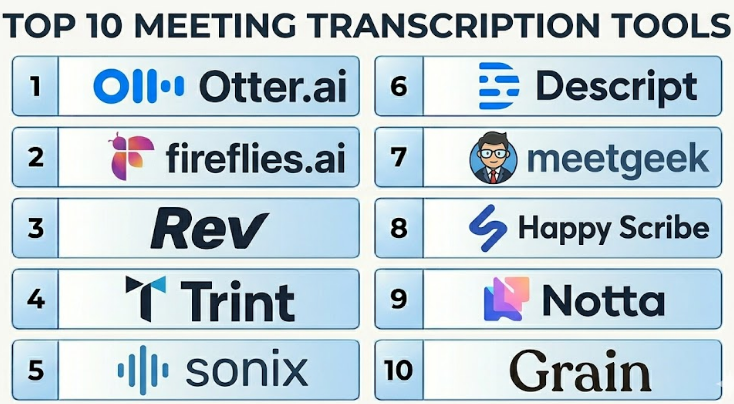
Top 10 Meeting Transcription Tools
#1 — Otter.ai
Short description :
Otter.ai is one of the most widely used meeting transcription tools for individuals, teams, educators, recruiters, and business users. It provides live transcription, speaker identification, searchable transcripts, AI summaries, and collaborative note features. Otter.ai is useful for meetings, lectures, interviews, team discussions, and remote collaboration. It helps users capture spoken conversations in real time and review them later. It is best for users who want an easy transcription tool with strong meeting workflow support.
Key Features
- Live meeting transcription.
- Speaker identification.
- AI-generated meeting summaries.
- Searchable transcripts.
- Highlighting and comments.
- Calendar-based meeting capture.
- Team collaboration features.
Pros
- Easy to use for individuals and teams.
- Strong live transcription experience.
- Good for meeting review, interviews, and lectures.
Cons
- Accuracy can vary with noisy audio or strong accents.
- Advanced team controls may require paid plans.
- Sensitive meetings require clear consent and privacy rules.
Platforms / Deployment
Web / iOS / Android
Cloud
Security & Compliance
Supports business account security and administrative controls depending on plan. Specific security certifications and compliance details should be validated directly with the vendor.
Integrations & Ecosystem
Otter.ai fits well into meeting, calendar, and collaboration workflows.
- Zoom.
- Google Meet.
- Microsoft Teams.
- Calendar tools.
- File sharing workflows.
- Team collaboration processes.
Support & Community
Otter.ai provides documentation, support resources, onboarding guidance, and a large user community. It is practical for users who need regular meeting transcription without heavy setup.
#2 — Fireflies.ai
Short description :
Fireflies.ai is an AI meeting transcription and meeting assistant platform that records, transcribes, summarizes, and organizes meetings. It is useful for sales teams, recruiters, customer success teams, product teams, consultants, and internal teams. Fireflies.ai can create searchable meeting transcripts, identify action items, and connect meeting content with business tools. It is a strong option for teams that want transcription plus meeting intelligence. It is best for organizations that need transcripts, summaries, and searchable meeting history.
Key Features
- Automated meeting transcription.
- Meeting recording and playback.
- AI summaries and action items.
- Searchable transcript library.
- Speaker identification.
- Team collaboration on transcripts.
- CRM and workflow integrations.
Pros
- Good all-purpose transcription and meeting assistant.
- Useful for building a searchable meeting archive.
- Strong for teams that need follow-up automation.
Cons
- Recording bots may not suit every meeting culture.
- Summary and transcript accuracy should be reviewed for important meetings.
- Admin governance is important for sensitive conversations.
Platforms / Deployment
Web / iOS / Android
Cloud
Security & Compliance
Supports business security features and admin controls depending on plan. Specific security certifications and compliance details should be validated directly with the vendor.
Integrations & Ecosystem
Fireflies.ai connects meeting transcripts with productivity and business systems.
- Zoom.
- Google Meet.
- Microsoft Teams.
- Google Calendar.
- CRM systems.
- Project and collaboration tools.
Support & Community
Fireflies.ai provides documentation, onboarding resources, and support options. It is useful for teams that want meeting transcription across multiple departments.
#3 — Rev
Short description :
Rev is a transcription service known for both AI transcription and human transcription options. It is useful for users who need transcripts for meetings, interviews, research, media, legal-adjacent work, podcasts, webinars, and formal documentation. Rev is especially relevant when accuracy matters and users may want human-reviewed transcription instead of fully automated output. It supports uploaded audio and video files as well as transcription workflows for different content types. It is best for users who need flexible transcription options with accuracy-focused services.
Key Features
- AI transcription.
- Human transcription options.
- Audio and video file transcription.
- Captioning and subtitle support.
- Transcript editing tools.
- Speaker labeling options.
- Exportable transcripts.
Pros
- Strong option when accuracy matters.
- Human transcription is useful for high-stakes content.
- Good for interviews, media, research, and documentation.
Cons
- Human transcription can cost more than automated tools.
- May not be as meeting-bot focused as AI meeting assistants.
- Turnaround time may vary by service type.
Platforms / Deployment
Web
Cloud
Security & Compliance
Supports business account controls and transcription data handling features. Specific security and compliance details should be validated directly with the vendor.
Integrations & Ecosystem
Rev is useful for file-based transcription and content workflows.
- Audio file transcription.
- Video file transcription.
- Captioning workflows.
- Research interview workflows.
- Media production workflows.
- Transcript export processes.
Support & Community
Rev provides documentation, customer support, and transcription service guidance. It is a strong option for users who need more accuracy-focused transcription workflows.
#4 — Trint
Short description :
Trint is an AI transcription and content editing platform designed for journalists, media teams, researchers, marketers, and business users. It helps users transcribe audio and video, edit transcripts, collaborate with teams, and turn spoken content into written assets. Trint is useful for interviews, webinars, podcasts, research calls, meetings, and video content workflows. It offers a strong transcript editing experience and collaboration features. It is best for teams that need transcription plus content production support.
Key Features
- AI audio and video transcription.
- Transcript editor.
- Speaker identification.
- Collaboration tools.
- Search across transcripts.
- Translation and language support may vary by plan.
- Export options for content workflows.
Pros
- Strong for media, research, and content teams.
- Good transcript editing experience.
- Useful for turning conversations into publishable content.
Cons
- May be more content-focused than meeting-focused.
- Pricing may not fit casual users.
- Accuracy still depends on audio quality and speaker clarity.
Platforms / Deployment
Web
Cloud
Security & Compliance
Supports team access controls and business security features depending on plan. Specific compliance details should be validated directly with the vendor.
Integrations & Ecosystem
Trint supports transcription and content production workflows.
- Audio and video uploads.
- Media editing workflows.
- Content production processes.
- Team collaboration.
- Transcript export.
- Research and interview workflows.
Support & Community
Trint provides documentation, onboarding resources, and customer support. It is useful for teams that need transcription with editing and content reuse.
#5 — Sonix
Short description :
Sonix is an automated transcription, translation, and subtitle platform for audio and video content. It is useful for meetings, interviews, podcasts, webinars, research calls, lectures, and media production. Sonix focuses on fast AI transcription with editing, search, speaker labeling, and export features. It is practical for individuals, teams, content creators, researchers, and businesses that need accurate and editable transcripts. It is best for users who need transcription across audio, video, subtitles, and multilingual workflows.
Key Features
- Automated transcription.
- Audio and video file support.
- Speaker labeling.
- Transcript editor.
- Search and organization.
- Subtitle and caption workflows.
- Translation features may vary by plan.
Pros
- Strong for audio and video transcription.
- Useful editing and export options.
- Good for content creators and research teams.
Cons
- Not mainly a live meeting assistant.
- Accuracy varies with audio quality.
- Advanced collaboration and workflow features may require higher plans.
Platforms / Deployment
Web
Cloud
Security & Compliance
Supports business security and account controls depending on plan. Specific security certifications and compliance details should be validated directly with the vendor.
Integrations & Ecosystem
Sonix supports transcription, subtitle, and content workflows.
- Audio file uploads.
- Video file uploads.
- Subtitle exports.
- Media editing workflows.
- Research workflows.
- Team transcript management.
Support & Community
Sonix provides documentation, support resources, and product guidance. It is practical for teams that need editable transcripts and subtitle-ready outputs.
#6 — Descript
Short description :
Descript is an audio and video editing platform with strong transcription capabilities. It allows users to edit media by editing the transcript, making it useful for podcasts, video content, webinars, interviews, training content, and recorded meetings. Descript is not only a meeting transcription tool, but it is highly valuable for teams that want to turn conversations into edited content. It helps users transcribe, edit, remove filler words, create clips, and produce polished media. It is best for creators, marketers, educators, and teams that need transcription plus content editing.
Key Features
- Audio and video transcription.
- Text-based media editing.
- Speaker labeling.
- Filler word removal.
- Clip creation and editing.
- Screen recording and content creation tools.
- Export and publishing workflows.
Pros
- Excellent for editing content through transcripts.
- Useful for podcasts, training, and video production.
- Combines transcription with creative editing tools.
Cons
- Not mainly designed for live business meeting notes.
- May be more than needed for simple transcript capture.
- Team governance features may vary by plan.
Platforms / Deployment
Web / Windows / macOS
Cloud
Security & Compliance
Supports account security and business controls depending on plan. Specific security and compliance details should be validated directly with the vendor.
Integrations & Ecosystem
Descript supports content creation, editing, and transcript-based workflows.
- Audio editing.
- Video editing.
- Podcast production.
- Screen recording.
- Transcript editing.
- Media export workflows.
Support & Community
Descript provides tutorials, documentation, support resources, and a large creator-focused community. It is best for users who want transcription and editing together.
#7 — MeetGeek
Short description :
MeetGeek is an AI meeting assistant that records, transcribes, summarizes, and organizes meetings. It helps teams capture meeting conversations, extract highlights, identify action items, and search across meeting history. MeetGeek is useful for sales, customer success, project teams, HR, remote teams, and internal meetings. It combines meeting transcription with meeting summaries and productivity workflows. It is best for teams that want automatic transcription plus meeting follow-up support.
Key Features
- Automated meeting transcription.
- AI meeting summaries.
- Meeting recording.
- Action item extraction.
- Searchable meeting archive.
- Speaker identification.
- CRM and productivity integrations.
Pros
- Useful for meeting capture and follow-up.
- Good for both internal and customer meetings.
- Helps teams build a searchable meeting record.
Cons
- Requires recording consent and privacy planning.
- Transcripts and summaries should be reviewed for key decisions.
- Advanced workflow features may vary by plan.
Platforms / Deployment
Web
Cloud
Security & Compliance
Supports business security and admin controls depending on plan. Specific compliance and security details should be validated directly with the vendor.
Integrations & Ecosystem
MeetGeek connects meeting transcripts with business workflows.
- Zoom.
- Google Meet.
- Microsoft Teams.
- CRM systems.
- Project management tools.
- Calendar platforms.
Support & Community
MeetGeek provides documentation, onboarding resources, and customer support. It is useful for teams that need structured meeting transcription and summaries.
#8 — Happy Scribe
Short description :
Happy Scribe is a transcription and subtitle platform that supports automatic and human-made transcription services. It is useful for businesses, researchers, journalists, creators, educators, and media teams that need transcripts, captions, subtitles, and multilingual support. Happy Scribe is practical for recorded meetings, interviews, podcasts, webinars, training videos, and content localization. It offers both automated workflows and more accuracy-focused human services. It is best for users who need transcription, subtitles, and language flexibility.
Key Features
- Automatic transcription.
- Human transcription options.
- Subtitle and caption creation.
- Multiple language support.
- Transcript editor.
- Speaker labeling.
- Export options for media workflows.
Pros
- Good for multilingual transcription and subtitles.
- Useful for content teams and researchers.
- Human transcription option helps when accuracy matters.
Cons
- Less focused on live meeting automation.
- Human transcription can cost more.
- Workflow is more file-based than meeting-bot-based.
Platforms / Deployment
Web
Cloud
Security & Compliance
Supports account controls and secure file handling features depending on plan. Specific compliance details should be validated directly with the vendor.
Integrations & Ecosystem
Happy Scribe supports transcription, captioning, and localization workflows.
- Audio uploads.
- Video uploads.
- Subtitle creation.
- Translation workflows.
- Media production.
- Research and interview documentation.
Support & Community
Happy Scribe provides documentation, support resources, and transcription guidance. It is especially useful for content and multilingual transcription workflows.
#9 — Notta
Short description :
Notta is an AI transcription and meeting notes tool that supports live transcription, file transcription, meeting recording, summaries, and multilingual workflows. It is useful for professionals, students, teams, sales users, interviewers, and remote workers who need meeting or audio content turned into text. Notta supports transcription across meetings and uploaded files, making it flexible for different use cases. It is best for users who want transcription, summaries, and language support in one tool.
Key Features
- Live transcription.
- Audio and video file transcription.
- AI meeting summaries.
- Speaker identification.
- Multilingual transcription support.
- Meeting recording support.
- Export and sharing options.
Pros
- Good for live and file-based transcription.
- Useful multilingual support.
- Practical for individuals and teams.
Cons
- Accuracy can vary with audio quality and language.
- Enterprise controls may depend on plan.
- Important transcripts should still be reviewed.
Platforms / Deployment
Web / Windows / macOS / iOS / Android
Cloud
Security & Compliance
Supports account security and business controls depending on plan. Specific security certifications and compliance details should be validated directly with the vendor.
Integrations & Ecosystem
Notta supports meeting, audio, and productivity workflows.
- Zoom.
- Google Meet.
- Microsoft Teams workflows may vary.
- Calendar workflows.
- Audio file uploads.
- Transcript export processes.
Support & Community
Notta provides documentation, support resources, and onboarding guidance. It is useful for users who need flexible transcription across devices.
#10 — Grain
Short description :
Grain is a meeting recording, transcription, and video clipping tool often used by customer-facing teams, product teams, researchers, and sales teams. It helps users record meetings, transcribe conversations, create clips, share customer insights, and organize meeting moments. Grain is especially useful when teams want to share exact customer quotes, product feedback, or important call highlights. It is best for teams that need meeting transcription plus video-based insight sharing.
Key Features
- Meeting recording.
- Meeting transcription.
- Highlight clips.
- Searchable meeting library.
- Customer conversation sharing.
- AI summaries may vary by plan.
- Team collaboration around meeting insights.
Pros
- Strong for sharing customer moments and clips.
- Useful for product research and sales conversations.
- Helps teams preserve voice-of-customer insights.
Cons
- May be more clip-focused than transcript-only tools.
- Requires meeting recording consent.
- Best value depends on how teams use shared insights.
Platforms / Deployment
Web
Cloud
Security & Compliance
Supports business security and access controls depending on plan. Specific security and compliance details should be validated directly with the vendor.
Integrations & Ecosystem
Grain supports meeting insights and customer conversation workflows.
- Zoom.
- Calendar tools.
- CRM workflows.
- Product research workflows.
- Team collaboration.
- Customer feedback sharing.
Support & Community
Grain provides product support, documentation, and onboarding resources. It is useful for teams that want to turn meeting transcripts into shareable insights.
Comparison Table
| Tool Name | Best For | Platform(s) Supported | Deployment | Standout Feature | Public Rating |
|---|---|---|---|---|---|
| Otter.ai | Live meeting transcription | Web / iOS / Android | Cloud | Real-time transcription and collaborative notes | N/A |
| Fireflies.ai | Meeting transcripts and searchable history | Web / iOS / Android | Cloud | Transcription plus AI meeting intelligence | N/A |
| Rev | Accuracy-focused transcription | Web | Cloud | AI and human transcription options | N/A |
| Trint | Media, research, and content workflows | Web | Cloud | Transcript editing and team collaboration | N/A |
| Sonix | Audio, video, and subtitle transcription | Web | Cloud | Fast editable transcripts and subtitle workflows | N/A |
| Descript | Transcription plus audio/video editing | Web / Windows / macOS | Cloud | Edit media by editing text | N/A |
| MeetGeek | Automated meeting transcription and summaries | Web | Cloud | Meeting archive with action items | N/A |
| Happy Scribe | Multilingual transcription and subtitles | Web | Cloud | Automatic and human transcription options | N/A |
| Notta | Live and file-based transcription | Web / Windows / macOS / iOS / Android | Cloud | Multilingual transcription and summaries | N/A |
| Grain | Meeting clips and customer insights | Web | Cloud | Transcription with shareable video highlights | N/A |
Evaluation & Meeting Transcription Tools
| Tool Name | Core (25%) | Ease (15%) | Integrations (15%) | Security (10%) | Performance (10%) | Support (10%) | Value (15%) | Weighted Total (0–10) |
|---|---|---|---|---|---|---|---|---|
| Otter.ai | 9 | 9 | 8 | 8 | 8 | 8 | 8 | 8.35 |
| Fireflies.ai | 9 | 8 | 9 | 8 | 8 | 8 | 8 | 8.35 |
| Rev | 9 | 8 | 7 | 8 | 9 | 8 | 7 | 8.10 |
| Trint | 8 | 8 | 7 | 8 | 8 | 8 | 7 | 7.70 |
| Sonix | 8 | 8 | 7 | 8 | 8 | 8 | 8 | 7.85 |
| Descript | 8 | 8 | 8 | 8 | 8 | 8 | 8 | 8.00 |
| MeetGeek | 8 | 8 | 8 | 8 | 8 | 8 | 8 | 8.00 |
| Happy Scribe | 8 | 8 | 7 | 8 | 8 | 8 | 8 | 7.85 |
| Notta | 8 | 8 | 7 | 8 | 8 | 8 | 8 | 7.85 |
| Grain | 8 | 8 | 8 | 8 | 8 | 8 | 8 | 8.00 |
These scores are comparative and should be used as a practical guide, not a fixed ranking. Otter.ai and Fireflies.ai are strong for live and meeting-based transcription. Rev, Happy Scribe, Sonix, and Trint are strong for file-based transcription and content workflows. Descript is best when transcription is connected to audio or video editing. Grain is strong for teams that want clips and customer insights from meetings.
Which Meeting Transcription Tools
Solo / Freelancer
Solo professionals usually need a tool that is simple, affordable, accurate, and easy to export from. Otter.ai, Notta, Rev, Sonix, and Descript can be practical depending on the use case.
A consultant may prefer Otter.ai or Fireflies.ai for live meeting transcription. A creator may prefer Descript or Sonix for editing content. A researcher may prefer Rev or Happy Scribe when accuracy and clean exports are important.
SMB
Small and medium businesses should focus on ease of use, meeting integrations, searchable transcripts, and clear sharing options. Fireflies.ai, Otter.ai, MeetGeek, Notta, and Grain are useful options.
If the team needs meeting summaries and action items, Fireflies.ai or MeetGeek may work well. If the team mainly needs transcripts for recorded files, Sonix, Rev, or Happy Scribe may be better.
Mid-Market
Mid-market companies often need team libraries, admin controls, meeting platform integrations, CRM sync, and searchable meeting records. Fireflies.ai, Otter.ai, MeetGeek, Grain, and Trint are strong candidates.
At this stage, companies should evaluate whether transcription is used for sales, customer support, product research, recruiting, content, or internal documentation. Different workflows require different tools.
Enterprise
Enterprises should prioritize governance, security, access control, data retention, consent workflows, admin management, integration quality, and scalability. Fireflies.ai, Otter.ai, Rev, Trint, Sonix, and MeetGeek may be relevant depending on business needs.
Large organizations should involve IT, legal, security, compliance, HR, and business teams before recording and transcribing meetings at scale. Transcripts can contain sensitive business and employee information.
Budget vs Premium
Budget-conscious users may prefer simple AI transcription tools or tools already included in their meeting workflow. Otter.ai, Notta, Sonix, and Happy Scribe can be practical depending on usage volume.
Premium workflows may require Rev human transcription, Trint team collaboration, Descript editing features, or Fireflies.ai and MeetGeek team automation. The right choice depends on whether accuracy, speed, editing, or automation is the priority.
Feature Depth vs Ease of Use
If ease of use matters most, Otter.ai, Fireflies.ai, Notta, and MeetGeek are practical options because they simplify meeting capture and review.
If feature depth matters more, Rev, Trint, Sonix, Descript, and Grain provide stronger workflows for accuracy, editing, subtitles, media production, and meeting insight sharing.
Integrations & Scalability
Meeting transcription tools should connect with meeting platforms, calendars, CRM systems, project management tools, video editing workflows, file storage, and collaboration apps.
Sales teams should prioritize CRM sync and searchable call records. Product teams should prioritize clips and customer quotes. Content teams should prioritize editing and subtitle workflows. Enterprises should prioritize admin controls, permissions, and data retention.
Security & Compliance Needs
Transcripts may include confidential customer data, pricing, legal discussions, employee feedback, hiring conversations, product strategy, and internal decisions. Security review is essential before company-wide rollout.
Buyers should validate SSO, MFA, role-based access, encryption, transcript retention, data deletion, recording consent, admin controls, audit logs, and whether sensitive meetings can be excluded from transcription.
Frequently Asked Questions
1. What is a Meeting Transcription Tool?
A Meeting Transcription Tool converts spoken meeting conversations into written text. It helps users review what was said, search for key points, share records, and create follow-up notes. Many modern tools also provide summaries, action items, and speaker identification.
2. How is meeting transcription different from meeting notes automation?
Meeting transcription focuses on converting speech into text. Meeting notes automation usually goes further by summarizing the discussion, extracting decisions, identifying action items, and creating follow-up notes. Many tools now offer both features together.
3. What pricing models are common for Meeting Transcription Tools?
Most tools use free plans, per-user subscriptions, pay-as-you-go transcription, minute-based pricing, team plans, or custom enterprise pricing. Human transcription usually costs more than AI transcription because it involves manual review.
4. What are common mistakes when using transcription tools?
Common mistakes include recording without consent, trusting transcripts without review, using poor audio quality, ignoring speaker labels, and sharing sensitive transcripts too widely. Another mistake is choosing a tool without checking export formats and data retention settings.
5. Which tool is best for live meeting transcription?
Otter.ai, Fireflies.ai, Notta, and MeetGeek are practical options for live or meeting-based transcription. The best choice depends on meeting platform support, transcript accuracy, speaker identification, summaries, and team sharing needs.
6. Which tool is best for high-accuracy transcription?
Rev and Happy Scribe are strong options when users want human transcription or higher accuracy workflows. AI transcription is fast and affordable, but human review may be better for legal, research, formal, or high-stakes content.
7. Which tool is best for content creators?
Descript, Sonix, Trint, Happy Scribe, and Rev are useful for creators. Descript is especially strong when users want to edit audio or video through text. Sonix and Happy Scribe are useful for subtitles and transcript exports.
8. Can transcription tools identify speakers?
Many tools support speaker identification, but accuracy depends on audio quality, number of speakers, interruptions, accents, and whether speakers are clearly separated. For important transcripts, speaker labels should be reviewed manually.
9. Are Meeting Transcription Tools secure?
Many tools provide business security controls, but security depends on vendor, plan, and configuration. Buyers should review encryption, access control, SSO, data retention, deletion options, admin permissions, and transcript sharing settings.
10. Do these tools work with Zoom, Google Meet, and Microsoft Teams?
Many meeting transcription tools support popular meeting platforms such as Zoom, Google Meet, and Microsoft Teams. However, exact support can vary by tool, plan, and meeting permissions. Teams should test the workflow before rollout.
Conclusion
Meeting Transcription Tools help teams capture conversations accurately, preserve meeting context, improve follow-ups, and reduce the risk of missed information. They are useful for sales calls, interviews, customer research, internal meetings, training sessions, webinars, podcasts, and leadership discussions. The best tool depends on your workflow. Otter.ai and Fireflies.ai are strong for live meeting transcription, Rev is useful when accuracy matters, Trint and Sonix are strong for editable transcripts and content workflows, Descript is excellent for transcription-based audio and video editing, MeetGeek adds meeting summaries and action items, Happy Scribe is useful for subtitles and multilingual needs, Notta supports flexible transcription across devices, and Grain is valuable for sharing meeting clips and customer insights.
