Introduction
Digital Proofing Tools help teams review, comment on, approve, and manage creative files such as images, videos, PDFs, documents, web pages, ads, packaging, presentations, emails, and marketing assets. In simple words, these tools help teams collect feedback in one place instead of using long email threads, screenshots, chat messages, and unclear comments.
Digital proofing matters because creative work often goes through many review rounds. Designers, writers, marketers, legal teams, clients, brand managers, and leadership teams may all need to review the same asset. Without a proofing tool, feedback can become scattered, duplicated, missed, or misunderstood. A good digital proofing platform helps teams reduce revision cycles, track approvals, compare versions, and deliver final assets faster.
Best for: creative teams, design teams, agencies, marketing teams, video teams, content teams, legal reviewers, brand managers, ecommerce teams, packaging teams, and enterprise creative operations teams.
Not ideal for: teams with very low creative review volume, businesses that only need simple file sharing, or teams that already manage approvals clearly inside a project management platform.
Key Trends in Digital Proofing Tools
- Video proofing is becoming more important because brands now produce more short-form videos, product videos, ads, tutorials, and social content.
- AI-assisted feedback summaries are helping teams understand long review threads and detect repeated feedback faster.
- Version comparison is now essential because creative teams need to see exactly what changed between review rounds.
- Legal and compliance review workflows are becoming more important for regulated industries and brand-sensitive campaigns.
- Guest review access is improving so clients, partners, agencies, and external stakeholders can comment without complex onboarding.
- Creative project management and proofing are merging as teams want review, approval, task tracking, and delivery in one workflow.
- Markup on multiple file types is now expected, including images, PDFs, videos, websites, emails, and documents.
- Approval audit trails are becoming critical for enterprises that need proof of who approved what and when.
- Integration with DAM, design, and cloud storage tools is becoming a major buying factor.
- Mobile-friendly review workflows are becoming useful for executives, clients, and stakeholders who approve work while traveling.
How We Selected These Tools
- Market recognition among creative, marketing, agency, design, and enterprise review teams.
- Strength of annotation, markup, comment, and approval workflows.
- Support for multiple file types such as images, videos, PDFs, documents, and web pages.
- Version comparison, proof history, and review tracking capabilities.
- Ease of use for internal reviewers, clients, partners, and non-technical stakeholders.
- Integration with project management, DAM, cloud storage, design, and communication tools.
- Suitability for freelancers, SMBs, agencies, mid-market companies, and enterprises.
- Security, permission controls, and audit trail support where known.
- Reporting, workload visibility, and creative operations support.
- Overall value for reducing revision cycles and improving approval clarity.
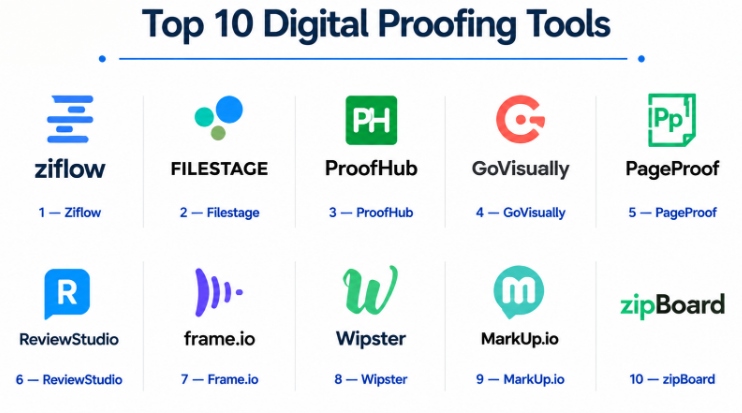
Top 10 Digital Proofing Tools
#1 — Ziflow
Short description :
Ziflow is a dedicated online proofing platform built for creative review and approval workflows. It helps teams review images, videos, PDFs, websites, documents, and marketing assets in one place. Ziflow is especially useful for agencies, marketing teams, creative operations teams, and enterprises that manage high-volume review cycles. The platform supports annotations, version comparison, approval routing, and audit trails. It is a strong choice for teams that want digital proofing as a central part of their creative workflow.
Key Features
- Online proofing for images, videos, PDFs, and web content.
- Annotation and markup tools.
- Version comparison.
- Approval workflows and routing.
- Review status tracking.
- Guest reviewer access.
- Audit trail and proof history.
Pros
- Strong dedicated proofing capabilities.
- Good for agencies and creative operations teams.
- Useful for structured review and approval workflows.
Cons
- May be more than small teams need.
- Requires process setup for best results.
- Pricing may vary by users and workflow needs.
Platforms / Deployment
Web / Cloud
Security & Compliance
Security features may vary by plan and contract. Specific certifications are Not publicly stated.
Integrations & Ecosystem
Ziflow fits well into creative project management and approval workflows.
- Project management integrations may vary.
- DAM and cloud storage connections.
- Creative workflow integrations.
- Communication tool workflows.
- API and automation options may vary.
- Agency-client review workflows.
Support & Community
Ziflow provides documentation, onboarding, and customer support. Support levels may vary by package and customer size.
#2 — Filestage
Short description :
Filestage is an online proofing and approval platform used by marketing teams, agencies, creative teams, video teams, and content teams. It helps teams collect feedback on files, manage review rounds, compare versions, and track approvals. Filestage is especially useful for teams that need a simple and clean review experience for clients and internal stakeholders. It supports multiple file formats and helps reduce messy email-based feedback. The platform is a good fit for teams that want fast adoption and clear approval visibility.
Key Features
- Review and approval workflows.
- Comments and annotations on creative files.
- Video, image, document, and PDF proofing.
- Version control and review history.
- Guest reviewer access.
- Review status tracking.
- Project and file organization.
Pros
- Easy for clients and stakeholders to use.
- Good for agencies and marketing teams.
- Clear approval tracking.
Cons
- Advanced enterprise workflow depth may vary.
- Some integrations may depend on plan.
- Large teams may need careful workspace organization.
Platforms / Deployment
Web / Cloud
Security & Compliance
Security and compliance details are Not publicly stated.
Integrations & Ecosystem
Filestage supports creative review and approval workflows across teams and clients.
- Cloud storage integrations may vary.
- Project management connections.
- Communication tool workflows.
- Video and document review.
- Client approval workflows.
- Reporting and review tracking.
Support & Community
Filestage provides support resources, documentation, and onboarding guidance. Support levels may vary by plan.
#3 — ProofHub
Short description :
ProofHub is a project management and online proofing platform used by teams that want task management, collaboration, file review, and approvals in one workspace. It helps creative teams organize projects, assign tasks, review files, comment on designs, and track progress. ProofHub is useful for agencies, marketing teams, content teams, and small to mid-sized businesses. It is not only a proofing tool; it also includes broader project management features. It is a strong option for teams that want project tracking and proofing together.
Key Features
- Online proofing and markup.
- Task and project management.
- File sharing and comments.
- Custom workflows.
- Discussions and collaboration.
- Time tracking.
- Calendar and reporting features.
Pros
- Combines proofing with project management.
- Good for small and mid-sized teams.
- Useful for teams wanting one workspace.
Cons
- Dedicated proofing features may be lighter than proofing-first tools.
- Advanced automation may vary.
- Interface fit should be tested before adoption.
Platforms / Deployment
Web / iOS / Android / Cloud
Security & Compliance
Security and compliance details are Not publicly stated.
Integrations & Ecosystem
ProofHub supports team collaboration, file review, and project workflows.
- Cloud storage integrations may vary.
- Task and project tracking.
- File review workflows.
- Team discussions.
- Client collaboration.
- Reporting and time tracking.
Support & Community
ProofHub provides documentation and customer support resources. Support levels may vary by plan.
#4 — GoVisually
Short description :
GoVisually is an online proofing tool designed for reviewing and approving creative files. It helps teams comment on images, PDFs, designs, and other visual assets with clear annotations. GoVisually is useful for designers, agencies, freelancers, marketers, and clients who need simple feedback workflows. It is especially practical for small teams that want an easy alternative to email-based design feedback. The platform focuses on visual review clarity and client-friendly collaboration.
Key Features
- Visual proofing and annotations.
- PDF and image review.
- Version control.
- Client feedback workflows.
- Approval tracking.
- File organization.
- Simple sharing.
Pros
- Easy for small teams and clients.
- Good for visual design feedback.
- Simple review and approval flow.
Cons
- May not support deep enterprise workflows.
- Video proofing depth may vary.
- Reporting and automation may be limited.
Platforms / Deployment
Web / Cloud
Security & Compliance
Security and compliance details are Not publicly stated.
Integrations & Ecosystem
GoVisually fits into lightweight creative review workflows.
- Design file review.
- Client approval workflows.
- PDF proofing.
- Image feedback.
- Simple project organization.
- External sharing.
Support & Community
GoVisually provides user support and documentation. Support levels may vary by plan.
#5 — PageProof
Short description :
PageProof is an online proofing platform built for creative, marketing, packaging, brand, and compliance review workflows. It helps teams review documents, designs, videos, web content, and creative files with structured approvals. PageProof is especially useful for teams that need approval control, review routing, and audit visibility. It can support businesses where brand, legal, and compliance reviews are important. The platform is a strong fit for organizations that need more disciplined proofing workflows.
Key Features
- Online proofing and approval workflows.
- Markup and annotation tools.
- Review routing.
- Version comparison.
- Audit trail support.
- File review across multiple formats.
- Guest reviewer collaboration.
Pros
- Strong for structured approval workflows.
- Useful for compliance-sensitive creative review.
- Good for teams needing audit visibility.
Cons
- May require setup for complex workflows.
- Smaller teams may not need all features.
- Pricing and package details should be validated.
Platforms / Deployment
Web / Cloud
Security & Compliance
Security features may vary by plan and agreement. Specific certifications are Not publicly stated.
Integrations & Ecosystem
PageProof supports structured creative, marketing, and compliance proofing workflows.
- Design workflow integrations may vary.
- Project management integrations.
- DAM and cloud storage workflows.
- Packaging review workflows.
- Approval routing.
- Audit and compliance review processes.
Support & Community
PageProof provides documentation and support resources. Support level may vary by plan and customer size.
#6 — ReviewStudio
Short description :
ReviewStudio is an online proofing platform for reviewing videos, images, PDFs, documents, and web content. It is used by agencies, video teams, creative teams, educators, and production teams that need clear feedback on media files. ReviewStudio is especially useful for video proofing and media review workflows. It helps teams collect time-coded comments, compare versions, and manage approvals. It is a practical option for teams that work heavily with visual and video content.
Key Features
- Video, image, PDF, and document proofing.
- Time-coded video comments.
- Markup and annotation tools.
- Version comparison.
- Approval tracking.
- Review sessions.
- Client and team collaboration.
Pros
- Strong for video and media review.
- Good for creative and production teams.
- Useful time-coded feedback.
Cons
- May not include broad project management features.
- Enterprise governance depth may vary.
- Integrations should be validated by need.
Platforms / Deployment
Web / Cloud
Security & Compliance
Security and compliance details are Not publicly stated.
Integrations & Ecosystem
ReviewStudio fits into video, media, and creative review workflows.
- Video proofing workflows.
- Image and document review.
- Client collaboration.
- Version comparison.
- Creative production feedback.
- External sharing and approval.
Support & Community
ReviewStudio provides documentation and support resources. Support levels may vary by plan.
#7 — Frame.io
Short description :
Frame.io is a video review and collaboration platform widely used by video editors, production teams, agencies, content creators, and marketing teams. It helps teams upload videos, collect frame-accurate comments, manage versions, and speed up review cycles. Frame.io is especially strong for video proofing and post-production collaboration. It works well for teams producing ads, social videos, films, product videos, tutorials, and branded content. It is not a general proofing tool for every file type, but it is very strong for video workflows.
Key Features
- Video review and approval.
- Frame-accurate comments.
- Version management.
- Media sharing and collaboration.
- Creative production workflows.
- Review links for stakeholders.
- Integration with video editing tools may vary.
Pros
- Strong for video proofing.
- Easy for editors and reviewers.
- Great for production collaboration.
Cons
- Less suitable for broad document proofing.
- Mainly video and media-focused.
- Advanced workflows may require proper setup.
Platforms / Deployment
Web / iOS / Android / Cloud
Security & Compliance
Security features may vary by plan and agreement. Specific certifications are Not publicly stated.
Integrations & Ecosystem
Frame.io fits into video editing, review, and production workflows.
- Video editing integrations may vary.
- Cloud media review.
- Stakeholder approval links.
- Production collaboration.
- Version review workflows.
- Media delivery processes.
Support & Community
Frame.io has strong documentation, video production community awareness, and support resources. Support levels may vary by plan.
#8 — Wipster
Short description :
Wipster is a video review and approval platform designed for video teams, agencies, marketers, and content creators. It helps teams collect feedback directly on video timelines and manage review rounds. Wipster is useful for teams that need client-friendly video approval without scattered notes and unclear timestamps. It supports creative collaboration around video production and post-production. The platform is a good fit for teams that need simple and focused video proofing.
Key Features
- Video proofing and review.
- Time-stamped comments.
- Version management.
- Approval tracking.
- Client review links.
- Team collaboration.
- Media organization.
Pros
- Good for video-specific proofing.
- Easy for clients to review videos.
- Helps reduce unclear feedback.
Cons
- Not ideal for broad creative file proofing.
- May lack deep project management features.
- Integration depth should be checked.
Platforms / Deployment
Web / Cloud
Security & Compliance
Security and compliance details are Not publicly stated.
Integrations & Ecosystem
Wipster supports video production review and client feedback workflows.
- Video review links.
- Time-stamped comments.
- Client approval workflows.
- Production team collaboration.
- Version tracking.
- Media feedback workflows.
Support & Community
Wipster provides support resources for users. Support levels may vary by plan.
#9 — MarkUp.io
Short description :
MarkUp.io is a visual feedback and annotation tool that helps teams comment directly on websites, images, PDFs, and digital content. It is useful for designers, developers, marketers, agencies, and clients who need fast feedback on visual work. MarkUp.io is especially practical for website feedback and creative review workflows. It helps reduce screenshot-based feedback by allowing comments directly on live or static content. It is a good option for teams that need lightweight proofing and visual collaboration.
Key Features
- Website and visual content feedback.
- Comments directly on designs and pages.
- PDF and image feedback support may vary.
- Shareable review links.
- Team collaboration.
- Feedback tracking.
- Lightweight review workflows.
Pros
- Strong for website and visual feedback.
- Easy for clients and stakeholders.
- Simple alternative to screenshot comments.
Cons
- Not a full creative project management platform.
- Advanced approval workflows may be limited.
- Video proofing depth may vary.
Platforms / Deployment
Web / Cloud
Security & Compliance
Security and compliance details are Not publicly stated.
Integrations & Ecosystem
MarkUp.io fits into website review, design feedback, and lightweight proofing workflows.
- Website feedback.
- Design review.
- Client collaboration.
- Shareable links.
- Visual annotations.
- Project feedback tracking.
Support & Community
MarkUp.io provides support resources and user documentation. Support levels may vary by plan.
#10 — zipBoard
Short description :
zipBoard is a visual review and feedback platform used for websites, e-learning content, documents, and digital projects. It helps teams collect comments, track issues, assign feedback, and manage review workflows. zipBoard is useful for agencies, learning teams, product teams, marketers, and developers who need clear feedback on digital content. It is especially relevant for web review, training content review, and stakeholder approvals. The platform combines proofing-style feedback with issue tracking.
Key Features
- Visual feedback and annotations.
- Website and document review.
- Issue tracking and task assignment.
- Stakeholder collaboration.
- Review workflows.
- E-learning content feedback.
- Reporting and feedback status tracking.
Pros
- Good for web and digital content review.
- Useful issue tracking features.
- Helpful for e-learning and product teams.
Cons
- May not be ideal for high-end video proofing.
- Interface fit should be tested.
- Advanced creative approval workflows may vary.
Platforms / Deployment
Web / Cloud
Security & Compliance
Security and compliance details are Not publicly stated.
Integrations & Ecosystem
zipBoard supports review workflows for digital content and websites.
- Website feedback.
- Document review.
- E-learning review workflows.
- Issue tracking.
- Stakeholder collaboration.
- Project feedback management.
Support & Community
zipBoard provides documentation and support resources. Support levels may vary by plan.
Comparison Table Top 10
| Tool Name | Best For | Platform(s) Supported | Deployment | Standout Feature | Public Rating |
|---|---|---|---|---|---|
| Ziflow | Creative review and approval workflows | Web | Cloud | Dedicated proofing with approval routing | N/A |
| Filestage | Marketing and agency approvals | Web | Cloud | Simple client-friendly review workflow | N/A |
| ProofHub | Project management with proofing | Web, iOS, Android | Cloud | Proofing plus task management | N/A |
| GoVisually | Visual design feedback | Web | Cloud | Simple image and PDF proofing | N/A |
| PageProof | Structured approval and compliance review | Web | Cloud | Review routing and audit trails | N/A |
| ReviewStudio | Video and media proofing | Web | Cloud | Time-coded video comments | N/A |
| Frame.io | Video production review | Web, iOS, Android | Cloud | Frame-accurate video feedback | N/A |
| Wipster | Client video approval | Web | Cloud | Time-stamped video reviews | N/A |
| MarkUp.io | Website and visual feedback | Web | Cloud | Comments directly on web pages | N/A |
| zipBoard | Website, document, and e-learning review | Web | Cloud | Visual feedback plus issue tracking | N/A |
Evaluation & Digital Proofing Tools
| Tool Name | Core (25%) | Ease (15%) | Integrations (15%) | Security (10%) | Performance (10%) | Support (10%) | Value (15%) | Weighted Total (0–10) |
|---|---|---|---|---|---|---|---|---|
| Ziflow | 9 | 8 | 8 | 7 | 8 | 8 | 7 | 8.00 |
| Filestage | 8 | 9 | 7 | 6 | 8 | 8 | 8 | 7.75 |
| ProofHub | 7 | 8 | 7 | 6 | 7 | 7 | 8 | 7.20 |
| GoVisually | 7 | 9 | 6 | 6 | 7 | 7 | 8 | 7.15 |
| PageProof | 9 | 7 | 7 | 7 | 8 | 8 | 7 | 7.75 |
| ReviewStudio | 8 | 8 | 7 | 6 | 8 | 7 | 8 | 7.50 |
| Frame.io | 9 | 9 | 8 | 7 | 9 | 8 | 8 | 8.45 |
| Wipster | 8 | 8 | 6 | 6 | 8 | 7 | 8 | 7.40 |
| MarkUp.io | 7 | 9 | 6 | 6 | 7 | 7 | 8 | 7.15 |
| zipBoard | 7 | 8 | 7 | 6 | 7 | 7 | 8 | 7.20 |
These scores are comparative and should be used as a practical shortlist guide. A higher score does not mean one tool is best for every team. Frame.io is strong for video proofing, Ziflow and PageProof are strong for structured approvals, while MarkUp.io and GoVisually may be better for lightweight visual feedback. Buyers should test real files, review workflows, guest access, and integrations before choosing.
Which Digital Proofing Tools
Solo / Freelancer
Solo designers, editors, and freelancers usually need simple feedback links, visual annotations, and client-friendly review workflows. GoVisually, MarkUp.io, Wipster, ReviewStudio, and Filestage are practical options.
If the work is mostly video, Frame.io or Wipster may be better. If the work is mostly web or visual design, MarkUp.io or GoVisually may be easier.
SMB
Small and mid-sized teams need proofing, approvals, version control, and simple stakeholder access. Filestage, Ziflow, ProofHub, ReviewStudio, and PageProof are strong options to compare.
SMBs should focus on ease of use, file format support, review rounds, approval clarity, and whether clients can comment without confusion.
Mid-Market
Mid-market creative teams often need structured workflows, approval routing, audit history, integrations, and team visibility. Ziflow, Filestage, PageProof, Frame.io, and ProofHub are useful options.
These teams should test approval routing, permissions, proof history, project management integrations, and version comparison before buying.
Enterprise
Enterprises need security, audit trails, approval governance, multi-team workflows, integrations, and compliance-friendly review processes. Ziflow, PageProof, Frame.io, Filestage, and ReviewStudio are strong options depending on file types.
Enterprise buyers should include creative operations, marketing, legal, compliance, IT, and agency partners during evaluation.
Budget vs Premium
Budget-focused users can start with MarkUp.io, GoVisually, Wipster, zipBoard, or lightweight proofing tools depending on the review type.
Premium buyers should evaluate Ziflow, PageProof, Filestage, Frame.io, and ReviewStudio when approval governance, video review, or structured review processes matter more.
Feature Depth vs Ease of Use
For feature depth, Ziflow, PageProof, Frame.io, Filestage, and ReviewStudio are strong options.
For ease of use, MarkUp.io, GoVisually, Wipster, ProofHub, and Filestage may be easier for smaller teams and clients.
Integrations & Scalability-
Teams should evaluate integrations with project management tools, DAM platforms, cloud storage, video editing tools, design tools, communication apps, CMS platforms, and workflow automation tools.
Scalability depends on reviewer roles, guest access, approval routing, proof history, version comparison, team permissions, audit trails, and reporting needs.
Security & Compliance Needs
Security-focused buyers should ask about SSO, MFA, RBAC, audit logs, encryption, guest access controls, proof expiration, watermarking, and compliance documentation.
Legal teams, healthcare brands, finance firms, agencies, and enterprises handling confidential creative assets should review security carefully before buying.
Frequently Asked Questions FAQs
1. What is a digital proofing tool?
A digital proofing tool helps teams review, comment on, approve, and manage creative files online. It replaces scattered feedback from email, screenshots, chat messages, and manual notes.
2. How is digital proofing different from project management?
Project management tracks tasks, owners, and deadlines. Digital proofing focuses on reviewing files, marking changes, comparing versions, collecting comments, and approving final creative work.
3. Who needs digital proofing software?
Design teams, agencies, video teams, marketing teams, legal reviewers, content teams, packaging teams, and enterprise creative operations teams can benefit from digital proofing software.
4. What file types do proofing tools support?
Many tools support images, PDFs, videos, documents, web pages, and marketing files. File support varies by tool, so teams should test their most common file types before buying.
5. What is version comparison?
Version comparison helps reviewers see what changed between one file version and another. This reduces confusion and prevents old feedback from being repeated.
6. Can clients use digital proofing tools?
Yes. Many proofing tools allow guest reviewers or client review links. This helps clients comment directly on files without needing long email threads.
7. Which tool is best for video proofing?
Frame.io, ReviewStudio, and Wipster are strong options for video proofing. They support timeline-based comments and make video feedback clearer.
8. Which tool is best for design and PDF proofing?
Ziflow, Filestage, GoVisually, PageProof, and ReviewStudio are strong options for design and PDF proofing. The best choice depends on workflow depth and approval needs.
9. What is the biggest mistake in digital proofing?
The biggest mistake is allowing feedback from too many places. Teams should define one review location, one approval process, and clear reviewer roles.
10. Are digital proofing tools secure?
Security varies by vendor and plan. Buyers should ask about permissions, encryption, guest access, SSO, MFA, audit logs, proof expiration, and compliance documentation.
Conclusion
Digital Proofing Tools help creative teams reduce feedback confusion, improve approval clarity, and deliver final assets faster. The best tool depends on file types, review volume, stakeholder complexity, approval rules, and team size. Video-heavy teams may prefer Frame.io, Wipster, or ReviewStudio, while agencies and marketing teams may choose Ziflow, Filestage, GoVisually, or PageProof for broader creative review workflows. Teams that need project management and proofing together may consider ProofHub, while website and digital content teams may find MarkUp.io or zipBoard useful.
