Introduction
Creative Project Management Tools help creative teams plan, assign, review, approve, and deliver design, content, video, campaign, branding, and marketing work. In simple words, these tools help teams manage creative requests, deadlines, feedback, files, approvals, and campaign tasks in one organized place.
Creative work is different from normal task management because it often needs briefs, design reviews, version control, comments on visuals, stakeholder approvals, asset handoff, and campaign timelines. Without the right tool, creative teams may struggle with scattered feedback, missed deadlines, unclear ownership, repeated revisions, and slow approval cycles.
Best for: creative teams, marketing teams, agencies, design teams, content teams, video teams, brand teams, freelancers, ecommerce teams, and in-house creative operations teams.
Not ideal for: teams that only need a simple to-do list, businesses with very low creative volume, or organizations that already manage projects well with basic task boards and file storage.
Key Trends in Creative Project Management Tools
- AI-assisted project planning is helping teams create briefs, summarize feedback, generate task lists, and identify project risks faster.
- Creative proofing and approval workflows are becoming more important because teams need comments directly on designs, videos, documents, and campaign assets.
- Workload management is growing as creative leaders need better visibility into designer, writer, editor, and producer capacity.
- Marketing and creative operations are merging, so tools now support campaign planning, content calendars, review cycles, and asset delivery together.
- Integration with design and DAM tools is now a major requirement for teams that manage many creative files.
- Client collaboration portals are becoming important for agencies that need clean feedback and approval workflows.
- Template-based creative requests are helping teams reduce unclear briefs and repeated clarification meetings.
- Automation is reducing manual project updates, including status changes, reminders, approval routing, and recurring tasks.
- Cross-functional visibility is increasing because marketing, sales, product, and leadership teams want to track campaign progress.
- Security and permissions are becoming more important for unreleased campaigns, brand assets, client files, and confidential launches.
How We Selected These Tools
- Market recognition among creative, design, marketing, agency, and content teams.
- Strength of creative workflow features such as briefs, proofing, approvals, and feedback.
- Task management, timeline planning, workload management, and collaboration quality.
- File review, version tracking, and asset-related workflows.
- Ease of use for designers, marketers, writers, producers, and stakeholders.
- Integration with creative tools, DAM, cloud storage, calendars, communication tools, and marketing platforms.
- Scalability for freelancers, SMBs, agencies, mid-market teams, and enterprises.
- Reporting, dashboards, project visibility, and creative operations support.
- Security, permissions, and governance where known.
- Overall practical value for managing creative work from request to delivery.
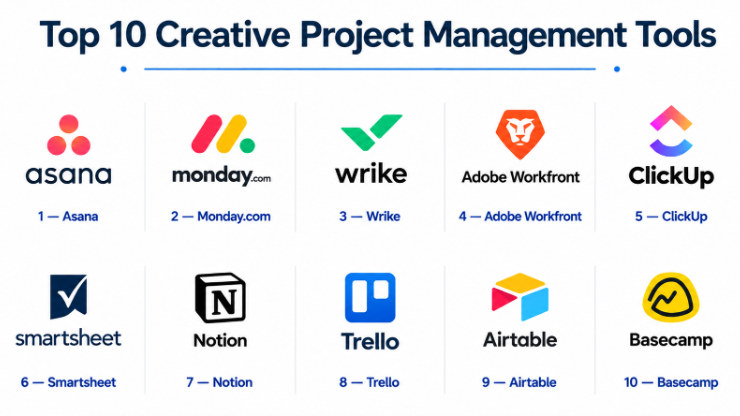
Top 10 Creative Project Management Tools
#1 — Asana
Short description :
Asana is a widely used project management platform that works well for creative and marketing teams. It helps teams manage creative requests, campaign timelines, task ownership, approvals, and cross-functional projects. Creative teams can use boards, lists, calendars, timelines, forms, and workflow automation to organize work. Asana is especially useful for teams that need visibility across many projects and stakeholders. It is a strong choice for marketing departments, design teams, content teams, and agencies that need structured work management.
Key Features
- Task, project, board, timeline, and calendar views.
- Creative request intake using forms.
- Workflow automation and status tracking.
- Approval and review workflows.
- Workload visibility.
- Project templates for repeatable creative work.
- Integrations with creative and collaboration tools.
Pros
- Flexible for many creative workflows.
- Easy for cross-functional teams to understand.
- Strong visibility across campaigns and projects.
Cons
- Advanced creative proofing may require integrations.
- Can become messy without clear project structure.
- Some advanced features depend on higher plans.
Platforms / Deployment
Web / Windows / macOS / iOS / Android / Cloud
Security & Compliance
Security features may vary by plan. Specific certifications are Not publicly stated.
Integrations & Ecosystem
Asana connects well with marketing, collaboration, design, and productivity workflows.
- Cloud storage integrations.
- Communication tools.
- Calendar tools.
- Design and proofing integrations may vary.
- Reporting and dashboard workflows.
- Automation and workflow tools.
Support & Community
Asana has strong documentation, templates, learning resources, and a broad user community. Support levels may vary by plan.
#2 — Monday.com
Short description :
Monday.com is a flexible work management platform used by creative teams, marketing teams, agencies, and business operations teams. It helps teams plan creative projects, track requests, manage approvals, monitor deadlines, and build custom workflows. Monday.com is useful for teams that want visual dashboards and customizable boards. Creative teams can use it for campaign planning, content production, design requests, video workflows, and client collaboration. It is a strong option for teams that want flexibility with a visual interface.
Key Features
- Customizable boards and workflows.
- Creative request and intake forms.
- Timeline, calendar, Kanban, and dashboard views.
- Automation for reminders and status updates.
- File sharing and comments.
- Workload tracking.
- Reporting dashboards.
Pros
- Highly customizable for creative operations.
- Visual and easy to understand.
- Good for agencies and marketing teams.
Cons
- Can become complex if over-customized.
- Proofing may require additional workflow setup.
- Pricing can increase with users and features.
Platforms / Deployment
Web / Windows / macOS / iOS / Android / Cloud
Security & Compliance
Security features may vary by plan. Specific certifications are Not publicly stated.
Integrations & Ecosystem
Monday.com supports creative, marketing, and business workflow integrations.
- Cloud storage tools.
- Communication platforms.
- Calendar integrations.
- Design and file workflows may vary.
- Automation tools.
- Reporting and dashboard exports.
Support & Community
Monday.com provides templates, documentation, onboarding resources, and support. Support levels may vary by plan.
#3 — Wrike
Short description :
Wrike is a work management platform used by creative, marketing, operations, and enterprise teams. It is especially useful for teams that need project planning, workload management, approval workflows, proofing, and campaign visibility. Wrike supports structured creative operations with request forms, dashboards, reports, templates, and file review features. It works well for agencies and enterprise marketing teams managing many parallel projects. Wrike is a strong choice when creative work needs strong governance and visibility.
Key Features
- Project and task management.
- Creative request forms.
- Proofing and approval workflows.
- Workload and resource management.
- Timelines, calendars, and dashboards.
- Reporting and analytics.
- Workflow automation.
Pros
- Strong for creative operations and approvals.
- Good workload visibility.
- Useful for agencies and larger teams.
Cons
- May feel complex for small teams.
- Requires setup for best results.
- Some advanced features may depend on plan.
Platforms / Deployment
Web / Windows / macOS / iOS / Android / Cloud
Security & Compliance
Enterprise security features may vary by agreement. Specific certifications are Not publicly stated.
Integrations & Ecosystem
Wrike fits into creative, marketing, and enterprise work management workflows.
- Creative tool integrations may vary.
- Cloud storage integrations.
- Communication tools.
- Proofing and approval workflows.
- Reporting dashboards.
- Automation workflows.
Support & Community
Wrike provides documentation, onboarding resources, support, and training materials. Support levels may vary by plan and customer size.
#4 — Adobe Workfront
Short description :
Adobe Workfront is an enterprise work management platform designed for marketing, creative, and enterprise operations teams. It helps organizations plan campaigns, manage creative requests, control approvals, track resources, and connect work with content production. Adobe Workfront is especially useful for large creative teams already using Adobe tools. It supports structured workflows, approvals, reporting, and complex project governance. It is best suited for enterprises with mature creative operations and high-volume campaign work.
Key Features
- Enterprise project and work management.
- Creative request intake.
- Approval and review workflows.
- Resource and workload management.
- Campaign planning and reporting.
- Integration with Adobe ecosystem.
- Portfolio and program visibility.
Pros
- Strong for enterprise creative operations.
- Good fit for Adobe-centered teams.
- Useful for complex campaign and approval workflows.
Cons
- May be too complex for small teams.
- Implementation requires planning.
- Pricing may be enterprise-focused.
Platforms / Deployment
Web / Cloud
Security & Compliance
Enterprise security capabilities may vary by contract. Specific certifications are Not publicly stated.
Integrations & Ecosystem
Adobe Workfront works best in enterprise marketing and creative operations workflows.
- Adobe creative ecosystem connections.
- Digital asset and content workflows.
- Enterprise reporting systems may vary.
- Campaign planning tools.
- Approval and proofing workflows.
- Work automation.
Support & Community
Adobe provides documentation, partner support, enterprise onboarding, and professional services. Support levels depend on contract and implementation model.
#5 — ClickUp
Short description :
ClickUp is a flexible project management and productivity platform used by creative teams, agencies, startups, and marketing teams. It helps users manage tasks, docs, whiteboards, timelines, goals, dashboards, and approvals. Creative teams can use ClickUp for design requests, content planning, campaign tracking, and client work. It is especially useful for teams that want many features in one workspace. ClickUp can be powerful, but teams need good structure to avoid complexity.
Key Features
- Tasks, docs, dashboards, and goals.
- Boards, lists, calendars, and timeline views.
- Creative request forms.
- Workflow automation.
- File comments and collaboration.
- Whiteboards and planning tools.
- Time tracking and workload visibility.
Pros
- Feature-rich and flexible.
- Good value for growing teams.
- Useful for agencies and content teams.
Cons
- Can feel overwhelming if not configured well.
- Creative proofing may require workarounds.
- Too many options can confuse some users.
Platforms / Deployment
Web / Windows / macOS / Linux / iOS / Android / Cloud
Security & Compliance
Security features may vary by plan. Specific certifications are Not publicly stated.
Integrations & Ecosystem
ClickUp supports broad productivity and creative workflow integrations.
- Cloud storage tools.
- Communication tools.
- Calendar integrations.
- Design file workflows may vary.
- Automation tools.
- Reporting and dashboards.
Support & Community
ClickUp has documentation, templates, support resources, and a large user community. Support levels may vary by plan.
#6 — Smartsheet
Short description :
Smartsheet is a work management and project tracking platform that combines spreadsheet-style planning with automation, dashboards, forms, and portfolio visibility. It is used by marketing, operations, creative, and enterprise teams that need structured project tracking. Creative teams can use Smartsheet for campaign calendars, asset production tracking, approval workflows, and resource planning. It is especially useful for teams that are comfortable with spreadsheet-like layouts but need more governance. It works well for large teams that need reporting and process control.
Key Features
- Grid, card, calendar, and Gantt views.
- Forms for creative requests.
- Workflow automation.
- Dashboards and reporting.
- Approval workflows.
- Resource management options may vary.
- Portfolio tracking.
Pros
- Strong for structured planning and reporting.
- Familiar spreadsheet-style interface.
- Useful for enterprise workflow control.
Cons
- Less visually creative than some tools.
- Can feel formal for design teams.
- Proofing may require additional setup or integrations.
Platforms / Deployment
Web / iOS / Android / Cloud
Security & Compliance
Enterprise security features may vary by plan. Specific certifications are Not publicly stated.
Integrations & Ecosystem
Smartsheet fits into structured project, reporting, and operations workflows.
- Cloud storage integrations.
- Collaboration tools.
- Reporting dashboards.
- Automation workflows.
- Enterprise systems may vary.
- Calendar and project planning tools.
Support & Community
Smartsheet provides documentation, training resources, templates, and support. Support levels may vary by plan.
#7 — Notion
Short description :
Notion is a flexible workspace for notes, docs, databases, wikis, project tracking, and team collaboration. Creative teams use Notion for content calendars, campaign planning, creative briefs, editorial workflows, brand documentation, and lightweight project management. It is especially useful for teams that want a simple, customizable workspace instead of a heavy project management system. Notion works well for startups, freelancers, content teams, and small creative teams. However, it may need additional tools for advanced proofing and formal approvals.
Key Features
- Docs, wikis, and project databases.
- Creative briefs and content calendars.
- Custom task boards.
- Team knowledge base.
- Templates for repeatable workflows.
- Collaboration and comments.
- Lightweight project tracking.
Pros
- Very flexible and easy to customize.
- Great for briefs, docs, and creative planning.
- Good for small teams and startups.
Cons
- Not built for advanced proofing.
- Formal approval workflows may be limited.
- Can become messy without workspace rules.
Platforms / Deployment
Web / Windows / macOS / iOS / Android / Cloud
Security & Compliance
Security features may vary by plan. Specific certifications are Not publicly stated.
Integrations & Ecosystem
Notion supports creative planning and documentation workflows.
- Calendar workflows may vary.
- Design and file embeds.
- Knowledge base workflows.
- Project planning templates.
- Collaboration tools.
- Automation options may vary.
Support & Community
Notion has a large community, many templates, documentation, and support resources. Support levels may vary by plan.
#8 — Trello
Short description :
Trello is a visual project management tool based on boards, lists, and cards. It is simple, flexible, and useful for creative teams that need a lightweight way to manage tasks, ideas, content workflows, and simple approvals. Trello is especially useful for freelancers, small agencies, content teams, and teams that prefer visual Kanban boards. It can support editorial calendars, design request boards, campaign checklists, and production pipelines. It is not the strongest tool for complex creative operations, but it is easy to adopt.
Key Features
- Kanban boards and cards.
- Checklists and due dates.
- Labels and task organization.
- File attachments and comments.
- Templates for creative workflows.
- Automation through rules.
- Simple team collaboration.
Pros
- Very easy to use.
- Good for lightweight creative workflows.
- Affordable and fast to adopt.
Cons
- Limited for complex project reporting.
- Not ideal for heavy approval workflows.
- Workload and resource planning are limited.
Platforms / Deployment
Web / Windows / macOS / iOS / Android / Cloud
Security & Compliance
Security features may vary by plan. Specific certifications are Not publicly stated.
Integrations & Ecosystem
Trello supports simple project and collaboration workflows.
- Cloud storage integrations.
- Calendar tools.
- Communication tools.
- Automation add-ons.
- File attachment workflows.
- Simple reporting add-ons may vary.
Support & Community
Trello has strong documentation, templates, and a large user community. Support levels may vary by plan.
#9 — Airtable
Short description :
Airtable is a flexible database and project management platform used by creative, marketing, content, product, and operations teams. It helps teams build custom workflows for content calendars, campaign planning, asset trackers, production pipelines, and creative request systems. Airtable is especially useful when teams need structured data, multiple views, and custom tracking. Creative teams can use it to manage asset status, publication dates, owners, briefs, and approvals. It is powerful for organized teams but requires thoughtful setup.
Key Features
- Custom databases and views.
- Grid, Kanban, calendar, gallery, and timeline views.
- Creative request tracking.
- Content and campaign calendars.
- Automation and workflow triggers.
- File attachments and collaboration.
- Reporting and interface building.
Pros
- Strong for custom creative workflows.
- Great for content calendars and asset trackers.
- Flexible for agencies and marketing operations.
Cons
- Requires setup planning.
- Not a dedicated visual proofing tool.
- Can become complex without governance.
Platforms / Deployment
Web / Windows / macOS / iOS / Android / Cloud
Security & Compliance
Security features may vary by plan. Specific certifications are Not publicly stated.
Integrations & Ecosystem
Airtable connects creative tracking with marketing and operational workflows.
- Automation tools.
- Calendar workflows.
- Cloud storage connections.
- Marketing workflow integrations may vary.
- Reporting interfaces.
- API and app workflows may vary.
Support & Community
Airtable has documentation, templates, a strong user community, and support resources. Support levels may vary by plan.
#10 — Basecamp
Short description :
Basecamp is a simple project management and team collaboration tool used by agencies, freelancers, creative teams, and small businesses. It helps teams organize messages, tasks, files, schedules, and client communication in one place. Basecamp is especially useful for teams that want less complexity and fewer moving parts. Creative agencies often use it to manage client projects, feedback, documents, and deadlines. It is not the most advanced tool for proofing or resource planning, but it is practical for clear communication.
Key Features
- Project spaces.
- To-do lists and schedules.
- Message boards.
- File sharing.
- Client collaboration.
- Team communication tools.
- Simple project organization.
Pros
- Simple and easy to adopt.
- Good for client communication.
- Useful for agencies and small teams.
Cons
- Limited advanced reporting.
- Not ideal for complex creative workflows.
- No deep workload or proofing features.
Platforms / Deployment
Web / Windows / macOS / iOS / Android / Cloud
Security & Compliance
Security and compliance details are Not publicly stated.
Integrations & Ecosystem
Basecamp supports simple project communication and collaboration workflows.
- File sharing.
- Client communication.
- Scheduling.
- Project discussions.
- Task lists.
- External integrations may vary.
Support & Community
Basecamp provides documentation and support resources. It has a strong user base among small teams and agencies that prefer simple project communication.
Comparison Table Top 10
| Tool Name | Best For | Platform(s) Supported | Deployment | Standout Feature | Public Rating |
|---|---|---|---|---|---|
| Asana | Marketing and creative project tracking | Web, Windows, macOS, iOS, Android | Cloud | Flexible campaign and task management | N/A |
| Monday.com | Visual creative workflows | Web, Windows, macOS, iOS, Android | Cloud | Custom boards and dashboards | N/A |
| Wrike | Creative operations and approvals | Web, Windows, macOS, iOS, Android | Cloud | Proofing and workload management | N/A |
| Adobe Workfront | Enterprise creative operations | Web | Cloud | Enterprise campaign and resource governance | N/A |
| ClickUp | Feature-rich creative workspaces | Web, Windows, macOS, Linux, iOS, Android | Cloud | Tasks, docs, dashboards, and goals | N/A |
| Smartsheet | Structured planning and reporting | Web, iOS, Android | Cloud | Spreadsheet-style project control | N/A |
| Notion | Creative planning and documentation | Web, Windows, macOS, iOS, Android | Cloud | Docs, databases, and creative briefs | N/A |
| Trello | Lightweight visual task boards | Web, Windows, macOS, iOS, Android | Cloud | Simple Kanban boards | N/A |
| Airtable | Custom content and asset workflows | Web, Windows, macOS, iOS, Android | Cloud | Flexible databases and views | N/A |
| Basecamp | Simple agency and client collaboration | Web, Windows, macOS, iOS, Android | Cloud | Simple communication-centered projects | N/A |
Evaluation & Creative Project Management Tools
| Tool Name | Core (25%) | Ease (15%) | Integrations (15%) | Security (10%) | Performance (10%) | Support (10%) | Value (15%) | Weighted Total (0–10) |
|---|---|---|---|---|---|---|---|---|
| Asana | 9 | 8 | 9 | 7 | 8 | 8 | 8 | 8.25 |
| Monday.com | 9 | 8 | 8 | 7 | 8 | 8 | 8 | 8.10 |
| Wrike | 9 | 7 | 8 | 7 | 8 | 8 | 7 | 7.80 |
| Adobe Workfront | 10 | 6 | 9 | 8 | 9 | 8 | 6 | 8.20 |
| ClickUp | 9 | 7 | 8 | 7 | 8 | 7 | 9 | 8.00 |
| Smartsheet | 8 | 7 | 8 | 7 | 8 | 8 | 7 | 7.60 |
| Notion | 7 | 9 | 7 | 6 | 8 | 7 | 9 | 7.65 |
| Trello | 6 | 10 | 7 | 6 | 8 | 7 | 9 | 7.30 |
| Airtable | 8 | 8 | 8 | 7 | 8 | 7 | 8 | 7.85 |
| Basecamp | 6 | 9 | 6 | 6 | 8 | 7 | 8 | 7.00 |
These scores are comparative and should be used as a practical shortlist guide. A higher score does not mean the tool is best for every creative team. Adobe Workfront may be best for enterprise creative operations, while Trello or Basecamp may be better for small teams that value simplicity. Asana, Monday.com, Wrike, ClickUp, and Airtable are strong middle-ground options depending on workflow style.
Which Creative Project Management Tools
Solo / Freelancer
Solo creatives usually need simple task tracking, client communication, deadlines, and file organization. Trello, Notion, Basecamp, ClickUp, and Asana are good starting points.
If the work is visual and simple, Trello may be enough. If the freelancer manages briefs, notes, content calendars, and client docs, Notion or ClickUp may be more useful.
SMB
Small and mid-sized teams need request intake, task ownership, timelines, approvals, and project visibility. Asana, Monday.com, ClickUp, Airtable, and Wrike are strong options to compare.
SMBs should focus on ease of adoption, templates, automation, integrations, reporting, and whether non-creative stakeholders can use the tool comfortably.
Mid-Market
Mid-market creative teams often need workload planning, campaign visibility, approval workflows, and cross-functional collaboration. Asana, Monday.com, Wrike, Smartsheet, and Airtable are useful options.
These teams should evaluate project dashboards, creative request forms, resource planning, file review workflows, automation, and reporting.
Enterprise
Enterprises need governance, resource management, approvals, reporting, security, integrations, and portfolio visibility. Adobe Workfront, Wrike, Smartsheet, Asana, and Monday.com are strong enterprise options.
Enterprise buyers should include creative operations, marketing, IT, security, finance, and department leaders in the evaluation process.
Budget vs Premium
Budget-conscious teams can start with Trello, Notion, ClickUp, Basecamp, or Airtable depending on workflow complexity.
Premium buyers should evaluate Adobe Workfront, Wrike, Asana, Monday.com, and Smartsheet when they need deeper governance, reporting, approvals, and scale.
Feature Depth vs Ease of Use
For feature depth, Adobe Workfront, Wrike, Asana, Monday.com, and ClickUp are strong options.
For ease of use, Trello, Basecamp, Notion, Airtable, and Asana may be easier for small teams and non-technical users.
Integrations & Scalability-
Teams should evaluate integrations with design tools, DAM systems, cloud storage, communication tools, calendars, CMS platforms, marketing automation, proofing tools, and reporting systems.
Scalability depends on user roles, project templates, request forms, approvals, workload planning, dashboards, automation, and file review workflows.
Security & Compliance Needs
Security-focused buyers should ask about SSO, MFA, RBAC, audit logs, encryption, guest access controls, workspace permissions, and compliance documentation.
Agencies, enterprises, legal teams, healthcare brands, financial firms, and businesses handling confidential launches should carefully review security before buying.
Frequently Asked Questions FAQs
1. What is a creative project management tool?
A creative project management tool helps teams plan, assign, review, approve, and deliver creative work such as designs, videos, campaigns, content, branding, and marketing assets.
2. How is creative project management different from normal project management?
Creative project management often includes briefs, visual feedback, file versions, stakeholder approvals, design reviews, and campaign asset delivery. Normal project management may focus mainly on tasks and deadlines.
3. Do small creative teams need project management software?
Yes, if they manage multiple requests, clients, campaigns, or deadlines. Even a simple tool can reduce confusion, missed tasks, and scattered feedback.
4. Which tool is best for agencies?
Asana, Monday.com, Wrike, ClickUp, Basecamp, and Airtable are useful for agencies. The best choice depends on client collaboration, approval needs, reporting, and project complexity.
5. What is the biggest mistake in creative project management?
The biggest mistake is starting work without a clear brief. Good creative workflows need clear goals, audience, deadline, owner, format, review process, and approval path.
6. Do these tools support design proofing?
Some tools support proofing directly or through integrations. Wrike and Adobe Workfront are stronger for structured proofing, while other tools may need add-ons or manual review workflows.
7. What integrations are important?
Important integrations include design tools, DAM platforms, cloud storage, communication apps, calendars, CMS tools, marketing automation, proofing tools, and reporting systems.
8. Can creative project management tools help with workload planning?
Yes, many tools include workload views, timelines, capacity planning, or dashboards. This helps managers understand who is overloaded and where deadlines may be at risk.
9. Are these tools useful for content teams?
Yes. Content teams can use them for editorial calendars, blog workflows, social content planning, copy approvals, design requests, publishing schedules, and campaign tracking.
10. How do I choose the best creative project management tool?
Start by mapping your workflow from request to delivery. Then check whether the tool supports briefs, tasks, file review, approvals, deadlines, integrations, reporting, and user permissions.
Conclusion
Creative Project Management Tools help teams bring order to creative work by managing briefs, tasks, deadlines, feedback, files, approvals, and delivery workflows in one place. The best tool depends on team size, creative volume, approval complexity, client involvement, reporting needs, and budget. Small teams may prefer Trello, Notion, Basecamp, or ClickUp for simplicity, while growing teams may choose Asana, Monday.com, Airtable, or Wrike for stronger workflows. Enterprises with complex creative operations may need Adobe Workfront, Wrike, Smartsheet, or Asana for governance and scale.
