Introduction
Chatbot Builder Platforms are tools that help teams create automated chat experiences for websites, apps, messaging channels, and customer support workflows without building everything from scratch. These platforms usually include visual flow builders, AI assistants, live chat handoff, integrations, analytics, and automation rules.
They matter now because buyers expect faster support, personalized product guidance, and always-available service. Modern chatbot builders are no longer only rule-based FAQ bots. Many now support AI responses, CRM updates, lead qualification, ticket creation, multilingual support, and workflow automation.
Best for: support teams, SaaS companies, ecommerce brands, marketing teams, sales teams, product teams, agencies, and enterprises that want faster customer engagement.
Not ideal for: very small businesses with low chat volume, teams needing only a simple contact form, or companies that require deeply custom AI systems better handled through custom development.
Key Trends in In-product Messaging Platforms
- AI-first chatbot builders are becoming standard, with generative AI used for answering questions, summarizing conversations, and improving agent productivity.
- Human handoff is now critical, because businesses need bots to transfer complex issues to live agents smoothly.
- Omnichannel support is growing, especially across websites, mobile apps, WhatsApp, Instagram, Facebook Messenger, email, and helpdesk systems.
- CRM-connected chatbots are more valuable because they can qualify leads, update records, and personalize responses.
- No-code and low-code builders are helping non-technical teams create chatbot flows without depending fully on developers.
- Compliance and data privacy expectations are stronger, especially for industries handling customer, healthcare, financial, or employee data.
- Analytics-driven optimization is becoming important, with teams reviewing drop-off points, conversion rates, resolution rates, and bot accuracy.
- Open and developer-friendly platforms are gaining attention for teams that want custom logic, APIs, and deeper backend connections.
- Pricing is shifting toward usage-based models, especially where AI conversations, seats, contacts, or automation volume affect cost.
- Internal chatbot use cases are expanding for HR, IT helpdesk, knowledge search, and employee self-service.
How We Selected These Tools Methodology
- Selected platforms with strong market visibility and broad use across support, sales, marketing, or product teams.
- Prioritized tools with complete chatbot-building capabilities, not just basic chat widgets.
- Considered ease of use for non-technical users and flexibility for technical teams.
- Looked at integration strength with CRM, helpdesk, messaging, analytics, and workflow systems.
- Balanced enterprise-grade platforms with SMB-friendly and developer-focused options.
- Considered AI readiness, automation depth, and human handoff quality.
- Reviewed general security posture signals such as SSO, roles, auditability, and enterprise controls where confidently known.
- Included tools suitable for different buyer segments instead of choosing only one type of chatbot platform.
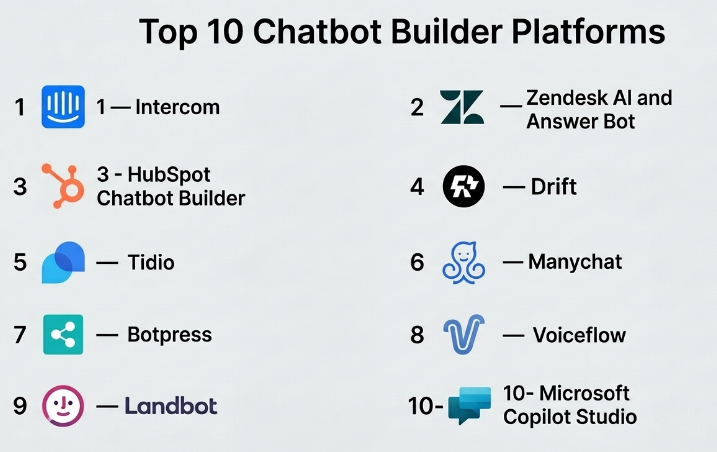
Top 10 Chatbot Builder Platforms
#1 — Intercom
Short description :
Intercom is a customer communication platform known for live chat, support automation, help center tools, and AI-powered customer service. It is best suited for SaaS companies, digital businesses, and support-led teams that want chatbot automation connected with human agents. Its chatbot builder helps teams automate answers, qualify users, route conversations, and improve customer experience. Intercom is especially strong when chat, support inbox, help content, and AI support are managed together. It fits growing teams that want both automation and premium customer engagement.
Key Features
- AI-powered customer support automation
- Website and in-app messaging
- Live chat and agent handoff
- Help center and knowledge base connection
- Conversation routing and qualification
- Customer segmentation and targeting
- Reporting and support analytics
Pros
- Strong support and customer communication experience.
- Good fit for SaaS and product-led businesses.
- Combines chatbot, live chat, help center, and inbox workflows.
Cons
- Can become expensive for growing teams.
- Advanced setup may require careful planning.
- Best value comes when using multiple Intercom modules.
Platforms / Deployment
Web / iOS / Android
Cloud
Security & Compliance
SSO, role-based controls, and enterprise security features are available on selected plans. Specific compliance details vary by plan, so unknown items should be treated as Not publicly stated.
Integrations & Ecosystem
Intercom has a strong ecosystem for customer support, product, sales, and marketing teams. It connects well with common SaaS tools and supports automation across customer conversations.
- CRM integrations
- Helpdesk workflows
- Product analytics tools
- Email and marketing tools
- APIs and webhooks
- Knowledge base connections
Support & Community
Intercom offers documentation, onboarding resources, product guides, and support options. Enterprise support availability may vary by plan.
#2 — Zendesk AI and Answer Bot
Short description :
Zendesk provides chatbot and AI automation capabilities inside a larger customer service platform. It is best for support teams that already use or plan to use ticketing, help center, knowledge base, and agent workflows in one place. Its chatbot features help answer common questions, suggest articles, create tickets, and route customers to the right team. Zendesk is especially useful for companies with structured support operations. It fits SMBs, mid-market teams, and enterprises that need scalable service automation.
Key Features
- AI-powered support automation
- Ticketing and helpdesk integration
- Knowledge base article suggestions
- Conversation routing
- Agent workspace connection
- Omnichannel support options
- Reporting and support performance analytics
Pros
- Strong fit for structured customer support teams.
- Works well with ticketing and knowledge base workflows.
- Scales from growing teams to enterprise support operations.
Cons
- Setup can feel complex for small teams.
- Advanced AI and automation may depend on plan selection.
- Best suited when paired with Zendesk’s broader support stack.
Platforms / Deployment
Web / iOS / Android
Cloud
Security & Compliance
Enterprise controls may include SSO, roles, permissions, and audit-related features depending on plan. Some compliance details vary, so uncertain items should be marked Not publicly stated.
Integrations & Ecosystem
Zendesk has a mature marketplace and strong support ecosystem. It connects with CRM, productivity, analytics, and communication tools.
- CRM tools
- Ecommerce platforms
- Messaging channels
- Knowledge base systems
- APIs and marketplace apps
- Workflow automation tools
Support & Community
Zendesk provides documentation, training resources, community forums, and support options. Enterprise onboarding and premium support may vary by package.
#3 — HubSpot Chatbot Builder
Short description :
HubSpot Chatbot Builder is part of the HubSpot CRM ecosystem and is useful for sales, marketing, and service teams. It helps teams build chatflows for lead qualification, meeting booking, ticket creation, and customer routing. It is especially strong for businesses that already use HubSpot CRM because chatbot conversations can connect directly with contact records and pipelines. The platform is friendly for non-technical users. It is a practical choice for SMBs and growth teams.
Key Features
- No-code chatbot flow builder
- CRM-connected chat automation
- Lead qualification workflows
- Meeting booking support
- Ticket creation and routing
- Live chat connection
- Marketing and sales automation alignment
Pros
- Strong CRM integration.
- Easy for non-technical teams to use.
- Good fit for sales and marketing automation.
Cons
- Best value comes when using HubSpot CRM.
- Advanced customization may be limited compared with developer-first tools.
- Costs can grow as teams add more HubSpot products.
Platforms / Deployment
Web / iOS / Android
Cloud
Security & Compliance
HubSpot offers security features such as user permissions and account-level controls. Specific compliance and advanced security availability can vary by plan, so unknown details should be treated as Not publicly stated.
Integrations & Ecosystem
HubSpot has a strong ecosystem for CRM, marketing, sales, service, and content operations. Its chatbot builder works best when connected to HubSpot records and automation.
- HubSpot CRM
- Email marketing
- Sales pipelines
- Meeting scheduling
- Helpdesk tools
- Marketplace integrations
Support & Community
HubSpot has strong documentation, academy-style learning resources, onboarding options, and a large user community.
#4 — Drift
Short description :
Drift is a conversational marketing and sales platform focused on helping businesses engage website visitors, qualify leads, and connect prospects with sales teams. It is best for B2B companies that want chatbots to support pipeline generation and account-based marketing. Drift chatbots can guide visitors, route conversations, book meetings, and support sales qualification. It is less of a general-purpose chatbot builder and more focused on revenue conversations. It fits sales-led and marketing-led organizations.
Key Features
- Conversational marketing automation
- Lead qualification chatbots
- Meeting booking workflows
- Website visitor engagement
- Sales routing
- Account-based marketing support
- Conversation analytics
Pros
- Strong for B2B sales and pipeline use cases.
- Good meeting-booking and routing capabilities.
- Helps align marketing and sales conversations.
Cons
- Less ideal for general support-only chatbot needs.
- May require strong sales process planning.
- Pricing and packaging can vary.
Platforms / Deployment
Web
Cloud
Security & Compliance
Enterprise security features may be available depending on plan. Specific compliance details are Not publicly stated unless confirmed directly during vendor review.
Integrations & Ecosystem
Drift commonly fits into sales and marketing stacks. It connects with CRM and sales engagement tools to move conversations into pipeline workflows.
- CRM integrations
- Sales engagement tools
- Calendar scheduling
- Marketing automation
- Analytics tools
- APIs and workflow connections
Support & Community
Drift provides documentation, onboarding resources, and customer support options. Support depth may vary by contract and plan.
#5 — Tidio
Short description :
Tidio is a chatbot and live chat platform popular with small businesses, ecommerce stores, and service teams. It provides an easy chatbot builder, website chat widget, automation templates, and customer messaging tools. Tidio is useful for teams that want quick setup without heavy technical work. It supports customer support, lead capture, cart recovery, and basic automation. It is a practical option for SMBs that need fast deployment and simple management.
Key Features
- No-code chatbot builder
- Live chat widget
- Ecommerce chatbot templates
- Lead capture automation
- Customer support workflows
- Email and messaging tools
- Basic analytics
Pros
- Easy to set up and manage.
- Strong option for small businesses and ecommerce.
- Combines live chat and chatbot automation.
Cons
- May not match enterprise-level customization needs.
- Advanced AI and automation may require paid plans.
- Complex workflows may need another platform.
Platforms / Deployment
Web / iOS / Android
Cloud
Security & Compliance
Basic account security features are available. Advanced compliance details are Not publicly stated unless confirmed by vendor documentation or plan details.
Integrations & Ecosystem
Tidio connects well with ecommerce and website platforms, making it useful for online stores and small teams.
- Ecommerce platforms
- Website builders
- Email tools
- CRM tools
- Messenger-style channels
- Automation templates
Support & Community
Tidio provides documentation, tutorials, support resources, and customer assistance. Community strength is moderate compared with larger enterprise platforms.
#6 — Manychat
Short description :
Manychat is a chatbot builder focused heavily on social messaging and marketing automation. It is widely used for Instagram, Facebook Messenger, WhatsApp-style customer engagement, lead generation, and campaign automation. Manychat is best for creators, ecommerce brands, agencies, and marketers that depend on social channels. It allows users to build automated flows without deep technical knowledge. It is strongest where social engagement and automated messaging are the main goals.
Key Features
- Visual chatbot flow builder
- Social messaging automation
- Lead capture and audience segmentation
- Broadcast and campaign workflows
- Ecommerce and creator-focused automation
- Keyword-based triggers
- Basic analytics and performance tracking
Pros
- Strong for social media messaging.
- Easy for marketers and creators to use.
- Good fit for campaign-based automation.
Cons
- Less ideal for complex enterprise support operations.
- Channel rules can affect automation behavior.
- Not a full replacement for helpdesk platforms.
Platforms / Deployment
Web
Cloud
Security & Compliance
Security and compliance details vary by plan and channel usage. Advanced compliance information is Not publicly stated.
Integrations & Ecosystem
Manychat works well for social-first businesses and marketing teams. Its ecosystem supports customer engagement, lead capture, and campaign workflows.
- Social messaging channels
- Ecommerce tools
- Email and SMS tools
- CRM connections
- Automation platforms
- Webhooks and APIs
Support & Community
Manychat has documentation, tutorials, training content, and an active user base among marketers, creators, and agencies.
#7 — Botpress
Short description :
Botpress is a chatbot and AI agent platform suitable for teams that want more control over bot behavior, knowledge, workflows, and integrations. It is often attractive to technical teams, AI builders, and companies needing flexible chatbot logic. Botpress supports visual building while also offering developer-friendly extensibility. It can be used for customer support, internal assistants, lead qualification, and workflow automation. It fits teams that want more customization than simple no-code tools.
Key Features
- AI chatbot and agent building
- Visual conversation designer
- Knowledge base support
- Workflow automation
- Developer extensibility
- API and integration support
- Custom logic and advanced bot behavior
Pros
- Flexible for technical and semi-technical teams.
- Good balance of visual building and customization.
- Strong option for AI agent experimentation.
Cons
- May require more technical understanding than simple builders.
- Enterprise governance needs should be reviewed carefully.
- Setup can be more involved for non-technical teams.
Platforms / Deployment
Web
Cloud / Varies by plan
Security & Compliance
Security features vary by offering and deployment choice. Specific compliance details should be verified directly, otherwise use Not publicly stated.
Integrations & Ecosystem
Botpress is useful where teams need custom integrations and API-driven chatbot workflows. It is more flexible than many template-only tools.
- APIs
- Webhooks
- Knowledge sources
- Messaging channels
- Internal tools
- Custom backend systems
Support & Community
Botpress has documentation, developer resources, and community support. Enterprise support options may vary by plan.
#8 — Voiceflow
Short description :
Voiceflow is a collaborative platform for designing, prototyping, and building conversational AI experiences. It is popular with product teams, conversational designers, agencies, and AI teams that need to plan and build chat or voice experiences. Voiceflow is especially useful for teams that care about conversation design, testing, collaboration, and structured AI assistant workflows. It supports both design and deployment-oriented workflows. It is a strong choice for teams building more intentional conversational experiences.
Key Features
- Conversation design workspace
- AI assistant prototyping
- Visual flow builder
- Team collaboration features
- Knowledge base and AI response workflows
- Testing and iteration tools
- API and deployment options
Pros
- Strong for conversation design and collaboration.
- Useful for prototyping before production deployment.
- Good fit for product and AI teams.
Cons
- May need technical support for advanced deployment.
- Not always the simplest choice for basic website chat.
- Pricing and capabilities should be checked by use case.
Platforms / Deployment
Web
Cloud
Security & Compliance
Security and enterprise controls may vary by plan. Specific compliance details should be treated as Not publicly stated unless confirmed during procurement.
Integrations & Ecosystem
Voiceflow supports design-to-build workflows and can connect with APIs, knowledge sources, and customer-facing channels depending on setup.
- APIs
- Knowledge bases
- Web chat
- Custom channels
- Prototyping workflows
- Team collaboration tools
Support & Community
Voiceflow has documentation, templates, learning resources, and an active community around conversational design and AI assistants.
#9 — Landbot
Short description :
Landbot is a no-code chatbot builder focused on interactive chat experiences for websites, landing pages, lead generation, and customer journeys. It is useful for marketing teams, agencies, SMBs, and teams that want visually engaging chatbot flows. Landbot helps build guided conversations, forms, surveys, lead qualification flows, and simple automation journeys. It is not only for support; it is also useful for conversion-focused experiences. It works well where ease of creation and design experience matter.
Key Features
- No-code chatbot builder
- Visual conversation flows
- Website and landing page chatbots
- Lead generation workflows
- Form and survey-style conversations
- Conditional logic
- Integrations and automation connections
Pros
- Easy to build attractive chatbot flows.
- Strong for lead generation and marketing campaigns.
- Good fit for non-technical teams.
Cons
- May not be ideal for complex support operations.
- Advanced enterprise needs may require careful review.
- Deep AI agent use cases may need another tool.
Platforms / Deployment
Web
Cloud
Security & Compliance
Security features vary by plan. Advanced compliance details are Not publicly stated unless confirmed directly.
Integrations & Ecosystem
Landbot connects with marketing, CRM, and automation tools, making it useful for campaign-driven chatbot workflows.
- CRM tools
- Email marketing platforms
- Automation tools
- Webhooks
- Spreadsheets and data tools
- Website and landing page tools
Support & Community
Landbot provides documentation, support resources, templates, and onboarding guidance. Community depth is moderate.
#10 — Microsoft Copilot Studio
Short description :
Microsoft Copilot Studio is a chatbot and AI assistant building platform within the Microsoft ecosystem. It is best for organizations already using Microsoft 365, Dynamics 365, Power Platform, Teams, and enterprise identity tools. It helps teams create copilots, automate workflows, connect business data, and deploy conversational experiences. It is especially relevant for enterprises that want governance, integration, and internal productivity automation. It fits IT, operations, support, HR, and enterprise automation teams.
Key Features
- AI copilot and chatbot creation
- Power Platform integration
- Microsoft Teams and business app connectivity
- Workflow automation
- Enterprise identity alignment
- Data source connections
- Governance-oriented enterprise features
Pros
- Strong fit for Microsoft-centered organizations.
- Good enterprise integration and governance potential.
- Useful for internal and external chatbot workflows.
Cons
- Best value depends on Microsoft ecosystem adoption.
- Setup may require admin and technical knowledge.
- Licensing can be complex for some teams.
Platforms / Deployment
Web
Cloud
Security & Compliance
Microsoft ecosystem security may include identity, access control, governance, and compliance tooling depending on tenant, licensing, and configuration. Specific compliance applicability should be validated by the buyer.
Integrations & Ecosystem
Microsoft Copilot Studio connects strongly with Microsoft tools and enterprise workflow systems. It is useful when chatbot automation must work with internal business data.
- Microsoft 365
- Microsoft Teams
- Dynamics 365
- Power Automate
- Power Platform
- Enterprise data connectors
Support & Community
Microsoft provides documentation, enterprise support channels, partner ecosystem support, and community resources across Power Platform and Copilot-related tools.
Comparison Table Top 10
| Tool Name | Best For | Platform(s) Supported | Deployment | Standout Feature | Public Rating |
|---|---|---|---|---|---|
| Intercom | SaaS support and customer messaging | Web / iOS / Android | Cloud | AI support with live chat and help center workflows | N/A |
| Zendesk AI and Answer Bot | Customer support teams | Web / iOS / Android | Cloud | Ticketing and knowledge base automation | N/A |
| HubSpot Chatbot Builder | Sales, marketing, and CRM-driven teams | Web / iOS / Android | Cloud | CRM-connected chatbot workflows | N/A |
| Drift | B2B sales and conversational marketing | Web | Cloud | Lead qualification and meeting booking | N/A |
| Tidio | SMBs and ecommerce stores | Web / iOS / Android | Cloud | Simple chatbot and live chat setup | N/A |
| Manychat | Social messaging and marketing automation | Web | Cloud | Social channel automation | N/A |
| Botpress | Developer-friendly AI chatbot building | Web | Cloud / Varies | Flexible AI agent customization | N/A |
| Voiceflow | Conversation design and AI assistant prototyping | Web | Cloud | Collaborative conversation design | N/A |
| Landbot | Lead generation and interactive web chat | Web | Cloud | Visual no-code conversation flows | N/A |
| Microsoft Copilot Studio | Microsoft ecosystem enterprises | Web | Cloud | Enterprise copilots connected to Microsoft tools | N/A |
Evaluation & Chatbot Builder Platforms
| Tool Name | Core (25%) | Ease (15%) | Integrations (15%) | Security (10%) | Performance (10%) | Support (10%) | Value (15%) | Weighted Total (0–10) |
|---|---|---|---|---|---|---|---|---|
| Intercom | 9 | 8 | 9 | 8 | 9 | 9 | 7 | 8.45 |
| Zendesk AI and Answer Bot | 9 | 7 | 9 | 8 | 9 | 9 | 7 | 8.35 |
| HubSpot Chatbot Builder | 8 | 9 | 9 | 8 | 8 | 8 | 8 | 8.30 |
| Drift | 8 | 8 | 8 | 7 | 8 | 8 | 7 | 7.75 |
| Tidio | 7 | 9 | 7 | 6 | 8 | 7 | 9 | 7.65 |
| Manychat | 8 | 9 | 8 | 6 | 8 | 8 | 8 | 7.85 |
| Botpress | 9 | 7 | 8 | 7 | 8 | 7 | 8 | 8.00 |
| Voiceflow | 8 | 8 | 8 | 7 | 8 | 8 | 7 | 7.80 |
| Landbot | 7 | 9 | 7 | 6 | 8 | 7 | 8 | 7.40 |
| Microsoft Copilot Studio | 9 | 7 | 10 | 9 | 9 | 8 | 7 | 8.50 |
These scores are comparative, not absolute. A higher score does not mean the tool is best for every company. For example, Microsoft Copilot Studio may score strongly for Microsoft-heavy enterprises, while Tidio may be a better practical choice for small ecommerce teams. Use the scores as a shortlist guide, then validate pricing, integrations, security, and real workflow fit through a pilot.
Which Chatbot Builder Platforms
Solo / Freelancer
Solo users should focus on ease of setup, low cost, templates, and simple automation. Tidio, Landbot, Manychat, and HubSpot Chatbot Builder are practical options because they reduce technical setup and help with lead capture, basic support, and customer conversations.
SMB
SMBs should look for a balance of affordability, automation, integrations, and support. Tidio is useful for ecommerce and support. HubSpot is strong for CRM-led growth teams. Manychat is useful for social selling and marketing. Landbot is good for campaign and lead generation flows.
Mid-Market
Mid-market teams usually need better reporting, routing, CRM integration, and team collaboration. Intercom, Zendesk, HubSpot, Drift, Botpress, and Voiceflow can work well depending on whether the main use case is support, sales, AI assistant building, or conversation design.
Enterprise
Enterprises should prioritize governance, security, identity management, auditability, integration depth, support, and scalability. Zendesk, Intercom, Microsoft Copilot Studio, Botpress, and Voiceflow are worth evaluating based on deployment needs and internal systems.
Budget vs Premium
Budget-focused teams should consider Tidio, Landbot, Manychat, or basic HubSpot chatbot workflows. Premium buyers should evaluate Intercom, Zendesk, Drift, and Microsoft Copilot Studio where broader platform value, automation, and enterprise controls matter more than the lowest monthly price.
Feature Depth vs Ease of Use
For ease of use, Tidio, Landbot, HubSpot, and Manychat are strong choices. For deeper customization, Botpress, Voiceflow, Microsoft Copilot Studio, Zendesk, and Intercom may offer better long-term flexibility. The right choice depends on whether the team values fast launch or deeper control.
Integrations & Scalability-
If integrations are the priority, HubSpot works well for CRM-led teams, Zendesk for support operations, Intercom for SaaS customer messaging, and Microsoft Copilot Studio for Microsoft-heavy enterprises. Botpress and Voiceflow are better when custom API workflows and AI assistant design matter.
Security & Compliance Needs
Security-conscious buyers should review SSO, MFA, RBAC, audit logs, encryption, data retention, vendor compliance, AI data handling, and admin controls before choosing. Enterprises should run a security review before approving any chatbot platform, especially if customer or employee data is used.
Frequently Asked Questions FAQs
1. What is a chatbot builder platform?
A chatbot builder platform helps businesses create automated chat experiences without building everything manually. It usually includes a visual builder, templates, integrations, analytics, AI features, and live agent handoff.
2. How much do chatbot builder platforms cost?
Pricing depends on contacts, conversations, AI usage, agents, channels, and advanced features. Some tools offer entry-level plans, while enterprise platforms may require custom pricing.
3. Are chatbot builders suitable for small businesses?
Yes, small businesses can use tools like Tidio, Manychat, Landbot, or HubSpot Chatbot Builder for lead capture, simple support, booking, and ecommerce assistance. The key is choosing a tool that is easy to manage.
4. What is the biggest mistake when implementing a chatbot?
The biggest mistake is trying to automate everything from day one. A better approach is to start with high-volume questions, simple routing, lead capture, and clear human handoff.
5. Do chatbot builders replace human support agents?
No, they usually support agents rather than replace them fully. Chatbots are best for repetitive questions, routing, basic troubleshooting, and collecting information before a human agent joins.
6. Are AI chatbot builders secure?
Security depends on the vendor, plan, configuration, and data used. Buyers should review SSO, MFA, RBAC, encryption, audit logs, data retention, and AI data handling before using the tool for sensitive information.
7. Can chatbot builders integrate with CRM tools?
Yes, many chatbot platforms integrate with CRM systems. HubSpot, Intercom, Zendesk, Drift, and Microsoft Copilot Studio are especially relevant when CRM or customer records are important.
8. How long does chatbot implementation take?
Simple website chatbots can be launched quickly, while enterprise chatbot projects may take longer because they require security review, integrations, knowledge base cleanup, testing, and workflow design.
9. Can I switch chatbot platforms later?
Yes, but switching can be difficult if many workflows, integrations, templates, and customer records depend on the old platform. Before switching, export flows, document use cases, and test the new tool with a small pilot.
10. What are alternatives to chatbot builder platforms?
Alternatives include live chat tools, helpdesk systems, contact forms, custom-built AI assistants, workflow automation tools, knowledge base search, and human support teams. The best alternative depends on the problem being solved.
Conclusion
Chatbot Builder Platforms are now an important part of modern customer engagement, support automation, sales qualification, and internal service delivery. However, there is no single best platform for every company. Intercom and Zendesk are strong for support-heavy teams. HubSpot is useful for CRM-driven sales and marketing. Drift fits B2B revenue conversations. Tidio, Manychat, and Landbot are practical for SMBs and marketing-led use cases. Botpress and Voiceflow offer more flexibility for AI assistant design and custom workflows. Microsoft Copilot Studio is a strong option for enterprises already working deeply inside the Microsoft ecosystem.
