Introduction
Legacy Modernization & Replatforming Tools help organizations move old applications, databases, and infrastructure to modern platforms without fully rebuilding everything from scratch. In simple words, these tools help companies improve older systems so they can run better on cloud, containers, virtualized platforms, managed services, or modern runtime environments.
These tools matter because many businesses still depend on old applications that are costly to maintain, hard to scale, difficult to secure, and slow to update. Replatforming gives teams a practical middle path: improve the platform while keeping much of the existing application logic intact.
Common use cases include moving applications from on-premises servers to cloud, shifting virtual machines to managed infrastructure, modernizing mainframe workloads, moving databases to managed services, containerizing legacy apps, and reducing infrastructure maintenance.
Buyers should evaluate:
- Platform migration support
- Legacy system discovery
- Dependency mapping
- Automation features
- Cloud and hybrid deployment support
- Database modernization capability
- Security and compliance controls
- Cost estimation
- Performance validation
- Vendor support and migration expertise
Best for: enterprises, IT managers, cloud architects, DevOps teams, platform engineers, migration teams, and companies running older business-critical applications.
Not ideal for: teams with already cloud-native applications, very small applications that can be rebuilt quickly, or cases where full SaaS replacement is cheaper and simpler.
Key Trends in Legacy Modernization & Replatforming Tools
- Replatforming before refactoring is becoming common because companies want faster modernization without rewriting full applications.
- AI-assisted code analysis is helping teams understand old code, dependencies, and migration complexity.
- Mainframe modernization remains important for banking, insurance, government, and large enterprises.
- Cloud-native landing zones are becoming standard before moving workloads to AWS, Azure, Google Cloud, or hybrid platforms.
- Database replatforming is growing as companies move from self-managed databases to managed cloud database services.
- Container-based replatforming is popular for moving older applications into Kubernetes or enterprise container platforms.
- Automated dependency mapping is now critical because hidden dependencies often cause migration failures.
- Security-first modernization is expected, including identity integration, audit logs, encryption, RBAC, and compliance controls.
- Hybrid cloud modernization is still important because many organizations cannot move all workloads to public cloud immediately.
- Cost visibility is now a major buying factor because poor workload sizing can make cloud migration expensive.
How We Selected These Tools
The tools were selected based on practical modernization value, not hype. The evaluation focused on:
- Market adoption and enterprise recognition
- Strength in legacy migration, replatforming, or modernization planning
- Support for cloud, hybrid, virtual machine, container, or mainframe migration
- Ability to reduce manual migration effort
- Integration with major cloud and DevOps ecosystems
- Security and governance readiness
- Support for large-scale migration programs
- Fit across enterprise, mid-market, and technical teams
- Documentation, support, and ecosystem maturity
- Practical usefulness for real modernization projects
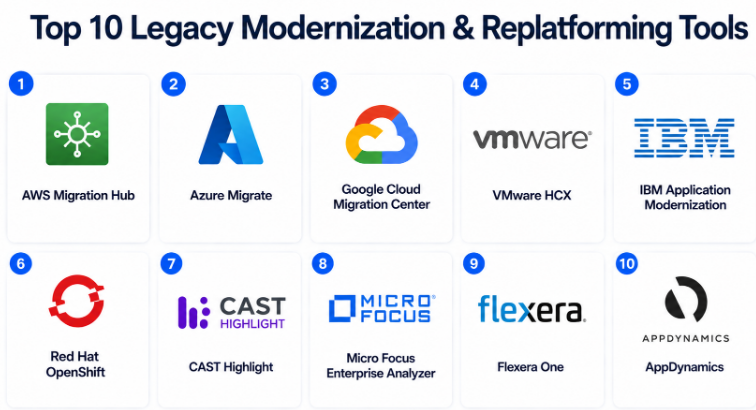
Top 10 Legacy Modernization & Replatforming Tools
#1 — AWS Migration Hub
Short description :
AWS Migration Hub is a centralized tool for planning and tracking application migration and replatforming projects into AWS. It helps teams discover workloads, assess migration readiness, and monitor migration progress. It is useful for enterprises moving servers, databases, and applications from on-premises or other environments to AWS. The tool works well when companies want a structured migration control center. It is best suited for AWS-focused modernization programs.
Key Features
- Centralized migration tracking
- Application discovery support
- Migration progress monitoring
- AWS ecosystem integration
- Supports multiple migration workflows
- Useful for phased migration planning
- Helps organize large workload movements
Pros
- Strong fit for AWS migration programs
- Helpful for tracking many workloads
- Good integration with AWS services
Cons
- Best suited for AWS environments
- Not a full refactoring tool by itself
- Requires AWS migration knowledge
Platforms / Deployment
Cloud
Security & Compliance
Supports AWS identity, access control, logging, and encryption options depending on configuration. Compliance depends on AWS setup and customer implementation.
Integrations & Ecosystem
AWS Migration Hub works deeply with AWS migration and modernization services.
- AWS Application Migration Service
- AWS Database Migration Service
- AWS IAM
- Amazon EC2
- AWS monitoring tools
- AWS partner migration tools
Support & Community
AWS offers documentation, migration guidance, partner support, and enterprise support plans.
#2 — Azure Migrate
Short description :
Azure Migrate is Microsoft’s migration and modernization platform for moving servers, databases, web apps, and virtual desktops to Azure. It helps teams assess existing workloads, understand dependencies, estimate sizing, and plan migration waves. It is especially useful for organizations using Windows Server, SQL Server, .NET, and Microsoft enterprise systems. Azure Migrate supports both infrastructure migration and modernization planning. It is a strong choice for Azure-focused replatforming.
Key Features
- Server and database migration assessment
- Dependency mapping
- Azure readiness analysis
- Cost estimation support
- Web app modernization planning
- Strong Microsoft ecosystem fit
- Centralized migration project management
Pros
- Excellent fit for Microsoft-heavy environments
- Useful assessment and planning features
- Strong Azure service integration
Cons
- Best value is inside Azure ecosystem
- Deep refactoring still needs additional tools
- Requires proper discovery setup
Platforms / Deployment
Cloud / Hybrid
Security & Compliance
Supports Microsoft identity, RBAC, encryption, monitoring, and governance features. Compliance depends on Azure configuration and deployment model.
Integrations & Ecosystem
Azure Migrate integrates well with Microsoft and Azure modernization services.
- Azure App Service
- Azure SQL
- Azure Kubernetes Service
- Microsoft Entra ID
- Azure Monitor
- Azure DevOps
Support & Community
Microsoft provides documentation, enterprise support, partner migration services, and a large Azure community.
#3 — Google Cloud Migration Center
Short description :
Google Cloud Migration Center helps organizations assess, plan, and execute cloud migration and replatforming projects for Google Cloud. It provides workload discovery, inventory analysis, cost insights, and migration planning support. It is useful for companies moving virtual machines, applications, and infrastructure into Google Cloud services. The platform helps teams create a clear modernization roadmap before migration starts. It is best for Google Cloud-focused transformation projects.
Key Features
- Workload inventory and discovery
- Migration assessment support
- Cost estimation and planning
- Google Cloud modernization guidance
- Portfolio-level migration planning
- Cloud readiness analysis
- Supports phased migration strategy
Pros
- Strong for Google Cloud adoption
- Helps reduce migration uncertainty
- Useful for structured planning
Cons
- Best suited for Google Cloud direction
- Not a full application rewrite tool
- Requires cloud architecture knowledge
Platforms / Deployment
Cloud
Security & Compliance
Uses Google Cloud identity, access control, encryption, and logging capabilities. Compliance depends on customer configuration.
Integrations & Ecosystem
Google Cloud Migration Center connects with Google Cloud infrastructure and managed services.
- Google Kubernetes Engine
- Compute Engine
- Cloud Run
- Google Cloud operations
- IAM
- Partner migration tools
Support & Community
Google Cloud provides documentation, support plans, partner services, and cloud migration resources.
#4 — VMware HCX
Short description :
VMware HCX is designed for application mobility and workload migration across VMware environments, private clouds, and cloud platforms. It helps organizations move virtual machines with reduced downtime and operational risk. It is widely used by companies that have strong VMware infrastructure and want to replatform workloads without immediately redesigning applications. VMware HCX is useful for data center exits, cloud migration, disaster recovery planning, and hybrid cloud movement. It is best for VM-based replatforming.
Key Features
- VMware workload migration
- Live and bulk migration support
- Hybrid cloud mobility
- Network extension capabilities
- Data center migration support
- Reduced downtime migration options
- Strong fit for VMware estates
Pros
- Strong for VMware-to-cloud movement
- Helps reduce migration disruption
- Useful for large VM migration projects
Cons
- Mainly useful for VMware environments
- Not focused on code modernization
- Requires VMware expertise
Platforms / Deployment
Cloud / Self-hosted / Hybrid
Security & Compliance
Supports enterprise security controls depending on VMware environment configuration. Specific compliance details vary by deployment.
Integrations & Ecosystem
VMware HCX fits naturally into VMware and hybrid cloud ecosystems.
- VMware Cloud
- vSphere
- NSX
- Hybrid cloud platforms
- Cloud migration workflows
- Enterprise infrastructure tools
Support & Community
VMware provides enterprise documentation, support services, partner assistance, and a mature infrastructure ecosystem.
#5 — IBM Application Modernization
Short description :
IBM Application Modernization supports enterprises that need to modernize complex legacy systems, including mainframe, middleware, and hybrid cloud applications. It is especially relevant for large organizations with mission-critical systems that cannot be replaced quickly. IBM combines tooling, AI-assisted analysis, consulting, and hybrid cloud platforms to support modernization. It is useful for banking, insurance, government, telecom, and large enterprises. It is best when legacy complexity is high.
Key Features
- Mainframe modernization support
- Hybrid cloud modernization
- AI-assisted code and system analysis
- Enterprise consulting ecosystem
- Legacy application transformation planning
- Integration with Red Hat OpenShift
- Support for complex regulated environments
Pros
- Strong for mainframe and enterprise legacy systems
- Good fit for complex modernization programs
- Strong consulting and support ecosystem
Cons
- May be too heavy for smaller teams
- Pricing is often enterprise-specific
- Implementation may require expert services
Platforms / Deployment
Cloud / Self-hosted / Hybrid
Security & Compliance
Enterprise security options are available depending on product and deployment. Specific certifications vary by service and implementation.
Integrations & Ecosystem
IBM modernization offerings work across enterprise, mainframe, hybrid cloud, and container platforms.
- IBM Cloud
- Red Hat OpenShift
- Mainframe environments
- Enterprise DevOps tools
- Middleware systems
- Security and governance platforms
Support & Community
IBM provides enterprise-grade support, consulting services, documentation, and modernization advisory services.
#6 — Red Hat OpenShift
Short description :
Red Hat OpenShift is an enterprise Kubernetes platform used to replatform legacy applications into containers and cloud-native environments. It helps teams move from traditional deployment models to standardized container platforms. OpenShift is useful when organizations want to modernize applications gradually without fully rewriting them. It supports hybrid cloud, automation, DevOps workflows, and enterprise security controls. It is best for companies building a long-term modernization platform.
Key Features
- Enterprise Kubernetes platform
- Container-based replatforming
- Hybrid cloud support
- Built-in developer workflows
- DevOps and GitOps support
- Strong security and access controls
- Useful for legacy-to-container migration
Pros
- Strong enterprise container platform
- Good for hybrid and regulated environments
- Mature ecosystem and support
Cons
- Requires Kubernetes knowledge
- Can be complex for small teams
- Platform setup needs planning
Platforms / Deployment
Cloud / Self-hosted / Hybrid
Security & Compliance
Supports RBAC, SSO/SAML integrations, audit logs, image security controls, and enterprise access management. Compliance depends on deployment and configuration.
Integrations & Ecosystem
OpenShift integrates with modern DevOps, cloud, and enterprise infrastructure ecosystems.
- CI/CD tools
- GitOps tools
- Container registries
- Monitoring tools
- Red Hat Ansible Automation Platform
- Public cloud services
Support & Community
Red Hat provides enterprise support, strong documentation, training, partner services, and a mature Kubernetes community.
#7 — CAST Highlight
Short description :
CAST Highlight helps organizations assess legacy application portfolios before modernization or replatforming. It analyzes application health, cloud readiness, technical debt, software risk, and open-source exposure. This helps leadership decide which applications should be rehosted, replatformed, refactored, retired, or replaced. It is useful for large organizations that need facts before investing in modernization. It is best for portfolio-level decision-making.
Key Features
- Application portfolio analysis
- Cloud readiness assessment
- Technical debt visibility
- Software health scoring
- Open-source risk analysis
- Modernization prioritization
- Executive reporting support
Pros
- Strong for modernization planning
- Helps avoid blind migration decisions
- Useful for large application estates
Cons
- Not a migration execution platform
- Requires accurate application scanning
- Results need expert interpretation
Platforms / Deployment
Cloud / Hybrid
Security & Compliance
Not publicly stated.
Integrations & Ecosystem
CAST Highlight is commonly used as an assessment layer before migration and modernization execution.
- Cloud migration programs
- Enterprise architecture workflows
- Portfolio management processes
- DevOps planning
- Risk reporting
- Cloud readiness reviews
Support & Community
CAST provides documentation, enterprise onboarding, customer support, and advisory resources.
#8 — Micro Focus Enterprise Analyzer
Short description :
Micro Focus Enterprise Analyzer is used to understand and analyze complex legacy application environments. It is especially useful for teams working with older enterprise codebases, dependencies, and business logic. The tool helps identify application relationships, code complexity, and modernization impact areas. It is best for organizations that need deep visibility before changing legacy systems. It supports planning for replatforming, refactoring, and migration projects.
Key Features
- Legacy code analysis
- Application dependency understanding
- Impact analysis
- Business rule discovery support
- Modernization planning support
- Useful for complex enterprise systems
- Helps reduce migration risk
Pros
- Strong legacy system analysis
- Helps understand complex codebases
- Useful before major replatforming work
Cons
- May require specialist skills
- Best suited for enterprise environments
- Not a simple cloud migration tool
Platforms / Deployment
Self-hosted / Hybrid
Security & Compliance
Not publicly stated.
Integrations & Ecosystem
Micro Focus Enterprise Analyzer fits into enterprise modernization and legacy application management workflows.
- Legacy code repositories
- Mainframe environments
- Enterprise development workflows
- Application documentation processes
- Migration planning tools
- Testing and quality workflows
Support & Community
Support is generally enterprise-focused, with vendor documentation and professional services available depending on customer agreement.
#9 — Flexera One
Short description :
Flexera One helps organizations manage IT assets, cloud costs, software usage, and technology portfolios. While it is not only a replatforming tool, it supports modernization decisions by helping teams understand what they have, what it costs, and where optimization is needed. It is useful before cloud migration and replatforming because cost, licensing, and asset visibility are major modernization factors. It is best for IT leaders, FinOps teams, and enterprise architecture groups.
Key Features
- IT asset visibility
- Cloud cost management
- Software license intelligence
- Portfolio optimization
- Migration planning support
- Governance and reporting
- Useful for modernization business cases
Pros
- Strong cost and asset visibility
- Helpful for planning modernization investments
- Useful for enterprise governance
Cons
- Not a direct application migration tool
- Requires good asset data quality
- May be more useful for larger organizations
Platforms / Deployment
Cloud / Hybrid
Security & Compliance
Enterprise security controls are available depending on product configuration. Specific certifications vary by offering.
Integrations & Ecosystem
Flexera One connects with IT, cloud, finance, and governance workflows.
- Cloud platforms
- IT asset management systems
- Software licensing data
- FinOps workflows
- Enterprise reporting tools
- Procurement processes
Support & Community
Flexera offers enterprise support, documentation, onboarding services, and customer success resources.
#10 — AppDynamics
Short description :
AppDynamics is an application performance monitoring and observability platform that supports modernization by helping teams understand how applications behave before, during, and after replatforming. It helps identify performance bottlenecks, dependencies, user impact, and service health. While it does not directly migrate applications, it is very useful for validating modernization success. Teams use it to compare old and new environments and reduce risk during migration. It is best for performance-driven modernization programs.
Key Features
- Application performance monitoring
- Dependency visibility
- Business transaction monitoring
- Infrastructure and application insights
- Migration validation support
- User experience monitoring
- Useful for before-and-after performance comparison
Pros
- Strong visibility during modernization
- Helps detect performance issues early
- Useful for mission-critical applications
Cons
- Not a migration execution tool
- Requires proper instrumentation
- Can add cost for large environments
Platforms / Deployment
Cloud / Self-hosted / Hybrid
Security & Compliance
Supports enterprise access controls and security features depending on deployment. Specific compliance details vary by product and configuration.
Integrations & Ecosystem
AppDynamics integrates with application, infrastructure, cloud, and DevOps ecosystems.
- Cloud platforms
- CI/CD tools
- Alerting tools
- Infrastructure monitoring
- Log management systems
- IT operations workflows
Support & Community
AppDynamics offers enterprise support, documentation, onboarding, and customer success resources.
Comparison Table
| Tool Name | Best For | Platform(s) Supported | Deployment | Standout Feature | Public Rating |
|---|---|---|---|---|---|
| AWS Migration Hub | AWS migration tracking | Web / Cloud | Cloud | Centralized AWS migration control | N/A |
| Azure Migrate | Microsoft and Azure replatforming | Web / Cloud | Cloud / Hybrid | Azure readiness and dependency analysis | N/A |
| Google Cloud Migration Center | Google Cloud migration planning | Web / Cloud | Cloud | Workload assessment and cost planning | N/A |
| VMware HCX | VMware workload migration | Cloud / VMware environments | Cloud / Self-hosted / Hybrid | VM mobility with reduced downtime | N/A |
| IBM Application Modernization | Mainframe and enterprise legacy modernization | Enterprise environments | Cloud / Self-hosted / Hybrid | Mainframe and hybrid modernization expertise | N/A |
| Red Hat OpenShift | Container-based replatforming | Web / Linux / Cloud | Cloud / Self-hosted / Hybrid | Enterprise Kubernetes modernization platform | N/A |
| CAST Highlight | Application portfolio assessment | Web / Cloud | Cloud / Hybrid | Cloud readiness and technical debt analysis | N/A |
| Micro Focus Enterprise Analyzer | Legacy code analysis | Enterprise environments | Self-hosted / Hybrid | Deep legacy application impact analysis | N/A |
| Flexera One | IT asset and cost visibility | Web / Cloud | Cloud / Hybrid | Cost, licensing, and portfolio intelligence | N/A |
| AppDynamics | Modernization performance validation | Web / Cloud / Enterprise environments | Cloud / Self-hosted / Hybrid | Application performance visibility | N/A |
Evaluation & Legacy Modernization & Replatforming Tools
| Tool Name | Core (25%) | Ease (15%) | Integrations (15%) | Security (10%) | Performance (10%) | Support (10%) | Value (15%) | Weighted Total (0–10) |
|---|---|---|---|---|---|---|---|---|
| AWS Migration Hub | 8 | 8 | 9 | 8 | 8 | 8 | 9 | 8.30 |
| Azure Migrate | 9 | 8 | 9 | 8 | 8 | 9 | 9 | 8.60 |
| Google Cloud Migration Center | 8 | 8 | 8 | 8 | 8 | 8 | 8 | 8.00 |
| VMware HCX | 8 | 7 | 8 | 8 | 9 | 8 | 7 | 7.85 |
| IBM Application Modernization | 9 | 7 | 8 | 8 | 8 | 9 | 7 | 8.05 |
| Red Hat OpenShift | 9 | 7 | 9 | 9 | 9 | 9 | 8 | 8.55 |
| CAST Highlight | 8 | 8 | 8 | 7 | 8 | 8 | 8 | 7.95 |
| Micro Focus Enterprise Analyzer | 8 | 6 | 7 | 7 | 8 | 8 | 7 | 7.35 |
| Flexera One | 7 | 8 | 8 | 8 | 8 | 8 | 8 | 7.75 |
| AppDynamics | 7 | 8 | 8 | 8 | 9 | 8 | 7 | 7.75 |
These scores are comparative and should not be treated as universal rankings. A tool with a lower score may still be the best choice for a specific use case. For example, VMware HCX is excellent for VMware workload movement, while CAST Highlight is better for early portfolio assessment. Always validate tool fit through a pilot, technical review, security check, and cost analysis.
Which Legacy Modernization & Replatforming Tools Should You Choose?
Solo / Freelancer
Solo professionals usually do not need heavy enterprise platforms. If the project is small, simple cloud migration tools or cloud-native assessment tools may be enough. For code-level understanding, AI coding assistants and manual analysis may also help, but large replatforming platforms may be unnecessary.
Recommended options:
- Azure Migrate for Azure-focused projects
- AWS Migration Hub for AWS projects
- Google Cloud Migration Center for Google Cloud projects
- AppDynamics if performance visibility is required
SMB
SMBs should choose tools that are easy to start and do not create extra complexity. Cloud-native migration services are often the best first choice because they connect directly with the target cloud platform.
Recommended options:
- Azure Migrate for Microsoft workloads
- AWS Migration Hub for AWS migrations
- Google Cloud Migration Center for Google Cloud migration
- Flexera One if cost and asset visibility are important
- AppDynamics for performance-sensitive applications
Mid-Market
Mid-market companies often have a mix of old applications, virtual machines, databases, and newer cloud workloads. They need assessment, migration planning, cost visibility, and performance validation.
Recommended options:
- CAST Highlight for portfolio assessment
- Azure Migrate or AWS Migration Hub for cloud movement
- VMware HCX for VMware estates
- Red Hat OpenShift for container-based replatforming
- AppDynamics for monitoring and validation
Enterprise
Enterprises need security, governance, scale, hybrid support, and long-term platform strategy. They should focus on tools that support both technical execution and organizational control.
Recommended options:
- IBM Application Modernization for mainframe and complex legacy estates
- Red Hat OpenShift for container platform modernization
- VMware HCX for large VMware migrations
- CAST Highlight for application portfolio intelligence
- Flexera One for asset, cost, and license visibility
Budget vs Premium
Budget-focused teams should begin with cloud-native tools like AWS Migration Hub, Azure Migrate, or Google Cloud Migration Center. These tools can help assess and move workloads without immediately investing in large enterprise platforms.
Premium buyers should consider Red Hat OpenShift, IBM Application Modernization, VMware HCX, CAST Highlight, Flexera One, and AppDynamics when they need stronger governance, scale, support, and enterprise-level visibility.
Feature Depth vs Ease of Use
Tools like Azure Migrate and AWS Migration Hub are easier to start with because they are directly connected to cloud migration workflows. Tools like IBM Application Modernization, Red Hat OpenShift, and Micro Focus Enterprise Analyzer provide deeper enterprise value but require more planning and skilled teams.
If your team is early in modernization, start with assessment and migration planning. If your organization already has cloud and platform engineering maturity, deeper modernization platforms may deliver better long-term value.
Integrations & Scalability-
Legacy modernization requires strong integrations across cloud, identity, monitoring, CI/CD, ITSM, databases, and infrastructure. A tool should not be evaluated alone. It should fit the company’s existing operating model.
For scalability, enterprises should prioritize hybrid support, automation, security governance, and long-term platform operations. Red Hat OpenShift, VMware HCX, IBM, Flexera One, and AppDynamics are stronger in large environments.
Security & Compliance Needs
Security should be reviewed before any migration begins. Buyers should check identity integration, RBAC, SSO, audit logs, encryption, network controls, data handling, and compliance requirements.
Highly regulated organizations should prefer tools with enterprise controls, strong governance, deployment flexibility, and clear support models. Never assume compliance. If details are not clearly available, mark them as “Not publicly stated.”
Frequently Asked Questions
1. What are Legacy Modernization & Replatforming Tools?
Legacy Modernization & Replatforming Tools help companies move older applications and infrastructure to better platforms without fully rewriting everything. They support migration, assessment, workload movement, performance validation, and platform upgrades.
2. What is the difference between rehosting and replatforming?
Rehosting usually means moving an application as-is to a new environment. Replatforming means making some platform-level changes, such as moving to managed databases, containers, cloud services, or improved infrastructure without fully rebuilding the app.
3. Are replatforming tools cheaper than full application rewrites?
Often yes, because replatforming keeps much of the existing application logic. However, cost depends on complexity, licensing, migration risk, cloud usage, testing effort, and support needs.
4. Which tool is best for cloud migration?
Azure Migrate is strong for Azure, AWS Migration Hub is strong for AWS, and Google Cloud Migration Center is strong for Google Cloud. The best choice usually depends on your target cloud platform.
5. Which tool is best for mainframe modernization?
IBM Application Modernization and Micro Focus Enterprise Analyzer are strong options for complex legacy and mainframe-related modernization. The right choice depends on system type, codebase, risk, and business goals.
6. What is the biggest mistake in legacy modernization?
The biggest mistake is migrating without understanding dependencies. Hidden integrations, old databases, hardcoded configurations, and business-critical workflows can cause serious failures during migration.
7. Do these tools support security and compliance?
Many enterprise tools support security controls like RBAC, SSO, encryption, and audit logs. However, compliance depends on product edition, deployment model, and customer configuration. Do not assume certification unless it is clearly stated.
8. How should a company start a replatforming project?
Start with application discovery, dependency mapping, business priority ranking, risk analysis, and cost estimation. Then choose a small pilot workload before moving mission-critical systems.
9. Can legacy applications be moved to containers?
Yes, some legacy applications can be moved to containers, especially when dependencies and runtime requirements are well understood. Red Hat OpenShift is a strong option for container-based replatforming.
10. How do monitoring tools help in modernization?
Monitoring tools like AppDynamics help compare application performance before and after migration. They help teams detect latency, errors, dependency issues, and user experience problems.
Conclusion
Legacy Modernization & Replatforming Tools help organizations move from old, costly, and difficult-to-maintain systems toward modern platforms with better performance, security, scalability, and operational control. However, the best tool depends on the starting point. A Microsoft-heavy company may prefer Azure Migrate, while an AWS-focused team may choose AWS Migration Hub. A VMware-based enterprise may need VMware HCX, while a company modernizing mainframe systems may need IBM Application Modernization or Micro Focus Enterprise Analyzer. For container-based replatforming, Red Hat OpenShift is a strong option, and for portfolio planning, CAST Highlight can be very useful.
