Introduction
Email Archiving Tools help organizations securely capture, store, search, preserve, and retrieve business emails for long-term use. In plain English, these tools keep a controlled copy of company emails so that legal, compliance, IT, and security teams can find important messages later when needed.
Email archiving matters because email is still one of the most important business records. Contracts, approvals, customer discussions, HR conversations, financial communication, and legal evidence often live inside mailboxes. Without a proper archive, companies may struggle during audits, disputes, investigations, employee exits, ransomware recovery, or compliance reviews.
Real-world use cases include:
- Keeping email records for compliance and audits
- Supporting legal hold and eDiscovery requests
- Recovering deleted or lost emails
- Reducing mailbox storage pressure
- Monitoring sensitive business communication
- Preserving employee communication after account closure
Buyers should evaluate:
- Retention policy management
- Search and eDiscovery
- Legal hold support
- Security and encryption
- Admin controls and audit logs
- Microsoft 365 or Google Workspace integration
- Scalability
- Export and recovery options
- Deployment model
- Pricing and support quality
Best for: regulated businesses, legal teams, compliance teams, IT administrators, financial services, healthcare, government, education, and mid-size to enterprise organizations.
Not ideal for: solo users, very small teams, or businesses with no legal, compliance, retention, or investigation needs.
Key Trends in Email Archiving Tools
- Cloud-first archiving is becoming the default because organizations want easier scaling and lower infrastructure maintenance.
- AI-assisted search and review are helping teams find relevant emails faster during investigations.
- Stronger compliance workflows are needed for legal hold, retention, supervision, audit trails, and defensible deletion.
- Microsoft 365 and Google Workspace integration is now a key buying factor.
- Multi-channel archiving is expanding beyond email to chat, Teams, social media, SMS, and collaboration platforms.
- Ransomware recovery support is becoming important because archives can help restore access to important communication.
- Role-based access control is expected so legal, IT, HR, and compliance teams see only what they are allowed to access.
- Data residency and privacy controls matter more for global companies.
- Faster indexing and search are critical as mailbox volumes continue to grow.
- Simple SMB archiving tools are gaining value for companies that need compliance without heavy enterprise complexity.
How We Selected These Tools
The tools below were selected based on:
- Market adoption and product recognition
- Email archiving feature depth
- Retention and legal hold capabilities
- Search and eDiscovery strength
- Fit for Microsoft 365, Google Workspace, and hybrid environments
- Security posture signals
- Suitability for SMB, mid-market, and enterprise buyers
- Long-term vendor presence
- Practical usability for IT and compliance teams
- Balanced coverage across enterprise, cloud, and SMB needs
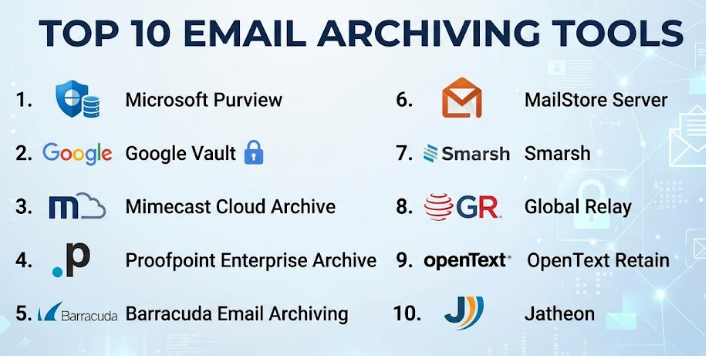
Top 10 Email Archiving Tools
#1 — Microsoft Purview
Short description :
Microsoft Purview is a governance, compliance, and eDiscovery platform used by organizations working inside the Microsoft ecosystem. It supports email retention, discovery, legal hold, audit, and compliance workflows across Microsoft 365 environments. It is especially useful for enterprises that already use Exchange Online, Outlook, Teams, and Microsoft identity services. Microsoft Purview is not only an email archiving tool; it is broader information governance software. It is best for organizations that want email archiving deeply connected with Microsoft compliance controls.
Key Features
- Email retention and records management
- eDiscovery and legal hold workflows
- Microsoft 365 integration
- Audit and compliance controls
- Role-based access management
- Data lifecycle management
- Support for broader governance use cases
Pros
- Strong fit for Microsoft 365 environments
- Good for enterprise compliance and legal teams
- Centralized governance across Microsoft data
Cons
- Can be complex for smaller businesses
- Licensing may require careful review
- Best value comes when already using Microsoft tools
Platforms / Deployment
Web / Microsoft 365 environment
Cloud / Hybrid
Security & Compliance
Supports MFA, SSO, RBAC, audit logs, retention policies, encryption, and enterprise compliance capabilities depending on Microsoft plan and configuration.
Integrations & Ecosystem
Microsoft Purview works best inside the Microsoft ecosystem and supports governance across several Microsoft services.
- Exchange Online
- Outlook
- Microsoft Teams
- SharePoint
- OneDrive
- Microsoft Entra ID
Support & Community
Microsoft offers extensive documentation, admin guides, enterprise support plans, training resources, and a large global community.
#2 — Google Vault
Short description :
Google Vault is Google Workspace’s retention, archiving, legal hold, and eDiscovery tool. It is best for organizations using Gmail and Google Workspace. Google Vault helps legal and compliance teams preserve email records, search messages, export data, and manage retention policies. It is simple compared with many enterprise archive platforms, which makes it attractive for Google-first organizations. It is especially useful for SMBs, schools, nonprofits, and enterprises already using Gmail.
Key Features
- Gmail retention management
- Legal hold support
- Search and export workflows
- Google Workspace integration
- Admin-controlled access
- eDiscovery support
- Retention rules for supported Google data
Pros
- Strong fit for Google Workspace users
- Easier to operate than many enterprise archive tools
- Useful for legal and compliance workflows
Cons
- Best suited mainly for Google Workspace environments
- Advanced multi-channel archiving may require other tools
- Licensing depends on Google Workspace plan
Platforms / Deployment
Web
Cloud
Security & Compliance
Supports Google Workspace security controls such as MFA, SSO, admin access controls, audit features, and encryption. Compliance availability depends on plan and configuration.
Integrations & Ecosystem
Google Vault is built for Google Workspace users.
- Gmail
- Google Drive
- Google Chat
- Google Meet data where supported
- Google Admin Console
- Google Workspace identity controls
Support & Community
Google provides documentation, admin help resources, Workspace support options, and a large user community.
#3 — Mimecast Cloud Archive
Short description :
Mimecast Cloud Archive is an enterprise-grade email archiving platform focused on compliance, retention, search, and continuity. It is commonly used by organizations that need secure long-term email preservation with fast search and legal discovery support. Mimecast is also known for email security, which makes it useful for companies wanting archiving and protection in one ecosystem. It fits mid-market and enterprise organizations with regulated communication needs. It is especially useful when email continuity and compliance are both priorities.
Key Features
- Cloud-based email archiving
- Retention policy management
- Legal hold and eDiscovery support
- Fast search and retrieval
- Email continuity options
- Role-based administrative access
- Integration with email security ecosystem
Pros
- Strong compliance and archive search capabilities
- Good fit for enterprise email environments
- Useful when paired with email security controls
Cons
- May be more than small teams need
- Setup and policies require planning
- Pricing can vary by business requirement
Platforms / Deployment
Web / Cloud console
Cloud
Security & Compliance
Supports encryption, access controls, audit capabilities, and enterprise security features. Specific compliance coverage should be verified based on contract and region.
Integrations & Ecosystem
Mimecast integrates with common enterprise email and security environments.
- Microsoft 365
- Exchange
- Email security workflows
- SIEM tools where supported
- Compliance workflows
- eDiscovery processes
Support & Community
Mimecast provides business support, documentation, onboarding resources, and enterprise customer success options depending on plan.
#4 — Proofpoint Enterprise Archive
Short description :
Proofpoint Enterprise Archive is designed for large organizations that need email archiving, compliance, supervision, search, and legal discovery. It is suitable for regulated industries such as finance, healthcare, legal, and large enterprises. Proofpoint is known for email security, risk management, and compliance capabilities. Its archive offering helps organizations preserve communication records and search them when needed. It is best for teams that require strong governance and investigation workflows.
Key Features
- Enterprise email archiving
- Legal hold and eDiscovery
- Retention policy management
- Supervision workflows
- Search and investigation tools
- Audit and reporting controls
- Enterprise security ecosystem integration
Pros
- Strong for compliance-heavy organizations
- Good fit for regulated industries
- Works well with broader email security strategy
Cons
- May feel complex for smaller teams
- Implementation can require specialist planning
- Pricing is usually enterprise-oriented
Platforms / Deployment
Web / Enterprise cloud environment
Cloud
Security & Compliance
Supports enterprise-grade security controls, role-based access, encryption, audit workflows, and compliance-focused features. Specific certifications and requirements should be verified during procurement.
Integrations & Ecosystem
Proofpoint fits well into security, governance, and email infrastructure environments.
- Microsoft 365
- Exchange
- Google Workspace support may vary
- Security operations workflows
- eDiscovery tools
- Compliance supervision processes
Support & Community
Proofpoint provides enterprise support, documentation, customer success resources, and professional services options depending on contract.
#5 — Barracuda Email Archiving
Short description :
Barracuda Email Archiving is a practical archiving solution for organizations that need retention, search, compliance support, and email recovery. It is often considered by SMBs and mid-market businesses because it balances functionality with operational simplicity. Barracuda is also known for email security and backup products, so its archive tool can fit into a broader protection strategy. It helps IT teams preserve emails, apply retention rules, and respond to discovery requests. It is a good option for teams that want strong archiving without heavy complexity.
Key Features
- Email retention management
- Search and retrieval
- Legal hold support
- Export options
- Microsoft 365 support
- Audit and administrative controls
- Integration with Barracuda email security ecosystem
Pros
- Good balance of usability and capability
- Suitable for SMB and mid-market teams
- Helpful for compliance and recovery needs
Cons
- May not match the depth of large enterprise governance suites
- Advanced workflows require configuration
- Pricing and packaging may vary
Platforms / Deployment
Web / Cloud console
Cloud / Hybrid options may vary
Security & Compliance
Supports access controls, encryption, retention policies, and audit-related features. Specific compliance details should be verified by plan.
Integrations & Ecosystem
Barracuda integrates well with common business email environments.
- Microsoft 365
- Exchange
- Email security tools
- Backup workflows
- Compliance exports
- Admin reporting tools
Support & Community
Barracuda provides documentation, technical support, knowledge base resources, and business support options.
#6 — MailStore Server
Short description :
MailStore Server is a well-known email archiving solution often used by SMBs, IT service providers, and organizations that want more control over their archive environment. It helps businesses archive emails from various mail systems and make them searchable for future access. MailStore is valued for its practical setup, local control, and strong focus on email archiving. It is not as broad as full enterprise governance platforms, but it is very useful for focused email retention needs. It is a strong fit for organizations that want dependable archiving without unnecessary complexity.
Key Features
- Email archiving from multiple mail systems
- Fast search and retrieval
- Retention and storage management
- User access to archived email
- Export and recovery capabilities
- Support for common email protocols
- Suitable for controlled IT environments
Pros
- Strong for SMB and focused archiving needs
- Flexible for different mail systems
- Good option for organizations wanting local control
Cons
- Less broad than enterprise compliance suites
- Requires IT ownership and management
- Advanced compliance workflows may need additional tools
Platforms / Deployment
Windows Server environment / Web access options
Self-hosted / Hybrid depending on setup
Security & Compliance
Supports access controls, encrypted communication options, and archive integrity features. Formal compliance details vary and should be verified.
Integrations & Ecosystem
MailStore supports many standard email environments and protocols.
- Microsoft 365
- Exchange
- Gmail / Google Workspace
- IMAP mailboxes
- POP3 mailboxes
- Email journaling workflows
Support & Community
MailStore provides documentation, support resources, partner support, and a user community. Support depends on product edition and licensing.
#7 — Smarsh
Short description :
Smarsh is a digital communications archiving and compliance platform used by regulated businesses. It supports archiving beyond email, including messaging, collaboration, mobile, and social channels depending on the product setup. Smarsh is especially useful for financial services, legal, government, and heavily regulated organizations. It helps teams preserve communications, supervise messages, run searches, and support compliance reviews. It is best for organizations that need more than basic email archiving.
Key Features
- Email and digital communication archiving
- Supervision and compliance workflows
- Legal hold and eDiscovery support
- Search and review tools
- Multi-channel communication capture
- Policy-based retention
- Audit and reporting controls
Pros
- Strong for regulated industries
- Useful for multi-channel communication governance
- Good fit for compliance and supervision teams
Cons
- May be too advanced for simple email-only needs
- Implementation can require careful planning
- Pricing may be enterprise-focused
Platforms / Deployment
Web / Cloud platform
Cloud
Security & Compliance
Supports enterprise security controls, access management, audit trails, and compliance-oriented workflows. Specific certifications and compliance coverage should be verified directly.
Integrations & Ecosystem
Smarsh supports regulated communication ecosystems.
- Email platforms
- Collaboration tools
- Mobile communication channels
- Social media channels where supported
- Compliance review workflows
- eDiscovery processes
Support & Community
Smarsh provides enterprise documentation, onboarding, customer support, and compliance-focused guidance depending on contract.
#8 — Global Relay
Short description :
Global Relay is an enterprise information archiving and communication compliance platform. It is widely associated with regulated industries that need secure retention, supervision, discovery, and communication governance. Global Relay is suitable for organizations that must capture and monitor email and other business communications. It is especially relevant for financial services and enterprise compliance teams. The platform is best for companies that need defensible archiving and review workflows at scale.
Key Features
- Enterprise email archiving
- Communication supervision
- Legal hold and eDiscovery
- Retention policy controls
- Search and investigation workflows
- Multi-channel archiving support
- Compliance-focused reporting
Pros
- Strong for regulated enterprise environments
- Supports broader communication governance
- Good fit for compliance and legal teams
Cons
- Not ideal for small businesses with simple email needs
- Enterprise setup can be complex
- Pricing details may require direct evaluation
Platforms / Deployment
Web / Cloud platform
Cloud
Security & Compliance
Supports enterprise security and compliance workflows. Specific certifications, controls, and regulatory coverage should be verified with the vendor.
Integrations & Ecosystem
Global Relay fits communication governance programs across multiple channels.
- Email systems
- Collaboration platforms
- Messaging systems where supported
- Compliance supervision tools
- Legal discovery workflows
- Enterprise identity workflows
Support & Community
Global Relay provides enterprise-grade support, onboarding, documentation, and compliance-focused service resources.
#9 — OpenText Retain
Short description :
OpenText Retain is a unified archiving solution designed to preserve business communication for compliance, legal, and governance use cases. It supports email archiving along with other communication channels depending on deployment. OpenText Retain is often considered by organizations that need broader information management and compliance capabilities. It is suitable for mid-market and enterprise buyers with legal, HR, audit, and regulatory needs. It is best when email archiving is part of a wider data governance strategy.
Key Features
- Email archiving and retention
- Search and eDiscovery support
- Unified communication archiving
- Legal hold workflows
- Audit and reporting tools
- Policy-based archive management
- Support for broader compliance use cases
Pros
- Useful for broader communication archiving
- Strong fit for governance-focused organizations
- Suitable for legal and compliance workflows
Cons
- May require more setup than simple archive tools
- Best suited for organizations with formal governance needs
- Licensing and deployment details can vary
Platforms / Deployment
Web / Enterprise environment
Cloud / Self-hosted / Hybrid options may vary
Security & Compliance
Supports enterprise access controls, retention policies, audit trails, and compliance workflows. Specific certifications should be verified by deployment and agreement.
Integrations & Ecosystem
OpenText Retain fits organizations with broader enterprise content and governance needs.
- Email platforms
- Mobile communication systems
- Social communication channels where supported
- eDiscovery workflows
- OpenText ecosystem
- Compliance reporting tools
Support & Community
OpenText provides enterprise support, documentation, professional services, and customer success resources depending on contract.
#10 — Jatheon
Short description :
Jatheon is an email archiving and information governance platform designed for compliance, retention, search, and eDiscovery. It offers cloud and appliance-style options depending on organizational needs. Jatheon is useful for businesses, education, public sector, and regulated organizations that need reliable email preservation. The platform focuses on practical compliance workflows and archive search. It is a good option for teams looking for a dedicated archiving vendor rather than a full productivity suite.
Key Features
- Email archiving and retention
- Legal hold support
- eDiscovery search
- Cloud and appliance options may be available
- Audit and reporting features
- Compliance-focused workflows
- Support for multiple email platforms
Pros
- Dedicated archiving focus
- Suitable for compliance and discovery needs
- Flexible deployment options may fit different organizations
Cons
- Less mainstream than Microsoft or Google-native options
- Integration depth should be validated before purchase
- Pricing and packaging may vary
Platforms / Deployment
Web / Cloud / Appliance-based options may vary
Cloud / Self-hosted / Hybrid
Security & Compliance
Supports security and compliance-oriented archive controls. Specific certifications, encryption details, and compliance coverage should be verified directly.
Integrations & Ecosystem
Jatheon works with common email archiving and compliance environments.
- Microsoft 365
- Exchange
- Google Workspace
- Email journaling
- Legal discovery workflows
- Compliance reporting
Support & Community
Jatheon provides documentation, onboarding, and customer support resources. Community visibility is moderate compared with larger vendors.
Comparison Table
| Tool Name | Best For | Platform(s) Supported | Deployment | Standout Feature | Public Rating |
|---|---|---|---|---|---|
| Microsoft Purview | Microsoft 365 enterprise compliance | Web / Microsoft 365 | Cloud / Hybrid | Native Microsoft governance and eDiscovery | N/A |
| Google Vault | Google Workspace retention and discovery | Web | Cloud | Gmail-native retention and legal hold | N/A |
| Mimecast Cloud Archive | Enterprise email archiving and continuity | Web | Cloud | Cloud archive with strong search and continuity | N/A |
| Proofpoint Enterprise Archive | Regulated enterprise compliance | Web | Cloud | Enterprise archive and supervision workflows | N/A |
| Barracuda Email Archiving | SMB and mid-market archiving | Web | Cloud / Hybrid varies | Practical archive search and retention | N/A |
| MailStore Server | SMB and self-managed archive control | Windows Server / Web access | Self-hosted / Hybrid | Focused email archiving with local control | N/A |
| Smarsh | Regulated multi-channel compliance | Web | Cloud | Digital communication supervision | N/A |
| Global Relay | Financial services and enterprise governance | Web | Cloud | Enterprise communication archiving | N/A |
| OpenText Retain | Unified communication archiving | Web / Enterprise environment | Cloud / Self-hosted / Hybrid | Broader information governance fit | N/A |
| Jatheon | Dedicated archive and eDiscovery needs | Web | Cloud / Self-hosted / Hybrid | Flexible archive and compliance focus | N/A |
Evaluation & Email Archiving Tools
| Tool Name | Core (25%) | Ease (15%) | Integrations (15%) | Security (10%) | Performance (10%) | Support (10%) | Value (15%) | Weighted Total (0–10) |
|---|---|---|---|---|---|---|---|---|
| Microsoft Purview | 9 | 7 | 10 | 9 | 8 | 9 | 8 | 8.55 |
| Google Vault | 8 | 8 | 9 | 9 | 8 | 8 | 8 | 8.25 |
| Mimecast Cloud Archive | 9 | 7 | 8 | 9 | 9 | 8 | 7 | 8.25 |
| Proofpoint Enterprise Archive | 9 | 7 | 8 | 9 | 9 | 8 | 7 | 8.25 |
| Barracuda Email Archiving | 8 | 8 | 8 | 8 | 8 | 8 | 8 | 8.00 |
| MailStore Server | 8 | 8 | 7 | 7 | 8 | 7 | 9 | 7.80 |
| Smarsh | 9 | 7 | 8 | 9 | 8 | 8 | 7 | 8.10 |
| Global Relay | 9 | 7 | 8 | 9 | 8 | 8 | 7 | 8.10 |
| OpenText Retain | 8 | 7 | 8 | 8 | 8 | 8 | 7 | 7.75 |
| Jatheon | 8 | 7 | 7 | 8 | 8 | 7 | 8 | 7.60 |
These scores are comparative and should be used for shortlisting, not as a final buying decision. A tool with a lower total may still be the best fit for a specific use case. For example, MailStore can be excellent for SMB self-managed archiving, while Smarsh or Global Relay may be better for regulated communication supervision. Always validate retention rules, legal hold, search quality, export formats, admin controls, and integrations before purchase.
Which Email Archiving Tool
Solo / Freelancer
Solo users usually do not need dedicated email archiving software unless they work in legal, finance, consulting, or regulated advisory work. Basic mailbox backup, cloud storage, or provider retention may be enough. If stronger retention is needed, MailStore or a simple business email archive may be more practical than enterprise platforms.
SMB
SMBs should focus on simple setup, affordable pricing, search, retention, and recovery. Barracuda Email Archiving, MailStore Server, Zoho-aligned retention options, or Google Vault for Google Workspace users can be practical choices. Microsoft-based SMBs should evaluate Microsoft Purview or Exchange Online Archiving depending on their plan.
Mid-Market
Mid-market companies need stronger retention policies, admin control, legal hold, audit trails, and integration with Microsoft 365 or Google Workspace. Microsoft Purview, Google Vault, Mimecast, Barracuda, and Jatheon are worth shortlisting. The best choice depends on whether the company is Microsoft-first, Google-first, or compliance-heavy.
Enterprise
Enterprises should focus on scalability, legal defensibility, supervision, RBAC, audit logs, data residency, regulatory needs, and multi-channel archiving. Microsoft Purview, Proofpoint, Mimecast, Smarsh, Global Relay, and OpenText Retain are stronger enterprise options. Enterprises should run a detailed security and legal review before rollout.
Budget vs Premium
Budget-conscious teams should avoid overbuying complex enterprise tools if their needs are basic. MailStore and Barracuda may be easier to justify for focused archiving. Premium tools like Proofpoint, Mimecast, Smarsh, Global Relay, and Microsoft Purview are better when compliance, legal hold, supervision, and scale are major requirements.
Feature Depth vs Ease of Use
Google Vault is often easier for Google Workspace users. Microsoft Purview is powerful but may require more admin knowledge. Mimecast, Proofpoint, Smarsh, and Global Relay offer strong depth but need policy planning. MailStore and Barracuda are more approachable for many SMB and mid-market teams.
Integrations & Scalability-
For Microsoft 365 environments, Microsoft Purview and Mimecast are strong choices. For Google Workspace, Google Vault is often the natural starting point. For regulated multi-channel communication, Smarsh and Global Relay are stronger. For self-managed or mixed email systems, MailStore and Jatheon may offer useful flexibility.
Security & Compliance Needs
Security-focused buyers should check encryption, MFA, SSO, RBAC, audit logs, legal hold, retention immutability, export controls, and administrator access. Compliance-heavy teams should also validate industry-specific needs such as financial supervision, healthcare privacy, government retention, or legal discovery rules.
Frequently Asked Questions
1. What is an Email Archiving Tool?
An Email Archiving Tool stores and preserves business emails in a secure archive. It helps organizations search, retrieve, retain, and produce emails for audits, investigations, legal cases, and compliance needs.
2. How is email archiving different from email backup?
Backup is mainly for recovery after loss or failure. Archiving is for long-term retention, search, legal hold, compliance, and evidence preservation. Many organizations need both because they solve different problems.
3. Who needs email archiving software?
Email archiving is useful for legal teams, IT teams, compliance teams, financial firms, healthcare organizations, government agencies, schools, and any business that must preserve communication records.
4. Is email archiving required for every company?
No. Very small businesses and solo users may not need a dedicated archive. However, companies with legal, audit, regulatory, or customer record obligations should strongly consider it.
5. What pricing models do email archiving tools use?
Pricing often depends on number of users, mailbox volume, storage, retention length, features, and support level. Some tools use subscription pricing, while others may offer server or appliance-based licensing.
6. What is legal hold in email archiving?
Legal hold prevents selected emails from being deleted or changed when they may be needed for a legal case, investigation, or audit. It helps preserve evidence in a controlled way.
7. Can email archiving tools work with Microsoft 365?
Yes, many email archiving tools support Microsoft 365. Microsoft Purview is the native Microsoft option, while Mimecast, Proofpoint, Barracuda, MailStore, Jatheon, and others may also support Microsoft environments.
8. Can email archiving tools work with Google Workspace?
Yes, Google Vault is the native Google Workspace option. Some third-party archiving tools may also support Gmail and Google Workspace through journaling, APIs, or supported connectors.
9. What are common mistakes when choosing email archiving software?
Common mistakes include choosing only by price, ignoring retention rules, not testing search quality, missing legal hold requirements, skipping security review, and failing to confirm integrations with existing email systems.
10. How long should emails be retained?
Retention periods depend on business policy, industry rules, legal requirements, and geography. Companies should define retention schedules with legal, compliance, HR, and IT teams before configuring the archive.
11. Are email archives searchable?
Yes, search is one of the most important features. Good tools allow teams to search by sender, recipient, date, keyword, attachment, mailbox, and policy-related metadata.
12. What is eDiscovery in email archiving?
eDiscovery means finding, preserving, reviewing, and exporting emails that may be needed for legal or regulatory matters. Archiving tools make this process faster and more controlled.
Conclusion
Email Archiving Tools are important for organizations that need long-term communication retention, legal readiness, compliance support, and secure email recovery. The best choice depends on company size, email platform, industry rules, budget, and internal technical skills. Microsoft Purview is strong for Microsoft-first enterprises, Google Vault is practical for Google Workspace users, Mimecast and Proofpoint are strong for enterprise compliance, Barracuda and MailStore are useful for SMB and mid-market needs, while Smarsh, Global Relay, OpenText Retain, and Jatheon fit more specialized compliance and governance use cases.
