Introduction
Medical Imaging PACS Systems (Picture Archiving and Communication Systems) are software platforms used by hospitals, diagnostic centers, and clinics to store, retrieve, manage, and share medical imaging data such as X-rays, CT scans, MRIs, and ultrasounds. Instead of relying on physical films, PACS systems digitize imaging workflows and make them accessible across departments and locations.
In today’s healthcare landscape, PACS systems are more critical than ever. With the rise of telemedicine, AI-assisted diagnostics, and multi-location healthcare delivery, organizations need fast, secure, and scalable imaging infrastructure. PACS is no longer just storage—it is a central nervous system for imaging workflows.
Real-world use cases:
- Radiology departments managing high volumes of imaging studies
- Multi-location hospitals sharing patient imaging instantly
- Tele-radiology providers offering remote diagnosis
- AI-driven imaging analysis for early disease detection
- Emergency departments needing real-time imaging access
What buyers should evaluate:
- Scalability and storage architecture
- Integration with EHR/EMR and RIS systems
- AI and automation capabilities
- Security and compliance readiness
- Image retrieval speed and performance
- Deployment flexibility (cloud vs on-premise)
- User interface and workflow efficiency
- Vendor support and reliability
- Cost structure and licensing model
Best for: Hospitals, diagnostic imaging centers, radiology groups, telemedicine providers, and healthcare enterprises handling high imaging volumes.
Not ideal for: Small clinics with minimal imaging needs or organizations already using lightweight imaging viewers without centralized PACS requirements.
Key Trends in Medical Imaging PACS Systems
- AI-assisted diagnostics: Automated detection of anomalies in imaging data is becoming standard.
- Cloud-native PACS: Increasing shift from on-premise to cloud-based storage and workflows.
- Vendor-neutral archives (VNA): Separation of storage from PACS for better interoperability.
- Real-time collaboration: Radiologists can collaborate across geographies instantly.
- Cybersecurity focus: Enhanced encryption, zero-trust models, and audit trails.
- Mobile accessibility: Imaging access on tablets and smartphones for faster decisions.
- Integration-first design: Seamless connection with EHR, RIS, and AI tools.
- Automation in workflows: Reduced manual intervention in image routing and reporting.
- Subscription pricing models: Shift from capital expenditure to operational expenditure.
How We Selected These Tools (Methodology)
- Evaluated market adoption and industry presence across hospitals and imaging centers
- Assessed feature completeness, including storage, viewing, and workflow tools
- Considered performance and reliability signals in high-volume environments
- Reviewed security posture and compliance readiness
- Analyzed integration capabilities with healthcare ecosystems
- Evaluated scalability across small to enterprise deployments
- Checked vendor reputation and long-term viability
- Looked at ease of use and workflow efficiency
- Ensured coverage across deployment models (cloud, hybrid, on-premise)
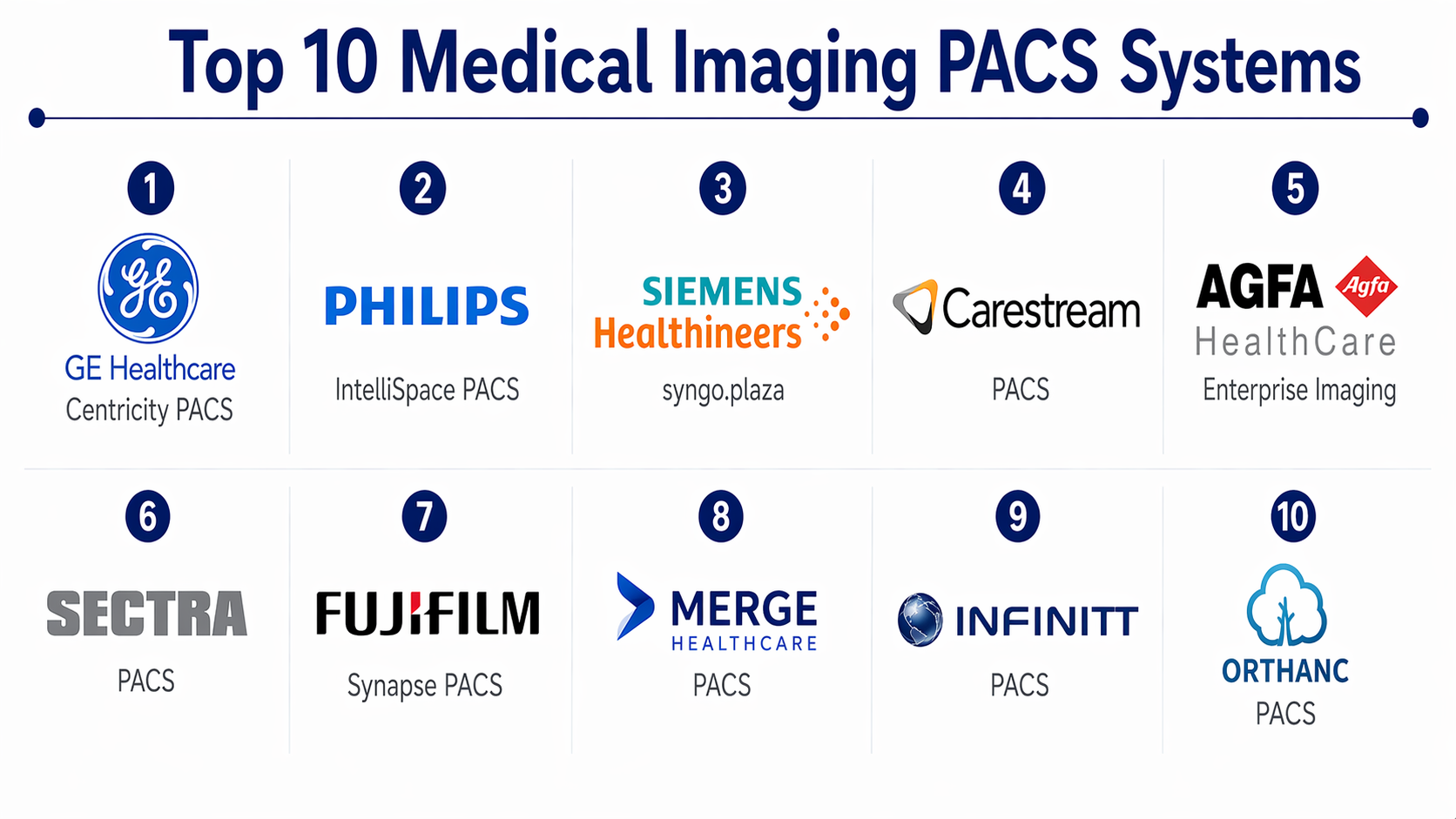
Top 10 Medical Imaging PACS Systems
#1 — GE Healthcare Centricity PACS
Short description :
A widely used enterprise PACS solution designed for large hospitals and imaging networks. It focuses on high-performance imaging workflows and scalability. Known for deep integration with healthcare systems, it supports complex radiology environments. It is commonly used in enterprise healthcare setups. Offers advanced visualization and reporting tools.
Key Features
- Advanced image visualization tools
- Workflow automation for radiology
- Integration with RIS and EHR
- Scalable enterprise architecture
- Multi-site image sharing
- AI integration support
Pros
- Strong enterprise scalability
- Reliable performance in large deployments
Cons
- Complex implementation
- High cost for smaller organizations
Platforms / Deployment
Web / Windows
Cloud / On-premise / Hybrid
Security & Compliance
HIPAA-ready features, encryption, RBAC (exact certifications not publicly stated)
Integrations & Ecosystem
Integrates deeply with hospital IT ecosystems and third-party imaging tools.
- RIS systems
- EHR platforms
- AI imaging tools
- HL7 and DICOM standards
Support & Community
Enterprise-level support with structured onboarding; strong vendor backing.
#2 — Philips IntelliSpace PACS
Short description :
Designed for large healthcare providers, IntelliSpace offers unified imaging workflows and strong clinical collaboration features. It focuses on improving diagnostic confidence and workflow efficiency. Widely used in hospitals and radiology departments.
Key Features
- Unified imaging platform
- Advanced clinical collaboration
- AI-powered insights
- Workflow orchestration
- Multi-modality support
Pros
- Strong clinical workflow integration
- High-quality visualization tools
Cons
- Expensive for smaller facilities
- Learning curve for new users
Platforms / Deployment
Web / Windows
Cloud / Hybrid
Security & Compliance
Not publicly stated
Integrations & Ecosystem
Supports integration with hospital systems and imaging tools.
- EHR integration
- RIS compatibility
- AI analytics tools
Support & Community
Enterprise support with training and onboarding programs.
#3 — Siemens Healthineers syngo.plaza
Short description:
A modular PACS solution focused on advanced imaging and diagnostics. It supports radiology workflows with strong visualization capabilities and analytics.
Key Features
- Advanced 3D visualization
- Modular architecture
- AI-assisted diagnostics
- Workflow optimization
- Multi-device access
Pros
- Strong imaging capabilities
- Flexible modular design
Cons
- Complex setup
- Premium pricing
Platforms / Deployment
Web / Windows
Cloud / On-premise
Security & Compliance
Not publicly stated
Integrations & Ecosystem
- Hospital systems integration
- AI tools compatibility
- Imaging devices
Support & Community
Strong enterprise support.
#4 — Carestream PACS
Short description:
A flexible PACS platform designed for both mid-sized and large healthcare organizations. It offers scalable imaging management and workflow tools.
Key Features
- Scalable storage architecture
- Image lifecycle management
- Workflow automation
- Multi-site support
- Cloud deployment options
Pros
- Flexible deployment
- Good scalability
Cons
- Interface could be improved
- Customization may require effort
Platforms / Deployment
Web / Windows
Cloud / Hybrid
Security & Compliance
Not publicly stated
Integrations & Ecosystem
- EHR integration
- RIS compatibility
- Third-party tools
Support & Community
Reliable vendor support.
#5 — Agfa HealthCare Enterprise Imaging
Short description:
A unified imaging solution combining PACS and VNA capabilities. Designed for enterprise healthcare systems focusing on interoperability.
Key Features
- Vendor-neutral archive
- Unified imaging platform
- Workflow orchestration
- Cross-department access
- AI integration
Pros
- Strong interoperability
- Unified data management
Cons
- Complex deployment
- High cost
Platforms / Deployment
Web / Windows
Cloud / Hybrid
Security & Compliance
Not publicly stated
Integrations & Ecosystem
- EHR systems
- Imaging modalities
- Analytics tools
Support & Community
Enterprise-grade support.
#6 — Sectra PACS
Short description:
A high-performance PACS platform known for speed and security. Often used in large healthcare organizations.
Key Features
- Fast image retrieval
- High security standards
- Scalable architecture
- Workflow automation
- Multi-site support
Pros
- Excellent performance
- Strong security focus
Cons
- Premium pricing
- Limited SMB suitability
Platforms / Deployment
Web / Windows
Cloud / On-premise
Security & Compliance
Encryption, audit logs (details not fully public)
Integrations & Ecosystem
- RIS/EHR integration
- Imaging systems
- APIs
Support & Community
Strong enterprise support.
#7 — Fujifilm Synapse PACS
Short description:
A robust PACS solution offering advanced visualization and enterprise imaging capabilities. Designed for high-performance workflows.
Key Features
- Advanced visualization
- Cloud support
- Workflow automation
- AI capabilities
- Scalable architecture
Pros
- Strong performance
- Flexible deployment
Cons
- Complex UI
- Implementation effort
Platforms / Deployment
Web / Windows
Cloud / Hybrid
Security & Compliance
Not publicly stated
Integrations & Ecosystem
- EHR/RIS integration
- Imaging devices
- AI tools
Support & Community
Reliable support.
#8 — Merge Healthcare PACS (IBM Watson Health Imaging)
Short description:
A PACS solution with strong imaging data management and analytics capabilities. Known for integration with AI systems.
Key Features
- Imaging analytics
- AI integration
- Data management
- Workflow automation
- Multi-modality support
Pros
- Strong analytics
- Good integration ecosystem
Cons
- Requires technical setup
- Transition complexity
Platforms / Deployment
Web / Windows
Cloud / Hybrid
Security & Compliance
Not publicly stated
Integrations & Ecosystem
- AI tools
- EHR systems
- Imaging devices
Support & Community
Enterprise-level support.
#9 — INFINITT PACS
Short description:
A cost-effective PACS solution used by mid-sized healthcare providers. Known for reliability and scalability.
Key Features
- Scalable architecture
- Workflow tools
- Image storage and retrieval
- Multi-site support
- Customizable features
Pros
- Affordable compared to enterprise tools
- Reliable performance
Cons
- Limited advanced features
- UI could be improved
Platforms / Deployment
Web / Windows
Cloud / On-premise
Security & Compliance
Not publicly stated
Integrations & Ecosystem
- EHR integration
- Imaging systems
Support & Community
Moderate support availability.
#10 — Orthanc (Open Source PACS)
Short description:
An open-source PACS solution suitable for developers and small deployments. Lightweight and highly customizable.
Key Features
- Open-source flexibility
- REST API support
- Lightweight deployment
- DICOM compatibility
- Plugin architecture
Pros
- Free and customizable
- Developer-friendly
Cons
- Limited enterprise features
- Requires technical expertise
Platforms / Deployment
Web / Linux / Windows
Self-hosted
Security & Compliance
Not publicly stated
Integrations & Ecosystem
- APIs for integration
- Imaging systems
- Custom plugins
Support & Community
Strong open-source community but limited official support.
Comparison Table (Top 10)
| Tool Name | Best For | Platform(s) Supported | Deployment | Standout Feature | Public Rating |
|---|---|---|---|---|---|
| GE Centricity PACS | Enterprise hospitals | Web, Windows | Hybrid | Enterprise scalability | N/A |
| Philips IntelliSpace | Large healthcare systems | Web, Windows | Hybrid | Clinical collaboration | N/A |
| Siemens syngo.plaza | Advanced imaging | Web, Windows | Hybrid | 3D visualization | N/A |
| Carestream PACS | Mid-large providers | Web, Windows | Hybrid | Flexible deployment | N/A |
| Agfa Enterprise Imaging | Interoperability | Web, Windows | Hybrid | VNA integration | N/A |
| Sectra PACS | High-performance setups | Web, Windows | Hybrid | Fast retrieval | N/A |
| Fujifilm Synapse | Enterprise imaging | Web, Windows | Hybrid | Visualization tools | N/A |
| Merge Healthcare PACS | AI-driven imaging | Web, Windows | Hybrid | Analytics integration | N/A |
| INFINITT PACS | Mid-sized providers | Web, Windows | Hybrid | Cost-effective | N/A |
| Orthanc | Developers/SMBs | Web, Linux, Windows | Self-hosted | Open-source flexibility | N/A |
Evaluation & Medical Imaging PACS Systems
| Tool Name | Core (25%) | Ease (15%) | Integrations (15%) | Security (10%) | Performance (10%) | Support (10%) | Value (15%) | Weighted Total |
|---|---|---|---|---|---|---|---|---|
| GE Centricity | 9 | 7 | 9 | 8 | 9 | 9 | 7 | 8.4 |
| Philips IntelliSpace | 9 | 7 | 8 | 8 | 9 | 9 | 7 | 8.3 |
| Siemens syngo | 9 | 7 | 8 | 8 | 9 | 8 | 7 | 8.2 |
| Carestream | 8 | 8 | 8 | 7 | 8 | 8 | 8 | 8.0 |
| Agfa Imaging | 9 | 7 | 9 | 8 | 8 | 8 | 7 | 8.2 |
| Sectra | 9 | 7 | 8 | 9 | 9 | 8 | 7 | 8.3 |
| Fujifilm Synapse | 8 | 7 | 8 | 7 | 8 | 8 | 7 | 7.8 |
| Merge Healthcare | 8 | 7 | 9 | 7 | 8 | 8 | 7 | 7.9 |
| INFINITT | 7 | 8 | 7 | 7 | 7 | 7 | 8 | 7.4 |
| Orthanc | 6 | 6 | 8 | 6 | 7 | 6 | 9 | 6.9 |
How to interpret scores:
- Scores are comparative across tools, not absolute benchmarks
- Enterprise tools rank higher in core features and performance
- Open-source tools score higher in value but lower in support
- Choose based on use case, not just highest score
Which Medical Imaging PACS Systems
Solo / Freelancer
Orthanc is ideal for small setups or experimentation.
SMB
INFINITT or Carestream offer balance between cost and features.
Mid-Market
Carestream and Fujifilm Synapse provide scalable options.
Enterprise
GE Centricity, Philips IntelliSpace, and Sectra lead in performance and scale.
Budget vs Premium
- Budget: Orthanc, INFINITT
- Premium: GE, Philips, Siemens
Feature Depth vs Ease of Use
- Feature-rich: GE, Siemens
- Easier adoption: Carestream, INFINITT
Integrations & Scalability
- Best integrations: GE, Agfa, Merge
- Best scalability: Sectra, Philips
Security & Compliance Needs
- High-security focus: Sectra, GE
- Moderate: INFINITT, Orthanc
Frequently Asked Questions (FAQs)
1. What is a PACS system used for?
It is used to store, retrieve, and share medical images digitally. It replaces traditional film-based systems and improves workflow efficiency.
2. How much does a PACS system cost?
Pricing varies widely based on deployment size, features, and vendor. It can range from subscription-based models to enterprise licensing.
3. Is cloud PACS better than on-premise?
Cloud PACS offers scalability and remote access, while on-premise provides more control. The choice depends on infrastructure and compliance needs.
4. How long does implementation take?
Implementation can take weeks to months depending on system complexity and integration requirements.
5. Can PACS integrate with EHR systems?
Yes, most PACS systems support integration with EHR and RIS using standards like DICOM and HL7.
6. What are common mistakes when choosing PACS?
Ignoring scalability, underestimating integration complexity, and focusing only on cost are common mistakes.
7. Are PACS systems secure?
Modern PACS systems include encryption and access controls, but exact security depends on vendor implementation.
8. Can PACS support AI tools?
Yes, many modern PACS platforms support AI integrations for diagnostics and analytics.
9. What industries use PACS systems?
Primarily healthcare, including hospitals, clinics, diagnostic labs, and telemedicine providers.
10. Is it difficult to switch PACS systems?
Switching can be complex due to data migration and workflow changes, but it is manageable with proper planning.
Conclusion
Medical Imaging PACS systems have evolved into critical infrastructure for modern healthcare. They are no longer just storage solutions but platforms that drive diagnostics, collaboration, and operational efficiency. While enterprise solutions offer unmatched scalability and performance, smaller organizations may benefit from cost-effective or open-source alternatives. The right choice depends on your organization’s size, imaging volume, integration needs, and budget.
