Introduction
Meeting Room Booking Software helps organizations manage and schedule shared workspaces such as conference rooms, meeting rooms, huddle spaces, and desks. These tools eliminate manual booking conflicts, improve workspace utilization, and provide visibility into how office resources are being used.
As hybrid work becomes the norm, organizations need smarter systems to coordinate in-office collaboration. Meeting room booking platforms now integrate with calendars, IoT devices, and workplace analytics tools to provide seamless experiences for employees and facility managers.
Real-world use cases:
- Booking conference rooms across offices
- Managing hybrid workplace schedules
- Integrating with office calendars (Outlook, Google)
- Tracking workspace utilization and analytics
- Enabling touchless check-in systems
What buyers should evaluate:
- Calendar integrations (Google, Microsoft)
- Real-time availability and scheduling
- Mobile and kiosk support
- Analytics and reporting
- Hardware integrations (room displays, sensors)
- Security and access control
- Scalability across locations
- Ease of use for employees
- Automation and recurring bookings
Best for: Enterprises, co-working spaces, IT teams, and facility managers managing shared workspaces.
Not ideal for: Small teams with minimal meeting room requirements or those using simple calendar scheduling.
Key Trends in Meeting Room Booking Software
- Hybrid workplace optimization: Tools designed for flexible office schedules
- AI-based scheduling: Smart suggestions for meeting times and rooms
- IoT integrations: Sensors for occupancy detection and automation
- Touchless experiences: QR-based check-ins and mobile access
- Workplace analytics: Deep insights into space utilization
- Unified workplace platforms: Combining desk booking + room booking
- Cloud-first deployments: Easy scalability and remote management
- Integration with collaboration tools: Slack, Teams, Zoom
- Sustainability tracking: Energy usage and space efficiency metrics
How We Selected These Tools (Methodology)
- Evaluated market presence and adoption
- Compared core booking and scheduling features
- Assessed ease of integration with calendars and tools
- Reviewed scalability for multi-location organizations
- Considered security and enterprise readiness
- Analyzed user experience and onboarding simplicity
- Looked at analytics and reporting capabilities
- Ensured coverage across SMB and enterprise needs
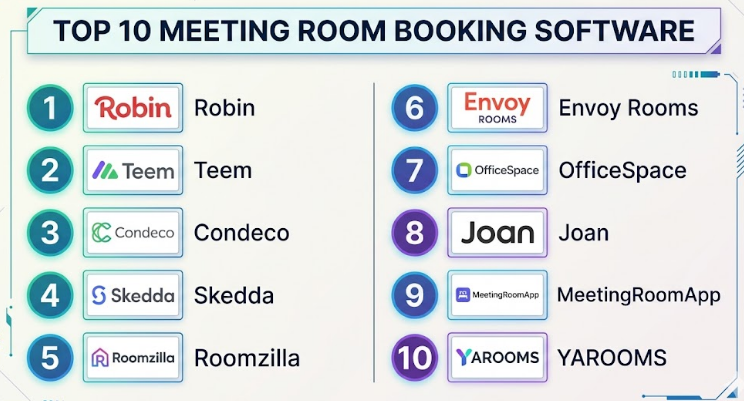
Top 10 Meeting Room Booking Software
#1 — Robin
Short description:
Robin is a modern workplace management platform designed for hybrid offices. It helps teams book meeting rooms, desks, and office spaces efficiently. Known for its intuitive interface and strong analytics, it is ideal for mid-sized and enterprise organizations. It also supports real-time availability and workplace insights.
Key Features
- Room and desk booking
- Real-time availability tracking
- Workplace analytics
- Mobile app support
- Interactive office maps
Pros
- User-friendly interface
- Strong analytics
Cons
- Premium pricing
- Requires setup for advanced features
Platforms / Deployment
Web / iOS / Android
Cloud
Security & Compliance
SSO, encryption
Integrations & Ecosystem
Robin integrates with major workplace tools and calendars.
- Google Workspace
- Microsoft 365
- Slack
- Zoom
Support & Community
Strong documentation and enterprise-grade support.
#2 — Teem (by iOFFICE)
Short description:
Teem is a widely used room scheduling solution designed for enterprises. It offers robust scheduling tools and integrates well with workplace systems. Ideal for organizations managing multiple offices and large teams.
Key Features
- Room scheduling
- Visitor management
- Analytics dashboard
- Digital signage support
- Mobile booking
Pros
- Scalable for enterprises
- Strong integration ecosystem
Cons
- UI can feel outdated
- Setup complexity
Platforms / Deployment
Web / iOS / Android
Cloud
Security & Compliance
SSO, encryption
Integrations & Ecosystem
- Microsoft 365
- Google Workspace
- Slack
Support & Community
Enterprise-level support with onboarding assistance.
#3 — Condeco
Short description:
Condeco is a leading enterprise solution for workspace booking. It offers advanced scheduling and analytics features. Suitable for global organizations with complex workspace requirements.
Key Features
- Room and desk booking
- Space utilization analytics
- Mobile access
- Interactive maps
- Reporting tools
Pros
- Enterprise scalability
- Advanced analytics
Cons
- Expensive
- Complex deployment
Platforms / Deployment
Web / Windows / iOS / Android
Cloud
Security & Compliance
SSO, encryption, enterprise compliance
Integrations & Ecosystem
- Microsoft tools
- Google Workspace
- APIs
Support & Community
Strong enterprise support.
#4 — Skedda
Short description:
Skedda is a flexible booking system suitable for SMBs and co-working spaces. It offers customizable booking rules and automation. Easy to set up and use.
Key Features
- Custom booking rules
- Online scheduling
- Payment integration
- Reporting
- Access control
Pros
- Affordable
- Easy setup
Cons
- Limited enterprise features
- Basic analytics
Platforms / Deployment
Web
Cloud
Security & Compliance
Not publicly stated
Integrations & Ecosystem
- Zapier
- Calendar tools
Support & Community
Good documentation and responsive support.
#5 — Roomzilla
Short description:
Roomzilla is a simple and efficient room booking system designed for small and mid-sized offices. It offers real-time booking and easy integration with calendars.
Key Features
- Real-time room booking
- Calendar integration
- Check-in system
- Reporting
- Mobile-friendly interface
Pros
- Easy to use
- Affordable
Cons
- Limited customization
- Fewer integrations
Platforms / Deployment
Web
Cloud
Security & Compliance
Not publicly stated
Integrations & Ecosystem
- Google Calendar
- Outlook
Support & Community
Basic support with helpful documentation.
#6 — Envoy Rooms
Short description:
Envoy Rooms is part of the Envoy workplace platform, focusing on meeting room scheduling and workplace management. It is known for its seamless user experience and integrations.
Key Features
- Room booking
- Visitor management
- Calendar integration
- Mobile access
- Analytics
Pros
- Smooth user experience
- Strong integrations
Cons
- Limited advanced features
- Pricing tiers
Platforms / Deployment
Web / iOS / Android
Cloud
Security & Compliance
SSO, encryption
Integrations & Ecosystem
- Slack
- Microsoft 365
- Google Workspace
Support & Community
Good support and onboarding resources.
#7 — OfficeSpace
Short description:
OfficeSpace is a workplace management platform with strong room booking capabilities. It is ideal for organizations managing hybrid work environments.
Key Features
- Desk and room booking
- Workplace analytics
- Space planning tools
- Mobile support
- Reporting
Pros
- Comprehensive features
- Strong analytics
Cons
- Complex UI
- Higher pricing
Platforms / Deployment
Web / iOS / Android
Cloud
Security & Compliance
SSO, encryption
Integrations & Ecosystem
- Microsoft tools
- Google Workspace
Support & Community
Enterprise-level support.
#8 — Joan
Short description:
Joan offers wireless meeting room scheduling with e-ink displays. It is ideal for offices looking for hardware-integrated solutions.
Key Features
- E-ink room displays
- Wireless scheduling
- Calendar integration
- Mobile access
- Booking analytics
Pros
- Hardware integration
- Clean design
Cons
- Hardware dependency
- Limited software depth
Platforms / Deployment
Web / iOS / Android
Cloud
Security & Compliance
Not publicly stated
Integrations & Ecosystem
- Google Workspace
- Microsoft 365
Support & Community
Good support for hardware + software setup.
#9 — MeetingRoomApp
Short description:
MeetingRoomApp is a simple room booking solution designed for ease of use. It supports touch displays and calendar integration.
Key Features
- Touch display support
- Calendar sync
- Booking management
- Reporting
- Mobile compatibility
Pros
- Simple interface
- Affordable
Cons
- Limited advanced features
- Smaller ecosystem
Platforms / Deployment
Web / Android / iOS
Cloud
Security & Compliance
Not publicly stated
Integrations & Ecosystem
- Google Calendar
- Microsoft Outlook
Support & Community
Basic support and documentation.
#10 — YAROOMS
Short description:
YAROOMS is a flexible workplace management solution with strong booking and analytics capabilities. It supports hybrid work environments and space optimization.
Key Features
- Room and desk booking
- Analytics and reporting
- Custom workflows
- Mobile support
- Integration tools
Pros
- Flexible configuration
- Good analytics
Cons
- Learning curve
- UI improvements needed
Platforms / Deployment
Web / iOS / Android
Cloud
Security & Compliance
SSO, encryption
Integrations & Ecosystem
- Microsoft tools
- Google Workspace
- APIs
Support & Community
Reliable support with onboarding assistance.
Comparison Table (Top 10)
| Tool Name | Best For | Platform(s) Supported | Deployment | Standout Feature | Public Rating |
|---|---|---|---|---|---|
| Robin | Hybrid workplaces | Web, Mobile | Cloud | Analytics | N/A |
| Teem | Enterprises | Web, Mobile | Cloud | Integration ecosystem | N/A |
| Condeco | Global enterprises | Multi-platform | Cloud | Advanced analytics | N/A |
| Skedda | SMBs | Web | Cloud | Custom rules | N/A |
| Roomzilla | Small offices | Web | Cloud | Simplicity | N/A |
| Envoy Rooms | Modern offices | Web, Mobile | Cloud | User experience | N/A |
| OfficeSpace | Hybrid work | Web, Mobile | Cloud | Space planning | N/A |
| Joan | Hardware integration | Web, Mobile | Cloud | E-ink displays | N/A |
| MeetingRoomApp | Simple booking | Multi-platform | Cloud | Touch display | N/A |
| YAROOMS | Flexible workplaces | Web, Mobile | Cloud | Custom workflows | N/A |
Evaluation & Scoring of Meeting Room Booking Software
| Tool Name | Core (25%) | Ease (15%) | Integrations (15%) | Security (10%) | Performance (10%) | Support (10%) | Value (15%) | Weighted Total |
|---|---|---|---|---|---|---|---|---|
| Robin | 9 | 9 | 8 | 8 | 9 | 9 | 7 | 8.5 |
| Teem | 8 | 7 | 9 | 8 | 8 | 8 | 7 | 8.0 |
| Condeco | 9 | 6 | 8 | 9 | 9 | 8 | 6 | 8.1 |
| Skedda | 7 | 9 | 7 | 6 | 7 | 7 | 9 | 7.7 |
| Roomzilla | 6 | 9 | 6 | 5 | 7 | 6 | 9 | 7.2 |
| Envoy Rooms | 8 | 9 | 8 | 7 | 8 | 8 | 7 | 8.0 |
| OfficeSpace | 9 | 7 | 8 | 8 | 8 | 8 | 7 | 8.1 |
| Joan | 7 | 8 | 6 | 6 | 7 | 7 | 7 | 7.1 |
| MeetingRoomApp | 6 | 8 | 6 | 5 | 6 | 6 | 8 | 6.8 |
| YAROOMS | 8 | 7 | 8 | 7 | 8 | 8 | 7 | 7.8 |
How to interpret:
These scores provide a relative comparison based on weighted criteria. Higher scores indicate stronger overall capabilities. Organizations should prioritize criteria based on their needs—for example, enterprises may value security and integrations, while SMBs may prioritize ease of use and affordability.
Which Meeting Room Booking Software
Solo / Freelancer
Basic calendar tools may be sufficient; Skedda or Roomzilla if needed.
SMB
Envoy Rooms or Skedda provide a balance of simplicity and functionality.
Mid-Market
Robin or OfficeSpace offer strong analytics and scalability.
Enterprise
Condeco, Teem, and YAROOMS are ideal for large-scale deployments.
Budget vs Premium
- Budget: Roomzilla, Skedda
- Premium: Condeco, OfficeSpace
Feature Depth vs Ease of Use
- Feature-rich: Condeco, OfficeSpace
- Easy: Roomzilla, Envoy Rooms
Integrations & Scalability
Choose Robin, Teem, or YAROOMS for strong ecosystem support.
Security & Compliance Needs
Enterprise tools like Condeco and Teem are better suited.
Frequently Asked Questions (FAQs)
1. What is meeting room booking software?
It is a tool that allows organizations to schedule and manage meeting spaces efficiently.
2. How does it integrate with calendars?
Most tools sync with Google and Microsoft calendars for real-time updates.
3. Is it suitable for hybrid work?
Yes, these tools are designed to support flexible office environments.
4. Can it prevent double bookings?
Yes, real-time availability ensures no conflicts.
5. Do these tools support mobile devices?
Most platforms offer mobile apps or web-based access.
6. Are they secure?
Security varies; enterprise tools offer advanced controls.
7. What is the cost range?
Pricing varies from affordable SMB plans to enterprise-level subscriptions.
8. Can I use it without hardware?
Yes, though some tools offer optional hardware integrations.
9. What are common mistakes when choosing?
Ignoring scalability and integration requirements.
10. Can I switch tools later?
Yes, but migration and retraining may be required.
Conclusion
Meeting Room Booking Software has become a critical component of modern workplace management, especially in hybrid and distributed environments. While all platforms aim to solve scheduling challenges, the right choice depends on your organization’s size, complexity, and integration needs. Enterprises may require advanced analytics, security, and scalability, while smaller teams benefit from simplicity and affordability. Instead of choosing based on popularity alone, organizations should shortlist two or three tools, test them in real scenarios, and validate how well they integrate with existing systems. This approach ensures long-term efficiency, user adoption, and maximum return on investment.
