Introduction
Requirements Management Tools are platforms designed to capture, organize, track, and manage business, functional, and technical requirements throughout the lifecycle of a project or product. In simple terms, they ensure that what needs to be built is clearly defined, agreed upon, traceable, and delivered correctly.
In modern software and product development, especially in regulated industries and large enterprises, requirements management has become critical. With increasing complexity, distributed teams, and compliance expectations, organizations need structured tools that support traceability, collaboration, and change control. These tools now integrate with DevOps pipelines, testing frameworks, and project management platforms, making them essential for end-to-end delivery.
Real-world use cases:
- Managing product requirements for software development
- Regulatory compliance documentation (e.g., finance, healthcare)
- Systems engineering and hardware-software integration
- Agile backlog and user story tracking
- Change impact analysis and traceability
What buyers should evaluate:
- Requirement traceability and version control
- Collaboration and stakeholder review workflows
- Integration with development and testing tools
- Scalability for large and complex projects
- Customization of workflows and templates
- Reporting and audit capabilities
- Security and compliance readiness
- Ease of use for both technical and non-technical users
Best for: Product managers, business analysts, system engineers, QA teams, and enterprises handling complex or regulated projects.
Not ideal for: Small teams with simple task tracking needs—basic project tools may be sufficient.
Key Trends in Requirements Management Tools
- AI-assisted requirement generation and validation
- End-to-end traceability across DevOps pipelines
- Integration with test management and CI/CD tools
- Increased focus on compliance and audit readiness
- Cloud-first and hybrid deployment models
- Real-time collaboration and stakeholder feedback loops
- Model-based systems engineering (MBSE) support
- Automation of impact analysis and change tracking
- Low-code customization of workflows
- Integration with Agile and SAFe frameworks
How We Selected These Tools (Methodology)
- Strong enterprise and industry adoption
- Comprehensive requirements lifecycle coverage
- Proven reliability in large-scale environments
- Availability of traceability and compliance features
- Integration with DevOps, testing, and ALM tools
- Flexibility across Agile, Waterfall, and hybrid models
- Deployment flexibility (cloud and on-premise)
- Vendor reputation and community ecosystem
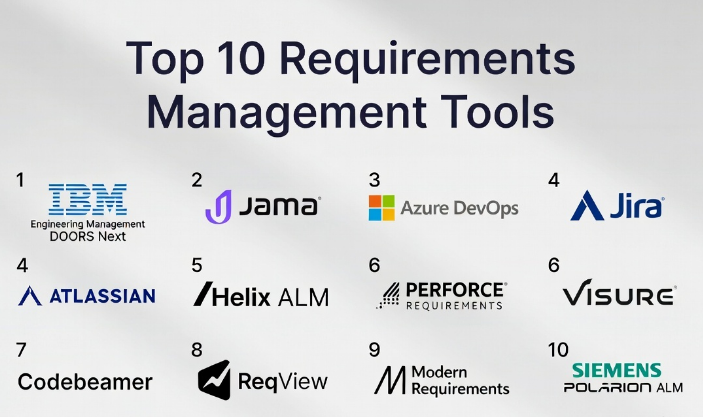
Top 10 Requirements Management Tools
#1 — IBM Engineering Requirements Management DOORS Next
Short description (5-6 lines): A leading enterprise-grade requirements management solution designed for complex, regulated environments. It provides strong traceability, versioning, and collaboration features, making it ideal for large-scale engineering and compliance-driven projects.
Key Features
- End-to-end traceability
- Version control and baselining
- Workflow automation
- Impact analysis tools
- Role-based access control
Pros
- Industry-standard for large enterprises
- Strong compliance capabilities
Cons
- Steep learning curve
- High implementation cost
Platforms / Deployment
Web / Windows
Cloud / Self-hosted
Security & Compliance
SSO, RBAC, audit logs; compliance varies
Integrations & Ecosystem
- ALM tools
- Testing platforms
- APIs for integration
Provides strong integration with enterprise engineering ecosystems.
Support & Community
Enterprise-level support, established global user base
#2 — Jama Connect
Short description (5-6 lines): A modern requirements management platform focused on traceability and collaboration. Widely used in regulated industries such as healthcare and automotive.
Key Features
- Live traceability
- Review and approval workflows
- Risk management
- Real-time collaboration
- Impact analysis
Pros
- Excellent traceability
- Strong collaboration tools
Cons
- Premium pricing
- Requires training
Platforms / Deployment
Web
Cloud / Self-hosted
Security & Compliance
SSO, MFA; compliance varies
Integrations & Ecosystem
- Jira
- Test management tools
- APIs
Support & Community
Strong enterprise support
#3 — Azure DevOps (Requirements / Boards)
Short description (5-6 lines): Provides requirements tracking through work items and backlog management, integrated with the Azure DevOps ecosystem.
Key Features
- Backlog management
- Work item tracking
- Agile boards
- Reporting dashboards
- Integration with CI/CD
Pros
- Integrated DevOps environment
- Good scalability
Cons
- Less specialized for requirements
- Complexity in customization
Platforms / Deployment
Web / Windows
Cloud / Self-hosted
Security & Compliance
SSO, MFA
Integrations & Ecosystem
- Azure services
- GitHub
- Microsoft tools
Support & Community
Strong enterprise support
#4 — Jira (Requirements via Plugins)
Short description (5-6 lines): A flexible platform that can manage requirements using plugins and configurations. Popular among Agile teams.
Key Features
- Custom workflows
- Issue tracking
- Agile boards
- Plugin ecosystem
- Reporting
Pros
- Highly customizable
- Large ecosystem
Cons
- Requires add-ons for full requirements management
- Complexity increases with scale
Platforms / Deployment
Web / Mobile
Cloud / Self-hosted
Security & Compliance
SSO, MFA, RBAC
Integrations & Ecosystem
- DevOps tools
- Slack
- APIs
Support & Community
Large community and documentation
#5 — Helix ALM
Short description (5-6 lines): A comprehensive ALM platform that includes requirements management, issue tracking, and test management.
Key Features
- Requirements traceability
- Test case integration
- Issue tracking
- Reporting
- Workflow automation
Pros
- All-in-one ALM solution
- Good traceability
Cons
- UI can feel dated
- Learning curve
Platforms / Deployment
Web / Windows
Cloud / Self-hosted
Security & Compliance
Varies / Not publicly stated
Integrations & Ecosystem
- ALM tools
- APIs
Support & Community
Moderate support
#6 — Visure Requirements
Short description (5-6 lines): A requirements management platform designed for safety-critical and regulated industries.
Key Features
- Requirements traceability
- Risk management
- Compliance support
- Reporting
- Version control
Pros
- Strong compliance features
- Suitable for regulated industries
Cons
- Limited mainstream adoption
- Complex setup
Platforms / Deployment
Windows
Cloud / Self-hosted
Security & Compliance
Varies / Not publicly stated
Integrations & Ecosystem
- Testing tools
- APIs
Support & Community
Niche community
#7 — Codebeamer
Short description (5-6 lines): An ALM platform focused on requirements, testing, and development workflows for complex projects.
Key Features
- Requirements management
- Test management
- Workflow automation
- Traceability
- Reporting
Pros
- Strong ALM capabilities
- Good traceability
Cons
- Complexity
- Cost
Platforms / Deployment
Web
Cloud / Self-hosted
Security & Compliance
SSO, RBAC
Integrations & Ecosystem
- DevOps tools
- APIs
Support & Community
Enterprise support
#8 — ReqView
Short description (5-6 lines): A lightweight requirements management tool focused on simplicity and traceability.
Key Features
- Requirement structuring
- Traceability
- Reporting
- Offline support
- Version control
Pros
- Easy to use
- Affordable
Cons
- Limited enterprise features
- Smaller ecosystem
Platforms / Deployment
Web / Desktop
Cloud / Local
Security & Compliance
Varies / Not publicly stated
Integrations & Ecosystem
- Import/export tools
- APIs
Support & Community
Smaller but active community
#9 — Modern Requirements
Short description (5-6 lines): Built on top of Azure DevOps, offering enhanced requirements management capabilities.
Key Features
- Traceability
- Smart documentation
- Review workflows
- Diagramming tools
- Reporting
Pros
- Extends Azure DevOps
- Good usability
Cons
- Dependent on Azure DevOps
- Licensing complexity
Platforms / Deployment
Web
Cloud
Security & Compliance
SSO, MFA
Integrations & Ecosystem
- Azure ecosystem
- APIs
Support & Community
Good support
#10 — Polarion ALM
Short description (5-6 lines): A robust ALM platform with strong requirements management and traceability features.
Key Features
- End-to-end traceability
- Versioning
- Collaboration
- Reporting
- Workflow automation
Pros
- Strong enterprise capabilities
- Excellent traceability
Cons
- High cost
- Complex implementation
Platforms / Deployment
Web
Cloud / Self-hosted
Security & Compliance
SSO, RBAC
Integrations & Ecosystem
- ALM tools
- APIs
Support & Community
Enterprise-grade support
Comparison Table (Top 10)
| Tool Name | Best For | Platform(s) Supported | Deployment | Standout Feature | Public Rating |
|---|---|---|---|---|---|
| IBM DOORS Next | Enterprise | Web, Windows | Cloud/Self-hosted | Traceability | N/A |
| Jama Connect | Regulated industries | Web | Cloud/Self-hosted | Live traceability | N/A |
| Azure DevOps | DevOps teams | Web, Windows | Cloud/Self-hosted | DevOps integration | N/A |
| Jira | Agile teams | Web, Mobile | Cloud/Self-hosted | Custom workflows | N/A |
| Helix ALM | ALM users | Web, Windows | Cloud/Self-hosted | Integrated ALM | N/A |
| Visure | Compliance-heavy projects | Windows | Cloud/Self-hosted | Compliance support | N/A |
| Codebeamer | Complex projects | Web | Cloud/Self-hosted | ALM integration | N/A |
| ReqView | Small teams | Web, Desktop | Cloud/Local | Simplicity | N/A |
| Modern Requirements | Azure users | Web | Cloud | Azure extension | N/A |
| Polarion ALM | Enterprise | Web | Cloud/Self-hosted | Full traceability | N/A |
Evaluation & Scoring of Requirements Management Tools
| Tool Name | Core (25%) | Ease (15%) | Integrations (15%) | Security (10%) | Performance (10%) | Support (10%) | Value (15%) | Weighted Total |
|---|---|---|---|---|---|---|---|---|
| IBM DOORS | 9 | 6 | 8 | 8 | 8 | 9 | 6 | 7.9 |
| Jama Connect | 9 | 7 | 8 | 8 | 8 | 8 | 6 | 8.0 |
| Azure DevOps | 8 | 7 | 9 | 8 | 8 | 8 | 7 | 8.0 |
| Jira | 8 | 7 | 9 | 8 | 8 | 9 | 7 | 8.1 |
| Helix ALM | 8 | 6 | 7 | 7 | 7 | 7 | 7 | 7.3 |
| Visure | 8 | 6 | 6 | 8 | 7 | 7 | 7 | 7.3 |
| Codebeamer | 8 | 6 | 7 | 8 | 8 | 8 | 6 | 7.5 |
| ReqView | 6 | 8 | 6 | 6 | 7 | 7 | 9 | 7.1 |
| Modern Requirements | 7 | 8 | 8 | 7 | 7 | 7 | 7 | 7.5 |
| Polarion ALM | 9 | 6 | 8 | 8 | 8 | 8 | 6 | 7.9 |
How to interpret:
These scores are comparative and highlight strengths across different dimensions. Higher scores indicate better balance but should always be evaluated against your specific use case.
Which Requirements Management Tools
Solo / Freelancer
ReqView — simple and lightweight
SMB
Modern Requirements, Jira — flexible and scalable
Mid-Market
Jama Connect, Azure DevOps — balanced capability
Enterprise
IBM DOORS, Polarion — strong compliance and traceability
Budget vs Premium
- Budget: ReqView
- Premium: DOORS, Jama
Feature Depth vs Ease of Use
- Deep features: DOORS, Polarion
- Easy use: ReqView, Jira
Integrations & Scalability
- Strong: Azure DevOps, Jira
Security & Compliance Needs
- Best: DOORS, Jama, Polarion
Frequently Asked Questions (FAQs)
1. What is a requirements management tool?
It helps teams capture, track, and manage requirements across a project lifecycle.
2. Why is traceability important?
It ensures every requirement is linked to development and testing outcomes.
3. Are these tools only for large enterprises?
No, some tools like ReqView are suitable for small teams.
4. How much do these tools cost?
Pricing varies from free/open-source to enterprise-level subscriptions.
5. Can requirements tools integrate with DevOps pipelines?
Yes, most modern tools support integration with CI/CD and testing tools.
6. What is the biggest challenge in requirements management?
Maintaining clarity and traceability across changing requirements.
7. Are cloud tools secure?
Most offer strong security, but compliance depends on the vendor.
8. Can I migrate requirements between tools?
Yes, but it requires planning and structured data mapping.
9. How long does implementation take?
From days for small setups to months for enterprise deployment.
10. What alternatives exist?
Spreadsheets or project management tools for simpler needs.
Conclusion
Requirements management tools play a critical role in ensuring that projects are delivered accurately, efficiently, and in alignment with business goals. As systems become more complex and compliance requirements increase, the need for structured requirement tracking and traceability becomes even more important. While enterprise platforms like IBM DOORS and Polarion provide unmatched depth and compliance support, tools like Jira and ReqView offer flexibility and ease of use for smaller teams. The key is not to chase the most feature-rich tool, but to select one that aligns with your team’s workflows, scale, and integration needs. A practical next step is to shortlist two or three tools, test them with real requirements scenarios, and evaluate usability, traceability, and integration before making a final decision.
