Introduction
Bug Tracking Tools are software platforms that help teams identify, record, track, prioritize, and resolve software defects throughout the development lifecycle. In simple terms, they act as a central system where developers, testers, and product teams collaborate to ensure issues are fixed efficiently and nothing slips through the cracks.
In today’s fast-paced development environments with CI/CD pipelines, microservices, and AI-driven applications, bug tracking is more critical than ever. Modern teams release updates frequently, and without a structured bug tracking system, maintaining quality becomes nearly impossible.
Real-world use cases:
- Development teams tracking bugs during sprint cycles
- QA teams logging and validating defects during testing
- DevOps teams monitoring production issues
- SaaS companies managing user-reported bugs
- Enterprises ensuring compliance and audit trails
What buyers should evaluate:
- Issue tracking and workflow customization
- Integration with development tools (Git, CI/CD)
- Automation and notifications
- Reporting and analytics
- Scalability for large teams
- Security and access control
- Ease of use and onboarding
- Collaboration features
- Deployment flexibility (cloud/self-hosted)
Best for: Software development teams, QA engineers, DevOps teams, product managers, and enterprises managing complex applications.
Not ideal for: Non-technical teams with minimal issue tracking needs or very small projects where simple task tools are sufficient.
Key Trends in Bug Tracking Tools
- AI-assisted bug detection and triaging
- Integration with DevOps pipelines and CI/CD tools
- Real-time collaboration and notifications
- Cloud-native and SaaS-first deployment models
- Automation of repetitive workflows
- Enhanced reporting and predictive analytics
- Security-first designs with role-based access control
- Integration with observability and monitoring tools
- Shift-left testing and early bug detection
- Flexible pricing and modular plans
How We Selected These Tools (Methodology)
- Evaluated market popularity and adoption
- Reviewed feature completeness for bug tracking workflows
- Assessed performance and reliability signals
- Considered security and compliance capabilities
- Analyzed integration ecosystem and extensibility
- Checked usability across team sizes (SMB to enterprise)
- Evaluated innovation (AI, automation, DevOps integration)
- Ensured global relevance and scalability
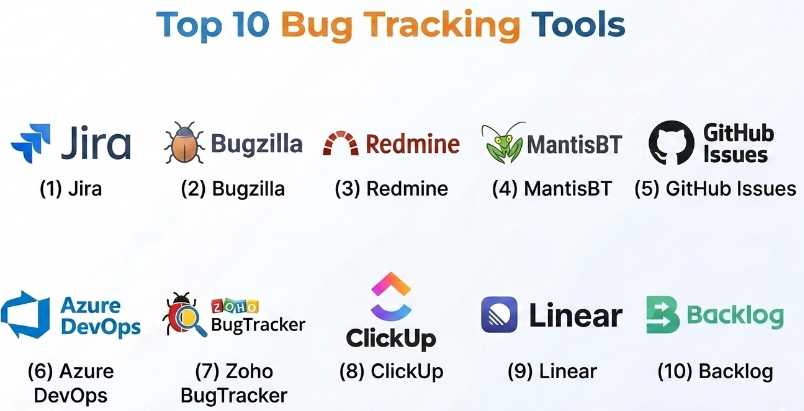
Top 10 Bug Tracking Tools
#1 — Jira
Short description (5-6 lines): A widely used issue and bug tracking tool from Atlassian, designed for agile teams. It supports complex workflows, integrations, and large-scale project management.
Key Features
- Advanced issue tracking
- Agile boards (Scrum, Kanban)
- Custom workflows
- Automation rules
- Reporting dashboards
- Integration with dev tools
Pros
- Highly customizable
- Strong ecosystem
Cons
- Steep learning curve
- Can be complex for small teams
Platforms / Deployment
Web / Cloud
Security & Compliance
SSO, RBAC, encryption; SOC 2 (Atlassian ecosystem)
Integrations & Ecosystem
Integrates with GitHub, Bitbucket, Slack, CI/CD tools
- APIs
- Marketplace plugins
- DevOps integrations
Support & Community
Extensive documentation, large global community.
#2 — Bugzilla
Short description: An open-source bug tracking system known for its reliability and flexibility, commonly used by technical teams.
Key Features
- Bug tracking workflows
- Custom fields
- Email notifications
- Reporting tools
- Role-based access
Pros
- Open-source
- Highly customizable
Cons
- Outdated UI
- Requires setup effort
Platforms / Deployment
Web / Self-hosted
Security & Compliance
Not publicly stated
Integrations & Ecosystem
Limited integrations
- API support
Support & Community
Community-driven support.
#3 — Redmine
Short description: An open-source project management and bug tracking tool supporting multiple projects and flexible workflows.
Key Features
- Issue tracking
- Gantt charts
- Time tracking
- Role management
- Multi-project support
Pros
- Free and open-source
- Flexible
Cons
- Requires hosting
- UI is basic
Platforms / Deployment
Web / Self-hosted
Security & Compliance
Not publicly stated
Integrations & Ecosystem
Plugins and APIs
- Community extensions
Support & Community
Active open-source community.
#4 — MantisBT
Short description: A lightweight open-source bug tracking system suitable for small to mid-sized teams.
Key Features
- Issue tracking
- Email notifications
- Access control
- Reporting tools
- Plugin support
Pros
- Easy to use
- Lightweight
Cons
- Limited advanced features
- UI is dated
Platforms / Deployment
Web / Self-hosted
Security & Compliance
Not publicly stated
Integrations & Ecosystem
Basic integrations
- Plugin ecosystem
Support & Community
Community support available.
#5 — GitHub Issues
Short description: A built-in issue tracking system within GitHub, widely used by developers for managing bugs and feature requests.
Key Features
- Issue tracking
- Labels and milestones
- Project boards
- Automation workflows
- Integration with code
Pros
- Seamless developer workflow
- Easy to use
Cons
- Limited advanced features
- Not ideal for non-dev teams
Platforms / Deployment
Web / Cloud
Security & Compliance
SSO, encryption (GitHub ecosystem)
Integrations & Ecosystem
GitHub ecosystem
- APIs
- CI/CD integrations
Support & Community
Large developer community.
#6 — Azure DevOps
Short description: A comprehensive DevOps platform that includes bug tracking, CI/CD, and project management.
Key Features
- Bug tracking
- Agile boards
- CI/CD pipelines
- Reporting tools
- Integration with Microsoft ecosystem
Pros
- All-in-one solution
- Strong enterprise features
Cons
- Complex setup
- Microsoft-centric
Platforms / Deployment
Web / Cloud / Hybrid
Security & Compliance
SSO, RBAC, encryption; enterprise-grade compliance (Microsoft ecosystem)
Integrations & Ecosystem
Azure services, GitHub
- APIs
- DevOps integrations
Support & Community
Enterprise support and documentation.
#7 — Zoho BugTracker
Short description: A simple bug tracking tool within Zoho’s ecosystem, designed for SMBs.
Key Features
- Issue tracking
- Workflow automation
- Time tracking
- Reporting
- Collaboration tools
Pros
- Affordable
- Easy to use
Cons
- Limited scalability
- Smaller ecosystem
Platforms / Deployment
Web / Cloud
Security & Compliance
Not publicly stated
Integrations & Ecosystem
Zoho ecosystem
- APIs
Support & Community
Standard support options.
#8 — ClickUp
Short description: A versatile project management tool that also supports bug tracking workflows.
Key Features
- Task and issue tracking
- Custom workflows
- Automation
- Reporting dashboards
- Collaboration tools
Pros
- All-in-one platform
- Flexible
Cons
- Can be overwhelming
- Performance issues at scale
Platforms / Deployment
Web / Windows / macOS / iOS / Android
Security & Compliance
SSO, encryption
Integrations & Ecosystem
Slack, GitHub, Google Workspace
- APIs
Support & Community
Strong support and documentation.
#9 — Linear
Short description: A modern issue tracking tool focused on speed, simplicity, and developer experience.
Key Features
- Fast issue tracking
- Keyboard-first interface
- Automation
- Roadmaps
- Git integrations
Pros
- Very fast and responsive
- Developer-friendly
Cons
- Limited enterprise features
- Smaller ecosystem
Platforms / Deployment
Web / macOS
Security & Compliance
Not publicly stated
Integrations & Ecosystem
GitHub, Slack
- APIs
Support & Community
Growing community and documentation.
#10 — Backlog
Short description: A project management and bug tracking tool with version control features.
Key Features
- Issue tracking
- Git repositories
- Wiki
- Gantt charts
- Notifications
Pros
- Integrated version control
- Easy collaboration
Cons
- Limited advanced analytics
- UI could improve
Platforms / Deployment
Web / Cloud
Security & Compliance
Not publicly stated
Integrations & Ecosystem
Dev tools integrations
- APIs
Support & Community
Moderate support and documentation.
Comparison Table (Top 10)
| Tool Name | Best For | Platform(s) Supported | Deployment | Standout Feature | Public Rating |
|---|---|---|---|---|---|
| Jira | Enterprise teams | Web | Cloud | Advanced workflows | N/A |
| Bugzilla | Open-source users | Web | Self-hosted | Customization | N/A |
| Redmine | Multi-project teams | Web | Self-hosted | Flexibility | N/A |
| MantisBT | Small teams | Web | Self-hosted | Lightweight | N/A |
| GitHub Issues | Developers | Web | Cloud | Code integration | N/A |
| Azure DevOps | Enterprises | Web | Cloud/Hybrid | Full DevOps suite | N/A |
| Zoho BugTracker | SMBs | Web | Cloud | Affordable | N/A |
| ClickUp | All-in-one teams | Multi-platform | Cloud | Custom workflows | N/A |
| Linear | Modern dev teams | Web/macOS | Cloud | Speed | N/A |
| Backlog | Dev teams | Web | Cloud | Git integration | N/A |
Evaluation & Scoring of Bug Tracking Tools
| Tool Name | Core (25%) | Ease (15%) | Integrations (15%) | Security (10%) | Performance (10%) | Support (10%) | Value (15%) | Weighted Total |
|---|---|---|---|---|---|---|---|---|
| Jira | 10 | 7 | 10 | 9 | 9 | 9 | 7 | 8.9 |
| Bugzilla | 7 | 6 | 6 | 6 | 7 | 6 | 9 | 6.9 |
| Redmine | 7 | 6 | 7 | 6 | 7 | 7 | 9 | 7.1 |
| MantisBT | 6 | 7 | 6 | 6 | 7 | 6 | 9 | 6.8 |
| GitHub Issues | 8 | 9 | 9 | 8 | 8 | 8 | 8 | 8.4 |
| Azure DevOps | 9 | 7 | 10 | 9 | 9 | 9 | 7 | 8.7 |
| Zoho BugTracker | 7 | 8 | 7 | 6 | 7 | 7 | 9 | 7.5 |
| ClickUp | 8 | 7 | 9 | 7 | 8 | 8 | 8 | 8.0 |
| Linear | 8 | 9 | 8 | 6 | 9 | 7 | 8 | 8.1 |
| Backlog | 7 | 8 | 7 | 6 | 7 | 7 | 8 | 7.4 |
These scores are comparative and based on general capabilities. Teams should prioritize criteria that matter most to their workflow.
Which Bug Tracking Tools
Solo / Freelancer
Use GitHub Issues or Trello-like tools for simplicity.
SMB
Zoho BugTracker or ClickUp offer affordability and flexibility.
Mid-Market
Jira or Linear provide balance between features and usability.
Enterprise
Jira or Azure DevOps are best for scalability and integrations.
Budget vs Premium
- Budget: Bugzilla, Redmine
- Premium: Jira, Azure DevOps
Feature Depth vs Ease of Use
- Deep: Jira, Azure DevOps
- Easy: Linear, GitHub Issues
Integrations & Scalability
- Best: Jira, Azure DevOps
Security & Compliance Needs
- Enterprise-ready: Jira, Azure DevOps
Frequently Asked Questions (FAQs)
1. What is a bug tracking tool?
It is software used to record, track, and resolve bugs in applications.
2. Are bug tracking tools necessary for small teams?
Yes, even small teams benefit from structured issue tracking.
3. Do these tools integrate with CI/CD pipelines?
Most modern tools integrate with CI/CD for automation.
4. Can I use free bug tracking tools?
Yes, many open-source and freemium options exist.
5. How long does setup take?
From a few hours (simple tools) to weeks (enterprise tools).
6. Are they secure?
Most offer encryption and access controls; compliance varies.
7. Can non-developers use these tools?
Yes, but some tools are more developer-focused.
8. What is the biggest mistake in choosing a tool?
Choosing overly complex tools for simple needs.
9. Do these tools support automation?
Yes, many include workflow automation.
10. Can I migrate data between tools?
Yes, but it may require APIs or manual effort.
Conclusion
Bug Tracking Tools play a critical role in maintaining software quality and ensuring smooth development workflows. From simple issue tracking to advanced DevOps integration, these tools help teams stay organized, collaborate effectively, and deliver reliable products. However, the “best” tool depends entirely on your team’s size, technical maturity, and workflow complexity. Start by identifying your core needs—whether it’s simplicity, scalability, or deep integrations—then shortlist 2–3 tools and test them in real scenarios. A small pilot can quickly reveal which solution fits your team best and ensures long-term success.
