Introduction
Customer Relationship Management (CRM) platforms are software systems that help businesses manage interactions with customers, leads, and prospects in a structured and efficient way. They centralize sales, marketing, and customer service data, enabling teams to track conversations, automate workflows, and improve relationships.
In today’s data-driven and AI-powered business environment, CRM platforms are no longer optional—they are foundational. Modern CRMs integrate with multiple tools, provide predictive insights, and automate repetitive tasks, helping organizations scale faster while maintaining personalized customer experiences.
Real-world use cases include:
- Managing sales pipelines and forecasting revenue
- Automating marketing campaigns and lead nurturing
- Tracking customer support interactions
- Building customer profiles for personalization
- Aligning sales, marketing, and service teams
Key evaluation criteria for buyers:
- Ease of use and onboarding
- Feature depth (sales, marketing, support)
- Integration ecosystem
- Customization and scalability
- Security and compliance
- Automation and AI capabilities
- Reporting and analytics
- Pricing flexibility
Best for: Sales teams, marketing professionals, customer success teams, startups, SMBs, and large enterprises that need structured customer engagement and growth tracking.
Not ideal for: Very small teams with minimal customer interactions or businesses that only need basic contact storage—simpler tools like spreadsheets or lightweight contact managers may suffice.
Key Trends in CRM Platforms
- AI-driven automation: Predictive lead scoring, automated email drafting, and intelligent recommendations are becoming standard.
- Unified customer data platforms: CRMs now act as central hubs combining sales, marketing, and support data.
- Low-code/no-code customization: Businesses can configure workflows without heavy development effort.
- Embedded analytics: Real-time dashboards and forecasting tools are integrated directly into CRM systems.
- Mobile-first experiences: Strong mobile apps for on-the-go sales teams.
- Privacy and compliance focus: Increasing emphasis on GDPR, data residency, and auditability.
- Omnichannel engagement: Integration across email, chat, social media, and voice.
- API-first architecture: Easier integration with external systems like ERP, marketing automation, and support tools.
- Usage-based and modular pricing: Flexible pricing aligned with business needs.
How We Selected These Tools (Methodology)
- Evaluated market adoption and brand recognition across industries
- Assessed feature completeness across sales, marketing, and support functions
- Reviewed performance and reliability signals based on enterprise usage
- Considered security posture and compliance readiness
- Analyzed integration ecosystems and extensibility
- Checked ease of use and onboarding experience
- Ensured coverage across SMB, mid-market, and enterprise segments
- Balanced innovation (AI, automation) with proven stability
- Included vendor diversity (enterprise, SMB-focused, and flexible platforms)
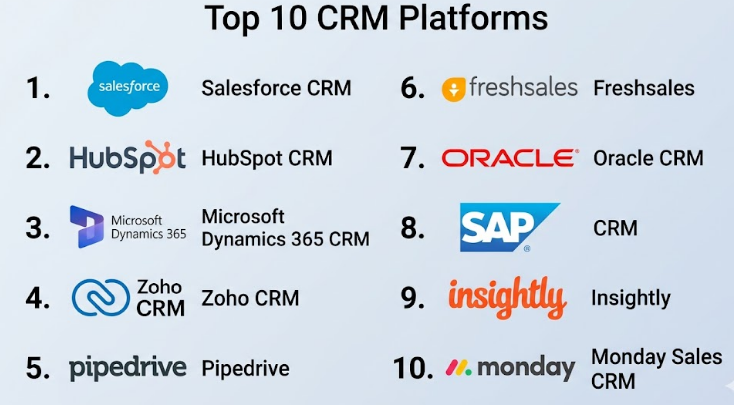
Top 10 CRM Platforms
#1 — Salesforce CRM
Short description (2–3 lines): A leading enterprise-grade CRM platform offering extensive customization, automation, and a vast ecosystem. Best suited for large organizations and complex sales operations.
Key Features
- Advanced sales automation and pipeline management
- Custom workflows and process builder
- AI-powered insights (Einstein AI)
- Multi-cloud ecosystem (Sales, Service, Marketing)
- Extensive reporting and analytics
- App marketplace (AppExchange)
Pros
- Highly customizable and scalable
- Strong ecosystem and integrations
Cons
- Complex setup and learning curve
- Higher cost compared to competitors
Platforms / Deployment
Web / iOS / Android
Cloud
Security & Compliance
SSO, MFA, encryption, RBAC, audit logs
SOC 2, ISO 27001, GDPR
Integrations & Ecosystem
Salesforce offers one of the largest ecosystems in CRM.
- Native integrations with marketing, support, and analytics tools
- AppExchange marketplace with thousands of apps
- Robust APIs for custom integrations
Support & Community
Extensive documentation, large global community, enterprise support tiers available
#2 — HubSpot CRM
Short description (2–3 lines): A user-friendly CRM with strong marketing automation features, ideal for startups and growing businesses.
Key Features
- Contact and deal management
- Marketing automation tools
- Email tracking and templates
- Built-in CMS integration
- Reporting dashboards
Pros
- Easy to use and quick setup
- Free tier available
Cons
- Advanced features can become expensive
- Limited customization compared to enterprise CRMs
Platforms / Deployment
Web / iOS / Android
Cloud
Security & Compliance
SSO, MFA, encryption
GDPR
Integrations & Ecosystem
HubSpot integrates well with marketing and sales tools.
- Native integrations with email platforms
- Marketplace apps
- APIs for custom workflows
Support & Community
Strong documentation, active user community, tiered support plans
#3 — Microsoft Dynamics 365 CRM
Short description (2–3 lines): A powerful CRM integrated with Microsoft’s ecosystem, ideal for enterprises using Office and Azure.
Key Features
- Sales and customer service modules
- AI-driven insights
- Integration with Microsoft 365
- Custom workflows
- Advanced reporting
Pros
- Seamless Microsoft integration
- Enterprise scalability
Cons
- Complex implementation
- Licensing can be confusing
Platforms / Deployment
Web / Windows / iOS / Android
Cloud / Hybrid
Security & Compliance
SSO, MFA, encryption
SOC 2, ISO 27001, GDPR
Integrations & Ecosystem
Strong integration within Microsoft ecosystem.
- Office, Teams, Azure
- Power Platform integration
- APIs for extensions
Support & Community
Enterprise support, extensive documentation
#4 — Zoho CRM
Short description (2–3 lines): A cost-effective CRM with strong automation features, suitable for SMBs and growing teams.
Key Features
- Sales automation
- Workflow management
- AI assistant (Zia)
- Custom dashboards
- Multi-channel communication
Pros
- Affordable pricing
- Good feature set for SMBs
Cons
- UI can feel outdated
- Advanced customization limitations
Platforms / Deployment
Web / iOS / Android
Cloud
Security & Compliance
SSO, MFA, encryption
GDPR
Integrations & Ecosystem
- Integrates with Zoho suite
- Third-party integrations available
- APIs for customization
Support & Community
Good documentation, moderate community
#5 — Pipedrive
Short description (2–3 lines): A sales-focused CRM designed for pipeline visibility and ease of use.
Key Features
- Visual sales pipelines
- Activity tracking
- Automation workflows
- Reporting tools
- Email integration
Pros
- Simple and intuitive
- Strong pipeline visualization
Cons
- Limited marketing features
- Not ideal for large enterprises
Platforms / Deployment
Web / iOS / Android
Cloud
Security & Compliance
MFA, encryption
GDPR
Integrations & Ecosystem
- Integrates with email and productivity tools
- API access
- Marketplace apps
Support & Community
Responsive support, smaller community
#6 — Freshsales (Freshworks CRM)
Short description (2–3 lines): A modern CRM with built-in communication tools and AI-driven insights.
Key Features
- Lead scoring
- Built-in phone and email
- AI insights
- Workflow automation
- Contact management
Pros
- All-in-one solution
- Competitive pricing
Cons
- Limited advanced customization
- Reporting depth could improve
Platforms / Deployment
Web / iOS / Android
Cloud
Security & Compliance
MFA, encryption
GDPR
Integrations & Ecosystem
- Integrates with Freshworks ecosystem
- Third-party integrations
- APIs available
Support & Community
Good onboarding support, moderate community
#7 — Oracle CRM
Short description (2–3 lines): Enterprise CRM with deep analytics and integration with Oracle ecosystem.
Key Features
- Advanced analytics
- Sales and marketing automation
- AI capabilities
- Integration with Oracle apps
- Custom workflows
Pros
- Strong enterprise capabilities
- Scalable
Cons
- Complex and costly
- Requires expertise to manage
Platforms / Deployment
Web
Cloud / Hybrid
Security & Compliance
SSO, encryption
SOC 2, GDPR
Integrations & Ecosystem
- Oracle ecosystem integrations
- APIs for extensions
Support & Community
Enterprise-level support
#8 — SAP CRM
Short description (2–3 lines): A CRM solution integrated with SAP’s enterprise ecosystem.
Key Features
- Customer data management
- Sales automation
- Analytics tools
- Integration with SAP ERP
- Custom workflows
Pros
- Strong enterprise integration
- Reliable performance
Cons
- Expensive
- Complex implementation
Platforms / Deployment
Web
Cloud / Hybrid
Security & Compliance
SSO, encryption
GDPR
Integrations & Ecosystem
- Deep SAP integration
- APIs available
Support & Community
Enterprise support, smaller community outside SAP ecosystem
#9 — Insightly
Short description (2–3 lines): A CRM focused on project management and relationship tracking.
Key Features
- Contact management
- Project tracking
- Workflow automation
- Reporting tools
- Email integration
Pros
- Good for project-based businesses
- Easy to use
Cons
- Limited advanced features
- Not ideal for large enterprises
Platforms / Deployment
Web / iOS / Android
Cloud
Security & Compliance
MFA, encryption
GDPR
Integrations & Ecosystem
- Integrates with productivity tools
- API support
Support & Community
Good documentation, smaller community
#10 — Monday Sales CRM
Short description (2–3 lines): A flexible CRM built on Monday.com’s work management platform.
Key Features
- Customizable pipelines
- Workflow automation
- Collaboration tools
- Dashboards
- Integration capabilities
Pros
- Highly customizable
- Easy to use interface
Cons
- Limited advanced CRM features
- Can become complex with scaling
Platforms / Deployment
Web / iOS / Android
Cloud
Security & Compliance
SSO, MFA, encryption
GDPR
Integrations & Ecosystem
- Integrates with productivity tools
- API access
Support & Community
Strong documentation, growing community
Comparison Table (Top 10)
| Tool Name | Best For | Platform(s) Supported | Deployment | Standout Feature | Public Rating |
|---|---|---|---|---|---|
| Salesforce CRM | Enterprise | Web, Mobile | Cloud | Customization | N/A |
| HubSpot CRM | SMB | Web, Mobile | Cloud | Ease of use | N/A |
| Microsoft Dynamics 365 | Enterprise | Web, Mobile | Cloud/Hybrid | Microsoft integration | N/A |
| Zoho CRM | SMB | Web, Mobile | Cloud | Affordability | N/A |
| Pipedrive | Sales teams | Web, Mobile | Cloud | Pipeline visualization | N/A |
| Freshsales | SMB | Web, Mobile | Cloud | Built-in communication | N/A |
| Oracle CRM | Enterprise | Web | Cloud/Hybrid | Analytics | N/A |
| SAP CRM | Enterprise | Web | Cloud/Hybrid | ERP integration | N/A |
| Insightly | SMB | Web, Mobile | Cloud | Project tracking | N/A |
| Monday Sales CRM | SMB | Web, Mobile | Cloud | Custom workflows | N/A |
Evaluation & Scoring of CRM Platforms
| Tool Name | Core (25%) | Ease (15%) | Integrations (15%) | Security (10%) | Performance (10%) | Support (10%) | Value (15%) | Weighted Total |
|---|---|---|---|---|---|---|---|---|
| Salesforce CRM | 10 | 7 | 10 | 9 | 9 | 9 | 7 | 8.9 |
| HubSpot CRM | 8 | 9 | 8 | 8 | 8 | 8 | 8 | 8.2 |
| Microsoft Dynamics 365 | 9 | 7 | 9 | 9 | 9 | 8 | 7 | 8.6 |
| Zoho CRM | 7 | 8 | 7 | 8 | 8 | 7 | 9 | 7.8 |
| Pipedrive | 7 | 9 | 7 | 7 | 8 | 7 | 8 | 7.7 |
| Freshsales | 7 | 8 | 7 | 7 | 8 | 7 | 8 | 7.6 |
| Oracle CRM | 9 | 6 | 8 | 9 | 9 | 8 | 6 | 8.2 |
| SAP CRM | 9 | 6 | 8 | 9 | 9 | 8 | 6 | 8.2 |
| Insightly | 6 | 8 | 6 | 7 | 7 | 7 | 7 | 7.0 |
| Monday Sales CRM | 7 | 8 | 7 | 7 | 8 | 7 | 7 | 7.5 |
How to interpret scores:
- Scores are relative comparisons across tools, not absolute ratings
- Higher scores indicate better balance across features and usability
- Enterprise tools score higher in features but lower in ease/value
- SMB tools perform well in usability and cost efficiency
- Choose based on your specific priorities, not just total score
Which CRM Platforms
Solo / Freelancer
- Best choices: HubSpot CRM, Pipedrive
- Focus on simplicity, low cost, and quick setup
SMB
- Best choices: Zoho CRM, Freshsales, Monday Sales CRM
- Balance of features and affordability
Mid-Market
- Best choices: HubSpot, Microsoft Dynamics 365
- Need scalability and integrations
Enterprise
- Best choices: Salesforce, SAP CRM, Oracle CRM
- Focus on customization, compliance, and scale
Budget vs Premium
- Budget: Zoho CRM, Freshsales
- Premium: Salesforce, Microsoft Dynamics
Feature Depth vs Ease of Use
- Feature depth: Salesforce, Oracle
- Ease of use: HubSpot, Pipedrive
Integrations & Scalability
- Strongest: Salesforce, Microsoft Dynamics
- Moderate: Zoho, HubSpot
Security & Compliance Needs
- High compliance: Salesforce, SAP, Oracle
- Moderate: SMB tools
Frequently Asked Questions (FAQs)
1. What is the typical pricing model for CRM platforms?
Most CRMs use subscription-based pricing, usually per user per month. Some offer free tiers, while enterprise plans can scale significantly depending on features and customization.
2. How long does CRM implementation take?
Implementation can range from a few days for simple setups to several months for enterprise deployments with custom workflows and integrations.
3. What are common mistakes when choosing a CRM?
Choosing based only on price, ignoring scalability, and not evaluating integration capabilities are common mistakes.
4. Are CRM platforms secure?
Most modern CRMs include encryption, access controls, and compliance features, but security depends on configuration and vendor capabilities.
5. Can CRM platforms scale with business growth?
Yes, most CRMs are designed to scale, but enterprise platforms handle large-scale operations better than SMB-focused tools.
6. Do CRM platforms integrate with other tools?
Yes, integration is a core feature, allowing connection with marketing, support, and ERP systems.
7. Can I switch CRM platforms later?
Yes, but data migration and retraining can be complex, so choosing the right platform early is important.
8. What industries benefit most from CRM platforms?
Sales-driven industries like SaaS, retail, finance, and real estate benefit the most.
9. Do CRM platforms support automation?
Yes, automation is a key feature, including workflows, email sequences, and lead scoring.
10. What alternatives exist to CRM platforms?
Alternatives include spreadsheets, project management tools, or specialized marketing platforms, but they lack full CRM capabilities.
Conclusion
CRM platforms have evolved into essential business systems that go far beyond simple contact management. They now act as the central nervous system for sales, marketing, and customer engagement, powered by automation, AI insights, and deep integrations. While enterprise platforms like Salesforce and Microsoft Dynamics offer unmatched customization and scalability, SMB-focused tools such as HubSpot, Zoho, and Freshsales provide simplicity and cost efficiency. There is no single “best” CRM—only the one that aligns with your business size, workflow complexity, integration needs, and budget. The smartest approach is to shortlist two or three platforms, run a pilot with your team, and validate real-world performance, integrations, and usability before making a final decision.
