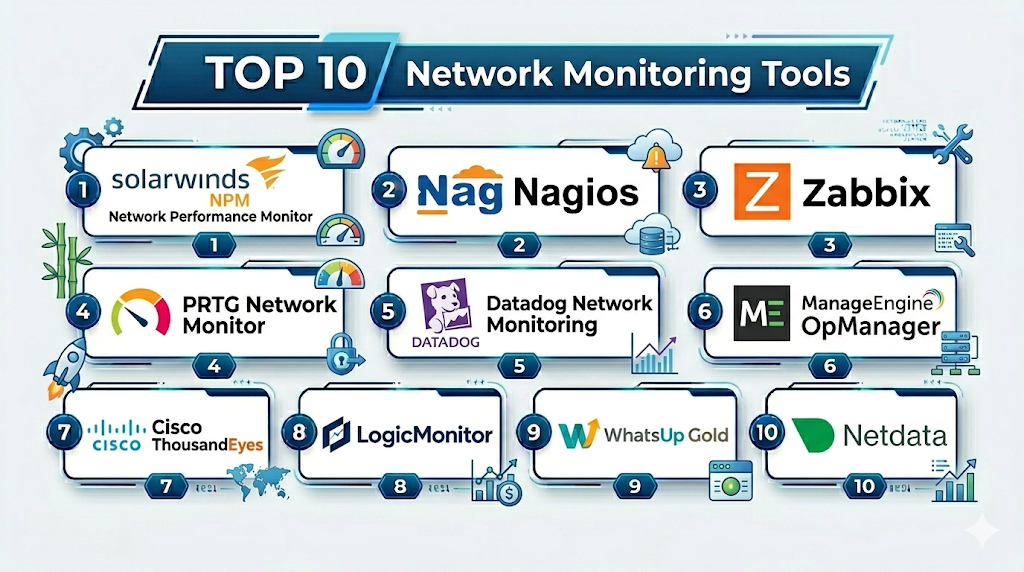
Introduction
Network Monitoring Tools are platforms that help organizations track, analyze, and optimize the performance, availability, and health of their network infrastructure. These tools provide visibility into routers, switches, servers, firewalls, and network traffic, enabling teams to detect issues before they impact users.
In modern IT environments—where businesses rely on cloud services, hybrid networks, remote workforces, and distributed systems—network reliability is mission-critical. Network monitoring tools offer real-time insights, alerts, traffic analysis, and performance metrics, ensuring uptime and optimal performance.
Common use cases include:
- Monitoring network uptime and availability
- Detecting bottlenecks and latency issues
- Analyzing network traffic and bandwidth usage
- Troubleshooting connectivity problems
- Enhancing network security and anomaly detection
What buyers should evaluate:
- Real-time monitoring and alerting capabilities
- Network discovery and mapping features
- Traffic analysis and bandwidth monitoring
- Scalability for large networks
- Integration with IT and DevOps tools
- Visualization and dashboards
- Security monitoring features
- Ease of deployment and configuration
- Support for hybrid and cloud environments
- Pricing and licensing
Best for: IT operations teams, network engineers, MSPs, and enterprises managing complex or distributed networks.
Not ideal for: Small setups with minimal network complexity or teams relying solely on basic monitoring tools.
Key Trends in Network Monitoring Tools
- AI-driven anomaly detection: Identifying network issues proactively
- Cloud and hybrid network monitoring: Supporting modern architectures
- Network observability: Combining metrics, logs, and traces
- Automation and self-healing networks: Reducing manual intervention
- Security-focused monitoring: Detecting threats and unusual traffic
- Deep packet inspection and analytics: Advanced traffic insights
- Integration with DevOps tools: Unified monitoring workflows
- Scalable SaaS-based platforms: Reducing infrastructure overhead
- Real-time dashboards and visualization: Faster troubleshooting
- IoT and edge monitoring: Expanding beyond traditional networks
How We Selected These Tools (Methodology)
- Evaluated market adoption and reputation
- Assessed monitoring depth and network visibility
- Reviewed alerting and automation capabilities
- Considered integration with IT and DevOps ecosystems
- Analyzed scalability and performance
- Checked security and compliance features
- Evaluated ease of use and deployment
- Examined visualization and reporting tools
- Included both open-source and enterprise solutions
- Focused on real-world network operations use cases
Top Network Monitoring Tools
#1 — SolarWinds Network Performance Monitor
Short description: A widely used enterprise network monitoring tool with deep visibility and analytics.
Key Features
- Network device monitoring
- Performance metrics and alerts
- Network mapping
- Traffic analysis
- Custom dashboards
- Scalability
Pros
- Comprehensive monitoring
- Strong analytics
Cons
- Expensive
- Resource-intensive
Platforms / Deployment
Windows / On-prem
Security & Compliance
RBAC, encryption
Integrations & Ecosystem
SolarWinds integrates with IT management tools and APIs.
- APIs
- ITSM tools
- Monitoring platforms
Support & Community
Strong enterprise support.
#2 — Nagios
Short description: A popular open-source monitoring tool for networks, servers, and applications.
Key Features
- Network monitoring
- Alerting system
- Plugin architecture
- Infrastructure monitoring
- Custom dashboards
- Scalability
Pros
- Open-source flexibility
- Large community
Cons
- Complex setup
- Outdated UI
Platforms / Deployment
Linux / Self-hosted
Security & Compliance
RBAC
Integrations & Ecosystem
- Plugins
- APIs
- DevOps tools
Support & Community
Very strong community.
#3 — Zabbix
Short description: An enterprise-grade open-source monitoring solution.
Key Features
- Network and server monitoring
- Real-time alerts
- Data visualization
- Scalability
- Automation
- API support
Pros
- Free and powerful
- Highly scalable
Cons
- Setup complexity
- Learning curve
Platforms / Deployment
Linux / Self-hosted
Security & Compliance
RBAC, encryption
Integrations & Ecosystem
- APIs
- Plugins
- Cloud tools
Support & Community
Strong community.
#4 — PRTG Network Monitor
Short description: An easy-to-use monitoring tool with a wide range of sensors.
Key Features
- Network monitoring
- Traffic analysis
- Alerts and notifications
- Custom sensors
- Dashboards
- Auto-discovery
Pros
- User-friendly
- Quick setup
Cons
- Licensing limitations
- Windows-based
Platforms / Deployment
Windows / On-prem
Security & Compliance
RBAC
Integrations & Ecosystem
- APIs
- Monitoring tools
- DevOps platforms
Support & Community
Good support.
#5 — Datadog Network Monitoring
Short description: A cloud-based network monitoring solution integrated with observability tools.
Key Features
- Network performance monitoring
- Real-time analytics
- Traffic insights
- Integration with logs and metrics
- Dashboards
- Alerts
Pros
- Unified observability
- Easy integration
Cons
- Pricing complexity
- Cost at scale
Platforms / Deployment
Cloud
Security & Compliance
RBAC, encryption
Integrations & Ecosystem
- Cloud platforms
- APIs
- DevOps tools
Support & Community
Strong support.
#6 — ManageEngine OpManager
Short description: A network monitoring tool for enterprises and SMBs.
Key Features
- Network monitoring
- Fault management
- Performance metrics
- Alerts
- Visualization
- Reporting
Pros
- Affordable
- Feature-rich
Cons
- UI complexity
- Scaling limitations
Platforms / Deployment
Windows / Linux / On-prem
Security & Compliance
RBAC
Integrations & Ecosystem
- APIs
- IT tools
- DevOps platforms
Support & Community
Good support.
#7 — Cisco ThousandEyes
Short description: A network intelligence platform for monitoring internet and cloud performance.
Key Features
- Internet monitoring
- Network path visualization
- Cloud performance insights
- Real-time analytics
- Alerts
Pros
- Deep visibility
- Enterprise-grade
Cons
- Expensive
- Complex
Platforms / Deployment
Cloud
Security & Compliance
Not publicly stated
Integrations & Ecosystem
- Cisco ecosystem
- APIs
- Cloud tools
Support & Community
Enterprise support.
#8 — LogicMonitor
Short description: A cloud-based monitoring platform for networks and infrastructure.
Key Features
- Network monitoring
- Cloud monitoring
- Alerts and automation
- Dashboards
- Integration support
Pros
- Cloud-native
- Scalable
Cons
- Pricing
- Learning curve
Platforms / Deployment
Cloud
Security & Compliance
RBAC, encryption
Integrations & Ecosystem
- Cloud providers
- APIs
- DevOps tools
Support & Community
Strong support.
#9 — WhatsUp Gold
Short description: A network monitoring tool focused on simplicity and visualization.
Key Features
- Network monitoring
- Visualization
- Alerts
- Traffic analysis
- Reporting
Pros
- Easy to use
- Good visualization
Cons
- Limited scalability
- Windows-focused
Platforms / Deployment
Windows / On-prem
Security & Compliance
Not publicly stated
Integrations & Ecosystem
- APIs
- Monitoring tools
- IT tools
Support & Community
Moderate support.
#10 — Netdata
Short description: A real-time monitoring tool with high-resolution metrics.
Key Features
- Real-time monitoring
- High-resolution metrics
- Visualization dashboards
- Alerts
- Lightweight deployment
Pros
- Real-time insights
- Lightweight
Cons
- Limited enterprise features
- Smaller ecosystem
Platforms / Deployment
Linux / Cloud / Self-hosted
Security & Compliance
Not publicly stated
Integrations & Ecosystem
- APIs
- DevOps tools
- Monitoring platforms
Support & Community
Active community.
Comparison Table (Top 10)
| Tool Name | Best For | Platform(s) Supported | Deployment | Standout Feature | Public Rating |
|---|---|---|---|---|---|
| SolarWinds | Enterprise | Windows | On-prem | Deep analytics | N/A |
| Nagios | Open-source | Linux | Self-hosted | Flexibility | N/A |
| Zabbix | Enterprise OSS | Linux | Self-hosted | Scalability | N/A |
| PRTG | SMB | Windows | On-prem | Ease of use | N/A |
| Datadog | Cloud teams | Web | Cloud | Observability | N/A |
| OpManager | SMB | Multi | On-prem | Value | N/A |
| ThousandEyes | Enterprise | Cloud | Cloud | Network intelligence | N/A |
| LogicMonitor | Cloud | Web | Cloud | Scalability | N/A |
| WhatsUp Gold | SMB | Windows | On-prem | Visualization | N/A |
| Netdata | Real-time | Linux | Hybrid | Speed | N/A |
Network Monitoring Tools (Scoring)
| Tool Name | Core (25%) | Ease (15%) | Integrations (15%) | Security (10%) | Performance (10%) | Support (10%) | Value (15%) | Weighted Total |
|---|---|---|---|---|---|---|---|---|
| SolarWinds | 10 | 7 | 9 | 9 | 9 | 9 | 7 | 8.8 |
| Nagios | 9 | 6 | 9 | 7 | 9 | 8 | 10 | 8.5 |
| Zabbix | 9 | 7 | 9 | 8 | 9 | 9 | 10 | 8.9 |
| PRTG | 8 | 9 | 8 | 7 | 8 | 8 | 8 | 8.1 |
| Datadog | 9 | 9 | 10 | 9 | 9 | 9 | 7 | 9.0 |
| OpManager | 8 | 8 | 8 | 7 | 8 | 8 | 9 | 8.2 |
| ThousandEyes | 9 | 7 | 9 | 8 | 9 | 9 | 6 | 8.4 |
| LogicMonitor | 9 | 8 | 9 | 9 | 9 | 9 | 7 | 8.7 |
| WhatsUp Gold | 7 | 8 | 7 | 7 | 8 | 7 | 8 | 7.6 |
| Netdata | 8 | 9 | 7 | 7 | 9 | 7 | 9 | 8.1 |
How to interpret:
- Scores are relative comparisons across tools
- Enterprise tools lead in depth and scalability
- Open-source tools provide strong value
- Choose based on network complexity and budget
Which Service Mesh Platforms Is Right for You?
Solo / Freelancer
Use Netdata or PRTG.
SMB
Choose OpManager or WhatsUp Gold.
Mid-Market
Use Zabbix or LogicMonitor.
Enterprise
Go with SolarWinds, Datadog, or Cisco ThousandEyes.
Budget vs Premium
- Budget: Nagios, Zabbix
- Premium: Datadog, SolarWinds
Feature Depth vs Ease of Use
- Easy: PRTG
- Advanced: SolarWinds
Integrations & Scalability
- Best: Datadog, LogicMonitor
- Moderate: WhatsUp Gold
Security & Compliance Needs
- High: SolarWinds, Datadog
- Basic: Netdata
Network Monitoring Tools (FAQs)
What are network monitoring tools?
They track and analyze network performance and health.
Why are they important?
They ensure uptime and performance.
Are open-source options available?
Yes, like Nagios and Zabbix.
Do they support cloud environments?
Yes, many tools support cloud monitoring.
Can they detect security threats?
Some tools include security features.
Are they scalable?
Enterprise tools handle large networks.
Do they integrate with DevOps tools?
Yes, via APIs and integrations.
Are they easy to use?
Some tools are user-friendly, others require setup.
Can I switch tools?
Yes, but migration may be complex.
Are they expensive?
Pricing varies by tool and scale.
Conclusion
Network Monitoring Tools are essential for maintaining network performance, reliability, and security. Whether you choose open-source tools like Zabbix or enterprise solutions like Datadog, the right tool depends on your network size, complexity, and operational needs.
