Introduction
Runbook Automation Tools are platforms that help teams automate repetitive operational tasks and standard operating procedures (SOPs) using predefined workflows called runbooks. These tools are widely used in IT operations, DevOps, and SRE environments to reduce manual effort, improve consistency, and accelerate incident response.
As infrastructure becomes more complex with cloud-native architectures, microservices, and distributed systems, manual execution of operational tasks is both inefficient and error-prone. Runbook automation tools enable teams to standardize processes, trigger automated actions, and integrate with monitoring systems, ensuring faster resolution and improved reliability.
Common use cases include:
- Automating incident response workflows
- Executing routine maintenance tasks
- Standardizing operational procedures
- Integrating with alerting and monitoring tools
- Reducing human error in critical processes
What buyers should evaluate:
- Workflow automation capabilities
- Integration with monitoring and alerting tools
- Ease of creating and managing runbooks
- Support for scripting and APIs
- Role-based access control and security
- Audit logging and compliance features
- Scalability for enterprise environments
- Collaboration and approval workflows
- Deployment flexibility (cloud/on-prem)
- Pricing and licensing
Best for: DevOps teams, SREs, IT operations, and enterprises managing complex infrastructure and frequent incidents.
Not ideal for: Small teams with minimal operational complexity or environments where manual processes are sufficient.
Key Trends in Runbook Automation Tools
- AI-assisted automation: Suggesting actions based on incidents
- Event-driven automation: Triggering runbooks automatically from alerts
- Integration with incident management tools: End-to-end workflows
- Low-code/no-code runbook creation: Simplifying automation for non-developers
- ChatOps integration: Running runbooks via Slack or chat platforms
- Security and compliance tracking: Audit logs and approvals
- Cloud-native automation: Managing hybrid and multi-cloud environments
- Self-healing systems: Automatic remediation of issues
- API-first platforms: Deep integration capabilities
- Collaboration features: Shared workflows across teams
How We Selected These Tools (Methodology)
- Evaluated market adoption and credibility
- Assessed automation and workflow capabilities
- Reviewed integration with monitoring and DevOps tools
- Considered ease of use and runbook creation
- Analyzed security and compliance features
- Checked scalability and performance
- Evaluated support for scripting and APIs
- Examined collaboration and approval workflows
- Included both enterprise and developer-focused tools
- Focused on real-world IT operations and SRE use cases
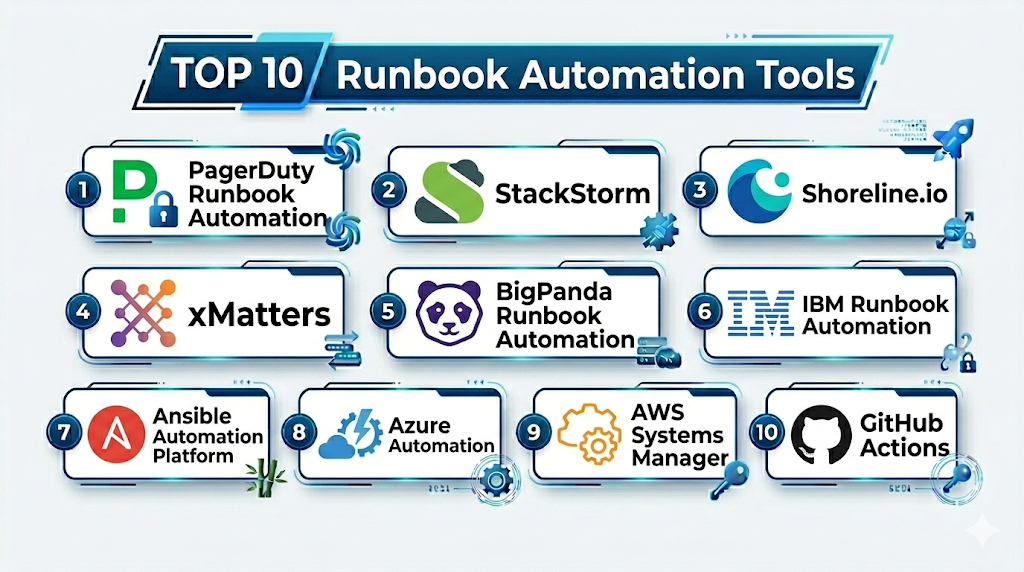
Top Runbook Automation Tools
#1 — PagerDuty Runbook Automation (Rundeck)
Short description: A powerful automation platform for executing operational runbooks and workflows.
Key Features
- Job scheduling and execution
- Workflow automation
- Role-based access control
- Audit logging
- API integration
- Self-service operations
Pros
- Mature and reliable
- Strong automation capabilities
Cons
- Complex setup
- UI can feel dated
Platforms / Deployment
Cloud / Self-hosted
Security & Compliance
RBAC, audit logs, encryption
Integrations & Ecosystem
Rundeck integrates with a wide range of systems.
- APIs
- DevOps tools
- Cloud platforms
Support & Community
Strong community and enterprise support.
#2 — StackStorm
Short description: An event-driven automation platform for DevOps and IT operations.
Key Features
- Event-driven workflows
- Automation rules engine
- Integration packs
- ChatOps support
- Scripting support
- Extensible architecture
Pros
- Highly flexible
- Strong automation
Cons
- Steep learning curve
- Requires setup
Platforms / Deployment
Self-hosted
Security & Compliance
RBAC, encryption
Integrations & Ecosystem
- APIs
- DevOps tools
- Monitoring systems
Support & Community
Active open-source community.
#3 — Shoreline.io
Short description: A modern automation platform focused on incident remediation.
Key Features
- Automated incident response
- Real-time monitoring integration
- Workflow automation
- Debugging tools
- API support
Pros
- Fast incident resolution
- Easy integration
Cons
- Smaller ecosystem
- Pricing not transparent
Platforms / Deployment
Cloud
Security & Compliance
Not publicly stated
Integrations & Ecosystem
- Monitoring tools
- APIs
- DevOps platforms
Support & Community
Growing support.
#4 — xMatters
Short description: A workflow automation and incident response platform.
Key Features
- Event-driven automation
- Workflow builder
- Alerting integration
- Escalation policies
- Reporting
Pros
- Strong automation
- Enterprise-ready
Cons
- Complex setup
- Expensive
Platforms / Deployment
Cloud
Security & Compliance
RBAC, encryption
Integrations & Ecosystem
- APIs
- ITSM tools
- DevOps platforms
Support & Community
Enterprise support.
#5 — BigPanda Runbook Automation
Short description: A platform combining incident management with automation workflows.
Key Features
- Automated incident response
- Workflow automation
- Event correlation
- Alert management
- Integration support
Pros
- Strong analytics
- Enterprise features
Cons
- Expensive
- Complex
Platforms / Deployment
Cloud
Security & Compliance
Not publicly stated
Integrations & Ecosystem
- Monitoring tools
- APIs
- DevOps platforms
Support & Community
Enterprise support.
#6 — IBM Runbook Automation
Short description: An enterprise automation tool for IT operations and workflows.
Key Features
- Workflow automation
- Incident response
- Integration with IBM tools
- Reporting and analytics
- Security features
Pros
- Enterprise-grade
- Strong integration
Cons
- Complex
- Expensive
Platforms / Deployment
Cloud / On-prem
Security & Compliance
RBAC, encryption
Integrations & Ecosystem
- IBM ecosystem
- APIs
- IT tools
Support & Community
Enterprise support.
#7 — Ansible Automation Platform
Short description: A widely used automation platform for infrastructure and runbook automation.
Key Features
- Playbook-based automation
- Agentless architecture
- Configuration management
- Integration with cloud platforms
- Role-based access
Pros
- Highly popular
- Flexible
Cons
- Requires YAML knowledge
- Setup complexity
Platforms / Deployment
Cloud / On-prem / Hybrid
Security & Compliance
RBAC, encryption
Integrations & Ecosystem
- Cloud providers
- APIs
- DevOps tools
Support & Community
Very strong community.
#8 — Azure Automation
Short description: A cloud-based automation service for managing workflows in Azure.
Key Features
- Runbook execution
- Scheduling and automation
- Integration with Azure services
- PowerShell support
- Monitoring integration
Pros
- Native Azure integration
- Scalable
Cons
- Azure dependency
- Limited outside ecosystem
Platforms / Deployment
Cloud (Azure)
Security & Compliance
RBAC, encryption
Integrations & Ecosystem
- Azure services
- APIs
- DevOps tools
Support & Community
Strong support.
#9 — AWS Systems Manager (Automation)
Short description: A cloud-native automation service for managing AWS infrastructure.
Key Features
- Automation documents
- Workflow execution
- Integration with AWS services
- Monitoring and alerts
- Scalability
Pros
- Deep AWS integration
- Scalable
Cons
- AWS dependency
- Complex setup
Platforms / Deployment
Cloud (AWS)
Security & Compliance
IAM, encryption
Integrations & Ecosystem
- AWS services
- APIs
- DevOps tools
Support & Community
Strong AWS support.
#10 — GitHub Actions (for Runbook Automation)
Short description: A CI/CD tool that can be used for automating operational workflows.
Key Features
- Workflow automation
- Event-driven triggers
- Integration with GitHub
- YAML-based configuration
- CI/CD capabilities
Pros
- Flexible
- Developer-friendly
Cons
- Not purpose-built for runbooks
- Requires setup
Platforms / Deployment
Cloud
Security & Compliance
Access control, audit logs
Integrations & Ecosystem
- GitHub ecosystem
- APIs
- DevOps tools
Support & Community
Very strong community.
Comparison Table (Top 10)
| Tool Name | Best For | Platform(s) Supported | Deployment | Standout Feature | Public Rating |
|---|---|---|---|---|---|
| Rundeck | Automation | Multi | Hybrid | Job scheduling | N/A |
| StackStorm | DevOps | Linux | Self-hosted | Event-driven | N/A |
| Shoreline | Incidents | Web | Cloud | Fast remediation | N/A |
| xMatters | Enterprise | Web | Cloud | Workflows | N/A |
| BigPanda | Analytics | Web | Cloud | Correlation | N/A |
| IBM | Enterprise | Multi | Hybrid | Integration | N/A |
| Ansible | DevOps | Multi | Hybrid | Playbooks | N/A |
| Azure Automation | Azure users | Cloud | Cloud | Integration | N/A |
| AWS SSM | AWS users | Cloud | Cloud | Automation docs | N/A |
| GitHub Actions | Devs | Web | Cloud | CI/CD workflows | N/A |
Runbook Automation Tools (Scoring)
| Tool Name | Core (25%) | Ease (15%) | Integrations (15%) | Security (10%) | Performance (10%) | Support (10%) | Value (15%) | Weighted Total |
|---|---|---|---|---|---|---|---|---|
| Rundeck | 10 | 7 | 9 | 9 | 9 | 9 | 8 | 8.9 |
| StackStorm | 9 | 6 | 9 | 8 | 9 | 8 | 9 | 8.5 |
| Shoreline | 8 | 8 | 8 | 7 | 8 | 7 | 7 | 7.8 |
| xMatters | 9 | 7 | 9 | 9 | 9 | 9 | 6 | 8.5 |
| BigPanda | 9 | 7 | 9 | 8 | 9 | 9 | 6 | 8.4 |
| IBM | 9 | 6 | 9 | 9 | 9 | 9 | 6 | 8.3 |
| Ansible | 10 | 7 | 10 | 9 | 9 | 10 | 10 | 9.4 |
| Azure Automation | 8 | 7 | 9 | 9 | 9 | 9 | 8 | 8.6 |
| AWS SSM | 8 | 7 | 9 | 9 | 9 | 9 | 8 | 8.6 |
| GitHub Actions | 8 | 8 | 10 | 8 | 9 | 9 | 9 | 8.8 |
How to interpret:
- Scores are relative comparisons across tools
- Enterprise tools excel in automation and security
- Cloud-native tools provide scalability
- Open-source tools offer flexibility and value
Which Service Mesh Platforms Is Right for You?
Solo / Freelancer
Use GitHub Actions or Ansible.
SMB
Choose Rundeck or StackStorm.
Mid-Market
Use Azure Automation or AWS Systems Manager.
Enterprise
Go with xMatters, BigPanda, or IBM Runbook Automation.
Budget vs Premium
- Budget: Ansible, StackStorm
- Premium: IBM, BigPanda
Feature Depth vs Ease of Use
- Easy: Azure Automation
- Advanced: StackStorm
Integrations & Scalability
- Best: Ansible, AWS SSM
- Moderate: Shoreline
Security & Compliance Needs
- High: IBM, xMatters
- Basic: Open-source tools
Runbook Automation Tools (FAQs)
What are runbook automation tools?
They automate operational workflows and tasks.
Why are they important?
They reduce manual effort and errors.
Do they support scripting?
Yes, most tools support scripting and APIs.
Are they cloud-based?
Many tools offer cloud deployment.
Can they integrate with monitoring tools?
Yes, via APIs and integrations.
Are they scalable?
Enterprise tools handle large environments.
Do they improve incident response?
Yes, by automating workflows.
Are open-source options available?
Yes, like StackStorm and Ansible.
Can I switch tools?
Yes, but migration requires effort.
Are they secure?
Most include access control and logging.
Conclusion
Runbook Automation Tools are essential for improving efficiency, reliability, and consistency in modern IT operations. Whether you choose flexible tools like Ansible or enterprise solutions like IBM Runbook Automation, the right platform depends on your automation needs, infrastructure, and team expertise.
