Introduction
On-call Scheduling Tools are platforms designed to help teams manage incident response rotations, alerts, and escalation workflows efficiently. These tools ensure that the right person is notified at the right time when issues arise, reducing downtime and improving system reliability.
In modern DevOps and SRE environments, where systems run 24/7 across distributed infrastructures, manual scheduling and alert handling are no longer practical. On-call tools provide automated scheduling, intelligent alert routing, escalation policies, and incident management workflows, enabling teams to respond quickly and effectively.
Common use cases include:
- Managing on-call rotations for DevOps and support teams
- Routing alerts from monitoring and observability tools
- Automating escalation policies during incidents
- Reducing alert fatigue and missed incidents
- Coordinating incident response across teams
What buyers should evaluate:
- Scheduling and rotation flexibility
- Alerting and escalation capabilities
- Integration with monitoring/observability tools
- Incident management workflows
- Mobile and notification support (SMS, push, email)
- Automation and AI features (noise reduction, routing)
- Reporting and analytics
- Ease of use and onboarding
- Scalability across teams
- Pricing and cost structure
Best for: DevOps teams, SREs, IT operations, and support teams managing 24/7 systems.
Not ideal for: Small teams with minimal uptime requirements or organizations without formal incident response processes.
Key Trends in On-Call Scheduling Tools
- AI-driven alert routing: Automatically assigning incidents to the right person
- Noise reduction and alert deduplication: Reducing alert fatigue
- Integrated incident management: Combining scheduling with incident workflows
- Mobile-first alerting: Strong mobile apps for real-time response
- Shift-based and flexible scheduling: Supporting global teams
- Integration with observability platforms: Seamless alert ingestion
- Post-incident analytics: Learning from incidents to improve processes
- Automation and runbooks: Guided incident resolution
- Collaboration features: Slack and chat-based incident coordination
- Compliance and audit tracking: Logging incident response actions
How We Selected These Tools (Methodology)
- Evaluated market adoption and reputation
- Assessed on-call scheduling and rotation flexibility
- Reviewed alerting and escalation capabilities
- Considered integration with monitoring and DevOps tools
- Analyzed ease of use and onboarding experience
- Checked mobile support and notification reliability
- Evaluated automation and AI features
- Examined incident management capabilities
- Included both enterprise and SMB-friendly tools
- Focused on real-world DevOps and SRE workflows
Top On-Call Scheduling Tools
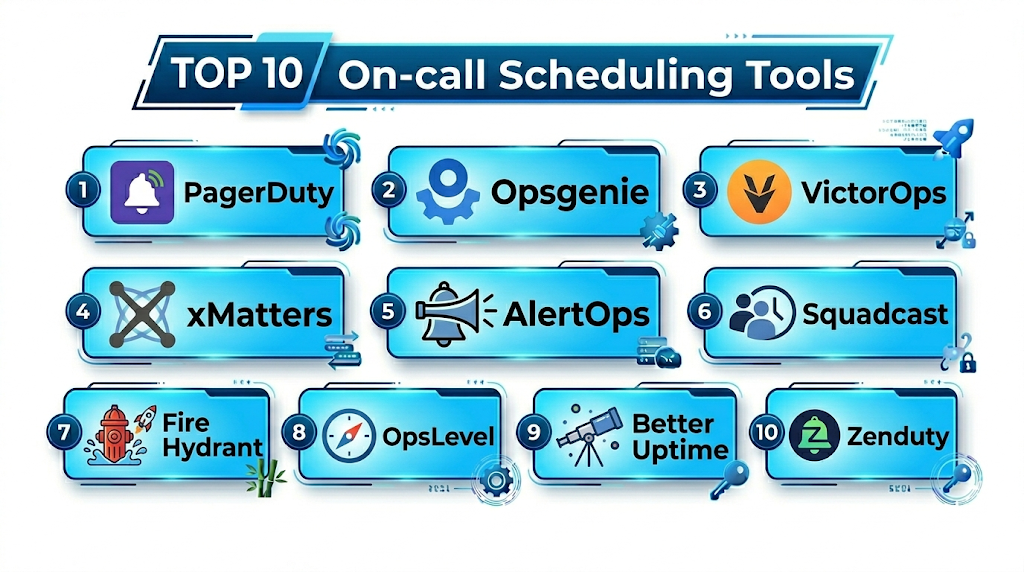
#1 — PagerDuty
Short description: A leading incident management and on-call scheduling platform for enterprise teams.
Key Features
- On-call scheduling and rotations
- Intelligent alert routing
- Escalation policies
- Incident management workflows
- Automation and runbooks
- Analytics and reporting
Pros
- Enterprise-grade reliability
- Strong integrations
Cons
- Expensive
- Complex setup
Platforms / Deployment
Web / Mobile / Cloud
Security & Compliance
RBAC, encryption, audit logs
Integrations & Ecosystem
PagerDuty integrates with a wide range of tools.
- Monitoring platforms
- DevOps tools
- APIs
Support & Community
Strong enterprise support.
#2 — Opsgenie
Short description: A robust alerting and on-call management tool with flexible scheduling.
Key Features
- On-call rotations
- Alert routing and escalation
- Incident management
- Notification policies
- Reporting tools
- Integration with DevOps tools
Pros
- Flexible scheduling
- Strong integrations
Cons
- UI complexity
- Learning curve
Platforms / Deployment
Web / Mobile / Cloud
Security & Compliance
RBAC, encryption
Integrations & Ecosystem
- Atlassian tools
- APIs
- Monitoring tools
Support & Community
Strong support.
#3 — VictorOps (Splunk On-Call)
Short description: An incident response and on-call management tool focused on real-time collaboration.
Key Features
- On-call scheduling
- Real-time alerting
- Incident collaboration
- Escalation policies
- ChatOps integration
- Reporting
Pros
- Strong collaboration
- Real-time alerts
Cons
- Limited UI flexibility
- Pricing
Platforms / Deployment
Web / Mobile / Cloud
Security & Compliance
RBAC, encryption
Integrations & Ecosystem
- Splunk ecosystem
- APIs
- DevOps tools
Support & Community
Good support.
#4 — xMatters
Short description: A platform for incident management and automated alerting workflows.
Key Features
- On-call scheduling
- Event-driven alerting
- Workflow automation
- Escalation policies
- Integration support
- Reporting
Pros
- Strong automation
- Enterprise features
Cons
- Complex setup
- Expensive
Platforms / Deployment
Cloud
Security & Compliance
RBAC, encryption
Integrations & Ecosystem
- APIs
- DevOps tools
- ITSM platforms
Support & Community
Enterprise support.
#5 — AlertOps
Short description: A flexible on-call scheduling and incident management platform.
Key Features
- On-call rotations
- Alert routing
- Escalation workflows
- Notifications
- Reporting
- Integration support
Pros
- Easy to use
- Cost-effective
Cons
- Limited advanced features
- Smaller ecosystem
Platforms / Deployment
Web / Cloud
Security & Compliance
Not publicly stated
Integrations & Ecosystem
- APIs
- Monitoring tools
- DevOps platforms
Support & Community
Moderate support.
#6 — Squadcast
Short description: A modern incident management platform with strong alerting and scheduling features.
Key Features
- On-call scheduling
- Alert deduplication
- Incident management
- Runbooks
- Analytics
- Automation
Pros
- User-friendly
- Affordable
Cons
- Fewer enterprise features
- Growing ecosystem
Platforms / Deployment
Web / Mobile / Cloud
Security & Compliance
RBAC, encryption
Integrations & Ecosystem
- Monitoring tools
- APIs
- DevOps platforms
Support & Community
Good support.
#7 — FireHydrant
Short description: An incident management platform with on-call scheduling and response workflows.
Key Features
- Incident response workflows
- On-call scheduling
- Slack integration
- Runbooks
- Reporting
- Automation
Pros
- Strong workflows
- Collaboration-focused
Cons
- Limited scheduling depth
- Pricing
Platforms / Deployment
Web / Cloud
Security & Compliance
Not publicly stated
Integrations & Ecosystem
- Slack
- APIs
- Dev tools
Support & Community
Growing support.
#8 — OpsLevel
Short description: A service ownership platform with incident and on-call management features.
Key Features
- Service ownership tracking
- On-call scheduling
- Incident management
- Reporting
- Integration support
- Developer tools
Pros
- Developer-focused
- Good visibility
Cons
- Not dedicated solely to on-call
- Limited advanced alerting
Platforms / Deployment
Web / Cloud
Security & Compliance
Not publicly stated
Integrations & Ecosystem
- APIs
- DevOps tools
- Monitoring tools
Support & Community
Moderate support.
#9 — Better Uptime
Short description: A monitoring and incident management tool with built-in on-call scheduling.
Key Features
- On-call scheduling
- Incident alerts
- Status pages
- Uptime monitoring
- Notifications
- Reporting
Pros
- All-in-one tool
- Easy to use
Cons
- Limited enterprise features
- Scaling limitations
Platforms / Deployment
Web / Mobile / Cloud
Security & Compliance
Not publicly stated
Integrations & Ecosystem
- APIs
- Monitoring tools
- DevOps platforms
Support & Community
Good support.
#10 — Zenduty
Short description: A modern incident response and on-call scheduling platform.
Key Features
- On-call rotations
- Alert routing
- Incident management
- Escalation policies
- Automation
- Reporting
Pros
- Affordable
- Easy to use
Cons
- Smaller ecosystem
- Limited enterprise depth
Platforms / Deployment
Web / Mobile / Cloud
Security & Compliance
Not publicly stated
Integrations & Ecosystem
- APIs
- Monitoring tools
- DevOps platforms
Support & Community
Growing community.
Comparison Table (Top 10)
| Tool Name | Best For | Platform(s) Supported | Deployment | Standout Feature | Public Rating |
|---|---|---|---|---|---|
| PagerDuty | Enterprise | Web/Mobile | Cloud | Alert routing | N/A |
| Opsgenie | DevOps teams | Web/Mobile | Cloud | Scheduling | N/A |
| VictorOps | Collaboration | Web/Mobile | Cloud | ChatOps | N/A |
| xMatters | Automation | Web | Cloud | Workflows | N/A |
| AlertOps | SMB | Web | Cloud | Simplicity | N/A |
| Squadcast | Modern teams | Web/Mobile | Cloud | UX | N/A |
| FireHydrant | Workflows | Web | Cloud | Incident mgmt | N/A |
| OpsLevel | Dev teams | Web | Cloud | Ownership | N/A |
| Better Uptime | All-in-one | Web/Mobile | Cloud | Monitoring | N/A |
| Zenduty | Budget | Web/Mobile | Cloud | Cost-effective | N/A |
On-Call Scheduling Tools (Scoring)
| Tool Name | Core (25%) | Ease (15%) | Integrations (15%) | Security (10%) | Performance (10%) | Support (10%) | Value (15%) | Weighted Total |
|---|---|---|---|---|---|---|---|---|
| PagerDuty | 10 | 8 | 10 | 9 | 10 | 10 | 6 | 9.1 |
| Opsgenie | 9 | 8 | 10 | 9 | 9 | 9 | 8 | 8.9 |
| VictorOps | 8 | 8 | 9 | 8 | 9 | 8 | 7 | 8.3 |
| xMatters | 9 | 7 | 9 | 9 | 9 | 9 | 6 | 8.5 |
| AlertOps | 8 | 9 | 8 | 7 | 8 | 7 | 9 | 8.2 |
| Squadcast | 9 | 9 | 8 | 8 | 9 | 8 | 9 | 8.7 |
| FireHydrant | 8 | 8 | 8 | 7 | 8 | 7 | 7 | 7.9 |
| OpsLevel | 7 | 8 | 8 | 7 | 8 | 7 | 8 | 7.7 |
| Better Uptime | 8 | 9 | 8 | 7 | 8 | 8 | 9 | 8.3 |
| Zenduty | 8 | 9 | 8 | 7 | 8 | 7 | 9 | 8.2 |
How to interpret:
- Scores are relative comparisons across tools
- Enterprise tools lead in automation and integrations
- SMB tools excel in ease of use and value
- Choose based on team size and incident complexity
Which Service Mesh Platforms Is Right for You?
Solo / Freelancer
Use Better Uptime or Zenduty.
SMB
Choose Squadcast or AlertOps.
Mid-Market
Use Opsgenie or VictorOps.
Enterprise
Go with PagerDuty or xMatters.
Budget vs Premium
- Budget: Zenduty, Squadcast
- Premium: PagerDuty, xMatters
Feature Depth vs Ease of Use
- Easy: Better Uptime
- Advanced: PagerDuty
Integrations & Scalability
- Best: PagerDuty, Opsgenie
- Moderate: AlertOps
Security & Compliance Needs
- High: PagerDuty, xMatters
- Basic: SMB tools
On-Call Scheduling Tools (FAQs)
What are on-call scheduling tools?
They manage alerting and incident response rotations.
Why are they important?
They ensure timely response to incidents.
Do they support automation?
Yes, most tools include automation.
Are they cloud-based?
Most modern tools are cloud-native.
Do they integrate with monitoring tools?
Yes, via APIs and integrations.
Can they reduce alert fatigue?
Yes, through deduplication and routing.
Are they scalable?
Enterprise tools handle large teams.
Do they support mobile alerts?
Yes, with apps and notifications.
Can I switch tools?
Yes, but migration requires planning.
Are free options available?
Some tools offer free tiers.
Conclusion
On-call Scheduling Tools are essential for ensuring reliable incident response and system uptime. Whether you choose enterprise solutions like PagerDuty or cost-effective options like Zenduty, the right tool depends on your team size, infrastructure complexity, and response requirements.
