Introduction
CI/CD Tools (Continuous Integration and Continuous Delivery/Deployment) are platforms that help teams automate the process of building, testing, and deploying software. These tools enable developers to integrate code changes frequently, run automated tests, and deliver updates to production faster and more reliably.
As software development moves toward DevOps, microservices, and cloud-native architectures, CI/CD tools have become essential for maintaining speed, quality, and consistency. They reduce manual effort, minimize errors, and ensure that applications are always in a deployable state.
Common use cases include:
- Automating build and test pipelines
- Continuous deployment of applications
- Managing version control workflows
- Integrating testing and security checks
- Enabling faster release cycles
What buyers should evaluate:
- Ease of pipeline creation and management
- Integration with version control systems (Git, etc.)
- Support for containers and cloud platforms
- Scalability and performance
- Security features (access control, secrets management)
- Plugin ecosystem and integrations
- Monitoring and reporting capabilities
- Flexibility (code-based vs visual pipelines)
- Cost and licensing model
- Community and vendor support
Best for: Developers, DevOps engineers, IT teams, and organizations aiming to accelerate software delivery and improve code quality.
Not ideal for: Very small projects with infrequent releases or teams not practicing automated development workflows.
Key Trends in CI/CD Tools
- Pipeline as Code: Declarative pipeline configurations using YAML
- Cloud-native CI/CD: Fully managed cloud-based pipelines
- AI-assisted pipelines: Intelligent optimization and failure detection
- Security integration (DevSecOps): Built-in vulnerability scanning
- Container and Kubernetes support: Native integration with orchestration tools
- Parallel builds and testing: Faster execution times
- Shift-left testing: Testing earlier in development cycles
- Hybrid deployment models: On-prem and cloud flexibility
- Self-hosted runners: Greater control over execution environments
- Low-code pipeline builders: Visual pipeline design
How We Selected These Tools (Methodology)
- Evaluated market adoption and popularity
- Assessed pipeline automation capabilities
- Reviewed integration with Git and DevOps ecosystems
- Considered ease of use and onboarding
- Analyzed scalability and performance
- Checked security and compliance features
- Examined plugin ecosystem and extensibility
- Included both open-source and enterprise tools
- Considered deployment flexibility (cloud, on-prem, hybrid)
- Focused on real-world developer and enterprise needs
Top CI/CD Tools
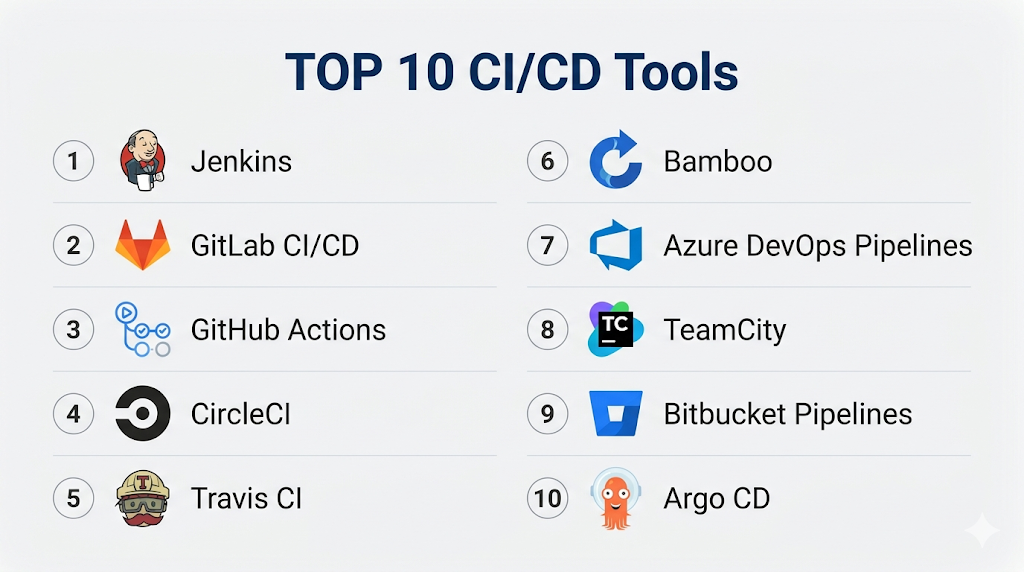
#1 — Jenkins
Short description: A widely used open-source automation server for building and deploying applications.
Key Features
- Extensive plugin ecosystem
- Pipeline as Code (Jenkinsfile)
- Distributed builds
- Integration with almost any tool
- Custom workflows
- Open-source flexibility
Pros
- Highly customizable
- Free and open-source
Cons
- Complex setup and maintenance
- UI can feel outdated
Platforms / Deployment
Windows / Linux / macOS / Self-hosted
Security & Compliance
RBAC, plugins for security
Integrations & Ecosystem
Jenkins integrates with nearly all DevOps tools.
- GitHub, GitLab
- Docker, Kubernetes
- CI/CD tools
- APIs
Support & Community
Very large global community.
#2 — GitLab CI/CD
Short description: A built-in CI/CD solution within GitLab for end-to-end DevOps workflows.
Key Features
- Pipeline as Code (YAML)
- Built-in Git repository
- Auto DevOps
- Security scanning
- Container registry
- Monitoring tools
Pros
- All-in-one platform
- Easy integration
Cons
- Can be resource-heavy
- Learning curve for advanced features
Platforms / Deployment
Cloud / Self-hosted / Hybrid
Security & Compliance
RBAC, SSO, security scanning
Integrations & Ecosystem
- Kubernetes
- Cloud platforms
- APIs
- DevOps tools
Support & Community
Strong enterprise and community support.
#3 — GitHub Actions
Short description: A CI/CD platform integrated directly into GitHub repositories.
Key Features
- Workflow automation
- YAML-based pipelines
- Marketplace for actions
- Hosted runners
- Event-driven workflows
- Easy GitHub integration
Pros
- Seamless GitHub integration
- Easy to get started
Cons
- Limited outside GitHub ecosystem
- Pricing can scale up
Platforms / Deployment
Cloud / Self-hosted runners
Security & Compliance
RBAC, secrets management
Integrations & Ecosystem
- GitHub ecosystem
- APIs
- Cloud services
Support & Community
Large and active community.
#4 — CircleCI
Short description: A cloud-based CI/CD platform focused on speed and automation.
Key Features
- Fast builds
- Parallel execution
- Docker support
- Config as Code
- Insights dashboard
- Flexible workflows
Pros
- High performance
- Easy setup
Cons
- Pricing complexity
- Limited free tier
Platforms / Deployment
Cloud / Self-hosted
Security & Compliance
RBAC, encryption
Integrations & Ecosystem
- GitHub, Bitbucket
- Docker
- APIs
Support & Community
Strong support and documentation.
#5 — Travis CI
Short description: A CI/CD service widely used for open-source projects.
Key Features
- Easy GitHub integration
- YAML configuration
- Multi-language support
- Build automation
- Cloud-based execution
Pros
- Simple setup
- Good for open-source
Cons
- Limited scalability
- Slower builds
Platforms / Deployment
Cloud
Security & Compliance
Not publicly stated
Integrations & Ecosystem
- GitHub
- APIs
- Dev tools
Support & Community
Moderate community.
#6 — Bamboo
Short description: A CI/CD tool from Atlassian with strong integration with Jira and Bitbucket.
Key Features
- Build and deployment automation
- Integration with Atlassian tools
- Parallel builds
- Deployment projects
- Permissions management
Pros
- Strong Atlassian integration
- Good UI
Cons
- Licensing cost
- Limited outside Atlassian ecosystem
Platforms / Deployment
Windows / Linux / On-prem
Security & Compliance
RBAC, permissions
Integrations & Ecosystem
- Jira
- Bitbucket
- APIs
Support & Community
Enterprise support.
#7 — Azure DevOps Pipelines
Short description: A CI/CD service within Microsoft Azure for building and deploying applications.
Key Features
- Multi-platform support
- YAML pipelines
- Integration with Azure services
- Hosted and self-hosted agents
- Security features
- Monitoring tools
Pros
- Strong Microsoft integration
- Flexible
Cons
- Complex UI
- Requires Azure familiarity
Platforms / Deployment
Cloud / Hybrid
Security & Compliance
RBAC, encryption
Integrations & Ecosystem
- Azure
- GitHub
- APIs
Support & Community
Strong enterprise support.
#8 — TeamCity
Short description: A CI/CD tool by JetBrains focused on developer productivity.
Key Features
- Build automation
- Test reporting
- Version control integration
- Parallel builds
- Plugin support
Pros
- Developer-friendly
- Strong reporting
Cons
- Setup complexity
- Licensing cost
Platforms / Deployment
Windows / Linux / On-prem / Cloud
Security & Compliance
RBAC, audit logs
Integrations & Ecosystem
- Git
- APIs
- Dev tools
Support & Community
Good support.
#9 — Bitbucket Pipelines
Short description: A CI/CD tool integrated with Bitbucket repositories.
Key Features
- YAML pipelines
- Docker support
- Built-in CI/CD
- Cloud-based
- Easy integration
Pros
- Simple setup
- Good for Bitbucket users
Cons
- Limited features
- Smaller ecosystem
Platforms / Deployment
Cloud
Security & Compliance
RBAC, encryption
Integrations & Ecosystem
- Bitbucket
- APIs
- Dev tools
Support & Community
Moderate support.
#10 — Argo CD
Short description: A GitOps-based continuous delivery tool for Kubernetes.
Key Features
- GitOps workflows
- Kubernetes-native
- Automated deployments
- Rollback support
- Real-time monitoring
Pros
- Ideal for Kubernetes
- Declarative deployments
Cons
- Requires Kubernetes knowledge
- Limited general CI features
Platforms / Deployment
Kubernetes / Cloud / Self-hosted
Security & Compliance
RBAC, audit logs
Integrations & Ecosystem
- Kubernetes
- Git
- APIs
Support & Community
Growing community.
Comparison Table (Top 10)
| Tool Name | Best For | Platform(s) Supported | Deployment | Standout Feature | Public Rating |
|---|---|---|---|---|---|
| Jenkins | Custom pipelines | Multi-platform | Self-hosted | Plugin ecosystem | N/A |
| GitLab CI/CD | All-in-one DevOps | Multi-platform | Hybrid | Integrated platform | N/A |
| GitHub Actions | GitHub users | Cloud | Hybrid | Workflow automation | N/A |
| CircleCI | Fast pipelines | Cloud | Hybrid | Performance | N/A |
| Travis CI | Open-source | Cloud | Cloud | Simplicity | N/A |
| Bamboo | Atlassian users | Multi-platform | On-prem | Integration | N/A |
| Azure Pipelines | Microsoft users | Multi-platform | Hybrid | Azure integration | N/A |
| TeamCity | Developers | Multi-platform | Hybrid | Reporting | N/A |
| Bitbucket Pipelines | Bitbucket users | Cloud | Cloud | Simplicity | N/A |
| Argo CD | Kubernetes | Cloud | Hybrid | GitOps | N/A |
CI/CD Tools (Scoring)
| Tool Name | Core (25%) | Ease (15%) | Integrations (15%) | Security (10%) | Performance (10%) | Support (10%) | Value (15%) | Weighted Total |
|---|---|---|---|---|---|---|---|---|
| Jenkins | 10 | 6 | 10 | 7 | 9 | 10 | 10 | 9.0 |
| GitLab CI/CD | 9 | 8 | 9 | 9 | 9 | 9 | 8 | 8.8 |
| GitHub Actions | 9 | 9 | 9 | 8 | 9 | 9 | 8 | 8.8 |
| CircleCI | 9 | 8 | 8 | 8 | 10 | 8 | 7 | 8.5 |
| Travis CI | 7 | 9 | 7 | 6 | 7 | 7 | 8 | 7.4 |
| Bamboo | 8 | 7 | 8 | 8 | 8 | 8 | 6 | 7.8 |
| Azure Pipelines | 9 | 7 | 9 | 9 | 9 | 9 | 7 | 8.6 |
| TeamCity | 8 | 7 | 8 | 8 | 9 | 8 | 7 | 8.0 |
| Bitbucket Pipelines | 7 | 8 | 7 | 7 | 8 | 7 | 7 | 7.5 |
| Argo CD | 8 | 7 | 8 | 8 | 9 | 8 | 8 | 8.1 |
How to interpret:
- Scores are comparative, not absolute
- Higher scores indicate balanced capabilities
- Choose based on your workflow and ecosystem
- Enterprise tools often score higher but cost more
Which Service Mesh Platforms Is Right for You?
Solo / Freelancer
Use GitHub Actions or Travis CI for simplicity.
SMB
Choose GitLab CI/CD or CircleCI.
Mid-Market
Use Jenkins or Azure Pipelines.
Enterprise
Go with GitLab CI/CD or Azure DevOps.
Budget vs Premium
- Budget: Jenkins, GitHub Actions
- Premium: GitLab, CircleCI
Feature Depth vs Ease of Use
- Easy: GitHub Actions
- Advanced: Jenkins
Integrations & Scalability
- Best: Jenkins, GitLab
- Limited: Travis CI
Security & Compliance Needs
- High: GitLab, Azure
- Basic: Open-source tools
CI/CD Tools (FAQs)
What are CI/CD tools?
They automate building, testing, and deploying applications.
Why are they important?
They improve speed, quality, and consistency.
Are they cloud-based?
Many are cloud-based, but self-hosted options exist.
Do they require coding?
Most use YAML or scripts for pipelines.
Can they integrate with Git?
Yes, integration with Git is essential.
Are they scalable?
Yes, especially cloud-based tools.
What about security?
Most include RBAC and secrets management.
Are they expensive?
Some are free; enterprise tools cost more.
Can beginners use them?
Yes, many tools are beginner-friendly.
Can I switch tools later?
Yes, but migration requires effort.
Conclusion
CI/CD tools are essential for modern software delivery, enabling teams to automate workflows, reduce errors, and accelerate releases. From flexible solutions like Jenkins to integrated platforms like GitLab CI/CD, each tool offers unique strengths.
