Introduction
Test Case Management Tools are software solutions that help QA teams design, organize, execute, and track test cases throughout the software development lifecycle. In simple terms, these tools act as a centralized system for managing all testing activities—ensuring quality, traceability, and collaboration across teams.
As software development becomes faster and more iterative, especially with Agile and DevOps practices, managing test cases manually is no longer practical. Test case management tools enable teams to streamline testing workflows, improve coverage, and ensure that defects are identified early.
Common use cases include:
- Creating and organizing manual and automated test cases
- Tracking test execution and results
- Managing regression and release testing cycles
- Linking test cases to requirements and bugs
- Generating reports for QA and stakeholders
Key evaluation criteria:
- Ease of test case creation and management
- Integration with bug tracking and CI/CD tools
- Support for manual and automated testing
- Reporting and analytics capabilities
- Collaboration and team workflows
- Scalability for large test suites
- Role-based access and permissions
- Customization and flexibility
- Cloud vs on-premise deployment options
- Cost and licensing
Best for: QA engineers, test managers, DevOps teams, and organizations building complex applications with structured testing processes.
Not ideal for: Very small teams or projects with minimal testing requirements, where simple spreadsheets or lightweight tools may suffice.
Key Trends in Test Case Management Tools
- AI-assisted test creation: Automated generation of test cases based on requirements and code changes
- Shift-left testing adoption: Early integration of testing into development pipelines
- Tight DevOps integration: Seamless connection with CI/CD and version control systems
- Low-code/no-code testing workflows: Simplifying test management for non-technical users
- Real-time collaboration: Shared workspaces for distributed QA teams
- Automation-first approach: Strong support for integrating automated test frameworks
- Traceability and compliance: Linking requirements, tests, and defects for audits
- Cloud-native platforms: Scalable SaaS-based solutions becoming standard
- Advanced reporting and analytics: Data-driven insights for test coverage and quality
- Cross-platform testing support: Web, mobile, API, and microservices testing
How We Selected These Tools (Methodology)
We evaluated Test Case Management Tools based on:
- Market adoption and industry reputation
- Feature completeness (test management, reporting, integrations)
- Ease of use and onboarding experience
- Integration with DevOps, CI/CD, and issue tracking tools
- Scalability for small teams to enterprises
- Collaboration and workflow management capabilities
- Security and access control features
- Flexibility across different testing methodologies
- Support quality and community engagement
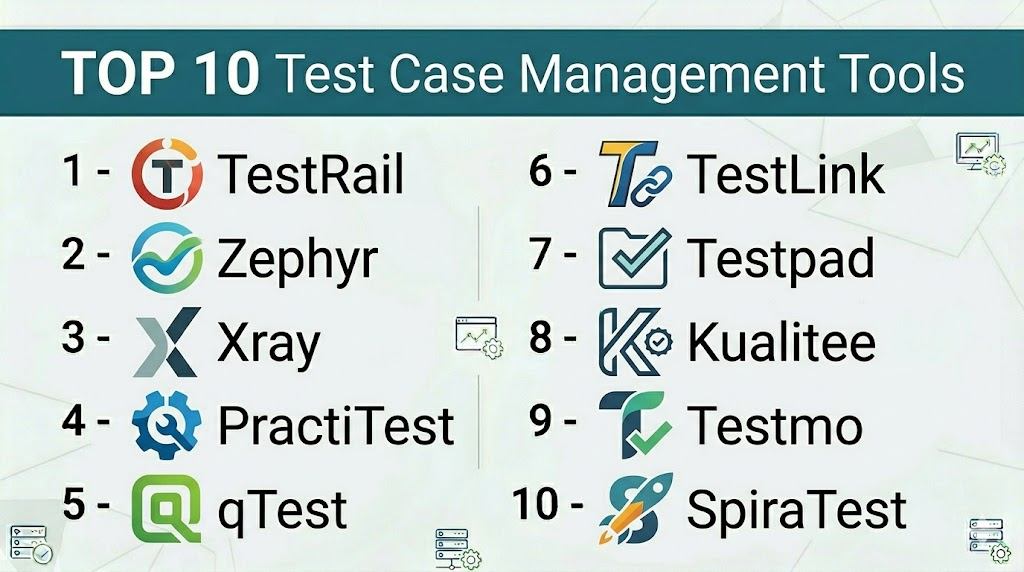
Top 10 Test Case Management Tools
#1 — TestRail
Short description: A widely used test case management platform designed for teams to manage, track, and organize testing efforts efficiently.
Key Features
- Centralized test case repository
- Customizable test workflows
- Detailed reporting and dashboards
- Integration with CI/CD tools
- Role-based access control
- API support
Pros
- User-friendly interface
- Strong reporting capabilities
Cons
- Licensing cost
- Limited automation features compared to some competitors
Platforms / Deployment
Cloud / Self-hosted
Security & Compliance
RBAC, SSO, encryption
Integrations & Ecosystem
TestRail integrates with a wide range of development and testing tools, enabling seamless workflows across QA and DevOps teams.
- Jira
- Jenkins
- Selenium
- GitHub
Support & Community
Strong commercial support and extensive documentation.
#2 — Zephyr (by SmartBear)
Short description: A flexible test management solution tightly integrated with Jira and designed for Agile teams.
Key Features
- Native Jira integration
- Test case creation and execution
- Real-time reporting
- Automation support
- Scalable architecture
Pros
- Seamless Jira integration
- Good for Agile workflows
Cons
- Dependent on Jira ecosystem
- Can become complex at scale
Platforms / Deployment
Cloud
Security & Compliance
RBAC, encryption
Integrations & Ecosystem
Deep integration with Jira and testing tools.
- Jira
- CI/CD tools
- Automation frameworks
Support & Community
Strong vendor support.
#3 — Xray
Short description: A comprehensive test management tool built directly into Jira, supporting manual and automated testing.
Key Features
- Native Jira integration
- Test planning and execution
- Requirement traceability
- Automation support
- Advanced reporting
Pros
- Full Jira integration
- Strong traceability
Cons
- Requires Jira
- Learning curve for beginners
Platforms / Deployment
Cloud / Self-hosted
Security & Compliance
RBAC, encryption
Integrations & Ecosystem
Works seamlessly within Jira ecosystem.
- Jira
- CI/CD pipelines
- Automation tools
Support & Community
Active community and vendor support.
#4 — PractiTest
Short description: A cloud-based test management platform focused on end-to-end QA visibility and traceability.
Key Features
- Centralized test management
- Custom dashboards
- Traceability across requirements
- Automation integration
- API access
Pros
- Strong reporting
- Flexible customization
Cons
- Pricing may be high for small teams
- UI complexity
Platforms / Deployment
Cloud
Security & Compliance
RBAC, encryption
Integrations & Ecosystem
Integrates with major QA and DevOps tools.
- Jira
- Selenium
- CI/CD tools
Support & Community
Good support and onboarding resources.
#5 — qTest (by Tricentis)
Short description: An enterprise-grade test management platform designed for scaling QA operations.
Key Features
- Agile test management
- Automation integration
- Real-time analytics
- Scalable architecture
- Risk-based testing
Pros
- Enterprise-ready
- Strong automation support
Cons
- Expensive
- Complex setup
Platforms / Deployment
Cloud
Security & Compliance
RBAC, encryption
Integrations & Ecosystem
Works with enterprise DevOps ecosystems.
- Jira
- Jenkins
- Automation tools
Support & Community
Enterprise-level support.
#6 — TestLink
Short description: An open-source test management tool for organizing and executing test cases.
Key Features
- Test case management
- Execution tracking
- Requirement linking
- Open-source
- Basic reporting
Pros
- Free to use
- Flexible
Cons
- Outdated UI
- Limited modern features
Platforms / Deployment
Self-hosted
Security & Compliance
Basic access control
Integrations & Ecosystem
Limited integrations.
- Bug tracking tools
Support & Community
Community-driven support.
#7 — Testpad
Short description: A lightweight test management tool focused on simplicity and checklist-based testing.
Key Features
- Checklist-style testing
- Real-time collaboration
- Simple interface
- Flexible workflows
- Cloud-based
Pros
- Easy to use
- Fast onboarding
Cons
- Limited advanced features
- Not ideal for large teams
Platforms / Deployment
Cloud
Security & Compliance
Not publicly stated
Integrations & Ecosystem
Basic integrations.
- Issue tracking tools
Support & Community
Moderate support.
#8 — Kualitee
Short description: A test management tool combining test case management with defect tracking.
Key Features
- Test case management
- Defect tracking
- Automation integration
- Reporting dashboards
- Role-based access
Pros
- All-in-one solution
- Affordable
Cons
- Smaller ecosystem
- UI improvements needed
Platforms / Deployment
Cloud
Security & Compliance
RBAC, encryption
Integrations & Ecosystem
Supports QA workflows.
- CI/CD tools
- Automation frameworks
Support & Community
Growing community.
#9 — Testmo
Short description: A modern test management platform designed for unified testing workflows.
Key Features
- Unified test management
- Automation integration
- Real-time reporting
- Flexible workflows
- API support
Pros
- Modern UI
- Good automation support
Cons
- Newer platform
- Limited enterprise features
Platforms / Deployment
Cloud / Self-hosted
Security & Compliance
RBAC, encryption
Integrations & Ecosystem
Works with modern tools.
- CI/CD pipelines
- Git platforms
Support & Community
Growing support ecosystem.
#10 — SpiraTest
Short description: A comprehensive test management and QA platform with integrated ALM features.
Key Features
- Test case management
- Requirement tracking
- Defect management
- Reporting tools
- Automation integration
Pros
- All-in-one platform
- Strong traceability
Cons
- UI can feel outdated
- Learning curve
Platforms / Deployment
Cloud / Self-hosted
Security & Compliance
RBAC, encryption
Integrations & Ecosystem
Supports enterprise workflows.
- Jira
- Automation tools
Support & Community
Good vendor support.
Comparison Table (Top 10)
| Tool Name | Best For | Platform(s) Supported | Deployment | Standout Feature | Public Rating |
|---|---|---|---|---|---|
| TestRail | Teams | Web | Hybrid | Reporting | N/A |
| Zephyr | Jira users | Web | Cloud | Jira integration | N/A |
| Xray | Agile teams | Web | Hybrid | Traceability | N/A |
| PractiTest | QA teams | Web | Cloud | Custom dashboards | N/A |
| qTest | Enterprises | Web | Cloud | Scalability | N/A |
| TestLink | Open-source | Web | Self-hosted | Free usage | N/A |
| Testpad | Small teams | Web | Cloud | Simplicity | N/A |
| Kualitee | SMBs | Web | Cloud | All-in-one | N/A |
| Testmo | Modern teams | Web | Hybrid | Unified testing | N/A |
| SpiraTest | Enterprises | Web | Hybrid | ALM features | N/A |
Test Case Management Tools Scoring
| Tool Name | Core (25%) | Ease (15%) | Integrations (15%) | Security (10%) | Performance (10%) | Support (10%) | Value (15%) | Weighted Total |
|---|---|---|---|---|---|---|---|---|
| TestRail | 9 | 8 | 9 | 8 | 8 | 9 | 7 | 8.4 |
| Zephyr | 8 | 8 | 9 | 8 | 8 | 8 | 7 | 8.1 |
| Xray | 9 | 7 | 9 | 8 | 8 | 8 | 7 | 8.2 |
| PractiTest | 8 | 7 | 8 | 8 | 8 | 8 | 7 | 7.9 |
| qTest | 9 | 7 | 9 | 9 | 9 | 9 | 6 | 8.5 |
| TestLink | 6 | 6 | 6 | 6 | 7 | 6 | 10 | 7.0 |
| Testpad | 6 | 9 | 6 | 6 | 7 | 7 | 9 | 7.3 |
| Kualitee | 7 | 7 | 7 | 7 | 7 | 7 | 8 | 7.2 |
| Testmo | 8 | 8 | 8 | 7 | 8 | 7 | 8 | 7.9 |
| SpiraTest | 8 | 7 | 8 | 8 | 8 | 8 | 7 | 7.9 |
How to interpret scores:
- Scores are comparative and based on overall capability
- Enterprise tools score higher in features and scalability
- Lightweight tools score higher in ease of use
- Open-source tools provide strong value but fewer features
- Choose based on team size and testing complexity
Which Test Case Management Tools Is Right for You?
Solo / Freelancer
- Use Testpad or TestLink for simple workflows
- Lightweight tools are sufficient
SMB
- TestRail or Kualitee for balanced features and cost
- Focus on ease of use
Mid-Market
- Xray or PractiTest for better integration and reporting
- Ensure CI/CD compatibility
Enterprise
- qTest or Zephyr for scalability and advanced features
- Strong reporting and compliance required
Budget vs Premium
- Open-source tools reduce costs
- Enterprise tools offer automation and support
Feature Depth vs Ease of Use
- qTest = powerful
- Testpad = simple
Integrations & Scalability
- Choose tools with strong Jira and CI/CD integrations
- Ensure scalability for large test suites
Security & Compliance Needs
- Enterprises should prioritize RBAC and audit logs
- Cloud tools often offer better compliance alignment
Frequently Asked Questions (FAQs)
What is a test case management tool?
It helps teams create, manage, and track test cases and testing activities.
Why is test case management important?
It ensures structured testing, better coverage, and improved software quality.
Are these tools suitable for Agile teams?
Yes, most tools support Agile and DevOps workflows.
Can these tools integrate with automation frameworks?
Yes, many support integration with automation tools.
Are there free test management tools?
Yes, open-source tools like TestLink are available.
Which tool is best for Jira users?
Zephyr and Xray are strong options.
Do I need coding skills?
Not necessarily; many tools offer no-code interfaces.
Can small teams use these tools?
Yes, many tools are designed for SMBs and startups.
How long does setup take?
From a few hours to several days depending on complexity.
Can I migrate between tools?
Yes, but it may require data migration and reconfiguration.
Conclusion
Test Case Management Tools play a crucial role in ensuring software quality by organizing testing workflows, improving collaboration, and providing actionable insights. From lightweight tools for small teams to enterprise-grade platforms, there are solutions for every need.
