Introduction
Virtual Machine Management Tools are software platforms designed to provision, monitor, manage, and optimize virtual machines (VMs) across virtualized environments. These tools sit on top of hypervisors or cloud infrastructure and provide centralized control over VM lifecycles, resource allocation, performance, and security.
As organizations increasingly rely on virtualization and hybrid cloud environments, managing VMs efficiently has become critical. VM management tools help IT teams automate operations, reduce manual overhead, improve performance, and ensure compliance across infrastructure.
Real-world use cases include:
- Provisioning and managing VMs across data centers or cloud environments
- Monitoring VM performance and resource utilization
- Automating VM deployment and scaling
- Managing multi-hypervisor environments
- Ensuring compliance and security across virtual infrastructure
Key evaluation criteria buyers should consider:
- VM lifecycle management capabilities
- Multi-hypervisor and multi-cloud support
- Automation and orchestration features
- Monitoring and performance analytics
- Security features (RBAC, encryption, audit logs)
- Integration with DevOps and ITSM tools
- Scalability and performance
- Ease of use and deployment
- Cost and licensing flexibility
Best for: IT administrators, DevOps teams, enterprises, cloud operators, and organizations managing virtualized or hybrid infrastructure.
Not ideal for: Small teams with minimal virtualization usage or simple single-VM environments.
Key Trends in Virtual Machine Management Tools
- Hybrid and multi-cloud management: Unified control across different environments
- AI-driven optimization: Automated resource allocation and anomaly detection
- Infrastructure as Code (IaC): Integration with automation tools like Terraform
- Self-service provisioning: Enabling users to deploy VMs without IT intervention
- Policy-based governance: Automated compliance enforcement
- Container and VM convergence: Managing both VMs and containers
- Advanced monitoring and analytics: Real-time insights into performance
- Automation-first operations: Reduced manual intervention
- Cost optimization tools: Tracking and optimizing resource usage
- Security-focused management: Zero-trust and micro-segmentation
How We Selected These Tools (Methodology)
We selected the top VM management tools based on:
- Market adoption and industry relevance
- Feature completeness (lifecycle, monitoring, automation)
- Performance and scalability
- Security and compliance capabilities
- Integration ecosystem (cloud, DevOps, ITSM)
- Ease of use and deployment
- Support for multiple hypervisors
- Vendor support and documentation
- Suitability for different organization sizes
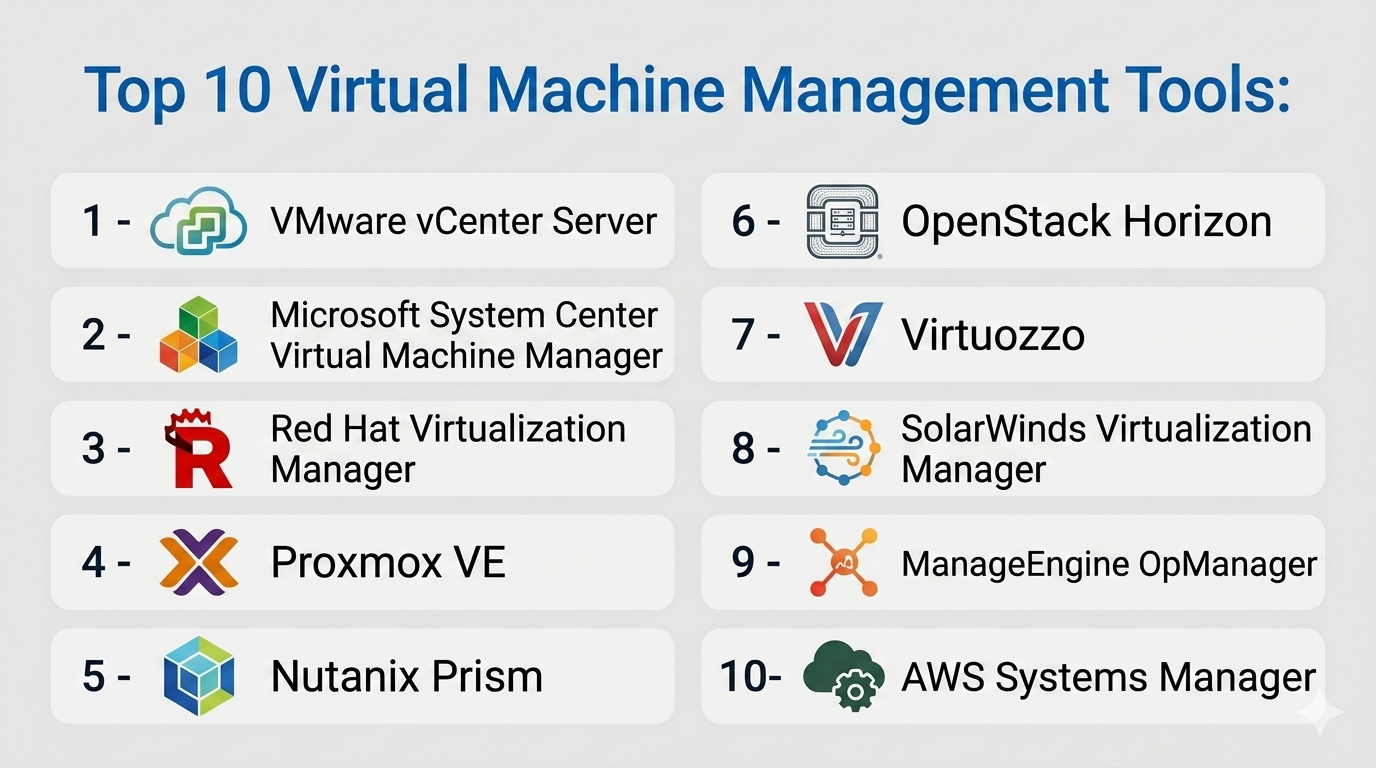
Top 10 Virtual Machine Management Tools
#1 — VMware vCenter Server
Short description: A centralized management platform for VMware environments, widely used in enterprise virtualization.
Key Features
- Centralized VM management
- Resource allocation and monitoring
- Automation and orchestration
- High availability management
- Performance analytics
- Role-based access control
- Integration with VMware ecosystem
Pros
- Comprehensive feature set
- Strong enterprise adoption
Cons
- Expensive licensing
- VMware ecosystem dependency
Platforms / Deployment
Windows / Linux
On-premise / Hybrid
Security & Compliance
RBAC, audit logs, encryption, MFA
Compliance certifications: Not publicly stated
Integrations & Ecosystem
- VMware tools
- Cloud platforms
- APIs
- DevOps tools
Support & Community
Extensive enterprise support and large community.
#2 — Microsoft System Center Virtual Machine Manager (SCVMM)
Short description: A VM management solution for Microsoft Hyper-V environments.
Key Features
- VM provisioning and management
- Integration with Hyper-V
- Resource optimization
- Automation tools
- Networking and storage management
- Monitoring integration
- Role-based access
Pros
- Strong Microsoft integration
- Good for Windows environments
Cons
- Limited outside Microsoft ecosystem
- Complex setup
Platforms / Deployment
Windows
On-premise
Security & Compliance
RBAC, encryption
Compliance certifications: Not publicly stated
Integrations & Ecosystem
- Microsoft ecosystem
- Azure integration
- IT tools
Support & Community
Strong enterprise support.
#3 — Red Hat Virtualization Manager
Short description: An enterprise-grade management tool for Red Hat virtualization environments.
Key Features
- Centralized VM management
- High availability
- Resource scheduling
- Monitoring tools
- Automation capabilities
- Integration with Red Hat ecosystem
- Security controls
Pros
- Strong open-source foundation
- Enterprise-grade features
Cons
- Requires expertise
- Subscription cost
Platforms / Deployment
Linux
On-premise / Hybrid
Security & Compliance
RBAC, encryption
Compliance certifications: Not publicly stated
Integrations & Ecosystem
- Red Hat tools
- OpenShift
- APIs
Support & Community
Enterprise and open-source support.
#4 — Proxmox VE
Short description: An open-source platform for managing VMs and containers with a web-based interface.
Key Features
- VM and container management
- Web-based UI
- Backup and restore
- High availability clustering
- Storage management
- Networking tools
- Open-source flexibility
Pros
- Free and feature-rich
- Easy interface
Cons
- Limited enterprise support
- Requires expertise for scaling
Platforms / Deployment
Linux
On-premise
Security & Compliance
RBAC, encryption
Compliance certifications: Not publicly stated
Integrations & Ecosystem
- Open-source tools
- APIs
- Storage integrations
Support & Community
Active community and optional paid support.
#5 — Nutanix Prism
Short description: A management interface for Nutanix environments providing VM and infrastructure control.
Key Features
- Centralized VM management
- Automation and orchestration
- Monitoring and analytics
- Resource optimization
- Security controls
- Integration with Nutanix ecosystem
- Self-service provisioning
Pros
- Easy to use
- Strong integration with HCI
Cons
- Requires Nutanix platform
- Limited flexibility outside ecosystem
Platforms / Deployment
On-premise / Hybrid
Security & Compliance
RBAC, encryption
Compliance certifications: Not publicly stated
Integrations & Ecosystem
- Nutanix tools
- APIs
- Cloud integrations
Support & Community
Enterprise support.
#6 — OpenStack Horizon
Short description: A web-based dashboard for managing OpenStack cloud environments and VMs.
Key Features
- VM provisioning
- Web-based dashboard
- Multi-tenant management
- Resource monitoring
- API integration
- Automation tools
- Scalability
Pros
- Open-source flexibility
- Cloud-scale capabilities
Cons
- Complex deployment
- Requires expertise
Platforms / Deployment
Linux
Cloud / On-premise / Hybrid
Security & Compliance
RBAC, encryption
Compliance certifications: Not publicly stated
Integrations & Ecosystem
- OpenStack ecosystem
- APIs
- DevOps tools
Support & Community
Large open-source community.
#7 — Virtuozzo
Short description: A virtualization management platform focusing on containers and VMs.
Key Features
- VM and container management
- Resource optimization
- Automation tools
- High availability
- Storage management
- Security features
- Multi-tenant support
Pros
- Efficient resource usage
- Supports containers and VMs
Cons
- Smaller ecosystem
- Less mainstream adoption
Platforms / Deployment
Linux
On-premise / Hybrid
Security & Compliance
RBAC, encryption
Compliance certifications: Not publicly stated
Integrations & Ecosystem
- APIs
- Cloud tools
Support & Community
Moderate support.
#8 — SolarWinds Virtualization Manager
Short description: A monitoring and management tool for virtual environments with strong analytics.
Key Features
- VM performance monitoring
- Capacity planning
- Resource optimization
- Alerts and reporting
- Integration with IT tools
- Automation features
- Dashboard analytics
Pros
- Strong monitoring capabilities
- Easy to use dashboards
Cons
- Focused more on monitoring than provisioning
- Licensing cost
Platforms / Deployment
Windows
On-premise
Security & Compliance
RBAC
Compliance certifications: Not publicly stated
Integrations & Ecosystem
- ITSM tools
- APIs
- Monitoring tools
Support & Community
Good documentation and support.
#9 — ManageEngine OpManager (Virtualization)
Short description: A monitoring and management tool for virtual infrastructure.
Key Features
- VM monitoring
- Performance tracking
- Alerts and notifications
- Resource utilization
- Reporting tools
- Integration with IT tools
- Dashboard views
Pros
- Easy to use
- Good for SMBs
Cons
- Limited advanced features
- Not full lifecycle management
Platforms / Deployment
Windows / Linux
On-premise
Security & Compliance
RBAC
Compliance certifications: Not publicly stated
Integrations & Ecosystem
- ManageEngine suite
- APIs
Support & Community
Strong support.
#10 — AWS Systems Manager (for EC2)
Short description: A cloud-based management tool for managing virtual machines in AWS environments.
Key Features
- VM (EC2) management
- Automation tools
- Patch management
- Monitoring and logging
- Secure access
- Configuration management
- Integration with AWS services
Pros
- Fully managed
- Strong AWS integration
Cons
- AWS dependency
- Learning curve
Platforms / Deployment
Cloud
Security & Compliance
IAM, encryption
Compliance certifications: Not publicly stated
Integrations & Ecosystem
- AWS ecosystem
- APIs
- DevOps tools
Support & Community
Strong cloud support.
Comparison Table (Top 10)
| Tool Name | Best For | Platform(s) Supported | Deployment | Standout Feature | Public Rating |
|---|---|---|---|---|---|
| VMware vCenter | Enterprises | Multi-platform | Hybrid | Centralized control | N/A |
| SCVMM | Microsoft users | Windows | On-prem | Hyper-V integration | N/A |
| Red Hat VM Manager | Enterprises | Linux | Hybrid | Open-source enterprise | N/A |
| Proxmox VE | SMB/Open-source | Linux | On-prem | Free and flexible | N/A |
| Nutanix Prism | HCI users | On-prem | Hybrid | Ease of use | N/A |
| OpenStack Horizon | Cloud builders | Linux | Hybrid | Cloud-scale mgmt | N/A |
| Virtuozzo | Mixed workloads | Linux | Hybrid | VM + container support | N/A |
| SolarWinds VMAN | Monitoring | Windows | On-prem | Analytics | N/A |
| OpManager | SMB monitoring | Multi-platform | On-prem | Simplicity | N/A |
| AWS Systems Manager | Cloud users | Cloud | Cloud | AWS integration | N/A |
Virtual Machine Management Tools Scoring
| Tool Name | Core (25%) | Ease (15%) | Integrations (15%) | Security (10%) | Performance (10%) | Support (10%) | Value (15%) | Weighted Total |
|---|---|---|---|---|---|---|---|---|
| VMware vCenter | 9 | 7 | 9 | 9 | 9 | 9 | 6 | 8.4 |
| SCVMM | 8 | 7 | 8 | 8 | 8 | 8 | 8 | 7.9 |
| Red Hat VM | 8 | 6 | 8 | 8 | 8 | 8 | 7 | 7.7 |
| Proxmox VE | 8 | 8 | 7 | 8 | 8 | 7 | 9 | 8.1 |
| Nutanix Prism | 9 | 8 | 8 | 8 | 9 | 8 | 7 | 8.3 |
| OpenStack | 9 | 5 | 9 | 8 | 9 | 7 | 9 | 8.1 |
| Virtuozzo | 7 | 7 | 7 | 7 | 7 | 7 | 8 | 7.2 |
| SolarWinds VMAN | 7 | 8 | 7 | 7 | 8 | 7 | 7 | 7.4 |
| OpManager | 6 | 8 | 6 | 7 | 7 | 7 | 8 | 7.0 |
| AWS Systems Manager | 8 | 7 | 9 | 9 | 9 | 8 | 7 | 8.2 |
How to interpret:
- Scores are relative and comparative across tools
- Enterprise tools rank higher in scalability and integrations
- Open-source tools score higher in value
- Monitoring-focused tools score lower in core lifecycle features
- Choose based on your infrastructure complexity
Which Virtual Machine Management Tools Is Right for You?
Solo / Freelancer
Use Proxmox VE or basic tools for small-scale VM management.
SMB
ManageEngine OpManager or Proxmox offers affordability and ease of use.
Mid-Market
Nutanix Prism or SCVMM provides balance and scalability.
Enterprise
VMware vCenter, OpenStack, or AWS Systems Manager for full-scale management.
Budget vs Premium
- Budget: Proxmox, OpenStack
- Premium: VMware, Nutanix
Feature Depth vs Ease of Use
- Easy: Proxmox, OpManager
- Advanced: VMware, OpenStack
Integrations & Scalability
Choose AWS or OpenStack for cloud-native scalability.
Security & Compliance Needs
Enterprise tools with RBAC and audit logs are preferred.
Frequently Asked Questions (FAQs)
What is a VM management tool?
It manages the lifecycle and performance of virtual machines.
Is it different from a hypervisor?
Yes, it sits on top of hypervisors for management.
Is it necessary?
For large environments, yes.
Can it automate VM deployment?
Yes, most tools support automation.
Does it support cloud?
Many tools support hybrid and cloud environments.
Is it secure?
Yes, with proper access controls.
Can it monitor performance?
Yes, most tools include analytics.
What industries use it?
IT, cloud, enterprise, DevOps.
Is open-source available?
Yes, tools like Proxmox and OpenStack.
How do I choose?
Based on scale, budget, and ecosystem.
Conclusion
Virtual Machine Management Tools are essential for efficiently managing virtualized environments, ensuring performance, scalability, and security. Whether you’re running a small lab or a large enterprise infrastructure, these tools provide the control and automation needed to streamline operations.
