Introduction
Remote Desktop Tools are software solutions that allow users to access and control a computer or server from a different location as if they were physically present. These tools are widely used for IT support, remote work, system administration, and accessing files or applications on distant machines.
With the rise of distributed teams, hybrid work environments, and cloud-based infrastructure, remote desktop access has become a critical capability for businesses of all sizes. It enables faster troubleshooting, improved productivity, and seamless collaboration without geographical limitations.
Real-world use cases include:
- IT teams providing remote technical support
- Employees accessing office desktops from home
- Managing servers and infrastructure remotely
- Remote training and collaboration sessions
- Accessing specialized software installed on specific machines
Key evaluation criteria buyers should consider:
- Connection speed and performance
- Security features (encryption, MFA, RBAC)
- Cross-platform compatibility
- Ease of setup and usability
- File transfer and clipboard sharing
- Session recording and monitoring
- Scalability for teams
- Integration with IT and business tools
- Pricing and licensing models
Best for: IT administrators, MSPs, enterprises, remote workers, developers, and support teams needing full desktop control remotely.
Not ideal for: Users needing only file sharing or collaboration; simpler tools like cloud storage or messaging apps may suffice.
Key Trends in Remote Desktop Tools
- Cloud-native remote desktop access: Reduced reliance on traditional VPN setups
- Zero-trust security models: Strong authentication and identity verification
- Low-latency streaming: Optimized performance for graphics-heavy workloads
- Browser-based access: No installation required for quick sessions
- Integration with ITSM and RMM tools: Unified IT operations
- AI-assisted troubleshooting: Automated diagnostics and suggestions
- Cross-device compatibility: Seamless switching between devices
- Session auditing and compliance tracking: Improved governance
- Remote workforce optimization: Better support for distributed teams
- Flexible pricing models: Subscription-based licensing
How We Selected These Tools (Methodology)
We evaluated remote desktop tools based on:
- Market adoption and popularity
- Performance and connection reliability
- Security and encryption capabilities
- Feature completeness (remote control, file transfer, collaboration)
- Ease of use and deployment
- Integration ecosystem
- Scalability across business sizes
- Cross-platform support
- Vendor support and documentation
- Suitability for IT support, enterprise, and personal use
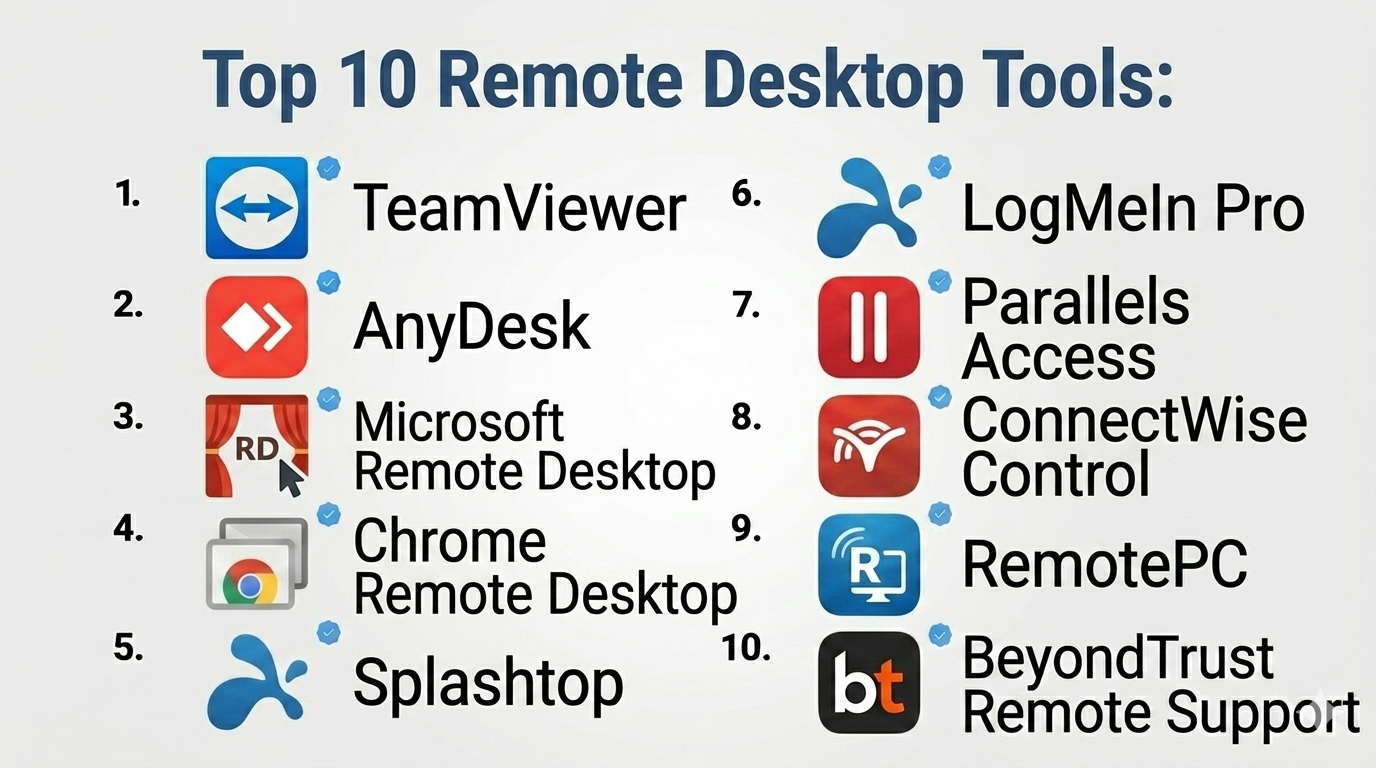
Top 10 Remote Desktop Tools
#1 — TeamViewer
Short description: A widely used remote desktop solution offering reliable connectivity and cross-platform support.
Key Features
- Remote desktop control
- File transfer
- Multi-user collaboration
- Session recording
- Remote printing
- Cross-platform support
- Wake-on-LAN
Pros
- Easy to use
- Works across many platforms
Cons
- Expensive for business users
- Occasional session restrictions
Platforms / Deployment
Web / Windows / macOS / Linux / iOS / Android
Cloud
Security & Compliance
Encryption, MFA, RBAC, audit logs
Compliance certifications: Not publicly stated
Integrations & Ecosystem
- ITSM tools
- APIs
- CRM integrations
Support & Community
Large global community and strong documentation.
#2 — AnyDesk
Short description: A high-performance remote desktop tool known for low latency and lightweight design.
Key Features
- Fast remote connections
- File transfer
- Session recording
- Remote printing
- Cross-platform support
- Low bandwidth usage
- Custom branding
Pros
- Excellent performance
- Lightweight installation
Cons
- Limited advanced features
- UI simplicity may lack depth
Platforms / Deployment
Windows / macOS / Linux / iOS / Android
Cloud
Security & Compliance
Encryption, MFA
Compliance certifications: Not publicly stated
Integrations & Ecosystem
- APIs
- Limited integrations
Support & Community
Good documentation and support.
#3 — Microsoft Remote Desktop
Short description: A built-in Windows solution for remote desktop access, widely used in enterprise environments.
Key Features
- Remote desktop access
- Secure connections
- Multi-session support
- Integration with Windows systems
- Remote app access
- Clipboard sharing
- High performance
Pros
- Native Windows integration
- No additional cost for basic use
Cons
- Limited cross-platform features
- Requires configuration
Platforms / Deployment
Windows / macOS / iOS / Android
On-premise / Cloud
Security & Compliance
Encryption, RBAC
Compliance certifications: Not publicly stated
Integrations & Ecosystem
- Microsoft ecosystem
- Azure services
Support & Community
Extensive documentation and enterprise support.
#4 — Chrome Remote Desktop
Short description: A simple, browser-based remote desktop tool designed for personal and lightweight use.
Key Features
- Browser-based access
- Easy setup
- Cross-platform support
- Secure connections
- Remote control
- No installation required for clients
- Free usage
Pros
- Free and simple
- Quick setup
Cons
- Limited features
- Not suitable for enterprise use
Platforms / Deployment
Web / Windows / macOS / Linux / Android / iOS
Cloud
Security & Compliance
Encryption
Compliance certifications: Not publicly stated
Integrations & Ecosystem
- Google ecosystem
- Browser tools
Support & Community
Basic support and documentation.
#5 — Splashtop
Short description: A high-performance remote desktop tool suitable for businesses and IT teams.
Key Features
- Remote desktop access
- File transfer
- Multi-monitor support
- Session recording
- Remote printing
- High-definition streaming
- Wake-on-LAN
Pros
- High performance
- Cost-effective
Cons
- Limited free tier
- Setup complexity
Platforms / Deployment
Windows / macOS / Linux / iOS / Android
Cloud
Security & Compliance
Encryption, MFA, RBAC
Compliance certifications: Not publicly stated
Integrations & Ecosystem
- ITSM tools
- APIs
- Business apps
Support & Community
Strong support and documentation.
#6 — LogMeIn Pro
Short description: A premium remote desktop solution with advanced features and reliable performance.
Key Features
- Remote desktop access
- File transfer
- Cloud storage integration
- Multi-monitor support
- Remote printing
- Mobile access
- Session management
Pros
- Reliable connectivity
- Feature-rich
Cons
- Expensive
- Limited free options
Platforms / Deployment
Windows / macOS / iOS / Android
Cloud
Security & Compliance
Encryption, MFA
Compliance certifications: Not publicly stated
Integrations & Ecosystem
- Cloud storage
- APIs
- Business tools
Support & Community
Enterprise-level support.
#7 — Parallels Access
Short description: A remote desktop tool optimized for accessing desktops from mobile devices.
Key Features
- Mobile-friendly interface
- Application-level access
- File transfer
- Remote control
- Gesture support
- Cross-device compatibility
- Secure connections
Pros
- Excellent mobile experience
- Easy to use
Cons
- Limited enterprise features
- Smaller ecosystem
Platforms / Deployment
Windows / macOS / iOS / Android
Cloud
Security & Compliance
Encryption
Compliance certifications: Not publicly stated
Integrations & Ecosystem
- Limited integrations
- APIs
Support & Community
Decent support.
#8 — ConnectWise Control
Short description: A powerful remote desktop tool designed for IT professionals and MSPs.
Key Features
- Remote control
- Session management
- Automation scripts
- File transfer
- Multi-user sessions
- Reporting tools
- Custom branding
Pros
- Highly customizable
- Strong for MSPs
Cons
- Learning curve
- Pricing complexity
Platforms / Deployment
Windows / macOS / Linux
Cloud / On-premise
Security & Compliance
Encryption, MFA, RBAC
Compliance certifications: Not publicly stated
Integrations & Ecosystem
- PSA tools
- RMM platforms
- APIs
Support & Community
Strong MSP community.
#9 — RemotePC
Short description: A budget-friendly remote desktop solution for individuals and small businesses.
Key Features
- Remote desktop access
- File transfer
- Always-on remote access
- Session recording
- Multi-device support
- Web access
- Remote printing
Pros
- Affordable
- Easy to use
Cons
- Limited advanced features
- Basic interface
Platforms / Deployment
Web / Windows / macOS / Linux / iOS / Android
Cloud
Security & Compliance
Encryption, MFA
Compliance certifications: Not publicly stated
Integrations & Ecosystem
- Basic integrations
- APIs
Support & Community
Moderate support.
#10 — BeyondTrust Remote Support
Short description: An enterprise-grade remote desktop solution focused on security and compliance.
Key Features
- Secure remote access
- Privileged access management
- Session monitoring
- Audit logs
- File transfer
- Role-based access control
- Compliance reporting
Pros
- Strong security features
- Enterprise-ready
Cons
- Complex setup
- Higher cost
Platforms / Deployment
Windows / macOS / Linux
Cloud / On-premise
Security & Compliance
Encryption, MFA, RBAC, audit logs
Compliance certifications: Not publicly stated
Integrations & Ecosystem
- Security tools
- ITSM platforms
- APIs
Support & Community
Enterprise-level support.
Comparison Table (Top 10)
| Tool Name | Best For | Platform(s) Supported | Deployment | Standout Feature | Public Rating |
|---|---|---|---|---|---|
| TeamViewer | General use | Multi-platform | Cloud | Ease of use | N/A |
| AnyDesk | Performance | Multi-platform | Cloud | Low latency | N/A |
| Microsoft Remote Desktop | Windows users | Multi-platform | Hybrid | Native integration | N/A |
| Chrome Remote Desktop | Individuals | Multi-platform | Cloud | Free access | N/A |
| Splashtop | Businesses | Multi-platform | Cloud | HD performance | N/A |
| LogMeIn Pro | Premium users | Multi-platform | Cloud | Reliability | N/A |
| Parallels Access | Mobile users | Multi-platform | Cloud | Mobile optimization | N/A |
| ConnectWise Control | MSPs | Multi-platform | Hybrid | Customization | N/A |
| RemotePC | SMBs | Multi-platform | Cloud | Affordability | N/A |
| BeyondTrust | Enterprises | Multi-platform | Hybrid | Security | N/A |
Remote Desktop Tools Scoring
| Tool Name | Core (25%) | Ease (15%) | Integrations (15%) | Security (10%) | Performance (10%) | Support (10%) | Value (15%) | Weighted Total |
|---|---|---|---|---|---|---|---|---|
| TeamViewer | 9 | 9 | 8 | 9 | 8 | 8 | 7 | 8.5 |
| AnyDesk | 8 | 9 | 6 | 8 | 9 | 7 | 8 | 8.1 |
| Microsoft RD | 8 | 7 | 8 | 8 | 8 | 8 | 9 | 8.1 |
| Chrome RD | 6 | 10 | 5 | 7 | 7 | 6 | 10 | 7.5 |
| Splashtop | 9 | 8 | 7 | 8 | 9 | 8 | 8 | 8.4 |
| LogMeIn | 9 | 8 | 7 | 8 | 8 | 8 | 6 | 8.0 |
| Parallels | 7 | 8 | 6 | 7 | 7 | 7 | 8 | 7.5 |
| ConnectWise | 9 | 6 | 9 | 9 | 8 | 8 | 7 | 8.2 |
| RemotePC | 7 | 8 | 6 | 7 | 7 | 7 | 9 | 7.6 |
| BeyondTrust | 9 | 6 | 8 | 10 | 9 | 8 | 6 | 8.3 |
How to interpret:
- Scores are comparative, not absolute
- Enterprise tools rank higher in security and control
- SMB tools rank higher in ease and value
- Performance-heavy tools excel in speed and latency
- Choose based on your specific use case
Which Remote Desktop Tools Is Right for You?
Solo / Freelancer
Chrome Remote Desktop or RemotePC for simplicity and low cost.
SMB
Splashtop or Zoho Assist-like tools offer balance of features and cost.
Mid-Market
TeamViewer or AnyDesk for performance and scalability.
Enterprise
BeyondTrust or ConnectWise for security and compliance.
Budget vs Premium
- Budget: Chrome Remote Desktop, RemotePC
- Premium: TeamViewer, LogMeIn
Feature Depth vs Ease of Use
- Easy: Chrome Remote Desktop, TeamViewer
- Advanced: ConnectWise, BeyondTrust
Integrations & Scalability
Choose tools with strong APIs for automation and scaling.
Security & Compliance Needs
Prioritize enterprise-grade tools with audit logs and RBAC.
Frequently Asked Questions (FAQs)
What is a remote desktop tool?
It allows users to access and control a remote computer.
Is it secure?
Most tools use encryption and authentication.
Can I transfer files?
Yes, many tools support file transfer.
Does it work on mobile?
Yes, most tools support mobile devices.
Is it free?
Some tools offer free versions.
Can multiple users connect?
Yes, depending on the tool.
Do I need installation?
Some tools offer browser-based access.
Can it replace VPN?
In some cases, yes.
What industries use it?
IT, healthcare, finance, and more.
How do I choose the best tool?
Based on performance, security, and ease of use.
Conclusion
Remote desktop tools are essential for modern IT operations, enabling seamless remote access, support, and collaboration across distributed environments. Whether you need a simple tool for personal use or an enterprise-grade solution with advanced security, there are plenty of options available.
