Introduction
Data Backup Tools are software solutions that create copies of data and store them securely so it can be restored in case of data loss, corruption, cyberattacks, or system failures. These tools are essential for ensuring data protection, business continuity, and operational resilience.
As organizations increasingly rely on cloud services, remote work, and distributed systems, data backup has evolved from simple file copies to automated, intelligent, and secure data protection strategies. Modern tools now offer features like incremental backups, real-time replication, ransomware protection, and cloud integration.
Common use cases:
- Protecting critical business data from accidental deletion or system failure
- Ransomware recovery to restore encrypted files
- Cloud and SaaS backup for platforms like email and collaboration tools
- Disaster recovery planning for business continuity
- Regulatory compliance through data retention policies
What buyers should evaluate:
- Backup types (full, incremental, differential)
- Recovery time objectives (RTO) and recovery point objectives (RPO)
- Cloud, on-premise, and hybrid support
- Automation and scheduling
- Security features (encryption, immutability, access control)
- Scalability for growing data volumes
- Integration with existing systems
- Ease of deployment and management
- Monitoring and reporting capabilities
- Cost structure (storage, licensing, bandwidth)
Best for: IT teams, SMBs, enterprises, managed service providers, and any organization handling critical or sensitive data.
Not ideal for: Individuals or very small teams with minimal data needs, where simple cloud storage backups may suffice.
Key Trends in Data Backup Tools
- Immutable backups: Prevent data from being altered or deleted, improving ransomware protection
- Cloud-first strategies: Increasing reliance on cloud-based backup storage
- AI-driven anomaly detection: Identifying unusual activity in backups
- Automation-first backup policies: Reducing manual intervention
- SaaS application backups: Protecting data in cloud apps
- Instant recovery: Minimizing downtime with fast restore capabilities
- Hybrid and multi-cloud support: Backup across multiple environments
- Zero Trust integration: Strengthening access control and authentication
- Cost optimization features: Tiered storage and deduplication
- Disaster Recovery as a Service (DRaaS): Managed recovery services
How We Selected These Tools (Methodology)
We selected these tools based on:
- Market adoption and vendor reputation
- Feature depth for backup and recovery
- Performance and recovery speed
- Security capabilities (encryption, immutability)
- Integration with cloud and on-premise systems
- Ease of use and deployment
- Scalability across different environments
- Support and documentation quality
- Suitability for SMBs, mid-market, and enterprise
- Overall value relative to pricing
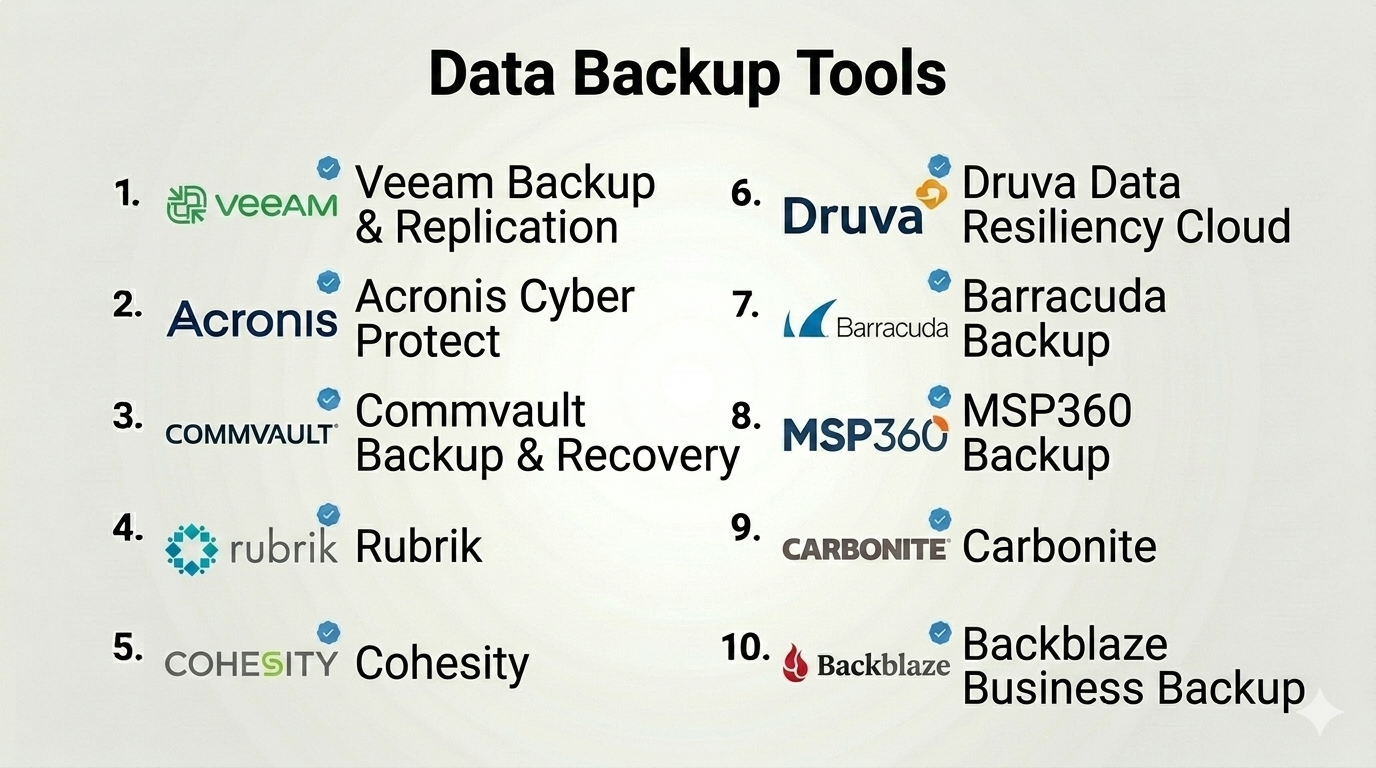
Top 10 Data Backup Tools
#1 — Veeam Backup & Replication
Short description: A widely adopted enterprise-grade backup solution for virtual, physical, and cloud workloads.
Key Features
- Image-based backups
- Instant recovery
- Replication capabilities
- Ransomware protection
- Automation and scheduling
- Multi-platform support
Pros
- Fast recovery times
- Strong enterprise features
Cons
- Complex licensing
- Resource-intensive
Platforms / Deployment
Cloud / On-premise / Hybrid
Security & Compliance
Encryption, RBAC, audit logs
Integrations & Ecosystem
Extensive ecosystem
- VMware, Hyper-V
- Cloud platforms
- APIs
Support & Community
Large community; enterprise support
#2 — Acronis Cyber Protect
Short description: A unified backup and cybersecurity platform combining data protection and threat prevention.
Key Features
- Full image backup
- Anti-malware protection
- Cloud backup
- Disaster recovery
- Automation
- Endpoint protection
Pros
- Combines backup and security
- Easy to deploy
Cons
- Pricing complexity
- Feature overlap
Platforms / Deployment
Cloud / On-premise
Security & Compliance
Encryption, anti-malware, RBAC
Integrations & Ecosystem
- Cloud services
- APIs
Support & Community
Strong support
#3 — Commvault Backup & Recovery
Short description: A scalable enterprise backup platform with advanced automation and analytics.
Key Features
- Data deduplication
- Multi-cloud support
- Automation workflows
- Disaster recovery
- Advanced analytics
Pros
- Highly scalable
- Strong automation
Cons
- Complex setup
- Expensive
Platforms / Deployment
Cloud / Hybrid
Security & Compliance
Encryption, RBAC, audit logs
Integrations & Ecosystem
- Enterprise apps
- Cloud providers
- APIs
Support & Community
Enterprise support
#4 — Rubrik
Short description: A modern data management platform focused on simplicity and cloud integration.
Key Features
- Policy-driven backups
- Instant recovery
- Cloud integration
- Ransomware protection
- Automation
Pros
- Easy to use
- Strong cloud capabilities
Cons
- Premium pricing
- Limited customization
Platforms / Deployment
Cloud / Hybrid
Security & Compliance
Encryption, immutability, RBAC
Integrations & Ecosystem
- Cloud platforms
- APIs
Support & Community
Strong support
#5 — Cohesity
Short description: A unified data management platform combining backup, recovery, and analytics.
Key Features
- Backup and recovery
- Data deduplication
- Cloud integration
- Analytics
- Disaster recovery
Pros
- Scalable architecture
- Multi-use platform
Cons
- Complex deployment
- Cost considerations
Platforms / Deployment
Cloud / Hybrid
Security & Compliance
Encryption, RBAC
Integrations & Ecosystem
- Cloud providers
- APIs
Support & Community
Enterprise support
#6 — Druva Data Resiliency Cloud
Short description: A cloud-native backup platform for endpoints, SaaS apps, and cloud workloads.
Key Features
- SaaS backup
- Endpoint protection
- Cloud-native design
- Automation
- Disaster recovery
Pros
- Fully cloud-based
- Easy deployment
Cons
- Limited on-premise support
- Usage-based pricing
Platforms / Deployment
Cloud
Security & Compliance
Encryption, RBAC
Integrations & Ecosystem
- SaaS platforms
- APIs
Support & Community
Good support
#7 — Barracuda Backup
Short description: A simple and secure backup solution for SMBs and mid-sized organizations.
Key Features
- Automated backups
- Cloud storage
- Disaster recovery
- Ransomware protection
- Email protection
Pros
- Easy to manage
- Strong security features
Cons
- Limited customization
- Hardware dependency
Platforms / Deployment
Cloud / Hybrid
Security & Compliance
Encryption, RBAC
Integrations & Ecosystem
- Email systems
- Cloud platforms
Support & Community
Reliable support
#8 — MSP360 Backup
Short description: A flexible backup solution supporting multiple cloud storage providers.
Key Features
- Multi-cloud backup
- File and image backups
- Automation
- Encryption
- Centralized management
Pros
- Flexible storage options
- Affordable
Cons
- UI complexity
- Requires setup effort
Platforms / Deployment
Cloud / On-premise
Security & Compliance
Encryption
Integrations & Ecosystem
- AWS, Azure, Google Cloud
- APIs
Support & Community
Moderate support
#9 — Carbonite (OpenText)
Short description: A cloud-based backup solution focused on SMBs and endpoint protection.
Key Features
- Automatic backups
- Cloud storage
- Endpoint protection
- File recovery
- Disaster recovery
Pros
- Easy setup
- SMB-friendly
Cons
- Limited enterprise features
- Slower recovery
Platforms / Deployment
Cloud
Security & Compliance
Encryption
Integrations & Ecosystem
- Basic integrations
Support & Community
Good support
#10 — Backblaze Business Backup
Short description: A simple and affordable cloud backup solution for businesses.
Key Features
- Unlimited backup
- Automatic backups
- File recovery
- Cloud storage
- Easy management
Pros
- Affordable
- Easy to use
Cons
- Limited advanced features
- Basic enterprise support
Platforms / Deployment
Cloud
Security & Compliance
Encryption
Integrations & Ecosystem
- APIs
Support & Community
Good support
Comparison Table (Top 10)
| Tool Name | Best For | Platform(s) Supported | Deployment | Standout Feature | Public Rating |
|---|---|---|---|---|---|
| Veeam | Enterprises | Web | Hybrid | Instant recovery | N/A |
| Acronis | SMBs & enterprises | Web | Cloud/On-premise | Security + backup | N/A |
| Commvault | Enterprises | Web | Hybrid | Automation | N/A |
| Rubrik | Enterprises | Web | Hybrid | Simplicity | N/A |
| Cohesity | Enterprises | Web | Hybrid | Data platform | N/A |
| Druva | Cloud-first orgs | Web | Cloud | SaaS backup | N/A |
| Barracuda | SMBs | Web | Hybrid | Ease of use | N/A |
| MSP360 | SMBs | Web | Cloud/On-premise | Multi-cloud support | N/A |
| Carbonite | SMBs | Web | Cloud | Simplicity | N/A |
| Backblaze | SMBs | Web | Cloud | Affordability | N/A |
Data Backup Tools Scoring
| Tool Name | Core (25%) | Ease (15%) | Integrations (15%) | Security (10%) | Performance (10%) | Support (10%) | Value (15%) | Weighted Total |
|---|---|---|---|---|---|---|---|---|
| Veeam | 9 | 7 | 9 | 9 | 9 | 9 | 7 | 8.6 |
| Acronis | 8 | 8 | 8 | 9 | 8 | 8 | 7 | 8.0 |
| Commvault | 9 | 6 | 9 | 9 | 9 | 8 | 6 | 8.2 |
| Rubrik | 8 | 9 | 8 | 9 | 9 | 8 | 6 | 8.1 |
| Cohesity | 8 | 7 | 8 | 8 | 8 | 8 | 6 | 7.7 |
| Druva | 7 | 9 | 7 | 8 | 8 | 7 | 8 | 7.8 |
| Barracuda | 7 | 8 | 6 | 8 | 7 | 7 | 8 | 7.5 |
| MSP360 | 7 | 6 | 8 | 7 | 7 | 6 | 8 | 7.2 |
| Carbonite | 6 | 9 | 5 | 7 | 6 | 7 | 8 | 7.0 |
| Backblaze | 6 | 9 | 5 | 7 | 6 | 7 | 9 | 7.2 |
How to interpret scores:
- Scores are comparative, not absolute
- Enterprises should prioritize Core, Security, and Performance
- SMBs should focus on Ease and Value
- Higher score ≠ best for every use case
- Use scores for shortlisting
Which Data Backup Tools Is Right for You?
Solo / Freelancer
- Best picks: Backblaze, Carbonite
- Focus on simplicity and affordability
SMB
- Best picks: Acronis, Barracuda, MSP360
- Balance cost and features
Mid-Market
- Best picks: Druva, Cohesity
- Focus on scalability
Enterprise
- Best picks: Veeam, Commvault, Rubrik
- Prioritize performance and reliability
Budget vs Premium
- Budget: Backblaze, MSP360
- Premium: Rubrik, Commvault
Feature Depth vs Ease of Use
- Advanced: Veeam, Commvault
- Easy: Backblaze, Carbonite
Integrations & Scalability
- Strong integrations: Veeam, Cohesity
- Scalable: Rubrik, Commvault
Security & Compliance Needs
- High security: Acronis, Rubrik
- Moderate: SMB tools
Frequently Asked Questions (FAQs)
What are data backup tools?
They create copies of data for recovery in case of loss or failure.
Why are backups important?
They ensure data protection and business continuity.
What types of backups exist?
Full, incremental, and differential backups.
Can backups be automated?
Yes, most tools support scheduling and automation.
What is cloud backup?
Backing up data to remote cloud storage.
Are backups secure?
Yes, with encryption and access controls.
What is ransomware protection?
Features that prevent or recover from malicious encryption.
How often should backups run?
Depends on business needs—daily or real-time.
Can I recover specific files?
Yes, most tools allow file-level recovery.
What are alternatives?
Manual backups or basic cloud storage.
Conclusion
Data backup tools are essential for protecting business-critical information and ensuring operational resilience. From simple cloud solutions to enterprise-grade platforms, the right tool depends on your data size, infrastructure, and security needs.
