Introduction
BYOD (Bring Your Own Device) Management Tools are software solutions that allow organizations to secure, manage, and monitor employee-owned devices—such as smartphones, tablets, and laptops—used for work. Unlike traditional device management, BYOD tools focus heavily on data separation, privacy, and policy enforcement without intruding on personal usage.
As remote work, hybrid environments, and mobile-first workflows become the norm, BYOD has shifted from a convenience to a necessity. Organizations need to balance employee flexibility with enterprise-grade security, making BYOD management tools a critical part of IT and security strategy.
Common use cases:
- Secure access to corporate apps and data on personal devices
- Data separation between personal and work environments
- Policy enforcement (passwords, encryption, compliance rules)
- Remote wipe of corporate data only (without affecting personal files)
- Conditional access control based on device health
What buyers should evaluate:
- Support for multiple operating systems (iOS, Android, Windows, macOS)
- Containerization and data separation capabilities
- Privacy controls for employee-owned devices
- Integration with identity providers (SSO, directory services)
- App management and secure app distribution
- Ease of onboarding and user experience
- Compliance and reporting capabilities
- Automation and policy enforcement
- Scalability for distributed teams
- Cost and licensing model
Best for: Organizations with remote or hybrid teams, SMBs and enterprises implementing BYOD policies, IT and security teams managing workforce mobility.
Not ideal for: Companies that only use company-owned devices or have strict policies prohibiting personal device usage.
Key Trends in BYOD Management Tools
- Privacy-first design: Strong separation of personal and corporate data
- Containerization adoption: Secure work profiles or app containers on personal devices
- Zero Trust integration: Continuous verification of device and user trust
- Unified Endpoint Management (UEM): BYOD integrated into broader endpoint strategies
- AI-driven risk detection: Automated alerts for suspicious device behavior
- Cloud-native deployment: Simplified onboarding and scalability
- Conditional access policies: Access control based on compliance status
- App-level security controls: Granular permissions for corporate apps
- Automation workflows: Reduced IT intervention for device management
- Employee experience focus: Minimal friction onboarding and usage
How We Selected These Tools (Methodology)
We selected these BYOD management tools based on:
- Market adoption and vendor credibility
- Strength of BYOD-specific features (containerization, privacy controls)
- Security and compliance capabilities
- Ease of deployment and onboarding experience
- Integration with identity and productivity ecosystems
- Cross-platform support
- Automation and policy management capabilities
- Performance and reliability
- Suitability for SMBs, mid-market, and enterprises
- Overall value relative to pricing
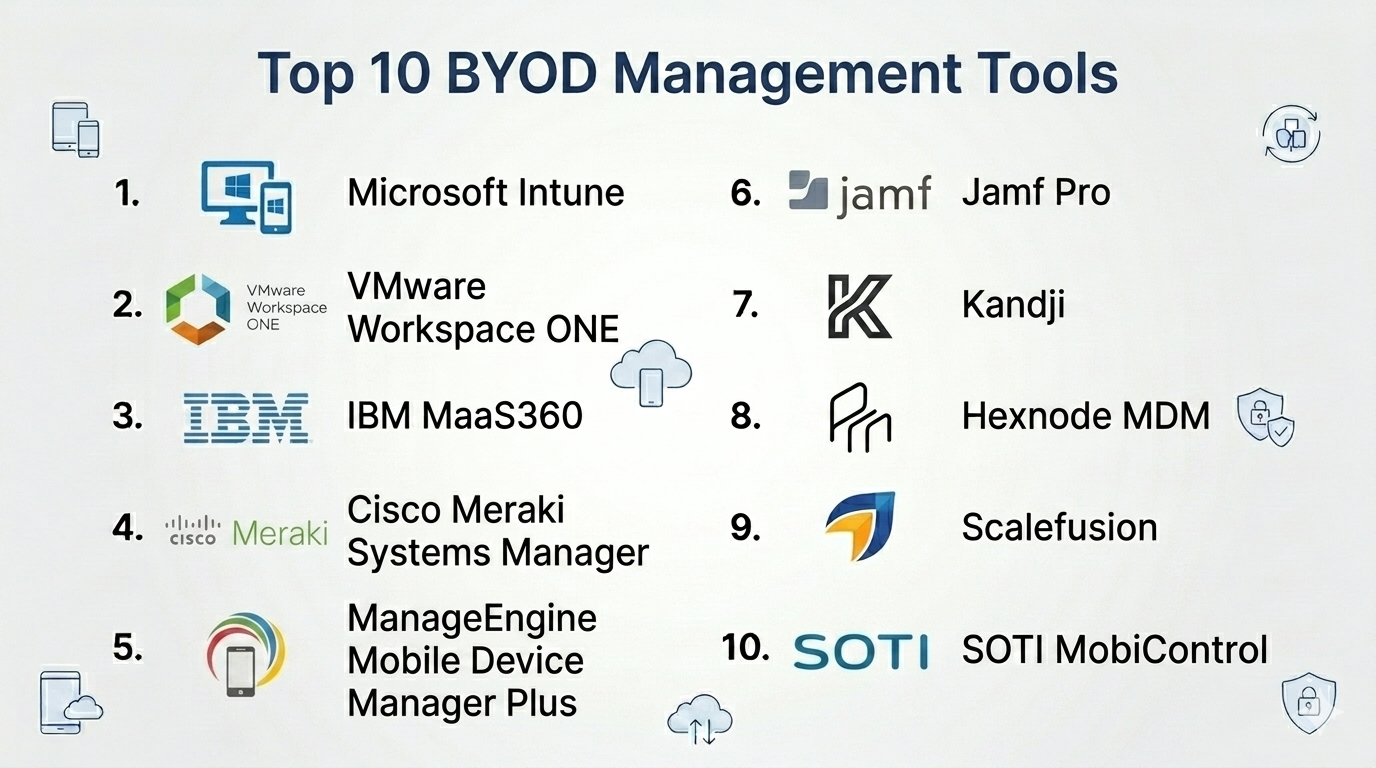
Top 10 BYOD Management Tools
#1 — Microsoft Intune
Short description: A widely adopted cloud-based endpoint management solution with strong BYOD capabilities through app protection policies and conditional access.
Key Features
- App-level protection policies
- Conditional access integration
- Device compliance enforcement
- Remote wipe of corporate data
- Integration with identity systems
- Cross-platform device support
Pros
- Strong Microsoft ecosystem integration
- Scalable for enterprises
Cons
- Complex configuration
- Best suited for Microsoft-centric environments
Platforms / Deployment
Cloud
Security & Compliance
SSO, MFA, RBAC, encryption
Integrations & Ecosystem
Deep integration within Microsoft stack
- Identity providers
- Productivity tools
- APIs
Support & Community
Extensive documentation and enterprise support
#2 — VMware Workspace ONE
Short description: A unified endpoint management platform with strong BYOD support through identity-driven access and app-level controls.
Key Features
- Identity-based access management
- Secure app containerization
- Conditional access
- Device compliance monitoring
- Automation workflows
Pros
- Comprehensive UEM capabilities
- Flexible deployment
Cons
- Expensive
- Steep learning curve
Platforms / Deployment
Cloud / Hybrid
Security & Compliance
SSO, MFA, RBAC, encryption
Integrations & Ecosystem
- Identity providers
- Enterprise apps
- APIs
Support & Community
Strong enterprise support
#3 — IBM MaaS360
Short description: A cloud-based BYOD and MDM platform with strong security and AI-driven insights.
Key Features
- Secure containerization
- Threat detection
- App management
- Compliance enforcement
- Analytics
Pros
- Strong security features
- AI-driven insights
Cons
- UI can feel outdated
- Pricing complexity
Platforms / Deployment
Cloud
Security & Compliance
SSO, encryption, RBAC
Integrations & Ecosystem
- Enterprise tools
- APIs
Support & Community
Enterprise support
#4 — Cisco Meraki Systems Manager
Short description: A simple, cloud-based device management tool with BYOD capabilities and strong network integration.
Key Features
- Device monitoring
- App deployment
- Policy enforcement
- Network integration
- Remote troubleshooting
Pros
- Easy to use
- Strong network visibility
Cons
- Limited advanced BYOD controls
- Best with Cisco ecosystem
Platforms / Deployment
Cloud
Security & Compliance
Encryption, RBAC
Integrations & Ecosystem
- Cisco ecosystem
- APIs
Support & Community
Good support
#5 — ManageEngine Mobile Device Manager Plus
Short description: A cost-effective BYOD and MDM solution with strong cross-platform support.
Key Features
- BYOD policy enforcement
- App management
- Remote wipe (corporate data)
- Device tracking
- Compliance monitoring
Pros
- Affordable
- Feature-rich for SMBs
Cons
- UI limitations
- Less advanced automation
Platforms / Deployment
Cloud / On-premise
Security & Compliance
RBAC, encryption
Integrations & Ecosystem
- APIs
- Zoho ecosystem
Support & Community
Strong support
#6 — Jamf Pro
Short description: A leading solution for managing Apple devices in BYOD environments.
Key Features
- Apple device management
- App distribution
- Security policies
- Device inventory
- Zero-touch deployment
Pros
- Best for Apple ecosystem
- Easy to deploy
Cons
- Limited to Apple devices
- Not ideal for mixed environments
Platforms / Deployment
Cloud
Security & Compliance
Encryption, device policies
Integrations & Ecosystem
- Apple ecosystem
- APIs
Support & Community
Strong community
#7 — Kandji
Short description: A modern Apple-focused BYOD and device management platform with automation capabilities.
Key Features
- Automated compliance enforcement
- Zero-touch deployment
- App management
- Security controls
- Device monitoring
Pros
- Strong automation
- Clean interface
Cons
- Apple-only
- Premium pricing
Platforms / Deployment
Cloud
Security & Compliance
Encryption, compliance tools
Integrations & Ecosystem
- Apple ecosystem
- APIs
Support & Community
Strong support
#8 — Hexnode MDM
Short description: A flexible and user-friendly BYOD management tool supporting multiple platforms.
Key Features
- Device enrollment
- App management
- Policy enforcement
- Remote monitoring
- Reporting
Pros
- Easy to use
- Affordable
Cons
- Limited advanced features
- Smaller ecosystem
Platforms / Deployment
Cloud
Security & Compliance
Encryption, RBAC
Integrations & Ecosystem
- APIs
- Cloud tools
Support & Community
Good support
#9 — Scalefusion
Short description: A cross-platform device management tool with strong BYOD and remote workforce capabilities.
Key Features
- Multi-OS support
- Kiosk mode
- Remote troubleshooting
- App management
- Device tracking
Pros
- Affordable
- Easy deployment
Cons
- Limited enterprise depth
- Smaller ecosystem
Platforms / Deployment
Cloud
Security & Compliance
Encryption, RBAC
Integrations & Ecosystem
- APIs
- Cloud services
Support & Community
Good support
#10 — SOTI MobiControl
Short description: An enterprise-grade mobility management platform with strong BYOD and IoT support.
Key Features
- Remote device control
- Security enforcement
- App management
- Automation workflows
- IoT support
Pros
- Strong remote capabilities
- Supports specialized devices
Cons
- Complex interface
- Learning curve
Platforms / Deployment
Cloud / On-premise
Security & Compliance
Encryption, RBAC
Integrations & Ecosystem
- APIs
- Enterprise systems
Support & Community
Enterprise support
Comparison Table (Top 10)
| Tool Name | Best For | Platform(s) Supported | Deployment | Standout Feature | Public Rating |
|---|---|---|---|---|---|
| Microsoft Intune | Enterprises | Web | Cloud | Conditional access | N/A |
| VMware Workspace ONE | Enterprises | Web | Cloud/Hybrid | Identity-driven BYOD | N/A |
| IBM MaaS360 | Security-focused orgs | Web | Cloud | AI insights | N/A |
| Cisco Meraki | SMBs | Web | Cloud | Network integration | N/A |
| ManageEngine | SMBs | Web | Cloud/On-premise | Affordability | N/A |
| Jamf Pro | Apple users | Web | Cloud | Apple specialization | N/A |
| Kandji | Apple-focused teams | Web | Cloud | Automation | N/A |
| Hexnode | SMBs | Web | Cloud | Ease of use | N/A |
| Scalefusion | SMBs | Web | Cloud | Remote workforce support | N/A |
| SOTI MobiControl | Enterprises | Web | Cloud/On-premise | IoT support | N/A |
BYOD Management Tools Scoring
| Tool Name | Core (25%) | Ease (15%) | Integrations (15%) | Security (10%) | Performance (10%) | Support (10%) | Value (15%) | Weighted Total |
|---|---|---|---|---|---|---|---|---|
| Microsoft Intune | 9 | 6 | 9 | 9 | 9 | 9 | 7 | 8.4 |
| VMware Workspace ONE | 9 | 6 | 8 | 9 | 9 | 8 | 6 | 8.1 |
| IBM MaaS360 | 8 | 6 | 7 | 9 | 8 | 7 | 6 | 7.6 |
| Cisco Meraki | 7 | 8 | 6 | 7 | 8 | 7 | 7 | 7.2 |
| ManageEngine | 7 | 7 | 7 | 7 | 7 | 8 | 9 | 7.6 |
| Jamf Pro | 8 | 8 | 7 | 8 | 8 | 8 | 7 | 7.8 |
| Kandji | 8 | 8 | 6 | 8 | 8 | 7 | 6 | 7.5 |
| Hexnode | 7 | 8 | 6 | 7 | 7 | 7 | 8 | 7.3 |
| Scalefusion | 7 | 8 | 6 | 7 | 7 | 7 | 8 | 7.3 |
| SOTI MobiControl | 8 | 6 | 7 | 8 | 8 | 7 | 6 | 7.4 |
How to interpret scores:
- Scores are comparative across tools
- Enterprises should prioritize security and integrations
- SMBs should focus on ease and value
- No universal “best”—depends on use case
- Use scoring as a shortlist guide, not final decision
Which BYOD Management Tools Is Right for You?
Solo / Freelancer
- BYOD tools are typically unnecessary
- Use basic security apps instead
SMB
- Best picks: ManageEngine, Hexnode, Scalefusion
- Focus on simplicity and cost
Mid-Market
- Best picks: Cisco Meraki, SOTI
- Balance control and usability
Enterprise
- Best picks: Microsoft Intune, VMware Workspace ONE, IBM MaaS360
- Prioritize security and scalability
Budget vs Premium
- Budget: ManageEngine, Hexnode
- Premium: VMware Workspace ONE, Kandji
Feature Depth vs Ease of Use
- Advanced: Intune, VMware
- Easy: Hexnode, Meraki
Integrations & Scalability
- Strong integrations: Intune, VMware
- Scalable: IBM, SOTI
Security & Compliance Needs
- High security: Intune, IBM
- Moderate: SMB tools
Frequently Asked Questions (FAQs)
What is BYOD management?
It refers to managing and securing employee-owned devices used for work.
Is BYOD secure?
Yes, with proper tools and policies in place.
Can employers access personal data?
Modern tools separate personal and work data.
How much do BYOD tools cost?
Pricing varies based on features and number of users.
Is BYOD suitable for all companies?
Not always—depends on security requirements.
What devices are supported?
Most tools support iOS, Android, Windows, and macOS.
Can corporate data be wiped remotely?
Yes, without affecting personal data.
Is BYOD part of MDM?
Yes, it is a subset of device management.
How long does setup take?
From hours to weeks depending on complexity.
What are alternatives?
Corporate-owned device management or basic endpoint security tools.
Conclusion
BYOD management tools are essential for organizations balancing employee flexibility and enterprise security. They enable secure access, protect sensitive data, and ensure compliance—without compromising user privacy.
