Introduction
Unified Communications as a Service (UCaaS) is a cloud-based delivery model that integrates multiple communication tools—such as voice calling, video conferencing, messaging, and collaboration—into a single platform. Instead of managing separate systems for calls, meetings, and team chat, UCaaS brings everything together in one centralized solution accessible from anywhere.
As remote and hybrid work models continue to dominate, businesses are prioritizing seamless communication across distributed teams. UCaaS platforms enable organizations to reduce infrastructure complexity, improve collaboration, and ensure consistent communication experiences across devices and locations.
Common use cases include:
- Internal team communication (chat, voice, video)
- Remote and hybrid workforce collaboration
- Customer support and call center operations
- Cross-location enterprise communication
- Integration with productivity and CRM tools
Key evaluation criteria:
- Voice quality and reliability (VoIP performance)
- Video conferencing and meeting capabilities
- Team messaging and collaboration features
- Integration with productivity tools (CRM, email, apps)
- Scalability and global coverage
- Security and compliance features
- Ease of deployment and administration
- Mobile and multi-device support
- Analytics and reporting capabilities
- Pricing and licensing flexibility
Best for: Enterprises, distributed teams, IT managers, and organizations needing unified communication across multiple channels.
Not ideal for: Small teams needing only basic chat or video tools without advanced telephony or integration requirements.
Key Trends in Portfolio & Unified Communications (UCaaS)
- AI-powered meeting assistants: Automated transcription, summaries, and action items
- Cloud-first communication stacks: Rapid shift from on-premise PBX to cloud VoIP
- Omnichannel communication: Integration of voice, chat, SMS, and video in one platform
- Embedded collaboration tools: Whiteboards, file sharing, and task management within calls
- Global scalability: Better support for international teams and distributed offices
- Security-first architecture: End-to-end encryption and zero-trust frameworks
- Integration with business apps: CRM, helpdesk, and productivity suites
- Low-code customization: Configurable workflows and automation
- Mobile-first experiences: Seamless switching between desktop and mobile
- Usage-based pricing models: Flexible billing based on usage and seats
How We Selected These Tools (Methodology)
We evaluated UCaaS platforms based on:
- Market leadership and adoption across industries
- Feature completeness (voice, video, messaging, collaboration)
- Reliability and global infrastructure performance
- Integration ecosystem and extensibility
- Ease of use and onboarding experience
- Scalability from SMB to enterprise
- Security posture and compliance signals
- Innovation in AI and automation
- Customer support and service quality
- Flexibility in pricing and deployment
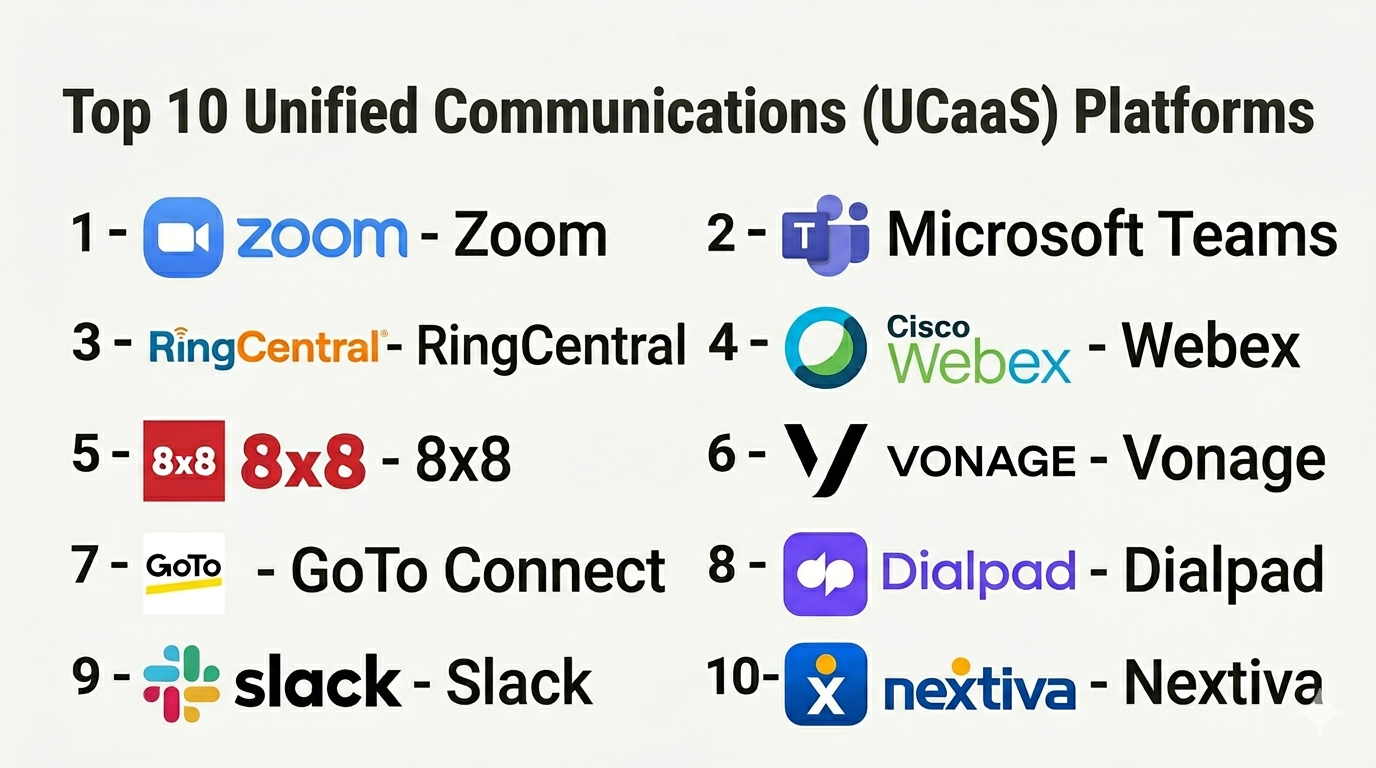
Top 10 Unified Communications (UCaaS) Platforms
#1 — Zoom
Short description: Leading UCaaS platform known for video conferencing, now expanded into full communication suite with chat, phone, and collaboration tools.
Key Features
- HD video conferencing and webinars
- Zoom Phone (cloud VoIP)
- Team chat and collaboration
- AI meeting summaries
- Screen sharing and recording
- Breakout rooms
Pros
- Excellent video quality and reliability
- Easy to use and widely adopted
Cons
- Advanced features require add-ons
- Can be costly at scale
Platforms / Deployment
Web / Windows / macOS / Linux / iOS / Android
Cloud
Security & Compliance
Encryption, MFA (specific certifications not publicly stated here)
Integrations & Ecosystem
Zoom integrates with a wide range of business tools.
- CRM systems
- Productivity tools
- APIs
Support & Community
Extensive documentation and global support.
#2 — Microsoft Teams
Short description: Comprehensive UCaaS solution integrated within Microsoft ecosystem, combining chat, meetings, and collaboration.
Key Features
- Team chat and channels
- Video meetings and webinars
- VoIP and PSTN calling
- File sharing and collaboration
- Integration with Microsoft 365
- AI-powered meeting insights
Pros
- Deep integration with Microsoft tools
- Strong enterprise capabilities
Cons
- Complex interface
- Requires Microsoft ecosystem
Platforms / Deployment
Web / Windows / macOS / iOS / Android
Cloud
Security & Compliance
Not publicly stated
Integrations & Ecosystem
Part of Microsoft ecosystem.
- Office apps
- CRM tools
- APIs
Support & Community
Strong enterprise support and ecosystem.
#3 — RingCentral
Short description: Enterprise-grade UCaaS platform offering voice, messaging, video, and contact center capabilities.
Key Features
- Cloud PBX and VoIP
- Video meetings
- Team messaging
- Contact center features
- Analytics and reporting
- Mobile apps
Pros
- Strong telephony features
- Scalable for enterprises
Cons
- Pricing complexity
- Learning curve
Platforms / Deployment
Web / Windows / macOS / iOS / Android
Cloud
Security & Compliance
Not publicly stated
Integrations & Ecosystem
Extensive integration ecosystem.
- CRM systems
- Helpdesk tools
- APIs
Support & Community
Enterprise-level support.
#4 — Cisco Webex
Short description: Enterprise communication platform with strong security and collaboration features.
Key Features
- Video conferencing
- Team messaging
- Cloud calling
- AI meeting assistant
- Whiteboarding
- Security features
Pros
- Strong security reputation
- Enterprise scalability
Cons
- Complex interface
- Higher cost
Platforms / Deployment
Web / Desktop / Mobile
Cloud
Security & Compliance
Not publicly stated
Integrations & Ecosystem
Integrates with enterprise tools.
- CRM systems
- Productivity apps
- APIs
Support & Community
Strong enterprise support.
#5 — 8×8
Short description: UCaaS and contact center platform offering global communication capabilities.
Key Features
- VoIP calling
- Video meetings
- Team messaging
- Contact center tools
- Analytics dashboards
- Global coverage
Pros
- Strong global reach
- All-in-one communication
Cons
- UI can be complex
- Pricing varies
Platforms / Deployment
Web / Mobile / Desktop
Cloud
Security & Compliance
Not publicly stated
Integrations & Ecosystem
Supports integration with business tools.
- CRM systems
- APIs
Support & Community
Reliable support services.
#6 — Vonage
Short description: Flexible UCaaS platform with strong API and communication capabilities.
Key Features
- Cloud VoIP
- Video conferencing
- Messaging APIs
- Contact center integration
- Analytics
- Mobile support
Pros
- Strong API capabilities
- Flexible deployment
Cons
- Requires setup effort
- Pricing complexity
Platforms / Deployment
Web / Mobile / Desktop
Cloud
Security & Compliance
Not publicly stated
Integrations & Ecosystem
Strong developer ecosystem.
- APIs
- CRM tools
Support & Community
Good developer and enterprise support.
#7 — GoTo Connect
Short description: Unified communication platform combining VoIP, meetings, and messaging.
Key Features
- Cloud phone system
- Video conferencing
- Team messaging
- Call routing
- Analytics
Pros
- Easy setup
- Good value
Cons
- Limited advanced features
- Smaller ecosystem
Platforms / Deployment
Web / Desktop / Mobile
Cloud
Security & Compliance
Not publicly stated
Integrations & Ecosystem
Integrates with business tools.
- CRM systems
- APIs
Support & Community
Reliable support.
#8 — Dialpad
Short description: AI-powered UCaaS platform with voice intelligence and automation.
Key Features
- VoIP calling
- AI transcription and insights
- Video meetings
- Messaging
- Real-time analytics
Pros
- Strong AI features
- Modern interface
Cons
- Limited customization
- Pricing varies
Platforms / Deployment
Web / Mobile / Desktop
Cloud
Security & Compliance
Not publicly stated
Integrations & Ecosystem
Supports integrations with SaaS tools.
- CRM systems
- APIs
Support & Community
Good support and onboarding.
#9 — Slack (with integrations)
Short description: Collaboration platform with messaging-first approach, extended into UCaaS through integrations.
Key Features
- Team messaging
- Voice and video calls
- Workflow automation
- App integrations
- Channels and threads
Pros
- Easy to use
- Strong ecosystem
Cons
- Not a full UCaaS solution
- Limited telephony
Platforms / Deployment
Web / Desktop / Mobile
Cloud
Security & Compliance
Not publicly stated
Integrations & Ecosystem
Extensive app ecosystem.
- CRM tools
- Productivity apps
- APIs
Support & Community
Large community and documentation.
#10 — Nextiva
Short description: Business communication platform focused on VoIP and customer communication.
Key Features
- VoIP calling
- Video conferencing
- Messaging
- CRM integration
- Analytics
Pros
- Reliable voice services
- Good for SMBs
Cons
- Limited advanced features
- UI can be basic
Platforms / Deployment
Web / Mobile / Desktop
Cloud
Security & Compliance
Not publicly stated
Integrations & Ecosystem
Integrates with business tools.
- CRM systems
- APIs
Support & Community
Strong SMB support.
Comparison Table (Top 10)
| Tool Name | Best For | Platform(s) Supported | Deployment | Standout Feature | Public Rating |
|---|---|---|---|---|---|
| Zoom | SMB/Enterprise | Web, Desktop, Mobile | Cloud | Video conferencing | N/A |
| Microsoft Teams | Enterprise | Web, Desktop, Mobile | Cloud | Microsoft integration | N/A |
| RingCentral | Enterprise | Web, Desktop, Mobile | Cloud | Cloud PBX | N/A |
| Cisco Webex | Enterprise | Web, Desktop, Mobile | Cloud | Security | N/A |
| 8×8 | Global teams | Web, Desktop, Mobile | Cloud | Global reach | N/A |
| Vonage | Developers | Web, Desktop, Mobile | Cloud | APIs | N/A |
| GoTo Connect | SMB | Web, Desktop, Mobile | Cloud | Simplicity | N/A |
| Dialpad | AI-first teams | Web, Desktop, Mobile | Cloud | AI insights | N/A |
| Slack | Collaboration | Web, Desktop, Mobile | Cloud | Messaging | N/A |
| Nextiva | SMB | Web, Desktop, Mobile | Cloud | VoIP reliability | N/A |
Evaluation & Scoring of Unified Communications (UCaaS)
| Tool Name | Core (25%) | Ease (15%) | Integrations (15%) | Security (10%) | Performance (10%) | Support (10%) | Value (15%) | Weighted Total |
|---|---|---|---|---|---|---|---|---|
| Zoom | 9 | 9 | 9 | 7 | 9 | 8 | 8 | 8.6 |
| Microsoft Teams | 9 | 7 | 10 | 7 | 9 | 9 | 8 | 8.7 |
| RingCentral | 9 | 7 | 9 | 7 | 9 | 9 | 7 | 8.5 |
| Cisco Webex | 9 | 6 | 8 | 8 | 9 | 9 | 7 | 8.3 |
| 8×8 | 8 | 7 | 8 | 7 | 8 | 8 | 8 | 8.0 |
| Vonage | 8 | 7 | 9 | 7 | 8 | 8 | 7 | 7.9 |
| GoTo Connect | 7 | 8 | 7 | 6 | 8 | 7 | 8 | 7.7 |
| Dialpad | 8 | 8 | 8 | 7 | 8 | 7 | 8 | 8.0 |
| Slack | 7 | 9 | 10 | 7 | 8 | 8 | 8 | 8.1 |
| Nextiva | 7 | 8 | 7 | 7 | 8 | 8 | 8 | 7.8 |
How to interpret scores:
- Enterprise tools score higher in integrations and scalability
- AI-driven tools rank higher in innovation
- SMB tools excel in ease of use and value
- Scores are comparative benchmarks, not absolute
- Choose based on communication complexity and team size
Which Unified Communications (UCaaS) Tool Is Right for You?
Solo / Freelancer
- Slack or Zoom for basic communication needs
SMB
- Nextiva, GoTo Connect, Zoom for affordability and simplicity
Mid-Market
- Dialpad, 8×8 for balance of features and scalability
Enterprise
- Microsoft Teams, RingCentral, Cisco Webex for advanced capabilities
Budget vs Premium
- Budget: Slack, Zoom basic plans
- Premium: Cisco Webex, RingCentral
Feature Depth vs Ease of Use
- Feature-rich: Microsoft Teams, RingCentral
- Easy to use: Zoom, Slack
Integrations & Scalability
- Strong integrations: Microsoft Teams, Slack
- Moderate: SMB tools
Security & Compliance Needs
- High compliance: Cisco Webex, Microsoft Teams
- Basic: SMB tools
Frequently Asked Questions (FAQs)
What is UCaaS?
UCaaS is a cloud-based platform combining voice, video, messaging, and collaboration tools.
How is UCaaS different from VoIP?
VoIP focuses on voice calls, while UCaaS includes multiple communication channels.
Is UCaaS suitable for small businesses?
Yes, many platforms offer scalable plans for SMBs.
Do UCaaS tools support remote work?
Yes, they are designed for distributed teams.
Can UCaaS integrate with CRM?
Yes, most platforms integrate with CRM and business tools.
Are UCaaS platforms secure?
Most offer enterprise-grade security features, but specifics vary.
What is the cost of UCaaS?
Pricing varies based on features, users, and usage.
How long does implementation take?
Typically days to weeks depending on complexity.
Do UCaaS platforms include video conferencing?
Yes, video is a core feature.
What should I avoid?
Avoid tools lacking integrations, scalability, or reliability.
Conclusion
Unified Communications (UCaaS) platforms are essential for modern businesses seeking seamless communication across teams and locations. By combining voice, video, messaging, and collaboration into a single platform, UCaaS reduces complexity and improves productivity.
