Introduction
Employee Scheduling Software helps organizations plan, assign, and manage employee shifts efficiently. Instead of relying on spreadsheets or manual coordination, these tools automate scheduling, track availability, manage shift swaps, and ensure optimal workforce allocation.
In today’s dynamic work environment—especially with hybrid teams, gig workers, and shift-based industries—efficient scheduling is critical. Poor scheduling leads to understaffing, burnout, compliance risks, and operational inefficiencies. Modern tools now go beyond basic scheduling by offering automation, real-time updates, and integration with payroll and HR systems.
Common use cases include:
- Creating and managing employee shift schedules
- Handling shift swaps and availability tracking
- Managing workforce demand in retail, healthcare, and hospitality
- Reducing labor costs through optimized scheduling
- Ensuring compliance with labor regulations
Key evaluation criteria:
- Ease of schedule creation and editing
- Automation and AI-based scheduling
- Employee self-service capabilities
- Mobile accessibility
- Integration with payroll and HR systems
- Compliance management features
- Real-time notifications and updates
- Reporting and analytics
- Scalability for growing teams
- Cost and pricing flexibility
Best for: HR managers, operations leaders, retail managers, healthcare administrators, and businesses with shift-based or hourly workers.
Not ideal for: Freelancers or very small teams with flexible, self-managed schedules where formal scheduling tools may be unnecessary.
Key Trends in Portfolio & Employee Scheduling Software
- AI-driven scheduling: Tools are using machine learning to predict staffing needs and auto-generate optimal schedules.
- Demand-based workforce planning: Integration with sales or operational data to align staffing with real-time demand.
- Mobile-first experience: Employees expect to view schedules, swap shifts, and request time off via mobile apps.
- Employee empowerment: Self-service portals for availability updates and shift swaps reduce admin workload.
- Compliance automation: Built-in labor law checks for overtime, breaks, and regional regulations.
- Real-time collaboration: Instant notifications and updates across teams.
- Integration with payroll and HR systems: Seamless data flow to reduce manual entry.
- Gig and flexible workforce support: Tools adapting to contract and part-time workforce models.
- Cloud-native platforms: Easy deployment and scalability without infrastructure overhead.
- Focus on employee engagement: Transparent scheduling improves satisfaction and retention.
How We Selected These Tools (Methodology)
We used a structured evaluation framework to identify the top Employee Scheduling Software:
- Strong adoption across industries like retail, healthcare, and hospitality
- Feature completeness including scheduling, availability, and shift management
- Ease of use for both managers and employees
- Mobile accessibility and real-time updates
- Integration capabilities with HR, payroll, and POS systems
- Reliability and performance in handling large teams
- Security features such as access control and audit logs
- Vendor reputation and product maturity
- Suitability across SMBs, mid-market, and enterprise organizations
- Innovation in automation and workforce optimization
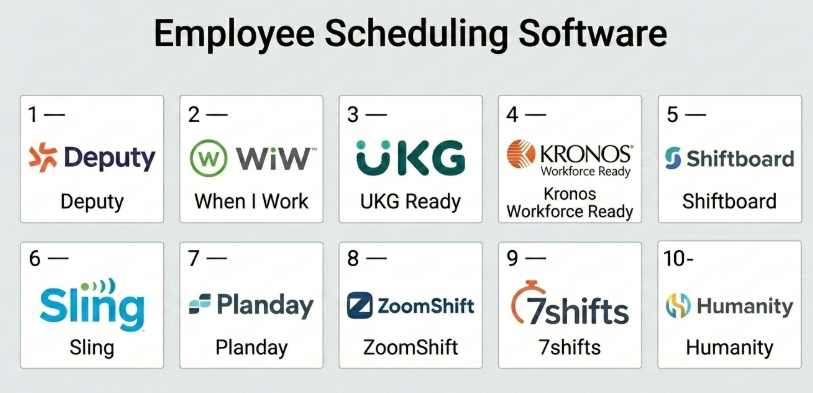
Top 10 Employee Scheduling Software
#1 — Deputy
Short description: A leading scheduling and workforce management platform designed for shift-based businesses like retail and hospitality.
Key Features
- Drag-and-drop scheduling
- Auto-scheduling based on demand
- Time and attendance tracking
- Shift swapping and notifications
- Compliance tracking
- Mobile app for employees
Pros
- Excellent scheduling interface
- Strong mobile experience
Cons
- Pricing can scale quickly
- Limited deep analytics
Platforms / Deployment
Web / iOS / Android
Cloud
Security & Compliance
Not publicly stated
Integrations & Ecosystem
Deputy integrates with payroll, POS, and HR systems.
- Payroll tools
- POS systems
- APIs available
Support & Community
Good onboarding and responsive support.
#2 — When I Work
Short description: Easy-to-use scheduling software for small to mid-sized teams.
Key Features
- Employee scheduling
- Time tracking
- Team messaging
- Shift swaps
- Mobile access
Pros
- Simple and intuitive
- Affordable for SMBs
Cons
- Limited enterprise features
- Basic reporting
Platforms / Deployment
Web / iOS / Android
Cloud
Security & Compliance
Not publicly stated
Integrations & Ecosystem
Supports integrations with business tools.
- Payroll systems
- Communication tools
- APIs
Support & Community
Strong documentation and community support.
#3 — UKG Ready
Short description: Workforce management solution with robust scheduling and HR capabilities.
Key Features
- Advanced scheduling
- Workforce analytics
- Compliance tools
- Payroll integration
- Employee self-service
Pros
- Strong compliance features
- Scalable for mid-market
Cons
- Learning curve
- Pricing transparency issues
Platforms / Deployment
Web / Mobile
Cloud
Security & Compliance
SSO, encryption
Not publicly stated certifications
Integrations & Ecosystem
Integrates with enterprise HR systems.
- HR platforms
- Payroll systems
- APIs
Support & Community
Reliable enterprise support.
#4 — Kronos Workforce Ready
Short description: Enterprise-grade scheduling and workforce management tool.
Key Features
- Scheduling and forecasting
- Attendance tracking
- Labor cost management
- Compliance tracking
- Reporting tools
Pros
- Highly scalable
- Advanced workforce insights
Cons
- Complex implementation
- Requires training
Platforms / Deployment
Web
Cloud / On-premise
Security & Compliance
Not publicly stated
Integrations & Ecosystem
Deep integration with enterprise systems.
- ERP systems
- HR tools
- APIs
Support & Community
Enterprise-level support available.
#5 — Homebase
Short description: Scheduling and time tracking tool designed for small businesses.
Key Features
- Employee scheduling
- Time tracking
- Hiring tools
- Team messaging
- Payroll integration
Pros
- Free tier available
- Easy to use
Cons
- Limited advanced features
- Not ideal for large teams
Platforms / Deployment
Web / Mobile
Cloud
Security & Compliance
Not publicly stated
Integrations & Ecosystem
Integrates with small business tools.
- Payroll systems
- POS systems
- APIs
Support & Community
Strong support for SMB users.
#6 — Sling
Short description: Workforce scheduling platform focused on team communication.
Key Features
- Shift scheduling
- Task management
- Team communication
- Time tracking
- Reporting
Pros
- Built-in communication tools
- Affordable pricing
Cons
- Limited analytics
- UI can feel basic
Platforms / Deployment
Web / Mobile
Cloud
Security & Compliance
Not publicly stated
Integrations & Ecosystem
Supports integrations with business tools.
- Payroll tools
- APIs
- Third-party apps
Support & Community
Moderate support and documentation.
#7 — Planday
Short description: Scheduling software designed for hospitality and retail businesses.
Key Features
- Shift planning
- Employee communication
- Time tracking
- Payroll integration
- Reporting
Pros
- Strong industry focus
- Good mobile experience
Cons
- Limited customization
- Pricing varies
Platforms / Deployment
Web / Mobile
Cloud
Security & Compliance
Not publicly stated
Integrations & Ecosystem
Integrates with business systems.
- Payroll tools
- POS systems
- APIs
Support & Community
Reliable support with onboarding.
#8 — ZoomShift
Short description: Simple scheduling tool for hourly teams.
Key Features
- Shift scheduling
- Time tracking
- Availability tracking
- Notifications
- Reporting
Pros
- Easy to learn
- Affordable
Cons
- Limited enterprise features
- Basic integrations
Platforms / Deployment
Web / Mobile
Cloud
Security & Compliance
Not publicly stated
Integrations & Ecosystem
Basic integration support.
- Payroll tools
- APIs
Support & Community
Good support for SMB users.
#9 — 7shifts
Short description: Scheduling platform tailored for restaurants and hospitality.
Key Features
- Scheduling and forecasting
- Labor cost tracking
- Team communication
- POS integration
- Reporting
Pros
- Industry-specific features
- Strong POS integration
Cons
- Limited use outside hospitality
- Learning curve
Platforms / Deployment
Web / Mobile
Cloud
Security & Compliance
Not publicly stated
Integrations & Ecosystem
Strong integration with restaurant systems.
- POS systems
- Payroll tools
- APIs
Support & Community
Active support and industry focus.
#10 — Humanity
Short description: Workforce scheduling software with automation features.
Key Features
- Automated scheduling
- Shift planning
- Time tracking
- Compliance tools
- Reporting
Pros
- Automation capabilities
- Flexible scheduling
Cons
- UI complexity
- Pricing varies
Platforms / Deployment
Web / Mobile
Cloud
Security & Compliance
Not publicly stated
Integrations & Ecosystem
Supports integrations with enterprise tools.
- HR systems
- Payroll tools
- APIs
Support & Community
Moderate support and documentation.
Comparison Table (Top 10)
| Tool Name | Best For | Platform(s) Supported | Deployment | Standout Feature | Public Rating |
|---|---|---|---|---|---|
| Deputy | Shift businesses | Web, Mobile | Cloud | Auto scheduling | N/A |
| When I Work | SMBs | Web, Mobile | Cloud | Ease of use | N/A |
| UKG Ready | Mid-market | Web, Mobile | Cloud | Compliance tools | N/A |
| Kronos Workforce Ready | Enterprise | Web | Hybrid | Workforce analytics | N/A |
| Homebase | Small businesses | Web, Mobile | Cloud | Free tier | N/A |
| Sling | SMBs | Web, Mobile | Cloud | Communication tools | N/A |
| Planday | Retail/Hospitality | Web, Mobile | Cloud | Industry focus | N/A |
| ZoomShift | Small teams | Web, Mobile | Cloud | Simplicity | N/A |
| 7shifts | Restaurants | Web, Mobile | Cloud | POS integration | N/A |
| Humanity | Mid-market | Web, Mobile | Cloud | Automation | N/A |
Evaluation & Scoring of Employee Scheduling Software
| Tool Name | Core (25%) | Ease (15%) | Integrations (15%) | Security (10%) | Performance (10%) | Support (10%) | Value (15%) | Weighted Total |
|---|---|---|---|---|---|---|---|---|
| Deputy | 9 | 8 | 8 | 6 | 8 | 8 | 7 | 8.0 |
| When I Work | 7 | 9 | 7 | 6 | 7 | 7 | 8 | 7.5 |
| UKG Ready | 8 | 7 | 8 | 7 | 8 | 8 | 7 | 7.8 |
| Kronos Workforce Ready | 9 | 6 | 8 | 7 | 9 | 8 | 6 | 7.9 |
| Homebase | 7 | 9 | 6 | 6 | 7 | 7 | 9 | 7.5 |
| Sling | 7 | 8 | 6 | 6 | 7 | 6 | 8 | 7.2 |
| Planday | 8 | 8 | 7 | 6 | 8 | 7 | 7 | 7.6 |
| ZoomShift | 7 | 8 | 6 | 6 | 7 | 7 | 8 | 7.3 |
| 7shifts | 8 | 7 | 8 | 6 | 8 | 7 | 7 | 7.6 |
| Humanity | 8 | 7 | 7 | 6 | 8 | 7 | 7 | 7.5 |
How to interpret scores:
- These scores are comparative across tools, not absolute benchmarks.
- Enterprise tools rank higher in features but may lose points in ease of use.
- SMB tools often score higher in value and usability.
- Choose based on operational needs rather than just total score.
- A tool with slightly lower score may still be a better fit for your specific use case.
Which Employee Scheduling Software Tools Is Right for You?
Solo / Freelancer
Most freelancers don’t need dedicated scheduling software. Basic calendar tools or lightweight apps are sufficient.
SMB
Homebase, When I Work, and Sling are ideal due to affordability and ease of use.
Mid-Market
Deputy, UKG Ready, and Humanity offer a balance of automation and scalability.
Enterprise
Kronos Workforce Ready is best suited for large organizations with complex workforce needs.
Budget vs Premium
- Budget: Homebase, Sling, ZoomShift
- Premium: UKG, Kronos
Feature Depth vs Ease of Use
- Feature-rich: Kronos, UKG
- Easy to use: Homebase, When I Work
Integrations & Scalability
- Strong integrations: Deputy, UKG
- Moderate: Sling, ZoomShift
Security & Compliance Needs
- High compliance: UKG, Kronos
- Basic: SMB tools
Frequently Asked Questions (FAQs)
What is Employee Scheduling Software?
It helps businesses plan, assign, and manage employee work schedules efficiently.
How much does it cost?
Pricing ranges from free plans to enterprise-level subscriptions depending on features.
Is it suitable for remote teams?
Yes, many tools support mobile scheduling and remote workforce management.
Can employees swap shifts?
Most tools include built-in shift swap and approval workflows.
Does it integrate with payroll?
Yes, many tools integrate directly with payroll systems.
Is it easy to implement?
SMB tools can be set up quickly, while enterprise tools may take longer.
What industries benefit most?
Retail, healthcare, hospitality, and logistics industries benefit significantly.
Are mobile apps available?
Most tools offer iOS and Android apps.
Can it handle compliance?
Some tools include labor law compliance features.
What should I avoid when choosing?
Avoid tools that lack integrations or scalability for your future needs.
Conclusion
Employee Scheduling Software is essential for managing modern workforces efficiently. Whether you’re running a small retail shop or managing a large enterprise workforce, the right scheduling tool can significantly improve productivity, reduce costs, and enhance employee satisfaction.
