Introduction
Agile Project Management Tools are software platforms designed to support iterative, flexible, and collaborative approaches to project delivery. Unlike traditional project management systems that rely on rigid planning, Agile tools enable teams to work in short cycles (sprints), continuously adapt to changes, and deliver incremental value.
These tools are essential for modern product development, especially in software, where speed, adaptability, and collaboration are critical. They provide features like backlog management, sprint planning, Kanban boards, burndown charts, and real-time collaboration to help teams stay aligned and productive.
Common use cases include:
- Software development using Scrum or Kanban
- Product backlog and sprint management
- Continuous delivery and DevOps workflows
- Agile marketing campaign execution
- Cross-functional team collaboration
What buyers should evaluate:
- Support for Agile frameworks (Scrum, Kanban, hybrid)
- Backlog and sprint management capabilities
- Reporting (burndown charts, velocity tracking)
- Integration with development tools
- Ease of use for both technical and non-technical users
- Customization of workflows and boards
- Collaboration and communication features
- Scalability for growing teams
- Security and access control
- Pricing and total cost of ownership
Best for: Software development teams, product managers, Agile coaches, and organizations adopting Agile methodologies across engineering, marketing, and operations.
Not ideal for: Teams that follow strictly linear (waterfall) processes or require heavy financial/resource planning. Traditional project management tools may be more suitable in those cases.
Key Trends in Agile Project Management Tools
- AI-assisted sprint planning: Automated estimation, prioritization, and backlog grooming
- DevOps integration: Seamless connection with CI/CD pipelines and version control systems
- Hybrid Agile support: Combining Scrum, Kanban, and traditional methods
- Real-time collaboration: Instant updates, comments, and notifications
- Automation of workflows: Reducing manual task updates and transitions
- Advanced analytics: Velocity tracking, cycle time analysis, and predictive insights
- Cloud-native platforms: Easy scalability and remote team support
- Custom workflows: Tailoring boards and processes to team needs
- Cross-functional alignment: Linking product, engineering, and business teams
- Mobile-first usability: Managing sprints and tasks on the go
How We Selected These Tools (Methodology)
We evaluated Agile project management tools based on:
- Market adoption and popularity among Agile teams
- Support for Scrum, Kanban, and hybrid methodologies
- Feature completeness for backlog, sprint, and reporting
- Ease of use for both developers and business users
- Integration with DevOps and collaboration tools
- Performance and scalability
- Security and compliance readiness
- Flexibility across industries and team sizes
- Customer support and community strength
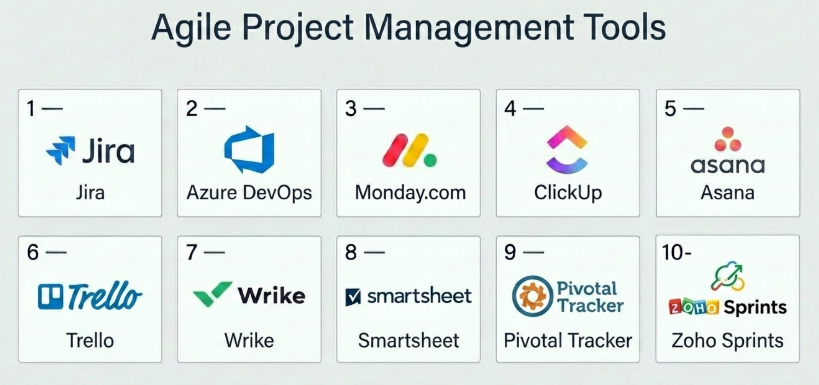
Top 10 Agile Project Management Tools
#1 — Jira
Short description: A leading Agile project management tool widely used by software development teams for issue tracking and sprint planning.
Key Features
- Scrum and Kanban boards
- Backlog management
- Sprint planning tools
- Custom workflows
- Advanced reporting (burndown, velocity)
- DevOps integrations
Pros
- Highly customizable
- Strong ecosystem for developers
Cons
- Complex setup
- Steep learning curve for non-technical users
Platforms / Deployment
Web / Cloud / On-premise
Security & Compliance
SSO, MFA, RBAC; compliance varies
Integrations & Ecosystem
Deep integration with development tools.
- GitHub
- Bitbucket
- CI/CD tools
- APIs
Support & Community
Extensive documentation and large global community.
#2 — Azure DevOps
Short description: A comprehensive Agile and DevOps platform from Microsoft for managing code, builds, and project workflows.
Key Features
- Agile boards
- Backlog and sprint tracking
- CI/CD pipelines
- Test management
- Reporting dashboards
Pros
- Strong DevOps integration
- Scalable for enterprises
Cons
- Complex UI
- Best suited for Microsoft ecosystem
Platforms / Deployment
Web / Cloud / On-premise
Security & Compliance
SSO, MFA; compliance varies
Integrations & Ecosystem
Microsoft ecosystem integration.
- Azure services
- Git repositories
- APIs
Support & Community
Strong enterprise support and documentation.
#3 — ClickUp
Short description: A flexible productivity platform with strong Agile project management capabilities.
Key Features
- Sprint management
- Agile boards
- Automation
- Time tracking
- Goal tracking
Pros
- Highly customizable
- All-in-one platform
Cons
- Learning curve
- Interface can feel cluttered
Platforms / Deployment
Web / Windows / macOS / iOS / Android / Cloud
Security & Compliance
SSO, MFA; compliance varies
Integrations & Ecosystem
Wide integration support.
- Slack
- GitHub
- APIs
Support & Community
Strong support and growing community.
#4 — Monday.com
Short description: A visual work management platform that supports Agile workflows and team collaboration.
Key Features
- Kanban boards
- Sprint planning
- Automation
- Dashboards
- Collaboration tools
Pros
- Easy to use
- Highly visual
Cons
- Limited advanced Agile features
- Pricing complexity
Platforms / Deployment
Web / iOS / Android / Cloud
Security & Compliance
SSO, MFA; compliance varies
Integrations & Ecosystem
Strong integrations.
- CRM tools
- Slack
- Google Workspace
Support & Community
Good onboarding and documentation.
#5 — Asana
Short description: A popular project management tool that supports Agile workflows through boards and timelines.
Key Features
- Task boards
- Workflow automation
- Timeline view
- Collaboration tools
- Reporting dashboards
Pros
- Intuitive interface
- Strong collaboration
Cons
- Limited native Agile reporting
- Requires customization for Scrum
Platforms / Deployment
Web / iOS / Android / Cloud
Security & Compliance
SSO, MFA; compliance varies
Integrations & Ecosystem
Wide integrations.
- Slack
- Google Workspace
- APIs
Support & Community
Strong documentation and user base.
#6 — Trello
Short description: A simple Kanban-based Agile tool ideal for small teams and visual task management.
Key Features
- Kanban boards
- Drag-and-drop tasks
- Checklists
- Automation (Butler)
- Power-ups
Pros
- Easy to use
- Great for beginners
Cons
- Limited advanced Agile features
- Not ideal for large teams
Platforms / Deployment
Web / iOS / Android / Cloud
Security & Compliance
SSO, MFA; compliance varies
Integrations & Ecosystem
Flexible integrations.
- Slack
- Google Drive
- APIs
Support & Community
Large community and resources.
#7 — Wrike
Short description: A project management tool with Agile capabilities and strong reporting features.
Key Features
- Agile boards
- Workflow automation
- Reporting dashboards
- Resource management
- Collaboration tools
Pros
- Scalable
- Strong reporting
Cons
- Complex interface
- Higher cost
Platforms / Deployment
Web / iOS / Android / Cloud
Security & Compliance
SSO, MFA; compliance varies
Integrations & Ecosystem
Enterprise integrations.
- CRM tools
- APIs
Support & Community
Enterprise-level support.
#8 — Smartsheet
Short description: A flexible platform combining spreadsheet-style management with Agile capabilities.
Key Features
- Grid and board views
- Automation workflows
- Reporting tools
- Collaboration
- Resource tracking
Pros
- Familiar interface
- Strong automation
Cons
- Less intuitive for Agile beginners
- Expensive
Platforms / Deployment
Web / iOS / Android / Cloud
Security & Compliance
SSO, MFA; compliance varies
Integrations & Ecosystem
Wide integrations.
- Microsoft tools
- Google Workspace
- APIs
Support & Community
Strong enterprise support.
#9 — Pivotal Tracker
Short description: A dedicated Agile project management tool focused on Scrum and iterative development.
Key Features
- Backlog management
- Story-based planning
- Velocity tracking
- Iteration planning
- Collaboration tools
Pros
- Purpose-built for Agile
- Simple workflow
Cons
- Limited customization
- Smaller ecosystem
Platforms / Deployment
Web / iOS / Android / Cloud
Security & Compliance
Not publicly stated
Integrations & Ecosystem
Moderate integrations.
- APIs
Support & Community
Niche but dedicated community.
#10 — Zoho Sprints
Short description: An Agile project management tool designed for Scrum teams with a focus on simplicity and affordability.
Key Features
- Sprint planning
- Backlog management
- Scrum boards
- Time tracking
- Reporting
Pros
- Affordable
- Easy to use
Cons
- Limited advanced features
- Smaller ecosystem
Platforms / Deployment
Web / iOS / Android / Cloud
Security & Compliance
SSO; compliance varies
Integrations & Ecosystem
Zoho ecosystem integrations.
- Zoho tools
- APIs
Support & Community
Good support for SMB users.
Comparison Table (Top 10)
| Tool Name | Best For | Platform(s) Supported | Deployment | Standout Feature | Public Rating |
|---|---|---|---|---|---|
| Jira | Dev teams | Web | Cloud/On-prem | Agile depth | N/A |
| Azure DevOps | DevOps teams | Web | Cloud/On-prem | CI/CD integration | N/A |
| ClickUp | All-in-one Agile | All platforms | Cloud | Customization | N/A |
| Monday.com | Visual Agile | Web, Mobile | Cloud | Dashboards | N/A |
| Asana | Collaboration | Web, Mobile | Cloud | Ease of use | N/A |
| Trello | Simple Agile | Web, Mobile | Cloud | Kanban boards | N/A |
| Wrike | Enterprise Agile | Web, Mobile | Cloud | Reporting | N/A |
| Smartsheet | Hybrid teams | Web, Mobile | Cloud | Grid + Agile | N/A |
| Pivotal Tracker | Scrum teams | Web, Mobile | Cloud | Story tracking | N/A |
| Zoho Sprints | SMB Agile | Web, Mobile | Cloud | Affordability | N/A |
Evaluation & Scoring of Agile Project Management Tools
| Tool Name | Core (25%) | Ease (15%) | Integrations (15%) | Security (10%) | Performance (10%) | Support (10%) | Value (15%) | Weighted Total |
|---|---|---|---|---|---|---|---|---|
| Jira | 10 | 6 | 9 | 9 | 9 | 9 | 7 | 8.6 |
| Azure DevOps | 9 | 6 | 9 | 9 | 9 | 8 | 7 | 8.4 |
| ClickUp | 9 | 7 | 9 | 8 | 8 | 8 | 8 | 8.3 |
| Monday | 8 | 8 | 8 | 8 | 8 | 8 | 7 | 8.0 |
| Asana | 8 | 8 | 8 | 8 | 8 | 8 | 7 | 8.0 |
| Trello | 7 | 10 | 7 | 7 | 8 | 8 | 9 | 8.1 |
| Wrike | 9 | 7 | 8 | 8 | 8 | 8 | 7 | 8.0 |
| Smartsheet | 8 | 7 | 8 | 8 | 8 | 8 | 7 | 7.9 |
| Pivotal Tracker | 8 | 8 | 6 | 6 | 7 | 7 | 8 | 7.4 |
| Zoho Sprints | 7 | 8 | 6 | 6 | 7 | 7 | 9 | 7.5 |
How to interpret the scores:
- Higher scores indicate stronger Agile capabilities and overall performance.
- Developer-focused tools score higher in integrations and core features.
- Simpler tools score higher in ease of use and value.
- Choose based on team type and workflow complexity.
Which Agile Project Management Tool Is Right for You?
Solo / Freelancer
- Best: Trello, Zoho Sprints
- Focus on simplicity and cost
SMB
- Best: ClickUp, Asana, Trello
- Balance usability and features
Mid-Market
- Best: Monday.com, ClickUp, Azure DevOps
- Need customization and scalability
Enterprise
- Best: Jira, Azure DevOps, Wrike
- Focus on integrations and control
Budget vs Premium
- Budget: Trello, Zoho Sprints
- Premium: Jira, Azure DevOps
Feature Depth vs Ease of Use
- Deep: Jira, Azure DevOps
- Easy: Trello, Asana
Integrations & Scalability
- Strong: Jira, Azure DevOps
- Moderate: Zoho, Trello
Security & Compliance Needs
- High: Jira, Azure DevOps
- Moderate: Others
Frequently Asked Questions (FAQs)
What is Agile project management?
It’s an iterative approach to managing projects with continuous feedback and improvement.
Which tool is best for Agile teams?
Jira and Azure DevOps are top choices for development teams.
Are these tools suitable for non-tech teams?
Yes, tools like Asana and Trello are user-friendly.
How much do they cost?
Pricing varies from free plans to enterprise pricing.
Do they support Scrum and Kanban?
Yes, most tools support both frameworks.
Can they integrate with DevOps tools?
Yes, especially Jira and Azure DevOps.
Are they secure?
Most provide standard enterprise security features.
How long does setup take?
From a few hours to several weeks depending on complexity.
Can I switch tools later?
Yes, but migration planning is required.
What are alternatives?
Traditional project management or task management tools.
Conclusion
Agile project management tools are essential for teams aiming to deliver faster, adapt quickly, and collaborate effectively. From developer-focused platforms like Jira and Azure DevOps to user-friendly tools like Trello and Asana, there are options for every team.
