Introduction
Business Process Management (BPM) suites are comprehensive platforms designed to model, automate, monitor, and optimize business processes across an organization. They provide tools to design workflows, enforce business rules, manage approvals, and continuously improve operational efficiency.
Unlike simple workflow tools, BPM suites focus on end-to-end process orchestration, governance, and analytics—making them essential for organizations with complex, cross-functional operations. These platforms help standardize processes, reduce bottlenecks, and ensure compliance.
Common use cases include:
- Automating approval workflows and business processes
- Managing customer onboarding and service operations
- Streamlining finance and procurement processes
- Handling case management and compliance workflows
- Improving operational efficiency through process optimization
What buyers should evaluate:
- Process modeling capabilities (e.g., visual designers)
- Workflow automation depth
- Integration with enterprise systems
- Business rules engine
- Analytics and reporting
- Scalability and performance
- Security and compliance features
- Ease of use (business users vs developers)
- Deployment flexibility
Best for:
Enterprises, mid-market companies, operations teams, IT departments, and organizations with complex workflows and compliance needs.
Not ideal for:
Small teams with simple automation needs—lighter workflow automation tools may be more suitable.
Key Trends in Business Process Management (BPM) Suites
- Low-code BPM platforms: Enabling business users to design processes
- AI-driven process optimization: Predictive analytics and recommendations
- Process mining integration: Identifying inefficiencies automatically
- Hyperautomation: Combining BPM with RPA and AI
- Cloud-native BPM: Scalable and flexible deployment models
- Case management capabilities: Handling dynamic, non-linear workflows
- Real-time analytics: Monitoring process performance continuously
- Integration-first design: Connecting BPM with APIs and external systems
How We Selected These Tools (Methodology)
We evaluated BPM suites based on:
- Market presence and adoption
- Process modeling and automation capabilities
- Integration and extensibility
- Performance and scalability
- Security and compliance readiness
- Ease of use and onboarding
- Support and community ecosystem
- Suitability for different organization sizes
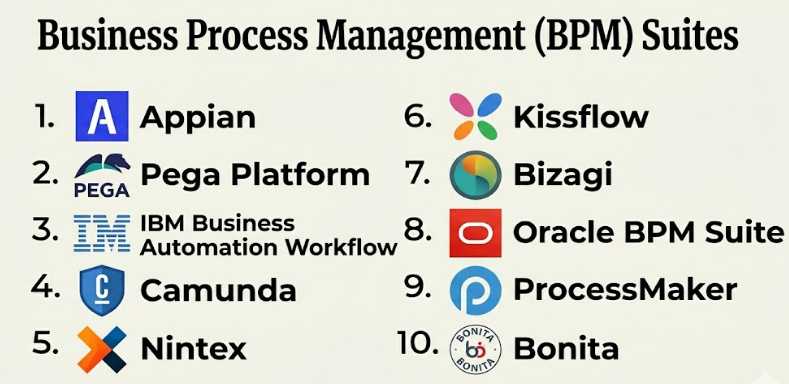
Top 10 Business Process Management (BPM) Suites
#1 — Appian
Short description: A leading low-code BPM platform focused on process automation and application development.
Key Features
- Visual process modeling
- Low-code development
- Workflow automation
- Case management
- AI and data integration
Pros
- Fast development cycles
- Strong enterprise features
Cons
- Expensive
- Learning curve for advanced use
Platforms / Deployment
Cloud / On-premise / Hybrid
Security & Compliance
SSO, RBAC, encryption, audit logs. Compliance: Not publicly stated
Integrations & Ecosystem
Appian integrates well with enterprise systems and APIs:
- CRM and ERP systems
- Databases
- Cloud services
- APIs
Support & Community
Strong enterprise support and active user community.
#2 — Pega Platform
Short description: Enterprise BPM and case management platform with strong AI-driven decisioning.
Key Features
- Business process automation
- Case management
- AI decision engine
- Workflow orchestration
- Analytics
Pros
- Advanced AI capabilities
- Scalable for large enterprises
Cons
- Complex implementation
- High cost
Platforms / Deployment
Cloud / On-premise
Security & Compliance
RBAC, encryption. Compliance: Not publicly stated
Integrations & Ecosystem
- CRM systems
- APIs
- Enterprise applications
Support & Community
Enterprise-grade support.
#3 — IBM Business Automation Workflow
Short description: BPM suite combining workflow, case management, and decision automation.
Key Features
- Workflow automation
- Case management
- Business rules engine
- Analytics
- Integration tools
Pros
- Comprehensive features
- Strong enterprise support
Cons
- Complex setup
- Expensive
Platforms / Deployment
Cloud / On-premise
Security & Compliance
Enterprise-grade security. Compliance: Not publicly stated
Integrations & Ecosystem
- IBM ecosystem
- APIs
- Databases
Support & Community
Strong enterprise support.
#4 — Camunda
Short description: Developer-friendly BPM platform focused on process orchestration using BPMN.
Key Features
- BPMN-based modeling
- Workflow orchestration
- Microservices integration
- Open-source core
- Monitoring tools
Pros
- Highly flexible
- Developer-friendly
Cons
- Requires technical expertise
- Limited out-of-the-box UI
Platforms / Deployment
Cloud / Self-hosted
Security & Compliance
Not publicly stated
Integrations & Ecosystem
- APIs
- Microservices
- Databases
Support & Community
Strong open-source community.
#5 — Nintex
Short description: BPM platform focused on process automation and document workflows.
Key Features
- Workflow automation
- Process mapping
- Document automation
- RPA integration
- Analytics
Pros
- Strong document workflows
- Enterprise-ready
Cons
- Expensive
- Complex setup
Platforms / Deployment
Cloud / On-premise
Security & Compliance
Enterprise-grade controls. Compliance: Not publicly stated
Integrations & Ecosystem
- SharePoint
- CRM systems
- Enterprise tools
Support & Community
Strong enterprise support.
#6 — Kissflow
Short description: User-friendly BPM platform for business users and process automation.
Key Features
- Visual workflow builder
- Process automation
- Form builder
- Reporting tools
- Role-based access
Pros
- Easy to use
- Good for business teams
Cons
- Limited advanced features
- Smaller ecosystem
Platforms / Deployment
Cloud
Security & Compliance
RBAC, encryption. Compliance: Not publicly stated
Integrations & Ecosystem
- SaaS apps
- APIs
Support & Community
Moderate support.
#7 — Bizagi
Short description: BPM suite offering process modeling and automation with a low-code approach.
Key Features
- Process modeling
- Workflow automation
- Data integration
- Business rules
- Analytics
Pros
- Strong modeling tools
- Cost-effective
Cons
- Limited scalability
- UI limitations
Platforms / Deployment
Cloud / On-premise
Security & Compliance
Not publicly stated
Integrations & Ecosystem
- APIs
- Databases
- Enterprise apps
Support & Community
Active community.
#8 — Oracle BPM Suite
Short description: Enterprise BPM platform integrated with Oracle ecosystem.
Key Features
- Process automation
- Workflow management
- Business rules engine
- Integration with Oracle apps
- Analytics
Pros
- Strong Oracle integration
- Reliable
Cons
- Complex setup
- Vendor lock-in
Platforms / Deployment
On-premise / Cloud
Security & Compliance
Enterprise-grade controls. Compliance: Not publicly stated
Integrations & Ecosystem
- Oracle Cloud
- ERP systems
- Databases
Support & Community
Strong enterprise support.
#9 — ProcessMaker
Short description: Low-code BPM platform focused on workflow automation and process design.
Key Features
- Workflow automation
- Process modeling
- Form builder
- Integration tools
- Reporting
Pros
- Easy to use
- Flexible
Cons
- Limited advanced features
- Smaller ecosystem
Platforms / Deployment
Cloud / Self-hosted
Security & Compliance
Not publicly stated
Integrations & Ecosystem
- APIs
- SaaS tools
Support & Community
Growing community.
#10 — Bonita (Bonitasoft)
Short description: Open-source BPM platform with strong customization capabilities.
Key Features
- Process modeling
- Workflow automation
- UI designer
- Integration tools
- Custom development
Pros
- Open-source flexibility
- Customizable
Cons
- Requires technical expertise
- Limited enterprise features
Platforms / Deployment
Cloud / On-premise
Security & Compliance
Not publicly stated
Integrations & Ecosystem
- APIs
- Databases
- Enterprise apps
Support & Community
Active open-source community.
Comparison Table (Top 10)
| Tool Name | Best For | Platform(s) Supported | Deployment | Standout Feature | Public Rating |
|---|---|---|---|---|---|
| Appian | Enterprise | Web | Hybrid | Low-code BPM | N/A |
| Pega | AI workflows | Web | Hybrid | Decision engine | N/A |
| IBM Workflow | Large enterprises | Web | Hybrid | Case management | N/A |
| Camunda | Developers | Web | Hybrid | BPMN orchestration | N/A |
| Nintex | Document workflows | Web | Hybrid | Automation | N/A |
| Kissflow | Business users | Web | Cloud | Ease of use | N/A |
| Bizagi | Modeling | Web | Hybrid | Process design | N/A |
| Oracle BPM | Oracle users | Web | Hybrid | Integration | N/A |
| ProcessMaker | SMB | Web | Hybrid | Simplicity | N/A |
| Bonita | Open-source | Web | Hybrid | Customization | N/A |
Evaluation & Scoring of Business Process Management (BPM) Suites
| Tool Name | Core (25%) | Ease (15%) | Integrations (15%) | Security (10%) | Performance (10%) | Support (10%) | Value (15%) | Weighted Total |
|---|---|---|---|---|---|---|---|---|
| Appian | 9 | 8 | 9 | 8 | 9 | 9 | 7 | 8.5 |
| Pega | 9 | 6 | 8 | 8 | 9 | 8 | 6 | 8.0 |
| IBM | 9 | 6 | 8 | 9 | 9 | 9 | 6 | 8.2 |
| Camunda | 8 | 7 | 9 | 7 | 8 | 8 | 8 | 8.0 |
| Nintex | 8 | 7 | 8 | 8 | 8 | 8 | 7 | 7.9 |
| Kissflow | 7 | 9 | 7 | 7 | 7 | 7 | 8 | 7.6 |
| Bizagi | 8 | 8 | 7 | 6 | 7 | 7 | 8 | 7.7 |
| Oracle BPM | 8 | 6 | 8 | 8 | 8 | 8 | 6 | 7.6 |
| ProcessMaker | 7 | 8 | 7 | 6 | 7 | 7 | 8 | 7.3 |
| Bonita | 7 | 7 | 7 | 6 | 7 | 7 | 9 | 7.2 |
Which Business Process Management (BPM) Suite Is Right for You?
Solo / Freelancer
- Best: ProcessMaker, Bonita
- Focus on simplicity and cost
SMB
- Best: Kissflow, Bizagi
- Balance ease of use and features
Mid-Market
- Best: Camunda, Nintex
- Need flexibility and scalability
Enterprise
- Best: Appian, Pega, IBM
- Focus on governance and performance
Budget vs Premium
- Budget: Bonita, ProcessMaker
- Premium: Appian, Pega
Feature Depth vs Ease of Use
- Deep features: IBM, Pega
- Easy to use: Kissflow
Integrations & Scalability
- Strong integrations: Appian
- Scalable: IBM
Security & Compliance Needs
- High security: IBM, Appian
- Moderate: Kissflow
Frequently Asked Questions (FAQs)
What is a BPM suite?
A platform for managing and automating business processes end-to-end.
How is BPM different from workflow automation?
BPM focuses on full process lifecycle, not just tasks.
Do I need coding skills?
Not always—many BPM tools are low-code.
Are BPM tools expensive?
Enterprise tools can be costly, while some are affordable.
Can BPM integrate with existing systems?
Yes, integration is a core feature.
Is BPM suitable for small businesses?
Yes, but simpler tools may be better.
Can BPM scale?
Yes, most platforms support enterprise scalability.
What industries use BPM?
Finance, healthcare, IT, manufacturing, and more.
What are common challenges?
Complex setup and change management.
Can BPM improve efficiency?
Yes, significantly through automation and optimization.
Conclusion
Business Process Management (BPM) suites are powerful tools for organizations looking to optimize workflows, improve efficiency, and enforce governance across operations. They go beyond simple automation by providing full lifecycle management of business processes.
