Introduction
Product Analytics Tools help teams understand how users interact with their digital products—such as web apps, mobile apps, and SaaS platforms. These tools track user behavior, analyze journeys, and uncover insights that drive product decisions, improve user experience, and increase retention.
Unlike traditional web analytics, product analytics focuses on event-based tracking, user flows, and behavioral patterns. This enables product managers, growth teams, and developers to identify friction points, optimize onboarding, and measure feature adoption.
As products become more data-driven, these tools are evolving with AI-powered insights, real-time analytics, and deeper integrations with data ecosystems. They play a key role in product-led growth strategies and experimentation.
Common use cases:
- Tracking feature usage and adoption
- Analyzing user journeys and funnels
- Identifying drop-offs and churn points
- Running A/B tests and experiments
- Measuring retention and engagement
What buyers should evaluate:
- Event tracking flexibility
- Funnel and cohort analysis capabilities
- Real-time data processing
- Ease of implementation
- Data accuracy and reliability
- Integration with data warehouses and tools
- Scalability for growing datasets
- Visualization and reporting features
- Pricing and usage limits
Best for: Product managers, growth teams, SaaS companies, mobile app developers, and data-driven organizations.
Not ideal for: Static websites, businesses needing only basic traffic insights, or teams without a product analytics strategy.
Key Trends in Product Analytics Tools
- Event-driven analytics models: Granular tracking of user interactions
- AI-powered insights: Automated anomaly detection and recommendations
- Self-serve analytics: Empowering non-technical teams
- Warehouse-native analytics: Querying directly from data warehouses
- Real-time user behavior tracking: Immediate feedback loops
- Cross-platform tracking: Web, mobile, and backend integration
- Privacy-first data collection: Compliance-focused tracking
- Experimentation platforms integration: A/B testing and feature flags
- Session replay and heatmaps: Visual behavior insights
- Product-led growth support: Data-driven product decisions
How We Selected These Tools (Methodology)
- Evaluated market adoption and product usage
- Assessed depth of analytics capabilities
- Reviewed ease of implementation and onboarding
- Considered integration ecosystem
- Analyzed scalability and performance
- Evaluated AI and automation features
- Included tools for SMBs to enterprise
- Reviewed reporting and visualization quality
- Considered pricing and value
- Balanced cloud and warehouse-native solutions
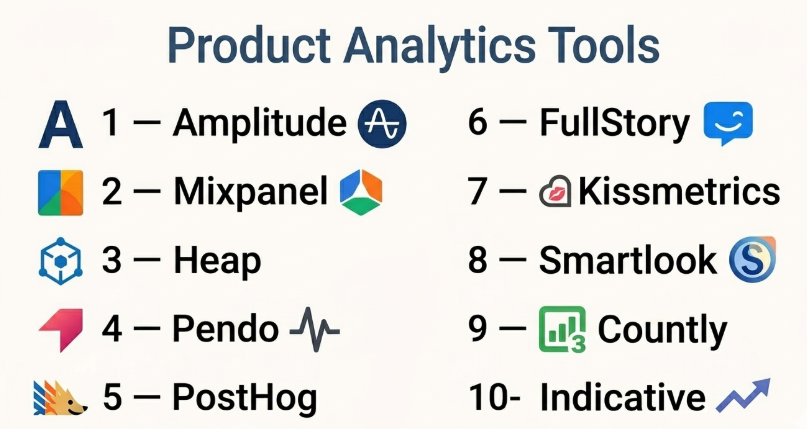
Top 10 Product Analytics Tools
#1 — Amplitude
Short description: A leading product analytics platform offering deep behavioral insights and advanced analytics for digital products.
Key Features
- Event-based tracking
- Funnel and cohort analysis
- Retention analysis
- Predictive insights
- Experimentation tools
- Dashboards and reports
- User segmentation
Pros
- Powerful analytics capabilities
- Scalable for large teams
- Strong visualization tools
Cons
- Learning curve for beginners
- Pricing can increase with scale
- Requires setup effort
Platforms / Deployment
Web / Cloud
Security & Compliance
Encryption; Compliance: Not publicly stated
Integrations & Ecosystem
Wide integration ecosystem for data-driven teams.
- Data warehouses
- APIs
- CRM tools
- Marketing platforms
Support & Community
Strong enterprise support; active community.
#2 — Mixpanel
Short description: A popular product analytics tool focused on user behavior, event tracking, and real-time insights.
Key Features
- Event tracking
- Funnel analysis
- Retention reports
- Real-time analytics
- A/B testing
- User segmentation
- Dashboards
Pros
- Easy event tracking
- Real-time insights
- Strong analytics
Cons
- Pricing scales with usage
- Learning curve
- Limited marketing analytics
Platforms / Deployment
Web / Cloud
Security & Compliance
Encryption; Compliance: Not publicly stated
Integrations & Ecosystem
Strong integrations with product and data tools.
- APIs
- CRM tools
- Data platforms
Support & Community
Good documentation; active community.
#3 — Heap
Short description: A product analytics platform that automatically captures user interactions without manual event setup.
Key Features
- Auto event tracking
- Funnel analysis
- User journey mapping
- Session replay
- Data visualization
- Real-time insights
Pros
- No manual tracking needed
- Easy setup
- Strong insights
Cons
- Data overload
- Pricing complexity
- Less control over events
Platforms / Deployment
Web / Cloud
Security & Compliance
Encryption; Compliance: Not publicly stated
Integrations & Ecosystem
Strong integrations.
- APIs
- CRM tools
- Data platforms
Support & Community
Good documentation; enterprise support.
#4 — Pendo
Short description: A product experience platform combining analytics with user feedback and in-app guidance.
Key Features
- Product analytics
- In-app guides
- User feedback tools
- Feature adoption tracking
- Segmentation
- Dashboards
Pros
- Combines analytics and UX tools
- Strong onboarding features
- Good for product teams
Cons
- Expensive
- Complex setup
- Limited flexibility
Platforms / Deployment
Web / Cloud
Security & Compliance
Encryption; Compliance: Not publicly stated
Integrations & Ecosystem
Moderate integrations.
- CRM tools
- APIs
- Product tools
Support & Community
Enterprise support; growing community.
#5 — PostHog
Short description: An open-source product analytics platform offering full-stack insights and self-hosting options.
Key Features
- Event tracking
- Session recording
- Feature flags
- A/B testing
- Self-hosted deployment
- Data pipelines
Pros
- Open-source flexibility
- Full product suite
- Self-hosting option
Cons
- Requires technical expertise
- Setup complexity
- Smaller ecosystem
Platforms / Deployment
Web / Cloud / Self-hosted
Security & Compliance
Encryption; Compliance: Not publicly stated
Integrations & Ecosystem
Developer-focused integrations.
- APIs
- Data tools
- Custom integrations
Support & Community
Active open-source community.
#6 — FullStory
Short description: A behavioral analytics tool focused on session replay and user experience insights.
Key Features
- Session replay
- Heatmaps
- Funnel analysis
- User journey tracking
- Error tracking
- Analytics dashboards
Pros
- Strong UX insights
- Easy visualization
- Good debugging tools
Cons
- Not a full analytics suite
- Pricing concerns
- Data volume limitations
Platforms / Deployment
Web / Cloud
Security & Compliance
Encryption; Compliance: Not publicly stated
Integrations & Ecosystem
Moderate integrations.
- APIs
- CRM tools
- Dev tools
Support & Community
Good support; growing community.
#7 — Kissmetrics
Short description: A product analytics tool focused on customer behavior and conversion tracking.
Key Features
- Funnel analysis
- Cohort tracking
- Conversion tracking
- Customer segmentation
- Reporting dashboards
- Event tracking
Pros
- Strong marketing + product analytics
- Easy reporting
- Good for SMBs
Cons
- Limited advanced features
- Smaller ecosystem
- UI limitations
Platforms / Deployment
Web / Cloud
Security & Compliance
Encryption; Compliance: Not publicly stated
Integrations & Ecosystem
Basic integrations.
- APIs
- CRM tools
- Marketing platforms
Support & Community
Moderate support; smaller community.
#8 — Smartlook
Short description: A product analytics tool combining session replay with event tracking and funnels.
Key Features
- Session recordings
- Event tracking
- Funnels
- Heatmaps
- User journey analysis
- Mobile support
Pros
- Easy to use
- Strong visual insights
- Affordable
Cons
- Limited advanced analytics
- Smaller ecosystem
- Not enterprise-grade
Platforms / Deployment
Web / Cloud
Security & Compliance
Encryption; Compliance: Not publicly stated
Integrations & Ecosystem
Basic integrations.
- APIs
- CMS tools
- Mobile apps
Support & Community
Good support; growing community.
#9 — Countly
Short description: A privacy-focused product analytics platform with both cloud and on-premise deployment options.
Key Features
- Event tracking
- User profiles
- Push notifications
- Crash analytics
- Data ownership
- Custom dashboards
Pros
- Privacy-focused
- On-premise option
- Flexible deployment
Cons
- Requires setup
- UI complexity
- Limited ecosystem
Platforms / Deployment
Web / Cloud / Self-hosted
Security & Compliance
Encryption; Compliance: Not publicly stated
Integrations & Ecosystem
Moderate integrations.
- APIs
- Mobile SDKs
- Custom tools
Support & Community
Active community; enterprise support.
#10 — Indicative
Short description: A product analytics platform designed for customer journey analysis and event tracking.
Key Features
- Journey mapping
- Funnel analysis
- Event tracking
- Segmentation
- Reporting dashboards
- Data visualization
Pros
- Strong journey analysis
- Good visualization
- Easy to use
Cons
- Limited integrations
- Pricing concerns
- Smaller ecosystem
Platforms / Deployment
Web / Cloud
Security & Compliance
Encryption; Compliance: Not publicly stated
Integrations & Ecosystem
Basic integrations.
- APIs
- Data tools
- CRM platforms
Support & Community
Good documentation; smaller community.
Comparison Table (Top 10)
| Tool Name | Best For | Platform(s) Supported | Deployment | Standout Feature | Public Rating |
|---|---|---|---|---|---|
| Amplitude | Enterprise analytics | Web | Cloud | Cohort analysis | N/A |
| Mixpanel | Real-time tracking | Web | Cloud | Event tracking | N/A |
| Heap | Auto tracking | Web | Cloud | Auto events | N/A |
| Pendo | Product UX | Web | Cloud | In-app guides | N/A |
| PostHog | Developers | Web | Hybrid | Open-source | N/A |
| FullStory | UX insights | Web | Cloud | Session replay | N/A |
| Kissmetrics | SMB analytics | Web | Cloud | Conversion tracking | N/A |
| Smartlook | Visual analytics | Web | Cloud | Session replay | N/A |
| Countly | Privacy | Web | Hybrid | Data ownership | N/A |
| Indicative | Journeys | Web | Cloud | Journey mapping | N/A |
Evaluation & Scoring of Product Analytics Tools
| Tool Name | Core (25%) | Ease (15%) | Integrations (15%) | Security (10%) | Performance (10%) | Support (10%) | Value (15%) | Weighted Total |
|---|---|---|---|---|---|---|---|---|
| Amplitude | 10 | 7 | 9 | 8 | 9 | 8 | 7 | 8.7 |
| Mixpanel | 9 | 8 | 8 | 8 | 8 | 7 | 7 | 8.1 |
| Heap | 8 | 9 | 8 | 8 | 8 | 7 | 7 | 8.0 |
| Pendo | 9 | 7 | 7 | 8 | 8 | 8 | 6 | 7.9 |
| PostHog | 8 | 6 | 8 | 8 | 8 | 7 | 9 | 8.0 |
| FullStory | 7 | 9 | 7 | 7 | 8 | 7 | 7 | 7.6 |
| Kissmetrics | 7 | 8 | 6 | 7 | 7 | 7 | 7 | 7.1 |
| Smartlook | 7 | 9 | 6 | 7 | 7 | 7 | 8 | 7.5 |
| Countly | 8 | 6 | 7 | 9 | 7 | 7 | 8 | 7.7 |
| Indicative | 7 | 8 | 6 | 7 | 7 | 7 | 7 | 7.2 |
How to interpret the scores:
- Scores are comparative within this category.
- Higher scores indicate stronger overall performance.
- Enterprise tools score high in features but may be complex.
- Simpler tools score higher in ease and value.
- Choose based on your product needs and team capabilities.
Which Product Analytics Tool Is Right for You?
Solo / Freelancer
- Best choices: Smartlook, PostHog
- Focus on affordability and ease of use.
SMB
- Best choices: Mixpanel, Kissmetrics
- Balance between insights and usability.
Mid-Market
- Best choices: Amplitude, Heap
- Focus on deeper analytics and scalability.
Enterprise
- Best choices: Amplitude, Pendo
- Focus on advanced analytics and product experience.
Budget vs Premium
- Budget: PostHog, Smartlook
- Premium: Amplitude, Pendo
Feature Depth vs Ease of Use
- Deep features: Amplitude, Mixpanel
- Easy tools: Smartlook, Heap
Integrations & Scalability
- Strong: Amplitude, Mixpanel
- Moderate: Others
Security & Compliance Needs
- Strong: Countly, Amplitude
- Moderate: Others
Frequently Asked Questions (FAQs)
What is product analytics?
It tracks and analyzes how users interact with a product.
How is it different from web analytics?
Product analytics focuses on user behavior inside apps.
Do I need developers?
Some tools require setup; others are no-code.
Can it improve retention?
Yes, it helps identify churn and optimize user journeys.
Are these tools expensive?
Pricing varies based on usage and features.
Do they support mobile apps?
Most tools support web and mobile tracking.
Is data secure?
Most platforms offer encryption and security controls.
Can I integrate with other tools?
Yes, most support APIs and integrations.
What is event tracking?
Tracking user actions like clicks or feature usage.
Can I switch tools later?
Yes, but migration requires planning.
Conclusion
Product Analytics Tools are essential for building better digital products and understanding user behavior. From advanced platforms like Amplitude to flexible solutions like PostHog, there are tools for every stage of growth.
