Introduction
Site Search Tools enable users to quickly find relevant content, products, or information within a website or web application. Unlike basic search bars, modern site search solutions use AI, natural language processing, and behavioral data to deliver accurate, personalized, and fast results.
As websites grow in size and complexity, effective search becomes critical for user experience, engagement, and conversion. Poor search functionality can lead to frustration and lost opportunities, especially in eCommerce, SaaS platforms, and content-heavy sites. Today’s site search tools go beyond keyword matching—they offer real-time indexing, typo tolerance, autocomplete, and analytics to optimize performance.
Common use cases:
- eCommerce product search and discovery
- Website content navigation
- Documentation and help center search
- SaaS application search features
- Media and content platform search
What buyers should evaluate:
- Search speed and relevance accuracy
- AI and personalization capabilities
- Autocomplete and suggestions
- Typo tolerance and synonyms handling
- Analytics and reporting
- Integration with CMS and platforms
- Customization and UI flexibility
- Scalability for large content volumes
- Deployment model (cloud vs self-hosted)
Best for: eCommerce businesses, SaaS companies, content publishers, and any website with large volumes of searchable content.
Not ideal for: Small websites with minimal content, static pages, or projects where basic search functionality is sufficient.
Key Trends in Site Search Tools
- AI-powered semantic search: Understanding user intent rather than exact keywords
- Autocomplete and predictive search: Faster query suggestions
- Personalized results: Based on user behavior and preferences
- Voice and conversational search: Chat-like search experiences
- Real-time indexing: Immediate updates for dynamic content
- Headless search APIs: Integration with modern frontend frameworks
- Search analytics optimization: Identifying gaps and improving content
- Multilingual and global search: Supporting diverse audiences
- Zero-result handling: Suggesting alternatives when no results are found
- Integration with recommendation engines: Combining search with product discovery
How We Selected These Tools (Methodology)
- Evaluated market popularity and adoption
- Assessed search performance and speed
- Reviewed AI and personalization capabilities
- Considered ease of integration and APIs
- Analyzed analytics and reporting features
- Included tools for different use cases (eCommerce, SaaS, content)
- Evaluated scalability and reliability
- Reviewed developer experience and documentation
- Considered pricing flexibility
- Balanced enterprise and developer-friendly solutions
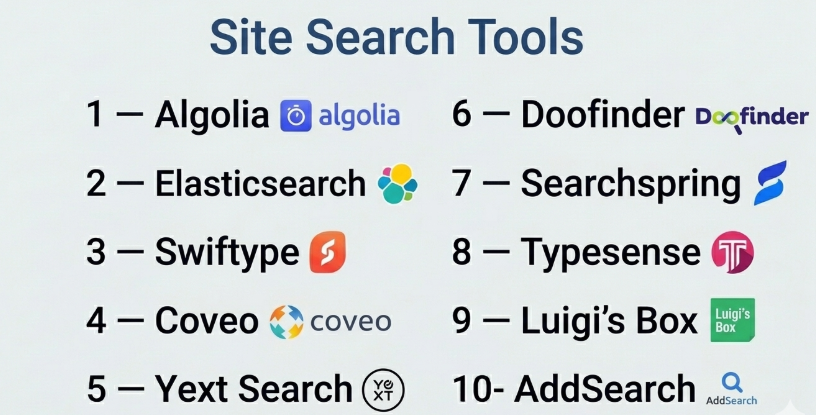
Top 10 Site Search Tools
#1 — Algolia
Short description: A leading site search platform known for its speed, developer-friendly APIs, and real-time search capabilities.
Key Features
- Instant search results
- Typo tolerance
- AI-powered relevance
- Autocomplete and suggestions
- Analytics dashboard
- Personalization features
- API-first architecture
Pros
- Extremely fast performance
- Easy to integrate
- Highly customizable
Cons
- Pricing can scale quickly
- Requires configuration
- Limited built-in UI components
Platforms / Deployment
Web / Cloud
Security & Compliance
Encryption; Compliance: Not publicly stated
Integrations & Ecosystem
Strong API ecosystem for modern web applications.
- Frontend frameworks
- CMS platforms
- APIs
- eCommerce tools
Support & Community
Extensive documentation and active developer community.
#2 — Elasticsearch (Site Search)
Short description: A powerful open-source search engine used to build custom site search solutions.
Key Features
- Full-text search
- Real-time indexing
- Scalability
- Custom relevance tuning
- Analytics capabilities
- REST APIs
- Distributed architecture
Pros
- Highly flexible
- Scalable for large datasets
- Open-source
Cons
- Requires technical expertise
- Complex setup
- No out-of-the-box UI
Platforms / Deployment
Web / Self-hosted / Cloud / Hybrid
Security & Compliance
SSO, RBAC; Compliance: Not publicly stated
Integrations & Ecosystem
Extensive integrations through APIs.
- Databases
- APIs
- SaaS tools
- Custom connectors
Support & Community
Large open-source community; enterprise support available.
#3 — Swiftype
Short description: A search solution designed for websites and apps, built on Elasticsearch.
Key Features
- Site search and app search
- Relevance tuning
- Analytics
- API integration
- Autocomplete
- Typo tolerance
Pros
- Easy to implement
- Fast performance
- Good for mid-sized sites
Cons
- Limited advanced AI features
- Smaller ecosystem
- Less flexible than raw Elasticsearch
Platforms / Deployment
Web / Cloud
Security & Compliance
Encryption; Compliance: Not publicly stated
Integrations & Ecosystem
API-based integrations.
- CMS platforms
- APIs
- Web applications
Support & Community
Good documentation; moderate community.
#4 — Coveo
Short description: An AI-powered search platform focused on personalization and relevance for websites and applications.
Key Features
- AI-driven search
- Personalization
- Analytics
- Machine learning models
- Omnichannel search
- Integration capabilities
Pros
- Strong personalization
- Advanced analytics
- Enterprise-ready
Cons
- Complex setup
- Premium pricing
- Requires expertise
Platforms / Deployment
Web / Cloud
Security & Compliance
SSO, encryption; Compliance: Not publicly stated
Integrations & Ecosystem
Enterprise integrations.
- CRM systems
- CMS platforms
- APIs
Support & Community
Enterprise support available.
#5 — Yext Search
Short description: A platform focused on delivering structured answers using a knowledge graph.
Key Features
- Structured data search
- Knowledge graph
- AI answers
- Analytics
- API access
- Content management
Pros
- Strong structured search
- Easy deployment
- Good analytics
Cons
- Limited flexibility
- Pricing concerns
- Smaller ecosystem
Platforms / Deployment
Web / Cloud
Security & Compliance
Encryption; Compliance: Not publicly stated
Integrations & Ecosystem
Moderate integrations.
- APIs
- SaaS tools
- Data platforms
Support & Community
Good support; smaller community.
#6 — Doofinder
Short description: A site search tool focused on eCommerce with fast implementation and strong UX features.
Key Features
- Product search
- Autocomplete
- AI recommendations
- Analytics
- Personalization
- Mobile optimization
Pros
- Easy setup
- Great for eCommerce
- Strong UX
Cons
- Limited outside eCommerce
- Customization constraints
- Smaller ecosystem
Platforms / Deployment
Web / Cloud
Security & Compliance
Encryption; Compliance: Not publicly stated
Integrations & Ecosystem
Focused integrations.
- eCommerce platforms
- APIs
- CMS tools
Support & Community
Good support; growing community.
#7 — Searchspring
Short description: A search and merchandising platform designed for online stores.
Key Features
- Product search
- Merchandising tools
- Personalization
- Analytics
- A/B testing
- Recommendations
Pros
- Strong eCommerce features
- Easy merchandising
- Good analytics
Cons
- Limited general use cases
- Pricing not transparent
- Requires setup
Platforms / Deployment
Web / Cloud
Security & Compliance
Encryption; Compliance: Not publicly stated
Integrations & Ecosystem
eCommerce-focused integrations.
- Shopify
- Magento
- APIs
Support & Community
Good support; niche community.
#8 — Typesense
Short description: An open-source, developer-friendly search engine focused on simplicity and speed.
Key Features
- Instant search
- Typo tolerance
- API-first design
- Open-source
- Easy setup
- Lightweight
Pros
- Simple to deploy
- Fast performance
- Developer-friendly
Cons
- Limited advanced features
- Smaller ecosystem
- Not enterprise-grade
Platforms / Deployment
Web / Self-hosted / Cloud
Security & Compliance
Encryption; Compliance: Not publicly stated
Integrations & Ecosystem
API-based integrations.
- APIs
- Web apps
- Custom integrations
Support & Community
Growing open-source community.
#9 — Luigi’s Box
Short description: A search and product discovery platform focused on eCommerce optimization.
Key Features
- Site search
- Product recommendations
- Analytics
- Personalization
- Autocomplete
- UX optimization
Pros
- Strong eCommerce focus
- Good personalization
- Easy integration
Cons
- Limited outside retail
- Pricing concerns
- Smaller ecosystem
Platforms / Deployment
Web / Cloud
Security & Compliance
Encryption; Compliance: Not publicly stated
Integrations & Ecosystem
eCommerce integrations.
- CMS platforms
- APIs
- Retail tools
Support & Community
Good support; niche community.
#10 — AddSearch
Short description: A simple and affordable site search solution for websites and small businesses.
Key Features
- Search box integration
- Autocomplete
- Analytics
- Customization
- Easy setup
- Indexing
Pros
- Affordable
- Easy to use
- Quick setup
Cons
- Limited advanced features
- Not suitable for large-scale use
- Basic analytics
Platforms / Deployment
Web / Cloud
Security & Compliance
Encryption; Compliance: Not publicly stated
Integrations & Ecosystem
Basic integrations.
- CMS platforms
- APIs
- Website builders
Support & Community
Good support; smaller community.
Comparison Table (Top 10)
| Tool Name | Best For | Platform(s) Supported | Deployment | Standout Feature | Public Rating |
|---|---|---|---|---|---|
| Algolia | Developers | Web | Cloud | Speed | N/A |
| Elasticsearch | Custom search | Web | Hybrid | Flexibility | N/A |
| Swiftype | Websites | Web | Cloud | Easy setup | N/A |
| Coveo | Enterprise | Web | Cloud | AI personalization | N/A |
| Yext Search | Structured data | Web | Cloud | Knowledge graph | N/A |
| Doofinder | eCommerce | Web | Cloud | UX optimization | N/A |
| Searchspring | Online stores | Web | Cloud | Merchandising | N/A |
| Typesense | Developers | Web | Hybrid | Simplicity | N/A |
| Luigi’s Box | Retail | Web | Cloud | Personalization | N/A |
| AddSearch | Small sites | Web | Cloud | Affordability | N/A |
Evaluation & Scoring of Site Search Tools
| Tool Name | Core (25%) | Ease (15%) | Integrations (15%) | Security (10%) | Performance (10%) | Support (10%) | Value (15%) | Weighted Total |
|---|---|---|---|---|---|---|---|---|
| Algolia | 9 | 8 | 9 | 7 | 9 | 8 | 7 | 8.3 |
| Elasticsearch | 9 | 5 | 9 | 8 | 9 | 7 | 8 | 8.0 |
| Swiftype | 8 | 8 | 7 | 7 | 8 | 7 | 7 | 7.6 |
| Coveo | 9 | 6 | 8 | 8 | 8 | 8 | 6 | 7.8 |
| Yext Search | 8 | 8 | 7 | 7 | 7 | 7 | 7 | 7.5 |
| Doofinder | 7 | 9 | 7 | 7 | 8 | 7 | 8 | 7.7 |
| Searchspring | 8 | 8 | 7 | 7 | 8 | 7 | 7 | 7.6 |
| Typesense | 7 | 8 | 7 | 7 | 8 | 6 | 9 | 7.6 |
| Luigi’s Box | 7 | 8 | 7 | 7 | 8 | 7 | 7 | 7.5 |
| AddSearch | 6 | 9 | 6 | 7 | 7 | 7 | 9 | 7.3 |
How to interpret the scores:
- Scores are relative across tools in this category.
- Higher scores indicate stronger overall performance.
- Developer tools score high in flexibility but lower in ease.
- SaaS tools score higher in usability.
- Choose based on your specific use case and scale.
Which Site Search Tool Is Right for You?
Solo / Freelancer
- Best choices: AddSearch, Typesense
- Focus on simplicity and affordability.
SMB
- Best choices: Doofinder, Swiftype
- Balance between features and cost.
Mid-Market
- Best choices: Algolia, Searchspring
- Focus on performance and analytics.
Enterprise
- Best choices: Coveo, Elasticsearch
- Focus on scalability and customization.
Budget vs Premium
- Budget: AddSearch, Typesense
- Premium: Coveo, Algolia
Feature Depth vs Ease of Use
- Deep features: Elasticsearch, Coveo
- Easy tools: AddSearch, Doofinder
Integrations & Scalability
- Strong: Algolia, Elasticsearch
- Moderate: Others
Security & Compliance Needs
- Enterprise-grade: Elasticsearch, Coveo
- Moderate: Others
Frequently Asked Questions (FAQs)
What is a site search tool?
It is a tool that enables users to search content within a website.
How is it different from enterprise search?
Site search is limited to a website; enterprise search covers all organizational data.
Do I need coding skills?
Some tools require developers, while others are plug-and-play.
Can it improve conversions?
Yes, better search leads to higher engagement and conversions.
Does it support AI?
Many modern tools include AI-based search and recommendations.
Can it integrate with CMS?
Yes, most tools support CMS integrations.
Is it expensive?
Pricing varies based on usage and features.
How fast is implementation?
Some tools can be set up in hours.
What about mobile search?
Most tools support mobile optimization.
Can I switch tools later?
Yes, but migration requires planning.
Conclusion
Site Search Tools are essential for delivering fast, relevant, and intuitive user experiences. Whether you choose a developer-focused solution like Elasticsearch or a plug-and-play tool like AddSearch, the right choice depends on your technical capabilities, scale, and goals.
