Introduction
Diagramming tools are software applications used to visually represent processes, systems, relationships, and ideas through flowcharts, mind maps, wireframes, and technical diagrams. These tools help simplify complex information, making it easier to understand, communicate, and collaborate across teams.
As businesses increasingly rely on visual communication for planning, documentation, and decision-making, diagramming tools have evolved with cloud collaboration, AI-assisted diagram creation, and integration with productivity ecosystems. From software architecture diagrams to business process flows, these tools are essential across industries.
Common use cases include:
- Flowcharts and process mapping
- Software architecture and system design
- Network diagrams and infrastructure planning
- Mind mapping and brainstorming
- Wireframing and UI planning
What buyers should evaluate:
- Diagram types supported (flowcharts, UML, ER diagrams, etc.)
- Ease of use and learning curve
- Collaboration and real-time editing
- Template and shape libraries
- Integration with productivity tools
- Performance with complex diagrams
- Export and sharing options
- Platform availability (web, desktop, mobile)
- Pricing and licensing model
Best for: Developers, IT teams, business analysts, product managers, educators, and organizations that rely on visual documentation and planning.
Not ideal for: Users who only need simple note-taking or text-based documentation; basic tools may suffice in those cases.
Key Trends in Diagramming Tools
- AI-assisted diagram creation: Automatic layout generation and smart suggestions for faster diagram building.
- Cloud-based collaboration: Real-time editing, commenting, and team workflows.
- Integration with productivity tools: Seamless workflows with project management and documentation platforms.
- Template-driven workflows: Pre-built templates for faster diagram creation.
- Cross-platform accessibility: Web-based tools accessible from any device.
- Interactive diagrams: Embedding links, data, and dynamic elements.
- Version control and history tracking: Improved collaboration and change management.
- API and extensibility: Custom integrations for enterprise workflows.
- Security enhancements: SSO, MFA, and role-based access controls in enterprise tools.
How We Selected These Tools (Methodology)
- Evaluated market adoption and popularity
- Assessed range of diagram types supported
- Considered ease of use and onboarding experience
- Reviewed collaboration and sharing features
- Analyzed integration capabilities
- Included tools for different user segments (individuals to enterprises)
- Balanced cloud-based, desktop, and open-source options
- Considered performance with large and complex diagrams
- Factored in community support and documentation quality
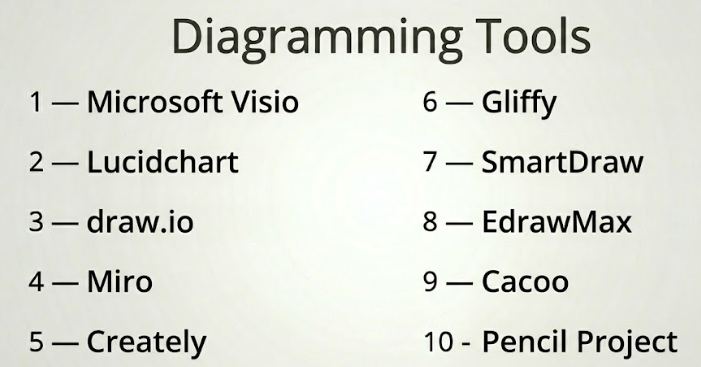
Top 10 Diagramming Tools Tools
#1 — Microsoft Visio
Short description: A professional diagramming tool widely used for business process mapping, network diagrams, and technical documentation.
Key Features
- Extensive diagram templates
- Advanced shape libraries
- Data-linked diagrams
- Integration with productivity tools
- Collaboration features
- Custom diagram creation
Pros
- Powerful and versatile
- Strong enterprise adoption
Cons
- Expensive licensing
- Learning curve
Platforms / Deployment
Windows / Web
Security & Compliance
SSO, MFA; others not publicly stated
Integrations & Ecosystem
Microsoft Visio integrates deeply into enterprise workflows.
- Integration with Office tools
- Cloud storage
- Data visualization tools
Support & Community
Extensive documentation and enterprise support.
#2 — Lucidchart
Short description: A cloud-based diagramming tool known for its ease of use and strong collaboration features.
Key Features
- Drag-and-drop interface
- Real-time collaboration
- Templates and shape libraries
- Integration with productivity tools
- Data linking
- Version control
Pros
- Easy to use
- Excellent collaboration
Cons
- Subscription pricing
- Limited offline access
Platforms / Deployment
Web
Security & Compliance
SSO, MFA; others not publicly stated
Integrations & Ecosystem
- Integration with Google Workspace
- Integration with Microsoft tools
- API support
- Cloud storage
Support & Community
Strong documentation and active user base.
#3 — draw.io (diagrams.net)
Short description: A free, web-based diagramming tool offering robust features for individuals and teams.
Key Features
- Flowcharts and UML diagrams
- Drag-and-drop interface
- Offline mode
- Integration with cloud storage
- Custom shape libraries
Pros
- Free to use
- Flexible deployment
Cons
- Basic UI
- Limited advanced features
Platforms / Deployment
Web / Windows / macOS / Linux
Security & Compliance
Not publicly stated
Integrations & Ecosystem
- Google Drive integration
- OneDrive integration
- File export options
Support & Community
Large user base and active community.
#4 — Miro
Short description: A collaborative online whiteboard platform with diagramming capabilities for teams and workshops.
Key Features
- Infinite canvas
- Collaboration tools
- Templates
- Sticky notes and diagrams
- Integration with productivity tools
Pros
- Excellent for collaboration
- Flexible use cases
Cons
- Not specialized for technical diagrams
- Can get cluttered
Platforms / Deployment
Web / Windows / macOS / iOS / Android
Security & Compliance
SSO, MFA; others not publicly stated
Integrations & Ecosystem
- Project management tools
- Communication platforms
- API integrations
Support & Community
Strong community and documentation.
#5 — Creately
Short description: A diagramming and collaboration tool combining visual diagrams with data-driven workflows.
Key Features
- Diagram templates
- Real-time collaboration
- Data linking
- Visual database
- Workflow tools
Pros
- Easy to use
- Good collaboration features
Cons
- Limited advanced features
- Performance can vary
Platforms / Deployment
Web / Windows / macOS
Security & Compliance
Not publicly stated
Integrations & Ecosystem
- Cloud integrations
- Data tools
- Export features
Support & Community
Moderate documentation and community.
#6 — Gliffy
Short description: A browser-based diagramming tool often used within collaboration platforms.
Key Features
- Drag-and-drop interface
- Templates
- Integration with team tools
- Version control
- Diagram sharing
Pros
- Simple and intuitive
- Good for team environments
Cons
- Limited advanced features
- Subscription-based
Platforms / Deployment
Web
Security & Compliance
Not publicly stated
Integrations & Ecosystem
- Integration with collaboration tools
- Cloud storage
- Export options
Support & Community
Moderate support and documentation.
#7 — SmartDraw
Short description: A diagramming tool focused on automation and ease of use for business diagrams.
Key Features
- Automated diagram creation
- Templates and symbols
- Integration with productivity tools
- Data import
- Export options
Pros
- Fast diagram creation
- Easy to use
Cons
- Limited customization
- Subscription pricing
Platforms / Deployment
Web / Windows
Security & Compliance
Not publicly stated
Integrations & Ecosystem
- Microsoft integration
- Cloud tools
- Export formats
Support & Community
Good documentation and support.
#8 — EdrawMax
Short description: A versatile diagramming tool supporting a wide range of diagram types for different industries.
Key Features
- Extensive template library
- Multiple diagram types
- Cross-platform support
- Collaboration tools
- Export options
Pros
- Wide feature set
- Supports many diagram types
Cons
- Interface complexity
- Performance issues with large diagrams
Platforms / Deployment
Windows / macOS / Linux / Web
Security & Compliance
Not publicly stated
Integrations & Ecosystem
- Cloud storage
- Export tools
- Template libraries
Support & Community
Moderate community and documentation.
#9 — Cacoo
Short description: A collaborative diagramming tool designed for teams working on shared projects.
Key Features
- Real-time collaboration
- Templates
- Comments and feedback
- Version history
- Sharing tools
Pros
- Strong collaboration features
- Easy to use
Cons
- Limited advanced diagramming
- Subscription pricing
Platforms / Deployment
Web
Security & Compliance
Not publicly stated
Integrations & Ecosystem
- Team collaboration tools
- Cloud integrations
- Export features
Support & Community
Moderate documentation and support.
#10 — Pencil Project
Short description: An open-source diagramming and prototyping tool suitable for basic diagram creation.
Key Features
- Wireframing tools
- Diagram creation
- Templates
- Export options
- Open-source flexibility
Pros
- Free and open-source
- Simple to use
Cons
- Limited advanced features
- Outdated interface
Platforms / Deployment
Windows / macOS / Linux
Security & Compliance
Not publicly stated
Integrations & Ecosystem
- Open-source extensions
- Export tools
- Basic integrations
Support & Community
Small but active open-source community.
Comparison Table (Top 10)
| Tool Name | Best For | Platform(s) Supported | Deployment | Standout Feature | Public Rating |
|---|---|---|---|---|---|
| Microsoft Visio | Enterprise diagrams | Win/Web | Hybrid | Data-linked diagrams | N/A |
| Lucidchart | Collaboration | Web | Cloud | Real-time editing | N/A |
| draw.io | Free users | Web/Win/macOS/Linux | Hybrid | Free and flexible | N/A |
| Miro | Team collaboration | Web/Win/macOS/iOS/Android | Cloud | Infinite canvas | N/A |
| Creately | Workflow diagrams | Web/Win/macOS | Hybrid | Data-driven diagrams | N/A |
| Gliffy | Simple diagrams | Web | Cloud | Ease of use | N/A |
| SmartDraw | Automated diagrams | Web/Windows | Hybrid | Automation | N/A |
| EdrawMax | Multi-purpose diagrams | Win/macOS/Linux/Web | Hybrid | Wide diagram support | N/A |
| Cacoo | Team projects | Web | Cloud | Collaboration | N/A |
| Pencil Project | Open-source users | Win/macOS/Linux | Desktop | Free prototyping | N/A |
Evaluation & Scoring of Diagramming Tools
| Tool Name | Core | Ease | Integrations | Security | Performance | Support | Value | Weighted Total |
|---|---|---|---|---|---|---|---|---|
| Microsoft Visio | 10 | 7 | 10 | 8 | 9 | 10 | 7 | 8.8 |
| Lucidchart | 9 | 9 | 9 | 8 | 8 | 9 | 8 | 8.6 |
| draw.io | 8 | 8 | 7 | 6 | 7 | 8 | 10 | 7.9 |
| Miro | 8 | 9 | 8 | 8 | 8 | 9 | 7 | 8.3 |
| Creately | 7 | 8 | 7 | 6 | 7 | 7 | 7 | 7.2 |
| Gliffy | 7 | 8 | 6 | 6 | 7 | 7 | 7 | 7.1 |
| SmartDraw | 8 | 8 | 7 | 6 | 8 | 7 | 7 | 7.5 |
| EdrawMax | 8 | 7 | 7 | 6 | 7 | 7 | 7 | 7.3 |
| Cacoo | 7 | 8 | 7 | 6 | 7 | 7 | 7 | 7.2 |
| Pencil Project | 6 | 7 | 5 | 6 | 6 | 6 | 10 | 6.8 |
How to interpret:
- Scores are relative comparisons across tools.
- Higher scores indicate better balance across features and usability.
- Core features and integrations have the highest weight.
- Value reflects cost vs functionality.
- Choose based on your workflow needs.
Which Diagramming Tools Tool Is Right for You?
Solo / Freelancer
- Best: draw.io, Miro
- Focus on flexibility and cost
SMB
- Best: Lucidchart, SmartDraw
- Balance usability and collaboration
Mid-Market
- Best: Miro, Creately
- Strong team workflows
Enterprise
- Best: Microsoft Visio
- Advanced features and integrations
Budget vs Premium
- Budget: draw.io, Pencil Project
- Premium: Visio, Lucidchart
Feature Depth vs Ease of Use
- Deep control: Visio, EdrawMax
- Ease: Lucidchart, Miro
Integrations & Scalability
- Strongest: Visio, Lucidchart
- Moderate: Miro, Creately
Security & Compliance Needs
- Enterprise tools offer SSO/MFA
- Open-source tools may lack compliance visibility
Frequently Asked Questions (FAQs)
What are diagramming tools?
Software used to create visual representations like flowcharts and system diagrams.
Are diagramming tools necessary?
Yes, for teams that rely on visual communication and planning.
Are free tools available?
Yes, draw.io and Pencil Project are popular free options.
Can I collaborate in real time?
Yes, most cloud-based tools support collaboration.
What diagram types are supported?
Flowcharts, UML, ER diagrams, and more.
Do I need technical skills?
Basic tools are beginner-friendly; advanced tools may require learning.
Can I export diagrams?
Yes, most tools support formats like PDF and PNG.
Are these tools secure?
Some offer enterprise security features; others do not publicly state details.
Can I switch tools easily?
Possible, but formats may not always transfer perfectly.
What are common mistakes?
Choosing tools without considering workflow and collaboration needs.
Conclusion
Diagramming tools play a vital role in simplifying complex ideas and improving collaboration across teams. With features like AI assistance, real-time collaboration, and integrations, these tools are essential in modern workflows.
