Introduction
Motion Capture Software (often referred to as mocap software) is used to record and translate real-world human movement into digital data. This data can then be applied to 3D characters, animations, simulations, and interactive experiences. It plays a critical role across industries such as gaming, film production, virtual reality, sports science, and healthcare.
With rapid advancements in AI, computer vision, and real-time rendering, motion capture has become more accessible and versatile. What was once limited to large studios with expensive hardware is now available to indie creators, small teams, and even solo developers using markerless or camera-based solutions.
Common Use Cases
- Game Development: Creating realistic character animations and physics-driven movements
- Film & VFX: Capturing performances for CGI characters and virtual production
- AR/VR Experiences: Enabling immersive, real-time avatar interaction
- Healthcare & Biomechanics: Movement analysis for rehabilitation and performance tracking
- Virtual Influencers & Live Streaming: Driving digital avatars in real time
What Buyers Should Evaluate
- Capture type (marker-based, inertial, or markerless AI)
- Accuracy and tracking fidelity
- Real-time vs offline processing
- Hardware requirements and compatibility
- Integration with engines (Unity, Unreal Engine, Blender)
- Ease of setup and calibration
- Multi-actor and environment support
- Export formats (FBX, BVH, etc.)
- Pricing model (subscription vs one-time)
- Support and documentation quality
Best for: Game developers, animation studios, VFX teams, AR/VR creators, research labs, and virtual production teams seeking realistic motion data.
Not ideal for: Teams that only need simple animations or pre-built assets. In those cases, traditional animation tools or asset libraries may be more efficient and cost-effective.
Key Trends in Motion Capture Software
- AI-driven markerless capture: Eliminates suits and sensors using computer vision
- Real-time streaming pipelines: Direct integration into game engines and virtual production setups
- Cloud-based processing: Enables remote collaboration and scalable workflows
- Affordable mocap solutions: Lower entry barriers for indie creators and small teams
- Full-body + facial capture integration: Unified performance capture systems
- Generative AI enhancements: Automatic motion cleanup, interpolation, and retargeting
- Cross-platform interoperability: Seamless workflows across multiple tools and engines
- Edge computing for low latency: Improved responsiveness in real-time applications
- Flexible pricing models: Subscription-based and usage-based options becoming common
- Improved usability: Simplified interfaces for non-technical users
How We Selected These Tools (Methodology)
The tools included in this list were evaluated based on:
- Strong industry adoption and recognition across gaming, film, and research
- Comprehensive feature sets covering capture, processing, and export
- Proven performance and reliability in production environments
- Availability of real-time capabilities
- Compatibility with major 3D engines and animation pipelines
- Flexibility across different team sizes and budgets
- Active development and ongoing product improvements
- Strength of community and ecosystem support
- Hardware compatibility and innovation in tracking methods
- Suitability across multiple use cases and industries
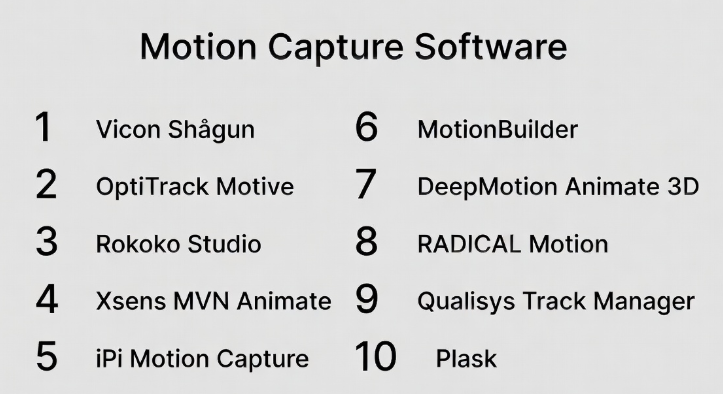
Top 10 Motion Capture Software Tools
#1 — Vicon Shōgun
Short description: A high-end motion capture system used in film, AAA gaming, and scientific research, known for precision and scalability.
Key Features
- Marker-based tracking with high accuracy
- Real-time motion visualization
- Advanced calibration and capture tools
- Multi-actor tracking support
- High frame-rate performance
- Data cleanup and editing tools
- Large-scale studio support
Pros
- Extremely precise and reliable
- Suitable for complex environments
- Trusted in professional studios
Cons
- High cost of hardware and setup
- Requires specialized expertise
- Not suitable for small teams
Platforms / Deployment
Windows / Self-hosted
Security & Compliance
Not publicly stated
Integrations & Ecosystem
Widely integrated into professional animation pipelines and production workflows.
- Unreal Engine
- Unity
- MotionBuilder
- Maya
- FBX/BVH export
Support & Community
Enterprise-grade support with strong documentation and training resources.
#2 — OptiTrack Motive
Short description: A flexible motion capture platform used in research, VR, and animation projects with customizable hardware setups.
Key Features
- High-resolution camera tracking
- Real-time streaming
- Rigid body and skeleton tracking
- Low-latency performance
- Calibration tools
- Multi-device synchronization
Pros
- Flexible and scalable setups
- Strong performance in VR environments
- Reliable tracking quality
Cons
- Hardware dependent
- Setup complexity
- Cost varies significantly
Platforms / Deployment
Windows / Self-hosted
Security & Compliance
Not publicly stated
Integrations & Ecosystem
Offers strong integration with simulation and development tools.
- Unity
- Unreal Engine
- MATLAB
- VR systems
- SDK access
Support & Community
Well-documented with strong presence in research communities.
#3 — Rokoko Studio
Short description: A user-friendly motion capture platform paired with wearable suits, designed for indie creators and small studios.
Key Features
- Real-time motion capture
- Cloud-based workflows
- Facial and finger tracking
- Motion library
- Easy retargeting tools
- Live streaming support
Pros
- Easy to use and set up
- Affordable compared to enterprise tools
- Good for beginners and small teams
Cons
- Lower precision than high-end systems
- Requires Rokoko hardware
- Limited advanced customization
Platforms / Deployment
Windows / macOS / Cloud
Security & Compliance
Not publicly stated
Integrations & Ecosystem
Integrates well with common creative tools and engines.
- Blender
- Unity
- Unreal Engine
- MotionBuilder
- API support
Support & Community
Active community with tutorials and responsive support.
#4 — Xsens MVN Animate
Short description: A professional inertial motion capture system offering portable and high-quality tracking for production environments.
Key Features
- Markerless inertial tracking
- Wireless suit system
- Real-time data capture
- Multi-actor support
- Portable setup
- High-quality motion output
Pros
- Works in any environment
- Portable and flexible
- Strong data quality
Cons
- Expensive
- Requires calibration
- Limited facial capture
Platforms / Deployment
Windows / Self-hosted
Security & Compliance
Not publicly stated
Integrations & Ecosystem
Supports integration with major animation tools.
- Unreal Engine
- Unity
- Maya
- MotionBuilder
- SDK tools
Support & Community
Strong enterprise support and widespread adoption.
#5 — iPi Motion Capture
Short description: A budget-friendly motion capture solution using depth cameras, suitable for small studios and hobbyists.
Key Features
- Markerless capture using cameras
- Multi-sensor support
- Offline processing
- Skeleton tracking
- Affordable pricing
- No suit required
Pros
- Low cost
- No specialized hardware required
- Suitable for small teams
Cons
- Lower accuracy
- Not real-time
- Setup complexity
Platforms / Deployment
Windows
Security & Compliance
Not publicly stated
Integrations & Ecosystem
Supports export and integration with common tools.
- FBX export
- Unity
- Unreal Engine
- Blender
Support & Community
Moderate documentation and community support.
#6 — MotionBuilder
Short description: A professional tool for editing, refining, and retargeting motion capture data within animation pipelines.
Key Features
- Real-time animation editing
- Motion retargeting
- Character rigging
- Data cleanup tools
- Multi-character workflows
- Live linking capabilities
Pros
- Industry-standard editing tool
- Powerful data refinement
- Strong integration capabilities
Cons
- Not a capture tool
- Complex interface
- Higher cost
Platforms / Deployment
Windows
Security & Compliance
Not publicly stated
Integrations & Ecosystem
Widely used across animation and game development workflows.
- Maya
- Unreal Engine
- Unity
- FBX pipelines
Support & Community
Large user base with extensive documentation.
#7 — DeepMotion Animate 3D
Short description: An AI-based motion capture tool that converts video into animation without requiring specialized hardware.
Key Features
- Markerless AI tracking
- Video-to-animation conversion
- Cloud processing
- Automatic rigging
- Motion smoothing
- Browser-based interface
Pros
- No hardware required
- Fast and easy setup
- Accessible for beginners
Cons
- Limited precision
- Depends on video quality
- Requires internet access
Platforms / Deployment
Web / Cloud
Security & Compliance
Not publicly stated
Integrations & Ecosystem
Supports export to popular animation tools.
- FBX export
- Unity
- Unreal Engine
- Blender
Support & Community
Growing ecosystem with simple onboarding.
#8 — RADiCAL Motion
Short description: A browser-based AI motion capture solution that uses standard video input for quick animation generation.
Key Features
- AI-powered motion tracking
- No suits or markers required
- Cloud-based processing
- Multi-person tracking
- Real-time preview
- Export-ready animations
Pros
- No hardware cost
- Easy to use
- Fast results
Cons
- Lower accuracy
- Internet dependency
- Limited advanced features
Platforms / Deployment
Web / Cloud
Security & Compliance
Not publicly stated
Integrations & Ecosystem
Provides flexible export and API capabilities.
- FBX export
- Unity
- Unreal Engine
- API support
Support & Community
Moderate support with a growing user base.
#9 — Qualisys Track Manager
Short description: A high-precision motion capture platform designed for biomechanics, research, and scientific applications.
Key Features
- High-accuracy tracking
- Real-time visualization
- Multi-camera systems
- Data synchronization
- Advanced analytics tools
- Research-grade performance
Pros
- Extremely accurate
- Ideal for scientific analysis
- Robust data tools
Cons
- Expensive
- Complex setup
- Requires specialized hardware
Platforms / Deployment
Windows
Security & Compliance
Not publicly stated
Integrations & Ecosystem
Supports research and simulation environments.
- MATLAB
- Unity
- Unreal Engine
- SDK tools
Support & Community
Strong academic support and documentation.
#10 — Plask
Short description: A lightweight, browser-based motion capture tool designed for quick animations and beginner-friendly workflows.
Key Features
- AI-based motion capture
- Browser interface
- Animation editing tools
- Motion library
- Export capabilities
- Easy sharing
Pros
- Simple and fast
- No setup required
- Great for beginners
Cons
- Limited advanced features
- Not suitable for large productions
- Lower accuracy
Platforms / Deployment
Web / Cloud
Security & Compliance
Not publicly stated
Integrations & Ecosystem
Supports integration with basic animation workflows.
- FBX export
- Unity
- Blender
Support & Community
Basic support with a growing community.
Comparison Table (Top 10)
| Tool Name | Best For | Platform(s) Supported | Deployment | Standout Feature | Public Rating |
|---|---|---|---|---|---|
| Vicon Shōgun | Enterprise studios | Windows | Self-hosted | High-precision tracking | N/A |
| OptiTrack Motive | Research & VR | Windows | Self-hosted | Flexible tracking systems | N/A |
| Rokoko Studio | Indie creators | Windows, macOS | Cloud/Hybrid | Ease of use | N/A |
| Xsens MVN Animate | Production teams | Windows | Self-hosted | Portable inertial tracking | N/A |
| iPi Motion Capture | Budget users | Windows | Local | No suit required | N/A |
| MotionBuilder | Animation pipelines | Windows | Local | Motion editing | N/A |
| DeepMotion Animate 3D | AI workflows | Web | Cloud | Video-to-animation | N/A |
| RADiCAL Motion | Quick mocap | Web | Cloud | No hardware needed | N/A |
| Qualisys Track Manager | Research labs | Windows | Self-hosted | Scientific accuracy | N/A |
| Plask | Beginners | Web | Cloud | Simplicity | N/A |
Evaluation & Scoring of Motion Capture Software
| Tool Name | Core (25%) | Ease (15%) | Integrations (15%) | Security (10%) | Performance (10%) | Support (10%) | Value (15%) | Weighted Total |
|---|---|---|---|---|---|---|---|---|
| Vicon Shōgun | 10 | 6 | 9 | 6 | 10 | 9 | 5 | 8.1 |
| OptiTrack Motive | 9 | 6 | 8 | 6 | 9 | 8 | 6 | 7.7 |
| Rokoko Studio | 7 | 9 | 8 | 5 | 7 | 8 | 9 | 7.9 |
| Xsens MVN Animate | 9 | 7 | 8 | 6 | 9 | 8 | 6 | 8.0 |
| iPi Motion Capture | 6 | 7 | 7 | 5 | 6 | 6 | 9 | 6.9 |
| MotionBuilder | 9 | 6 | 9 | 6 | 9 | 9 | 6 | 8.0 |
| DeepMotion Animate 3D | 7 | 9 | 7 | 5 | 7 | 7 | 8 | 7.6 |
| RADiCAL Motion | 6 | 9 | 7 | 5 | 6 | 6 | 9 | 7.2 |
| Qualisys Track Manager | 10 | 5 | 8 | 6 | 10 | 8 | 5 | 7.9 |
| Plask | 5 | 10 | 6 | 5 | 6 | 6 | 9 | 7.0 |
How to interpret the scores:
- These scores are comparative benchmarks, not absolute ratings.
- Enterprise tools score higher in performance and precision, but lower in ease and cost.
- AI-based tools rank higher in ease of use and accessibility, but lower in accuracy.
- The best choice depends on your specific workflow and priorities, not just the total score.
Which Motion Capture Software Is Right for You?
Solo / Freelancer
If you’re working independently or experimenting with animation:
- Choose Plask, DeepMotion, or RADiCAL Motion
- Focus on ease of use, low cost, and minimal setup
SMB
For small teams building games or content:
- Choose Rokoko Studio or iPi Motion Capture
- Balance affordability with functional capabilities
Mid-Market
For growing studios and production teams:
- Choose Xsens MVN Animate or OptiTrack Motive
- Prioritize better accuracy and scalability
Enterprise
For large studios and research labs:
- Choose Vicon Shōgun or Qualisys Track Manager
- Focus on precision, performance, and reliability
Budget vs Premium
- Budget-friendly: Plask, RADiCAL Motion, iPi Motion Capture
- Premium solutions: Vicon Shōgun, Xsens MVN Animate, Qualisys
Feature Depth vs Ease of Use
- Advanced features: MotionBuilder, Vicon
- Ease of use: Plask, DeepMotion
Integrations & Scalability
- Strong ecosystems: Vicon, Xsens, MotionBuilder
- Lightweight workflows: AI-based tools
Security & Compliance Needs
- Most tools: Not publicly stated
- Enterprises should validate internal compliance requirements before adoption
Frequently Asked Questions (FAQs)
What is motion capture software?
It is software that records human movement and converts it into digital animation data for use in games, films, and simulations.
How much does motion capture software cost?
Costs vary widely—from free or low-cost AI tools to expensive enterprise systems requiring specialized hardware.
Do I need special hardware?
Some tools require suits or cameras, while AI-based tools only need standard video input.
What is markerless motion capture?
It uses AI and computer vision to track movement without physical markers or suits.
Is motion capture real-time?
Some tools support real-time capture, while others process motion data after recording.
Which industries use motion capture?
Gaming, film, healthcare, sports science, AR/VR, and education are key industries.
Is motion capture difficult to learn?
Beginner tools are easy to learn, but professional systems may require training.
How accurate are AI-based tools?
They are improving rapidly but still less precise than hardware-based systems.
What file formats are supported?
Common formats include FBX, BVH, and CSV for compatibility with animation tools.
Can I switch between tools easily?
Switching is possible if export formats are compatible, but workflow adjustments may be needed.
Conclusion
Motion capture software has evolved into a diverse ecosystem that serves a wide range of users—from solo creators to enterprise studios. The right choice depends on your budget, required accuracy, workflow complexity, and integration needs.
- Use AI-based tools for accessibility and speed
- Use inertial systems for flexibility
- Use marker-based systems for maximum precision
There is no single “best” tool—only the one that best fits your use case.Introduction
Motion Capture Software (often referred to as mocap software) is used to record and translate real-world human movement into digital data. This data can then be applied to 3D characters, animations, simulations, and interactive experiences. It plays a critical role across industries such as gaming, film production, virtual reality, sports science, and healthcare.
With rapid advancements in AI, computer vision, and real-time rendering, motion capture has become more accessible and versatile. What was once limited to large studios with expensive hardware is now available to indie creators, small teams, and even solo developers using markerless or camera-based solutions.
Common Use Cases
- Game Development: Creating realistic character animations and physics-driven movements
- Film & VFX: Capturing performances for CGI characters and virtual production
- AR/VR Experiences: Enabling immersive, real-time avatar interaction
- Healthcare & Biomechanics: Movement analysis for rehabilitation and performance tracking
- Virtual Influencers & Live Streaming: Driving digital avatars in real time
What Buyers Should Evaluate
- Capture type (marker-based, inertial, or markerless AI)
- Accuracy and tracking fidelity
- Real-time vs offline processing
- Hardware requirements and compatibility
- Integration with engines (Unity, Unreal Engine, Blender)
- Ease of setup and calibration
- Multi-actor and environment support
- Export formats (FBX, BVH, etc.)
- Pricing model (subscription vs one-time)
- Support and documentation quality
Best for: Game developers, animation studios, VFX teams, AR/VR creators, research labs, and virtual production teams seeking realistic motion data.
Not ideal for: Teams that only need simple animations or pre-built assets. In those cases, traditional animation tools or asset libraries may be more efficient and cost-effective.
Key Trends in Motion Capture Software
- AI-driven markerless capture: Eliminates suits and sensors using computer vision
- Real-time streaming pipelines: Direct integration into game engines and virtual production setups
- Cloud-based processing: Enables remote collaboration and scalable workflows
- Affordable mocap solutions: Lower entry barriers for indie creators and small teams
- Full-body + facial capture integration: Unified performance capture systems
- Generative AI enhancements: Automatic motion cleanup, interpolation, and retargeting
- Cross-platform interoperability: Seamless workflows across multiple tools and engines
- Edge computing for low latency: Improved responsiveness in real-time applications
- Flexible pricing models: Subscription-based and usage-based options becoming common
- Improved usability: Simplified interfaces for non-technical users
How We Selected These Tools (Methodology)
The tools included in this list were evaluated based on:
- Strong industry adoption and recognition across gaming, film, and research
- Comprehensive feature sets covering capture, processing, and export
- Proven performance and reliability in production environments
- Availability of real-time capabilities
- Compatibility with major 3D engines and animation pipelines
- Flexibility across different team sizes and budgets
- Active development and ongoing product improvements
- Strength of community and ecosystem support
- Hardware compatibility and innovation in tracking methods
- Suitability across multiple use cases and industries
Top 10 Motion Capture Software Tools
#1 — Vicon Shōgun
Short description: A high-end motion capture system used in film, AAA gaming, and scientific research, known for precision and scalability.
Key Features
- Marker-based tracking with high accuracy
- Real-time motion visualization
- Advanced calibration and capture tools
- Multi-actor tracking support
- High frame-rate performance
- Data cleanup and editing tools
- Large-scale studio support
Pros
- Extremely precise and reliable
- Suitable for complex environments
- Trusted in professional studios
Cons
- High cost of hardware and setup
- Requires specialized expertise
- Not suitable for small teams
Platforms / Deployment
Windows / Self-hosted
Security & Compliance
Not publicly stated
Integrations & Ecosystem
Widely integrated into professional animation pipelines and production workflows.
- Unreal Engine
- Unity
- MotionBuilder
- Maya
- FBX/BVH export
Support & Community
Enterprise-grade support with strong documentation and training resources.
#2 — OptiTrack Motive
Short description: A flexible motion capture platform used in research, VR, and animation projects with customizable hardware setups.
Key Features
- High-resolution camera tracking
- Real-time streaming
- Rigid body and skeleton tracking
- Low-latency performance
- Calibration tools
- Multi-device synchronization
Pros
- Flexible and scalable setups
- Strong performance in VR environments
- Reliable tracking quality
Cons
- Hardware dependent
- Setup complexity
- Cost varies significantly
Platforms / Deployment
Windows / Self-hosted
Security & Compliance
Not publicly stated
Integrations & Ecosystem
Offers strong integration with simulation and development tools.
- Unity
- Unreal Engine
- MATLAB
- VR systems
- SDK access
Support & Community
Well-documented with strong presence in research communities.
#3 — Rokoko Studio
Short description: A user-friendly motion capture platform paired with wearable suits, designed for indie creators and small studios.
Key Features
- Real-time motion capture
- Cloud-based workflows
- Facial and finger tracking
- Motion library
- Easy retargeting tools
- Live streaming support
Pros
- Easy to use and set up
- Affordable compared to enterprise tools
- Good for beginners and small teams
Cons
- Lower precision than high-end systems
- Requires Rokoko hardware
- Limited advanced customization
Platforms / Deployment
Windows / macOS / Cloud
Security & Compliance
Not publicly stated
Integrations & Ecosystem
Integrates well with common creative tools and engines.
- Blender
- Unity
- Unreal Engine
- MotionBuilder
- API support
Support & Community
Active community with tutorials and responsive support.
#4 — Xsens MVN Animate
Short description: A professional inertial motion capture system offering portable and high-quality tracking for production environments.
Key Features
- Markerless inertial tracking
- Wireless suit system
- Real-time data capture
- Multi-actor support
- Portable setup
- High-quality motion output
Pros
- Works in any environment
- Portable and flexible
- Strong data quality
Cons
- Expensive
- Requires calibration
- Limited facial capture
Platforms / Deployment
Windows / Self-hosted
Security & Compliance
Not publicly stated
Integrations & Ecosystem
Supports integration with major animation tools.
- Unreal Engine
- Unity
- Maya
- MotionBuilder
- SDK tools
Support & Community
Strong enterprise support and widespread adoption.
#5 — iPi Motion Capture
Short description: A budget-friendly motion capture solution using depth cameras, suitable for small studios and hobbyists.
Key Features
- Markerless capture using cameras
- Multi-sensor support
- Offline processing
- Skeleton tracking
- Affordable pricing
- No suit required
Pros
- Low cost
- No specialized hardware required
- Suitable for small teams
Cons
- Lower accuracy
- Not real-time
- Setup complexity
Platforms / Deployment
Windows
Security & Compliance
Not publicly stated
Integrations & Ecosystem
Supports export and integration with common tools.
- FBX export
- Unity
- Unreal Engine
- Blender
Support & Community
Moderate documentation and community support.
#6 — MotionBuilder
Short description: A professional tool for editing, refining, and retargeting motion capture data within animation pipelines.
Key Features
- Real-time animation editing
- Motion retargeting
- Character rigging
- Data cleanup tools
- Multi-character workflows
- Live linking capabilities
Pros
- Industry-standard editing tool
- Powerful data refinement
- Strong integration capabilities
Cons
- Not a capture tool
- Complex interface
- Higher cost
Platforms / Deployment
Windows
Security & Compliance
Not publicly stated
Integrations & Ecosystem
Widely used across animation and game development workflows.
- Maya
- Unreal Engine
- Unity
- FBX pipelines
Support & Community
Large user base with extensive documentation.
#7 — DeepMotion Animate 3D
Short description: An AI-based motion capture tool that converts video into animation without requiring specialized hardware.
Key Features
- Markerless AI tracking
- Video-to-animation conversion
- Cloud processing
- Automatic rigging
- Motion smoothing
- Browser-based interface
Pros
- No hardware required
- Fast and easy setup
- Accessible for beginners
Cons
- Limited precision
- Depends on video quality
- Requires internet access
Platforms / Deployment
Web / Cloud
Security & Compliance
Not publicly stated
Integrations & Ecosystem
Supports export to popular animation tools.
- FBX export
- Unity
- Unreal Engine
- Blender
Support & Community
Growing ecosystem with simple onboarding.
#8 — RADiCAL Motion
Short description: A browser-based AI motion capture solution that uses standard video input for quick animation generation.
Key Features
- AI-powered motion tracking
- No suits or markers required
- Cloud-based processing
- Multi-person tracking
- Real-time preview
- Export-ready animations
Pros
- No hardware cost
- Easy to use
- Fast results
Cons
- Lower accuracy
- Internet dependency
- Limited advanced features
Platforms / Deployment
Web / Cloud
Security & Compliance
Not publicly stated
Integrations & Ecosystem
Provides flexible export and API capabilities.
- FBX export
- Unity
- Unreal Engine
- API support
Support & Community
Moderate support with a growing user base.
#9 — Qualisys Track Manager
Short description: A high-precision motion capture platform designed for biomechanics, research, and scientific applications.
Key Features
- High-accuracy tracking
- Real-time visualization
- Multi-camera systems
- Data synchronization
- Advanced analytics tools
- Research-grade performance
Pros
- Extremely accurate
- Ideal for scientific analysis
- Robust data tools
Cons
- Expensive
- Complex setup
- Requires specialized hardware
Platforms / Deployment
Windows
Security & Compliance
Not publicly stated
Integrations & Ecosystem
Supports research and simulation environments.
- MATLAB
- Unity
- Unreal Engine
- SDK tools
Support & Community
Strong academic support and documentation.
#10 — Plask
Short description: A lightweight, browser-based motion capture tool designed for quick animations and beginner-friendly workflows.
Key Features
- AI-based motion capture
- Browser interface
- Animation editing tools
- Motion library
- Export capabilities
- Easy sharing
Pros
- Simple and fast
- No setup required
- Great for beginners
Cons
- Limited advanced features
- Not suitable for large productions
- Lower accuracy
Platforms / Deployment
Web / Cloud
Security & Compliance
Not publicly stated
Integrations & Ecosystem
Supports integration with basic animation workflows.
- FBX export
- Unity
- Blender
Support & Community
Basic support with a growing community.
Comparison Table (Top 10)
| Tool Name | Best For | Platform(s) Supported | Deployment | Standout Feature | Public Rating |
|---|---|---|---|---|---|
| Vicon Shōgun | Enterprise studios | Windows | Self-hosted | High-precision tracking | N/A |
| OptiTrack Motive | Research & VR | Windows | Self-hosted | Flexible tracking systems | N/A |
| Rokoko Studio | Indie creators | Windows, macOS | Cloud/Hybrid | Ease of use | N/A |
| Xsens MVN Animate | Production teams | Windows | Self-hosted | Portable inertial tracking | N/A |
| iPi Motion Capture | Budget users | Windows | Local | No suit required | N/A |
| MotionBuilder | Animation pipelines | Windows | Local | Motion editing | N/A |
| DeepMotion Animate 3D | AI workflows | Web | Cloud | Video-to-animation | N/A |
| RADiCAL Motion | Quick mocap | Web | Cloud | No hardware needed | N/A |
| Qualisys Track Manager | Research labs | Windows | Self-hosted | Scientific accuracy | N/A |
| Plask | Beginners | Web | Cloud | Simplicity | N/A |
Evaluation & Scoring of Motion Capture Software
| Tool Name | Core (25%) | Ease (15%) | Integrations (15%) | Security (10%) | Performance (10%) | Support (10%) | Value (15%) | Weighted Total |
|---|---|---|---|---|---|---|---|---|
| Vicon Shōgun | 10 | 6 | 9 | 6 | 10 | 9 | 5 | 8.1 |
| OptiTrack Motive | 9 | 6 | 8 | 6 | 9 | 8 | 6 | 7.7 |
| Rokoko Studio | 7 | 9 | 8 | 5 | 7 | 8 | 9 | 7.9 |
| Xsens MVN Animate | 9 | 7 | 8 | 6 | 9 | 8 | 6 | 8.0 |
| iPi Motion Capture | 6 | 7 | 7 | 5 | 6 | 6 | 9 | 6.9 |
| MotionBuilder | 9 | 6 | 9 | 6 | 9 | 9 | 6 | 8.0 |
| DeepMotion Animate 3D | 7 | 9 | 7 | 5 | 7 | 7 | 8 | 7.6 |
| RADiCAL Motion | 6 | 9 | 7 | 5 | 6 | 6 | 9 | 7.2 |
| Qualisys Track Manager | 10 | 5 | 8 | 6 | 10 | 8 | 5 | 7.9 |
| Plask | 5 | 10 | 6 | 5 | 6 | 6 | 9 | 7.0 |
How to interpret the scores:
- These scores are comparative benchmarks, not absolute ratings.
- Enterprise tools score higher in performance and precision, but lower in ease and cost.
- AI-based tools rank higher in ease of use and accessibility, but lower in accuracy.
- The best choice depends on your specific workflow and priorities, not just the total score.
Which Motion Capture Software Is Right for You?
Solo / Freelancer
If you’re working independently or experimenting with animation:
- Choose Plask, DeepMotion, or RADiCAL Motion
- Focus on ease of use, low cost, and minimal setup
SMB
For small teams building games or content:
- Choose Rokoko Studio or iPi Motion Capture
- Balance affordability with functional capabilities
Mid-Market
For growing studios and production teams:
- Choose Xsens MVN Animate or OptiTrack Motive
- Prioritize better accuracy and scalability
Enterprise
For large studios and research labs:
- Choose Vicon Shōgun or Qualisys Track Manager
- Focus on precision, performance, and reliability
Budget vs Premium
- Budget-friendly: Plask, RADiCAL Motion, iPi Motion Capture
- Premium solutions: Vicon Shōgun, Xsens MVN Animate, Qualisys
Feature Depth vs Ease of Use
- Advanced features: MotionBuilder, Vicon
- Ease of use: Plask, DeepMotion
Integrations & Scalability
- Strong ecosystems: Vicon, Xsens, MotionBuilder
- Lightweight workflows: AI-based tools
Security & Compliance Needs
- Most tools: Not publicly stated
- Enterprises should validate internal compliance requirements before adoption
Frequently Asked Questions (FAQs)
What is motion capture software?
It is software that records human movement and converts it into digital animation data for use in games, films, and simulations.
How much does motion capture software cost?
Costs vary widely—from free or low-cost AI tools to expensive enterprise systems requiring specialized hardware.
Do I need special hardware?
Some tools require suits or cameras, while AI-based tools only need standard video input.
What is markerless motion capture?
It uses AI and computer vision to track movement without physical markers or suits.
Is motion capture real-time?
Some tools support real-time capture, while others process motion data after recording.
Which industries use motion capture?
Gaming, film, healthcare, sports science, AR/VR, and education are key industries.
Is motion capture difficult to learn?
Beginner tools are easy to learn, but professional systems may require training.
How accurate are AI-based tools?
They are improving rapidly but still less precise than hardware-based systems.
What file formats are supported?
Common formats include FBX, BVH, and CSV for compatibility with animation tools.
Can I switch between tools easily?
Switching is possible if export formats are compatible, but workflow adjustments may be needed.
Conclusion
Motion capture software has evolved into a diverse ecosystem that serves a wide range of users—from solo creators to enterprise studios. The right choice depends on your budget, required accuracy, workflow complexity, and integration needs.
- Use AI-based tools for accessibility and speed
- Use inertial systems for flexibility
- Use marker-based systems for maximum precision
There is no single “best” tool—only the one that best fits your use case.
