Introduction
Room Scheduling Displays help organizations manage meeting rooms, shared spaces, huddle rooms, conference rooms, classrooms, training rooms, and office resources using digital screens placed outside rooms. In simple words, these tools show whether a room is available, booked, or occupied, and allow employees to reserve space directly from a display, calendar, or workplace system.
These platforms matter because modern offices are becoming more flexible, hybrid, and shared. Employees may come to the office only a few days a week, meeting rooms may be in high demand, and teams often need quick visibility into available spaces. Without a proper room scheduling display system, organizations face double bookings, unused rooms, meeting delays, poor space utilization, and employee frustration.
Common use cases include conference room booking, hot desk and space coordination, visitor meetings, training room scheduling, hybrid workplace planning, classroom room booking, executive meeting room management, and facility utilization tracking.
Buyers should evaluate calendar integrations, display hardware support, room booking experience, real-time availability, check-in features, analytics, occupancy sensor support, admin controls, security, device management, signage flexibility, and workplace platform integrations.
Best for: office managers, facilities teams, IT teams, workplace experience teams, enterprise operations teams, schools, coworking spaces, hybrid offices, corporate campuses, and organizations with multiple meeting rooms.
Not ideal for: very small offices with only one or two rooms, teams that rarely use shared meeting spaces, or companies that already manage room booking manually without scheduling conflicts.
Key Trends in Room Scheduling Displays
- Hybrid work is increasing demand for smarter room booking, because employees need quick visibility into available meeting spaces when they come to the office.
- Real-time room availability is now expected, with displays showing whether a room is free, booked, in use, or soon to be available.
- Check-in and auto-release features are becoming important, helping organizations free up rooms when people book a space but do not attend.
- Occupancy sensors are becoming more common, allowing companies to understand whether booked rooms are actually being used.
- Integration with Microsoft 365 and Google Workspace is essential, because room booking usually depends on shared calendars and resource calendars.
- Workplace analytics are becoming more valuable, helping facilities teams understand room utilization, peak demand, no-show rates, and space planning needs.
- Touchless and mobile-friendly booking is growing, especially for offices that want cleaner, faster, and more flexible booking experiences.
- Digital signage and room displays are merging, allowing companies to show room status, meeting details, branding, wayfinding, and office announcements.
- Device management is a bigger priority, especially for IT teams managing many tablets and displays across multiple offices.
- Flexible workplace platforms are replacing standalone room tools, with room scheduling often bundled with desk booking, visitor management, workplace analytics, and office experience tools.
How We Selected These Tools
The tools below were selected using practical business-focused evaluation logic.
- Market recognition: Tools commonly known in room scheduling, meeting room displays, workplace management, digital signage, and office resource booking were prioritized.
- Feature completeness: Room displays, booking panels, calendar sync, check-in, analytics, device management, and workplace integrations were evaluated.
- Ease of use: Employees should be able to see room status and book a room quickly without training.
- Calendar integration: Microsoft 365, Outlook, Google Calendar, and resource calendar support were important.
- Hardware flexibility: Tools that support tablets, dedicated panels, or broader display device options were considered.
- Workplace fit: Platforms for offices, enterprises, coworking spaces, education, and hybrid work environments were included.
- Analytics and reporting: Room usage, no-shows, occupancy, and booking behavior were considered important.
- Security and administration: Admin controls, device management, permissions, and enterprise access controls were reviewed.
- Scalability: Tools suitable for small offices, multi-location companies, campuses, and enterprises were included.
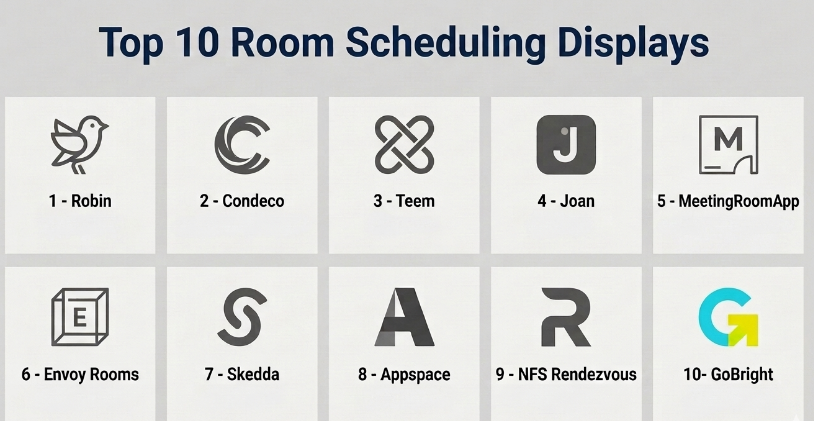
Top 10 Room Scheduling Displays
#1 — Robin
Short description :
Robin is a workplace management platform that supports room scheduling, desk booking, office maps, workplace analytics, and employee office coordination. It helps organizations manage meeting rooms and shared workspaces from calendars, room displays, and workplace interfaces. Robin is useful for hybrid offices that need visibility into rooms, desks, employees, and office usage. It is especially relevant for workplace experience, facilities, HR, and IT teams. It is best for companies that want room scheduling displays as part of a broader hybrid workplace platform.
Key Features
- Meeting room scheduling.
- Room display support.
- Desk booking and office maps.
- Microsoft 365 and Google Workspace calendar integration.
- Room check-in and booking management.
- Workplace analytics.
- Hybrid office coordination features.
Pros
- Strong fit for hybrid workplace management.
- Combines room scheduling with desk booking and office visibility.
- Useful analytics for facilities and workplace teams.
Cons
- May be more platform than small offices need.
- Best value comes when using multiple workplace features.
- Implementation requires calendar and room resource setup.
Platforms / Deployment
Web / iOS / Android
Cloud
Security & Compliance
Supports business security features, user access controls, and administrative management depending on plan. Specific security certifications and compliance details should be validated directly with the vendor.
Integrations & Ecosystem
Robin connects room scheduling with workplace and calendar systems.
- Microsoft 365.
- Google Workspace.
- Outlook calendars.
- Google Calendar.
- Workplace maps.
- Occupancy and workplace analytics workflows.
Support & Community
Robin provides documentation, onboarding resources, customer support, and workplace management guidance. It is suitable for organizations improving hybrid office operations.
#2 — Condeco
Short description :
Condeco is a workspace scheduling and room booking platform designed for organizations that need to manage meeting rooms, desks, office spaces, and workplace resources. It supports room panels, desk booking, workplace analytics, and enterprise workplace coordination. Condeco is useful for large offices, enterprises, corporate campuses, and hybrid work environments. It helps facilities and workplace teams optimize office space and reduce room booking conflicts. It is best for organizations that need enterprise-grade room and workspace scheduling.
Key Features
- Meeting room booking.
- Room scheduling display support.
- Desk and workspace booking.
- Calendar integration.
- Visitor and workplace coordination features may vary by plan.
- Room check-in and release workflows.
- Workspace utilization analytics.
Pros
- Strong enterprise workplace scheduling capabilities.
- Useful for multi-location and hybrid office environments.
- Good for facilities and workplace operations teams.
Cons
- May be complex for small offices.
- Implementation can require IT and facilities coordination.
- Best value depends on workplace scale and process maturity.
Platforms / Deployment
Web / iOS / Android
Cloud
Security & Compliance
Supports enterprise security, admin controls, and access management depending on plan. Specific certifications and compliance details should be validated directly with the vendor.
Integrations & Ecosystem
Condeco connects meeting room scheduling with workplace systems and calendars.
- Microsoft 365.
- Outlook.
- Google Workspace.
- Room displays.
- Workplace analytics.
- Desk and space booking workflows.
Support & Community
Condeco provides enterprise onboarding, documentation, professional services, and customer support resources. It is best suited for organizations with formal workplace management needs.
#3 — Teem
Short description :
Teem is a meeting room booking and workplace experience platform that helps organizations schedule rooms, display room availability, analyze space usage, and improve office coordination. It supports room displays, calendar integrations, visitor workflows, and workplace analytics depending on configuration. Teem is useful for companies that want employees to book rooms quickly and see availability at the room entrance. It is especially relevant for IT, facilities, and workplace experience teams. It is best for businesses that need room scheduling displays with workplace analytics.
Key Features
- Room scheduling displays.
- Meeting room booking.
- Calendar synchronization.
- Room check-in features.
- Workplace analytics.
- Visitor and office coordination features may vary.
- Device and display management.
Pros
- Strong focus on meeting room experience.
- Helps reduce room conflicts and ghost bookings.
- Useful for workplace usage visibility.
Cons
- May require careful hardware and calendar setup.
- Best value depends on number of rooms and office scale.
- Broader workplace features may depend on selected plan.
Platforms / Deployment
Web / iOS / Android
Cloud
Security & Compliance
Supports business access controls, admin features, and workplace data management depending on plan. Specific security certifications should be validated directly with the vendor.
Integrations & Ecosystem
Teem connects room scheduling with office productivity systems.
- Microsoft 365.
- Google Workspace.
- Room display devices.
- Workplace analytics.
- Visitor workflows.
- Calendar resource management.
Support & Community
Teem provides documentation, onboarding support, and workplace technology guidance. It is useful for companies that want meeting room display and booking workflows.
#4 — Joan
Short description :
Joan is a room scheduling display solution known for its dedicated e-paper meeting room displays. It helps organizations show room availability, meeting status, and booking details outside meeting rooms. Joan is useful for offices that want low-power, professional-looking displays with simple room booking visibility. It supports meeting room management, wayfinding, desk booking options, and workplace display solutions depending on product selection. It is best for organizations that want reliable physical room displays with a clean office experience.
Key Features
- Dedicated room scheduling displays.
- E-paper display options.
- Real-time room availability.
- Calendar integration.
- Room booking from display.
- Low-power display hardware.
- Workplace display and wayfinding options may vary.
Pros
- Clean and professional display experience.
- Low-power hardware is useful for office deployment.
- Good for simple and visible room status management.
Cons
- Hardware investment may be required.
- Best fit depends on physical office needs.
- Broader workplace analytics may be less deep than full workplace platforms.
Platforms / Deployment
Web / Dedicated room display hardware
Cloud
Security & Compliance
Supports business administration and display management features. Specific security and compliance details should be validated directly with the vendor.
Integrations & Ecosystem
Joan connects room displays with calendar and workplace booking systems.
- Microsoft 365.
- Google Workspace.
- Outlook calendars.
- Google Calendar.
- Room panels.
- Workplace display workflows.
Support & Community
Joan provides hardware setup guidance, documentation, customer support, and deployment resources. It is practical for companies that want dedicated physical room panels.
#5 — MeetingRoomApp
Short description :
MeetingRoomApp is a room scheduling display platform designed to turn tablets into meeting room booking panels. It helps organizations show room availability, book rooms instantly, check in to meetings, and manage room schedules. MeetingRoomApp is useful for offices, coworking spaces, schools, and businesses that want a practical room display solution without a complex workplace platform. It supports common calendar systems and provides a simple room booking experience. It is best for organizations that want tablet-based room displays with straightforward setup.
Key Features
- Tablet-based room scheduling displays.
- Instant room booking.
- Calendar integration.
- Room availability status.
- Meeting check-in.
- Custom branding options.
- Multi-room management.
Pros
- Practical and easy to deploy with tablets.
- Good for small and mid-sized offices.
- Helps reduce double booking and room confusion.
Cons
- Requires tablet hardware and device management.
- May not include advanced workplace analytics.
- Best suited for room scheduling rather than full workplace management.
Platforms / Deployment
Web / iOS / Android tablet displays
Cloud
Security & Compliance
Supports account controls and room display management features. Specific security certifications and compliance details should be validated directly with the vendor.
Integrations & Ecosystem
MeetingRoomApp connects with common calendars and room resources.
- Microsoft 365.
- Google Workspace.
- Exchange calendars.
- Outlook workflows.
- Tablet display devices.
- Room resource calendars.
Support & Community
MeetingRoomApp provides documentation, setup guidance, and customer support. It is useful for teams that want a dedicated room display solution without heavy complexity.
#6 — Envoy Rooms
Short description :
Envoy Rooms is a room booking and workplace experience solution designed to help employees find and reserve meeting spaces. It is part of Envoy’s broader workplace platform, which may include visitor management, desk booking, workplace access, and office coordination features. Envoy Rooms is useful for hybrid offices that want employees to book rooms, check availability, and manage shared workplace resources. It is best for organizations already using or considering Envoy for broader workplace experience management.
Key Features
- Room booking and scheduling.
- Room availability visibility.
- Workplace platform integration.
- Desk and space coordination may vary by plan.
- Calendar integration.
- Office experience workflows.
- Workplace analytics.
Pros
- Good fit for companies using broader workplace management tools.
- Useful for hybrid office coordination.
- Combines room scheduling with workplace experience workflows.
Cons
- May be more than needed for simple room displays.
- Best value comes when using the broader Envoy ecosystem.
- Hardware and display support should be validated before purchase.
Platforms / Deployment
Web / iOS / Android
Cloud
Security & Compliance
Supports business security controls, admin management, and workplace access workflows depending on plan. Specific security certifications should be validated directly with the vendor.
Integrations & Ecosystem
Envoy Rooms connects meeting spaces with broader workplace operations.
- Microsoft 365.
- Google Workspace.
- Visitor management workflows.
- Desk booking workflows.
- Workplace access systems.
- Office analytics.
Support & Community
Envoy provides documentation, onboarding support, and workplace operations guidance. It is useful for companies building a connected workplace experience.
#7 — Skedda
Short description :
Skedda is a space management and booking platform used for meeting rooms, desks, studios, classrooms, coworking spaces, sports facilities, and shared resources. It helps organizations manage space availability, booking rules, user permissions, payments where needed, and scheduling workflows. Skedda is useful for businesses, universities, coworking spaces, community centers, and organizations with shared rooms or resources. It is best for teams that need flexible space booking rules beyond only corporate meeting rooms.
Key Features
- Room and space booking.
- Booking rules and permissions.
- Calendar-style availability.
- User management.
- Payment support may vary by use case.
- Space utilization reporting.
- Self-service booking workflows.
Pros
- Flexible for many types of spaces.
- Good for shared facilities and complex booking rules.
- Useful beyond corporate meeting rooms.
Cons
- Dedicated room display experience may require validation.
- Not only focused on office meeting room panels.
- Setup may require thoughtful booking rules.
Platforms / Deployment
Web / iOS / Android
Cloud
Security & Compliance
Supports account controls, user permissions, and admin management. Specific security and compliance details should be validated directly with the vendor.
Integrations & Ecosystem
Skedda connects space booking with calendars and facility workflows.
- Calendar systems.
- Shared space booking.
- User permissions.
- Payment workflows may vary.
- Facility management workflows.
- Reporting and utilization tracking.
Support & Community
Skedda provides documentation, support resources, and onboarding guidance. It is useful for organizations managing different types of bookable spaces.
#8 — Appspace
Short description :
Appspace is a workplace experience and digital signage platform that supports room scheduling displays, workplace communications, space booking, signage, and employee experience workflows. It is useful for organizations that want meeting room displays and digital signage in one broader platform. Appspace can help show room status, workplace messages, office announcements, and wayfinding content across screens. It is best for enterprises that want room scheduling displays connected with workplace communications and digital signage.
Key Features
- Room scheduling displays.
- Digital signage management.
- Workplace communication screens.
- Space reservation features may vary by plan.
- Calendar integration.
- Wayfinding and display content.
- Device and content management.
Pros
- Strong for combining room displays and digital signage.
- Good fit for enterprise workplace communication.
- Useful for multi-location screen management.
Cons
- May be broader than simple room scheduling needs.
- Setup can require IT and communications coordination.
- Best value depends on display and workplace communication strategy.
Platforms / Deployment
Web / Display devices
Cloud
Security & Compliance
Supports enterprise access controls, admin management, and content governance depending on plan. Specific security certifications should be verified directly with the vendor.
Integrations & Ecosystem
Appspace connects room displays with workplace communication and signage systems.
- Microsoft 365.
- Google Workspace.
- Digital signage players.
- Room display panels.
- Workplace communication tools.
- Employee experience workflows.
Support & Community
Appspace provides enterprise onboarding, documentation, support resources, and deployment guidance. It is suitable for organizations managing many workplace displays.
#9 — NFS Rendezvous
Short description :
NFS Rendezvous is a meeting room and workspace scheduling platform designed for organizations that need to manage rooms, desks, services, visitors, and workplace resources. It supports room booking, scheduling panels, catering or service requests, and workspace coordination depending on deployment. Rendezvous is often used by enterprises, professional services firms, and organizations with complex room booking needs. It is best for companies that need more advanced meeting room and workplace resource management.
Key Features
- Meeting room booking.
- Room scheduling displays.
- Desk and workspace scheduling.
- Service and resource booking.
- Visitor-related workflows may vary.
- Calendar integration.
- Workplace usage reporting.
Pros
- Strong for complex room and resource booking.
- Useful for professional offices and enterprise spaces.
- Supports more than basic room availability.
Cons
- May be too advanced for small offices.
- Implementation can require planning and configuration.
- User experience depends on deployment quality.
Platforms / Deployment
Web / Mobile options may vary
Cloud / Hybrid options may vary
Security & Compliance
Supports business and enterprise administration features depending on deployment. Specific compliance and security details should be validated directly with the vendor.
Integrations & Ecosystem
NFS Rendezvous connects meeting room scheduling with workplace services.
- Microsoft calendars.
- Google calendar workflows may vary.
- Room panels.
- Workplace service booking.
- Desk booking workflows.
- Facilities management workflows.
Support & Community
NFS provides implementation support, documentation, and customer service resources. It is suitable for organizations with detailed room and workplace service requirements.
#10 — GoBright
Short description :
GoBright is a smart workplace platform that supports room booking, desk booking, visitor registration, digital signage, and workplace analytics. It helps organizations manage meeting rooms through booking displays, room sensors, calendar integrations, and space utilization insights. GoBright is useful for hybrid offices, corporate workplaces, schools, and organizations that want connected workspace booking. It is best for companies that need room scheduling displays as part of a smart office and workplace experience setup.
Key Features
- Room booking displays.
- Desk booking.
- Visitor registration features may vary.
- Digital signage support.
- Occupancy and sensor integrations.
- Calendar synchronization.
- Workplace analytics.
Pros
- Strong fit for smart office environments.
- Combines rooms, desks, visitors, and signage.
- Useful for workplace utilization insights.
Cons
- May require hardware and sensor planning.
- More than needed for simple room display use cases.
- Best value depends on using multiple workplace modules.
Platforms / Deployment
Web / iOS / Android / Display devices
Cloud
Security & Compliance
Supports business security controls and admin features depending on configuration. Specific security certifications and compliance details should be validated directly with the vendor.
Integrations & Ecosystem
GoBright connects room scheduling with smart workplace workflows.
- Microsoft 365.
- Google Workspace.
- Room displays.
- Desk booking systems.
- Occupancy sensors.
- Digital signage workflows.
Support & Community
GoBright provides documentation, implementation support, hardware guidance, and customer support. It is practical for organizations building a connected smart workplace.
Comparison Table
| Tool Name | Best For | Platform(s) Supported | Deployment | Standout Feature | Public Rating |
|---|---|---|---|---|---|
| Robin | Hybrid workplace room and desk scheduling | Web / iOS / Android | Cloud | Room scheduling plus workplace analytics | N/A |
| Condeco | Enterprise workspace scheduling | Web / iOS / Android | Cloud | Enterprise room and desk booking | N/A |
| Teem | Meeting room displays and workplace analytics | Web / iOS / Android | Cloud | Room displays with workplace insights | N/A |
| Joan | Dedicated physical room displays | Web / Dedicated display hardware | Cloud | Low-power e-paper room panels | N/A |
| MeetingRoomApp | Tablet-based room scheduling | Web / iOS / Android tablet displays | Cloud | Simple tablet room display setup | N/A |
| Envoy Rooms | Workplace experience and room booking | Web / iOS / Android | Cloud | Room booking inside workplace operations platform | N/A |
| Skedda | Flexible space and room booking | Web / iOS / Android | Cloud | Booking rules for many space types | N/A |
| Appspace | Room displays and digital signage | Web / Display devices | Cloud | Room scheduling with workplace signage | N/A |
| NFS Rendezvous | Complex room and workplace resource management | Web / Mobile varies | Cloud / Hybrid varies | Advanced room, desk, and service booking | N/A |
| GoBright | Smart workplace room and desk booking | Web / iOS / Android / Display devices | Cloud | Smart office booking with sensors and signage | N/A |
Evaluation & Room Scheduling Displays
| Tool Name | Core (25%) | Ease (15%) | Integrations (15%) | Security (10%) | Performance (10%) | Support (10%) | Value (15%) | Weighted Total (0–10) |
|---|---|---|---|---|---|---|---|---|
| Robin | 9 | 8 | 9 | 8 | 8 | 8 | 8 | 8.40 |
| Condeco | 9 | 7 | 9 | 9 | 8 | 9 | 7 | 8.25 |
| Teem | 8 | 8 | 8 | 8 | 8 | 8 | 8 | 8.00 |
| Joan | 8 | 9 | 8 | 8 | 8 | 8 | 8 | 8.15 |
| MeetingRoomApp | 8 | 9 | 8 | 7 | 8 | 8 | 8 | 8.00 |
| Envoy Rooms | 8 | 8 | 8 | 8 | 8 | 8 | 8 | 8.00 |
| Skedda | 8 | 8 | 7 | 8 | 8 | 8 | 8 | 7.85 |
| Appspace | 8 | 7 | 8 | 9 | 8 | 9 | 7 | 7.95 |
| NFS Rendezvous | 9 | 7 | 8 | 8 | 8 | 8 | 7 | 7.90 |
| GoBright | 8 | 8 | 8 | 8 | 8 | 8 | 8 | 8.00 |
These scores are comparative and should be used as a practical guide, not a final ranking. Robin and Condeco are strong for broader workplace scheduling. Joan and MeetingRoomApp are practical for room display-focused deployments. Appspace is useful when room scheduling and digital signage need to work together. GoBright is strong for smart workplace environments, while Skedda is useful for flexible space booking beyond corporate meeting rooms.
Which Room Scheduling Displays
Solo / Freelancer
Solo professionals usually do not need room scheduling displays unless they manage a private studio, consulting room, coaching space, or shared meeting facility. In most cases, a simple calendar booking tool is enough.
However, freelancers managing coworking spaces, classrooms, studios, or rental rooms may find Skedda, MeetingRoomApp, or Joan useful because they provide clear space visibility and booking control.
SMB
Small and medium businesses should focus on easy setup, calendar integration, affordable display hardware, and simple room booking. MeetingRoomApp, Joan, Skedda, Robin, and GoBright can be practical options.
SMBs should avoid overcomplicating the rollout. If the main problem is double booking, a simple tablet display with calendar sync may be enough. If the company also needs desk booking and hybrid workplace analytics, a broader platform may be better.
Mid-Market
Mid-market organizations usually need more structure around multiple rooms, shared spaces, desk booking, hybrid work, workplace analytics, and admin controls. Robin, Condeco, Teem, Envoy Rooms, and GoBright are strong candidates.
At this stage, companies should evaluate calendar sync reliability, device management, check-in workflows, no-show release, usage reporting, and integration with workplace systems.
Enterprise
Enterprises should prioritize scalability, multi-location support, security, admin governance, occupancy analytics, device management, digital signage, and workplace planning. Condeco, Robin, Appspace, NFS Rendezvous, and GoBright are strong options depending on the environment.
Large organizations should involve facilities, IT, security, workplace experience, HR, and operations teams before choosing a platform. Room displays are physical devices, so hardware management and support planning are important.
Budget vs Premium
Budget-conscious teams may prefer MeetingRoomApp, Joan, or Skedda if they need straightforward room booking and display capabilities.
Premium platforms such as Condeco, Robin, Appspace, NFS Rendezvous, and GoBright are better when organizations need analytics, multi-location support, smart sensors, digital signage, desk booking, visitor workflows, and workplace optimization.
Feature Depth vs Ease of Use
If ease of use matters most, Joan, MeetingRoomApp, Skedda, and Robin are practical choices. They provide a clear experience for employees who simply need to book or check room availability.
If feature depth matters more, Condeco, Appspace, NFS Rendezvous, GoBright, and Envoy Rooms provide broader workplace management, signage, analytics, service booking, or smart office capabilities.
Integrations & Scalability
Room scheduling displays must integrate smoothly with calendars and room resources. Microsoft 365, Outlook, Google Workspace, and Google Calendar support should be tested carefully.
For workplace scalability, buyers should also evaluate desk booking, visitor management, occupancy sensors, mobile apps, digital signage, admin dashboards, and analytics. The best system should support future office changes, not only today’s room list.
Security & Compliance Needs
Room scheduling systems may display meeting titles, attendee names, room usage data, employee information, visitor details, and calendar metadata. Security and privacy must be reviewed before rollout.
Buyers should validate SSO, admin controls, calendar permissions, device security, data retention, visibility rules, display privacy settings, and whether sensitive meeting details can be hidden from public room screens.
Frequently Asked Questions
1. What is a Room Scheduling Display?
A Room Scheduling Display is a digital screen placed outside a meeting room to show room availability, current bookings, upcoming meetings, and booking options. It helps employees quickly see whether a room is free or reserved.
2. How is a room scheduling display different from a calendar booking tool?
A calendar booking tool helps users reserve rooms through a calendar. A room scheduling display adds physical visibility at the room entrance. It shows real-time status and often allows walk-up booking, check-in, or room release.
3. What pricing models are common for Room Scheduling Displays?
Pricing may include software subscriptions, per-room pricing, per-device pricing, hardware costs, support costs, or custom enterprise pricing. Some platforms also charge for workplace analytics, desk booking, visitor management, or digital signage modules.
4. What are common mistakes when implementing room displays?
Common mistakes include poor calendar setup, not configuring room resources properly, showing sensitive meeting details publicly, ignoring device management, and not using check-in or auto-release features. Another mistake is buying displays without understanding actual room utilization problems.
5. Which tool is best for small offices?
MeetingRoomApp, Joan, Skedda, and Robin can be practical for small offices depending on the use case. If the need is only a simple tablet outside each room, MeetingRoomApp or Joan may be enough. If flexible space booking is needed, Skedda may be useful.
6. Which tool is best for enterprises?
Condeco, Robin, Appspace, NFS Rendezvous, and GoBright are strong options for enterprise environments. The best choice depends on office size, number of rooms, locations, device strategy, calendar system, and workplace analytics needs.
7. Can room displays prevent ghost meetings?
Yes, many room scheduling display systems support check-in and auto-release features. If nobody checks into a booked room, the system can release it for others. This helps reduce wasted room capacity and improves space availability.
8. Do Room Scheduling Displays work with Microsoft 365 and Google Workspace?
Many room scheduling display tools support Microsoft 365 and Google Workspace calendar integrations. Buyers should test the exact setup with their room resource calendars, permissions, meeting privacy settings, and recurring meeting workflows.
9. Can these tools show room occupancy?
Some platforms support occupancy sensors or integrations that show whether a room is actually in use. This can help facilities teams understand real utilization, no-shows, and space demand. Sensor support varies by vendor and hardware setup.
10. Are Room Scheduling Displays secure?
They can be secure when configured correctly. Buyers should check access controls, calendar permissions, device management, display privacy, encryption, admin roles, and whether sensitive meeting information can be hidden from public screens.
Conclusion
Room Scheduling Displays help organizations reduce room conflicts, improve meeting space visibility, support hybrid work, and make office spaces easier to manage. They are especially useful when employees need to quickly see which rooms are available, book space on the spot, and avoid wasted rooms caused by no-shows. The best platform depends on office size, calendar system, hardware preference, workplace strategy, and analytics needs. Joan and MeetingRoomApp are strong for simple room display deployments, Robin and Condeco are useful for broader hybrid workplace management, Teem and Envoy Rooms support modern office coordination, Skedda is strong for flexible space booking, Appspace is valuable when room displays and digital signage must work together, NFS Rendezvous supports complex enterprise room and service booking, and GoBright is practical for smart workplace environments.
