Introduction
Mail Merge Tools help users create personalized emails, letters, labels, envelopes, proposals, invoices, certificates, and documents by combining a template with data from a spreadsheet, CRM, database, or contact list. In simple words, these tools let you write one message or document and automatically personalize it for many recipients.
Mail merge is still important because businesses need personalized communication at scale. Sales teams send outreach emails, HR teams send offer letters, schools send certificates, finance teams send invoices, nonprofits send donor letters, and marketers send personalized campaigns. Without mail merge, teams waste time copying names, addresses, company details, dates, amounts, and custom fields manually.
Common use cases include personalized email outreach, invoice generation, customer letters, HR documents, certificates, labels, envelopes, event invitations, donor communication, proposal generation, and CRM-based communication.
Buyers should evaluate ease of use, spreadsheet support, CRM integration, email deliverability, personalization fields, document generation, attachments, scheduling, tracking, templates, automation, data security, and pricing.
Best for: sales teams, marketers, HR teams, schools, finance teams, nonprofits, agencies, recruiters, operations teams, small businesses, consultants, and anyone who needs personalized communication or document generation at scale.
Not ideal for: users who only send a few manual emails, teams that need advanced marketing automation instead of simple personalization, or organizations that require complex customer journey automation, segmentation, and compliance-heavy campaign management.
Key Trends in Mail Merge Tools
- AI-assisted personalization is becoming more common, helping users create better subject lines, email copy, follow-ups, and personalized message variations.
- Spreadsheet-based mail merge remains popular, especially with Google Sheets and Microsoft Excel because users can easily manage contacts and custom fields.
- Email deliverability is becoming more important, as teams want personalization without triggering spam filters or sending limits.
- CRM-connected mail merge is growing, helping sales teams send personalized outreach directly from customer records and pipeline data.
- Document generation is expanding beyond emails, with teams using mail merge for contracts, offer letters, invoices, certificates, proposals, and reports.
- Attachment personalization is now a useful feature, allowing each recipient to receive a custom PDF, invoice, certificate, or file.
- Tracking and analytics are becoming expected, especially for email opens, clicks, replies, bounces, and campaign performance.
- Compliance and consent management matter more, particularly when sending bulk emails to customers, prospects, donors, or regulated contacts.
- No-code automation is becoming valuable, allowing users to trigger mail merge workflows from forms, CRM changes, spreadsheet updates, or business apps.
- Multi-channel personalization is increasing, with some tools supporting email, printed letters, labels, envelopes, PDFs, and customer communication workflows together.
How We Selected These Tools
The tools below were selected using practical business-focused evaluation logic.
- Market recognition: Tools commonly known in mail merge, email merge, document automation, spreadsheet-based personalization, and CRM communication were prioritized.
- Feature completeness: Email merge, document merge, personalization fields, attachments, scheduling, templates, tracking, and automation were reviewed.
- Ease of use: Mail merge tools should be simple for business users, not only technical teams.
- Data source support: Google Sheets, Excel, CSV files, CRM records, contacts, and database-style inputs were considered.
- Email workflow strength: Deliverability controls, Gmail and Outlook support, sending limits, tracking, and follow-up features were evaluated.
- Document generation strength: Tools that create PDFs, Word documents, labels, certificates, and letters were included.
- Integration ecosystem: CRM, email platforms, spreadsheets, cloud storage, forms, and automation platforms were considered.
- Security and privacy: Data handling, access controls, permissions, and safe use of contact information were reviewed.
- Customer fit: The list includes tools for individuals, SMBs, sales teams, schools, nonprofits, HR teams, enterprises, and operations teams.
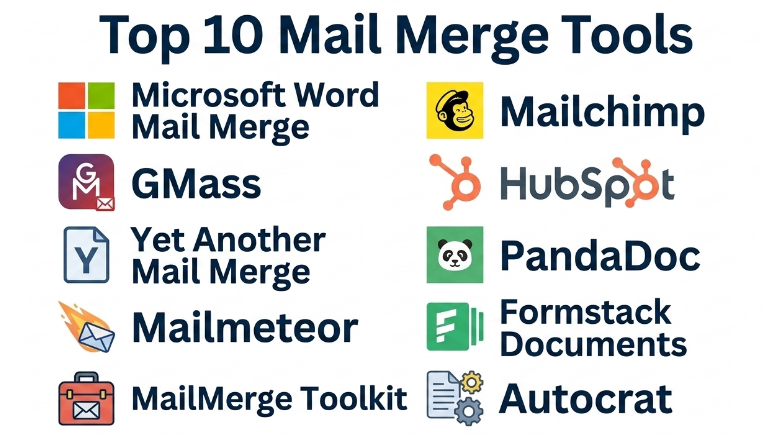
Top 10 Mail Merge Tools
#1 — Microsoft Word Mail Merge
Short description :
Microsoft Word Mail Merge is a classic mail merge tool used to create personalized letters, labels, envelopes, emails, directories, and documents using data from Excel, Outlook contacts, or other sources. It is widely used by businesses, schools, nonprofits, HR teams, finance departments, and administrative users. Word Mail Merge is especially strong for printed letters, envelopes, labels, and formal documents. It is not the most modern email outreach tool, but it remains reliable for document-based personalization. It is best for users already working inside Microsoft Office.
Key Features
- Personalized letters and documents.
- Envelope and label generation.
- Excel data source support.
- Outlook contact integration.
- Email merge through Outlook.
- Custom merge fields.
- Printed and PDF-ready document workflows.
Pros
- Familiar tool for many business users.
- Strong for formal letters, labels, and envelopes.
- Works well with Excel-based contact data.
Cons
- Email tracking and analytics are limited.
- Setup can feel manual for beginners.
- Not ideal for advanced sales outreach or marketing automation.
Platforms / Deployment
Windows / macOS
Desktop / Microsoft 365 environment
Security & Compliance
Security depends on Microsoft Office, Outlook, file storage, and organizational configuration. Users should protect spreadsheets and documents containing personal data.
Integrations & Ecosystem
Microsoft Word Mail Merge works naturally with Microsoft productivity tools.
- Microsoft Excel.
- Microsoft Outlook.
- Microsoft Word templates.
- CSV data files.
- Printer workflows.
- PDF document workflows.
Support & Community
Microsoft provides documentation, support resources, and broad user familiarity. Many office users already understand the Microsoft environment, which makes adoption easier.
#2 — GMass
Short description :
GMass is a Gmail-based mail merge and email outreach tool that helps users send personalized emails from Gmail using Google Sheets or contact lists. It is useful for sales outreach, recruiter emails, event invitations, nonprofit communication, follow-ups, and small business campaigns. GMass supports personalization fields, automated follow-ups, campaign tracking, scheduling, and mass emailing through Gmail. It is best for users who want mail merge inside Gmail without moving to a full marketing automation platform.
Key Features
- Gmail-based mail merge.
- Google Sheets integration.
- Personalized email fields.
- Automated follow-ups.
- Open, click, and reply tracking.
- Email scheduling.
- Campaign reports.
Pros
- Works directly inside Gmail.
- Strong for outreach and follow-up campaigns.
- Easy for Google Workspace users.
Cons
- Gmail sending limits still matter.
- Not a full enterprise marketing automation platform.
- Deliverability depends on email practices and domain reputation.
Platforms / Deployment
Web / Gmail / Google Workspace
Cloud
Security & Compliance
Supports Gmail-based sending and account-level controls. Users should validate privacy, consent, and email compliance needs before sending campaigns.
Integrations & Ecosystem
GMass fits well into Google-based email workflows.
- Gmail.
- Google Sheets.
- Google Workspace.
- CSV contact lists.
- Email tracking workflows.
- Outreach follow-up processes.
Support & Community
GMass provides documentation, support resources, and practical guidance for Gmail mail merge. It is useful for users who want simple but powerful Gmail outreach.
#3 — Yet Another Mail Merge
Short description :
Yet Another Mail Merge is a Google Sheets and Gmail mail merge tool used to send personalized email campaigns from a spreadsheet. It is useful for teachers, nonprofits, marketers, recruiters, small businesses, and administrative users who want an easy Google Workspace-based mail merge workflow. Users can create email templates in Gmail and send personalized messages using columns from Google Sheets. It supports tracking, scheduling, and campaign reports depending on plan. It is best for users who want a simple mail merge experience inside Google Sheets and Gmail.
Key Features
- Google Sheets mail merge.
- Gmail template support.
- Personalized email fields.
- Email tracking.
- Campaign scheduling.
- Bounce and response visibility may vary.
- Simple campaign reporting.
Pros
- Very easy for Google Sheets users.
- Good for simple email personalization.
- Useful for education, nonprofits, and SMBs.
Cons
- Gmail sending limits apply.
- Advanced automation may be limited.
- Not ideal for complex CRM-based sales sequences.
Platforms / Deployment
Web / Google Sheets / Gmail
Cloud
Security & Compliance
Security depends on Google Workspace permissions and account configuration. Users should handle contact data responsibly and follow email consent rules.
Integrations & Ecosystem
Yet Another Mail Merge works inside Google Workspace workflows.
- Google Sheets.
- Gmail.
- Google Workspace.
- Email templates.
- Spreadsheet contact lists.
- Campaign tracking workflows.
Support & Community
The tool provides documentation, help resources, and support options. It is practical for users who want a spreadsheet-first mail merge tool.
#4 — Mailmeteor
Short description :
Mailmeteor is a mail merge tool for Gmail and Google Workspace that helps users send personalized emails from Google Sheets. It is useful for outreach, event communication, newsletters, internal updates, invitations, HR communication, and customer follow-ups. Mailmeteor focuses on simplicity, privacy-conscious workflows, and Google-native sending. It supports personalization, tracking, scheduling, templates, and campaign reporting. It is best for Google Workspace users who want a clean and simple mail merge tool without heavy complexity.
Key Features
- Gmail mail merge.
- Google Sheets integration.
- Personalized fields.
- Email templates.
- Scheduling.
- Tracking and reporting.
- Campaign status visibility.
Pros
- Simple and clean Google-based experience.
- Good for lightweight personalized campaigns.
- Useful for business, education, and nonprofit users.
Cons
- Gmail sending limits still apply.
- Not as deep as full sales engagement tools.
- Advanced CRM workflows may require other tools.
Platforms / Deployment
Web / Gmail / Google Sheets
Cloud
Security & Compliance
Supports Google Workspace-based workflows. Users should review account permissions, recipient consent, and data handling policies before sending campaigns.
Integrations & Ecosystem
Mailmeteor connects naturally with Google Workspace tools.
- Gmail.
- Google Sheets.
- Google Workspace.
- Email templates.
- Contact lists.
- Tracking workflows.
Support & Community
Mailmeteor provides documentation, support resources, and user guidance. It is suitable for teams that want an easy Google mail merge tool.
#5 — Mail Merge Toolkit
Short description :
Mail Merge Toolkit is an add-in for Microsoft Word, Outlook, and Publisher that extends Microsoft’s built-in mail merge capabilities. It is useful for users who need more advanced email merge features, personalized attachments, PDF attachments, HTML emails, and improved Outlook-based sending. It is popular with business users who already work in Microsoft Office but need more flexibility than standard Word Mail Merge provides. It is best for Microsoft Office users who need stronger email and attachment mail merge workflows.
Key Features
- Outlook-based mail merge.
- Personalized email attachments.
- PDF attachment generation.
- HTML email support.
- Word and Publisher integration.
- Excel data source support.
- Extended Microsoft mail merge options.
Pros
- Improves native Microsoft mail merge workflows.
- Useful for personalized attachments and PDFs.
- Good fit for Outlook-heavy organizations.
Cons
- Requires Microsoft Office environment.
- Interface may feel traditional.
- Not a full CRM or marketing automation platform.
Platforms / Deployment
Windows / Microsoft Office / Outlook
Desktop
Security & Compliance
Security depends on Microsoft Office, Outlook, and local file handling. Users should secure recipient data, attachment files, and mailing lists carefully.
Integrations & Ecosystem
Mail Merge Toolkit extends Microsoft Office workflows.
- Microsoft Word.
- Microsoft Outlook.
- Microsoft Publisher.
- Microsoft Excel.
- PDF attachments.
- HTML email templates.
Support & Community
Support resources and documentation are available through the vendor. It is useful for users who rely on Microsoft Office for daily document and email work.
#6 — Mailchimp
Short description :
Mailchimp is an email marketing platform that can support mail merge-style personalization through audience fields, merge tags, templates, segmentation, and automated campaigns. It is not only a mail merge tool, but it is widely used for personalized newsletters, customer campaigns, event updates, and marketing communication. Mailchimp is useful for small businesses, creators, nonprofits, eCommerce brands, and marketing teams. It is best for users who need mail merge-style personalization combined with email marketing, templates, automation, and campaign analytics.
Key Features
- Personalized email campaigns.
- Merge tags and audience fields.
- Email templates.
- Segmentation.
- Automation workflows.
- Campaign analytics.
- Signup forms and audience management.
Pros
- Strong for email marketing campaigns.
- Good templates and reporting.
- Useful for audience segmentation and automated communication.
Cons
- More complex than simple spreadsheet mail merge.
- Not ideal for formal document generation.
- Pricing may increase as audience size grows.
Platforms / Deployment
Web / iOS / Android
Cloud
Security & Compliance
Supports account security, audience management, and marketing email compliance workflows. Users must manage consent, unsubscribe rules, and contact data responsibly.
Integrations & Ecosystem
Mailchimp connects with marketing, sales, and eCommerce workflows.
- CRM systems.
- eCommerce platforms.
- Signup forms.
- Marketing automation.
- Customer lists.
- Campaign analytics.
Support & Community
Mailchimp provides documentation, support resources, templates, and a large user community. It is useful for marketing-focused personalization.
#7 — HubSpot
Short description :
HubSpot supports mail merge-style personalization through CRM records, email templates, sequences, marketing emails, contact properties, and workflow automation. It is not just a mail merge tool; it is a broader CRM and customer platform. Sales teams can personalize outreach based on CRM fields, while marketing teams can create segmented campaigns using contact data. HubSpot is useful for sales, marketing, customer success, and growing businesses that want personalization connected to CRM activity. It is best for teams that want mail merge inside a broader sales and marketing platform.
Key Features
- CRM-based personalization.
- Email templates and snippets.
- Sales sequences.
- Marketing email personalization.
- Contact and company fields.
- Workflow automation.
- Reporting and campaign analytics.
Pros
- Strong CRM-connected personalization.
- Useful for sales and marketing teams together.
- Good for tracking customer communication history.
Cons
- More than needed for simple document mail merge.
- Pricing can increase with advanced features.
- Requires CRM data quality for best results.
Platforms / Deployment
Web / iOS / Android
Cloud
Security & Compliance
Supports business account controls, user permissions, CRM data management, and marketing email compliance workflows depending on plan.
Integrations & Ecosystem
HubSpot connects mail merge-style personalization with customer operations.
- CRM records.
- Sales email workflows.
- Marketing automation.
- Forms and landing pages.
- Customer communication history.
- Reporting dashboards.
Support & Community
HubSpot provides documentation, training resources, customer support, and a large user community. It is useful for businesses that want personalization tied to CRM data.
#8 — PandaDoc
Short description :
PandaDoc is a document automation and proposal platform that supports personalized document generation using CRM data, templates, variables, pricing tables, and eSignature workflows. While it is not a traditional email mail merge tool, it is highly relevant for teams that need to merge data into proposals, contracts, quotes, agreements, and sales documents. PandaDoc is useful for sales teams, operations teams, legal teams, HR teams, and agencies. It is best for businesses that want personalized business documents with approval and signing workflows.
Key Features
- Document template automation.
- Variables and merge fields.
- CRM data merge.
- Proposal and quote generation.
- eSignature support.
- Content library.
- Document tracking and analytics.
Pros
- Strong for proposals, contracts, and sales documents.
- Useful for merge fields and reusable templates.
- Combines document generation with eSignature workflows.
Cons
- Not focused on mass email campaigns.
- May be more than needed for simple letters.
- Best value depends on document workflow volume.
Platforms / Deployment
Web / iOS / Android
Cloud
Security & Compliance
Supports document access controls, eSignature workflows, and business document management features depending on plan. Specific compliance details should be validated directly with the vendor.
Integrations & Ecosystem
PandaDoc connects document merge workflows with sales and business systems.
- CRM platforms.
- Payment workflows.
- eSignature workflows.
- Proposal templates.
- Sales documents.
- Approval processes.
Support & Community
PandaDoc provides documentation, onboarding resources, support, and templates. It is practical for sales and operations teams that need personalized documents.
#9 — Formstack Documents
Short description :
Formstack Documents is a document generation tool that helps users automatically create personalized documents from form submissions, CRM records, spreadsheets, databases, or other business systems. It is useful for contracts, invoices, proposals, letters, certificates, onboarding forms, HR documents, and compliance paperwork. Formstack Documents supports merge fields, templates, PDFs, Word documents, and automated delivery. It is best for teams that need document mail merge and workflow automation rather than only email personalization.
Key Features
- Automated document generation.
- Merge fields and templates.
- PDF and Word document support.
- Data merge from forms and systems.
- Automated delivery workflows.
- eSignature and storage integrations may vary.
- Batch document generation.
Pros
- Strong for document automation.
- Useful for HR, sales, finance, and operations workflows.
- Can reduce repetitive document preparation work.
Cons
- Not mainly an email marketing tool.
- Setup requires template and data mapping.
- Advanced workflows may need automation planning.
Platforms / Deployment
Web
Cloud
Security & Compliance
Supports business document workflows, access controls, and data handling features depending on plan. Specific compliance needs should be validated directly with the vendor.
Integrations & Ecosystem
Formstack Documents connects data sources with document generation workflows.
- Forms.
- CRM systems.
- Spreadsheets.
- Databases.
- eSignature tools.
- Cloud storage.
Support & Community
Formstack provides documentation, onboarding resources, templates, and support. It is useful for teams that need repeatable document generation.
#10 — Autocrat
Short description :
Autocrat is a Google Workspace add-on that helps users merge data from Google Sheets into Google Docs, Slides, or PDFs. It is commonly used by teachers, schools, nonprofits, administrators, and small teams for certificates, letters, reports, forms, and personalized documents. Autocrat is useful when users want a simple way to create documents from spreadsheet rows. It is not a full enterprise document automation platform, but it is practical for education and lightweight administrative workflows. It is best for Google Workspace users who need free or low-cost document mail merge.
Key Features
- Google Sheets data merge.
- Google Docs and Slides templates.
- PDF generation.
- Personalized certificates and letters.
- Automated document creation.
- Email delivery options may vary.
- Simple spreadsheet-driven workflows.
Pros
- Very practical for Google Workspace users.
- Useful for schools, nonprofits, and administrators.
- Good for certificates, letters, and simple PDFs.
Cons
- Not ideal for complex enterprise workflows.
- Support and scalability may be limited.
- Requires careful template and sheet setup.
Platforms / Deployment
Web / Google Workspace
Cloud
Security & Compliance
Security depends on Google Workspace permissions and add-on access. Users should review data sharing, document permissions, and contact information handling.
Integrations & Ecosystem
Autocrat works inside Google Workspace workflows.
- Google Sheets.
- Google Docs.
- Google Slides.
- Google Drive.
- PDF generation.
- Gmail delivery workflows may vary.
Support & Community
Autocrat has community-style usage and documentation resources. It is practical for users who need spreadsheet-to-document merge inside Google Workspace.
Comparison Table
| Tool Name | Best For | Platform(s) Supported | Deployment | Standout Feature | Public Rating |
|---|---|---|---|---|---|
| Microsoft Word Mail Merge | Letters, labels, envelopes, and Office documents | Windows / macOS | Desktop / Microsoft 365 | Classic document mail merge with Excel | N/A |
| GMass | Gmail outreach and follow-ups | Web / Gmail / Google Workspace | Cloud | Gmail-based mail merge with tracking | N/A |
| Yet Another Mail Merge | Google Sheets email campaigns | Web / Google Sheets / Gmail | Cloud | Simple spreadsheet-to-Gmail merge | N/A |
| Mailmeteor | Google Workspace mail merge | Web / Gmail / Google Sheets | Cloud | Clean and simple Gmail personalization | N/A |
| Mail Merge Toolkit | Outlook mail merge with attachments | Windows / Microsoft Office / Outlook | Desktop | Personalized PDF and attachment sending | N/A |
| Mailchimp | Marketing email personalization | Web / iOS / Android | Cloud | Audience fields, templates, and automation | N/A |
| HubSpot | CRM-based sales and marketing personalization | Web / iOS / Android | Cloud | CRM-powered email personalization and sequences | N/A |
| PandaDoc | Proposals, quotes, and contracts | Web / iOS / Android | Cloud | Document generation with eSignature | N/A |
| Formstack Documents | Automated document generation | Web | Cloud | Merge data into PDFs and Word documents | N/A |
| Autocrat | Google Sheets to Docs, Slides, and PDFs | Web / Google Workspace | Cloud | Lightweight Google document mail merge | N/A |
Evaluation & Mail Merge Tools
| Tool Name | Core (25%) | Ease (15%) | Integrations (15%) | Security (10%) | Performance (10%) | Support (10%) | Value (15%) | Weighted Total (0–10) |
|---|---|---|---|---|---|---|---|---|
| Microsoft Word Mail Merge | 8 | 7 | 8 | 8 | 8 | 8 | 9 | 8.00 |
| GMass | 9 | 8 | 9 | 8 | 8 | 8 | 8 | 8.35 |
| Yet Another Mail Merge | 8 | 9 | 8 | 7 | 8 | 8 | 8 | 8.05 |
| Mailmeteor | 8 | 9 | 8 | 8 | 8 | 8 | 8 | 8.15 |
| Mail Merge Toolkit | 8 | 7 | 8 | 8 | 8 | 7 | 8 | 7.75 |
| Mailchimp | 8 | 8 | 9 | 8 | 8 | 9 | 8 | 8.30 |
| HubSpot | 9 | 8 | 10 | 9 | 8 | 9 | 7 | 8.60 |
| PandaDoc | 8 | 8 | 9 | 8 | 8 | 8 | 7 | 8.00 |
| Formstack Documents | 9 | 7 | 9 | 8 | 8 | 8 | 7 | 8.10 |
| Autocrat | 7 | 8 | 7 | 7 | 7 | 6 | 9 | 7.35 |
These scores are comparative and should be used as a practical guide, not a fixed ranking. GMass, Yet Another Mail Merge, and Mailmeteor are strong for Gmail-based mail merge. Microsoft Word Mail Merge and Mail Merge Toolkit are practical for Microsoft Office users. Mailchimp and HubSpot are stronger when personalization is part of marketing or CRM workflows. PandaDoc and Formstack Documents are better for personalized business documents, while Autocrat is useful for lightweight Google document generation.
Which Mail Merge Tools
Solo / Freelancer
Solo professionals usually need a simple and affordable tool for personalized emails, letters, invoices, proposals, or certificates. GMass, Mailmeteor, Microsoft Word Mail Merge, Autocrat, and PandaDoc can be practical depending on the workflow.
If the freelancer uses Gmail, GMass or Mailmeteor may be easiest. If the work is document-heavy, Word Mail Merge, Autocrat, or PandaDoc may be better.
SMB
Small and medium businesses should focus on easy setup, templates, personalization, tracking, and data source compatibility. GMass, Yet Another Mail Merge, Mailmeteor, Mailchimp, and Formstack Documents are strong options.
If the SMB needs email campaigns, Mailchimp or Google-based tools may work well. If the business needs invoices, contracts, or letters, Formstack Documents, PandaDoc, or Microsoft Word Mail Merge may be stronger.
Mid-Market
Mid-market organizations usually need CRM integration, reporting, automation, templates, permissions, and better workflow control. HubSpot, Mailchimp, PandaDoc, Formstack Documents, and GMass are strong candidates.
At this stage, teams should decide whether the need is email outreach, marketing campaigns, document generation, proposal automation, or customer communication. The best tool depends on the main use case.
Enterprise
Enterprises should prioritize data governance, user permissions, CRM integration, template control, approval workflows, compliance, auditability, and scalability. HubSpot, Formstack Documents, PandaDoc, Mailchimp, and Microsoft-based workflows may be relevant depending on department needs.
Large organizations should involve IT, legal, sales operations, marketing operations, HR, and security teams when mail merge involves customer data, employee information, or regulated communication.
Budget vs Premium
Budget-conscious users may prefer Microsoft Word Mail Merge, Autocrat, Yet Another Mail Merge, or simple Google-based tools.
Premium platforms such as HubSpot, PandaDoc, Formstack Documents, and advanced Mailchimp or GMass plans are better when teams need automation, CRM integration, analytics, approval workflows, document tracking, and scalable customer communication.
Feature Depth vs Ease of Use
If ease of use matters most, Mailmeteor, Yet Another Mail Merge, GMass, and Autocrat are practical choices for quick setup.
If feature depth matters more, HubSpot, Formstack Documents, PandaDoc, Mailchimp, and Mail Merge Toolkit offer stronger CRM, document generation, attachment handling, automation, and campaign management features.
Integrations & Scalability
Mail merge tools should connect with spreadsheets, email platforms, CRM systems, document templates, cloud storage, forms, eSignature platforms, and marketing automation tools.
For Gmail users, GMass, Yet Another Mail Merge, and Mailmeteor are strong. For Microsoft Office users, Word Mail Merge and Mail Merge Toolkit are useful. For CRM teams, HubSpot is stronger. For document automation, PandaDoc and Formstack Documents are more suitable.
Security & Compliance Needs
Mail merge often uses personal data such as names, emails, addresses, company names, job titles, invoice details, employee records, donor information, and customer data. Security and privacy must be handled carefully.
Buyers should validate access controls, data retention, unsubscribe support, consent management, email compliance, attachment privacy, document permissions, and who can access recipient data.
Frequently Asked Questions
1. What is a Mail Merge Tool?
A Mail Merge Tool combines a template with a data source to create personalized emails, letters, labels, envelopes, PDFs, proposals, or documents. It saves time by replacing manual copy-paste work with automated personalization.
2. How does mail merge work?
Mail merge works by connecting a template to a list of data fields. For example, a spreadsheet may contain first name, company name, email, address, and invoice amount. The tool inserts those fields into each message or document automatically.
3. What pricing models are common for Mail Merge Tools?
Pricing may be free, subscription-based, per-user, per-campaign, usage-based, or included inside a larger platform. Some tools charge based on email volume, contacts, document volume, automation features, or CRM functionality.
4. What are common mistakes when using mail merge?
Common mistakes include using incorrect data fields, sending without testing, forgetting personalization errors, sending to outdated contacts, ignoring unsubscribe rules, and attaching the wrong files. Always send test messages before running a full merge.
5. Which tool is best for Gmail mail merge?
GMass, Yet Another Mail Merge, and Mailmeteor are strong options for Gmail and Google Sheets users. The best choice depends on whether you need tracking, follow-ups, scheduling, templates, or simple spreadsheet-based sending.
6. Which tool is best for Microsoft Office users?
Microsoft Word Mail Merge is the classic option for Word, Excel, Outlook, labels, envelopes, and printed documents. Mail Merge Toolkit is useful when users need more advanced Outlook email merge features such as personalized attachments or PDFs.
7. Can mail merge send personalized attachments?
Yes, some tools can send personalized attachments such as invoices, certificates, reports, or PDFs. Mail Merge Toolkit, Formstack Documents, PandaDoc, and some email merge tools can support attachment-based workflows depending on setup.
8. Can mail merge be used for marketing campaigns?
Yes, but users must follow email consent, unsubscribe, and deliverability rules. Mailchimp and HubSpot are better for marketing campaigns because they include audience management, unsubscribe handling, segmentation, reporting, and campaign compliance features.
9. Are Mail Merge Tools secure?
They can be secure when configured properly, but risk depends on data handling. Users should protect spreadsheets, recipient lists, attachments, templates, and account access. Sensitive information should only be sent through approved and secure workflows.
10. What integrations should buyers check?
Buyers should check Gmail, Outlook, Google Sheets, Excel, CRM systems, marketing platforms, cloud storage, forms, eSignature tools, document templates, and automation platforms. The right integrations depend on whether the use case is email, letters, documents, or campaigns.
Conclusion
Mail Merge Tools help teams communicate and create documents faster by combining templates with recipient or customer data. They are useful for personalized emails, letters, certificates, proposals, contracts, invoices, labels, envelopes, and customer campaigns. The best tool depends on the workflow. Microsoft Word Mail Merge is strong for classic Office documents, GMass, Yet Another Mail Merge, and Mailmeteor are practical for Gmail-based campaigns, Mail Merge Toolkit extends Outlook workflows, Mailchimp is better for marketing email, HubSpot is strong for CRM-based personalization, PandaDoc supports proposals and contracts, Formstack Documents is useful for automated document generation, and Autocrat is practical for Google Workspace document merge.
