Introduction
Customer Support Ticketing Systems help businesses organize, manage, prioritize, and resolve customer support requests across email, chat, phone, social media, and self-service channels. Instead of handling support requests manually through scattered inboxes or spreadsheets, ticketing systems centralize customer interactions into structured workflows that improve response times, visibility, and operational efficiency.
In simple terms, a ticketing system ensures customer issues are tracked properly from initial contact to final resolution. Modern platforms also include automation, AI-powered routing, knowledge bases, analytics, omnichannel communication, and customer self-service capabilities.
In 2026, customer support operations are increasingly driven by AI-assisted workflows, conversational automation, proactive support analytics, and integrated customer experience platforms. Organizations now expect ticketing systems to support hybrid support teams, multilingual operations, workflow automation, and customer experience analytics while integrating tightly with CRM, ecommerce, and communication platforms.
Common real-world use cases include:
- Managing customer support requests across channels
- Automating ticket routing and escalation workflows
- Supporting help desk and IT service operations
- Providing self-service customer portals
- Tracking SLAs and support performance metrics
- Centralizing customer communication history
When evaluating Customer Support Ticketing Systems, buyers should consider:
- Omnichannel support capabilities
- AI and automation features
- Workflow customization
- Knowledge base and self-service support
- Reporting and analytics functionality
- CRM and communication integrations
- Scalability across support teams
- Security and compliance features
- Ease of deployment and usability
- SLA management and escalation tools
Best for: SaaS companies, ecommerce businesses, IT teams, telecom providers, healthcare organizations, enterprise customer support teams, and businesses handling medium to high support ticket volumes.
Not ideal for: Very small businesses with limited support needs or organizations already managing low ticket volumes effectively through basic email workflows.
Key Trends in Customer Support Ticketing Systems
- AI-powered ticket routing and response suggestions are improving support efficiency.
- Conversational AI and chatbots are reducing first-level support workloads.
- Omnichannel support platforms are unifying email, chat, social, and voice interactions.
- Customer self-service portals and knowledge bases are becoming standard requirements.
- Workflow automation is reducing repetitive support tasks and escalations.
- Real-time analytics dashboards are improving operational visibility for support leaders.
- Integrated customer journey visibility is improving personalized support experiences.
- API-first architectures are simplifying integrations with CRM and ecommerce systems.
- Security expectations increasingly include SSO, MFA, RBAC, and audit logging.
- Hybrid remote support operations are driving demand for cloud-native collaboration tools.
How We Selected These Tools (Methodology)
The tools in this list were selected using operational, technical, and customer experience evaluation criteria relevant to modern support organizations.
Selection criteria included:
- Market adoption and industry recognition
- Breadth of ticketing and support capabilities
- AI and workflow automation functionality
- Omnichannel communication support
- CRM and business system integrations
- Reporting and analytics depth
- Security and governance features
- Scalability across SMB and enterprise environments
- Ease of deployment and usability
- Vendor ecosystem maturity and support quality
The final list includes enterprise customer support platforms, IT help desk solutions, and cloud-native support systems suitable for multiple business sizes.
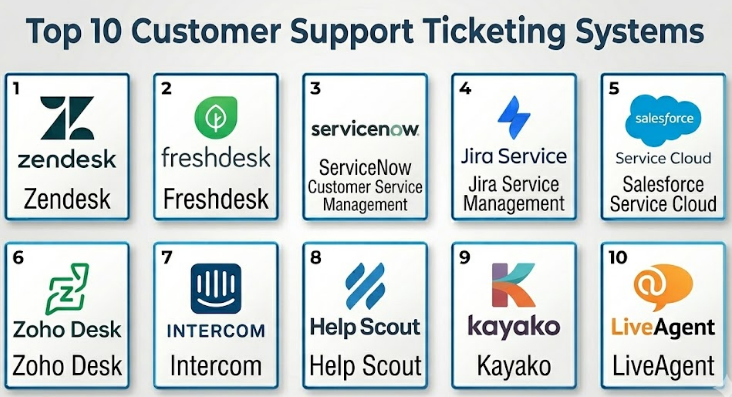
Customer Support Ticketing Systems
#1 — Zendesk
Short description :
Zendesk is one of the most widely recognized customer support ticketing platforms designed for omnichannel customer service operations. The platform helps organizations manage tickets, automate workflows, centralize customer interactions, and improve support efficiency across email, chat, social media, and voice channels. Zendesk is widely used by SMBs, SaaS companies, and enterprises seeking scalable support operations with strong automation capabilities.
Key Features
- Omnichannel ticket management
- AI-powered automation
- Knowledge base management
- SLA tracking
- Workflow automation
- Customer self-service portals
- Reporting and analytics dashboards
Pros
- Strong omnichannel support capabilities
- Scalable across business sizes
- Extensive integration ecosystem
Cons
- Advanced features can increase pricing significantly
- Customization complexity for enterprise workflows
- Reporting depth varies by plan tier
Platforms / Deployment
- Web
- iOS
- Android
- Cloud
Security & Compliance
- SSO/SAML
- MFA
- RBAC
- Audit logs
- Encryption
- GDPR support
Integrations & Ecosystem
Zendesk integrates with CRM, ecommerce, communications, and productivity ecosystems.
- Salesforce
- Slack
- Shopify
- Microsoft Teams
- APIs
Support & Community
Zendesk provides strong documentation, onboarding resources, certification programs, and enterprise support plans.
#2 — Freshdesk
Short description :
Freshdesk is a cloud-based customer support ticketing system designed to simplify customer service operations for SMBs and mid-market organizations. The platform offers omnichannel support, automation workflows, AI-powered ticket management, and collaborative support tools. Freshdesk is widely recognized for its usability and scalable support capabilities.
Key Features
- Ticket management workflows
- AI-powered support automation
- Omnichannel communication
- Knowledge base tools
- SLA management
- Team collaboration features
- Reporting dashboards
Pros
- User-friendly interface
- Strong SMB and mid-market fit
- Good automation usability
Cons
- Enterprise customization depth may vary
- Some advanced analytics require higher-tier plans
- Large-scale workflows may require optimization
Platforms / Deployment
- Web
- iOS
- Android
- Cloud
Security & Compliance
- SSO
- MFA
- RBAC
- Audit logs
- Encryption
- GDPR support
Integrations & Ecosystem
Freshdesk integrates with CRM, communications, and productivity platforms.
- Salesforce
- Slack
- Microsoft Teams
- Shopify
- APIs
Support & Community
Freshdesk offers onboarding programs, technical documentation, and customer support communities.
#3 — ServiceNow Customer Service Management
Short description :
ServiceNow Customer Service Management is an enterprise-grade customer support and workflow platform designed for large organizations managing complex service operations. The platform combines ticketing, workflow orchestration, AI automation, customer service operations, and enterprise governance into a centralized operational environment.
Key Features
- Enterprise ticket management
- AI-powered workflow automation
- Case management
- Omnichannel support
- Self-service portals
- Advanced analytics
- Workflow orchestration
Pros
- Strong enterprise scalability
- Advanced workflow automation
- Deep operational customization
Cons
- Complex implementation process
- Requires specialized administration
- Premium enterprise pricing
Platforms / Deployment
- Web
- Mobile
- Cloud
Security & Compliance
- SSO/SAML
- MFA
- RBAC
- Audit logs
- Encryption
- Enterprise governance support
Integrations & Ecosystem
ServiceNow integrates with enterprise IT, CRM, and operational ecosystems.
- Salesforce
- Microsoft Teams
- Jira
- Slack
- APIs
Support & Community
ServiceNow provides enterprise onboarding, certification programs, implementation consulting, and technical support.
#4 — Jira Service Management
Short description :
Jira Service Management is a support and IT service management platform designed for technical support teams, DevOps operations, and internal service workflows. The platform combines ticketing, incident management, workflow automation, and collaboration tools with strong integration into the Atlassian ecosystem.
Key Features
- Ticket and incident management
- Workflow automation
- SLA tracking
- Knowledge base integration
- DevOps collaboration
- Asset management
- Reporting dashboards
Pros
- Strong IT and DevOps integration
- Flexible workflow customization
- Excellent Atlassian ecosystem connectivity
Cons
- Less customer-service-focused than some competitors
- Configuration complexity for non-technical teams
- Advanced workflows may require administration expertise
Platforms / Deployment
- Web
- Mobile
- Cloud / Self-hosted
Security & Compliance
- SSO/SAML
- MFA
- RBAC
- Audit logs
- Encryption
- Enterprise governance support
Integrations & Ecosystem
Jira Service Management integrates deeply with development and collaboration ecosystems.
- Confluence
- Bitbucket
- Slack
- Microsoft Teams
- APIs
Support & Community
Atlassian provides strong documentation, community forums, onboarding resources, and enterprise support options.
#5 — Salesforce Service Cloud
Short description :
Salesforce Service Cloud is an enterprise customer service platform designed to unify ticketing, customer engagement, workflow automation, and CRM visibility into a centralized support environment. The platform supports omnichannel service operations and AI-driven customer experience workflows for large support organizations.
Key Features
- Omnichannel support management
- AI-powered service automation
- Customer case management
- Knowledge base tools
- Workflow orchestration
- SLA tracking
- Advanced analytics
Pros
- Deep Salesforce ecosystem integration
- Strong enterprise scalability
- Advanced AI and automation capabilities
Cons
- Premium pricing structure
- Customization can increase complexity
- Implementation timelines may be lengthy
Platforms / Deployment
- Web
- iOS
- Android
- Cloud
Security & Compliance
- SSO/SAML
- MFA
- RBAC
- Audit logs
- Encryption
- Enterprise governance support
Integrations & Ecosystem
Salesforce Service Cloud integrates deeply with CRM and enterprise ecosystems.
- Salesforce CRM
- Slack
- MuleSoft
- Shopify
- APIs
Support & Community
Salesforce offers onboarding programs, certification resources, implementation partners, and enterprise support services.
#6 — Zoho Desk
Short description :
Zoho Desk is a customer support and help desk platform designed for SMBs and mid-market businesses seeking affordable omnichannel support operations. The platform offers ticket management, automation workflows, AI-powered assistance, and customer self-service functionality within the broader Zoho ecosystem.
Key Features
- Ticket management
- AI-powered assistant tools
- Omnichannel communication
- Workflow automation
- Self-service portals
- SLA tracking
- Reporting dashboards
Pros
- Competitive pricing structure
- Strong SMB usability
- Good integration with Zoho ecosystem
Cons
- Enterprise scalability may vary
- Some advanced workflows require customization
- Analytics depth differs across plans
Platforms / Deployment
- Web
- iOS
- Android
- Cloud
Security & Compliance
- SSO
- MFA
- RBAC
- Audit logs
- Encryption
- GDPR support
Integrations & Ecosystem
Zoho Desk integrates with CRM, communications, and productivity tools.
- Zoho CRM
- Slack
- Microsoft Teams
- Shopify
- APIs
Support & Community
Zoho provides onboarding resources, technical documentation, and customer support programs.
#7 — Intercom
Short description :
Intercom is a conversational customer support platform focused on messaging, live chat, AI-driven support automation, and customer engagement workflows. The platform combines ticketing with proactive customer communication and conversational AI capabilities for digital-first businesses.
Key Features
- Conversational ticketing
- AI-powered chatbots
- Live chat support
- Workflow automation
- Customer engagement tools
- Knowledge base functionality
- Analytics dashboards
Pros
- Strong conversational support experience
- Excellent AI chatbot capabilities
- Good customer engagement workflows
Cons
- Pricing can scale quickly
- Less traditional ITSM functionality
- Advanced reporting may require configuration
Platforms / Deployment
- Web
- iOS
- Android
- Cloud
Security & Compliance
- SSO
- MFA
- RBAC
- Audit logs
- Encryption
- GDPR support
Integrations & Ecosystem
Intercom integrates with CRM, ecommerce, and communications ecosystems.
- Salesforce
- HubSpot
- Slack
- Shopify
- APIs
Support & Community
Intercom offers onboarding guidance, technical documentation, and customer success programs.
#8 — Help Scout
Short description :
Help Scout is a customer support platform designed for SMBs and growing support teams seeking simplicity, collaboration, and customer-centric workflows. The platform combines shared inbox functionality, ticketing workflows, knowledge base tools, and customer communication management.
Key Features
- Shared inbox ticketing
- Workflow automation
- Knowledge base tools
- Customer conversation tracking
- Reporting dashboards
- Team collaboration
- Self-service support portals
Pros
- Easy-to-use interface
- Strong customer communication workflows
- Good fit for SMB support teams
Cons
- Limited enterprise operational depth
- Smaller ecosystem than larger competitors
- Advanced analytics may vary
Platforms / Deployment
- Web
- iOS
- Android
- Cloud
Security & Compliance
- SSO
- MFA
- Encryption
- Audit logs
- GDPR support
- Not publicly stated for additional certifications
Integrations & Ecosystem
Help Scout integrates with CRM, ecommerce, and collaboration platforms.
- Slack
- Shopify
- HubSpot
- Salesforce
- APIs
Support & Community
Help Scout provides onboarding resources, customer support, and educational documentation.
#9 — Kayako
Short description :
Kayako is a customer support ticketing and help desk platform focused on omnichannel customer service and conversational support management. The platform helps businesses centralize customer interactions while improving workflow efficiency and support visibility.
Key Features
- Omnichannel ticket management
- Workflow automation
- Customer conversation history
- SLA tracking
- Self-service support
- Reporting dashboards
- Team collaboration tools
Pros
- Unified customer conversation visibility
- Good omnichannel workflows
- Collaborative support environment
Cons
- Smaller ecosystem than larger competitors
- Enterprise customization depth may vary
- Some advanced features require higher plans
Platforms / Deployment
- Web
- Mobile
- Cloud
Security & Compliance
- SSO
- MFA
- Encryption
- Audit logs
- GDPR support
- Not publicly stated for additional certifications
Integrations & Ecosystem
Kayako integrates with CRM and communications ecosystems.
- Salesforce
- Slack
- Zapier
- Shopify
- APIs
Support & Community
Kayako offers onboarding support, customer documentation, and technical assistance.
#10 — LiveAgent
Short description :
LiveAgent is a customer support and ticketing platform designed for businesses seeking affordable omnichannel support operations with integrated live chat and communications management. The platform combines ticketing, call center functionality, social support, and workflow automation into a centralized support environment.
Key Features
- Omnichannel ticketing
- Live chat functionality
- Call center support
- Workflow automation
- SLA management
- Knowledge base tools
- Reporting dashboards
Pros
- Competitive pricing
- Broad communication channel support
- Good SMB operational fit
Cons
- Enterprise scalability may vary
- UI complexity in larger deployments
- Advanced customization may require setup effort
Platforms / Deployment
- Web
- Windows
- macOS
- Linux
- iOS
- Android
- Cloud / Self-hosted
Security & Compliance
- SSO
- MFA
- Encryption
- Audit logs
- GDPR support
- Not publicly stated for additional certifications
Integrations & Ecosystem
LiveAgent integrates with ecommerce, CRM, and communications platforms.
- Salesforce
- Shopify
- Slack
- WordPress
- APIs
Support & Community
LiveAgent provides onboarding resources, technical support, and customer documentation.
Comparison Table (Top 10)
| Tool Name | Best For | Platform(s) Supported | Deployment | Standout Feature | Public Rating |
|---|---|---|---|---|---|
| Zendesk | Omnichannel customer support | Web, iOS, Android | Cloud | Extensive support ecosystem | N/A |
| Freshdesk | SMB and mid-market support | Web, iOS, Android | Cloud | User-friendly automation | N/A |
| ServiceNow Customer Service Management | Enterprise service operations | Web, Mobile | Cloud | Workflow orchestration | N/A |
| Jira Service Management | IT and DevOps support | Web, Mobile | Cloud, Self-hosted | DevOps integration | N/A |
| Salesforce Service Cloud | Enterprise customer service | Web, iOS, Android | Cloud | CRM-integrated service workflows | N/A |
| Zoho Desk | Affordable omnichannel support | Web, iOS, Android | Cloud | SMB-friendly pricing | N/A |
| Intercom | Conversational support | Web, iOS, Android | Cloud | AI chatbot automation | N/A |
| Help Scout | Customer-centric SMB support | Web, iOS, Android | Cloud | Shared inbox workflows | N/A |
| Kayako | Omnichannel customer visibility | Web, Mobile | Cloud | Unified conversation history | N/A |
| LiveAgent | Budget omnichannel support | Web, Desktop, Mobile | Cloud, Self-hosted | Integrated call center tools | N/A |
Evaluation & Customer Support Ticketing Systems
| Tool Name | Core (25%) | Ease (15%) | Integrations (15%) | Security (10%) | Performance (10%) | Support (10%) | Value (15%) | Weighted Total (0–10) |
|---|---|---|---|---|---|---|---|---|
| Zendesk | 9 | 8 | 9 | 8.5 | 8.5 | 8.5 | 7 | 8.4 |
| Freshdesk | 8 | 9 | 8 | 8 | 8 | 8 | 8.5 | 8.2 |
| ServiceNow Customer Service Management | 9.5 | 6.5 | 9 | 9.5 | 9 | 9 | 6.5 | 8.5 |
| Jira Service Management | 8.5 | 7.5 | 9 | 8.5 | 8.5 | 8 | 8 | 8.3 |
| Salesforce Service Cloud | 9.5 | 7 | 9.5 | 9.5 | 9 | 9 | 6.5 | 8.7 |
| Zoho Desk | 7.5 | 8.5 | 7.5 | 8 | 7.5 | 7.5 | 9 | 8.0 |
| Intercom | 8.5 | 8 | 8 | 8 | 8 | 8 | 7 | 7.9 |
| Help Scout | 7.5 | 9 | 7 | 7.5 | 7.5 | 8 | 8.5 | 7.9 |
| Kayako | 7.5 | 8 | 7 | 7.5 | 7.5 | 7.5 | 8 | 7.6 |
| LiveAgent | 7.5 | 7.5 | 7 | 7.5 | 7.5 | 7.5 | 8.5 | 7.6 |
These scores are comparative and intended to help businesses evaluate trade-offs between workflow automation, usability, integrations, scalability, governance, and operational complexity. Enterprise-focused platforms generally score higher for customization and governance, while SMB-oriented systems prioritize usability and deployment speed.
Which Customer Support Ticketing Systems
Solo / Freelancer
Freelancers and very small businesses may benefit from lightweight and affordable systems such as Help Scout or LiveAgent.
SMB
SMBs often prioritize usability, automation, and pricing flexibility. Freshdesk, Zoho Desk, and Help Scout are strong options.
Mid-Market
Mid-market organizations typically require stronger analytics, workflow automation, and omnichannel capabilities. Zendesk, Intercom, and Jira Service Management are strong choices.
Enterprise
Large enterprises generally prioritize scalability, governance, workflow orchestration, and CRM integration depth. Salesforce Service Cloud and ServiceNow Customer Service Management are strong enterprise platforms.
Budget vs Premium
- Budget-friendly platforms: LiveAgent, Zoho Desk
- Mid-range operational platforms: Freshdesk, Help Scout
- Premium enterprise platforms: Salesforce Service Cloud, ServiceNow
Businesses should evaluate long-term operational costs alongside licensing expenses.
Feature Depth vs Ease of Use
- Feature-rich enterprise systems: Salesforce Service Cloud, ServiceNow
- Easier-to-use platforms: Freshdesk, Help Scout
- Balanced support operations: Zendesk, Jira Service Management
Highly customizable enterprise systems generally require more administrative expertise.
Integrations & Scalability
Organizations already using Salesforce, Atlassian, or Microsoft ecosystems may benefit from native integration advantages. Businesses expecting rapid growth should prioritize APIs and automation extensibility.
Security & Compliance Needs
Organizations handling customer and operational data should prioritize:
- MFA and SSO support
- RBAC permissions
- Audit logging
- Encryption standards
- Governance and compliance controls
Enterprise-focused platforms generally provide stronger governance tooling and customization capabilities.
Frequently Asked Questions (FAQs)
1. What is a Customer Support Ticketing System?
A Customer Support Ticketing System helps businesses organize, track, manage, and resolve customer support requests across multiple communication channels.
2. Why are ticketing systems important in 2026?
Modern customer support operations increasingly require AI automation, omnichannel visibility, workflow efficiency, and real-time analytics to meet customer expectations.
3. How do ticketing systems differ from shared inbox tools?
Shared inboxes mainly centralize emails, while ticketing systems provide structured workflows, SLA management, automation, analytics, and escalation capabilities.
4. Which industries benefit most from customer support ticketing systems?
SaaS, ecommerce, telecom, healthcare, IT services, education, and enterprise customer support organizations commonly benefit from ticketing platforms.
5. Are these platforms suitable for SMBs?
Yes. Many customer support ticketing systems offer SMB-friendly pricing and simplified deployment models.
6. What integrations are most important?
CRM systems, ecommerce platforms, communications tools, analytics systems, and collaboration platforms are commonly important integrations.
7. What security features should buyers prioritize?
Important features include MFA, SSO, RBAC permissions, audit logs, encryption, and governance controls.
8. Can ticketing systems improve customer satisfaction?
Yes. Faster response times, better workflow visibility, automation, and omnichannel support often improve customer experience and operational efficiency.
9. How long does implementation usually take?
SMB deployments may take days or weeks, while enterprise implementations with complex workflows can require several months.
10. What are common mistakes when selecting a ticketing platform?
Common mistakes include underestimating workflow complexity, choosing overly complex enterprise systems too early, and ignoring integration requirements.
Conclusion
Customer Support Ticketing Systems have become essential operational platforms for businesses seeking to improve customer experience, automate support workflows, and centralize customer communication management. Modern ticketing systems now combine AI-powered automation, omnichannel communication, analytics, workflow orchestration, and self-service support capabilities into unified operational environments designed to improve efficiency and customer satisfaction.
