Introduction
Document Redaction Tools help organizations permanently remove or hide sensitive information from documents before sharing, publishing, storing, or submitting them. In simple words, these tools make sure confidential data such as names, addresses, phone numbers, financial details, medical records, legal information, identity numbers, signatures, and business secrets are not exposed to the wrong people.
Redaction is important because simply blacking out text visually is not always safe. If redaction is done incorrectly, hidden text may still be searchable, copied, recovered, or exposed through metadata. Professional redaction tools help remove sensitive content properly and support safer document sharing.
Common use cases include legal document redaction, court filing preparation, public records release, healthcare record sharing, government disclosure, financial document review, HR file sharing, contract protection, investigation reports, and privacy compliance workflows.
Buyers should evaluate redaction accuracy, OCR support, search-and-redact features, batch redaction, metadata removal, audit trails, collaboration controls, file format support, security, deployment options, automation, and compliance needs.
Best for: legal teams, compliance teams, government agencies, healthcare organizations, financial institutions, HR departments, insurance teams, investigators, enterprise security teams, and organizations that regularly share sensitive documents.
Not ideal for: individuals who only redact one or two low-risk files occasionally, teams that only need basic document annotation, or organizations that do not handle sensitive documents. In those cases, a simple PDF editor may be enough, but it should still perform true redaction rather than only covering text visually.
Key Trends in Document Redaction Tools
- AI-assisted redaction is becoming more common, helping teams detect personal data, names, addresses, financial information, and sensitive terms faster.
- OCR-based redaction is now essential, especially for scanned PDFs, images, legal records, medical documents, and government files.
- Batch redaction is becoming more important, because organizations often need to process hundreds or thousands of files at once.
- Privacy regulations are increasing demand for reliable redaction, especially in legal, healthcare, finance, HR, insurance, and public sector workflows.
- Metadata removal is now a critical feature, because sensitive information can remain hidden in document properties, comments, revision history, and embedded objects.
- Cloud-based redaction is growing, but many regulated organizations still prefer desktop or self-hosted options for sensitive data control.
- Audit trails and review workflows are becoming more important, especially when teams must prove who redacted what and when.
- Redaction is becoming part of eDiscovery and legal review workflows, helping legal teams protect privileged and confidential information.
- Role-based access and approval workflows are gaining importance, because redaction often involves multiple reviewers, legal teams, and compliance officers.
- Automated pattern detection is improving, helping teams find emails, phone numbers, social security numbers, account numbers, and other sensitive formats.
How We Selected These Tools
The tools below were selected using practical business-focused evaluation logic.
- Market recognition: Tools known in PDF redaction, legal review, document security, eDiscovery, compliance, and enterprise document workflows were prioritized.
- Feature completeness: Text redaction, image redaction, OCR, metadata removal, batch processing, search redaction, and audit support were reviewed.
- Ease of use: Redaction tools should be clear enough for legal, compliance, HR, and business users to operate safely.
- Accuracy and permanence: Tools that support true content removal rather than visual masking were given stronger consideration.
- File format support: PDF, scanned documents, images, Office files, and legal document workflows were considered.
- Security and governance: Access control, permissions, audit trails, deployment options, and data handling were evaluated.
- Automation depth: Pattern-based redaction, AI detection, bulk workflows, and reusable redaction rules were considered important.
- Customer fit: The list includes tools for individuals, SMBs, legal teams, enterprises, government agencies, and regulated industries.
- Scalability: Tools suitable for one-off redaction, team review, and large-scale document processing were included.
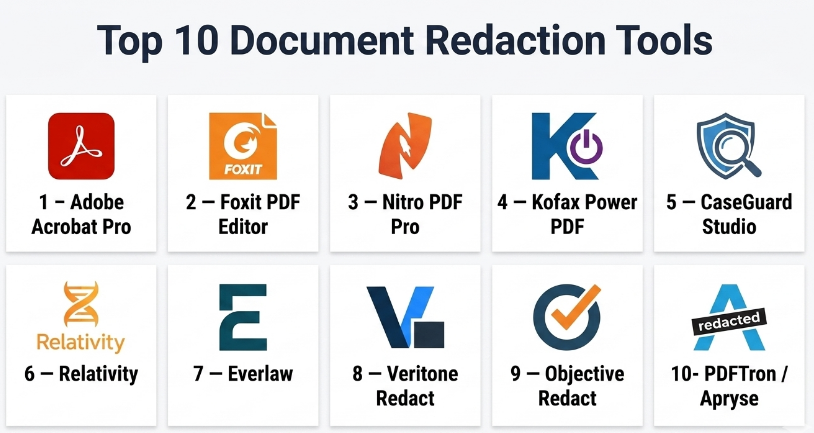
Top 10 Document Redaction Tools
#1 — Adobe Acrobat Pro
Short description :
Adobe Acrobat Pro is one of the most widely used PDF editing and redaction tools. It helps users permanently remove sensitive text, images, and hidden information from PDF documents. It is suitable for legal teams, HR teams, compliance users, business professionals, and organizations that frequently work with PDFs. Acrobat Pro includes search-based redaction, metadata removal, OCR support, and document protection features. It is best for teams that need a reliable, familiar, and widely adopted PDF redaction solution.
Key Features
- True PDF text and image redaction.
- Search-and-redact functionality.
- OCR support for scanned documents.
- Metadata and hidden information removal.
- PDF editing and annotation tools.
- Password protection and permissions.
- Batch-style workflows may vary by setup.
Pros
- Familiar interface for many business users.
- Strong all-purpose PDF editing and redaction capabilities.
- Good fit for legal, HR, compliance, and business teams.
Cons
- Subscription cost may be high for occasional users.
- Advanced automation may require additional workflow setup.
- Not a full eDiscovery platform by itself.
Platforms / Deployment
Web / Windows / macOS / iOS / Android
Cloud / Desktop
Security & Compliance
Supports document protection, permissions, metadata removal, and secure PDF workflows. Specific enterprise compliance features depend on plan and configuration.
Integrations & Ecosystem
Adobe Acrobat Pro fits well into general document workflows and PDF-heavy business processes.
- PDF editing workflows.
- Cloud document storage.
- Microsoft Office workflows.
- eSignature workflows.
- OCR and scanning workflows.
- Document review processes.
Support & Community
Adobe provides documentation, customer support, enterprise resources, and a large user community. It is one of the easiest tools to adopt because many users already know the Acrobat environment.
#2 — Foxit PDF Editor
Short description :
Foxit PDF Editor is a PDF editing and redaction platform used by businesses that need strong PDF control without unnecessary complexity. It supports redaction, PDF editing, OCR, document protection, collaboration, and workflow features. Foxit is useful for legal, finance, healthcare, education, government, and enterprise teams that regularly handle sensitive documents. It provides a practical balance of PDF editing, security, and redaction tools. It is best for organizations that want a capable Acrobat alternative for PDF redaction and document management.
Key Features
- PDF text and image redaction.
- Search-and-redact support.
- OCR for scanned documents.
- Metadata removal.
- PDF editing and commenting.
- Document protection and permissions.
- Collaboration and workflow features.
Pros
- Strong PDF redaction and editing features.
- Often considered practical for business PDF workflows.
- Good option for teams seeking PDF security controls.
Cons
- Advanced enterprise workflows may need configuration.
- Some users may still prefer Adobe’s broader ecosystem.
- Redaction accuracy depends on correct user workflow.
Platforms / Deployment
Web / Windows / macOS / iOS / Android
Cloud / Desktop
Security & Compliance
Supports PDF security, redaction, document permissions, and metadata removal. Specific compliance claims should be validated directly with the vendor.
Integrations & Ecosystem
Foxit PDF Editor works well with common document and business workflows.
- PDF editing workflows.
- Microsoft Office workflows.
- Cloud storage systems.
- Document collaboration.
- OCR scanning.
- Secure PDF sharing.
Support & Community
Foxit provides documentation, customer support, enterprise resources, and training materials. It is suitable for teams needing professional PDF redaction features.
#3 — Nitro PDF Pro
Short description :
Nitro PDF Pro is a PDF productivity platform that supports PDF creation, editing, conversion, collaboration, signing, and redaction. It is useful for business teams that work heavily with contracts, forms, reports, proposals, and sensitive PDF documents. Nitro helps users redact confidential information, remove hidden data, and prepare documents for secure sharing. It is suitable for SMBs, legal teams, finance departments, HR teams, and enterprise users. It is best for organizations that want PDF editing, productivity, and redaction in one platform.
Key Features
- PDF redaction tools.
- PDF creation and editing.
- Document conversion.
- OCR support may vary by version.
- Annotation and collaboration.
- eSignature workflow support.
- Document security and permissions.
Pros
- Good all-in-one PDF productivity platform.
- Useful for business users handling many documents.
- Strong fit for teams needing editing plus redaction.
Cons
- May not have the deepest legal review workflow features.
- Some advanced redaction workflows may require user training.
- Feature availability can vary by product version and plan.
Platforms / Deployment
Windows / macOS / Web options may vary
Cloud / Desktop
Security & Compliance
Supports document protection, redaction, and secure PDF workflows. Specific security and compliance details should be validated directly with the vendor.
Integrations & Ecosystem
Nitro PDF Pro supports business document workflows.
- PDF editing.
- Office document conversion.
- eSignature workflows.
- Document collaboration.
- Secure sharing.
- Business productivity tools.
Support & Community
Nitro provides documentation, support resources, and business onboarding guidance. It is practical for teams that want PDF productivity and redaction together.
#4 — Kofax Power PDF
Short description :
Kofax Power PDF is a professional PDF editing platform designed for business users who need PDF creation, editing, conversion, form handling, security, and redaction. It is useful for legal, finance, government, healthcare, and enterprise document workflows. Kofax Power PDF helps teams redact sensitive content from documents and prepare secure PDFs for sharing. It is especially relevant for organizations that want desktop-focused PDF control and business document productivity. It is best for teams that need professional PDF redaction and document handling features.
Key Features
- PDF redaction.
- PDF editing and conversion.
- OCR support.
- Form creation and handling.
- Document security controls.
- Annotation and review tools.
- Batch processing capabilities may vary.
Pros
- Strong business PDF feature set.
- Useful for document-heavy organizations.
- Good fit for desktop-based PDF workflows.
Cons
- Interface may require training for some users.
- Not a full legal eDiscovery redaction platform.
- Advanced automation may depend on version and configuration.
Platforms / Deployment
Windows / macOS options may vary
Desktop
Security & Compliance
Supports document security, redaction, and PDF protection features. Specific compliance details should be validated directly with the vendor.
Integrations & Ecosystem
Kofax Power PDF supports professional PDF and document workflows.
- Scanning and OCR workflows.
- PDF editing.
- Office document conversion.
- Secure document sharing.
- Review and annotation.
- Business document processing.
Support & Community
Kofax provides documentation, support resources, and business product guidance. It is suitable for teams needing strong PDF editing and redaction capabilities.
#5 — CaseGuard Studio
Short description :
CaseGuard Studio is a redaction platform designed for video, audio, image, and document redaction workflows. It is especially useful for law enforcement, government agencies, legal teams, investigators, public records teams, and organizations handling multimedia evidence. For documents, it supports text redaction, OCR-assisted workflows, and sensitive data protection. CaseGuard is stronger than standard PDF editors when organizations need redaction across multiple evidence types. It is best for teams that need document redaction along with video, audio, and image redaction.
Key Features
- Document redaction.
- Video, audio, and image redaction.
- OCR-assisted text detection.
- Automated redaction workflows.
- Face, object, and audio redaction features may vary.
- Batch processing support.
- Review and export workflows.
Pros
- Strong for public records and investigative workflows.
- Supports more than just PDF documents.
- Useful for teams handling sensitive multimedia evidence.
Cons
- May be more advanced than basic business users need.
- Requires training for complex redaction workflows.
- Pricing and deployment should be reviewed carefully.
Platforms / Deployment
Windows / Deployment options may vary
Desktop / Cloud options may vary
Security & Compliance
Supports sensitive media and document redaction workflows. Specific security and compliance details should be validated directly with the vendor.
Integrations & Ecosystem
CaseGuard Studio supports redaction-heavy operational workflows.
- Public records processing.
- Legal review.
- Investigation workflows.
- Multimedia redaction.
- Document redaction.
- Export and evidence workflows.
Support & Community
CaseGuard provides product support, documentation, and training resources. It is suitable for organizations handling high-volume or high-sensitivity redaction tasks.
#6 — Relativity
Short description :
Relativity is an eDiscovery and legal data platform used by law firms, corporate legal teams, government agencies, and enterprises. It supports document review, legal workflows, analytics, production, and redaction as part of broader discovery processes. Relativity is not a simple PDF redaction tool; it is designed for large-scale legal review and litigation workflows. It is useful when teams must review and redact large document sets with legal defensibility and workflow control. It is best for legal teams that need redaction inside a full eDiscovery platform.
Key Features
- Legal document review.
- Redaction workflows.
- eDiscovery data management.
- Review queues and coding.
- Analytics and search.
- Production workflows.
- Audit and review history.
Pros
- Strong for large-scale legal review.
- Useful for litigation and eDiscovery workflows.
- Supports team-based review and production processes.
Cons
- Too complex for basic redaction needs.
- Requires legal operations or eDiscovery expertise.
- Pricing and implementation may be enterprise-oriented.
Platforms / Deployment
Web
Cloud / Enterprise deployment options may vary
Security & Compliance
Supports legal-grade review workflows, access controls, audit trails, and data governance features depending on configuration. Specific compliance details should be validated directly with the vendor.
Integrations & Ecosystem
Relativity fits into legal, eDiscovery, and investigation workflows.
- Legal review platforms.
- Document productions.
- Data processing workflows.
- Search and analytics.
- Law firm operations.
- Corporate legal systems.
Support & Community
Relativity provides enterprise support, training, partner resources, and a large eDiscovery ecosystem. It is best suited for legal teams managing complex document review.
#7 — Everlaw
Short description :
Everlaw is a cloud-based eDiscovery platform used for litigation, investigations, legal review, and document production. It supports document review, collaboration, search, analytics, and redaction workflows. Everlaw is useful for legal teams that need to review and redact large volumes of documents in a defensible legal environment. It is not meant for casual PDF redaction, but it is powerful for legal discovery and investigation teams. It is best for organizations that need redaction as part of cloud-based legal review and case preparation.
Key Features
- Legal document review.
- Redaction workflows.
- Search and analytics.
- Story-building and case preparation tools.
- Collaboration features.
- Production workflows.
- Audit and activity tracking.
Pros
- Strong for cloud-based legal review.
- Useful for litigation and investigation workflows.
- Good collaboration features for legal teams.
Cons
- Not suitable for simple one-off PDF redaction.
- Requires legal review process knowledge.
- Pricing may be better suited for legal teams and enterprises.
Platforms / Deployment
Web
Cloud
Security & Compliance
Supports secure legal review, access controls, audit trails, and data governance features. Specific compliance certifications should be validated directly with the vendor.
Integrations & Ecosystem
Everlaw connects redaction with legal review and case workflows.
- eDiscovery workflows.
- Legal document productions.
- Investigation workflows.
- Search and analytics.
- Case preparation.
- Legal collaboration.
Support & Community
Everlaw provides documentation, customer support, onboarding resources, and legal workflow guidance. It is suitable for litigation and investigation teams.
#8 — Veritone Redact
Short description :
Veritone Redact is a redaction tool focused on audio and video redaction, with use cases in public safety, legal, government, and media workflows. While it is not primarily a document redaction tool, it is relevant for organizations that need to redact sensitive information across evidence and media files. It can help teams remove faces, license plates, personal details, and sensitive content from recordings. It is best for organizations whose redaction needs include multimedia evidence along with related documents.
Key Features
- Video redaction.
- Audio redaction.
- Automated detection capabilities.
- Face and object redaction features may vary.
- Review and approval workflows.
- Export support.
- Public records and legal workflow support.
Pros
- Strong for multimedia redaction.
- Useful for public safety and government workflows.
- Can reduce manual redaction time for video and audio.
Cons
- Not mainly a PDF or document redaction platform.
- May be unnecessary for standard business document redaction.
- Best value depends on multimedia redaction volume.
Platforms / Deployment
Web / Deployment options may vary
Cloud
Security & Compliance
Supports sensitive media redaction workflows and secure review processes. Specific security and compliance details should be validated directly with the vendor.
Integrations & Ecosystem
Veritone Redact supports public records and multimedia evidence workflows.
- Video evidence workflows.
- Audio evidence workflows.
- Public records processing.
- Investigation workflows.
- Legal review.
- Media export processes.
Support & Community
Veritone provides customer support, documentation, and implementation resources. It is suitable for teams handling sensitive media redaction.
#9 — Objective Redact
Short description :
Objective Redact is a document redaction tool designed for organizations that need to safely remove sensitive information from documents. It supports text redaction, search-based redaction, pattern-based redaction, and workflows for protecting confidential data. It is useful for legal teams, government agencies, public records teams, compliance departments, and businesses that regularly process sensitive documents. Objective Redact focuses specifically on document redaction rather than general PDF editing. It is best for organizations that want a focused redaction solution for sensitive records.
Key Features
- Document redaction.
- Search-based redaction.
- Pattern-based redaction.
- Batch redaction workflows.
- OCR support may vary by version.
- Metadata handling.
- Review and export workflows.
Pros
- Focused specifically on redaction needs.
- Useful for public records and compliance teams.
- Stronger fit than basic PDF editors for repeat redaction work.
Cons
- May be less familiar than mainstream PDF tools.
- Feature availability should be validated for specific file types.
- Teams may need training for advanced workflows.
Platforms / Deployment
Windows / Deployment options may vary
Desktop / Enterprise options may vary
Security & Compliance
Supports document redaction workflows for sensitive information. Specific security and compliance details should be validated directly with the vendor.
Integrations & Ecosystem
Objective Redact supports structured document redaction workflows.
- Public records processing.
- Legal document review.
- Compliance workflows.
- Sensitive records handling.
- Batch redaction.
- Document export workflows.
Support & Community
Objective Redact provides product documentation and support resources. It is practical for teams that need focused redaction rather than broad PDF editing.
#10 — PDFTron / Apryse
Short description :
PDFTron, now commonly known as Apryse, provides document processing technology and SDKs that can support PDF viewing, editing, annotation, conversion, and redaction inside custom applications. It is different from a normal end-user redaction tool because it is often used by developers and enterprises building document workflows into their own products. Apryse is useful for SaaS companies, legal tech platforms, compliance systems, and enterprise development teams. It is best for organizations that need redaction capabilities embedded into custom software.
Key Features
- PDF redaction SDK capabilities.
- Document viewing and editing.
- Annotation support.
- OCR and conversion capabilities may vary.
- Workflow automation support.
- Developer APIs.
- Cross-platform document processing.
Pros
- Strong for embedding redaction into custom applications.
- Useful for legal tech, SaaS, and enterprise systems.
- Flexible developer-focused document processing.
Cons
- Not mainly a simple end-user redaction tool.
- Requires developer resources.
- Implementation complexity depends on application needs.
Platforms / Deployment
Web / Windows / macOS / Linux / iOS / Android options may vary
Cloud / Self-hosted / Embedded SDK options may vary
Security & Compliance
Security depends on deployment, implementation, and application architecture. Specific platform security and compliance details should be validated directly with the vendor.
Integrations & Ecosystem
Apryse supports developer-led document workflows.
- Custom SaaS platforms.
- Legal tech systems.
- Compliance applications.
- Document automation workflows.
- PDF viewing and editing.
- Enterprise software development.
Support & Community
Apryse provides developer documentation, technical support, SDK resources, and enterprise support options. It is best for teams building redaction into custom document applications.
Comparison Table
| Tool Name | Best For | Platform(s) Supported | Deployment | Standout Feature | Public Rating |
|---|---|---|---|---|---|
| Adobe Acrobat Pro | General PDF redaction and editing | Web / Windows / macOS / iOS / Android | Cloud / Desktop | Familiar PDF redaction and metadata removal | N/A |
| Foxit PDF Editor | Business PDF redaction | Web / Windows / macOS / iOS / Android | Cloud / Desktop | Strong PDF editing with redaction controls | N/A |
| Nitro PDF Pro | PDF productivity and redaction | Windows / macOS / Web varies | Cloud / Desktop | PDF editing, conversion, signing, and redaction | N/A |
| Kofax Power PDF | Professional desktop PDF redaction | Windows / macOS varies | Desktop | Business PDF redaction and OCR workflows | N/A |
| CaseGuard Studio | Public records and multimedia redaction | Windows | Desktop / Cloud varies | Document, video, audio, and image redaction | N/A |
| Relativity | Legal eDiscovery redaction | Web | Cloud / Enterprise varies | Redaction inside large-scale legal review | N/A |
| Everlaw | Cloud legal review and redaction | Web | Cloud | eDiscovery redaction and legal collaboration | N/A |
| Veritone Redact | Audio and video redaction | Web | Cloud | Automated multimedia redaction workflows | N/A |
| Objective Redact | Focused document redaction | Windows | Desktop / Enterprise varies | Search and pattern-based document redaction | N/A |
| PDFTron / Apryse | Embedded redaction in custom apps | Web / Windows / macOS / Linux / iOS / Android varies | Cloud / Self-hosted / SDK varies | Developer SDK for document redaction workflows | N/A |
Evaluation & Document Redaction Tools
| Tool Name | Core (25%) | Ease (15%) | Integrations (15%) | Security (10%) | Performance (10%) | Support (10%) | Value (15%) | Weighted Total (0–10) |
|---|---|---|---|---|---|---|---|---|
| Adobe Acrobat Pro | 9 | 9 | 9 | 8 | 9 | 9 | 8 | 8.75 |
| Foxit PDF Editor | 8 | 8 | 8 | 8 | 8 | 8 | 8 | 8.00 |
| Nitro PDF Pro | 8 | 8 | 8 | 8 | 8 | 8 | 8 | 8.00 |
| Kofax Power PDF | 8 | 8 | 7 | 8 | 8 | 8 | 8 | 7.85 |
| CaseGuard Studio | 9 | 7 | 7 | 8 | 8 | 8 | 7 | 7.90 |
| Relativity | 10 | 6 | 9 | 9 | 9 | 9 | 7 | 8.50 |
| Everlaw | 9 | 8 | 8 | 9 | 9 | 9 | 7 | 8.35 |
| Veritone Redact | 8 | 7 | 7 | 8 | 8 | 8 | 7 | 7.55 |
| Objective Redact | 8 | 7 | 7 | 8 | 8 | 7 | 8 | 7.60 |
| PDFTron / Apryse | 9 | 6 | 10 | 8 | 9 | 8 | 7 | 8.20 |
These scores are comparative and should be used as a practical guide, not a final ranking. Adobe Acrobat Pro is strong for everyday PDF redaction. Foxit, Nitro, and Kofax are practical business PDF alternatives. Relativity and Everlaw are stronger for legal review and eDiscovery workflows. CaseGuard and Veritone are more relevant when redaction includes multimedia evidence. Apryse is best when redaction must be embedded into custom software.
Which Document Redaction Tools
Solo / Freelancer
Solo professionals usually need a simple and reliable PDF redaction tool. Adobe Acrobat Pro, Foxit PDF Editor, Nitro PDF Pro, or Kofax Power PDF can be practical options depending on budget and workflow.
A freelancer should avoid unsafe manual redaction methods such as placing black boxes over text without permanently removing the underlying content. True redaction is important even for small projects.
SMB
Small and medium businesses should focus on ease of use, PDF support, metadata removal, OCR, and secure sharing. Adobe Acrobat Pro, Foxit PDF Editor, Nitro PDF Pro, and Kofax Power PDF are strong options.
If the business handles legal documents, HR files, finance records, or customer data regularly, it should create a formal redaction checklist and train employees on safe redaction practices.
Mid-Market
Mid-market companies usually need stronger controls, team workflows, batch redaction, search-based redaction, document review, and compliance support. Adobe Acrobat Pro, Foxit PDF Editor, CaseGuard Studio, Objective Redact, and Everlaw may be useful depending on document volume.
At this stage, companies should evaluate whether redaction is mostly PDF-based, legal-review-based, public-records-based, or multimedia-based.
Enterprise
Enterprises should prioritize audit trails, access controls, eDiscovery support, data governance, batch workflows, legal defensibility, and secure review. Relativity, Everlaw, Adobe Acrobat Pro, CaseGuard Studio, Objective Redact, and Apryse are strong options depending on the environment.
Large organizations should involve legal, compliance, records management, IT security, privacy, and department leaders before standardizing redaction workflows.
Budget vs Premium
Budget-conscious users may start with PDF editors such as Foxit PDF Editor, Nitro PDF Pro, Kofax Power PDF, or Adobe Acrobat Pro if their needs are straightforward.
Premium tools such as Relativity, Everlaw, CaseGuard Studio, and developer platforms like Apryse are better when organizations need large-scale review, automation, custom workflows, multimedia redaction, or legal production management.
Feature Depth vs Ease of Use
If ease of use matters most, Adobe Acrobat Pro, Foxit PDF Editor, Nitro PDF Pro, and Kofax Power PDF are practical choices for business users.
If feature depth matters more, Relativity, Everlaw, CaseGuard Studio, Objective Redact, and Apryse offer stronger capabilities for legal review, public records, automation, multimedia files, and custom systems.
Integrations & Scalability
Document redaction tools should connect with document management systems, legal review platforms, cloud storage, scanning workflows, OCR systems, case management tools, and records management processes.
For legal teams, Relativity and Everlaw are stronger. For public records and multimedia evidence, CaseGuard and Veritone may be useful. For embedded workflows, Apryse is relevant. For general PDF workflows, Adobe, Foxit, Nitro, and Kofax are practical.
Security & Compliance Needs
Redaction tools often process sensitive personal data, legal documents, healthcare records, financial reports, HR records, investigations, and confidential business information. Security must be reviewed carefully.
Buyers should validate true redaction, metadata removal, audit logs, access controls, encryption, retention policies, export controls, user permissions, review workflows, and whether redacted content can be recovered.
Frequently Asked Questions
1. What is a Document Redaction Tool?
A Document Redaction Tool permanently removes or hides sensitive information from documents before they are shared. It is commonly used to protect names, addresses, identity numbers, financial details, legal information, medical records, and confidential business data.
2. How is true redaction different from covering text with a black box?
True redaction permanently removes the underlying text or image data. A black box only placed over text may not remove the hidden content, meaning someone could copy, search, or recover the information. Professional redaction tools are safer because they remove the sensitive content properly.
3. What pricing models are common for Document Redaction Tools?
Pricing may be subscription-based, per-user, per-seat, enterprise-based, usage-based, or module-based. PDF editors often use standard software subscriptions, while legal review and eDiscovery platforms usually use custom pricing based on data volume, users, or cases.
4. What are common mistakes when redacting documents?
Common mistakes include using visual masking instead of true redaction, forgetting metadata, not running OCR on scanned files, missing repeated sensitive terms, and failing to review the final output. Another common mistake is not keeping an audit trail for regulated or legal workflows.
5. Which tool is best for simple PDF redaction?
Adobe Acrobat Pro, Foxit PDF Editor, Nitro PDF Pro, and Kofax Power PDF are practical choices for simple PDF redaction. The best choice depends on budget, user comfort, OCR needs, and whether the organization already uses a PDF platform.
6. Which tool is best for legal eDiscovery redaction?
Relativity and Everlaw are strong options for legal eDiscovery redaction because they support large-scale review, document coding, production workflows, audit trails, and team-based legal review. They are more advanced than standard PDF editors.
7. Can redaction tools handle scanned documents?
Many redaction tools support OCR, which helps detect text inside scanned documents. OCR quality depends on scan clarity, language, layout, handwriting, and image quality. Scanned documents should always be reviewed manually after automated redaction.
8. Can AI automatically redact sensitive information?
Some tools support AI-assisted or automated detection of sensitive information. This can save time, but it should not be trusted blindly. Human review is still important because AI may miss context, unusual formats, handwritten content, or sensitive information that does not match a pattern.
9. Are Document Redaction Tools secure?
They can be secure when configured properly. Buyers should check encryption, access controls, data retention, audit logs, user permissions, deployment model, metadata removal, and whether documents are processed locally or in the cloud.
10. What file types can be redacted?
Most document redaction tools focus on PDFs. Some tools also support images, Office documents, scanned files, videos, audio files, and custom document formats. Buyers should test the exact file types they use before choosing a platform.
Conclusion
Document Redaction Tools help organizations protect sensitive information before documents are shared, filed, published, or released. The right tool depends on document volume, sensitivity, industry requirements, file types, and workflow complexity. Adobe Acrobat Pro, Foxit PDF Editor, Nitro PDF Pro, and Kofax Power PDF are strong for everyday PDF redaction. Relativity and Everlaw are better for legal review and eDiscovery. CaseGuard Studio and Veritone Redact are useful when redaction includes multimedia files. Objective Redact is practical for focused document redaction workflows, while Apryse is best for teams embedding redaction into custom applications.
