Introduction
Fundraising Platforms help nonprofits, charities, schools, churches, community groups, creators, foundations, advocacy teams, and social impact organizations raise money online and manage campaigns more effectively. In simple words, these platforms give organizations digital tools to collect donations, create campaign pages, manage recurring gifts, run events, support peer-to-peer fundraising, send receipts, and track fundraising performance.
Fundraising has become more digital, mobile, and relationship-driven. Donors expect a simple giving experience, secure payment options, clear campaign stories, and easy ways to share causes with friends. At the same time, organizations need better visibility into donation data, campaign results, supporter engagement, and long-term donor retention.
Real-world use cases include:
- Creating branded donation pages for nonprofit campaigns
- Running peer-to-peer fundraising campaigns
- Collecting recurring monthly donations
- Managing event fundraising and ticketing
- Supporting crowdfunding for community causes
- Tracking donor activity, receipts, and campaign performance
Buyers should evaluate:
- Donation page customization
- Payment processing options
- Recurring giving support
- Peer-to-peer fundraising features
- Event fundraising tools
- Donor management capabilities
- Email and communication tools
- Reporting and analytics
- CRM and accounting integrations
- Pricing, transaction fees, and platform fees
- Security, permissions, and payment protection
- Ease of use for donors and admins
Best for: nonprofits, fundraising managers, charities, churches, schools, community organizations, social impact teams, advocacy groups, event fundraisers, and organizations that need modern digital giving tools.
Not ideal for: teams that only collect occasional offline donations, organizations with no digital fundraising plan, or businesses that only need a basic payment form without donor records, campaign tracking, receipts, or engagement workflows.
Key Trends in Fundraising Platforms
- Mobile-first giving: Donors increasingly give from mobile devices, so donation pages must be fast, clean, and easy to complete.
- Recurring donations: Monthly giving programs are becoming more important because they create predictable revenue and improve long-term donor relationships.
- Peer-to-peer fundraising: Supporters can create personal fundraising pages and invite their networks to donate, helping organizations expand reach.
- Campaign storytelling: Modern fundraising platforms focus on visuals, progress bars, updates, impact stories, and social sharing to build trust.
- Event fundraising growth: Nonprofits are combining ticketing, auctions, livestreams, in-person events, and donation campaigns in one fundraising workflow.
- AI-assisted donor engagement: Some platforms are adding smarter segmentation, suggested giving amounts, donor insights, and message personalization.
- Payment flexibility: Donors expect cards, bank transfers, wallets, recurring billing, and simple checkout options.
- CRM and data integration: Fundraising data needs to sync with donor CRMs, email systems, accounting platforms, and reporting tools.
- Transparent fee models: Organizations are paying closer attention to platform fees, transaction fees, donor-covered fees, and contract requirements.
- Security and trust: Donor data protection, payment security, fraud controls, user permissions, and privacy practices are essential.
How We Selected These Tools Methodology
The tools below were selected based on fundraising relevance, nonprofit adoption, feature depth, ease of use, and practical value across different organization sizes.
- Market recognition: Platforms commonly known in nonprofit fundraising, online giving, peer-to-peer campaigns, and digital donation workflows were prioritized.
- Fundraising feature depth: Donation pages, recurring giving, peer-to-peer campaigns, events, receipts, and donor tracking were evaluated.
- Ease of use: Donor checkout experience and admin workflows were considered important.
- Campaign flexibility: Tools that support different campaign styles, fundraising pages, teams, events, and social sharing were rated higher.
- CRM and integration fit: Fundraising platforms must connect with donor records, email tools, accounting workflows, and reporting systems.
- Reporting quality: Campaign performance, donor activity, recurring revenue, and conversion insights were considered.
- Security expectations: Payment security, user permissions, donor privacy, and access control were included in evaluation.
- Organization fit: The list includes tools for small nonprofits, growing teams, enterprise organizations, events, crowdfunding, and digital-first fundraising.
- Support quality: Documentation, onboarding, account support, and help resources were considered.
- Practical buyer value: The goal is not to declare one universal winner, but to compare tools by real fundraising needs.
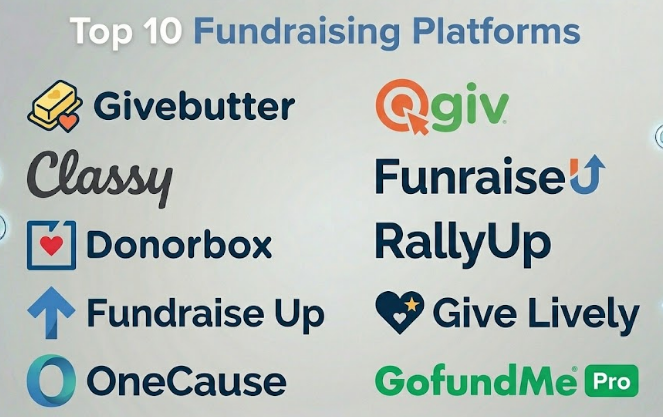
Top 10 Fundraising Platforms
#1 — Givebutter
Short description :
Givebutter is a modern fundraising platform designed for nonprofits, schools, clubs, teams, and community organizations that want to launch campaigns quickly. It supports donation pages, peer-to-peer fundraising, events, auctions, donor management, and communication tools. The platform is popular with small and growing organizations because it is easy to use and campaign-friendly. Givebutter works well for teams that need flexible online fundraising without heavy technical setup. It is especially useful for digital-first campaigns, community fundraisers, school fundraising, and event-based fundraising programs.
Key Features
- Online donation pages and campaign forms
- Peer-to-peer fundraising support
- Event registration and ticketing
- Auction and fundraising event tools
- Recurring donation management
- Donor records and activity tracking
- Automated receipts and supporter communication
Pros
- Easy to launch and simple for small teams
- Strong mix of donation, event, and campaign tools
- Good donor-facing experience for digital fundraising
Cons
- May not replace a deep enterprise nonprofit CRM
- Advanced reporting needs may require additional tools
- Larger organizations should validate integration depth
Platforms / Deployment
Web
Cloud deployment
Security & Compliance
Payment security and donor data protection are important. Specific certifications such as SOC 2, ISO 27001, HIPAA, or detailed PCI scope should be verified directly.
Not publicly stated.
Integrations & Ecosystem
Givebutter works well as a campaign and donation platform connected with broader fundraising workflows.
- Donor management workflows
- Email and SMS-style communication
- Event fundraising workflows
- Payment processing
- CRM exports or integrations
- Reporting dashboards
Support & Community
Givebutter provides support resources and is widely used by smaller nonprofits and campaign-based fundraising teams. Its community strength is strongest among organizations that need simple, fast, and modern fundraising tools.
#2 — Classy
Short description :
Classy is a digital fundraising platform built for nonprofits that need branded donation pages, peer-to-peer fundraising, recurring giving, event fundraising, and campaign management. It is often used by growing and larger nonprofits that want a polished donor experience. Classy supports multi-channel fundraising and is useful for organizations that run professional campaigns across several programs. It is especially strong when donor experience, campaign design, and peer-to-peer fundraising are important. Classy is a good fit for organizations with active fundraising teams and structured campaign goals.
Key Features
- Branded donation pages
- Peer-to-peer fundraising
- Recurring donation support
- Event fundraising tools
- Campaign management
- Donor and transaction reporting
- CRM integration workflows
Pros
- Strong donor-facing campaign experience
- Good fit for peer-to-peer and digital fundraising
- Useful for growing nonprofits with structured campaigns
Cons
- May be more expensive than basic fundraising tools
- Deep donor CRM may require another system
- Best results require campaign planning and staff ownership
Platforms / Deployment
Web
Cloud deployment
Security & Compliance
Payment security, donor data controls, user permissions, and privacy controls are expected. Specific certifications should be verified directly.
Not publicly stated.
Integrations & Ecosystem
Classy works well as part of a broader nonprofit technology stack where campaign activity needs to flow into CRM, marketing, and reporting systems.
- Nonprofit CRM workflows
- Payment processing
- Email marketing tools
- Peer-to-peer campaign workflows
- Event fundraising tools
- Analytics and reporting systems
Support & Community
Classy provides support, onboarding resources, and fundraising education. It is widely recognized among digital fundraising teams and growing nonprofit organizations.
#3 — Donorbox
Short description :
Donorbox is an online donation and fundraising platform that helps nonprofits, churches, schools, and community organizations collect donations through customizable forms and campaign pages. It supports recurring donations, donor records, crowdfunding, memberships, and basic fundraising workflows. Donorbox is especially useful for organizations that want fast online giving setup without implementing a complex CRM. It can be embedded into websites or used as a hosted donation page. Donorbox is a practical choice for small and mid-sized organizations focused on simple, secure, and recurring online donations.
Key Features
- Custom donation forms
- Recurring donation management
- Campaign and crowdfunding pages
- Donor records and giving history
- Automated donation receipts
- Payment processing support
- Embeddable donation widgets
Pros
- Simple and fast to launch
- Strong recurring donation support
- Good fit for small and mid-sized nonprofits
Cons
- Not a full enterprise donor CRM
- Advanced campaign automation may be limited
- Transaction and platform costs should be reviewed carefully
Platforms / Deployment
Web
Cloud deployment
Security & Compliance
Payment security and donor data protection are expected. Specific certifications such as SOC 2, ISO 27001, HIPAA, or PCI documentation should be verified directly.
Not publicly stated.
Integrations & Ecosystem
Donorbox is often used as an online giving layer connected to nonprofit websites and donor systems.
- Website donation forms
- Payment processing
- CRM exports or integrations
- Recurring giving workflows
- Campaign pages
- Receipt automation
Support & Community
Donorbox provides documentation and support resources. It is approachable for smaller organizations and teams that need practical online donation tools.
#4 — Fundraise Up
Short description :
Fundraise Up is a fundraising platform focused on improving online donation conversion and donor checkout experience. It helps nonprofits create modern donation forms, personalized giving flows, recurring donation options, and optimized donation experiences. The platform is especially useful for organizations with strong website traffic or digital campaigns that want to increase completed donations. Fundraise Up is not mainly a deep donor CRM; it is better understood as a high-performance donation experience platform. It is a strong fit for digital-first nonprofits that care about conversion, personalization, and payment flexibility.
Key Features
- Optimized donation checkout
- Recurring giving workflows
- Smart suggested donation amounts
- Modern payment options
- Donor experience personalization
- Campaign and conversion tracking
- CRM and analytics integration workflows
Pros
- Strong focus on donation conversion
- Modern donor checkout experience
- Useful for organizations with digital fundraising traffic
Cons
- Not a full nonprofit CRM by itself
- Best value depends on online fundraising volume
- Integration setup should be tested before rollout
Platforms / Deployment
Web
Cloud deployment
Security & Compliance
Payment security, donor data protection, and access controls are important. Specific certifications should be verified directly during procurement.
Not publicly stated.
Integrations & Ecosystem
Fundraise Up works best as a digital donation layer connected with nonprofit CRM, website, analytics, and marketing systems.
- Nonprofit CRM workflows
- Website donation forms
- Payment processing
- Analytics platforms
- Email marketing workflows
- Campaign reporting tools
Support & Community
Fundraise Up support is typically focused on implementation, donation experience, and integrations. It is most useful for teams investing seriously in digital fundraising performance.
#5 — OneCause
Short description :
OneCause is a fundraising platform focused on nonprofit events, auctions, peer-to-peer campaigns, giving days, and online fundraising. It is especially useful for organizations that run galas, auctions, walkathons, virtual events, and campaign-based fundraising. OneCause helps manage event registration, bidding, donation appeals, supporter participation, and campaign results. It is a strong option for nonprofits where events and supporter engagement are a major fundraising channel. The platform is more event-focused than simple donation-form tools.
Key Features
- Event fundraising tools
- Mobile bidding and auction support
- Peer-to-peer fundraising
- Giving day campaigns
- Online donation pages
- Event registration and ticketing
- Fundraising reporting
Pros
- Strong fit for event-heavy nonprofits
- Useful for auctions, galas, and peer-to-peer events
- Helps centralize event fundraising activity
Cons
- May be more than needed for simple online donations
- Event success depends on strong planning
- CRM depth may require integrations
Platforms / Deployment
Web / mobile-friendly access
Cloud deployment
Security & Compliance
Payment security, donor data protection, user permissions, and event transaction controls are expected. Specific certifications should be verified directly.
Not publicly stated.
Integrations & Ecosystem
OneCause fits best where fundraising events, campaigns, donor records, and payment workflows need to connect.
- Event registration
- Auction and bidding workflows
- Donor CRM workflows
- Payment processing
- Peer-to-peer campaigns
- Reporting exports
Support & Community
OneCause provides event fundraising support resources, onboarding, and customer guidance. It is especially relevant for nonprofits running high-touch fundraising events.
#6 — Qgiv
Short description :
Qgiv is a fundraising platform for nonprofits that supports donation forms, peer-to-peer fundraising, text fundraising, events, auctions, and donor engagement. It is useful for organizations that want multiple fundraising tools in one platform. Qgiv can support online giving, recurring donations, fundraising thermometers, event campaigns, and supporter-driven fundraising. It is a practical fit for small and mid-sized nonprofits that need more than a simple donation form but may not want a large enterprise fundraising system. Qgiv is especially useful for campaign variety and donor engagement.
Key Features
- Online donation forms
- Peer-to-peer fundraising
- Text-to-give fundraising
- Event and auction tools
- Recurring donation support
- Donor engagement features
- Fundraising reporting dashboards
Pros
- Broad fundraising feature set
- Useful for multiple campaign styles
- Good fit for small and mid-sized nonprofits
Cons
- May require setup time across different fundraising modules
- CRM depth should be validated if donor management is complex
- Pricing and feature packaging should be reviewed carefully
Platforms / Deployment
Web / mobile-friendly access
Cloud deployment
Security & Compliance
Payment security, user permissions, and donor data controls are expected. Specific certifications such as SOC 2, ISO 27001, HIPAA, or PCI details should be verified directly.
Not publicly stated.
Integrations & Ecosystem
Qgiv can support fundraising teams that need donation, event, auction, and campaign data to connect with other nonprofit systems.
- Donor CRM workflows
- Event fundraising
- Payment processing
- Text fundraising workflows
- Auction workflows
- Reporting and exports
Support & Community
Qgiv provides support and educational resources for nonprofit fundraisers. It is useful for teams that want campaign variety with guided support.
#7 — Funraise
Short description :
Funraise is a fundraising platform designed to help nonprofits manage donation forms, campaign pages, donor data, recurring giving, events, and supporter engagement. It combines fundraising tools with donor management features, making it useful for organizations that want both donation collection and better supporter visibility. Funraise works well for nonprofits that need modern campaign tools without managing many disconnected systems. It is especially relevant for organizations focused on digital fundraising, donor journeys, and campaign reporting. The platform can support growing fundraising teams that need a flexible fundraising stack.
Key Features
- Donation forms and campaign pages
- Donor management features
- Recurring donation support
- Fundraising event tools
- Peer-to-peer fundraising
- Automated donor communication
- Reporting and analytics
Pros
- Combines fundraising and donor management workflows
- Good fit for growing digital fundraising teams
- Useful campaign and recurring giving features
Cons
- May not replace a highly customized enterprise CRM
- Setup and integration should be planned carefully
- Pricing and package details should be reviewed directly
Platforms / Deployment
Web
Cloud deployment
Security & Compliance
Donor data protection, payment security, and access controls are important. Specific certifications should be verified directly.
Not publicly stated.
Integrations & Ecosystem
Funraise can work as a central fundraising platform connected with CRM, payment, email, and reporting workflows.
- Donation and payment workflows
- Donor management records
- Email and communication tools
- Event fundraising
- Peer-to-peer campaigns
- Reporting dashboards
Support & Community
Funraise provides platform support and fundraising resources. It is best suited for nonprofits that want a modern fundraising system with donor management visibility.
#8 — RallyUp
Short description :
RallyUp is an online fundraising platform that supports raffles, auctions, sweepstakes, peer-to-peer fundraising, events, sales-based campaigns, and donation pages. It is useful for schools, nonprofits, sports teams, community groups, churches, and organizations that want flexible campaign formats. RallyUp is especially strong when fundraising involves interactive campaigns, prize-based giving, events, or community participation. It gives organizations multiple ways to raise money beyond traditional donation pages. It is a good fit for teams that want creative fundraising options and easy campaign setup.
Key Features
- Donation pages
- Raffles and sweepstakes campaigns
- Auctions and sales campaigns
- Peer-to-peer fundraising
- Event fundraising support
- Campaign customization
- Reporting and donor tracking
Pros
- Strong variety of fundraising campaign types
- Useful for schools, teams, and community fundraisers
- Good option for interactive fundraising
Cons
- Some campaign types may require legal or compliance review
- Not a full enterprise donor CRM
- Best fit depends on fundraising style and audience
Platforms / Deployment
Web
Cloud deployment
Security & Compliance
Payment security and donor data protection are expected. Raffles, sweepstakes, and prize-based fundraising may have legal requirements depending on location, so organizations should review local rules.
Specific certifications: Not publicly stated.
Integrations & Ecosystem
RallyUp works well for organizations running creative or community-based fundraising campaigns.
- Donation campaigns
- Auction workflows
- Peer-to-peer fundraising
- Event fundraising
- Payment processing
- Reporting exports
Support & Community
RallyUp provides support resources for fundraising campaign setup. Its community strength is strongest among schools, nonprofits, and organizations using interactive fundraising formats.
#9 — Give Lively
Short description :
Give Lively is a fundraising platform for nonprofits that supports online giving, campaign pages, peer-to-peer fundraising, text-to-donate, and event-related fundraising. It is often considered by nonprofits looking for accessible fundraising tools. The platform can help organizations create donation pages, collect recurring gifts, and engage supporters through digital channels. Give Lively is especially useful for organizations that want online fundraising tools without heavy technical complexity. It is a good fit for nonprofits focused on donation pages, simple campaigns, and supporter-driven fundraising.
Key Features
- Online donation pages
- Peer-to-peer fundraising
- Text-to-donate support
- Recurring giving
- Campaign pages
- Event-related fundraising support
- Donor data and reporting exports
Pros
- Useful for digital fundraising basics
- Supports peer-to-peer and text giving
- Good fit for smaller nonprofits needing simple tools
Cons
- Not a full donor CRM
- Advanced enterprise workflows may be limited
- Organizations should validate eligibility and feature fit
Platforms / Deployment
Web
Cloud deployment
Security & Compliance
Payment security and donor data handling are important. Specific certifications should be verified directly before rollout.
Not publicly stated.
Integrations & Ecosystem
Give Lively can support online giving and campaign workflows connected with nonprofit operations.
- Donation pages
- Peer-to-peer campaigns
- Text fundraising
- Payment processing
- Donor exports
- CRM-related workflows
Support & Community
Support resources are available through platform channels. Give Lively is generally useful for nonprofits seeking simpler digital fundraising tools.
#10 — GoFundMe Pro
Short description :
GoFundMe Pro is a fundraising platform designed for nonprofits that need digital campaigns, donor experiences, peer-to-peer fundraising, and online donation workflows. It builds on the broader GoFundMe ecosystem while supporting nonprofit-focused fundraising needs. The platform is useful for organizations that want social fundraising, campaign storytelling, and modern donor engagement. It can support nonprofits seeking wider reach and digital campaign growth. GoFundMe Pro is especially relevant when social sharing, cause visibility, and online campaign momentum are important fundraising goals.
Key Features
- Online fundraising campaigns
- Donation pages
- Peer-to-peer fundraising
- Campaign storytelling tools
- Donor engagement workflows
- Reporting and campaign analytics
- Social sharing support
Pros
- Strong brand recognition in online fundraising
- Useful for social and campaign-driven fundraising
- Good fit for nonprofits seeking digital reach
Cons
- May not replace a full donor CRM
- Pricing and contract terms should be reviewed carefully
- Best results require strong campaign storytelling and promotion
Platforms / Deployment
Web / mobile-friendly access
Cloud deployment
Security & Compliance
Payment security, donor data protection, and campaign management controls are expected. Specific certifications should be verified directly.
Not publicly stated.
Integrations & Ecosystem
GoFundMe Pro fits into digital fundraising strategies where social reach, campaign pages, and donor engagement matter.
- Online donation workflows
- Peer-to-peer fundraising
- Social sharing campaigns
- Donor CRM workflows
- Payment processing
- Campaign analytics
Support & Community
Support and resources are available through vendor channels. The broader GoFundMe ecosystem gives the platform strong public recognition, but nonprofit teams should still validate support, reporting, and CRM requirements.
Comparison Table Top 10
| Tool Name | Best For | Platform(s) Supported | Deployment | Standout Feature | Public Rating |
|---|---|---|---|---|---|
| Givebutter | Small and growing nonprofits needing modern campaigns | Web | Cloud | Donation, events, auctions, and peer-to-peer in one platform | N/A |
| Classy | Growing nonprofits with branded digital fundraising | Web | Cloud | Professional peer-to-peer and campaign fundraising | N/A |
| Donorbox | Simple online donations and recurring giving | Web | Cloud | Easy donation forms and recurring gifts | N/A |
| Fundraise Up | Donation conversion optimization | Web | Cloud | Modern donor checkout and personalized giving flow | N/A |
| OneCause | Event-heavy nonprofit fundraising | Web, mobile-friendly | Cloud | Auctions, events, and peer-to-peer fundraising | N/A |
| Qgiv | Multi-channel nonprofit fundraising | Web, mobile-friendly | Cloud | Donation forms, text giving, events, and auctions | N/A |
| Funraise | Digital fundraising with donor management | Web | Cloud | Campaign tools plus donor visibility | N/A |
| RallyUp | Creative campaigns, raffles, auctions, and community fundraising | Web | Cloud | Flexible interactive fundraising formats | N/A |
| Give Lively | Simple nonprofit digital fundraising | Web | Cloud | Online giving, text-to-donate, and peer-to-peer | N/A |
| GoFundMe Pro | Social and campaign-driven nonprofit fundraising | Web, mobile-friendly | Cloud | Social fundraising and campaign reach | N/A |
Evaluation & Fundraising Platforms
| Tool Name | Core 25% | Ease 15% | Integrations 15% | Security 10% | Performance 10% | Support 10% | Value 15% | Weighted Total 0–10 |
|---|---|---|---|---|---|---|---|---|
| Givebutter | 8.8 | 9.0 | 8.0 | 7.8 | 8.5 | 8.3 | 8.8 | 8.51 |
| Classy | 9.0 | 8.4 | 8.5 | 8.2 | 8.7 | 8.3 | 7.8 | 8.44 |
| Donorbox | 8.2 | 9.0 | 7.8 | 7.8 | 8.4 | 8.0 | 8.5 | 8.25 |
| Fundraise Up | 8.6 | 8.8 | 8.5 | 8.0 | 8.8 | 8.0 | 8.0 | 8.43 |
| OneCause | 8.7 | 8.2 | 8.0 | 8.0 | 8.5 | 8.5 | 8.0 | 8.34 |
| Qgiv | 8.5 | 8.3 | 8.0 | 8.0 | 8.4 | 8.3 | 8.1 | 8.28 |
| Funraise | 8.4 | 8.2 | 8.0 | 7.8 | 8.3 | 8.0 | 8.0 | 8.16 |
| RallyUp | 8.3 | 8.7 | 7.5 | 7.5 | 8.2 | 8.0 | 8.5 | 8.15 |
| Give Lively | 7.8 | 8.8 | 7.2 | 7.5 | 8.0 | 7.8 | 8.8 | 7.99 |
| GoFundMe Pro | 8.5 | 8.4 | 8.0 | 8.0 | 8.5 | 8.0 | 7.8 | 8.25 |
These scores are comparative and should not be treated as universal rankings. A nonprofit focused on event fundraising may rate OneCause or Qgiv higher. A digital-first organization may prefer Fundraise Up, Classy, or Givebutter. A small nonprofit may value Donorbox, Givebutter, or Give Lively because simplicity and cost matter more than enterprise depth. Always validate pricing, donor experience, integrations, and support through a real pilot.
Which Fundraising Platform Should You Choose?
Solo / Small Community Group
Small community groups should keep fundraising simple. If the goal is to collect donations quickly, tools like Donorbox, Givebutter, Give Lively, or RallyUp can be practical choices. These tools are useful when the group needs donation pages, simple campaigns, and easy sharing.
Small groups should avoid buying a complex fundraising system unless they have recurring campaigns, reporting needs, or donor follow-up processes. The best tool is the one that volunteers and donors can use without confusion.
Small Nonprofit
Small nonprofits usually need donation forms, recurring giving, automated receipts, simple donor tracking, and campaign pages. Givebutter, Donorbox, Qgiv, Give Lively, and RallyUp are strong tools to compare.
If the nonprofit runs events or auctions, OneCause or Qgiv may be better. If the goal is online recurring gifts, Donorbox or Givebutter may be easier to start with. If social campaigns matter, GoFundMe Pro may also be worth considering.
Mid-Market Nonprofit
Mid-market nonprofits often need more advanced campaigns, peer-to-peer fundraising, CRM integrations, reporting, and donor segmentation. Classy, Fundraise Up, OneCause, Qgiv, Funraise, and Givebutter can be strong options depending on the fundraising model.
At this stage, organizations should evaluate how fundraising data flows into donor CRM, accounting, email marketing, and reporting systems. A good platform should reduce manual exports and improve donor follow-up.
Enterprise / Large Nonprofit
Large nonprofits need scalability, permissions, integrations, reporting, campaign performance, and donor data governance. Classy, Fundraise Up, OneCause, Qgiv, Funraise, and GoFundMe Pro are suitable platforms to evaluate depending on campaign type.
Enterprise buyers should involve fundraising, marketing, finance, IT, security, and donor relations teams. The platform should support high campaign volume, strong reporting, secure payment workflows, and reliable integrations.
Budget vs Premium
Budget-focused teams should compare total cost, including platform fees, payment fees, donor-covered fees, event fees, and premium support costs. A platform that looks low-cost may still become expensive if transaction fees are high or important features require paid upgrades.
Premium platforms are useful when the organization needs advanced campaign design, enterprise integrations, event fundraising, analytics, donor journeys, or high-volume donation processing.
Feature Depth vs Ease of Use
Givebutter, Donorbox, Give Lively, and RallyUp are often easier for smaller teams to start with. Classy, Fundraise Up, OneCause, Qgiv, Funraise, and GoFundMe Pro may offer deeper campaign, event, integration, or optimization capabilities.
The right choice depends on whether your organization values quick launch, campaign quality, donor conversion, event support, peer-to-peer depth, or CRM integration.
Integrations & Scalability
Fundraising platforms should connect with donor CRM systems, accounting tools, email marketing platforms, event tools, analytics systems, payment processors, and website platforms. As organizations grow, integration quality becomes more important.
Scalability is not just about donation volume. It also includes supporting more campaigns, more fundraisers, more donor segments, more admins, more reporting needs, and stronger data governance.
Security & Compliance Needs
Fundraising platforms handle sensitive donor data and payments. Buyers should review payment security, user permissions, encryption, donor privacy, admin access, fraud protection, receipt controls, data exports, and data retention practices.
Organizations should also check tax receipt customization, restricted fund tracking, campaign permissions, and donor consent workflows before launching large campaigns.
Frequently Asked Questions FAQs
1. What is a Fundraising Platform?
A Fundraising Platform is software that helps organizations collect donations, create fundraising campaigns, manage donors, run peer-to-peer campaigns, process payments, send receipts, and track results. It is usually used by nonprofits, schools, churches, clubs, and community groups.
2. How is a fundraising platform different from donation software?
Donation software usually focuses on collecting gifts through forms or payment pages. A fundraising platform often includes broader tools such as campaigns, peer-to-peer fundraising, events, auctions, recurring giving, communication, and reporting.
3. What features should a nonprofit look for first?
A nonprofit should start with donation pages, recurring gifts, payment options, automated receipts, donor records, campaign pages, reporting, CRM integrations, and ease of use. Event-heavy teams should also check auctions, ticketing, and peer-to-peer features.
4. How much do fundraising platforms cost?
Pricing varies widely. Some platforms use subscription fees, transaction fees, donor-covered fees, campaign fees, or custom enterprise pricing. Nonprofits should compare total cost rather than only looking at advertised platform fees.
5. Can fundraising platforms support recurring donations?
Yes, many fundraising platforms support recurring donations. This is important because monthly gifts help nonprofits build predictable revenue and stronger long-term donor relationships.
6. What is peer-to-peer fundraising?
Peer-to-peer fundraising allows supporters to create their own fundraising pages and ask friends, family, and networks to donate. It helps organizations expand reach through supporter communities instead of relying only on central campaigns.
7. Can these platforms manage fundraising events?
Yes, several platforms support event fundraising, ticketing, auctions, registrations, and event donations. OneCause, Qgiv, Givebutter, and RallyUp are especially useful for event-based fundraising workflows.
8. What are common mistakes when choosing a fundraising platform?
Common mistakes include focusing only on fees, ignoring donor experience, skipping CRM integration review, not testing mobile donation pages, failing to plan campaign workflows, and choosing a tool that does not match the organization’s fundraising style.
9. Can fundraising platforms integrate with nonprofit CRMs?
Many fundraising platforms support CRM integrations or data exports, but depth varies. Organizations should check whether donor data, campaigns, recurring gifts, fees, and custom fields can sync correctly with their CRM.
10. Are fundraising platforms secure?
Reputable fundraising platforms usually include payment and data protection measures, but buyers should verify details directly. Important areas include payment security, permissions, encryption, fraud controls, privacy settings, and access management.
Conclusion
Fundraising Platforms help organizations raise money more effectively by improving donation pages, campaign management, peer-to-peer fundraising, recurring giving, event fundraising, and donor engagement. However, the best platform depends on the organization’s size, fundraising style, budget, donor base, and internal workflows. Givebutter, Donorbox, Give Lively, and RallyUp are practical options for smaller and community-focused organizations. Classy, Fundraise Up, OneCause, Qgiv, Funraise, and GoFundMe Pro are stronger fits for growing and larger nonprofits with more structured digital fundraising needs.
