Introduction
Personal Knowledge Management (PKM) tools help individuals capture, organize, and retrieve information efficiently. In knowledge overload is a common challenge, and PKM tools enable professionals, students, and creators to systematize learning, notes, and research for productivity and decision-making. These apps combine note-taking, tagging, linking, and search capabilities to create a connected knowledge base.
Real-world use cases include:
- Knowledge workers consolidating research, documents, and notes across projects.
- Students and researchers organizing study materials, papers, and references.
- Writers and content creators maintaining idea repositories and drafts.
- Software developers storing code snippets, best practices, and documentation.
- Freelancers and consultants managing client insights, templates, and guides.
When evaluating PKM tools, buyers should consider:
- Note-taking and content creation flexibility
- Linking and networked note capabilities (Zettelkasten, backlinks)
- Search and retrieval efficiency
- Cross-platform synchronization
- Integration with productivity, cloud storage, and reference tools
- Collaboration options if required
- Security and data privacy
- Customization of templates and workflows
- Offline access and mobile usability
- Export/import capabilities
Best for: Professionals, students, researchers, and creators managing large volumes of information.
Not ideal for: Users who need only basic task tracking or minimal note-taking, as PKM tools can be more complex than standard note apps.
Key Trends in PKM Tools
- Networked and linked notes: Backlinking and graph visualization for connected knowledge.
- AI-assisted summarization: Automatic content summarization and insight extraction.
- Cross-platform availability: Desktop, mobile, and web access with offline support.
- Integration with productivity tools: Cloud storage, task managers, calendar, and research databases.
- Markdown and rich text support: Flexible formatting for technical and creative notes.
- Templates and workflows: Predefined or customizable note structures.
- Data security and privacy: Encryption, local storage, and export options.
- Visual knowledge maps: Graphs and boards for content visualization.
- Collaboration features: Shared notes or team knowledge bases (optional).
- Subscription flexibility: Freemium and premium models with advanced capabilities.
How We Selected These Tools (Methodology)
- Market adoption & user base: Widely used by knowledge workers, students, and creators.
- Feature completeness: Note-taking, linking, search, visualization, and workflow support.
- Performance & reliability: Minimal latency, stable syncing, offline accessibility.
- Security & privacy posture: Encryption, access controls, and export/import flexibility.
- Integration ecosystem: Compatibility with cloud storage, productivity apps, and research tools.
- User fit across segments: Individuals, students, researchers, professionals.
- Ease of use: Interface clarity, onboarding experience, and documentation.
- Community & support: Knowledge bases, forums, tutorials.
- Innovation: AI-powered insights, networked notes, and visual knowledge mapping.
- Scalability: Support for large knowledge bases, multimedia notes, and long-term content organization.
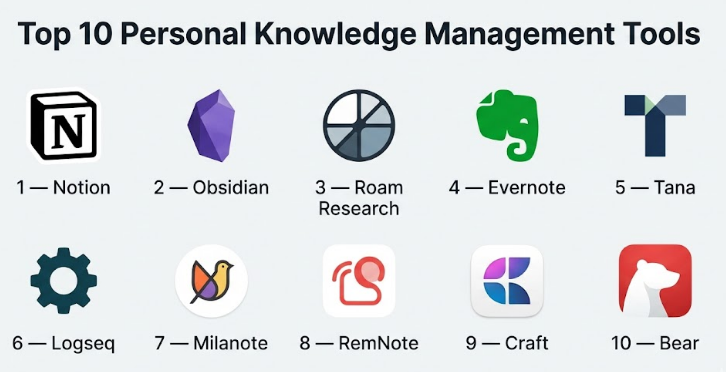
Top 10 Personal Knowledge Management Tools
#1 — Notion
Short description : Notion is an all-in-one workspace that allows note-taking, database management, and knowledge organization with flexible templates and linked content for individuals and teams.
Key Features
- Rich text and Markdown support
- Databases and tables for structured knowledge
- Templates for notes, projects, and workflows
- Cross-page linking and backlinks
- Multi-platform access with offline support
- Collaborative workspace for teams
- Task and project management integration
Pros
- Highly customizable and flexible
- Supports multimedia notes and structured databases
Cons
- Can be overwhelming for new users
- Advanced features require learning curve
Platforms / Deployment
- Web / Windows / macOS / iOS / Android
- Cloud
Security & Compliance
- SSO/SAML, MFA
- Encryption in transit and at rest
- Not publicly stated for SOC 2
Integrations & Ecosystem
- Google Drive, Slack, Calendar
- Zapier, GitHub, Figma
- API for custom workflows
Support & Community
- Documentation and tutorials
- Community forums
- Email support
#2 — Obsidian
Short description : Obsidian is a Markdown-based PKM tool designed around linked notes, knowledge graphs, and local storage, emphasizing privacy and a networked approach to information.
Key Features
- Markdown and rich text note-taking
- Bidirectional linking and graph view
- Local-first storage for privacy
- Plugin ecosystem for extended features
- Daily notes and templates
- Offline access
- Tagging and search
Pros
- Excellent for connected knowledge management
- Strong privacy with local storage
Cons
- Initial setup can be complex
- Limited collaboration features
Platforms / Deployment
- Windows / macOS / Linux / iOS / Android
- Local / Cloud optional
Security & Compliance
- Local storage encryption
- Not publicly stated for enterprise certifications
Integrations & Ecosystem
- Plugin marketplace
- Cloud sync via third-party or Obsidian Sync
- Community-developed tools
Support & Community
- Active online forums
- Extensive documentation
- Tutorials and community resources
#3 — Roam Research
Short description : Roam Research is designed for networked thought, with backlinks and graph-style note visualization, ideal for researchers, writers, and knowledge workers building interconnected ideas.
Key Features
- Bi-directional links and graph database
- Daily notes and journaling
- Markdown support
- Query and filter capabilities
- Tagging and backlinks
- Web-based access
- Collaborative features for teams
Pros
- Exceptional for interlinked knowledge
- Supports deep research workflows
Cons
- Subscription-based pricing
- Interface can be unintuitive for beginners
Platforms / Deployment
- Web / iOS / Android
- Cloud
Security & Compliance
- Not publicly stated
- Standard cloud encryption
Integrations & Ecosystem
- APIs for integrations
- Third-party community tools
- Export to Markdown
Support & Community
- Online documentation
- Community forums
- Email support
#4 — Evernote
Short description : Evernote is a classic note-taking and PKM tool, supporting multimedia notes, tagging, and notebooks, catering to both individuals and teams managing large knowledge repositories.
Key Features
- Notes, notebooks, and tags
- Web clipping and document capture
- Multimedia attachments
- Searchable text and images
- Templates for productivity workflows
- Sync across devices
- Basic collaboration tools
Pros
- Mature and widely adopted platform
- Strong search and organization capabilities
Cons
- Limited graph-based linking
- Advanced features require subscription
Platforms / Deployment
- Web / Windows / macOS / iOS / Android
- Cloud
Security & Compliance
- SSO/SAML, MFA
- Encryption at rest and in transit
Integrations & Ecosystem
- Google Drive, Slack, Outlook
- Zapier for workflow automation
Support & Community
- Knowledge base and documentation
- Email support
- Active user community
#5 — Tana
Short description : Tana offers a structured PKM experience with node-based linking, AI suggestions, and hierarchical knowledge graphs for individuals managing complex information.
Key Features
- Node-based organization
- Bi-directional links and graph view
- AI-assisted insights
- Hierarchical tagging
- Task integration
- Offline support
Pros
- Powerful visualization of complex knowledge
- AI support for insights
Cons
- Premium subscription required
- Learning curve for node structures
Platforms / Deployment
- Web / iOS / Android
- Cloud
Security & Compliance
- Not publicly stated
Integrations & Ecosystem
- APIs for task management
- Calendar and note imports
Support & Community
- Documentation
- Community forums
- Email support
#6 — Logseq
Short description : Logseq is an open-source, local-first PKM app emphasizing networked notes, Markdown, and personal privacy, appealing to advanced users and developers.
Key Features
- Markdown-based notes
- Bi-directional links and graph view
- Local storage with optional sync
- Query and filtering tools
- Task integration and daily notes
- Plugin system
Pros
- Open-source and highly flexible
- Strong privacy focus
Cons
- Less polished interface
- Limited built-in cloud collaboration
Platforms / Deployment
- Windows / macOS / Linux / iOS / Android
- Local / Cloud optional
Security & Compliance
- Local encryption
- Not publicly stated for certifications
Integrations & Ecosystem
- Plugins for third-party integration
- Sync via community tools
Support & Community
- Active developer community
- Documentation and tutorials
#7 — Milanote
Short description : Milanote is a visual PKM tool focused on creative workflows, ideal for designers, writers, and teams capturing ideas with boards, notes, and images.
Key Features
- Visual boards and notes
- Drag-and-drop content organization
- Image, text, and file support
- Collaborative workspaces
- Templates for creative workflows
Pros
- Excellent for creative knowledge visualization
- Intuitive drag-and-drop interface
Cons
- Less suited for linear or text-heavy knowledge
- Premium subscription required
Platforms / Deployment
- Web / macOS / Windows / iOS
- Cloud
Security & Compliance
- Not publicly stated
Integrations & Ecosystem
- Google Drive, Slack
- Export to PDF/Markdown
Support & Community
- Tutorials and help guides
- Email support
#8 — RemNote
Short description : RemNote combines note-taking with spaced repetition, enabling efficient long-term knowledge retention and linking concepts for students and professionals.
Key Features
- Linked notes and flashcards
- Spaced repetition for learning
- Bi-directional linking and graph view
- Tagging and hierarchical organization
- Task and homework management
Pros
- Effective for learning and memory retention
- Strong concept linking
Cons
- Interface may feel complex for casual users
- Limited multimedia support
Platforms / Deployment
- Web / iOS / Android
- Cloud
Security & Compliance
- Not publicly stated
Integrations & Ecosystem
- API for importing/exporting notes
- Calendar sync optional
Support & Community
- Documentation
- Community forums
#9 — Craft
Short description : Craft is a document and note management PKM app offering rich text, templates, and cross-linking, suitable for individual knowledge workers and small teams.
Key Features
- Rich text editing
- Cross-document linking
- Templates for notes and projects
- Multimedia content support
- Graphical document navigation
Pros
- Polished UI and cross-linking
- Collaborative features for small teams
Cons
- Premium subscription needed for advanced features
- Less suited for large-scale knowledge bases
Platforms / Deployment
- iOS / macOS / Web
- Cloud
Security & Compliance
- Standard encryption
- Not publicly stated
Integrations & Ecosystem
- Calendar and cloud storage integration
- Export to PDF/Markdown
Support & Community
- Knowledge base
- Email support
#10 — Bear
Short description : Bear is a flexible note-taking and PKM tool focused on simplicity and Markdown support, appealing to writers and knowledge workers needing minimal distractions.
Key Features
- Markdown editing
- Tagging and nested organization
- Cross-note linking
- Export to multiple formats
- Focus mode
Pros
- Clean, distraction-free interface
- Strong Markdown and linking capabilities
Cons
- Limited collaboration features
- iOS/macOS only
Platforms / Deployment
- iOS / macOS
- Cloud
Security & Compliance
- Standard consumer encryption
- Not publicly stated
Integrations & Ecosystem
- Calendar and cloud storage sync
- Export to PDF/Markdown
Support & Community
- Help guides
- Email support
Comparison Table (Top 10)
| Tool Name | Best For | Platforms Supported | Deployment | Standout Feature | Public Rating |
|---|---|---|---|---|---|
| Notion | Flexible workspace | Web, Windows, macOS, iOS, Android | Cloud | Templates + linked databases | N/A |
| Obsidian | Networked knowledge | Windows, macOS, Linux, iOS, Android | Local/Cloud | Backlink graph visualization | N/A |
| Roam Research | Research & writers | Web, iOS, Android | Cloud | Bi-directional linking & graph view | N/A |
| Evernote | General note management | Web, Windows, macOS, iOS, Android | Cloud | Multimedia notes & search | N/A |
| Tana | Node-based knowledge | Web, iOS, Android | Cloud | Node structure + AI insights | N/A |
| Logseq | Open-source, local privacy | Windows, macOS, Linux, iOS, Android | Local/Cloud | Markdown & graph linking | N/A |
| Milanote | Creative visual workflows | Web, macOS, Windows, iOS | Cloud | Visual boards for ideas | N/A |
| RemNote | Learning & memory retention | Web, iOS, Android | Cloud | Spaced repetition + linked notes | N/A |
| Craft | Documents & cross-linking | Web, macOS, iOS | Cloud | Rich text + cross-document linking | N/A |
| Bear | Minimalist note-taking | iOS, macOS | Cloud | Markdown + tagging & linking | N/A |
Evaluation & Scoring
| Tool Name | Core (25%) | Ease (15%) | Integrations (15%) | Security (10%) | Performance (10%) | Support (10%) | Value (15%) | Weighted Total (0–10) |
|---|---|---|---|---|---|---|---|---|
| Notion | 9 | 7 | 9 | 8 | 9 | 8 | 8 | 8.35 |
| Obsidian | 8 | 7 | 6 | 9 | 8 | 7 | 8 | 7.8 |
| Roam Research | 9 | 6 | 7 | 8 | 8 | 7 | 7 | 7.65 |
| Evernote | 8 | 8 | 8 | 8 | 8 | 7 | 7 | 7.9 |
| Tana | 9 | 7 | 6 | 8 | 8 | 7 | 8 | 7.75 |
| Logseq | 8 | 7 | 5 | 9 | 8 | 7 | 8 | 7.5 |
| Milanote | 8 | 8 | 7 | 7 | 8 | 7 | 7 | 7.55 |
| RemNote | 9 | 6 | 6 | 8 | 8 | 7 | 7 | 7.3 |
| Craft | 8 | 7 | 6 | 7 | 8 | 7 | 7 | 7.15 |
| Bear | 7 | 8 | 5 | 7 | 8 | 7 | 7 | 7.0 |
Interpretation: Scores highlight the balance between core PKM features, usability, integrations, and security. Higher totals indicate comprehensive solutions for professional and personal knowledge management.
Which PKM Tool
Solo / Individual Knowledge Workers
- Bear, Obsidian, Logseq for private, local, or distraction-free note management.
Students & Researchers
- RemNote, Roam Research, Tana for linked notes, spaced repetition, and idea mapping.
Creative Professionals
- Milanote, Craft, Notion for visual boards, content structuring, and collaborative projects.
Team Collaboration
- Notion, Evernote, Tana for shared knowledge bases and team workflows.
Feature Depth vs Ease of Use
- Easy adoption: Bear, Milanote
- Feature-rich: Obsidian, Roam Research, Tana
Integrations & Scalability
- Notion, Evernote, Craft for broader integration and team scaling.
Privacy & Security Needs
- Local-focused: Obsidian, Logseq
- Cloud-focused with SSO: Notion, Evernote
Frequently Asked Questions (FAQs)
1. Are PKM tools worth it?
Yes, they provide organization, retrieval, and long-term knowledge structuring to improve productivity and learning.
2. Can I link notes across topics?
Yes, apps like Obsidian, Roam, and Tana excel in backlinking and networked notes.
3. Do these tools support offline access?
Many support offline usage; some like Obsidian and Logseq are local-first.
4. Are they suitable for teams?
Some, like Notion, Evernote, and Tana, support team collaboration and shared knowledge bases.
5. How secure is my data?
Local-first tools offer privacy; cloud tools generally use encryption in transit and at rest.
6. Can I integrate with other tools?
Yes, integrations with calendars, cloud storage, and productivity apps are common.
7. Do PKM tools support multimedia notes?
Most support text, images, links, PDFs, and some audio/video embedding.
8. Can I export my notes?
Yes, most apps provide export options in Markdown, PDF, or CSV formats.
9. How steep is the learning curve?
Varies by tool: simple apps like Bear are intuitive; networked note tools like Roam require learning.
10. Are AI features common?
Emerging trend in 2026: AI summarization, linking suggestions, and knowledge insights are being added.
Conclusion
Personal Knowledge Management tools are powerful for capturing, linking, and retrieving information efficiently. The right PKM tool depends on your workflow—whether you prioritize privacy, visual knowledge mapping, AI insights, or team collaboration. Begin by aligned with your knowledge style and testing them for note-taking, linking, and retrieval efficiency. Effective PKM can enhance learning, creativity, and decision-making, turning information overload into structured knowledge and actionable insight.
