Introduction
Incident Management Tools are platforms designed to help teams detect, respond to, manage, and resolve incidents in IT systems and applications. In simple terms, they ensure that when something breaks—like a server outage, application failure, or performance issue—teams can quickly identify the problem, coordinate a response, and restore normal operations.
As organizations adopt cloud-native architectures, microservices, and always-on digital services, downtime has become more costly than ever. Incident management tools provide structured workflows, real-time alerts, collaboration features, and automation to minimize disruption and improve response times.
Common use cases include:
- Managing IT outages and service disruptions
- Coordinating incident response across teams
- Automating alerts and escalations
- Tracking incident timelines and postmortems
- Improving uptime and reliability
Key evaluation criteria:
- Alerting and escalation capabilities
- Incident response workflows
- Integration with monitoring and observability tools
- Collaboration features (chat, on-call scheduling)
- Automation and runbooks
- Reporting and analytics
- Ease of use and onboarding
- Scalability across teams
- Security and compliance features
- Pricing and flexibility
Best for: DevOps teams, SREs, IT operations, and organizations running mission-critical systems.
Not ideal for: Small teams with minimal infrastructure or low uptime requirements.
Key Trends in Incident Management Tools
- AI-driven incident detection: Automatically identifying anomalies and incidents
- Automated remediation: Running scripts or workflows to resolve issues
- Integration with observability platforms: Unified monitoring and response
- ChatOps adoption: Managing incidents through collaboration tools
- On-call automation: Smarter scheduling and escalation policies
- Post-incident analysis tools: Built-in postmortems and reporting
- Multi-channel alerting: SMS, email, mobile apps, and chat integrations
- Runbook automation: Standardized response procedures
- Security incident convergence: Combining IT and security incident management
- Focus on developer experience: Simplifying incident handling
How We Selected These Tools (Methodology)
We evaluated Incident Management Tools based on:
- Market adoption and reputation
- Feature completeness (alerting, workflows, automation)
- Ease of use and onboarding
- Integration with monitoring and DevOps tools
- Scalability for large teams
- Security and compliance capabilities
- Performance and reliability
- Collaboration features
- Community and vendor support
- Overall value for cost
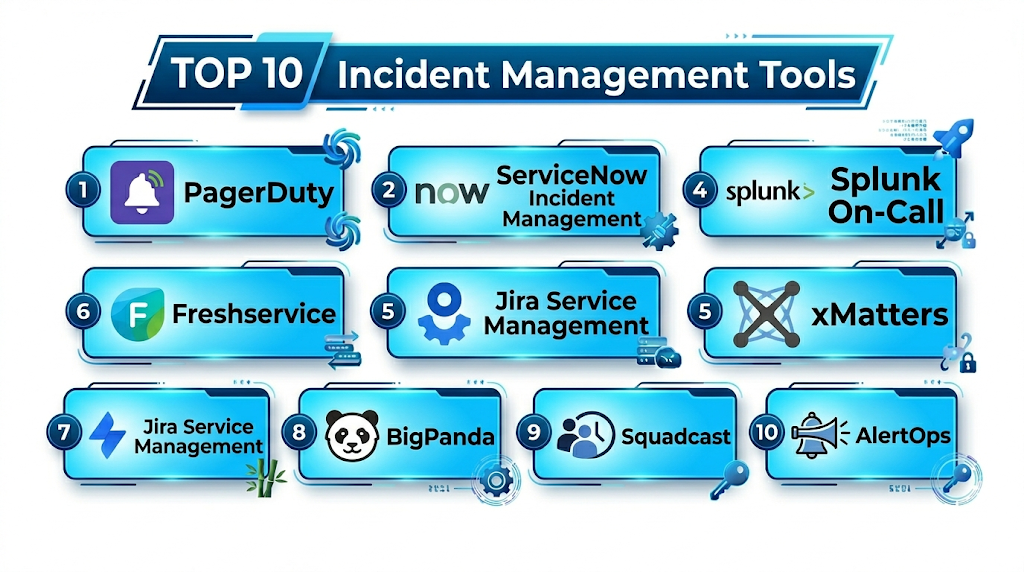
Top 10 Incident Management Tools
#1 — PagerDuty
Short description: A leading incident management platform focused on real-time alerting, on-call scheduling, and automated response workflows.
Key Features
- Real-time alerting and escalation
- On-call scheduling
- Incident response automation
- Event intelligence
- Runbook automation
- Post-incident reporting
Pros
- Highly reliable and scalable
- Strong automation capabilities
Cons
- Expensive for small teams
- Learning curve for advanced features
Platforms / Deployment
Cloud
Security & Compliance
SSO, RBAC, audit logs, encryption
Integrations & Ecosystem
PagerDuty integrates with a wide range of monitoring and DevOps tools.
- APM tools
- Cloud providers
- CI/CD tools
Support & Community
Strong enterprise support and large community.
#2 — Opsgenie
Short description: An incident management and alerting tool designed for fast response and team collaboration.
Key Features
- Alerting and escalation
- On-call scheduling
- Incident tracking
- Collaboration tools
- Reporting
Pros
- Easy to use
- Strong Atlassian integration
Cons
- Limited advanced automation
- Best within Atlassian ecosystem
Platforms / Deployment
Cloud
Security & Compliance
RBAC, encryption
Integrations & Ecosystem
Works seamlessly with Atlassian and DevOps tools.
- Jira
- Monitoring tools
Support & Community
Good vendor support.
#3 — ServiceNow Incident Management
Short description: An enterprise IT service management platform with advanced incident management capabilities.
Key Features
- Incident tracking and workflows
- Automation and orchestration
- SLA management
- Reporting and analytics
- Integration with ITSM processes
Pros
- Enterprise-grade capabilities
- Strong governance
Cons
- Expensive
- Complex implementation
Platforms / Deployment
Cloud / Self-hosted
Security & Compliance
RBAC, audit logs, encryption
Integrations & Ecosystem
ServiceNow integrates with enterprise systems and IT tools.
- ITSM tools
- Monitoring systems
Support & Community
Enterprise support.
#4 — Splunk On-Call (VictorOps)
Short description: An incident response platform focused on real-time collaboration and alerting.
Key Features
- Real-time alerting
- On-call scheduling
- Incident timelines
- ChatOps integration
- Reporting
Pros
- Strong collaboration features
- Good real-time visibility
Cons
- Requires Splunk ecosystem for full value
- Pricing considerations
Platforms / Deployment
Cloud
Security & Compliance
RBAC, encryption
Integrations & Ecosystem
Integrates with monitoring and collaboration tools.
- Splunk platform
- Chat tools
Support & Community
Vendor support.
#5 — xMatters
Short description: A service reliability platform focused on incident response automation and communication.
Key Features
- Alerting and escalation
- Workflow automation
- Communication tools
- Incident tracking
- Reporting
Pros
- Strong automation
- Flexible workflows
Cons
- Complex setup
- Learning curve
Platforms / Deployment
Cloud
Security & Compliance
RBAC, encryption
Integrations & Ecosystem
xMatters integrates with DevOps and IT tools.
- Monitoring tools
- CI/CD systems
Support & Community
Enterprise support.
#6 — Freshservice
Short description: An IT service management tool with built-in incident management features for SMBs and mid-sized teams.
Key Features
- Incident tracking
- Automation workflows
- SLA management
- Reporting
- Integration with ITSM processes
Pros
- Easy to use
- Affordable
Cons
- Limited advanced features
- Less suitable for large enterprises
Platforms / Deployment
Cloud
Security & Compliance
RBAC, encryption
Integrations & Ecosystem
Integrates with IT and business tools.
- Monitoring tools
- CRM systems
Support & Community
Good support.
#7 — Jira Service Management
Short description: An ITSM solution by Atlassian offering incident management and service desk capabilities.
Key Features
- Incident management workflows
- SLA tracking
- Automation rules
- Integration with Jira
- Reporting
Pros
- Strong integration with Atlassian ecosystem
- Flexible workflows
Cons
- Requires configuration
- Can be complex
Platforms / Deployment
Cloud / Self-hosted
Security & Compliance
SSO, RBAC, audit logs
Integrations & Ecosystem
Works within Atlassian ecosystem and beyond.
- Jira
- DevOps tools
Support & Community
Large community.
#8 — BigPanda
Short description: An AIOps platform focused on event correlation and incident management.
Key Features
- Event correlation
- Incident detection
- AI-driven insights
- Alert reduction
- Integration with monitoring tools
Pros
- Strong AI capabilities
- Reduces alert noise
Cons
- Expensive
- Complex setup
Platforms / Deployment
Cloud
Security & Compliance
RBAC, encryption
Integrations & Ecosystem
Integrates with observability and IT tools.
- APM tools
- Monitoring systems
Support & Community
Enterprise support.
#9 — Squadcast
Short description: A modern incident management platform focused on reliability and automation.
Key Features
- Alerting and escalation
- On-call scheduling
- Incident workflows
- Automation
- Reporting
Pros
- Cost-effective
- Easy to use
Cons
- Smaller ecosystem
- Limited advanced features
Platforms / Deployment
Cloud
Security & Compliance
RBAC, encryption
Integrations & Ecosystem
Integrates with monitoring and DevOps tools.
- CI/CD tools
- Monitoring tools
Support & Community
Growing support.
#10 — AlertOps
Short description: An incident management tool offering alerting, escalation, and workflow automation.
Key Features
- Alerting and escalation
- On-call scheduling
- Workflow automation
- Reporting
- Multi-channel notifications
Pros
- Flexible alerting
- Good customization
Cons
- UI limitations
- Smaller ecosystem
Platforms / Deployment
Cloud
Security & Compliance
RBAC, encryption
Integrations & Ecosystem
Works with monitoring and IT tools.
- Monitoring systems
- APIs
Support & Community
Vendor support.
Comparison Table (Top 10)
| Tool Name | Best For | Platform(s) Supported | Deployment | Standout Feature | Public Rating |
|---|---|---|---|---|---|
| PagerDuty | Enterprise | Web | Cloud | Alerting & automation | N/A |
| Opsgenie | SMB/Teams | Web | Cloud | Ease of use | N/A |
| ServiceNow | Enterprise ITSM | Web | Hybrid | Governance | N/A |
| Splunk On-Call | Collaboration | Web | Cloud | ChatOps | N/A |
| xMatters | Automation | Web | Cloud | Workflow automation | N/A |
| Freshservice | SMB | Web | Cloud | Simplicity | N/A |
| Jira Service Mgmt | Atlassian users | Web | Hybrid | Integration | N/A |
| BigPanda | AIOps | Web | Cloud | Event correlation | N/A |
| Squadcast | Cost-effective | Web | Cloud | Ease of use | N/A |
| AlertOps | Custom workflows | Web | Cloud | Flexibility | N/A |
Incident Management Tools Scoring
| Tool Name | Core (25%) | Ease (15%) | Integrations (15%) | Security (10%) | Performance (10%) | Support (10%) | Value (15%) | Weighted Total |
|---|---|---|---|---|---|---|---|---|
| PagerDuty | 10 | 8 | 10 | 10 | 10 | 9 | 7 | 9.2 |
| Opsgenie | 8 | 9 | 8 | 8 | 8 | 8 | 9 | 8.4 |
| ServiceNow | 10 | 7 | 9 | 10 | 9 | 9 | 7 | 8.9 |
| Splunk On-Call | 8 | 8 | 8 | 8 | 8 | 8 | 7 | 8.0 |
| xMatters | 9 | 7 | 9 | 9 | 9 | 9 | 7 | 8.6 |
| Freshservice | 7 | 9 | 7 | 8 | 8 | 8 | 9 | 8.0 |
| Jira Service Mgmt | 8 | 8 | 9 | 9 | 8 | 9 | 8 | 8.4 |
| BigPanda | 9 | 7 | 9 | 9 | 9 | 8 | 7 | 8.5 |
| Squadcast | 8 | 9 | 8 | 8 | 8 | 8 | 9 | 8.3 |
| AlertOps | 7 | 8 | 7 | 8 | 8 | 7 | 8 | 7.8 |
How to interpret scores:
- Scores reflect relative strengths across tools
- Enterprise tools excel in automation and scalability
- SMB tools prioritize ease of use and cost
- AI-driven tools reduce alert noise
- Choose based on team size and incident complexity
Which Incident Management Tools Is Right for You?
Solo / Freelancer
- Use Squadcast or AlertOps
- Focus on simplicity and affordability
SMB
- Opsgenie or Freshservice
- Balance usability and features
Mid-Market
- Jira Service Management or xMatters
- Focus on scalability and automation
Enterprise
- PagerDuty or ServiceNow
- Focus on reliability, governance, and integrations
Budget vs Premium
- Budget tools offer essential alerting
- Premium tools provide automation and AI
Feature Depth vs Ease of Use
- PagerDuty = powerful
- Freshservice = simple
Integrations & Scalability
- Choose tools with strong monitoring integrations
- Ensure scalability across teams
Security & Compliance Needs
- Enterprises should prioritize audit logs and RBAC
- Smaller teams can focus on core alerting
Frequently Asked Questions (FAQs)
What is incident management?
It is the process of detecting, responding to, and resolving incidents.
Why are incident management tools important?
They reduce downtime and improve response efficiency.
Are these tools part of ITSM?
Some are standalone; others are part of ITSM platforms.
Can alerts be automated?
Yes, most tools support automated alerting.
What is on-call scheduling?
Assigning team members to handle incidents during specific times.
Do these tools integrate with monitoring tools?
Yes, integration is a key feature.
Are these tools cloud-based?
Most are cloud-native; some support hybrid deployment.
How long does setup take?
From hours to weeks depending on complexity.
Can I switch tools later?
Yes, but workflows may need reconfiguration.
Do small teams need these tools?
Only if uptime and reliability are critical.
Conclusion
Incident Management Tools are essential for maintaining system reliability and minimizing downtime in modern IT environments. They enable teams to respond quickly, coordinate effectively, and resolve issues with minimal impact.
