Introduction
Patch Management Tools are software solutions that help organizations automatically identify, deploy, and manage updates (patches) for operating systems, applications, and devices. These patches fix security vulnerabilities, improve performance, and ensure systems remain compliant with industry standards.
In today’s threat-heavy environment, especially in beyond, timely patching is no longer optional—it’s a core cybersecurity requirement. With increasing ransomware attacks, zero-day vulnerabilities, and distributed workforces, organizations need centralized, automated patch management to reduce risk and maintain operational stability.
Real-world use cases include:
- Automatically patching Windows, macOS, and Linux systems across distributed teams
- Ensuring compliance with security standards in regulated industries
- Updating third-party applications like browsers and productivity tools
- Managing remote endpoints for hybrid or remote work environments
- Reducing IT workload through automation and scheduling
Key evaluation criteria buyers should consider:
- Automation capabilities
- OS and third-party application coverage
- Deployment flexibility (cloud vs on-premise)
- Reporting and compliance features
- Integration with ITSM and security tools
- Scalability and performance
- Ease of use and onboarding
- Security controls (RBAC, MFA, audit logs)
- Cost and licensing model
Best for: IT managers, system administrators, MSPs, security teams, and organizations of all sizes managing multiple endpoints across environments.
Not ideal for: Very small teams or individual users with minimal devices; in such cases, built-in OS update tools or lightweight scripts may be sufficient.
Key Trends in Patch Management Tools
- AI-driven patch prioritization: Tools increasingly use AI to prioritize critical vulnerabilities based on exploit likelihood.
- Zero-touch automation: Fully automated patch cycles with minimal human intervention are becoming standard.
- Unified endpoint management (UEM): Patch management is merging with broader endpoint and device management platforms.
- Cloud-first deployment: SaaS-based tools are replacing traditional on-premise solutions.
- Third-party patching expansion: Coverage now includes hundreds of popular third-party applications.
- Compliance-ready reporting: Built-in dashboards for regulatory frameworks like GDPR and industry-specific standards.
- Real-time vulnerability intelligence: Integration with threat intelligence feeds for faster patch response.
- Remote workforce optimization: Tools optimized for off-network devices and remote patching.
- API-first ecosystems: Better integration with DevOps, ITSM, and security tools.
- Flexible pricing models: Subscription-based pricing with per-device or per-user billing.
How We Selected These Tools (Methodology)
We evaluated the top patch management tools based on the following criteria:
- Market adoption and industry recognition across enterprises and SMBs
- Feature completeness, including OS and third-party patching capabilities
- Automation and scheduling flexibility
- Reliability and performance in large-scale environments
- Security posture, including RBAC, encryption, and audit capabilities
- Integration ecosystem with ITSM, RMM, and security tools
- Ease of use and onboarding experience
- Scalability across distributed environments
- Vendor support and documentation quality
- Suitability across different business sizes and industries
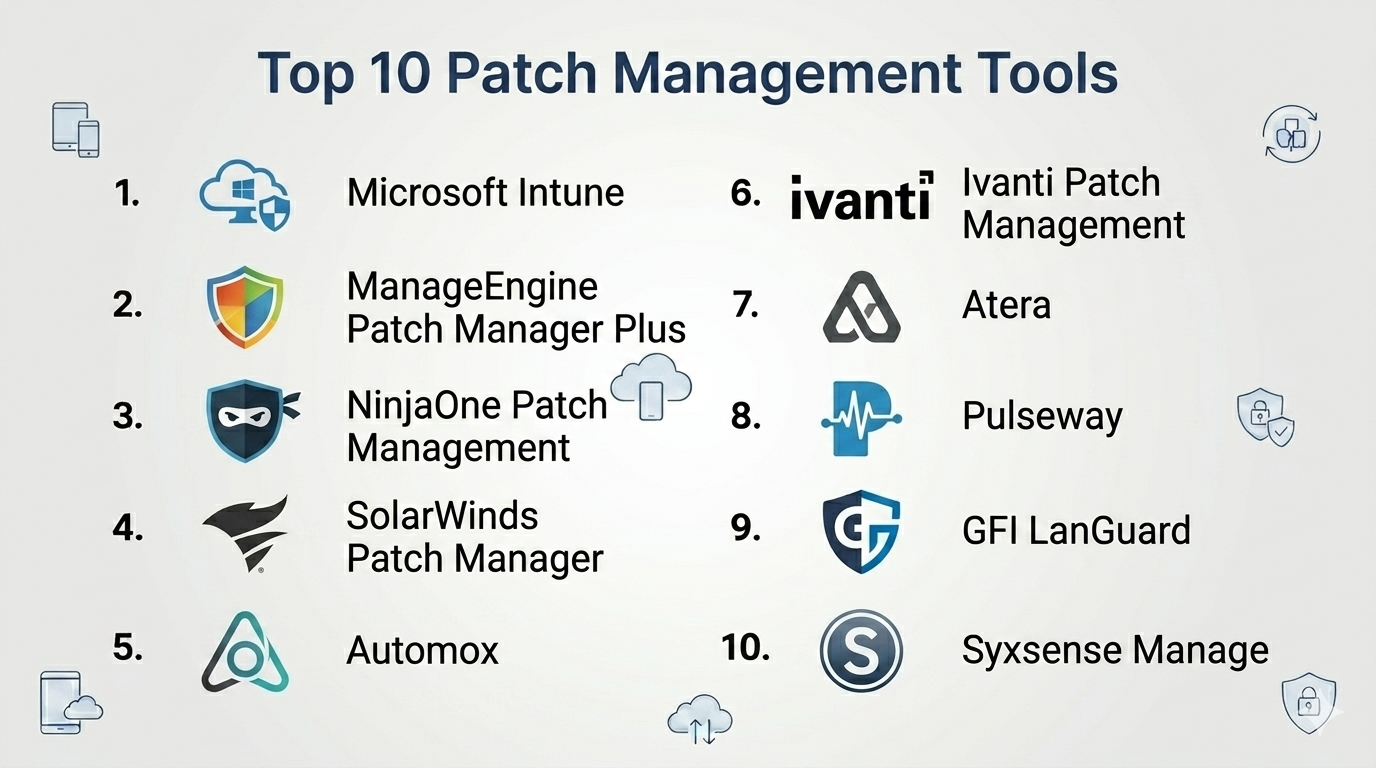
Top 10 Patch Management Tools
#1 — Microsoft Intune
Short description: A cloud-based endpoint management solution from Microsoft, ideal for organizations already using the Microsoft ecosystem.
Key Features
- Automated patch deployment for Windows devices
- Integration with Microsoft Defender
- Policy-based device management
- Remote device configuration
- Compliance reporting dashboards
- Mobile device management (MDM)
- Conditional access controls
Pros
- Deep integration with Microsoft 365
- Strong security and compliance features
Cons
- Limited non-Windows patching compared to competitors
- Can be complex for beginners
Platforms / Deployment
Web / Windows / macOS / iOS / Android
Cloud
Security & Compliance
SSO, MFA, RBAC, encryption, audit logs
Compliance certifications: Not publicly stated
Integrations & Ecosystem
Microsoft Intune integrates tightly with the Microsoft ecosystem and enterprise tools.
- Microsoft 365
- Azure Active Directory
- Microsoft Defender
- Endpoint analytics tools
Support & Community
Extensive documentation and enterprise-grade support. Large global community.
#2 — ManageEngine Patch Manager Plus
Short description: A comprehensive patch management solution supporting multiple OS and third-party applications.
Key Features
- Automated patch deployment
- Third-party application patching
- Patch testing and approval workflows
- Detailed reporting and compliance tracking
- Remote endpoint management
- Vulnerability scanning
- Patch rollback options
Pros
- Broad OS and app coverage
- Flexible deployment options
Cons
- UI can feel dated
- Advanced features may require configuration effort
Platforms / Deployment
Windows / macOS / Linux
Cloud / On-premise
Security & Compliance
RBAC, encryption, audit logs
Compliance certifications: Not publicly stated
Integrations & Ecosystem
- ITSM tools
- Endpoint management systems
- APIs for custom integrations
Support & Community
Strong documentation and support tiers. Active user community.
#3 — NinjaOne Patch Management
Short description: A modern RMM platform with strong patch management capabilities, designed for MSPs and IT teams.
Key Features
- Automated patching for OS and applications
- Remote monitoring and management
- Patch status dashboards
- Policy-based automation
- Endpoint visibility
- Scripting support
Pros
- Easy to use interface
- Strong automation capabilities
Cons
- Pricing not publicly transparent
- Advanced customization may be limited
Platforms / Deployment
Web / Windows / macOS
Cloud
Security & Compliance
MFA, RBAC, encryption
Compliance certifications: Not publicly stated
Integrations & Ecosystem
- PSA tools
- IT documentation platforms
- Backup solutions
Support & Community
Highly rated onboarding and responsive support.
#4 — SolarWinds Patch Manager
Short description: A patch management solution focused on Microsoft environments and enterprise IT teams.
Key Features
- WSUS integration
- Automated patching workflows
- Patch testing and approval
- Compliance reporting
- Third-party patching support
- Centralized dashboard
Pros
- Strong Microsoft ecosystem support
- Detailed reporting
Cons
- Limited non-Microsoft support
- Requires on-premise setup
Platforms / Deployment
Windows
On-premise
Security & Compliance
RBAC, audit logs
Compliance certifications: Not publicly stated
Integrations & Ecosystem
- WSUS
- SCCM
- IT monitoring tools
Support & Community
Enterprise support available; documentation is solid.
#5 — Automox
Short description: A cloud-native patch management platform designed for modern distributed environments.
Key Features
- Cross-platform patching
- Policy-based automation
- Real-time visibility
- Remote endpoint management
- Third-party patching
- API-first design
Pros
- Cloud-native and scalable
- Works well for remote teams
Cons
- Pricing may be higher for small teams
- Limited on-premise options
Platforms / Deployment
Windows / macOS / Linux
Cloud
Security & Compliance
MFA, RBAC, encryption
Compliance certifications: Not publicly stated
Integrations & Ecosystem
- SIEM tools
- ITSM platforms
- APIs for automation
Support & Community
Good documentation and growing community.
#6 — Ivanti Patch Management
Short description: Enterprise-grade patch management solution with strong automation and compliance features.
Key Features
- Automated patch deployment
- Risk-based patch prioritization
- Endpoint security integration
- Compliance reporting
- Multi-OS support
- Patch testing workflows
Pros
- Strong enterprise capabilities
- Advanced automation
Cons
- Complex setup
- Higher cost
Platforms / Deployment
Windows / macOS / Linux
Cloud / On-premise
Security & Compliance
RBAC, encryption, audit logs
Compliance certifications: Not publicly stated
Integrations & Ecosystem
- Security tools
- ITSM platforms
- Endpoint management systems
Support & Community
Enterprise-level support; documentation varies.
#7 — Atera
Short description: An all-in-one RMM platform with integrated patch management for SMBs and MSPs.
Key Features
- Automated patching
- Remote monitoring
- IT automation workflows
- Reporting dashboards
- Ticketing system integration
- Remote access tools
Pros
- All-in-one platform
- Simple pricing model
Cons
- Limited enterprise features
- Customization constraints
Platforms / Deployment
Web / Windows / macOS
Cloud
Security & Compliance
MFA, encryption
Compliance certifications: Not publicly stated
Integrations & Ecosystem
- PSA tools
- Remote access software
- Backup solutions
Support & Community
Strong support and active community.
#8 — Pulseway
Short description: A mobile-first IT management platform with patch management capabilities.
Key Features
- Mobile app for patch management
- Real-time alerts
- Automated patching
- Remote control
- Monitoring dashboards
- Multi-platform support
Pros
- Strong mobile experience
- Easy to deploy
Cons
- Limited advanced features
- UI can feel basic
Platforms / Deployment
Windows / macOS / Linux / iOS / Android
Cloud
Security & Compliance
MFA, encryption
Compliance certifications: Not publicly stated
Integrations & Ecosystem
- IT automation tools
- Monitoring systems
- APIs
Support & Community
Good documentation; moderate community size.
#9 — GFI LanGuard
Short description: A network security and patch management tool focused on vulnerability scanning.
Key Features
- Vulnerability assessment
- Patch deployment
- Network scanning
- Compliance reporting
- Third-party patching
- Patch rollback
Pros
- Strong vulnerability scanning
- Good reporting features
Cons
- Windows-focused
- UI could be improved
Platforms / Deployment
Windows
On-premise
Security & Compliance
RBAC, audit logs
Compliance certifications: Not publicly stated
Integrations & Ecosystem
- Network monitoring tools
- Security platforms
- APIs
Support & Community
Decent support; smaller community.
#10 — Syxsense Manage
Short description: A unified endpoint and patch management platform with automation and security features.
Key Features
- Automated patching
- Endpoint management
- Vulnerability scanning
- Compliance reporting
- Remote control
- AI-driven insights
Pros
- Unified platform
- Strong automation
Cons
- Less widely adopted
- Learning curve
Platforms / Deployment
Windows / macOS / Linux
Cloud
Security & Compliance
MFA, RBAC, encryption
Compliance certifications: Not publicly stated
Integrations & Ecosystem
- Security tools
- ITSM platforms
- APIs
Support & Community
Growing support ecosystem.
Comparison Table (Top 10)
| Tool Name | Best For | Platform(s) Supported | Deployment | Standout Feature | Public Rating |
|---|---|---|---|---|---|
| Microsoft Intune | Enterprises using Microsoft ecosystem | Windows, macOS, iOS, Android | Cloud | Deep Microsoft integration | N/A |
| ManageEngine Patch Manager Plus | SMBs & enterprises | Windows, macOS, Linux | Cloud/On-prem | Third-party patching | N/A |
| NinjaOne | MSPs | Windows, macOS | Cloud | Automation & RMM | N/A |
| SolarWinds Patch Manager | Microsoft-centric IT teams | Windows | On-prem | WSUS integration | N/A |
| Automox | Remote teams | Windows, macOS, Linux | Cloud | Cloud-native patching | N/A |
| Ivanti | Enterprises | Windows, macOS, Linux | Hybrid | Risk-based patching | N/A |
| Atera | SMBs & MSPs | Windows, macOS | Cloud | All-in-one IT platform | N/A |
| Pulseway | Mobile-first IT teams | Multi-platform | Cloud | Mobile management | N/A |
| GFI LanGuard | Security-focused teams | Windows | On-prem | Vulnerability scanning | N/A |
| Syxsense | Unified endpoint management | Multi-platform | Cloud | AI-driven insights | N/A |
Patch Management Tools Scoring
| Tool Name | Core (25%) | Ease (15%) | Integrations (15%) | Security (10%) | Performance (10%) | Support (10%) | Value (15%) | Weighted Total |
|---|---|---|---|---|---|---|---|---|
| Microsoft Intune | 9 | 7 | 9 | 9 | 8 | 8 | 7 | 8.3 |
| ManageEngine | 9 | 7 | 8 | 8 | 8 | 8 | 9 | 8.4 |
| NinjaOne | 8 | 9 | 8 | 8 | 8 | 9 | 7 | 8.3 |
| SolarWinds | 8 | 6 | 7 | 8 | 8 | 7 | 7 | 7.4 |
| Automox | 9 | 8 | 8 | 8 | 8 | 8 | 7 | 8.2 |
| Ivanti | 9 | 6 | 8 | 9 | 9 | 7 | 6 | 8.0 |
| Atera | 8 | 9 | 7 | 7 | 8 | 8 | 9 | 8.2 |
| Pulseway | 7 | 9 | 7 | 7 | 7 | 7 | 8 | 7.6 |
| GFI LanGuard | 7 | 6 | 6 | 8 | 7 | 6 | 8 | 6.9 |
| Syxsense | 8 | 7 | 7 | 8 | 8 | 7 | 7 | 7.7 |
How to interpret:
- Scores are comparative, not absolute.
- A higher score reflects better overall balance across criteria.
- Enterprise tools may score lower on ease but higher on security.
- SMB tools often score higher on value and usability.
- Always align scores with your specific needs and environment.
Which Patch Management Tools Is Right for You?
Solo / Freelancer
Lightweight tools or built-in OS updates are usually enough. Full patch management platforms may be unnecessary.
SMB
Tools like Atera or ManageEngine offer a balance of cost, features, and ease of use.
Mid-Market
Consider Automox or NinjaOne for scalability and automation without enterprise complexity.
Enterprise
Microsoft Intune and Ivanti are strong choices for large-scale environments with compliance needs.
Budget vs Premium
- Budget: Atera, ManageEngine
- Premium: Ivanti, Automox
Feature Depth vs Ease of Use
- Easy: NinjaOne, Atera
- Advanced: Ivanti, SolarWinds
Integrations & Scalability
Choose tools with strong APIs and ecosystem support if you plan to scale.
Security & Compliance Needs
Highly regulated industries should prioritize tools with strong reporting and access controls.
Frequently Asked Questions (FAQs)
What is patch management?
It’s the process of updating software to fix vulnerabilities and improve performance.
Why is patch management important?
It reduces security risks and ensures compliance with industry standards.
How much do patch management tools cost?
Varies widely; typically per-device or subscription-based pricing.
Can patching be fully automated?
Yes, most modern tools support full automation with policies.
Do these tools support third-party apps?
Many do, but coverage varies by vendor.
How long does implementation take?
From a few hours to several weeks depending on complexity.
Are cloud-based tools better?
They offer flexibility, especially for remote teams.
Can I switch tools easily?
Switching is possible but requires planning and migration effort.
What are common mistakes?
Ignoring testing, over-automation, and lack of monitoring.
Are open-source options available?
Yes, but they often require more manual setup and maintenance.
Conclusion
Patch management tools are essential for maintaining security, compliance, and operational efficiency in modern IT environments. As threats become more sophisticated and infrastructures more distributed, automated and scalable patching solutions are no longer optional—they are foundational.
